Compare commits
803 Commits
| Author | SHA1 | Date | |
|---|---|---|---|
 Jason Jason
|
a377d79303 | ||
|
Jason
|
846fbdd1c0 | ||
|
Jason
|
3a9fb13a0b | ||
|
Jason
|
606e7bbe75 | ||
|
Jason
|
df1751a893 | ||
|
Jason
|
f3108bf754 | ||
|
Jason
|
b3f3aee3ee | ||
|
Jason
|
2bfca54801 | ||
|
Jason
|
107eade30e | ||
|
Jason
|
3537076af2 | ||
|
Jason
|
72efd64a3d | ||
|
Jason
|
f0b7b81c11 | ||
|
Jason
|
b660061b8a | ||
|
Jason
|
200aa14295 | ||
|
Jason
|
bc8001238a | ||
|
Jason
|
325ba48486 | ||
|
Jason
|
a8daf7daad | ||
|
Jason
|
f733def452 | ||
|
Jason
|
a5aa1fd82b | ||
|
Jason
|
6428e993a3 | ||
|
Jason
|
dbb5bd1537 | ||
|
Jason
|
8dcedbc062 | ||
|
Jason
|
eccb296afe | ||
|
Jason
|
eff1e0ccfc | ||
|
Jason
|
c9ac6efd69 | ||
|
Jason
|
df3e07edbb | ||
|
Jason
|
a10b569a53 | ||
|
Jason
|
eb105eae76 | ||
|
Jason
|
01fca69641 | ||
|
Jason
|
db44484726 | ||
|
Jason
|
cdf0ee3491 | ||
|
Jason
|
09101e2a2d | ||
|
Jason
|
e9317f476e | ||
|
Jason
|
615c99c62b | ||
|
Jason
|
a35209a6e7 | ||
|
Jason
|
c4795e98ff | ||
|
Jason
|
6fddcaa97c | ||
|
Jason
|
aa0e441d07 | ||
|
Jason
|
17b053ed94 | ||
|
Jason
|
e356fc6efc | ||
|
Jason
|
f20458229d | ||
|
Jason
|
2bfecead4f | ||
|
Jason
|
6274705848 | ||
|
Jason
|
22d2872c33 | ||
|
Jason
|
7f028632b5 | ||
|
Jason
|
3bc828aecc | ||
|
Komi
|
08710d51fc | ||
|
ka79376046
|
613fef70bc | ||
|
滅ü
|
997be22bfa | ||
|
Allen Xu
|
edea624a27 | ||
|
Thefool
|
1c0ee0c58a | ||
|
zayoka
|
f6e37ed994 | ||
|
Jason
|
1cc52c7e73 | ||
|
SaladDay
|
6d316c0bda | ||
|
Ryan2128
|
9ca1a41f58 | ||
|
Jason
|
c8b0d60c2d | ||
|
Jason
|
7e73a1ffb2 | ||
|
Jason
|
3d176b98cc | ||
|
Jason
|
c154d30b7a | ||
|
Jason
|
6eb217b242 | ||
|
Jason
|
ac52c851bf | ||
|
Jason
|
618723b42f | ||
|
Jason
|
af58740bcd | ||
|
Jason
|
99573d2242 | ||
|
Jason
|
940ddd332b | ||
|
Jason
|
31ee42854a | ||
|
Jason
|
5c39dfbfbe | ||
|
Jason
|
f15184edb0 | ||
|
Jason
|
f2c6d48e19 | ||
|
Jason
|
51d6c458ff | ||
|
Jason
|
13e7c1fcc4 | ||
|
Jason
|
b9263a8040 | ||
|
Jason
|
650905af2c | ||
|
Jason
|
a078b4b207 | ||
|
Jason
|
0e563b50c5 | ||
|
Jason
|
27ce0a519c | ||
|
Jason
|
f991726ff0 | ||
|
Jason
|
06039540ff | ||
|
Jason
|
442799879d | ||
|
Jason
|
7479d10db7 | ||
|
Jason
|
62e44c4838 | ||
|
Jason
|
a7b4dd9405 | ||
|
风少1227
|
c6197ae324 | ||
|
白喵喵喵喵
|
f39d463c44 | ||
|
Komi
|
ded0b63a8e | ||
|
v2v
|
6245caa6c5 | ||
|
Dawn
|
50270d5e42 | ||
|
Yeeyzy
|
99e11e0851 | ||
|
makoMakoGo
|
98ccde0050 | ||
|
zhanxin.xu
|
95c917b337 | ||
|
Salar
|
3538b39246 | ||
|
Jason
|
ba531ca222 | ||
|
Jason
|
88d5ffba44 | ||
|
Jason
|
94fc1cc064 | ||
|
Jason
|
11c173c730 | ||
|
Jason
|
1f36f0cfed | ||
|
Jason
|
6d2ee2472f | ||
|
Jason
|
473c2aaa9f | ||
|
Jason
|
93f56198da | ||
|
Jason
|
8b1ce764f1 | ||
|
Jason
|
fad5b4c094 | ||
|
Jason
|
bad3610d93 | ||
|
Allen Xu
|
e78aa8a7c3 | ||
|
Allen Xu
|
e191af4aa1 | ||
|
Jason
|
d271d60cf9 | ||
|
Jason
|
358bf1e2b7 | ||
|
Jason
|
2df2212ceb | ||
|
Jason
|
468c93d409 | ||
|
Jason
|
525346188b | ||
|
Jason
|
afabe80167 | ||
|
Jason
|
7fada72dd4 | ||
|
Jason
|
9f7642e29c | ||
|
Jason
|
22159430c6 | ||
|
Jason
|
754af2cc31 | ||
|
Jason
|
3ec83578f6 | ||
|
Jason
|
f05ed3dbac | ||
|
Jason
|
4f45601f9f | ||
|
Jason
|
4cf6f175a7 | ||
|
Jason
|
dbb5999d1e | ||
|
Jason
|
65a5464fcc | ||
|
Jason
|
6179c18805 | ||
|
Jason
|
8f018a2d45 | ||
|
秋澪Akimio
|
b3e5e32c89 | ||
|
makoMakoGo
|
e606adfae7 | ||
|
SaladDay
|
7a7d41c873 | ||
|
Butui Hu
|
ffc22ea714 | ||
|
Cheng Zi Feng
|
7a8b956253 | ||
|
makoMakoGo
|
0cda8d46c7 | ||
|
Jason
|
8d1b3306d0 | ||
|
Jason
|
6d84082d27 | ||
|
Jason
|
76b8620ffe | ||
|
Jason
|
9079935d72 | ||
|
Jason
|
a8657d229a | ||
|
Jason
|
cd9e025b5a | ||
|
Jason
|
778d5b9268 | ||
|
Jason
|
97512cabbd | ||
|
Jason
|
332a3c16a8 | ||
|
SaladDay
|
586fb46b10 | ||
|
Nothing
|
251b13e5d2 | ||
|
Arc
|
f21d6f7a42 | ||
|
ayxwi
|
ab3e628bad | ||
|
迷渡
|
8f484c54ce | ||
|
Bone
|
5546815441 | ||
|
Jason
|
01bf003783 | ||
|
Jason
|
e1e3dadf89 | ||
|
Jason
|
ba87e8f69d | ||
|
Jason
|
37f2e248dc | ||
|
Jason
|
6f8e12a1ac | ||
|
Jason
|
8fb6ebb6bd | ||
|
Jason
|
e54a342301 | ||
|
Jason
|
997bad94f0 | ||
|
Jason
|
d4feaa4e53 | ||
|
Jason
|
16f988bd1a | ||
|
Jason
|
36e0378e78 | ||
|
Jason
|
238cd5d7c9 | ||
|
Jason
|
3476707321 | ||
|
Jason
|
64a94ba3f7 | ||
|
Jason
|
d916b4e12d | ||
|
Jason
|
7f83feb222 | ||
|
Jason
|
562480870d | ||
|
Jason
|
85b38c1bed | ||
|
Jason
|
26f0d221c0 | ||
|
Jason
|
d380b410af | ||
|
Jason
|
15e712e779 | ||
|
thisTom
|
61d7ac01fb | ||
|
yyhhyyyyyy
|
d1f6c74be8 | ||
|
Jason
|
eb847642d0 | ||
|
Jason
|
e50fc0eb28 | ||
|
Jason
|
f9547da930 | ||
|
Jason
|
844bbcf8c4 | ||
|
Jason
|
16922917fb | ||
|
Jason
|
88f1a78e3a | ||
|
Jason
|
90bc37449c | ||
|
Jason
|
de386b297f | ||
|
Jason
|
e6d40d0a93 | ||
|
Jason
|
dd6a951c34 | ||
|
abing|web3.club
|
430ddf92bd | ||
|
Jason
|
8a91428b71 | ||
|
Jason
|
6180c4ba12 | ||
|
Jason
|
f8768c5885 | ||
|
Jason
|
7d74d2449a | ||
|
Jason
|
273cc48c57 | ||
|
Jason
|
f1328d89fc | ||
|
Jason
|
a4eb5f3778 | ||
|
Jason
|
213f55a6d2 | ||
|
Jason
|
fdf538e52d | ||
|
Jason
|
2e547c98b1 | ||
|
Chenx Dust
|
1a0e8c7a44 | ||
|
zhaoyuan
|
524b9d9825 | ||
|
Jianfeng Mei
|
6fd4e6f462 | ||
|
SaladDay
|
edeee25fae | ||
|
Tan Kimzeg
|
55abd1822c | ||
|
Arc
|
9171ad752c | ||
|
MoonDreamStars
|
2db3163cf2 | ||
|
Chen Yijun
|
169d58ac6f | ||
|
thisTom
|
2781d40e82 | ||
|
makoMakoGo
|
2d478876fa | ||
|
Jason
|
895d7af3eb | ||
|
Jason
|
92930461b7 | ||
|
Jason
|
c797b2a3fb | ||
|
Jason
|
c4630b5c26 | ||
|
Jason
|
a3b3a06f5e | ||
|
Jason
|
e648b7425e | ||
|
Jason
|
c26d867f79 | ||
|
Jason
|
26be9324dd | ||
|
Jason
|
142c8c1da7 | ||
|
PENG
|
6ec86cff46 | ||
|
Huei Feng
|
455556380b | ||
|
Arc
|
510aa250c5 | ||
|
Jason
|
d1b5df9a7b | ||
|
Jason
|
dfa03b746a | ||
|
Jason
|
3d30dc03e8 | ||
|
Jason
|
95495ad19e | ||
|
Jason
|
b724f5dde9 | ||
|
Jason
|
69341db284 | ||
|
Xinyu Kuo
|
0bb3b7515a | ||
|
Ruixe Wolf
|
81d6002ace | ||
|
Sean Wang
|
caa912e3a3 | ||
|
Zhou Kai
|
1042fb2a32 | ||
|
Xu Song
|
de0a149df5 | ||
|
chen-985211
|
36b557b2e6 | ||
|
Mask
|
3e38889ccc | ||
|
muleizh
|
12567b3229 | ||
|
Jason
|
c548e7fcba | ||
|
Jason
|
21e695f68a | ||
|
Jason
|
c678374c59 | ||
|
Jason
|
d307df92e9 | ||
|
Jason
|
5092fe51ce | ||
|
Jason
|
34001aaffc | ||
|
Jason
|
780acfa7de | ||
|
Jason
|
6bda3b0131 | ||
|
Jason
|
89ff2d58d1 | ||
|
Jason
|
9a3d6a4e84 | ||
|
Jason
|
fee354d09e | ||
|
Jason
|
a5903d8600 | ||
|
WangJiati
|
b7ad1c4bf8 | ||
|
thisTom
|
0c46efe1be | ||
|
Jason
|
11572b1337 | ||
|
Jason
|
3bb17434fb | ||
|
Jason
|
efbb52a3fc | ||
|
Jason
|
b37a9e8f60 | ||
|
Jason
|
1992d6be72 | ||
|
Jason
|
276b2572a3 | ||
|
Jason
|
cd8252c7d9 | ||
|
Jason
|
526bb60f5c | ||
|
Jason
|
4f8a79c273 | ||
|
Jason
|
6e519a7496 | ||
|
Jason
|
a95b22dd79 | ||
|
Jason
|
eab6bfd20c | ||
|
Jason
|
948d762792 | ||
|
Jason
|
4f355970e1 | ||
|
Jason
|
22ecd2d611 | ||
|
Jason
|
a75f479576 | ||
|
Jason
|
c701068f0c | ||
|
Jason
|
c7efa77ad9 | ||
|
codeasier
|
2d64d8c619 | ||
|
osscv
|
d70e3828fe | ||
|
Jason Young
|
7bb59fa5a6 | ||
|
Jason Young
|
4f3e85fcd1 | ||
|
thisTom
|
a3598fd976 | ||
|
Peng Steam
|
c1aa6c3917 | ||
|
Jason
|
daa5595f36 | ||
|
Jason
|
819c2e5dfe | ||
|
Jason
|
a6d718d0fc | ||
|
Jason
|
e776160912 | ||
|
Jason
|
596019505f | ||
|
Jason
|
8b925c2f2f | ||
|
RoromoriYuzu
|
25983f3420 | ||
|
RoromoriYuzu
|
ff706e9e96 | ||
|
Jason
|
e8b07cb2a5 | ||
|
Jason
|
feea81e5bb | ||
|
Jason
|
4282856683 | ||
|
Jason
|
65d6929993 | ||
|
Jason
|
1ca01bcd10 | ||
|
Jason
|
bc01f44514 | ||
|
Jason
|
3390fe7ea0 | ||
|
Jason
|
cb01593f7d | ||
|
Jason
|
36a103bbe4 | ||
|
Jason
|
05bc14e82b | ||
|
Jason
|
0396cd5491 | ||
|
Jason
|
f97347fe6e | ||
|
pa001024
|
9ea303b224 | ||
|
que3sui
|
4f911727d2 | ||
|
LaoYueHanNi
|
edc597ab23 | ||
|
oriengy
|
955ea26da9 | ||
|
Jason
|
5beb63e67d | ||
|
Jason
|
fa17194d84 | ||
|
Jason
|
f1118d370f | ||
|
cc10143
|
4f5250fc4d | ||
|
Jason
|
5c36ae066b | ||
|
Jason
|
f59fab6c24 | ||
|
Jason
|
6940a4b208 | ||
|
Jason
|
ea6123adf7 | ||
|
Jason
|
e96eab5278 | ||
|
Jason
|
2985ad2c14 | ||
|
Alexlangl
|
aa09c9cb62 | ||
|
CSberlin
|
27c41f7416 | ||
|
ayxwi
|
6716a4c408 | ||
|
c9
|
2626eeebe6 | ||
|
阿珏
|
ab6266f745 | ||
|
lucas
|
1392ef6238 | ||
|
Dearli666
|
3cd9a0dec5 | ||
|
Jason
|
8e0e9ac319 | ||
|
Jason
|
bda625a4f1 | ||
|
Jason
|
473f21971d | ||
|
Allen Xu
|
03a9296c1f | ||
|
阿南
|
8e7d167ace | ||
|
ZHLH
|
dadefdee77 | ||
|
Yongmao Luo
|
ad030da3b1 | ||
|
Yongmao Luo
|
8047f95416 | ||
|
@nothingness0db nothingness0db
|
0527002cca | ||
|
Keith Yu
|
2a24da517f | ||
|
oasis
|
ea95f39adf | ||
|
Jason
|
f5acef32fd | ||
|
Jason
|
084857ce25 | ||
|
Jason
|
6692343d1e | ||
|
Cherilyn Buren
|
33eafbad51 | ||
|
Cao Xin
|
c2337d6857 | ||
|
lzcndm
|
ce538265cb | ||
|
zhibisora
|
e458e77e30 | ||
|
makoMakoGo
|
ae90b53454 | ||
|
makoMakoGo
|
e891f5c876 | ||
|
Sleepwf
|
73073454cd | ||
|
step
|
7811383b59 | ||
|
Eter
|
c1dff06625 | ||
|
LaoYueHanNi
|
43ae1e5f2c | ||
|
Yeeyzy
|
b4f262c7bd | ||
|
makoMakoGo
|
693c3872f0 | ||
|
Jason
|
c67494bafc | ||
|
Jason
|
256b04999c | ||
|
Jason
|
25951d8132 | ||
|
Jason
|
d66030bee6 | ||
|
Jason
|
5968336364 | ||
|
Jason
|
b7499fc871 | ||
|
Jason
|
aeaa016cae | ||
|
Jason
|
2a131a5572 | ||
|
Jason
|
a04e72a267 | ||
|
Jason
|
ce993baefa | ||
|
Jason
|
d5328e5290 | ||
|
Jason
|
0fbba4267c | ||
|
oasis
|
8bf1660237 | ||
|
Siskon
|
afa09e127e | ||
|
Eunknight
|
0960fd7179 | ||
|
Zhiqi Yao
|
5ef72a2030 | ||
|
Haoyu Wang
|
e02a2763c2 | ||
|
Jason
|
c9cadd6e09 | ||
|
Jason
|
60a9b330e5 | ||
|
Jason
|
f4e2c28a2b | ||
|
Jason
|
0e6f2b395f | ||
|
Jason
|
41433cfab2 | ||
|
Jason
|
3f59ab3746 | ||
|
Jason
|
ee69c83687 | ||
|
Jason
|
2683af57cb | ||
|
Jason
|
8f83fa2063 | ||
|
Jason
|
47232cb05d | ||
|
Jason
|
fe3eb7e6a6 | ||
|
Jason
|
d905ed1609 | ||
|
Jason
|
94cc3d103a | ||
|
Jason
|
058c9fb8e5 | ||
|
Jason
|
85552cf40a | ||
|
Jason
|
3a15420770 | ||
|
Jason
|
2b6ede1431 | ||
|
Jason
|
0877b9e35d | ||
|
Q3yp
|
554e3b4875 | ||
|
lipeng
|
e605eba292 | ||
|
in30mn1a
|
bc1467db8d | ||
|
Jason
|
e71b90916b | ||
|
Jason
|
32b30e43c0 | ||
|
Jason
|
9ef141902e | ||
|
Jason
|
d7a34f4247 | ||
|
Jason
|
8302f1e36c | ||
|
Jason
|
4bb4e994af | ||
|
Jason
|
fc0433f2f4 | ||
|
Jason
|
3d6fb894b5 | ||
|
Jason
|
af60c7ed2c | ||
|
Jason
|
a2ac21d0a6 | ||
|
Jason
|
6b0dd3c4e9 | ||
|
Kairos Duan
|
3c3d417457 | ||
|
nanmen2
|
e9d84af500 | ||
|
Zihao Han
|
8e21b061cf | ||
|
zhizhuowq
|
9c2add9a09 | ||
|
Sphaela
|
864593bb09 | ||
|
滅ü
|
5fd3ec0d6a | ||
|
zcb
|
8cdaf90d8d | ||
|
MelorTang
|
05ba28016c | ||
|
zhangyapu1
|
707a5593e5 | ||
|
Martin Klein
|
48473a5ca3 | ||
|
Loocor
|
62928c62bc | ||
|
Jason
|
910ca3b40e | ||
|
Jason
|
d8a4292091 | ||
|
Jason
|
b15d9dfa11 | ||
|
Jason
|
177eef6682 | ||
|
Jason
|
95f2dd4126 | ||
|
Jason
|
88ba908bc4 | ||
|
Jason
|
5de0a0dc8d | ||
|
Jason
|
7cad61be27 | ||
|
Jason
|
3a77861dd9 | ||
|
Jason
|
671859748d | ||
|
Jason
|
c6fd2415c3 | ||
|
Jason
|
108dda1772 | ||
|
Jason
|
e25682d345 | ||
|
Jason
|
014c82d28b | ||
|
Jason
|
ce232a1452 | ||
|
Jason
|
ea604a1827 | ||
|
Jason
|
768c5f9f39 | ||
|
Jason
|
f8b4d67b21 | ||
|
Jason
|
820c4db1b0 | ||
|
Jason
|
d7ede24838 | ||
|
Jason
|
e3df86587d | ||
|
Jason
|
ee2d634d89 | ||
|
Jason
|
c12d20efd0 | ||
|
Jason
|
279b9eabde | ||
|
Jason
|
f9db9913a0 | ||
|
Jason
|
11edc96a15 | ||
|
Jason
|
44d9aabbf3 | ||
|
Jason
|
5048ed632d | ||
|
Jason
|
7410494645 | ||
|
Jason
|
b710c6549e | ||
|
Jason
|
184cbcdc47 | ||
|
Jason
|
04af87bc7b | ||
|
Jason
|
ead9e22b21 | ||
|
Jason
|
72bc912e0d | ||
|
Jason
|
955904f719 | ||
|
Jason
|
9d35709805 | ||
|
Jason
|
f2935a3db9 | ||
|
Jason
|
ad8bdf16ae | ||
|
Jason
|
b44f83f7c5 | ||
|
Jason
|
2a4651a21e | ||
|
Jason
|
9b9578206b | ||
|
Jason
|
791ced0034 | ||
|
Jason
|
90b7f25111 | ||
|
Jason
|
22fbe6f11a | ||
|
Jason
|
74acf1e387 | ||
|
狂飙
|
5315fa284b | ||
|
Jason
|
00b6cc6809 | ||
|
Jason
|
398f40dacb | ||
|
Jason
|
09f67c1b38 | ||
|
Jason
|
79d6486e16 | ||
|
Jason
|
1c82b8a3fa | ||
|
Jason
|
61e68d754c | ||
|
Jason
|
76b4c8b509 | ||
|
Jason
|
ddde7f13b3 | ||
|
mrzhao
|
c9efec294b | ||
|
Roger Deng
|
0977dcd1c1 | ||
|
Roger Deng
|
6e8ee094f1 | ||
|
luw2007
|
5ae9c2605d | ||
|
BlueOcean
|
0fb7fd12e5 | ||
|
Tiancrimson
|
5c79cf64a4 | ||
|
LaoYueHanNi
|
bbce75fcda | ||
|
iamryan
|
ed33990b9c | ||
|
Zylo
|
8786f44c5a | ||
|
Jason
|
4f0f103a8a | ||
|
Jason
|
c460a404dc | ||
|
Jason
|
6172bfd549 | ||
|
Jason
|
1232b49b74 | ||
|
Jason
|
3640a4e27d | ||
|
Jason
|
fed892d307 | ||
|
Jason
|
9e3f168903 | ||
|
Jason
|
9e6a7a0d81 | ||
|
Jason
|
4a631b28c7 | ||
|
Jason
|
ec8afd63ea | ||
|
Jason
|
9050442b65 | ||
|
Jason
|
d94eb6729b | ||
|
Jason
|
a0131c9a2b | ||
|
Jason
|
58cd5302ae | ||
|
Jason
|
3fd38b0a3d | ||
|
Jason
|
18ffddbfa5 | ||
|
Jason
|
d6bbbf72f0 | ||
|
Jason
|
df11df4d9c | ||
|
Jason
|
4eb5543d9f | ||
|
Jason
|
08cd5ab56e | ||
|
Jason
|
b642ef0633 | ||
|
Jason
|
940161fb0e | ||
|
Jason
|
0d09555503 | ||
|
Jason
|
cb45c22b63 | ||
|
Jason
|
8dabb9fab9 | ||
|
Jason
|
99304ffcfd | ||
|
Jason
|
543e057e20 | ||
|
Jason
|
73bc4eb65d | ||
|
Jason
|
f93b935d5f | ||
|
Jason
|
402570ce31 | ||
|
Jason
|
206125b4e3 | ||
|
Jason
|
85131d37d8 | ||
|
Jason
|
039784af73 | ||
|
Jason
|
3c35972548 | ||
|
Jason
|
5d3d9067af | ||
|
Jason
|
f2ae9823cb | ||
|
Jason
|
b06e0fa538 | ||
|
Jason
|
84aa87c3dd | ||
|
Jason
|
cb4ecd3951 | ||
|
Jason
|
c3d810a22b | ||
|
Jason
|
9a8f52021d | ||
|
Jason
|
c9a6afc0b7 | ||
|
Jason
|
58648a9c53 | ||
|
Jason
|
aa5e58d060 | ||
|
Jason
|
4b57f7e113 | ||
|
Jason
|
84bac6dce6 | ||
|
Jason
|
edf28b6422 | ||
|
Jason
|
c12364a940 | ||
|
Jason
|
60a3628360 | ||
|
Jason
|
ea4cdaad27 | ||
|
Jason
|
44d4ea81af | ||
|
Jason
|
270f49a4a6 | ||
|
Jason
|
6a3c2fe0ba | ||
|
Jason
|
953b7cdcf9 | ||
|
Jason
|
417ad8149d | ||
|
Jason
|
968c75bdbe | ||
|
Jason
|
ed41a7a7b9 | ||
|
Jason
|
7685ab7049 | ||
|
Jason
|
deeeca1920 | ||
|
Jason
|
2fc6753e42 | ||
|
Jason
|
4b384dfe55 | ||
|
Jason
|
00a789e7a3 | ||
|
Kwensiu
|
aec055a1d1 | ||
|
Jason
|
e45470cd91 | ||
|
Jason
|
50a873ca24 | ||
|
Jason
|
2ac5e053b4 | ||
|
Jason
|
a7dd7117e7 | ||
|
Jason
|
b016a17783 | ||
|
Jason
|
10c874afdc | ||
|
Jason
|
5bbd83f7ca | ||
|
Jason
|
292c117509 | ||
|
Jason
|
f526d01578 | ||
|
Jason
|
3cd74400dc | ||
|
Jason
|
950b7dd35f | ||
|
Jason
|
309f7609a5 | ||
|
Jason
|
1fa019026e | ||
|
Jason
|
21b9eb0430 | ||
|
Jason
|
2deee1097b | ||
|
Jason
|
34698723e3 | ||
|
Jason
|
83f4e1d0ad | ||
|
Jason
|
8b3ad9caf9 | ||
|
Jason
|
e15bfbfe7a | ||
|
Dhruv_S
|
b05be92aa1 | ||
|
bling-yshs
|
f5fbcd0493 | ||
|
Butui Hu
|
1d44b1ba41 | ||
|
Jason
|
ddc7b4567e | ||
|
Jason
|
8e59a634fd | ||
|
Jason
|
bc1f9341f4 | ||
|
Probe
|
72ab8a5cfd | ||
|
Yuxuan Sun
|
b61dad4b43 | ||
|
Jason
|
faa6021c6f | ||
|
Jason
|
79d6ede7ae | ||
|
dependabot[bot]
|
c2714774b9 | ||
|
dependabot[bot]
|
026b5dbcb5 | ||
|
dependabot[bot]
|
59f7105cbc | ||
|
dependabot[bot]
|
586450a372 | ||
|
Jason
|
7621b645d1 | ||
|
Jason
|
d75e4e7eb3 | ||
|
Jason
|
adc7ffefa4 | ||
|
Jason
|
bdc4c1e8b8 | ||
|
Jason
|
35bce24633 | ||
|
Jason
|
518d945eb8 | ||
|
BillSaul
|
7b667f7a44 | ||
|
xpfo
|
295dd9a944 | ||
|
makoMakoGo
|
064b339bab | ||
|
jimmy
|
db66348ff8 | ||
|
Coconut-Fish
|
7f0c7b11e5 | ||
|
涂瑜
|
fafc122d82 | ||
|
magucas
|
693c36a12a | ||
|
ayxwi
|
7965862e66 | ||
|
eclipsehx
|
1c69269405 | ||
|
Cao Xin
|
15497b0e41 | ||
|
Hulk
|
7c8720bd3f | ||
|
Chris Chen
|
8084bfafa8 | ||
|
tison
|
151af0ffa3 | ||
|
tison
|
608ee35ecd | ||
|
SaladDay
|
a1e6c3b65d | ||
|
Jason
|
eb304232b3 | ||
|
Jason
|
f061b777b7 | ||
|
Jason
|
2ee7cb4101 | ||
|
Jason
|
bcf8434c1f | ||
|
Jason
|
d2556be5b9 | ||
|
Jason
|
5b6339d78c | ||
|
codeasier
|
21e2d68d76 | ||
|
codeasier
|
6441bc5c01 | ||
|
tison
|
4536b95ac9 | ||
|
allen_xln
|
85f0be9e1d | ||
|
Jason
|
08e2b29b8a | ||
|
Jason
|
948fa87ae3 | ||
|
Jason
|
4833d24d83 | ||
|
Jason
|
221af57a49 | ||
|
Jason
|
b1f9ce4653 | ||
|
Jason
|
67dbfc0a8c | ||
|
Jason
|
fcd83ee30d | ||
|
Jason
|
c002688a84 | ||
|
Jason
|
4737158439 | ||
|
Jason
|
cdcc423122 | ||
|
涂瑜
|
dc04165f18 | ||
|
Coconut-Fish
|
010b163430 | ||
|
santugege
|
59735f976b | ||
|
Jesus Díaz Rivas
|
10e0772d8c | ||
|
lif
|
444c123ad0 | ||
|
nmsn
|
3ad7d0b1cc | ||
|
涂瑜
|
29e87487a1 | ||
|
Coconut-Fish
|
7bfe2609db | ||
|
tison
|
e7ff2ee47d | ||
|
xpfo
|
7ddf7ffd66 | ||
|
tison
|
1b3c53d235 | ||
|
Jason
|
c7ba3cf51d | ||
|
Jason
|
85295cf23f | ||
|
Jason
|
1f25411524 | ||
|
Jason
|
6495da03b7 | ||
|
Jason
|
95b21ff27e | ||
|
Jason
|
ae1fd2b662 | ||
|
Jason
|
f4a9021461 | ||
|
Jason
|
2274da0b8e | ||
|
Jason
|
7ac822d241 | ||
|
Jason
|
4dd11ab427 | ||
|
Jason
|
8e9452b7ec | ||
|
Jason
|
38709c94db | ||
|
Jason
|
db92f2b3b0 | ||
|
Jason
|
eb1cd17ab2 | ||
|
Jason
|
29a28d2a74 | ||
|
Jason
|
1227e29d8b | ||
|
Jason
|
0be75668cc | ||
|
Jason
|
111ddf8d73 | ||
|
Jason
|
08727528aa | ||
|
Jason
|
c8d91298c7 | ||
|
Jason
|
21a1518f9f | ||
|
Jason
|
a9461ad52f | ||
|
Jason
|
f57edfd697 | ||
|
Jason
|
abb305a82f | ||
|
Jason
|
3f4739365e | ||
|
Jason
|
e10a300c80 | ||
|
Jason
|
185ac2be9b | ||
|
Jason
|
b8a3534cb5 | ||
|
Jason
|
31fb998575 | ||
|
Jason
|
acc6d795e4 | ||
|
Jason
|
088b47b08a | ||
|
Jason
|
041f74db18 | ||
|
Jason
|
ce5c3e5c6a | ||
|
Jason
|
3255b17185 | ||
|
Jason
|
b4e29be8a0 | ||
|
Jason
|
8d6353699c | ||
|
Jason
|
828ec2ce07 | ||
|
Jason
|
5056978d80 | ||
|
Jason
|
497a543c1b | ||
|
Jason
|
f935bac633 | ||
|
Jason
|
63aa310576 | ||
|
Jason
|
615c430dd3 | ||
|
Jason
|
5d3cd7eb85 | ||
|
Jason
|
1684cb3233 | ||
|
Jason
|
83c3c3b494 | ||
|
Jason
|
50431b7ec9 | ||
|
Jason
|
8b65a31c7c | ||
|
Jason
|
d03e6f9951 | ||
|
Jason
|
0ca36b9d51 | ||
|
Jason
|
e8953c286f | ||
|
Jason
|
240969d8c7 | ||
|
Jason
|
a0b585992a | ||
|
Jason
|
576ff53a75 | ||
|
Jason
|
6d0e9f4c74 | ||
|
Jason
|
a2e9e1938b | ||
|
Jason
|
81af0a57f9 | ||
|
Jason
|
701e7d9581 | ||
|
Jason
|
e4c34b34e7 | ||
|
Jason
|
eab0a69d2c | ||
|
Jason
|
4e790ac059 | ||
|
chengww
|
c5b15dd25e | ||
|
zxZeng
|
cc77a040e2 | ||
|
hengm3467
|
1b345fbefb | ||
|
Li Yang
|
61bfc29d82 | ||
|
Suda202
|
2c9252dec5 | ||
|
Franklin
|
34349a2743 | ||
|
King
|
8ba92b5470 | ||
|
hotelbe
|
87635e7fc6 | ||
|
YaoguoHH
|
9871d3d1eb | ||
|
Coconut-Fish
|
1126c7459d | ||
|
Dex Miller
|
03a0f9661b | ||
|
Dex Miller
|
de23216e49 | ||
|
Jason Young
|
507bf038a9 | ||
|
Dex Miller
|
ef41e4da46 | ||
|
wwminger
|
78198e262b | ||
|
Jason
|
79eb773195 | ||
|
Jason
|
6092a87b40 | ||
|
Jason
|
689ca08409 | ||
|
Jason
|
8b851dc602 | ||
|
Jason
|
0383c13e66 | ||
|
Jason
|
7ae89e9106 | ||
|
Jason
|
04508801ef | ||
|
Jason
|
57343432da | ||
|
Jason
|
5e412d2c30 | ||
|
Jason
|
36f2d6cccb | ||
|
Jason
|
989c445828 | ||
|
Jason
|
7ec92c32a5 | ||
|
Jason
|
4a0b5c3dec | ||
|
Jason
|
449a171238 | ||
|
Jason
|
c60f204808 | ||
|
Jason
|
d13a8d7353 | ||
|
Jason
|
0739b60341 | ||
|
Jason
|
c01338ac33 | ||
|
Jason
|
8c94c23c3c | ||
|
Jason
|
d6fa611833 | ||
|
Jason
|
5c1b457520 | ||
|
Jason
|
3c8f9d1287 | ||
|
Jason
|
420f4c8c23 | ||
|
Jason
|
ed269cc20e | ||
|
Jason
|
8669b408e9 | ||
|
Jason
|
bb7c83c214 | ||
|
Jason
|
a514f27937 | ||
|
zerone0x
|
2937eb6766 | ||
|
Dex Miller
|
313a6e3f6c | ||
|
Dex Miller
|
5566be2b4b | ||
|
v2v
|
cfcf9452d0 | ||
|
Jason
|
df01755328 | ||
|
Jason
|
74b9f52d90 | ||
|
Jason
|
8838317087 | ||
|
Jason
|
4d570691e1 | ||
|
Jason
|
337224546c | ||
|
Jason
|
7d21663e6d | ||
|
Jason
|
926e69b8c9 | ||
|
Jason
|
a03ad4f47f | ||
|
Jason
|
c38bef517a | ||
|
Jason
|
7526a031a7 | ||
|
Jason
|
84bc98cf83 | ||
|
Jason
|
af679cda25 | ||
|
Jason
|
a83bd90fa9 | ||
|
Jason
|
794795cad4 | ||
|
Jason
|
eff85dc66d | ||
|
Dex Miller
|
3aef5217cb | ||
|
Dex Miller
|
e4b58c7206 | ||
|
Dex Miller
|
8c32610a7d | ||
|
Dex Miller
|
afdda27bd5 | ||
|
Max
|
7f1963ab49 | ||
|
Max
|
68df60bd4a | ||
|
Jason
|
489c7c75ea | ||
|
Jason
|
b85e449949 | ||
|
Jason
|
c4458cf280 | ||
|
Jason
|
cc1530f997 | ||
|
Jason
|
f9fb9085ac | ||
|
Jason
|
308314baac | ||
|
Jason
|
5ac6fb5315 | ||
|
Jason
|
a5a5207f74 | ||
|
Jason
|
accdacf94d | ||
|
Jason
|
97152c0f21 | ||
|
Jason
|
129b1b45b0 | ||
|
Jason
|
fa4297f4d3 | ||
|
Jason
|
ecb1fed5db | ||
|
Jason
|
521571c4ca | ||
|
Jason
|
bafe9e820d | ||
|
Jason
|
8669879ad0 | ||
|
Jason
|
a058ebeafc | ||
|
Jason
|
24bf3e810b | ||
|
Jason
|
5dbea70eb1 | ||
|
Jason
|
df5cb6d771 | ||
|
Jason
|
62fc1d9151 | ||
|
Jason
|
87b1792eba | ||
|
Jason
|
16ed738048 | ||
|
Jason
|
50cbb3be12 | ||
|
Jason
|
5a61f01cfc | ||
|
Jason
|
c02b8c58cb | ||
|
Jason
|
7b3cfc683a | ||
|
Jason
|
516fcdf6bf | ||
|
Jason
|
34c6696baa | ||
|
Jason
|
641c2fc2c7 | ||
|
Jason
|
64c068415e | ||
|
Jason
|
3a16462261 | ||
|
Jason
|
5288238694 | ||
|
Jason
|
d164191bd1 | ||
|
Jason
|
6a34253934 | ||
|
Jason
|
697d0dd6e1 | ||
|
Jason
|
d33d63e4df | ||
|
Jason
|
eb41e1052c | ||
|
Jason
|
687ffc237d | ||
|
Jason
|
c0bcd19d44 | ||
|
Jason
|
f5d7064d57 | ||
|
Jason
|
8ad1bb7924 | ||
|
Jason
|
2ea6a307fc | ||
|
Jason
|
46051317da | ||
|
Jason
|
154342ca00 | ||
|
Jason
|
2d581bce91 | ||
|
Jason
|
d51e774b20 | ||
|
Jason
|
33f5d56afd | ||
|
Jason
|
8cfce8abfc | ||
|
Jason
|
6d220b2528 | ||
|
Jason
|
b7e99014c9 | ||
|
Jason
|
e3179ad9e4 | ||
|
Jason
|
46488ecd93 | ||
|
Jason
|
9192b6f988 | ||
|
Jason
|
f1fb3351c1 | ||
|
Satoru
|
24555275bb | ||
|
Cod1ng
|
dc4524e960 | ||
|
Dex Miller
|
34f16886a2 | ||
|
Jason
|
602c5717b2 | ||
|
Jason
|
4685e5b597 | ||
|
Jason
|
ca6a187745 | ||
|
Jason
|
bfdac2a22a | ||
|
Jason
|
8d38f0ee4f | ||
|
Jason
|
159279bf44 | ||
|
Jason
|
2513687184 | ||
|
Jason
|
bcc14bd07d | ||
|
Jason
|
b31bf43e15 | ||
|
Jason
|
98230c3970 | ||
|
Jason
|
0200fe79ae | ||
|
Jason
|
b30f3c27ad | ||
|
Jason
|
d9c0e4c452 | ||
|
Jason
|
fe525891d4 | ||
|
Jason
|
84998aa217 | ||
|
Jason
|
f200feebe4 | ||
|
Jason
|
5017002938 | ||
|
Zhou Mengze
|
de49f6fbbe | ||
|
Jason Young
|
e4fe2763cd |
@@ -0,0 +1,14 @@
|
||||
# Code owners for cc-switch
|
||||
#
|
||||
# Branch protection on `main` has "Require review from Code Owners" enabled.
|
||||
# With this file present, a PR cannot merge to `main` without an approval from
|
||||
# the owner below. This closes the gap where two collaborators could approve
|
||||
# each other's malicious PRs (a single non-owner approval is no longer enough).
|
||||
|
||||
# Global fallback: every PR needs owner approval before merging to main.
|
||||
* @farion1231
|
||||
|
||||
# Most sensitive paths — CI/signing/release and the Rust backend. Listed
|
||||
# explicitly so they stay locked even if the global rule above is relaxed later.
|
||||
/.github/ @farion1231
|
||||
/src-tauri/ @farion1231
|
||||
@@ -0,0 +1,74 @@
|
||||
# Configuration for actions/labeler v5
|
||||
# Automatically labels PRs based on changed file paths
|
||||
|
||||
frontend:
|
||||
- changed-files:
|
||||
- any-glob-to-any-file:
|
||||
- "src/**"
|
||||
- "index.html"
|
||||
- "vite.config.ts"
|
||||
- "vitest.config.ts"
|
||||
- "tailwind.config.cjs"
|
||||
- "postcss.config.cjs"
|
||||
- "tsconfig.json"
|
||||
- "tsconfig.node.json"
|
||||
- "components.json"
|
||||
- "tests/**"
|
||||
|
||||
backend:
|
||||
- changed-files:
|
||||
- any-glob-to-any-file:
|
||||
- "src-tauri/**"
|
||||
|
||||
i18n:
|
||||
- changed-files:
|
||||
- any-glob-to-any-file:
|
||||
- "src/locales/**"
|
||||
|
||||
actions:
|
||||
- changed-files:
|
||||
- any-glob-to-any-file:
|
||||
- ".github/**"
|
||||
|
||||
dependencies:
|
||||
- changed-files:
|
||||
- any-glob-to-any-file:
|
||||
- "package.json"
|
||||
- "pnpm-lock.yaml"
|
||||
- "pnpm-workspace.yaml"
|
||||
- "src-tauri/Cargo.toml"
|
||||
- "src-tauri/Cargo.lock"
|
||||
|
||||
documentation:
|
||||
- changed-files:
|
||||
- any-glob-to-any-file:
|
||||
- "*.md"
|
||||
- "docs/**"
|
||||
- "LICENSE"
|
||||
|
||||
mcp:
|
||||
- changed-files:
|
||||
- any-glob-to-any-file:
|
||||
- "src/components/mcp/**"
|
||||
- "src/lib/api/mcp.ts"
|
||||
- "src-tauri/src/mcp/**"
|
||||
- "src-tauri/src/claude_mcp.rs"
|
||||
- "src-tauri/src/gemini_mcp.rs"
|
||||
- "src-tauri/src/commands/mcp.rs"
|
||||
|
||||
skills:
|
||||
- changed-files:
|
||||
- any-glob-to-any-file:
|
||||
- "src/components/skills/**"
|
||||
- "src/lib/api/skills.ts"
|
||||
- "src-tauri/src/commands/skill.rs"
|
||||
- "src-tauri/src/services/skill.rs"
|
||||
- "src-tauri/src/database/dao/skills.rs"
|
||||
|
||||
proxy:
|
||||
- changed-files:
|
||||
- any-glob-to-any-file:
|
||||
- "src/components/proxy/**"
|
||||
- "src/lib/api/proxy.ts"
|
||||
- "src-tauri/src/proxy/**"
|
||||
- "src-tauri/src/commands/proxy.rs"
|
||||
@@ -16,7 +16,7 @@ jobs:
|
||||
runs-on: ubuntu-latest
|
||||
steps:
|
||||
- name: Checkout
|
||||
uses: actions/checkout@v4
|
||||
uses: actions/checkout@v6
|
||||
|
||||
- name: Setup Node.js
|
||||
uses: actions/setup-node@v6
|
||||
@@ -24,7 +24,7 @@ jobs:
|
||||
node-version: "20"
|
||||
|
||||
- name: Setup pnpm
|
||||
uses: pnpm/action-setup@v5
|
||||
uses: pnpm/action-setup@v6
|
||||
with:
|
||||
version: 10.12.3
|
||||
run_install: false
|
||||
@@ -35,7 +35,7 @@ jobs:
|
||||
run: echo "path=$(pnpm store path --silent)" >> $GITHUB_OUTPUT
|
||||
|
||||
- name: Cache pnpm store
|
||||
uses: actions/cache@v4
|
||||
uses: actions/cache@v5
|
||||
with:
|
||||
path: ${{ steps.pnpm-store.outputs.path }}
|
||||
key: ${{ runner.os }}-pnpm-store-${{ hashFiles('**/pnpm-lock.yaml') }}
|
||||
@@ -55,10 +55,14 @@ jobs:
|
||||
|
||||
backend:
|
||||
name: Backend Checks
|
||||
runs-on: ubuntu-22.04
|
||||
runs-on: ${{ matrix.os }}
|
||||
strategy:
|
||||
fail-fast: false
|
||||
matrix:
|
||||
os: [ubuntu-22.04, windows-latest, macos-latest]
|
||||
steps:
|
||||
- name: Checkout
|
||||
uses: actions/checkout@v4
|
||||
uses: actions/checkout@v6
|
||||
|
||||
- name: Setup Rust
|
||||
uses: dtolnay/rust-toolchain@stable
|
||||
@@ -66,6 +70,7 @@ jobs:
|
||||
components: rustfmt, clippy
|
||||
|
||||
- name: Install Linux system deps
|
||||
if: runner.os == 'Linux'
|
||||
run: |
|
||||
sudo apt-get update
|
||||
sudo apt-get install -y --no-install-recommends \
|
||||
@@ -77,7 +82,7 @@ jobs:
|
||||
|| sudo apt-get install -y --no-install-recommends libsoup2.4-dev
|
||||
|
||||
- name: Cache Cargo registry and build
|
||||
uses: actions/cache@v4
|
||||
uses: actions/cache@v5
|
||||
with:
|
||||
path: |
|
||||
~/.cargo/registry
|
||||
@@ -87,6 +92,7 @@ jobs:
|
||||
restore-keys: ${{ runner.os }}-cargo-
|
||||
|
||||
- name: Create frontend dist placeholder
|
||||
shell: bash
|
||||
run: mkdir -p dist
|
||||
|
||||
- name: Check Rust formatting
|
||||
|
||||
@@ -0,0 +1,61 @@
|
||||
name: Claude
|
||||
|
||||
on:
|
||||
issue_comment:
|
||||
types: [created]
|
||||
pull_request_review_comment:
|
||||
types: [created]
|
||||
pull_request_review:
|
||||
types: [submitted]
|
||||
issues:
|
||||
types: [opened, assigned]
|
||||
|
||||
jobs:
|
||||
claude:
|
||||
if: |
|
||||
((github.event_name == 'issue_comment' && contains(github.event.comment.body, '@claude') &&
|
||||
(github.event.comment.author_association == 'OWNER' ||
|
||||
github.event.comment.author_association == 'MEMBER' ||
|
||||
github.event.comment.author_association == 'COLLABORATOR'))
|
||||
||
|
||||
(github.event_name == 'pull_request_review_comment' && contains(github.event.comment.body, '@claude') &&
|
||||
(github.event.comment.author_association == 'OWNER' ||
|
||||
github.event.comment.author_association == 'MEMBER' ||
|
||||
github.event.comment.author_association == 'COLLABORATOR'))
|
||||
||
|
||||
(github.event_name == 'pull_request_review' && contains(github.event.review.body, '@claude') &&
|
||||
(github.event.review.author_association == 'OWNER' ||
|
||||
github.event.review.author_association == 'MEMBER' ||
|
||||
github.event.review.author_association == 'COLLABORATOR'))
|
||||
||
|
||||
(github.event_name == 'issues' &&
|
||||
(contains(github.event.issue.body, '@claude') || contains(github.event.issue.title, '@claude')) &&
|
||||
(github.event.issue.author_association == 'OWNER' ||
|
||||
github.event.issue.author_association == 'MEMBER' ||
|
||||
github.event.issue.author_association == 'COLLABORATOR')))
|
||||
runs-on: ubuntu-latest
|
||||
permissions:
|
||||
contents: read
|
||||
pull-requests: write
|
||||
issues: write
|
||||
id-token: write
|
||||
steps:
|
||||
- name: Checkout
|
||||
uses: actions/checkout@v6
|
||||
with:
|
||||
fetch-depth: 1
|
||||
ref: ${{ github.event.pull_request.head.sha || github.sha }}
|
||||
|
||||
- name: Run Claude (review only)
|
||||
uses: anthropics/claude-code-action@v1
|
||||
with:
|
||||
claude_code_oauth_token: ${{ secrets.CLAUDE_CODE_OAUTH_TOKEN }}
|
||||
claude_args: >-
|
||||
--model claude-opus-4-7
|
||||
--disallowedTools Edit,Write,MultiEdit,NotebookEdit
|
||||
--append-system-prompt "You are reviewing PRs for cc-switch — a small open-source Tauri 2.0 + React + TypeScript desktop app maintained by a single developer who values pragmatism over perfection.
|
||||
ONLY flag HIGH SIGNAL issues. An issue qualifies only if it meets at least one of: code that fails to compile/parse/run; code that will definitely produce wrong results; a security vulnerability with a concrete trigger (SSRF, injection, unsafe deserialization, credential or data leaks); database/migration correctness (schema mismatch, data loss on upgrade, broken SCHEMA_VERSION transition); cross-platform breakage (Windows/macOS/Linux specific); clear, quotable violations of CLAUDE.md.
|
||||
Each finding must include a confidence score from 0 to 100. Do NOT post any finding scored below 80. Each finding must carry a severity tag — Important (bug that should be fixed before merge), Nit (minor, worth fixing but not blocking), or Pre-existing (exists already, not introduced by this PR).
|
||||
DO NOT flag any of the following: pedantic nitpicks a senior engineer would not raise; anything a linter, typechecker, pnpm format, or cargo fmt would catch; missing test coverage unless CLAUDE.md explicitly mandates it; style, naming, or 'could be more idiomatic' suggestions; speculative future-proofing ('what if X is added later'); issues on lines the PR did not modify; potential bugs for which you cannot construct a concrete failure scenario; positive feedback or 'what is well done' sections.
|
||||
OUTPUT RULES: Cap Nit-level findings at 5 per review. If you found more nits, append 'plus N similar nits' to the summary instead of listing them inline. If only nits were found, lead the review with 'No blocking issues.' If nothing material is wrong, say 'LGTM' explicitly and stop — approval with zero comments is a valid and expected outcome for most PRs. Do NOT post a final APPROVE or REQUEST CHANGES verdict; leave the merge decision to the maintainer.
|
||||
Never modify files, push commits, or create PRs."
|
||||
@@ -0,0 +1,17 @@
|
||||
name: Label PRs
|
||||
|
||||
on:
|
||||
pull_request_target:
|
||||
types: [opened, synchronize, reopened]
|
||||
|
||||
permissions:
|
||||
contents: read
|
||||
pull-requests: write
|
||||
|
||||
jobs:
|
||||
label:
|
||||
runs-on: ubuntu-latest
|
||||
steps:
|
||||
- uses: actions/labeler@v5
|
||||
with:
|
||||
sync-labels: true
|
||||
@@ -15,10 +15,14 @@ concurrency:
|
||||
jobs:
|
||||
release:
|
||||
runs-on: ${{ matrix.os }}
|
||||
environment: release
|
||||
strategy:
|
||||
fail-fast: false
|
||||
matrix:
|
||||
include:
|
||||
- os: windows-2022
|
||||
- os: windows-11-arm
|
||||
arch: arm64
|
||||
- os: ubuntu-22.04
|
||||
- os: ubuntu-22.04-arm
|
||||
arch: arm64
|
||||
@@ -26,7 +30,7 @@ jobs:
|
||||
|
||||
steps:
|
||||
- name: Checkout
|
||||
uses: actions/checkout@v4
|
||||
uses: actions/checkout@v6
|
||||
|
||||
- name: Setup Node.js
|
||||
uses: actions/setup-node@v6
|
||||
@@ -36,6 +40,11 @@ jobs:
|
||||
- name: Setup Rust
|
||||
uses: dtolnay/rust-toolchain@stable
|
||||
|
||||
- name: Add Windows ARM64 target
|
||||
if: runner.os == 'Windows' && matrix.arch == 'arm64'
|
||||
shell: pwsh
|
||||
run: rustup target add aarch64-pc-windows-msvc
|
||||
|
||||
- name: Add macOS targets
|
||||
if: runner.os == 'macOS'
|
||||
run: |
|
||||
@@ -74,23 +83,50 @@ jobs:
|
||||
|| sudo apt-get install -y --no-install-recommends libsoup2.4-dev
|
||||
|
||||
- name: Setup pnpm
|
||||
uses: pnpm/action-setup@v5
|
||||
if: runner.os != 'Windows' || matrix.arch != 'arm64'
|
||||
uses: pnpm/action-setup@v6
|
||||
with:
|
||||
version: 10.12.3
|
||||
run_install: false
|
||||
|
||||
- name: Setup pnpm (Windows ARM64)
|
||||
if: runner.os == 'Windows' && matrix.arch == 'arm64'
|
||||
shell: pwsh
|
||||
run: |
|
||||
$ErrorActionPreference = 'Stop'
|
||||
corepack enable
|
||||
corepack prepare pnpm@10.12.3 --activate
|
||||
node --version
|
||||
pnpm --version
|
||||
|
||||
- name: Get pnpm store directory
|
||||
if: runner.os != 'Windows' || matrix.arch != 'arm64'
|
||||
id: pnpm-store
|
||||
shell: bash
|
||||
run: echo "path=$(pnpm store path --silent)" >> $GITHUB_OUTPUT
|
||||
|
||||
- name: Setup pnpm cache
|
||||
if: runner.os != 'Windows' || matrix.arch != 'arm64'
|
||||
uses: actions/cache@v5
|
||||
with:
|
||||
path: ${{ steps.pnpm-store.outputs.path }}
|
||||
key: ${{ runner.os }}-${{ runner.arch }}-pnpm-store-${{ hashFiles('**/pnpm-lock.yaml') }}
|
||||
restore-keys: ${{ runner.os }}-${{ runner.arch }}-pnpm-store-
|
||||
|
||||
- name: Setup LLVM for Windows ARM64
|
||||
if: runner.os == 'Windows' && matrix.arch == 'arm64'
|
||||
shell: pwsh
|
||||
run: |
|
||||
$ErrorActionPreference = 'Stop'
|
||||
$llvmRoot = 'C:\Program Files\LLVM'
|
||||
if (-not (Test-Path $llvmRoot)) {
|
||||
throw "LLVM not found at $llvmRoot"
|
||||
}
|
||||
$llvmBin = Join-Path $llvmRoot 'bin'
|
||||
"LIBCLANG_PATH=$llvmBin" | Out-File -FilePath $env:GITHUB_ENV -Append -Encoding utf8
|
||||
"CLANG_PATH=$(Join-Path $llvmBin 'clang.exe')" | Out-File -FilePath $env:GITHUB_ENV -Append -Encoding utf8
|
||||
$llvmBin | Out-File -FilePath $env:GITHUB_PATH -Append -Encoding utf8
|
||||
|
||||
- name: Install frontend deps
|
||||
run: pnpm install --frozen-lockfile
|
||||
|
||||
@@ -223,7 +259,16 @@ jobs:
|
||||
|
||||
- name: Build Tauri App (Windows)
|
||||
if: runner.os == 'Windows'
|
||||
run: pnpm tauri build
|
||||
shell: pwsh
|
||||
env:
|
||||
WINDOWS_RELEASE_ARCH: ${{ matrix.arch || 'x86_64' }}
|
||||
run: |
|
||||
$ErrorActionPreference = 'Stop'
|
||||
if ($env:WINDOWS_RELEASE_ARCH -eq 'arm64') {
|
||||
pnpm tauri build --target aarch64-pc-windows-msvc --bundles msi
|
||||
} else {
|
||||
pnpm tauri build
|
||||
}
|
||||
|
||||
- name: Build Tauri App (Linux)
|
||||
if: runner.os == 'Linux'
|
||||
@@ -394,50 +439,75 @@ jobs:
|
||||
- name: Prepare Windows Assets
|
||||
if: runner.os == 'Windows'
|
||||
shell: pwsh
|
||||
env:
|
||||
WINDOWS_RELEASE_ARCH: ${{ matrix.arch || 'x86_64' }}
|
||||
run: |
|
||||
$ErrorActionPreference = 'Stop'
|
||||
New-Item -ItemType Directory -Force -Path release-assets | Out-Null
|
||||
$VERSION = $env:GITHUB_REF_NAME # e.g., v3.5.0
|
||||
$isArm64 = $env:WINDOWS_RELEASE_ARCH -eq 'arm64'
|
||||
$targetRoot = if ($isArm64) { 'src-tauri/target/aarch64-pc-windows-msvc/release' } else { 'src-tauri/target/release' }
|
||||
$assetSuffix = if ($isArm64) { '-arm64' } else { '' }
|
||||
|
||||
# 仅打包 MSI 安装器 + .sig(用于 Updater)
|
||||
$msi = Get-ChildItem -Path 'src-tauri/target/release/bundle/msi' -Recurse -Include *.msi -ErrorAction SilentlyContinue | Select-Object -First 1
|
||||
$msi = Get-ChildItem -Path (Join-Path $targetRoot 'bundle/msi') -Recurse -Include *.msi -ErrorAction SilentlyContinue | Select-Object -First 1
|
||||
if ($null -eq $msi) {
|
||||
# 兜底:全局搜索 .msi
|
||||
$msi = Get-ChildItem -Path 'src-tauri/target/release/bundle' -Recurse -Include *.msi -ErrorAction SilentlyContinue | Select-Object -First 1
|
||||
$msi = Get-ChildItem -Path (Join-Path $targetRoot 'bundle') -Recurse -Include *.msi -ErrorAction SilentlyContinue | Select-Object -First 1
|
||||
}
|
||||
if ($null -ne $msi) {
|
||||
$dest = "CC-Switch-$VERSION-Windows.msi"
|
||||
$dest = "CC-Switch-$VERSION-Windows$assetSuffix.msi"
|
||||
Copy-Item $msi.FullName (Join-Path release-assets $dest)
|
||||
Write-Host "Installer copied: $dest"
|
||||
$sigPath = "$($msi.FullName).sig"
|
||||
if (Test-Path $sigPath) {
|
||||
Copy-Item $sigPath (Join-Path release-assets ("$dest.sig"))
|
||||
Write-Host "Signature copied: $dest.sig"
|
||||
} elseif ($isArm64) {
|
||||
throw "Signature not found for $($msi.Name)"
|
||||
} else {
|
||||
Write-Warning "Signature not found for $($msi.Name)"
|
||||
}
|
||||
} elseif ($isArm64) {
|
||||
throw 'No Windows ARM64 MSI installer found'
|
||||
} else {
|
||||
Write-Warning 'No Windows MSI installer found'
|
||||
}
|
||||
|
||||
# 绿色版(portable):仅可执行文件打 zip(不参与 Updater)
|
||||
$exeCandidates = @(
|
||||
'src-tauri/target/release/cc-switch.exe',
|
||||
'src-tauri/target/x86_64-pc-windows-msvc/release/cc-switch.exe'
|
||||
)
|
||||
$exeCandidates = if ($isArm64) {
|
||||
@('src-tauri/target/aarch64-pc-windows-msvc/release/cc-switch.exe')
|
||||
} else {
|
||||
@(
|
||||
'src-tauri/target/release/cc-switch.exe',
|
||||
'src-tauri/target/x86_64-pc-windows-msvc/release/cc-switch.exe'
|
||||
)
|
||||
}
|
||||
$exePath = $exeCandidates | Where-Object { Test-Path $_ } | Select-Object -First 1
|
||||
if ($null -ne $exePath) {
|
||||
$portableDir = 'release-assets/CC-Switch-Portable'
|
||||
New-Item -ItemType Directory -Force -Path $portableDir | Out-Null
|
||||
Copy-Item $exePath $portableDir
|
||||
$portableIniPath = Join-Path $portableDir 'portable.ini'
|
||||
$portableContent = @(
|
||||
'# CC Switch portable build marker',
|
||||
'portable=true'
|
||||
)
|
||||
$portableContent = if ($isArm64) {
|
||||
@(
|
||||
'# CC Switch portable ARM64 build marker',
|
||||
'portable=true',
|
||||
'arch=arm64'
|
||||
)
|
||||
} else {
|
||||
@(
|
||||
'# CC Switch portable build marker',
|
||||
'portable=true'
|
||||
)
|
||||
}
|
||||
$portableContent | Set-Content -Path $portableIniPath -Encoding UTF8
|
||||
$portableZip = "release-assets/CC-Switch-$VERSION-Windows-Portable.zip"
|
||||
$portableZip = "release-assets/CC-Switch-$VERSION-Windows$assetSuffix-Portable.zip"
|
||||
Compress-Archive -Path "$portableDir/*" -DestinationPath $portableZip -Force
|
||||
Remove-Item -Recurse -Force $portableDir
|
||||
Write-Host "Windows portable zip created: CC-Switch-$VERSION-Windows-Portable.zip"
|
||||
Write-Host "Windows portable zip created: CC-Switch-$VERSION-Windows$assetSuffix-Portable.zip"
|
||||
} elseif ($isArm64) {
|
||||
throw 'Portable ARM64 exe not found'
|
||||
} else {
|
||||
Write-Warning 'Portable exe not found'
|
||||
}
|
||||
@@ -535,7 +605,7 @@ jobs:
|
||||
ls -la release-assets
|
||||
|
||||
- name: Upload Release Assets
|
||||
uses: softprops/action-gh-release@v2
|
||||
uses: softprops/action-gh-release@v3
|
||||
with:
|
||||
tag_name: ${{ github.ref_name }}
|
||||
name: CC Switch ${{ github.ref_name }}
|
||||
@@ -543,12 +613,15 @@ jobs:
|
||||
body: |
|
||||
## CC Switch ${{ github.ref_name }}
|
||||
|
||||
🌐 **Only Official Website / 唯一官方网站 / 唯一の公式サイト**: [ccswitch.io](https://ccswitch.io)
|
||||
|
||||
Claude Code 供应商切换工具
|
||||
|
||||
### 下载
|
||||
|
||||
- **macOS**: `CC-Switch-${{ github.ref_name }}-macOS.dmg`(推荐)或 `CC-Switch-${{ github.ref_name }}-macOS.zip`(解压即用)
|
||||
- **Windows**: `CC-Switch-${{ github.ref_name }}-Windows.msi`(安装版)或 `CC-Switch-${{ github.ref_name }}-Windows-Portable.zip`(绿色版)
|
||||
- **Windows (x86_64)**: `CC-Switch-${{ github.ref_name }}-Windows.msi`(安装版)或 `CC-Switch-${{ github.ref_name }}-Windows-Portable.zip`(绿色版)
|
||||
- **Windows (ARM64)**: `CC-Switch-${{ github.ref_name }}-Windows-arm64.msi`(安装版)或 `CC-Switch-${{ github.ref_name }}-Windows-arm64-Portable.zip`(绿色版)
|
||||
- **Linux (x86_64)**: `CC-Switch-${{ github.ref_name }}-Linux-x86_64.AppImage` / `.deb` / `.rpm`
|
||||
- **Linux (ARM64)**: `CC-Switch-${{ github.ref_name }}-Linux-arm64.AppImage` / `.deb` / `.rpm`
|
||||
|
||||
@@ -592,7 +665,8 @@ jobs:
|
||||
base_url="https://github.com/$REPO/releases/download/$TAG"
|
||||
# 初始化空平台映射
|
||||
mac_url=""; mac_sig=""
|
||||
win_url=""; win_sig=""
|
||||
win_x64_url=""; win_x64_sig=""
|
||||
win_arm64_url=""; win_arm64_sig=""
|
||||
linux_x64_url=""; linux_x64_sig=""
|
||||
linux_arm64_url=""; linux_arm64_sig=""
|
||||
shopt -s nullglob
|
||||
@@ -605,12 +679,14 @@ jobs:
|
||||
*.tar.gz)
|
||||
# 视为 macOS updater artifact
|
||||
mac_url="$url"; mac_sig="$sig_content";;
|
||||
*-Windows-arm64.msi)
|
||||
win_arm64_url="$url"; win_arm64_sig="$sig_content";;
|
||||
*-Windows.msi)
|
||||
win_x64_url="$url"; win_x64_sig="$sig_content";;
|
||||
*-Linux-arm64.AppImage|*-Linux-arm64.appimage)
|
||||
linux_arm64_url="$url"; linux_arm64_sig="$sig_content";;
|
||||
*-Linux-x86_64.AppImage|*-Linux-x86_64.appimage)
|
||||
linux_x64_url="$url"; linux_x64_sig="$sig_content";;
|
||||
*.msi|*.exe)
|
||||
win_url="$url"; win_sig="$sig_content";;
|
||||
esac
|
||||
done
|
||||
# 构造 JSON(仅包含存在的目标)
|
||||
@@ -630,9 +706,14 @@ jobs:
|
||||
first=0
|
||||
done
|
||||
fi
|
||||
if [ -n "$win_url" ] && [ -n "$win_sig" ]; then
|
||||
if [ -n "$win_x64_url" ] && [ -n "$win_x64_sig" ]; then
|
||||
[ $first -eq 0 ] && echo ','
|
||||
echo " \"windows-x86_64\": {\"signature\": \"$win_sig\", \"url\": \"$win_url\"}"
|
||||
echo " \"windows-x86_64\": {\"signature\": \"$win_x64_sig\", \"url\": \"$win_x64_url\"}"
|
||||
first=0
|
||||
fi
|
||||
if [ -n "$win_arm64_url" ] && [ -n "$win_arm64_sig" ]; then
|
||||
[ $first -eq 0 ] && echo ','
|
||||
echo " \"windows-aarch64\": {\"signature\": \"$win_arm64_sig\", \"url\": \"$win_arm64_url\"}"
|
||||
first=0
|
||||
fi
|
||||
if [ -n "$linux_x64_url" ] && [ -n "$linux_x64_sig" ]; then
|
||||
|
||||
@@ -13,7 +13,7 @@ jobs:
|
||||
stale:
|
||||
runs-on: ubuntu-latest
|
||||
steps:
|
||||
- uses: actions/stale@v9
|
||||
- uses: actions/stale@v10
|
||||
with:
|
||||
# --- Timing ---
|
||||
days-before-stale: 60
|
||||
|
||||
@@ -8,7 +8,7 @@ release/
|
||||
*.tsbuildinfo
|
||||
.npmrc
|
||||
CLAUDE.md
|
||||
# AGENTS.md
|
||||
AGENTS.md
|
||||
GEMINI.md
|
||||
/.claude
|
||||
/.codex
|
||||
@@ -28,4 +28,4 @@ flatpak-repo/
|
||||
copilot-api
|
||||
.history
|
||||
CODEBUDDY.md
|
||||
.github
|
||||
mainWindow.js
|
||||
|
||||
@@ -5,7 +5,806 @@ All notable changes to CC Switch will be documented in this file.
|
||||
The format is based on [Keep a Changelog](https://keepachangelog.com/en/1.0.0/),
|
||||
and this project adheres to [Semantic Versioning](https://semver.org/spec/v2.0.0.html).
|
||||
|
||||
## [Unreleased]
|
||||
## [3.18.0] - 2026-07-21
|
||||
|
||||
Development since v3.17.0 is headlined by Grok Build joining as the eighth managed app — full provider switching, proxy takeover on its own route namespace, MCP/Skills/prompts sync, a curated preset list, and a Grok Official entry with official-login import (schema v14/v15) — and by xAI Grok account sign-in over an OAuth device flow for Claude Code, Claude Desktop, and Codex, including a strict-gateway compatibility layer that lets codex 0.142+ drive a Grok subscription over native Responses. A usage-accounting repair wave fixes the v3.17.0 fork/sub-agent double count with a one-time automatic rebuild (schema v16) plus a manual rebuild action, makes proxy usage logging idempotent, and stops the usage page freezing during large imports. Diagnostics mature: logs persist across restarts under size rotation, every log egress redacts secrets, and renderer crashes are captured to disk behind an error boundary with a reload screen. The Codex conversion layer gets four correctness fixes — tool schemas normalized to object type, reasoning attached forward across turns, streamed tool-call identity and order preserved, and parser-required catalog fields backfilled so codex 0.144.5+ starts — while managed-OAuth providers are now reliably flagged as routing-required and Windows provider switches no longer flash a console window or freeze the UI. Rounded out by Kimi K3 presets and pricing, corrected OpenClaw preset costs, SudoCode.us restored beside SudoCode.chat, sponsor-grouped preset ordering, first-run tray language detection, and permanently deletable default Skill repositories.
|
||||
|
||||
**Stats**: 52 commits | 217 files changed | +21,452 insertions | -6,285 deletions
|
||||
|
||||
### Added
|
||||
|
||||
- **Grok Build Becomes the Eighth Managed App**: xAI's Grok CLI ("Grok Build", live config `~/.grok/config.toml`) is now a first-class managed app alongside Claude Code, Claude Desktop, Codex, Gemini CLI, OpenCode, OpenClaw, and Hermes: full provider add/import/switch (with a "restart Grok Build to apply" toast), app visibility and config-directory override settings, session manager and usage dashboard coverage, prompts with first-launch auto-import, deep-link (`ccswitch://`) provider import, and proxy takeover with its own `/grokbuild/v1/responses` route namespace, failover queue, and per-app proxy settings row — it reuses the Codex Responses forwarding path but never shares Codex's provider namespace or circuit-breaker state. MCP servers sync bidirectionally into Grok's `[mcp_servers]` table with the dialect differences handled (Grok infers transport from `command`/`url` and uses `headers`, so exports strip the explicit `type` and rename `http_headers` to `headers`, while imports infer the transport back), and Skills gain a Grok Build enable flag. Instead of borrowing the Codex preset list (an early cut leaked China-official direct providers and Codex default models into the Grok form), Grok Build ships its own curated preset module: aggregators and relays that actually carry Grok models, default model normalized to `grok-4.5` (`x-ai/grok-4.5` on namespaced routers), with no `cn_official` category. The tools panel installs Grok via the official xAI installer (`x.ai/cli/install.sh` / `install.ps1`) with npm `@xai-official/grok` as fallback; installs detected as native (launcher in `~/.grok/bin` or `$GROK_BIN_DIR`, real target under `~/.grok/downloads/grok-*`) self-update via `grok update`, while npm installs keep npm-anchored updates — the self-update is gated on positive native detection so it can never mutate a different install. Localized in all four locales (zh/en/ja/zh-TW). (#5453)
|
||||
- **Grok Official Provider With Official-Login Import**: A "Grok Official" entry lets Grok Build fall back to the CLI's own built-in xAI OAuth login: selecting it hides the connection fields and writes an empty `~/.grok/config.toml`, and CC Switch never stores or touches those credentials. Live-config reads, backups, and official-state writes now use syntax-only TOML validation, so an official-login (empty) config round-trips instead of failing; importing the live config while Grok is in official login state yields "Grok Official set as current" instead of an error, matching Codex behavior. Official-state detection is deliberately wired only into the manual import command — the startup auto-importer still rejects official-state configs, so a deleted Grok Official entry is never resurrected on launch. Proxy takeover of an official-login Grok config is skipped automatically and rejected with a clear message on the manual path, consistent with the existing ban on proxying official providers.
|
||||
- **Sign In With Your xAI Grok Account (OAuth) in Claude Code and Claude Desktop**: New "xAI (Grok)" presets for Claude Code and Claude Desktop authenticate with an OAuth device-code login instead of an API key, routing requests through the local proxy which transforms Anthropic Messages traffic to the xAI Responses API and injects the access token per request (default model `grok-4.5` on every role; the Claude Desktop preset maps the branded `claude-*` role IDs to `grok-4.5` upstream so it passes Desktop's third-party model validation). A new xAI section in Settings → OAuth Auth Center handles device-code login (user code with copy button, verification link, waiting/cancel/retry), multiple accounts with a default-account picker, per-account removal, and re-auth badges — accounts whose refresh token was revoked stay visible as "expired" instead of disappearing, and auth status refetches every 15 s so server-side revocation surfaces on its own. The integration is pinned closed: upstream is always `https://api.x.ai/v1/responses` in Responses format regardless of what the editable endpoint/format fields say, OAuth endpoints are resolved via OIDC discovery but validated to `auth.x.ai` over https only, refresh tokens live in `~/.cc-switch/xai_oauth_auth.json` (`0600` on Unix; access tokens are memory-only), and OAuth error bodies are never embedded in error messages or logs. `grok-4.5` is also seeded into the built-in pricing table ($2 input / $6 output / $0.50 cache-read per 1M tokens), fixing the $0 cost the dashboard would otherwise record; existing databases pick the row up automatically on next launch. Localized in all four locales (zh/en/ja/zh-TW). See the upgrade notes for the client-identity disclosure.
|
||||
- **xAI (Grok) Codex Presets: OAuth Managed and Native-Responses API Key**: Codex gains two ways to talk to xAI directly. The "xAI (Grok) OAuth" managed preset drives Codex against a Grok subscription through the local proxy — the form hides the key/endpoint/format fields and shows the account picker, "fetch models" uses the signed-in account, and the provider is pinned to native Responses with the base URL and per-request token enforced by the proxy (edited base URLs or formats are ignored, so the managed route cannot be redirected). Because codex 0.142+ emits ChatGPT-backend-private shapes that xAI's strict parser rejects (`type:"namespace"` tool declarations → 422, plus private fields like `prompt_cache_retention`, `safety_identifier`, `external_web_access`, the `additional_tools` carrier, and grok-4.5-unsupported sampling knobs), the OAuth route gets a compatibility layer on the native passthrough: namespace tools are flattened to top-level function tools (using the same sha256-truncated naming as the Chat path) and restored to namespaced form in both streaming and non-streaming responses, and unsupported fields are stripped — all deterministic field-removal/structural lifts, never semantic rewrites, so prompt-cache prefixes stay stable. The layer is gated exclusively on the xAI OAuth provider type: no other provider's traffic is touched, including the second new preset, a plain "xAI (Grok)" API-key preset (native Responses against `api.x.ai/v1` with a 500K-context `grok-4.5` catalog entry) that does not receive these xAI-specific compatibility transforms — API-key users on codex 0.142+ can still hit xAI's strict parser, and the OAuth preset is the fully-compatible path. xAI OAuth token failures are classified non-retryable so failover never silently moves a conversation onto a different Grok account.
|
||||
- **Renderer Crash Capture With On-Disk Reports and a Reload Screen**: A React error boundary now wraps the UI (including the database-recovery screen), so a renderer crash shows a "Something went wrong in the interface" card with a Reload button instead of a blank white window, and global `error`/`unhandledrejection` handlers persist renderer errors to disk via the new `log:default` capability — previously a JS crash left zero on-disk evidence. Everything logged from the frontend passes two redaction layers: a structured serializer that redacts by sensitive property name (normalized so `tokens`/`apiKeys`/`credentials` variants all match, hiding the entire value including nested objects) and by value shape (token prefixes, PEM headers, high-entropy opaque strings), then a single text egress (`redactFrontendLogText`) whose ordered regex chain covers URL query values and credentials, auth headers and schemes, and named secret containers even in double-encoded JSON. JSON that arrives as a string is re-parsed and redacted structurally, and oversized structured input is dropped entirely rather than truncated — a truncated JSON string would fall back to the weaker text regexes and could leak. The settings toggles were also relabeled to say what they actually control: "Application Diagnostic Logs" (cc-switch.log) versus the proxy's "Record Request Usage" (the stats database, which never was a text log). Localized in all four locales (zh/en/ja/zh-TW).
|
||||
- **"Rebuild Codex Usage" Maintenance Action**: The usage dashboard's maintenance section gains a "Rebuild Codex Usage" button that backs up the database, wipes only `codex_session`-sourced detail rows, their `_codex_session` daily rollups, and the Codex sync cursors, then re-imports every rollout file from scratch with the corrected parser — the recovery path for databases already inflated by the fork double-count bug below, and the retry path for deferred fork files whose parent log has since been restored. The manual rebuild fails hard when the pre-rebuild backup cannot be written (unlike the automatic migration variant, which only warns, since blocking startup on an unwritable backup directory would leave the app unable to launch after upgrade), holds the session-sync lock across the whole backup → reset → reimport sequence so the 60-second background sync cannot interleave with the wipe, and always sends exactly one frontend refresh notification on completion — including when the reimport returns zero rows or fails after the reset — so the dashboard never keeps showing pre-reset numbers (`finish_codex_rebuild` in `commands/usage.rs`, pinned by two regression tests). Cursor deletion matches rollout paths purely by shape (`rollout-{uuid}` filename under a `sessions`/`archived_sessions` segment), so cursors recorded under an old `CODEX_HOME` are still cleaned. Localized in all four locales (zh/en/ja/zh-TW).
|
||||
- **Session Import Observability: Deferred Files and Suspected Duplicates**: Session sync results now report `filesScanned`, `deferredFiles` — fork rollouts whose parent log is missing or whose parent markers conflict, held back without writing a cursor so a later sync or manual rebuild retries them, instead of being imported on a guess — and `suspectedDuplicates`, backed by a post-insert probe that checks each imported row for a pre-existing same-fingerprint row (via the `idx_request_logs_dedup_lookup_expr` expression index) and logs a warning per hit, so any future regression of the double-count bug announces itself in the logs instead of silently inflating totals.
|
||||
- **Kimi K3 in Presets and Built-In Pricing**: The Kimi open-platform presets for Codex, Hermes, OpenClaw, and OpenCode gain the Kimi K3 model (1M context window), appended after K2.7 Code so existing default-model behavior is unchanged, and the built-in pricing table gains `kimi-k3` at the official list price ($3 input / $15 output / $0.30 cache-read per 1M tokens) plus a bare `k3` alias — the Kimi For Coding subscription reports its model under the short id `k3`, which would otherwise match no pricing row (same precedent as the existing `hunyuan-hy3`/`hy3` pair). Existing databases pick both rows up automatically on next launch without touching user-edited pricing.
|
||||
- **SudoCode.us Restored Alongside SudoCode.chat**: The two unrelated companies sharing the "SudoCode" name are now separate presets: the sponsor is renamed "SudoCode.chat", and the legacy "SudoCode.us" (which an earlier release had replaced in place) returns with its original endpoints and models, its own icon, and a distinct Hermes slug so both can coexist in the additive `~/.hermes/config.yaml`. Counting the new Grok Build preset list, SudoCode.chat now ships in seven apps and SudoCode.us in all eight.
|
||||
|
||||
### Changed
|
||||
|
||||
- **Diagnostic Logs Persist Across Restarts, Are Size-Rotated, and Never Record Secrets**: `cc-switch.log` is no longer wiped on every startup — the log that explained a crash used to be gone by the time the app reopened — and instead rotates at 20 MB with 4 archives kept (~100 MB cap, versus a single 1 GB file before); `crash.log`, previously unbounded, rotates at 5 MB with 2 archives, with the size-check/rotate/append sequence under one lock so concurrent panics cannot lose an archive. Because persistent logs make verbatim secrets a real exposure (users attach these files to public issues), every backend log egress was scrubbed in the same change: upstream URLs are logged with userinfo, query, and fragment stripped (origin-only when no known secret is available to scrub, since a credential could be embedded in the path), request and response bodies are never logged — replaced by byte counts, a short hash, or a safe classification (`sse`/`html`/`json-like`/`binary-or-encoded`/…) that preserves the transform-debugging signal without the content — response headers go through an allowlist (unlisted headers log name-only), the exact secret values in use (API key, access token) are scrubbed out of any logged URL that carries them, and MCP custom-field values are omitted. The log plugin also registers earlier (so updater/startup failures are diagnosable), the persisted log level applies as soon as the database opens and fails closed to Info, and the "Enable Diagnostic Logs" switch now gates frontend-originated log writes too. Pre-upgrade log files are not retroactively scrubbed — see upgrade notes.
|
||||
- **Preset Picker Groups Sponsors and Alphabetizes the Rest**: The picker's default ordering now has four tiers — official first, then the prime partner, then sponsor presets (in the same order as the README sponsor table, which the preset files were physically reordered to match), then all remaining presets sorted alphabetically by display name instead of file order. An entry matching multiple tiers lands only in the earliest, so nothing is listed twice.
|
||||
- **Preset "Get API Key" Links Updated to Current Referral URLs**: The key-application links on the RunAPI, ClaudeCN, ZetaAPI, and APINebula presets now open each provider's current registration/referral page (ClaudeCN also moved domains, claudecn.top → claudecn.ai). Referral tags remain confined to these links and the README — website links and API endpoints stay untouched.
|
||||
|
||||
### Fixed
|
||||
|
||||
- **Codex Fork/Sub-Agent Rollouts No Longer Import Replayed Parent History**: Fixes the v3.17.0 usage inflation where forking a Codex task or spawning a sub-agent in copy mode re-counted the parent conversation's token history as new usage — reports showed single days jumping by billions of tokens, duplicated parent/child rows that were byte-identical, and empty forks carrying usage they never consumed. Fork and sub-agent rollout files begin by replaying the parent thread's history, and the previous parser located the takeover boundary heuristically (first `thread_settings_applied` event, object-shaped `subagent` source markers): the boundary landed too early when the parent's own settings changes appeared in the replay, and was missed entirely for the current string-shaped source format, importing the whole replayed parent history. The parser now identifies a fork only by explicit parent identity — `forked_from_id` on the child's `session_meta` or `source.subagent.thread_spawn.parent_thread_id`, with a conflict between the two deferring the file — anchors each thread's identity to the rollout filename UUID, loads the parent rollout's own pre-fork token-count sequence, and strips the child's replayed prefix by aligning token signatures against it, so replayed events only restore the cumulative baseline and are never inserted as rows. Sub-agent logs that carry no replayed history are now counted as live usage, fixing the opposite-direction undercount where real sub-agent consumption was skipped as suspected replay. (#5335, #5433, #5381)
|
||||
- **Proxy Usage Logging Is Now Idempotent With Stable Response-Scoped Keys**: When a terminal usage event carried no message id — the norm for Codex `/responses` traffic through the local proxy — the dedup key fell back to a random UUID, so every retry or replay of the same upstream response minted a fresh key and `INSERT OR REPLACE` stacked a new row each time; one reporter's database held the same usage combination 2,078 times. The parser now derives the key from the response envelope itself — the Codex `response.completed` event's `response.id` (`response.created` ids are discarded), Chat Completions `chatcmpl` ids, and the Gemini `responseId` — scoped as `session:{app_type}:{provider_id}:{id}` so the same response replayed against a different provider during failover still bills once per provider without cross-provider collisions (Claude keeps the bare `session:{id}` shape so proxy rows continue to converge with session-log imports). When no envelope id exists at all, the fallback is a deterministic SHA-256 over the response's usage semantics rather than a random UUID — an identical replay must collide into the same key for dedup to work — and the final database write is a guarded insert-if-absent within the dedup window instead of an unconditional REPLACE. (#5496)
|
||||
- **Usage Page No Longer Freezes During Large Session Imports**: Opening the usage page while a big import ran could lock up the UI: every inserted row fired a refresh notification, each notification made the frontend re-run all ~10 usage queries, and those queries contended with the importer for the single database connection while it parsed rollout files tens of megabytes large line by line — on duplicate-inflated databases the row storm compounded all three. Session sync now notifies the frontend once per completed sync pass instead of once per row, all session importers are serialized behind a single-flight lock (a manual "sync now" queues behind the running pass instead of racing it), the blocking parse work runs on a dedicated blocking thread so it no longer starves the async runtime driving the UI's commands, and the 60-second background tick skips missed runs instead of bursting to catch up.
|
||||
- **Codex 0.144.5+ No Longer Fails to Start on CC Switch-Generated Model Catalogs**: codex ≥ 0.144.5 parses external model catalogs strictly and rejects the whole file when an entry is missing `supports_reasoning_summaries` — so both the Codex CLI and desktop app failed to launch, and deleting the generated catalog didn't help because any provider save regenerated it the same way. The root cause is that CC Switch clones its catalog template from the machine-shared `models_cache.json`, whose field set is whatever the last-writing codex process produced — a coexisting older codex build kept rewriting the cache without the field the newer parser requires. Generated catalogs now backfill parser-required fields from the bundled static template, only when absent (dynamic values always win), and deliberately do not backfill optional capability fields whose "missing = parser default" semantics must survive.
|
||||
- **Windows: No More Console Flash or UI Freeze When Switching Providers**: Switching providers or toggling takeover on Windows flashed a transient console window and froze the UI for up to ~2 seconds. Three causes, three fixes: the `codex debug models --bundled` probe launches `codex.cmd` through `cmd.exe`, which in a GUI-subsystem app spawns its own console — the child process is now created with `CREATE_NO_WINDOW`; the model-catalog template was regenerated on every switch — it is now cached process-wide after the first successful load (failures stay retryable so a bad first probe cannot poison the cache), so the Codex CLI starts at most once per app run; and `switch_provider` was a synchronous command running on the main thread — it is now async with the real work on a blocking thread, still serialized by the per-app switch lock. The freeze fix benefits all platforms; the console-flash fix is Windows-specific.
|
||||
- **Codex Tool Schemas With Null, Missing, or Union Parameter Types Are Accepted by Strict Upstreams**: Built-in Codex tools such as `codex_app__automation_update` declare `parameters: null` (or `type: null`), which strict OpenAI-compatible upstreams like DeepSeek reject with a 400 for the entire request, killing tool-using sessions routed through the proxy. The Responses→Chat bridge now normalizes every tool's parameters to a `type:"object"` schema — null or missing parameters (including the nested-form missing case) become `{"type":"object","properties":{}}`, a non-object `type` (including `type: null`) is coerced to `"object"` in place, and top-level `oneOf` union schemas get a root `type:"object"` added while their branches are preserved untouched. The same object-type guarantee was extended to the Codex→Anthropic tool path's `input_schema`. Existing `properties`/`required` are never dropped. (#4706, #5315; issues #4705, #4783)
|
||||
- **Reasoning Models Keep Their Thinking Across Multi-Turn Codex Chat Conversations**: With a reasoning model (e.g. kimi-k2-thinking) behind the proxy's Responses→Chat bridge, multi-turn history mangled the thinking: each turn's `reasoning` item was glued onto the tail of the _previous_ assistant message, leaving the following assistant turn with no `reasoning_content` — models would visibly break off mid-conversation. Responses semantics place reasoning _before_ the message it belongs to, so the bridge now attaches reasoning forward to the assistant message or tool call that follows it; genuine trailing reasoning back-attaches only at the true tail (end of input, or a turn boundary such as an incoming user message — where it was previously silently discarded), appending to any embedded reasoning already present, and pending reasoning is always consumed at boundaries so it can never leak across a user turn into a later assistant message. (#5508)
|
||||
- **Streamed Parallel Tool Calls Keep Their IDs and Their Order**: Two bugs in the Chat→Responses streaming bridge corrupted parallel tool calls from upstreams that split identity across chunks: a continuation delta carrying an empty `id` overwrote the real `call_id` (the Codex client then saw `call_id:""` and couldn't match tool results to calls), and tool calls were emitted the moment they individually became ready, so a later index whose name arrived early could jump ahead of an earlier one — reordering parallel calls. Empty ids are now ignored, and emission goes through a consecutive-index gate that releases tool calls strictly in Chat `index` order, waiting on any not-yet-identified earlier index; no fake call id is ever synthesized mid-stream (only as a last resort at stream finalization, which also skips nameless calls defensively and still emits sparse indexes). (#5310)
|
||||
- **Managed-OAuth Providers Are Reliably Flagged as Needing Local Routing**: The "needs routing" badge and switch-time warning were derived from the provider's API format, which is the wrong signal for managed-OAuth providers (Copilot, Codex OAuth, xAI) whose credential is injected by the proxy regardless of upstream format — a managed provider on a native format got no warning and failed silently without takeover. Routing need is now decided by a single shared predicate: official providers never need routing, managed-OAuth providers always do, and format-based rules apply only to the remaining cases per app. The switch-time gate also checks the right readiness signal per app: per-app takeover for most apps (the old gate looked only at a global proxy-running flag, missing the case where the proxy runs but the current app is not taken over), while Claude Desktop keeps watching the proxy process itself — the backend's takeover status has no Claude Desktop field, so a uniform per-app gate would have left Desktop warning forever. Claude Desktop provider forms now force proxy mode and lock the model-mapping toggle for every managed-OAuth type, not just xAI. Localized in all four locales (zh/en/ja/zh-TW).
|
||||
- **Tool Updates Work When Node Lives in nvm/fnm/mise Under a GUI Launch**: Anchored npm update and repair commands invoked npm by absolute path, but npm's launcher resolves `node` via its `#!/usr/bin/env node` shebang against PATH — and a GUI-launched app inherits only the system PATH, not the user's version-manager directories, so updates silently failed for tools installed via nvm/fnm/mise. Every anchored npm invocation now prefixes PATH with npm's own sibling `bin` directory, so both npm and its shebang resolve to the same Node install; the Codex self-repair (uninstall + reinstall) path is covered too.
|
||||
- **Deleted Default Skill Repositories Stay Deleted**: Default Skill repositories were re-seeded on every startup by a "supplement missing defaults" pass, so a default repo the user deleted silently returned on the next launch. Seeding is now one-time per database, tracked by a settings flag; databases that already contain repositories at upgrade time get the flag set without any re-seeding, so existing selections are untouched. (#5356)
|
||||
- **First-Run Tray Language Follows the System Locale**: Before any language was chosen in settings, the tray menu was hardcoded to Simplified Chinese even on English/Japanese/Traditional-Chinese systems where the main UI correctly followed the OS locale — tray and UI disagreed until the user switched language once. The tray now derives its first-run language from the OS locale with the same precedence rules as the frontend (including `zh-TW`/`zh-HK`/`zh-Hant` → Traditional Chinese); an explicitly chosen language always wins, and unreadable locales fall back to Chinese as before. (#4355)
|
||||
- **Failed Live-Config Imports Show the Real Error and Refresh the List**: Every failed "import from live config" produced an empty error toast, because Tauri's `invoke` rejects with the backend's error _string_ while the handler read `.message` off it; the actual backend message is now shown (with a localized generic fallback), and the provider list is refreshed even on failure so side effects committed before the error are visible immediately.
|
||||
- **OpenClaw Preset Model Costs Corrected to Official List Prices**: Fifteen OpenClaw preset entries carried cost values in the wrong unit or unconverted currency — the `cost` field is USD per million tokens, but e.g. `glm-5.1` was listed at `0.001/0.001` (≈1000× undervalued, so its usage showed near-zero cost) while `deepseek-v4-pro` carried unconverted CNY values (overvalued). All entries now carry official list prices in $/M; subscription-plan and free-tier endpoints deliberately show list prices too, so plan users see the standard value of their usage. Providers created from these presets going forward get the corrected values; previously added providers keep the config they were created with.
|
||||
- **AiHubMix Icon on the Codex Preset**: The Codex app's AiHubMix preset was the only one missing its brand icon fields and rendered a generic icon; it now matches the other apps.
|
||||
- **Two Missing Locale Keys Backfilled in All Four Locales**: The Codex "needs routing because it uses Anthropic Messages format" toast rendered its reason fragment in Chinese inside an otherwise-localized sentence because `proxyReasonAnthropicMessages` existed in no locale file, and the provider-form key-status loading label had shipped only as a hardcoded default since April; both now exist in zh/en/ja/zh-TW.
|
||||
|
||||
### Docs
|
||||
|
||||
- **Codex + Claude Local Routing Guide (Three Languages)**: New guide in Chinese, English, and Japanese on pointing Codex at a Claude-family `/v1/messages` gateway via the native Anthropic Messages upstream format introduced in v3.17.0, with screenshots; the v3.17.0 release notes now link to it.
|
||||
- **Claude Code via Codex Providers Guide (Chinese)**: New Chinese guide on using Responses-speaking providers (a gateway API key, or a ChatGPT subscription's Codex service) from Claude Code: Claude Code keeps talking Anthropic Messages to the local `/v1/messages` route, and the proxy converts each request to the upstream's Responses protocol. With screenshots.
|
||||
- **README Sponsor Updates**: SubRouter added as a sponsor across the four README languages; the pinned Kimi sponsor copy refreshed to K3 with banners served from the Moonshot CDN; RunAPI benefit copy refreshed and sponsor rows reordered to match the in-app preset order.
|
||||
|
||||
### Internal
|
||||
|
||||
- **Backend CI Now Covers Linux, Windows, and macOS**: Backend checks previously ran only on Ubuntu, so Windows/macOS-gated code paths were never compiled or tested in CI — the matrix now spans all three platforms, with the platform-gated tests repaired to pass everywhere (TOML literal-string path escapes, stale anchored-update expectations, and skill tests honoring the test home-directory override). No shipped behavior changes. (#5138)
|
||||
|
||||
### Upgrade notes
|
||||
|
||||
- Upgrading from v3.17.0 runs three schema migrations (v13 → v16): v14 rebuilds the `proxy_config` table to admit Grok Build (existing per-app proxy settings are carried over and a `grokbuild` row is added), v15 adds Grok Build enablement columns to the MCP-server and Skills tables, and v16 triggers the Codex usage rebuild described next.
|
||||
- Schema v16 performs a one-time automatic rebuild of Codex session usage on first launch after upgrading: the database is backed up under `backups/`, `codex_session` data and cursors are reset, and the normal startup sync re-imports everything with the corrected parser. Expect seconds for typical data; the heaviest dataset measured (1,801 rollout files / 1.5 GB) took about 65 seconds. Later launches are incremental as before.
|
||||
- The rebuild recomputes usage from the rollout JSONL files, so history whose source log was already deleted cannot be reconstructed.
|
||||
- Fork files whose parent rollout is missing are deferred and reported instead of guessed; restoring the parent log and running “Rebuild Codex Usage” imports them later.
|
||||
- Historical proxy-source duplicate rows are permanently retained — the migration rebuilds only session-sourced data, and no cleanup pass for past proxy inflation exists; the idempotent logger prevents new duplicates from this point on.
|
||||
- The xAI Grok OAuth integration reuses the official Grok CLI's public OAuth client identity and scopes (`client_id b1a00492-073a-47ea-816f-4c329264a828`, scope including `grok-cli:access`) rather than a CC Switch-registered application. xAI may not support this use, and it could lead to account restriction or suspension — use at your own risk. The feature is entirely opt-in; nothing changes unless you add an xAI provider. On first login it creates `~/.cc-switch/xai_oauth_auth.json` (refresh tokens only, `0600` on Unix; access tokens are held in memory) and contacts `auth.x.ai` and `api.x.ai` through the configured outbound proxy, with no local callback port.
|
||||
- Diagnostic logs are no longer cleared at startup and now persist across restarts (up to ~100 MB of rotated runtime logs plus ~15 MB of crash logs). Log files written by earlier versions are not retroactively scrubbed and may contain API keys, tokens, or URLs with credentials — review pre-upgrade logs before sharing them publicly.
|
||||
- Installing or reinstalling Grok Build now prefers the official xAI installer, fetching `x.ai/cli/install.sh` (or `install.ps1` on Windows) at install time, with npm as fallback; existing npm installs keep updating via npm.
|
||||
- New built-in pricing rows (`grok-4.5`, `kimi-k3`, `k3`) are appended automatically on next launch via insert-if-absent; user-edited pricing rows are never overwritten.
|
||||
|
||||
## [3.17.0] - 2026-07-13
|
||||
|
||||
Development since v3.16.5 is headlined by project profiles — named snapshots of provider/MCP/Skills/prompt state, switchable per scope from a new header switcher or the tray (schema v12) — and a deep Codex push: official ChatGPT-subscription sessions can now route through the local proxy takeover with a corrected client identity, gpt-5.6 lands across context-window injection and Sol/Terra/Luna pricing with 1.25× cache-write rates, and a native Anthropic Messages upstream joins the Codex format options. A proxy-correctness wave makes the Responses↔Anthropic bridges fail closed and round-trip reasoning/tool results losslessly, strengthens prompt-cache breakpoint injection, and fixes cache-write accounting across historical token semantics (schema v13); a config.toml hardening batch stops deleted MCP servers from resurrecting, fails MCP sync closed on unparseable files, extends switch-time common-config autosync to Codex, and moves the common-config merge to backend toml_edit. Usage tooling gains Zhipu team-plan quota queries, Codex sub-agent and free-plan accounting, and transient-failure retry, while Kimi For Coding's 256K window finally takes effect — rounded out by a Codex default-model form field, renamed-session titles, OpenCode form and live-sync fixes, and preset updates (SudoCode sponsorship, LongCat-2.0, GPT-5.6 defaults, Hunyuan Hy3 pricing).
|
||||
|
||||
**Stats**: 69 commits | 172 files changed | +21,067 insertions | -2,464 deletions
|
||||
|
||||
### Added
|
||||
|
||||
- **Project Profiles for One-Click, Snapshot-Based Config Switching**: You can now save the current provider, MCP, Skills, and prompt state as a named "project" and re-apply it in one click from a new header switcher or the tray Projects submenu, so moving between per-project setups no longer means toggling each dimension by hand; it covers Claude Code, Claude Desktop, and Codex (Claude Desktop's only cc-switch-managed dimension is its provider, so its snapshots capture just that and leave the other dimensions untouched on apply). Projects are global shared entities, but capture and switching are per scope — Claude Code, Claude Desktop, and Codex each keep their own `current_profile_id_<scope>` marker and only touch their own payload slots, so picking a project on the Codex tab never disturbs the Claude config (slots use `Option` to distinguish "never captured" from "captured empty", preventing cross-side accidental disable). Applying is best-effort: `ProfileService::apply` (in `services/profile.rs`) reuses the existing switch primitives — provider switch, then minimal MCP/Skills toggle diffs, then prompt enable — and any dangling reference or per-item failure becomes a warning instead of rolling back. Switching first autosaves the leaving project's current state for the active scope, so a project always holds the configuration you last left it in, which is why there is no manual "update snapshot from current state" button. Before applying, proxy takeover is unconditionally disabled per app in the scope, the frontend invalidates takeover status, and the proxy server is stopped when the switch leaves no takeovers active so Claude Desktop's local-route master toggle reads off. Backed by a new `profiles` table introduced by the v11→v12 schema migration, wired into `commands/profile.rs`, `database/dao/profiles.rs`, the tray, and `components/profiles/`, localized in all four locales (zh/en/ja/zh-TW), with integration tests covering roundtrip, dangling refs, bidirectional autosave, and proxy-takeover teardown.
|
||||
- **Setting to Show or Hide the Project Switcher on the Main Page**: The header project switcher can now be turned off from a new "Show project switcher" toggle under the Homepage Display section of Settings, for users who don't use projects and prefer a cleaner header. It defaults to on (`show_profile_switcher` / `showProfileSwitcher`) so existing users keep the current behavior, and disabling it only hides the header control on every tab — projects and the tray Projects submenu remain fully usable. Localized in all four locales.
|
||||
- **Route Codex Official ChatGPT Sessions Through Proxy Takeover**: CC Switch can now route a Codex session authenticated with a ChatGPT subscription (native OAuth or API-key login, no stored API key) through the local proxy, so official-account traffic gets the same proxy routing, format conversion, and usage accounting that third-party providers already receive. The built-in `codex-official` "OpenAI Official" seed is restored if it was deleted (idempotent `ensure_codex_official_provider` command wired into the add-provider flow) and is now selectable during takeover from the provider panel and tray, with the provider card badge reading "Official Account Routing" while routing and "Codex Sign-in" otherwise; only that fixed seed qualifies (`is_codex_official_provider` / `official_provider_supports_proxy_takeover`, mirrored in the frontend `supportsOfficialProxyTakeover`), so copied UUID-based official entries stay blocked and still show "No Routing Support". Instead of writing an `OPENAI_API_KEY = PROXY_MANAGED` placeholder into `auth.json`, the official route projects a dedicated `cc-switch-official` `model_provider` into `config.toml` with `requires_openai_auth = true`, `wire_api = "responses"`, `supports_websockets = false`, and `base_url` pointing at the local proxy (`apply_codex_official_proxy_route`), so Codex forwards its own ChatGPT authorization to the proxy's `/responses` endpoint and the `codex-official` row never stores a credential (its `auth` stays `{}`). The forwarder passes the client's `Authorization` header through unchanged to the fixed first-party endpoint (`CHATGPT_CODEX_BASE_URL`, now shared by the Codex and Claude adapters), rejects a missing header or a stale `PROXY_MANAGED` placeholder with an actionable error (finish the ChatGPT login / restart Codex or start a new session), and treats official `401`/`403` and auth errors as non-retryable so failover never silently moves the conversation to another account or pollutes the circuit breaker. The native login is never overwritten — takeover preserves OAuth or API-key material into the backup (falling back to live `auth.json` when the backup is missing), config transforms in `codex_config.rs`/`services/proxy.rs` now fail closed instead of swallowing errors, and stale managed placeholders left in other provider tables are cleaned; the `preserveCodexOfficialAuthOnSwitch` setting copy was updated to clarify that takeover routing always preserves the official login and the toggle now only governs direct (non-routing) third-party switches.
|
||||
- **GPT-5.6 Context Window for Claude Code Codex Takeover**: When Claude Code is routed to a ChatGPT Codex (Codex OAuth) backend via proxy takeover, CC Switch now injects `CLAUDE_CODE_MAX_CONTEXT_TOKENS` and `CLAUDE_CODE_AUTO_COMPACT_WINDOW` set to `372000` into the effective live `settings.json`, so Claude Code stops assuming its default 200K window for the unrecognized GPT model id and auto-compacts before the upstream rejects an oversized prompt. 372000 matches the ChatGPT Codex catalog window for gpt-5.6 — the catalog lists a ~353K effective budget, not the 1.05M API spec — and Claude Code's built-in output reserve and compact buffer then keep the actual compact trigger below that budget. The defaults are gated on every configured model env key (`ANTHROPIC_MODEL`, the haiku/sonnet/opus/fable defaults, and `CLAUDE_CODE_SUBAGENT_MODEL`) starting with `gpt-5.6`: gpt-5.5's upstream catalog oscillates between 272K and 372K and must not inherit them; any non-gpt-5.6 or mixed mapping is skipped (and any value a legacy shared snippet dragged in is stripped), while an explicit user value always wins. The Codex OAuth presets for both Claude Code and Claude Desktop bump their default routes to the gpt-5.6 family (haiku → `gpt-5.6-luna`, main/sonnet/opus → `gpt-5.6`), the custom Codex `config.toml` template default model moves to gpt-5.6, and the Claude Code preset ships both context env keys pinned at 372000 (see the corresponding Changed entry on preset-pinned context windows). On switch-away backfill the injected values are stripped as the mirror-inverse of the injection conditions so program defaults never harden into per-provider explicit values, and both keys are held out of the shared Claude common-config snippet (`services/provider/mod.rs` strip list plus a guard in `live.rs`) because context limits must follow the actual upstream model; six Rust integration tests cover injection, user overrides, legacy-snippet strip, non-gpt5.6 skip, and the backfill round-trip. (openai/codex#31860)
|
||||
- **GPT-5.6 Sol/Terra/Luna Pricing With 1.25x Cache-Write Rate**: The usage dashboard now costs GPT-5.6 traffic using seeded pricing for the three tiers — Sol at 5 / 30 / 0.50, Terra at 2.50 / 15 / 0.25, and Luna at 1 / 6 / 0.10 USD per million input / output / cache-read tokens — cross-checked against OpenAI's pricing page and OpenRouter. Unlike GPT-5.5 and earlier, whose cache writes are seeded at zero, the 5.6 family bills prompt-cache writes at 1.25x the uncached input rate, so cache-write is seeded at 6.25 / 3.125 / 1.25 for Sol / Terra / Luna. The seed set also adds the bare `gpt-5.6` id as the official Sol alias plus effort-suffix variants (`-low`, `-medium`, `-high`, `-xhigh`, `-minimal`), all priced at Sol rates and mirroring the gpt-5.5 accounting shape. Rows are applied through the seed+repair dual-write path in `src-tauri/src/database/schema.rs`: a `repair_current_model_pricing` branch corrects the earlier zero cache-write seeds for the three tiers in existing databases, matching only rows still holding the exact old input/output/cache-read/cache-write values so user-customized prices survive, and no `SCHEMA_VERSION` bump is required.
|
||||
- **Native Anthropic Messages Protocol as Codex Upstream**: Codex providers can now target a gateway that only exposes the native Anthropic Messages protocol (`/v1/messages`) via a new `anthropic` value on the upstream-format selector in the Codex form; the local proxy performs bidirectional Responses↔Anthropic request, response, and streaming conversion (new `transform_codex_anthropic` / `streaming_codex_anthropic` modules). The form adds an auth-field selector — `ANTHROPIC_AUTH_TOKEN` sends `Authorization: Bearer` (default) and `ANTHROPIC_API_KEY` sends `x-api-key`, mutually exclusive — an optional Claude Code client-impersonation toggle (`impersonateClaudeCode`, off unless explicitly enabled, spoofing User-Agent / `anthropic-beta` / `x-app` / system-prompt first line and dropping Codex/OpenAI fingerprint headers), and a per-provider `maxOutputTokens` override (Codex omits `model_max_output_tokens`, so without it the path falls back to a conservative 8192 that can truncate long or thinking-heavy replies). The bridge injects standard 5-minute ephemeral `cache_control` so system/tools/history are cached rather than resent at full price, defers stripping the `[1m]` long-context marker until after catalog matching and re-emits the `context-1m-2025-08-07` beta header, gates extended thinking on the trailing turn only so history-resending sessions don't permanently lose it after the first tool call, disables native `web_search` for this profile, drops `tool_choice` when no tools survive filtering, treats a base URL already ending in `/v1/messages` as a full endpoint, and reports truncated streams as incomplete/failed instead of completed. (#5071)
|
||||
- **Default Model Field for Codex Provider Form**: The Codex provider form now exposes the top-level `model` key of `config.toml` as an editable field, so users can point an existing provider at a newly released model (e.g. `gpt-5.6`) without waiting for a preset update — preset changes only affect newly added providers, while existing ones keep their saved TOML. The field syncs bidirectionally with the TOML editor (mirroring the base-URL pattern), suggests models from the mapping catalog unioned with the provider's `/models` endpoint, offers a one-click "add to mapping" action when the value falls outside a non-empty catalog, and is hidden for official providers. Save-time catalog sync now backfills the first mapping row into the top-level `model` only when the field was left empty, so an explicit value always wins over the implicit row-0 fallback; model names and `base_url` are written with TOML basic-string escaping and control characters are stripped from field input, since `/models` ids are remote data and unescaped interpolation could inject `config.toml` lines such as a forged `[mcp_servers.*]`. The strict model-line matcher (`src/utils/providerConfigUtils.ts`) recognizes escaped output, empty strings, and single-quoted literals to keep extract/set round-trips stable, and the fetched model list is invalidated (with an in-flight sequence guard) whenever request identity changes — base URL, full-URL toggle, API key, or custom User-Agent — so the dropdown never shows a previous provider's models.
|
||||
- **Switch-Time Common-Config Autosync Now Covers Codex**: When switching away from a Codex provider with `common_config_enabled`, the service now re-extracts the shareable portion of its live `config.toml` into the stored common-config snippet — the same live-to-snippet sync that previously ran only for Claude — so preferences you tweak directly in the running Codex config propagate to every opted-in provider and a removed key isn't silently re-injected on the next switch. Codex was gated out before because its TOML extractor leaked provider-specific and injected content; `extract_codex_common_config` now strips top-level `model`, `model_provider`, `base_url`, and `wire_api`, the entire `[model_providers]` table, `mcp_servers` and the legacy `[mcp.servers]` form, the top-level `experimental_bearer_token` fallback (which would otherwise leak the API key into the shared snippet), the `model_catalog_json` catalog pointer, and the injected `web_search = "disabled"` sentinel, while keeping a user-set `web_search` value as a shareable preference. The sync in `services/provider/mod.rs` is scoped strictly to Claude and Codex (Gemini is still excluded), skipped when the snippet was explicitly cleared, and all failures are warn-only and never block the switch; the autosync-before-strip ordering also self-heals stale snippet values previously baked into provider snapshots, since the re-extracted snippet matches the live values and the value-match strip removes them on the same switch.
|
||||
- **Claude Subagent Model Configuration**: Claude providers can now pin a dedicated sub-agent model through a new "Subagent" row in the provider form, writing the `CLAUDE_CODE_SUBAGENT_MODEL` env key so Claude Code's spawned sub-agents run on a chosen (typically cheaper or faster) model. The row supports the `[1M]` marker but has no display-name field — it renders a "Not shown in /model" placeholder since the sub-agent model never appears in the `/model` menu — and the "quick set" button now fills it alongside the other tiers. On the proxy takeover path (`services/proxy.rs`), `CLAUDE_CODE_SUBAGENT_MODEL` is added to `CLAUDE_MODEL_OVERRIDE_ENV_KEYS` so it is written when a provider configures it and stale values are cleared when a provider omits it, and the model mapper (`proxy/model_mapper.rs`) gains a `subagent_model` field that passes a request through unchanged when its model (comparing with the 1M suffix stripped) matches the configured sub-agent model, instead of collapsing it to the default-model fallback. The key is also excluded from the shared Claude common-config snippet in `services/provider/mod.rs` so it can't leak across providers, and `modelRoleSubagent` / `modelNoDisplayName` labels were added in all four locales (zh/en/ja/zh-TW). (#4830)
|
||||
- **1M Context Checkbox on the Claude Fallback Model Field**: The Claude provider form's fallback model field (`ANTHROPIC_MODEL`, the "default/fallback model") now carries the same 1M checkbox that the role-specific Sonnet/Opus/Fable rows already had, so a fallback model backed by a 1M-token window can declare it instead of silently being treated as 200K. Checking the box appends the `[1M]` marker to the fallback model id and unchecking strips it, reusing the shared `hasClaudeOneMMarker` / `setClaudeOneMMarker` / `stripClaudeOneMMarker` helpers, and the checkbox is a no-op when the model field is empty. The marker is written in the documented uppercase form (`[1M]`), which Claude Code parses case-insensitively. This is a frontend-only change to `ClaudeFormFields.tsx`. (#5124, fixes #3679)
|
||||
- **Zhipu (智谱) Team Plan Quota Query Support**: Added quota-query support for Zhipu's team plan (团队套餐), which the personal-plan query could not reach: it hits the same `open.bigmodel.cn` quota endpoint with `?type=2` and requires two extra request headers, `bigmodel-organization` and `bigmodel-project`, so `detect_provider` cannot tell it apart from the personal plan by base URL alone. The usage-script modal gains a "Zhipu GLM Team" template with organization-ID and project-ID inputs (preserved when switching templates), and the backend routes on an explicit `coding_plan_provider == "zhipu_team"` identifier threaded through the usage script, IPC command, and background query path; the new `query_zhipu_team` in `services/coding_plan.rs` pins the CN site, appends `?type=2`, and shares response parsing (`zhipu_quota_from_body` / `parse_zhipu_token_tiers`) with the personal plan. All three of API key + organization ID + project ID are required — missing any one returns a NotFound that prompts the user to complete them (identifier match is case-insensitive) — and new copy was added across all four locales (zh/en/ja/zh-TW). (#5128)
|
||||
- **OpenCode Provider Form Gains Headers and Per-Model Token-Limit Editors**: The OpenCode provider form now exposes two previously unreachable config fields as structured editors: a Headers section for the provider's `options.headers` (arbitrary HTTP headers like `HTTP-Referer` or `X-Title` sent with provider requests) with add/remove rows and case-insensitive duplicate-name rejection that reverts the input on conflict, and per-model Token Limits (Context and Output number inputs writing `model.limit.context` / `model.limit.output`, where clearing the field removes it and negative or non-finite values are rejected while valid ones are truncated to integers). The Extra Options block was reworked into a collapsible section (its i18n label stays "Extra Options") that auto-expands when options already exist. Both the headers and extra-options editors switched their placeholder draft keys to colon-bearing prefixes (`draft-header:` / `draft-option:`) — a code comment notes a colon is invalid in an HTTP field name so a draft key cannot collide with a legitimate header, and the same technique now guards option keys — and those drafts are stripped on save, fixing a bug where the old filter discarded any real option key literally starting with `option-` (the former placeholder prefix). New i18n keys were added across all four locales (zh/en/ja/zh-TW), and `aria-label`s were added for the header add/remove and model-details toggle controls in `OpenCodeFormFields.tsx`; the headers state and draft-stripping logic live in `useOpencodeFormState.ts`. (#2907)
|
||||
- **Tencent Hunyuan Hy3 Model Pricing**: Seeded pricing for Tencent's Hunyuan Hy3 (released 2026-07-06, 256K context) so its usage is billed instead of showing $0. The rows are added to `seed_model_pricing` in `schema.rs` under both the `hunyuan-hy3` and `hy3` ids, since the upstream billing id isn't yet confirmed and one of the two should match logged usage. Prices follow Tencent's launch-day list rate (CNY 1 / 4 / 0.25 per Mtok input / output / cache-hit), converted at 1 USD ≈ 7.14 to $0.14 / $0.56 / $0.035, with `cache_write` left at `0` because no write rate is published. Hy3 actually uses input-length tiered billing (<16K / 16-32K / ≥32K) but the single-price table holds the lowest tier, so long-context requests are under-billed until this is revisited against the official billing page. Being a brand-new model it is seed-only, applied on next app start via `ensure_model_pricing_seeded` with no `SCHEMA_VERSION` bump.
|
||||
|
||||
### Changed
|
||||
|
||||
- **Codex Chat Prompt-Cache Routing**: Added provider-aware `prompt_cache_key` injection on the Codex Responses→Chat Completions bridge. Kimi Coding and OpenAI official endpoints are enabled automatically, Kimi's preset opts in explicitly, and unknown OpenAI-compatible gateways remain off to avoid strict-schema 400s. The key is taken from an explicit client value or a real client-provided session ID—never a generated per-request UUID—with an advanced Auto/Enabled/Disabled override in all four UI locales.
|
||||
- **Provider Connectivity Configuration Simplified**: Removed the obsolete per-provider `testConfig` override (timeout, retry count, and degraded-latency threshold) from provider forms, frontend/backend provider metadata, and reachability-check merging. The lightweight `base_url` probe now always uses the single global connectivity-check configuration, while automatic failover remains driven exclusively by its separate proxy timeout and circuit-breaker settings. Also renamed the remaining settings UI and API modules from model-test terminology to connectivity-check terminology, removed the retired first-use confirmation flag, and deleted stale model/prompt/error copy across all four locales.
|
||||
- **Codex Image Capabilities Are Inferred Without a User Toggle**: Generated Codex model catalogs now advertise only models in CC Switch's confirmed, exact text-only registry as `input_modalities = ["text"]`; GPT, aliases, new suffix variants, and all unknown models fail open to `["text", "image"]`. The rectifier's “Text-Only Model Preflight” switch continues to control only proactive proxy request-body replacement and does not change Codex's catalog declaration. Live catalog reverse-import also collapses inferred modalities instead of persisting them as hidden row overrides, so a later registry correction or a model's multimodal upgrade takes effect automatically; only declarations that differ from inference survive a DB-missing/import round-trip.
|
||||
- **Context Window Values Pinned in Presets Instead of Editable Form Fields**: The `Codex` (ChatGPT/GPT-5.6) and `Kimi For Coding` presets no longer surface the "Max Context Tokens" and "Auto Compact Window" inputs in the provider form; the numbers are now hardcoded directly in the preset env (`372000`/`372000` for Codex, `262144`/`262144` for Kimi For Coding) instead of being exposed as editable `templateValues`. This drops two fields most users never need to touch while keeping both env keys present on purpose: since Claude Code resolves the compact window as `min(model window, value)`, setting it equal to the declared context window is behavior-neutral today, but pinning it explicitly shields the local compaction trigger against remote-config experiments that dial it down. The rare user who wants different numbers can still edit `CLAUDE_CODE_MAX_CONTEXT_TOKENS` / `CLAUDE_CODE_AUTO_COMPACT_WINDOW` directly in the provider's JSON editor. The change is confined to `claudeProviderPresets.ts` and its tests.
|
||||
- **Universal Provider Auto-Syncs to Live Configs After Being Added**: Adding a universal (multi-app) provider through the Add Provider dialog now immediately pushes it to its live target configs instead of only saving it to the database, so the cross-app config lands in Claude/Codex/Gemini without a separate manual sync step. After `universalProvidersApi.upsert` succeeds, `AddProviderDialog` calls `universalProvidersApi.sync(provider.id)` and reports the combined outcome: a success toast (`universalProvider.addedAndSynced`) when the sync lands, or a non-blocking warning toast (`universalProvider.addedButSyncFailed`) when the provider was saved but the sync failed — while a save failure still aborts early with the existing error toast (`universalProvider.addFailed`) and never attempts the sync. The now-unused `universalProvider.addSuccess` key was removed from all four locales (zh/en/ja/zh-TW) and a new `universalProvider.addedButSyncFailed` key was added alongside the pre-existing `addedAndSynced` key. (#2811)
|
||||
- **SudoCode Promoted to Paid Sponsor Across Six Clients**: The existing SudoCode preset — previously a `sudocode.us` provider that collided by name with an unrelated service — is replaced in place by the new paid sponsor SudoCode on `sudocode.chat`, now marked `isPartner` (gold star) with `partnerPromotionKey: "sudocode"` and a four-locale promo blurb (zh/en/ja/zh-TW). The preset spans six clients: Claude Code, Claude Desktop, Codex, OpenCode, OpenClaw, and Hermes; the Gemini entry was removed as outside sponsor scope. All endpoints move to `api.sudocode.chat` (the presets that carry an `endpointCandidates` list — Claude Code, Claude Desktop, Codex — collapse it to that single host, dropping the old `sudocode.run` fallback), and the `apiKeyUrl` points to the attributed `sudocode.chat/register?utm_source=ccswitch&utm_medium=partner` signup while `websiteUrl` moves to `sudocode.chat`. Claude Code and Claude Desktop use direct Anthropic passthrough with no model mapping, whereas Codex/OpenCode/OpenClaw/Hermes default to `gpt-5.6-sol` (replacing the old `gpt-5.5`) — Codex/Hermes/OpenClaw over the native Responses format and OpenCode via `@ai-sdk/openai`. The provider icon is refreshed to the new brand PNG, and the promo copy surfaces that one key drives Claude Opus 4.8 on the Claude apps and GPT-5.6 on Codex plus a CNY ¥10 trial-credit offer.
|
||||
- **LongCat Presets Updated to LongCat-2.0**: The LongCat presets across Claude Code, Claude Desktop, Codex, Hermes, OpenClaw, and OpenCode now default to `LongCat-2.0` in place of the retired `LongCat-Flash-Chat` / `LongCat-2.0-Preview`, advertising the model's real 1M (1048576) context window and — for the Claude Code preset — a raised `CLAUDE_CODE_MAX_OUTPUT_TOKENS` of 131072 plus an added `ANTHROPIC_SMALL_FAST_MODEL` pin. OpenClaw's and OpenCode's base URL move to the `.../openai/v1` path (Codex and Hermes already used it), and the OpenClaw model entry gains `reasoning: false`, `input: ["text"]`, `maxTokens: 131072`, a bumped `contextWindow` of 1048576, and a new `compat.maxTokensField` (`max_tokens`) hint backed by a new optional `compat` field on the `OpenClawModel` type. Because LongCat-2.0 is text-only, the proxy's media sanitizer allowlist now classifies `longcat-2.0` (case-insensitively, keeping the retired `longcat-flash-chat` name for saved configs) so images pasted into a LongCat-2.0 session are replaced with the unsupported-image marker instead of being forwarded upstream and hard-rejected; a regression test covers the classification. (#4838)
|
||||
- **Volcengine/Doubao/BytePlus Website Links Restored to Invite Pages**: Reverts the v3.16.5 change (`56248087`) that had pointed the `火山Agentplan`, `DouBaoSeed`, and `BytePlus` presets' `websiteUrl` at their product homepages. Per the commit, the `websiteUrl` for these three presets is intentionally the same ccswitch-attributed campaign/invite link as `apiKeyUrl`, so it is restored across all six app preset files — `火山Agentplan` back to its `activity/codingplan` link, `BytePlus` to its `product/modelark` link, and `DouBaoSeed` to the Ark console API-key page, each carrying the `utm_*` attribution params. The `apiKeyUrl` links were already left intact by the reverted commit and are unchanged.
|
||||
- **Code0.ai Invite Link Updated to Agent Register URL**: The Code0.ai sponsor's `apiKeyUrl` moves from the `?source=ccswitch` referral to the new agent-register invite link `https://code0.ai/agent/register/B2XHxGjGmRvqgznY`, updated across all seven app presets and the Code0 sponsor rows in all four READMEs (`README.md`, `README_ZH.md`, `README_JA.md`, `README_DE.md`). The bare `code0.ai` API endpoint stays untouched.
|
||||
- **Dropped the Redundant OpenAI Compatible Preset**: Removed the `OpenAI Compatible` custom-template preset from the OpenCode and OpenClaw preset lists so the picker no longer shows two entries pointing at the same place. It was a duplicate entry point — the built-in `custom` provider flow already exposes an interface-format selector whose default (`@ai-sdk/openai-compatible` / `openai-completions`) seeds a byte-identical starting config. Existing providers are unaffected, since presets only seed form defaults on creation and saved providers store concrete `npm`/`baseUrl`/`apiKey`/`models` values; the `@ai-sdk/openai-compatible` dropdown label is deliberately kept as the format option users pick in the custom flow, not the deleted preset.
|
||||
|
||||
### Fixed
|
||||
|
||||
- **Align Codex OAuth Client Identity to Fix 404s on Newest ChatGPT Models**: The newest ChatGPT-gated subscription models (e.g. `gpt-5.6-luna`) now resolve correctly when routed through the local proxy takeover with an official Codex OAuth account, instead of returning a misleading `404 Model not found` even though the account had access. ChatGPT's Codex backend performs model cohort routing by the `originator`+`version` header pair, and cc-switch previously identified takeover requests as `originator: cc-switch` with no version, landing them in a cohort where `gpt-5.6-luna` resolved to an undeployed internal engine. The `CodexOAuth` auth strategy in `proxy/providers/claude.rs` now sends `originator: codex_cli_rs` paired with `version: 0.144.1`, matching the real Codex CLI and satisfying luna's `minimal_client_version` requirement of `0.144.0`. Both headers must be sent together (dropping either re-triggers the 404), and the `CODEX_OAUTH_CLIENT_VERSION` constant must be bumped whenever a newer target model raises the minimum. A direct HTTP A/B test against the live backend confirmed the old identity 404ed while the aligned identity completed successfully, so no WebSocket transport workaround is required.
|
||||
- **Fail Closed on Responses Upstream Failures Instead of Returning Empty Replies**: When the proxy bridges an Anthropic-format client (Claude Code / Claude Desktop pointed at a Responses gateway) to an OpenAI Responses upstream, a semantic upstream failure that arrives inside an HTTP 2xx body — a `{status:"failed"|"cancelled"}` object, an `error` envelope, or a `response.failed`/`error` SSE event before any output — is now surfaced as a real error so failover can select a different provider, instead of being converted into a silent, empty `end_turn`. The forwarder validates buffered/JSON bodies (`validate_responses_success_response`) and primes streaming responses up to 256 KB (`validate_responses_stream_start`) while still inside the retry loop, and the streaming converter emits an Anthropic `error` event then ignores every event after a terminal so a late delta cannot synthesize a spurious `message_start`. Streams that end cleanly after partial text now finalize as an explicit `max_tokens`-style incomplete turn with content blocks closed in protocol order, whereas a stream cut off mid tool-call or mid-reasoning (partial JSON or a missing thinking signature) yields a `stream_truncated` error rather than a corrupt turn, and on the Codex→Anthropic direction a truncated tool call is reported `incomplete` instead of `completed`. Gateways that ignore `stream:true` and return a single whole JSON document (even without a JSON content-type) are now recognized and expanded into a full Anthropic SSE lifecycle, and malformed client-supplied history is raised as an `InvalidRequest` — a `NonRetryable` category — so it fails fast instead of retrying across every provider. Touches `forwarder.rs`, `streaming_responses.rs`, `streaming_codex_anthropic.rs`, `transform_responses.rs`, and `transform_codex_anthropic.rs`.
|
||||
- **Preserve Reasoning, Tool Results, and System Roles Across the Responses/Anthropic Bridge**: Content and token accounting that crosses the Responses↔Anthropic bridge in multi-turn tool loops is now preserved instead of being dropped or corrupted. Encrypted Responses `reasoning` items round-trip losslessly by being carried inside a versioned bridge-owned Anthropic thinking `signature` (or a `redacted_thinking` `data` field, prefixed `ccswitch-openai-reasoning-v1:`) and restored on replay, orphaned reasoning-only assistant turns are discarded so they cannot brick the next request with a missing-following-item error, and the streaming converter now consumes the official `response.reasoning_summary_text.*` / `response.reasoning_text.*` event vocabulary (keeping `response.reasoning.*` as a compatibility alias), tracks concurrent items by stable id/output-index, emits the signature before closing the block, and recovers tool arguments from `*.done` / `output_item.done` events when a gateway skips deltas. Non-streaming Responses→Anthropic tool calls with empty arguments normalize to `{}`, invalid arguments in an incomplete turn degrade to `{}` with a warning, and invalid arguments on a completed response are rejected, while on the Codex→Anthropic request path malformed or non-object arguments raise a non-retryable `InvalidRequest`, incomplete historical tool calls are dropped, and only signed thinking blocks are re-encoded as encrypted reasoning. Structured tool results now keep their `is_error` flag, text, base64/URL images, and PDF/`input_file` documents in both directions instead of collapsing to a canonical JSON string, and historical `system`/`developer` messages are hoisted into Anthropic `system` rather than being silently demoted to user turns. For accounting, usage from a successful upstream request is recorded even when the subsequent conversion fails, and the Codex→Anthropic bridge keeps standard 5-minute prompt caching on by default while honoring the dedicated `cache_injection` sub-switch. Touches `reasoning_bridge.rs`, `transform_responses.rs`, `transform_codex_anthropic.rs`, `streaming_responses.rs`, `handlers.rs`, and `forwarder.rs`.
|
||||
- **Account for Cache-Write Tokens in Proxy Usage and Cost**: Prompt-cache write tokens are now billed correctly on the proxy usage dashboard. The parser reads cache writes from OpenAI/Codex-style usage details (`input_tokens_details.cache_write_tokens` and `prompt_tokens_details.cache_write_tokens`) and preserves them through every response-usage conversion path — Chat→Responses, Responses→Anthropic, Anthropic→Responses, and OpenAI/Chat→Anthropic (`transform_codex_chat.rs`, `transform_responses.rs`, `transform_codex_anthropic.rs`, `transform.rs`, `streaming.rs`) — so cache creation is no longer dropped when a request crosses a format boundary. Because a Codex/Gemini provider's reported `input_tokens` is inclusive of both cache reads and cache writes, the cost calculator now subtracts both before applying the input rate; previously only reads were removed, so cache-write tokens were double-charged at both the input rate and the cache-creation rate. To keep historical rows accurate across this shift, a new `input_token_semantics` column (schema v13; `0` legacy = subtract reads only, `1` total-inclusive = subtract reads and writes, `2` fresh = no subtraction) records how each row's `input_tokens` was stored, so the cost backfill subtracts reads only for pre-existing rows and reads-plus-writes for new total-inclusive rows, while daily rollups are normalized to fresh input and stamped `2`. v12 databases gain the column on both `proxy_request_logs` and `usage_daily_rollups` via `migrate_v12_to_v13`, and Claude-style rows stay fresh input with no subtraction.
|
||||
- **Stronger Prompt-Cache Breakpoint Injection on the Proxy Bridge**: On the proxy paths that inject Anthropic `cache_control` breakpoints — the `codex_responses_to_anthropic` takeover bridge and the Bedrock native optimizer — the injector now spends its four-breakpoint budget more effectively so long, tool-heavy conversations keep hitting the prompt cache instead of re-sending system, tools, and history at full price every turn. Beyond marking the tools tail, system tail, and the latest cacheable message, it now adds a second older user anchor (`msgs-prior-user`) when at least four messages exist and budget remains, keeping the stable prefix inside Anthropic's 20-block lookback from the newest breakpoint. Injection is short-circuited unless both the optimizer master switch (`enabled`) and the `cache_injection` sub-switch are on, `thinking`/`redacted_thinking` blocks are never chosen as cache targets, and injected markers use Anthropic's standard 5-minute TTL. Caller-owned breakpoints are preserved verbatim — never deleted, reordered, or rewritten — and when a caller already ships more than the supported four, the injector logs a warning, adds no automatic breakpoints, and leaves the markers in place (`cache_injector.rs`, `forwarder.rs`).
|
||||
- **Kimi For Coding's 256K Context Window Now Takes Effect**: The Kimi For Coding preset's standalone `CLAUDE_CODE_AUTO_COMPACT_WINDOW=262144` (added in #4401 and shipped in 3.16.4) never actually applied, because Claude Code caps unrecognized non-Claude model ids at a 200K window and resolves the compact window as `min(model window, value)`, clamping 262144 back down to 200K. The preset now pairs it with `CLAUDE_CODE_MAX_CONTEXT_TOKENS` (both pinned to 262144) and explicitly routes the endpoint's `kimi-for-coding` alias across `ANTHROPIC_MODEL` and all three tier keys (`ANTHROPIC_DEFAULT_HAIKU/SONNET/OPUS_MODEL`), since Claude Code ignores both context envs for `claude-`-prefixed ids — the non-Claude alias is what unlocks the enlarged window. For already-saved providers, `build_effective_settings_with_common_config` in `services/provider/live.rs` injects the same two context defaults (262144) into the effective live settings at switch time for any provider whose `ANTHROPIC_BASE_URL` is the Kimi coding endpoint (`https://api.kimi.com/coding`), with a mirror-inverse strip on backfill so an injected default never hardens into stored provider config and an explicit user value always wins. Because the alias routing lives only in the preset and not in the injection, a provider saved from the old preset — which set neither the alias nor `CLAUDE_CODE_MAX_CONTEXT_TOKENS` — stays effectively at 200K until the preset is re-applied. Three tests cover backfill injection, user-override preservation, and injected-only strip.
|
||||
- **Deleted Codex MCP Servers No Longer Resurrected on Provider Activation**: MCP servers are owned by the database `mcp_servers` table and the `[mcp_servers]` section in Codex's live `config.toml` is only a projection re-synced after every write, but switching away used to bake that projection into the stored provider snapshot — so a server you deleted in the app came back to life the next time you activated that provider, and per-entry reconcile (which only knows rows still in the DB) could never clean up the orphan. Switch-away backfill now strips `[mcp_servers]` (and the legacy `[mcp.servers]` form) from the stored settings via `strip_codex_mcp_servers_from_settings`, and any snapshot already polluted self-heals the next time you switch away from it. One user-visible consequence: a hand-written `[mcp_servers.*]` section in a Codex provider's config is stripped out of the stored snapshot the first time you switch away, so going forward define Codex MCP servers through the MCP manager (the DB `mcp_servers` table) rather than by hand-editing the provider config.
|
||||
- **Codex MCP Sync Fails Closed on an Unparseable config.toml**: When writing a single MCP server into Codex, `sync_single_server_to_codex` silently fell back to an empty `toml_edit` document if the existing `config.toml` failed to parse and then wrote the whole file back — wiping every other section (`model`, `model_providers`, comments) and leaving only the one synced `[mcp_servers.<id>]` entry, a destructive fallback left behind when an earlier fix (`3a548152`) hardened only the removal path. The sync path now returns an `McpValidation` error and leaves the file untouched, matching the fail-closed behavior already used on the read/validate path, so a temporarily malformed config can no longer be silently truncated to a single MCP table.
|
||||
- **MCP Operations Now Report Per-App Failures Instead of Silently Blocking Others**: Importing MCP servers from apps used to swallow every importer error with `unwrap_or(0)`, so a corrupt Codex `config.toml` surfaced only as "imported 0 servers" with no hint anything went wrong; `import_from_all_apps` now imports each app (claude/codex/gemini/opencode/hermes) best-effort and, when any fail, reports an aggregated error naming the failing apps alongside the count that did import, with the frontend refreshing the server list on settle so partially-imported servers still appear. On the projection side `sync_all_enabled` iterated every app with `?`, so one app's unparseable live file (e.g. a broken `~/.claude.json` that passes the existence gate but fails to parse) blocked every app behind it in iteration order and bubbled a false "switch failed" back even though the target app's live file and the database were already updated; switch and save now re-project only the target app through the new `sync_enabled_for_app` and degrade projection failure to a warning, while config-import and cloud-restore keep the all-apps sweep but collect failures best-effort. Toggling `unify_codex_session_history`, which rewrites the current official provider's live `config.toml` in full and drops the `[mcp_servers]` projection, now re-projects Codex MCP through that same target-only path so enabled servers no longer silently vanish until the next provider switch. In every degraded case the projection self-heals on the next switch or MCP toggle.
|
||||
- **Codex Common-Config Form Preserves Comments and Key Order**: Toggling "use common config" in the Codex provider form used to route the merge through the frontend `smol-toml` implementation, which re-serialized the whole document (parse → deep-merge → stringify): comments were dropped, keys were reordered, and empty parent table headers like `[model_providers]` were synthesized — the long-standing "config.toml keeps getting reordered" symptom. The merge now runs on a backend command backed by the same `merge_toml_table_like` / `remove_toml_table_like` used to write live configs, so the form preview and the live write share one merge semantic and hand-written formatting survives edit-time merges, and the frontend helper was deleted outright so the pattern can't come back. Because the operations are now async, a landing result is discarded unless it is still current: a per-hook sequence number covers rapid toggle/save races so an earlier merge resolving after a later removal can't flip the switch back (last operation wins), and a config-baseline check keeps a stale merge from clobbering a TOML the user hand-edited while the merge was in flight, with the checkbox self-healing via the existing inference effect.
|
||||
- **Inject a Single Auth Placeholder on Managed Claude Takeover**: Switching the managed Claude provider from a third-party endpoint (DeepSeek/MiMo/…) to a Codex-managed provider wrote both `ANTHROPIC_API_KEY` and `ANTHROPIC_AUTH_TOKEN` as `PROXY_MANAGED` into `~/.claude/settings.json`, so Claude Code warned "Both ANTHROPIC_AUTH_TOKEN and ANTHROPIC_API_KEY set - auth may not work as expected" on every run — an accretion artifact of the original API-key insert (#1049, Copilot) and the later `ANTHROPIC_AUTH_TOKEN` preservation that avoided a login prompt (#3784), which added the token without removing the key. The `ManagedAccount` branch of `apply_claude_takeover_fields_for_provider` now clears all token keys and injects exactly one placeholder: `ANTHROPIC_AUTH_TOKEN` for Codex-managed providers and `ANTHROPIC_API_KEY` for Copilot; local-proxy auth is unaffected because the forwarder resolves the `PROXY_MANAGED` placeholder from either header. Because enabling takeover short-circuits (`return Ok(())`) when the live config already matches the current proxy, users upgrading with an existing double-key `settings.json` may need to toggle Claude routing off and back on once (or switch providers) to trigger the rewrite. (#4919, #5095)
|
||||
- **Skip Reachability Probes for Official Providers**: Health/connectivity checks no longer derive an unauthenticated probe target from an official provider's runtime adapter defaults. Batch `stream_check_all_providers` now skips any entry whose `category` is `official`, and `StreamCheckService::resolve_base_url` returns an explicit error for official providers instead of falling back to a first-party endpoint (e.g. `https://chatgpt.com/backend-api/codex`) and probing it without credentials — a request that is meaningless and always fails. The connectivity-check button is already hidden for these providers in `ProviderCard.tsx`, so this is defense-in-depth that also matters now that the built-in Codex official provider participates in takeover; a regression test covers the Codex official provider so a future adapter change cannot silently reintroduce the probe.
|
||||
- **Usage and Quota Queries Reject Transient Transport Failures So Retry and Keep-Last-Good Work**: Usage and quota queries frequently showed spurious "query failed" states that a manual refresh could not clear, because every transport-level failure — including read-timeouts mid-body — was folded into `Ok(success:false)`, so react-query's retry never fired and the failure body poisoned the cache as if it were real data. The `balance`, `coding_plan`, and `subscription` services now return `Err` for send failures and body-read failures, reading the body via `bytes()` before `serde_json::from_slice` (reqwest's `json()` wraps read errors as `Decode`, which made error-kind checks on it dead code), while auth/4xx/parse errors stay `Ok(success:false)` and surface immediately; the script path maps transient `AppError` keys (`request_failed` / `read_response_failed`) to `Err`, Volcengine gains a `Transient` call variant, HTTP 429 is now classified transient alongside 5xx, and expired-credential retries propagate the transient error instead of rewriting it as "OAuth token has expired". The command layer skips snapshot persistence, the `usage-cache-updated` emit, and tray refresh on `Err` so the cache bridge cannot overwrite retained data. On the frontend, `resolveDisplayUsage` (generalized to subscription quotas via a new options object carrying a `rejected` flag) re-anchors stale success data retained by react-query across rejections to `dataUpdatedAt` so it expires through the same 10-minute keep-last-good window instead of masking a longer outage indefinitely, `useSubscriptionQuota` / `useCodexOauthQuota` gain keep-last-good with per-scope snapshot reset, rejected queries with no displayable value synthesize a failure placeholder carrying the real error message so the footer keeps a retry entry point, and `UsageScriptModal` surfaces string rejections via `extractErrorMessage`. (#3820)
|
||||
- **Codex Sub-Agent Session Usage Now Counted in Local Statistics**: Token usage from Codex sub-agent (spawned agent) sessions was missing from local usage statistics because the parser keyed each session's synthetic `request_id` on `session_meta.session_id`, but a sub-agent's log carries the parent thread's `session_id` while its own unique identity lives in the `id` / `thread_id` field — so multiple sub-agents under one parent collapsed onto colliding request IDs and were dropped as duplicates. `session_usage_codex.rs` now extracts a unique `thread_id` per file (preferring `id` / `thread_id` over `session_id`) and prefixes request IDs with `codex_session:thread-v1:<thread_id>:<index>`, giving each sub-agent distinct rows. Because fork/sub-agent logs first replay the parent thread's history before the takeover event, the parser detects a history-snapshot boundary (via `forked_from_id` / `subagent` source markers plus a `thread_settings_applied` or `inter_agent_communication` event) and uses the replayed `token_count` events only to restore the cumulative baseline instead of double-counting them as new usage. Archived logs under `archived_sessions/` inherit the sync cursor from their original path by filename suffix, so re-parsing an archived copy imports only appended usage rather than re-importing the whole thread; the fix ships with unit tests covering identity extraction, replay-baseline accounting, distinct request IDs, and archived-cursor inheritance. (#5187)
|
||||
- **Codex Free-Plan 30-Day Quota Window Now Renders in Footer and Tray**: Codex free accounts are metered on a rolling 30-day secondary window (`limit_window_seconds = 2,592,000`) instead of the weekly window paid plans use, and although the backend already mapped this to the tier name `30_day`, neither the frontend `TIER_I18N_KEYS` whitelist nor the tray's `TIER_LABEL_GROUPS` month group recognized it — so `SubscriptionQuotaView` filtered the tier out and, since it is the only surviving tier for a free account, the quota footer rendered nothing while the tray's `format_subscription_summary` returned `None` and showed no quota at all. A single-sourced `TIER_THIRTY_DAY` ("30_day") constant now ties together the backend `window_seconds_to_tier_name` mapping (which maps `2_592_000` explicitly), the tray's month ("m") group, and the frontend whitelist (`30_day → subscription.thirtyDay`), with the `thirtyDay` label added to all four locales (zh/en/ja/zh-TW). Two regression tests lock in the window-seconds-to-tier mappings and assert that a 30-day-only Codex account still renders in the tray, guarding the invariant that any tier visible in the footer must not leave the tray blank. (#3651, #4886)
|
||||
- **Usage Dashboard Refresh Interval Persists Across Restarts**: The usage dashboard's auto-refresh cadence was component-local state that reset to 30s on every restart, so a user who chose a different interval (off, 5s, 10s, or 60s) had to re-select it each session. The dashboard now reads and writes the choice through a new `usageDashboardRefreshIntervalMs` app setting: `UsageDashboard` takes `refreshIntervalMs` / `onRefreshIntervalChange` props wired from `SettingsPage` to the persisted settings, initializes from the saved value (normalized to a known option, falling back to the 30s default for unrecognized values), and applies changes optimistically — invalidating the usage queries immediately — while rolling back the selection if the save fails. The field is added to the Rust `AppSettings` struct, the TypeScript `Settings` type, and the zod settings schema, and three component tests cover mount-from-saved, persist-on-change, and rollback-on-failure. (#5057)
|
||||
- **Exclude Fable Tier Model Env Keys From the Shared Claude Common Config**: Fable is Claude's fourth model-mapping tier (added in v3.16.3), but its `ANTHROPIC_DEFAULT_FABLE_MODEL` / `ANTHROPIC_DEFAULT_FABLE_MODEL_NAME` env keys were missing from the provider-specific exclusion list, so a provider's Fable model pin could leak into the shared common-config snippet and then be injected into other providers on the next switch. Both keys are now stripped in `extract_claude_common_config` alongside the haiku/sonnet/opus pins, guarded by a regression test. The same commit also completes Fable's proxy-takeover support: the two keys are added to `CLAUDE_MODEL_OVERRIDE_ENV_KEYS` (now 12 entries) and the takeover writes a stable `claude-fable-5` role alias (`CLAUDE_TAKEOVER_FABLE_MODEL`), reapplying it when the provider configures Fable and clearing stale values otherwise, mirroring the other three tiers; when Fable is unconfigured no alias is written and the mapper falls back fable→opus. (#5206, fixes #4272)
|
||||
- **Default Missing Tool Schema Types and Restore the API Key Field for Uncategorized Providers**: Two provider-facing fixes. First, when a client sends a tool whose Anthropic `input_schema` omits the top-level `type` or is an empty `{}`, the proxy passed the schema through the shared `clean_schema` helper without filling in the missing type, producing an OpenAI `parameters` object that strict gateways reject. `clean_schema` (defined once in `transform.rs` and reused by the Responses converter via `super::transform::clean_schema`, so both the Anthropic→OpenAI Chat and Responses paths pick up the change) now defaults a missing root `type` to `"object"` — adding an empty `properties: {}` only when properties is also absent — and applies the defaulting only to the root schema via a new `is_root` flag threaded through a `clean_schema_inner` helper, so nested sub-schemas (an `anyOf` string/null union, an `items`-only array) are preserved unchanged rather than having a spurious `type: "object"` forced onto them. Second, editing a provider with no category (a historically imported or hand-built custom provider) hid the Claude API key input, because `useApiKeyState` only showed and auto-created the field in add mode with a defined non-official category; the gate now keys off category alone, showing and populating the field for any provider that isn't `official` or `cloud_provider` — including the undefined-category edit case — while `official` (OAuth-only, input disabled) and `cloud_provider` (which use dedicated auth fields rather than an Anthropic key) stay conservative. New unit and hook tests cover both converters and the uncategorized/official/cloud-provider key paths. (#5069)
|
||||
- **Media Fallback for Volcano GLM 5.2 Text-Only Image 400s**: When the local proxy takes over a Volcano Coding Plan provider running GLM 5.2, image blocks in a request no longer produce a dead 400 — the rectifier's media fallback in `src-tauri/src/proxy/media_sanitizer.rs` now covers GLM 5.2 on both its preventive and reactive paths. Preventively, the text-only model registry gains `glm-5.2` as an exact tail match (deliberately not a prefix, so a future multimodal `glm-5.2v` variant following Zhipu's 4v/5v naming keeps its images), stripping image blocks before they reach the text-only endpoint. Reactively, because the gateway's error `Model only support text input` never mentions image/vision/media and drops the third-person `s`, a new self-evident phrase list (`only support text` / `only supports text`) now asserts a modality rejection on its own and bypasses the `mentions_image` gate that previously discarded the error before the fallback hints could run; the old `only supports text` hint is folded into that list. Regression tests exercise the verbatim #5025 error body, the `glm-5.2[1M]` mapped-model form, and a `glm-5.2v` negative assertion. (#5025)
|
||||
- **Display Renamed Codex Session Titles**: Sessions renamed inside Codex now show their renamed titles in the session manager instead of silently falling back to the original first-message text. The scanner (`src-tauri/src/session_manager/providers/codex.rs`) loads thread titles from Codex's `session_index.jsonl` and `state_5.sqlite` — resolving the DB path from `sqlite_home` / `CODEX_SQLITE_HOME` through a new shared `codex_state_db` module that deduplicates path resolution previously copy-pasted with the history-migration code — and prefers a stored thread title over the first user message when building each session's display title. The read-only title query adds a `busy_timeout` so a lookup during a concurrent Codex write no longer fails immediately with `SQLITE_BUSY` and drops back to the first message, and the `title == first_user_message` check is pushed into a NULL-safe SQL `WHERE` clause (matching Codex's `distinct_thread_metadata_title` semantics) so the potentially large `first_user_message` column no longer crosses into Rust. (#4927)
|
||||
- **Live Config Edits for OpenCode, OpenClaw, and Hermes Now Sync Into the Database on Startup**: The startup auto-import for the live-config-managed apps previously skipped any provider whose id already existed in the database, so edits made directly to the OpenCode, OpenClaw, or Hermes (`~/.hermes/config.yaml`) live files — a changed base URL, an added or renamed model — were never picked up after the first import and silently diverged from the app's stored copy. The `import_{opencode,openclaw,hermes}_providers_from_live` functions in `services/provider/live.rs` now look up each existing provider and, when its live `settings_config` differs, rewrite the stored provider from the live file (OpenCode additionally refreshes the display name from the live `name`, falling back to the existing name rather than the id); the returned count now covers both new imports and updates, and the startup log line changed from "Imported N" to "Synced N". The sync runs on every launch from `lib.rs::run()`, is a no-op when nothing changed, and is fully non-fatal — a provider that vanishes mid-import or a DB lookup error is warned and skipped, and users with no live file still take the quiet `Ok(0)` path. (#4712, #5098)
|
||||
- **OpenCode Session Resume Command Updated to Current CLI Syntax**: The Session Manager displayed and copied `opencode session resume <id>` as the resume command for OpenCode sessions, which is not the OpenCode CLI's current resume syntax, so pasting the copied command would not resume the session. Both the SQLite-scanned (`scan_sessions_sqlite`) and JSON-parsed (`parse_session`) session paths in `session_manager/providers/opencode.rs` now emit `opencode -s <id>` to match the CLI's actual resume flag. (#2359)
|
||||
|
||||
### Docs
|
||||
|
||||
- **Codex + Kimi Local Routing Guides**: New step-by-step guides explain how to run Kimi inside the Codex CLI through CC Switch's local routing, motivated by a protocol mismatch: the newer Codex CLI targets the OpenAI Responses API while both Kimi Open Platform and Kimi For Coding expose the OpenAI Chat Completions shape (`/chat/completions`), so pointing a Kimi endpoint straight at Codex typically 404s on `/responses` or yields streams Codex cannot parse. The guides walk through adding a Codex provider from the built-in `Kimi` (Open Platform, pay-as-you-go, `kimi-k2.7-code`) or `Kimi For Coding` (membership, `kimi-for-coding`) preset, and lay out the four-step conversion chain: Codex is written to talk to `http://127.0.0.1:15721/v1` with `wire_api = "responses"` kept in place, the provider's `meta.apiFormat = "openai_chat"` flags the real upstream as Chat, the route rewrites `/responses` to `/chat/completions` and converts the body, then converts the upstream Chat JSON/SSE back into the Responses shape Codex expects. Added under `docs/guides/` in English, Japanese, and Chinese with accompanying UI screenshots.
|
||||
- **new-api Sponsor Row in READMEs**: The open-source AI infrastructure project `new-api` is appended as the newest entry in the sponsor table across all four localized READMEs (`README.md`, `README_ZH.md`, `README_JA.md`, `README_DE.md`), along with its banner asset.
|
||||
|
||||
### Internal
|
||||
|
||||
- **Harden Release Supply Chain**: Added a `.github/CODEOWNERS` that, together with branch protection's Code Owners rule, requires owner review before any PR merges to `main` (with `/.github/` and `/src-tauri/` pinned explicitly alongside the global `*` fallback, all to `@farion1231`), gated the release job behind a `release` environment in `release.yml` so signing secrets unlock only after manual approval, and removed `.github` from `.gitignore` so the previously untracked `labeler.yml` and `workflows/labeler.yml` are now versioned.
|
||||
- **Settle pnpm Build-Script Approvals**: Approved `esbuild` (via `onlyBuiltDependencies`) and ignored `msw` (via `ignoredBuiltDependencies`) in `pnpm-workspace.yaml` so pnpm 10.13+ stops appending `allowBuilds` placeholders to the file on every install.
|
||||
- **Platform-Gate the Desktop-Scope Assertion in the Profile Roundtrip Test**: The `profile_roundtrip` integration test's Claude Desktop assertion is now `cfg`-gated to macOS/Windows to match the already cfg-gated desktop switch, so on Linux CI (where desktop live writes error) it expects the seeded `d1` instead of `d2` and no longer panics, poisons the shared test mutex, and cascades into two more failures.
|
||||
|
||||
## [3.16.5] - 2026-07-01
|
||||
|
||||
Development since v3.16.4 reworks the Codex native-Responses path — restoring a generated model catalog for proxy-less direct-connect, decoupling model mapping from the local-routing toggle, and adding a host/model-prefix blacklist that disables Codex's built-in web_search on gateways that reject it — alongside a broad wave of new provider presets (Qiniu and Code0.ai across all seven apps, the FennoAI/ZetaAPI/TeamoRouter/NekoCode partners, and the non-partner Amux), Claude Sonnet 5 pricing plus a default-tier bump to it, a categorized two-level session view with group-level batch selection, live auto-sync of the shared Claude common config on switch, and a run of credential-safety, tool-detection, Doubao model-id, branding, and icon-size fixes.
|
||||
|
||||
**Stats**: 36 commits | 93 files changed | +5,678 insertions | -2,804 deletions
|
||||
|
||||
### Added
|
||||
|
||||
- **Codex Native Responses Direct-Connect Regenerates a Model Catalog**: Reverses the v3.16.4 direction that dropped the catalog — Codex providers now run in two explicit modes, and native direct-connect once again ships a catalog file. Providers with `apiFormat: "openai_responses"` run with no proxy, and cc-switch generates `~/.codex/cc-switch-model-catalog.json` (`CC_SWITCH_CODEX_MODEL_CATALOG_FILENAME`, provider id `custom`) so Codex Desktop actually shows the custom models and tools work without the freeform `apply_patch` (`type=custom`) tool that native gateways like MiMo reject — editing falls back to `shell_command`. Catalog generation is keyed on `apiFormat` via `CodexCatalogToolProfile` and decoupled from the route-takeover toggle, so a native provider persists a catalog without enabling local route mapping, while `openai_chat` keeps the existing Responses↔Chat proxy conversion unchanged. Codex's parser requires `base_instructions` on every entry, so the native template (`codex_native_responses_template.json`, slug `gpt-5.5`) carries a neutral default that per-vendor official text overrides (MiMo, MiniMax); synthesized catalogs for Qwen/Doubao/LongCat use the neutral default. Existing native providers must be re-saved once to regenerate a valid catalog (no DB migration).
|
||||
- **Categorized Session View With Two-Level Grouping**: The Session Manager gains a grouped view mode alongside the flat list, toggled via a List/ListTree Select in the toolbar and persisted to `localStorage` under `cc-switch.sessionManager.listViewMode`. The new `groupSessionsByProviderAndDirectory` helper builds a two-level hierarchy (provider group → project-directory group): directory groups are keyed by `getSessionDirectoryGroupKey(providerId, projectDir)` and labeled with `getBaseName(projectDir)`, and sessions lacking a `projectDir` fall into an "unknown directory" bucket (`UNKNOWN_PROJECT_DIR_KEY = __unknown_project_dir__`). Both levels are Radix Collapsible sections whose expansion state is serialized to `cc-switch.sessionManager.groupExpansionState` (pruned to valid keys after load), with a "collapse all" button; in batch mode each group header gains a tri-state checkbox that selects/deselects every selectable session (those with a `sourcePath`) at once, backed by a `Minus`-glyph indeterminate state added to `ui/checkbox.tsx` and a selected/selectable count badge. New keys were added across all four locales (zh/en/ja/zh-TW). The change is entirely frontend — no Tauri commands or DAO changes. (#4776)
|
||||
- **Qiniu (七牛云) Provider Preset Across All Seven Apps**: Added the Qiniu Cloud AI gateway as a partner aggregator spanning Claude Code, Claude Desktop, Codex, Gemini, OpenCode, OpenClaw, and Hermes — the widest coverage of the batch and the only one carrying a Gemini preset. Because Qiniu relays native Claude/GPT/Gemini rather than remapping to domestic models, Claude Code/Desktop use the Anthropic-compatible bare host with native passthrough (no model pinning), Codex hits native Responses at `https://api.qnaigc.com/bypass/openai/v1` defaulting to `gpt-5.5`, and Gemini uses `gemini-3.1-pro-preview` via `https://api.qnaigc.com/bypass/vertex`; OpenCode/OpenClaw/Hermes default to `gpt-5.5` over the OpenAI-compatible `/v1`. Each type carries `endpointCandidates` listing the `api.qnaigc.com` primary plus the `api.modelink.ai` overseas mirror for failover. It is marked `isPartner` with referral `https://s.qiniu.com/nMvAvy`, a localized display name via `nameKey` (`providerForm.presets.qiniu`) and a partner-promotion blurb in all four locales (zh/en/ja/zh-TW), and registers the `qiniu.png` icon through URL import plus `iconUrls` and metadata.
|
||||
- **FennoAI, ZetaAPI, and TeamoRouter Partner Presets**: Added three partner aggregators — FennoAI (`api.fenno.ai`), ZetaAPI (`api.zetaapi.ai`), and TeamoRouter (`api.teamorouter.com`) — each covering Claude Code, Claude Desktop, Codex, OpenCode, OpenClaw, and Hermes with no Gemini preset, since these relay native Claude/GPT only. In every case Claude Code/Desktop use the Anthropic-compatible bare host with native passthrough, Codex uses native Responses (FennoAI at `api.fenno.ai`, ZetaAPI and TeamoRouter at their `/v1` paths) defaulting to `gpt-5.5`, and OpenCode/OpenClaw/Hermes default to `gpt-5.5` over the OpenAI-compatible `/v1`. All three are `isPartner` with referral `apiKeyUrls` (FennoAI's ¥9.9 Coding Plan link, ZetaAPI's `zetaapi.ai/go/ccs`, TeamoRouter's `teamorouter.com` with `utm_source=cc_switch` — its in-app link stays English while README links are per-language), each ships a localized promo blurb in zh/en/ja/zh-TW plus a sponsor row in all four READMEs, and each registers its own icon (`fenno-icon.webp`, `zetaapi-icon.png`, `teamorouter`). Two carry surfaced discount codes: ZetaAPI gives a first-recharge 10% discount with promo code `CC-SWITCH`, and TeamoRouter gives new users 10% off their first top-up.
|
||||
- **Amux Aggregator Preset**: Added Amux (`api.amux.ai`) as a non-partner aggregator across Claude Code, Claude Desktop, Codex, OpenCode, OpenClaw, and Hermes, with no Gemini preset. Claude Code/Desktop use the bare Anthropic-compatible host, Codex uses native Responses over the `/v1` path, and the remaining three apps default to `gpt-5.5` over the OpenAI-compatible endpoint. Unlike the partner presets in this batch it carries no `isPartner` flag, referral link, or promo copy; the `amuxapi-icon.svg` is registered as an inline `currentColor` icon in `src/icons/extracted/index.ts` and `metadata.ts` rather than a raster URL import.
|
||||
- **Code0.ai Partner Preset Across All Seven Apps**: Added Code0.ai (`code0.ai`) as a partner aggregator spanning all seven apps — Claude Code, Claude Desktop, Codex, Gemini, OpenCode, OpenClaw, and Hermes. Claude Code, Claude Desktop, and Gemini use the bare `https://code0.ai` host (Anthropic-native passthrough with no model pinning for the two Claude apps, `gemini-3.1-pro-preview` for Gemini), Codex hits native Responses at `https://code0.ai/v1`, and OpenCode/OpenClaw/Hermes default to `gpt-5.5` over the OpenAI-compatible `/v1`. It is marked `isPartner` with a `?source=ccswitch` referral on the API-key signup link, a partner-promotion blurb surfacing the CC Switch test-credit offer in all four locales (zh/en/ja/zh-TW), a sponsor row in all four READMEs, and the `code0.png` icon registered via URL import.
|
||||
- **NekoCode Partner Preset Across Six Apps**: Added NekoCode (`nekocode.ai`) as a partner aggregator spanning six apps — Claude Code, Claude Desktop, Codex, OpenCode, OpenClaw, and Hermes (no Gemini preset). Claude Code and Claude Desktop use the bare `https://nekocode.ai` host (Anthropic-native passthrough with no model pinning), Codex hits native Responses at `https://nekocode.ai/v1`, and OpenCode/OpenClaw/Hermes default to `gpt-5.5` over the OpenAI-compatible `/v1`. It is marked `isPartner` with a `?aff=CCSWITCH` referral on the API-key signup link (kept off the actual request endpoints), a partner-promotion blurb in all four locales (zh/en/ja/zh-TW), and a sponsor row in all four READMEs, both surfacing the CC Switch offer — 10% off top-ups with promo code `cc-switch` at recharge. The `nekocode-icon.png` icon is registered via URL import.
|
||||
- **Claude Sonnet 5 Model Pricing**: Seeded a `claude-sonnet-5` pricing row in `schema.rs` at Anthropic list price — $3/$15 per Mtok input/output and $0.30/$3.75 cache read/write, identical to the Sonnet 4.6 rates. The introductory $2/$10 promo (valid through 2026-08-31) is deliberately not seeded, so accounting reflects steady-state list pricing rather than a temporary discount. The row is applied on next app start via `ensure_model_pricing_seeded` and requires no `SCHEMA_VERSION` bump.
|
||||
|
||||
### Changed
|
||||
|
||||
- **Decoupled Codex Model Mapping From the Local-Routing Toggle**: Aligns the Codex provider form with Claude Code — the model-mapping catalog is now independent of route takeover, since native Responses providers (MiMo, Doubao, MiniMax) need it for proxy-less direct connect while Chat providers use the proxy regardless of any per-provider flag. The "Needs Local Routing" toggle is removed: it had no backend field and only gated catalog/reasoning persistence, which is equivalent to whether the mapping is filled. Model mapping is now always shown for non-official providers and persisted whenever the list is non-empty (the backend already keys off `modelCatalog.models`), while reasoning visibility/persistence is gated on the Chat format instead of the toggle. The Chat upstream-format option is marked "routing required" with a refreshed advanced-section hint across all four locales (zh/en/ja/zh-TW), dead `localRouting*` keys are dropped, and the model-mapping block moves above the custom User-Agent block. Also fixes `useCodexConfigState` dropping `supportsParallelToolCalls`/`inputModalities`/`baseInstructions` when loading a saved provider — which silently lost parallel tools, image input, and the official base instructions on edit — by preserving them on load (camelCase and snake_case) and comparing them in the row sync.
|
||||
- **Auto-Sync Claude Common Config From Live settings.json on Switch**: When switching away from a Claude provider that has `common_config_enabled`, the service now re-extracts the shareable portion of its live `settings.json` and replaces the stored common-config snippet, instead of only writing the snippet one way. This captures config the user added directly in the running app (`enabledPlugins`, `hooks`, `env`, `theme`, shared prefs) so it isn't silently lost on the next switch, and it propagates deletions so a removed key isn't re-injected later. The sync in `services/provider/mod.rs` is scoped strictly to Claude providers with `common_config_enabled`, is skipped when the snippet was explicitly cleared, and all failures are non-fatal (warn-only) and never block the switch. Four integration tests cover capture / delete-sync / opt-out / cleared.
|
||||
- **Default Sonnet Tier Now Pins to Claude Sonnet 5**: Bumped every default Sonnet pin from `claude-sonnet-4-6`/`claude-sonnet-4.6` to `claude-sonnet-5` across all provider presets (`claudeProviderPresets`, `claudeDesktopProviderPresets`, `hermesProviderPresets`, `openclawProviderPresets`, `opencodeProviderPresets`, and universal `NEWAPI_DEFAULT_MODELS`), covering the `ANTHROPIC_MODEL` / `ANTHROPIC_DEFAULT_SONNET_MODEL` / `ANTHROPIC_DEFAULT_OPUS_MODEL` env keys and prefixed variants like `anthropic/claude-sonnet-5` and `global.anthropic.claude-sonnet-5`. The Claude Desktop `DEFAULT_PROXY_ROUTES` sonnet `route_id` in `claude_desktop_config.rs` also moves to `claude-sonnet-5` (`supports_1m` preserved), and the route-derivation test expectations were updated to match. Non-Anthropic pins (gpt/gemini/glm/sonnet-4-5) were left untouched.
|
||||
- **Doubao Dated Model Id and YYMMDD Pricing Normalization**: Switched the Doubao (DouBaoSeed) preset model id to the dated form `doubao-seed-2-1-pro-260628` across every app surface (config default, generated Codex catalog, and OpenClaw namespaced refs), because Volcengine Ark rejects the bare `doubao-seed-2-1-pro` with a 404 ("model does not exist or you do not have access to it") even after activation and only accepts the full dated id. Because real usage now arrives with a date suffix, `strip_model_date_suffix` in `usage_stats.rs` was extended to also strip Volcengine's 6-digit YYMMDD form (`-260628`, `-250615`) in addition to the existing 8-digit YYYYMMDD/ISO handling; the 6-digit branch validates month 01-12 and day 01-31 to avoid eating non-date version suffixes like `-123456`, then falls back to `None` for exact matching. This keeps the bare-name seed row as the canonical pricing identity, fixing the $0-cost display for every Volcengine Doubao model. Unit and end-to-end regression tests were added.
|
||||
- **"Write Common Config" Renamed to "Apply Common Config"**: The original label "Write Common Config" (写入通用配置) was ambiguous about data-flow direction, reading as "write the current config INTO the common config" when the actual behavior is the reverse — the saved common-config snippet is merged INTO this provider's config. The checkbox is renamed to "Apply Common Config" across all four locales (zh/en/ja/zh-TW), including every hint/guide/notice reference and the `CommonConfigEditor` / `GeminiConfigSections` defaultValue fallbacks, and the Gemini hint wording is aligned with the claude/codex "when checked" phrasing. The Japanese user manual (`docs/user-manual/ja/2-providers/2.1-add.md`) and `README_JA.md` were also synced to 共通設定を適用 / 共有設定を適用. (#4829)
|
||||
- **OpenClaw Doubao Context Window Aligned to 262144**: The OpenClaw DouBaoSeed preset hard-coded `contextWindow` 128000 while the Codex preset/catalog used 262144 for the same model, giving OpenClaw users a too-small window that could compress or truncate long context prematurely. Bumped `openclawProviderPresets.ts` to 262144 and added a cross-preset consistency test asserting the OpenClaw and Codex Doubao context windows stay equal so the two sides cannot silently drift apart again.
|
||||
- **Volcengine/Doubao/BytePlus Website Links Restored to Official Homepages**: The `websiteUrl` for the 火山Agentplan, BytePlus, and DouBaoSeed presets had accidentally been set to the same invite/console link as `apiKeyUrl`, so the "visit official site" button routed users to the referral/API-key page instead of the product homepage. Restored clean official homepages across all six app preset files — 火山Agentplan to `https://www.volcengine.com/product/ark`, DouBaoSeed to `https://www.volcengine.com/product/doubao`, and BytePlus to `https://www.byteplus.com/en/product/modelark` (dropping the utm params) — while leaving the `apiKeyUrl` referral links intact.
|
||||
- **Kimi and SiliconFlow Referral Links Refreshed**: Updated two sponsor referral sets across presets and READMEs. Following Moonshot's console rebrand to Kimi, the Kimi preset referral links and the domestic (ZH) README banner moved to the new `platform.kimi.com` domain — the domestic console `platform.moonshot.cn/console` → `platform.kimi.com`, the API-key page → `platform.kimi.com/console/api-keys`, and the Coding Plan link `www.kimi.com/code/docs/` → `www.kimi.com/code/` — and the missing `?aff=cc-switch` attribution param was added to the codex and openclaw entries. API endpoints (`api.moonshot.cn`, `api.kimi.com/coding`) were left unchanged, and the presets have no overseas variant (the separate EN/DE/JA README switch to `platform.kimi.ai` is covered under Docs below). Separately, the SiliconFlow invite code was rotated from `drGuwc9k` to `YflgU2Ve` across all README locales and the claude, claude-desktop, codex, hermes, and openclaw presets.
|
||||
- **Downscaled Oversized Provider Icons to 256px**: Shrank a batch of bundled provider icons that shipped far larger than their ~32px on-screen render size in `ProviderIcon`, cutting bundle weight with no code, filename, or import changes (aspect ratio preserved, rendered via `<img>` object-contain). Raster PNGs: ZetaAPI 1254×1254/940KB→40KB, relaxcode 1462×1076/1.16MB→42KB, sudocode 2048×2048/432KB→37KB, hermes 512×512/125KB→38KB, claudecn 512×512/109KB→46KB, atlascloud 3525×3300/105KB→9KB. Two "fake vector" SVGs wrapping a single oversized base64 PNG were re-embedded at a 256px max dimension keeping the SVG wrapper: ccsub 1.16MB→60KB and shengsuanyun 212KB→51KB. Also removed `dds.svg`, a 1.4MB genuine 2222-path vector that was never imported in `index.ts` nor referenced under `src/`, so it only bloated the repo without ever shipping.
|
||||
|
||||
### Fixed
|
||||
|
||||
- **Disable web_search for Native Codex Gateways That Reject It**: Some native `/responses` gateways whose first-party models lack OpenAI's hosted `web_search` tool reject it with "tool type 'web_search' is not supported by this gateway phase" (`responses_feature_not_supported`), and Codex sends the tool by default (config-driven, not gated by the catalog's `supports_search_tool`), producing hard 400s. cc-switch now writes the top-level TOML line `web_search = "disabled"` for those vendors via `set_codex_native_web_search_field`, injected alongside `model_catalog_json` at switch time. Scope is a blacklist (default-on): only providers matched by `base_url` host — `CODEX_WEB_SEARCH_REJECT_HOSTS = xiaomimimo.com, longcat.chat, minimax.io, minimaxi.com` — or by model brand prefix — `CODEX_WEB_SEARCH_REJECT_MODEL_PREFIXES = mimo, longcat, minimax, qwen3-coder` — are disabled, so relays serving real GPT, DouBao, general Qwen, and any unknown provider keep Codex's default. The `qwen3-coder` prefix suppresses the tool for the native `qwen3-coder-plus` direct-connect preset (百炼/DashScope marks built-in tools unsupported for the coder series) while general Qwen models sharing the DashScope host stay enabled — matching is on the model axis (after stripping any aggregator `vendor/` path segment like `MiniMaxAI/MiniMax-M3` or `qwen/qwen3-coder-plus`), so it also catches aggregators such as SiliconFlow fronting a reject vendor's model. A blacklist was chosen over a fuzzy "is this GPT?" whitelist because wrongly keeping `web_search` ON fails with a hard 400, and an ownership sentinel means cc-switch only ever removes a `web_search` key whose value equals its own `disabled`, so existing providers need no re-save and switching back re-enables web search. Also corrects the LongCat-2.0-Preview preset context window from 131072 (128K) to its real 1048576 (1M), aligning with the MiMo/Qwen 2^20 convention, and tightens the native Responses preset tests to assert exact model→contextWindow catalogs instead of only checking catalog presence.
|
||||
- **Strip All Credential-Like Keys From the Shared Claude Common-Config Snippet**: `extract_claude_common_config` previously only redacted `ANTHROPIC_API_KEY` and `ANTHROPIC_AUTH_TOKEN`, but Claude providers legitimately carry other credentials (`OPENROUTER_API_KEY`, `GOOGLE_API_KEY`, and possibly OpenAI/Gemini/AWS Bedrock/Vertex secrets), which could leak into the shared snippet and then be injected into other providers. Extraction now pattern-matches and strips any credential-shaped env key (`*_API_KEY` / `*_AUTH_TOKEN` / `*secret*` / `*token*`, etc.), while preserving plural `*_TOKENS` values like `MAX_OUTPUT_TOKENS` as legitimately shareable. This also closes the same pre-existing leak in the manual Extract and one-time auto-extract paths, and is covered by a dedicated credential-stripping unit test.
|
||||
- **Usage-Script Credentials Persisted Only as Explicit Overrides**: Provider usage scripts store optional `api_key`/`base_url` fields that override the provider's live credentials when querying quota, but these were silently mirroring the provider's own credentials — so copying a provider or editing its main API key/base URL left the usage script pinned to the old endpoint and key, and quota queries kept hitting the stale target. `ProviderService::add`/`update` now run `normalize_usage_script_credential_overrides` before persisting: if the script's trimmed `api_key` or slash-normalized `base_url` matches the provider's resolved usage credentials (or is blank) it is cleared to `None` so the query falls back to `resolve_usage_credentials` from the live config, while genuinely distinct overrides are kept and `template_type == "token_plan"` scripts are left untouched. The deeplink import path gained matching `normalize_deeplink_api_key`/`base_url` helpers, and the frontend now invalidates `usageKeys.script(id, appId)` (including the `originalId` when a provider is renamed) on update so the homepage re-queries with the corrected config instead of the test-time cache. (#4654)
|
||||
- **Hermes Config Dir Now Resolves Correctly on Windows**: CC Switch hardcoded `~/.hermes` as the Hermes config directory, but Hermes itself resolves it via `get_hermes_home()` — the `HERMES_HOME` env var, then a platform default of `%LOCALAPPDATA%\hermes` on Windows (`~/.hermes` on mac/Linux). On Windows this meant CC Switch wrote provider configs to a path Hermes never reads, so provider switches had no effect. `get_hermes_dir()` now mirrors Hermes' own resolution order — `settings.hermes_config_dir` explicit override, then `HERMES_HOME` taken verbatim (trimmed, non-empty, no `~` expansion, matching Hermes' `Path(val)`), then the platform default reading the actual `LOCALAPPDATA` env var (falling back to `~\AppData\Local\hermes`) on Windows and `~/.hermes` elsewhere. This deliberately re-honors the `HERMES_HOME` that #3470 had dropped, since unlike Codex/Claude the Hermes Windows installer sets `HERMES_HOME` as a first-class mechanism for relocated installs. Config-dir tests were also isolated from ambient `HERMES_HOME`/`LOCALAPPDATA`. (#4680, refs #3178, #3470)
|
||||
- **Linux Wayland: Override the AppImage's Forced `GDK_BACKEND=x11`**: The AppImage's GTK launch hook (`linuxdeploy-plugin-gtk.sh`) unconditionally exports `GDK_BACKEND=x11` to dodge a historical native-Wayland crash (tauri-apps/tauri#8541). On newer Wayland + NVIDIA setups this forced XWayland leaves the WebKitGTK web content unable to receive pointer events — the GTK title bar stays clickable but the page is dead — and black-screens on resize; the existing `WEBKIT_DISABLE_*` mitigations don't help because the root cause is the forced window backend, not rendering. Since the hook also overrides any user-set `GDK_BACKEND`, there was no way to switch back without unpacking the AppImage. `main.rs` now reads an opt-in `CC_SWITCH_GDK_BACKEND` escape hatch (which the hook never touches) before GTK init: leaving it unset keeps the current x11 behavior unchanged (zero regression), while `CC_SWITCH_GDK_BACKEND=wayland` forces native Wayland. The override is generic, so users on tiling Wayland compositors hitting the inverse input bug can set `CC_SWITCH_GDK_BACKEND=x11`. (#4351, fixes #4350)
|
||||
- **Get API Key Link Now Shows in Claude Desktop, OpenClaw, and Hermes Forms**: The "Get API Key" link and partner-promotion block below the API key input was only wired for claude/codex/gemini/opencode. Claude Desktop rendered a bare Input that never showed it, and OpenClaw/Hermes were blocked by two gaps: `useApiKeyLink` whitelisted only those four appIds (so the link was suppressed even when a preset carried `apiKeyUrl`), and `useProviderCategory` only parsed the `/^(claude|codex|gemini|opencode)-(\d+)$/` preset-id pattern (so OpenClaw/Hermes category stayed undefined and the cn_official/aggregator/third_party link condition never held). `ClaudeDesktopProviderForm` now calls `useApiKeyLink` and uses the shared `ApiKeySection`; the `useApiKeyLink` whitelist and its `PresetEntry` union add claude-desktop/openclaw/hermes; and `useProviderCategory` now resolves openclaw/hermes preset categories. Additionally, `HermesFormFields` and `OpenClawFormFields` no longer let an "official" category disable the key input, since these apps have no OAuth-only official providers (e.g. Hermes' Nous Research is official but still needs a user-supplied key).
|
||||
- **Deduplicated Windows Codex npm Shims in Tool Detection**: On Windows, npm installs a tool as three sibling files — `codex.cmd`, `codex.exe`, and an extensionless Unix shim named `codex` — and CC Switch's `tool_executable_candidates` listed all three, so the extensionless shim (which Windows cannot execute directly) was probed as a redundant/failing candidate. `tool_executable_candidates` now appends the extensionless path only when `windows_runnable_sibling_for_extensionless_tool` finds no adjacent `.cmd`/`.exe` sibling, and `resolve_path_default` likewise prefers a runnable `.cmd`/`.exe` sibling before canonicalizing a bare extensionless PATH hit. This keeps version detection and launching anchored to the actually-runnable Windows shim instead of the shadowed Unix one. (#4782)
|
||||
- **Scroll Bounds for Long Select Dropdowns**: The `SelectContent` popover used `overflow-hidden` with no height cap, so dropdowns with many options (e.g. long model or provider lists) rendered taller than the viewport and clipped their overflowing items with no way to reach them. It now sets `max-h-[min(24rem,var(--radix-select-content-available-height))]` and `overflow-y-auto overflow-x-hidden`, bounding the content to 24rem or the Radix-computed available height and letting the list scroll vertically while still clipping horizontally. (#4798)
|
||||
- **Date-Range Picker Calendar Stays On-Screen in Narrow Popovers**: The custom date-range picker switched to its two-column layout (date fields | calendar) based on the viewport width via Tailwind's `sm:` (640px) breakpoint, but the popover is clamped to `100vw - 2rem` and anchored to its trigger with `align="end"`, so its real available width is narrower than the viewport. On narrow windows the two-column layout could activate while the popover only had room for one column, pushing the calendar column off the right edge where it was clipped — the month header and 4 of 7 weekday columns cut off and unreachable. The layout now keys off the popover's own inline size via a CSS container query (`w-[620px] max-w-[calc(100vw-2rem)]`) instead of the viewport, so it collapses to one column exactly when the popover itself is narrow, keeping the calendar fully visible at any window width. (#4860)
|
||||
|
||||
### Docs
|
||||
|
||||
- **Documented the `CC_SWITCH_GDK_BACKEND` Escape Hatch in README and User Manual**: Added an FAQ entry for the opt-in `CC_SWITCH_GDK_BACKEND` environment variable (see the corresponding Fixed entry) across all four README locales (`README.md`, `README_ZH.md`, `README_JA.md`, `README_DE.md`) and the zh/en/ja user-manual troubleshooting pages (`docs/user-manual/{zh,en,ja}/5-faq/5.2-questions.md`), explaining how Wayland + NVIDIA users can switch back to native Wayland when the webview goes click-dead and black-screens on resize, and how tiling-Wayland users can set it to `x11` for the inverse input bug.
|
||||
- **Overseas Kimi READMEs Point to platform.kimi.ai With a Coding Plan Link**: Updated the Kimi K2.7 Code partner section across the English, German, and Japanese READMEs so the banner image and both inline CTAs point to `https://platform.kimi.ai?aff=cc-switch` instead of the old `platform.kimi.com` host, keeping the `aff=cc-switch` referral tag intact. All four localized READMEs (`README.md`, `README_DE.md`, `README_JA.md`, `README_ZH.md`) also gained a new line promoting the Kimi For Coding subscription plan linked to `https://www.kimi.com/code/?aff=cc-switch`; note the ZH README kept its existing `platform.kimi.com` link and only received the Coding Plan addition.
|
||||
- **GitHub Global Top-100 Milestone Banner in v3.16.4 Release Notes**: Prepended a celebratory callout blockquote to all three localized v3.16.4 release notes (`docs/release-notes/v3.16.4-en.md`, `-ja.md`, `-zh.md`) announcing that CC Switch has entered the global top 100 GitHub projects by star count, thanking users, contributors, and stargazers. This is a docs-only addition to the release-notes header and does not change any product behavior.
|
||||
|
||||
## [3.16.4] - 2026-06-27
|
||||
|
||||
Development since v3.16.3 focuses on tightening the Codex proxy path — native OpenAI Responses migration for the major Chinese providers, a decoupled upstream-format selector, zstd request/error-body decompression, and a run of tool-call and OAuth-over-proxy fixes — alongside richer usage and pricing tooling (models.dev pricing import, Volcengine Ark coding/agent-plan quotas, live-tracking date ranges, GLM-5.2/Doubao Seed 2.1 pricing), new proxy and resilience capabilities (custom request header/body overrides, an in-app recovery screen for too-new databases, native Windows ARM64 builds), and a broad wave of preset and branding updates (the SubRouter and OpenCode Go subscriptions, the CTok→ETok rename, Kimi rebranding and prime-partner badges, and a Kimi K2.7 Code sponsor banner).
|
||||
|
||||
**Stats**: 53 commits | 126 files changed | +8,149 insertions | -1,016 deletions
|
||||
|
||||
### Added
|
||||
|
||||
- **In-App Recovery Screen for a Too-New Database**: When the SQLite `user_version` is newer than the app supports (`SCHEMA_VERSION`) — e.g. after a downgrade or because a third-party client wrote the file — startup used to dead-end in a native Retry/Exit dialog where Retry just failed again. The app now boots a dedicated recovery screen offering an in-place "Upgrade app" button (download + install + restart with a progress bar) when an update is available, or a warning that even the latest build can't read the database when none is. The too-new check runs before any schema writes so the app never runs DDL against a database it can't understand, and native-close quits cleanly in recovery mode where no tray exists. (#4575)
|
||||
- **Local Proxy Request Overrides (Custom Headers and Body)**: Provider configs can now define custom request headers and request-body overrides that the local proxy applies when forwarding, exposed via a new field in the Claude and Codex provider forms. Inputs are validated, including a protected-header-name list that blocks overriding security-sensitive headers. (#4589)
|
||||
- **Volcengine Ark Coding/Agent Plan Usage Query**: Usage panels can now query coding-plan and agent-plan quota for Volcengine Ark. Because the Ark control-plane OpenAPI (`open.volcengineapi.com`) requires account-level AccessKey signing rather than the inference API key, the usage script gains a dedicated AK/SK input block, with a clickable link straight to the Volcengine IAM key-management console (`https://console.volcengine.com/iam/keymanage`), and the proxy implements Volcengine Signature V4 (an AWS SigV4 variant with fixed canonical header order, `HMAC-SHA256` algorithm, and `ark` service scope). It auto-detects the plan by probing `GetAFPUsage` (Agent Plan five-hour/weekly/monthly quotas) before falling back to `GetCodingPlanUsage`, parses the window label from the `Level` field (guarding `ResetTimestamp <= 0`), and adds a `monthly` tier label across the footer, tray menu, and all four locales.
|
||||
- **Import Model Pricing from models.dev**: The Add Pricing panel gains an "Import from models.dev" button that fetches `https://models.dev/api.json`, lets users full-text search the catalog, and imports the selected entry through the same `update_model_pricing` path as manual entry. Imported model IDs are normalized to match the backend's `clean_model_id_for_pricing` rules (strip vendor prefix, lowercase, drop `:` suffix, map `@` to `-`, drop the `[1m]` marker) so stored rows actually match cost-attribution lookups. A companion fix makes the scoped zero-cost backfill match raw model aliases (route prefixes, `:free` variants, date suffixes) in Rust instead of by exact SQL string, so newly priced alias rows get costed immediately rather than waiting for the next startup backfill (Fixes #4017). (#4079)
|
||||
- **Windows ARM64 Release Builds**: Releases now include native Windows ARM64 artifacts so ARM-based Windows devices get a matching build instead of relying on x64 emulation. The release matrix also runs each platform independently (fail-fast disabled) so a missing-secret failure on one job — e.g. macOS signing in forks — no longer cancels its siblings before they finish. (#3950)
|
||||
- **Live End Time for Custom Date Ranges**: The custom date-range picker gains an "End time follows current time" checkbox; when enabled the end time becomes read-only and tracks the current moment, so usage data always reflects up-to-the-second consumption from the chosen start. This is especially useful for watching real-time token use within a Coding Plan 5-hour quota window. `liveEndTime` is included in the React Query cache keys so a live range and a fixed range with the same stored endpoints no longer collide on a stale cache entry. (#4438)
|
||||
- **Source File Name in Session Detail Header**: The session detail header now shows the session log's file name (with the full path on hover and click-to-copy) alongside the project directory, so users can locate and open the underlying JSONL file directly from the UI. Long, space-less basenames such as ~70-char Codex rollout files are truncated at `max-w-[200px]` to keep them from overflowing into the action-button area on narrow windows. (#4113)
|
||||
- **Unmanaged-Skill Indicator on Import Button**: The top-bar Skills Import button now shows a green dot with a tooltip when local unmanaged skills are available to import, so you can tell at a glance that on-disk skills aren't tracked yet. The scan runs once on mount and is shared across navigations (30s `staleTime` + `keepPreviousData`) to avoid repeated disk IO.
|
||||
- **OpenCode Go Subscription Presets**: New OpenCode Go (`opencode.ai/zen/go`) presets for Claude, Codex, and OpenCode, authenticated with a plain pasteable API key (no OAuth). The Codex preset uses `openai_chat` conversion with a GLM/Kimi/DeepSeek/MiMo model catalog (and no static `codexChatReasoning`, so per-model capability is inferred), while OpenCode targets `/zen/go/v1` via `@ai-sdk/openai-compatible`. All four OpenCode Go presets — Claude, Claude Desktop, Codex, and OpenCode — carry a referral link and an in-app promo phrase; the promo banner is now gated on `partnerPromotionKey` alone rather than `isPartner`, so a preset can show a referral promo without earning the gold paid-partner star (this also re-surfaces the existing MiniMax promos).
|
||||
- **SubRouter Partner Provider**: Added SubRouter (`subrouter.ai`), an AI relay aggregator that exposes many models and providers behind a single key, as a preset across all seven managed apps — the Anthropic-format endpoint for Claude Code / Claude Desktop / OpenClaw / Hermes, the OpenAI-compatible `/v1` endpoint with `gpt-5.5` for Codex and OpenCode, and the Gemini-compatible `/v1beta` endpoint with `gemini-3.5-flash` for Gemini CLI — carrying its own brand icon, the gold partner star, four-locale promotion copy, and the affiliate registration link (`?aff=l3ri`) prefilled as the API-key signup URL. (#4522)
|
||||
- **Prime-Partner Preset Badge and Ordering**: First-party Moonshot Kimi presets (Kimi / Kimi For Coding / Kimi K2.7 Code) are now flagged as prime partners: instead of the gold star, they render a solid gold heart with no badge frame, and in the default (Original) sort they float to the top right after official-category presets, ahead of the rest. Grouping is a three-way partition so each group keeps its internal order and an official preset also flagged prime-partner stays only in the official group.
|
||||
- **Pricing for GLM-5.2 and Doubao Seed 2.1**: Seed model pricing now includes GLM-5.2 (#4385) and Doubao Seed 2.1 Pro/Turbo, so usage from these models is cost-attributed correctly instead of recording zero cost. Doubao prices use Volcengine's official list price (CNY converted at ~7.14); `cache_creation` is kept at 0 because Doubao bills cache storage by time rather than per-token writes, and the existing 2.0 rows are retained for historical accounting.
|
||||
- **Kimi For Coding Auto-Compact Window**: The Kimi For Coding preset now sets `CLAUDE_CODE_AUTO_COMPACT_WINDOW` to a default of 262144 to match the official Kimi docs, exposed via `templateValues` so users can customize the value for future models or performance tuning. (#4401)
|
||||
|
||||
### Changed
|
||||
|
||||
- **Native Responses API for CN Codex Providers**: Several Chinese providers (Qwen/DashScope Bailian, Xiaomi MiMo, Volcengine Doubao, Meituan LongCat, MiniMax CN/intl) now expose a native OpenAI Responses endpoint, so their Codex presets switch to `apiFormat: "openai_responses"` and reach the upstream directly instead of going through the Responses->Chat route-takeover conversion. Dropping the now-unused `codexChatReasoning` and `modelCatalog` also keeps the "local route mapping" toggle unchecked by default. SiliconFlow-hosted MiniMax stays `openai_chat` since it is a third-party endpoint rather than MiniMax's own base_url. Stale model ids on the remaining chat-only providers were refreshed as well (GLM 5.1->5.2, StepFun 3.5-flash-2603->3.7-flash, Ling 2.5-1T->2.6-1T).
|
||||
- **Decoupled Upstream Format Selector from Model-Mapping Toggle**: The Codex provider form used to tie Chat-format conversion and route takeover (model mapping) to a single toggle, so a provider serving a native Responses API could not use model mapping without forcing Chat Completions conversion. The upstream format (Chat Completions / Responses) is now an independent, always-visible selector, while the local-routing toggle solely gates the advanced sub-sections (model mapping catalog, plus reasoning capability when the format is Chat). Its initial state is derived from saved catalog presence with no new persisted field, and the `codexConfig` i18n strings were reworded across all four locales (zh/en/ja/zh-TW).
|
||||
- **Doubao Seed 2.1 Pro Preset**: The DouBaoSeed preset now targets `doubao-seed-2-1-pro` (replacing `doubao-seed-2-0-code-preview-latest`) across all six clients (claude, claude-desktop, codex, opencode, openclaw, hermes), with display names updated to "Doubao Seed 2.1 Pro" and the OpenClaw cost field corrected from 0.002/0.006 to 0.84/4.2 USD per 1M tokens to match the new model.
|
||||
- **CTok Rebranded to ETok**: Following the vendor's domain, endpoint, and trademark rename, all user-facing branding moves from CTok to ETok (`ctok.ai` -> `etok.ai`, `api.ctok.ai` -> `api.etok.ai`, internal id, display name, icons, and README partner banners) across every client preset. The Codex history-migration whitelist keeps `ctok` as a legacy id alongside the new `etok` so existing users' local session history stays correctly bucketed after the rename.
|
||||
- **Consistent Kimi Preset Naming**: The OpenCode and OpenClaw Kimi presets, previously labeled "Kimi K2.7 Code", are renamed to plain "Kimi" (along with the OpenCode provider display name) to match the other apps; the model label stays "Kimi K2.7 Code" since it describes the actual model.
|
||||
- **Dark Mode for JSON Editors**: The CodeMirror `JsonEditor` in the usage-script modal, provider form, and universal provider form now follows the app theme via `useDarkMode()`, switching to the `oneDark` editor theme instead of staying light while the rest of the app is dark. (#4556)
|
||||
- **Tighter Add Provider Header With Footer Hint**: The Add Provider dialog reduces the title-to-tabs and tabs-to-card vertical gaps from 24px to 12px and adds an always-visible pinned footer hint guiding users to fill in the fields below after choosing a preset. `FullScreenPanel` gains an optional `contentClassName` prop so the padding override is scoped to this panel without affecting others that share it.
|
||||
- **Theme-Adaptive Kimi Logo**: The inline Kimi placeholder mark is replaced with the vendor's refreshed logo. The K glyph uses `currentColor` so it follows the theme text color (dark in light mode, white in dark mode), while the brand accent dot is pinned to the new `#1783FF`, with the metadata fallback color aligned accordingly.
|
||||
- **Fable 5 Verified Banner Removed**: The Settings About page no longer shows the Fable 5 Verified commemorative banner that 3.16.3 added beside the app name to mark the special build; the banner image and its markup are dropped, returning the About panel to its standard version-badge layout.
|
||||
|
||||
### Fixed
|
||||
|
||||
- **Copilot/Codex OAuth Requests Now Honor the Global Proxy**: `CopilotAuthManager` and `CodexOAuthManager` hardcoded `Client::new()` at construction, so their auth flows (token exchange, `/models` listing, model-vendor checks, device-code and OAuth-refresh requests) ignored the configured global proxy and connected directly. With Copilot the direct connection returned zero Claude models, breaking live model resolution and causing the upstream to reject requests with `400 model_not_supported`. Both managers now fetch the shared client per request via `crate::proxy::http_client::get()`, so they follow the global proxy URL and pick up runtime proxy changes. Fixes #2016, #2931. (#4583)
|
||||
- **Compressed Request and Error Body Decompression**: Codex Desktop sends zstd-compressed request bodies when authenticated against the Codex backend, which broke local proxy routing because the handlers parsed the raw compressed bytes with `serde_json` directly. The proxy now decompresses request bodies (gzip/br/deflate plus new zstd support, including stacked codings like `gzip, zstd`) before JSON parsing across the three Codex handlers and strips the stale `content-encoding`/`content-length`/`transfer-encoding` headers so the forwarder regenerates them. Upstream non-2xx error bodies are decompressed the same way, so compressed rate-limit and auth details are no longer dropped and hidden from the client. Fixes #3764, #3696. (#3817)
|
||||
- **DeepSeek Endpoint `thinking: disabled` 400 Errors**: DeepSeek's Anthropic-compatible endpoint rejects requests where `thinking.type=disabled` coexists with effort parameters, returning HTTP 400, which broke Claude Code 2.1.166+ sub-agents (Workflow/Dynamic Workflow) that hardcode `thinking: disabled`. Rather than overriding the client's intent, the proxy now strips the conflicting `output_config.effort` / `reasoning_effort` parameters for the official DeepSeek endpoint, since sub-agents don't need to display reasoning. (#4239)
|
||||
- **Reverted Anthropic System-Message Hoisting**: Reverts #3775's hoisting of `role=system` messages out of `messages[]` into the top-level `system` field for Anthropic-compatible providers. DeepSeek's endpoint accepts inline system messages natively, and the rewrite altered the request prefix; leaving the messages in place preserves the prompt prefix and avoids a suspected cache hit-rate regression (refs #4297). The unrelated Windows test fixes and the tool-thinking-history normalization from #3775 are kept. (#3775)
|
||||
- **Chat Tool Calls with Missing Function Names**: Some upstreams send empty or absent function names in streaming tool-call deltas, which previously produced invalid Codex Chat output items (or an `unknown_tool` fallback). Accumulated tool-call state is no longer overwritten by empty deltas, and tool calls that never receive both a `call_id` and a valid name are skipped at finalization across the streaming, non-streaming, and legacy `function_call` paths. (#4159)
|
||||
- **Restored Cached Codex Tool Call Fields**: When Codex sends a follow-up Chat request referencing `previous_response_id`, its `function_call` items can arrive carrying only `call_id`. The history enrichment previously refilled only `reasoning`/`reasoning_content`, leaving the function `name`, `arguments`, `status`, and related fields empty; it now restores all cached tool-call fields from history so the call is reconstructed correctly for the Chat upstream. (#4160)
|
||||
- **Duplicate Codex base_url Entries in config.toml**: Writing the Codex `base_url` into `config.toml` only replaced or removed a single matching assignment per section, so a section that already contained multiple `base_url` lines kept the extras and accumulated duplicates. `setCodexBaseUrl` now collapses all matches in the target section or top level (replacing the first and removing the rest), and the TOML `base_url` regex handles escaped quotes. (#4316)
|
||||
- **CODEX_SQLITE_HOME State DB Probing for History Migration**: The Codex session-history migration only scanned `~/.codex/state_5.sqlite` and the `config.toml` `sqlite_home` location, so when Codex's SQLite state was relocated via the `CODEX_SQLITE_HOME` env var the state DB was never scanned and its threads kept their old provider bucket. The shared `codex_state_db_paths` helper used by both the third-party and unified-session migrations now falls back to `CODEX_SQLITE_HOME` (config `sqlite_home` still takes precedence).
|
||||
- **Provider Terminals Respect the User's Shell**: Launching a provider terminal on macOS/Linux hardcoded `bash`, so zsh/fish users' rc files never loaded. The launchers now detect the user's default shell from `$SHELL` (falling back to `/bin/zsh` on macOS, `/bin/bash` on Linux) and exec into it with clean-start flags, while the launch scripts themselves run through POSIX `sh` for portability (e.g. fish, NixOS where `/bin/sh` may not exist). (#4140, fixes #1546)
|
||||
- **Claude MCP Path Honors Custom Config Dir**: When a custom Claude config directory is configured, MCP server reads and writes now resolve to that directory's MCP file instead of the default location, keeping MCP state isolated per profile. The previous copy-on-access migration of the legacy file was removed in favor of resolving the override path directly. (#3431)
|
||||
- **Preset Search Results Clickable After Searching**: After searching in the Add Provider preset selector, results could no longer be clicked or selected. The `requestAnimationFrame` `select()` that raced with typing (and ate the first character, e.g. "gateway" -> "ateway") is removed, input autofocus is restored for the open-by-click path, and refocus is wired up for the Ctrl/Cmd+F shortcut while the box is open. The provider-list typing guard is also scoped to the Ctrl/Cmd+F branch so Escape still closes the search panel. (#4315)
|
||||
- **Skills Browser and Provider Card Display Fixes**: Fixed several display and interaction issues: the repo-manager action stays available while browsing skills.sh and Refresh stays available even when a repo returns no results; long provider names and website URLs on the provider card now truncate instead of overflowing; the OMO model-variant dropdown truncates its selected label with a full-text tooltip; and Select menu items show a checkmark on the active option. (#4323)
|
||||
- **Settings Scroll Resets on Tab Switch**: Switching tabs in the Settings dialog kept the previous tab's scroll position, sometimes landing partway down the new tab; the scroll container now resets to the top whenever the active tab changes. (#4165)
|
||||
|
||||
### Docs
|
||||
|
||||
- **Kimi Pinned Sponsor Banner**: The pinned sponsor banner at the top of all four README locales (en/zh/ja/de) now features Kimi K2.7 Code in place of the previous MiniMax M2.7 banner. The copy reflects the K2.7 Code release (a coding-focused agentic model that reduces thinking-token usage roughly 30% versus K2.6), the banner is served from in-repo assets (`assets/partners/banners/kimi-banner-en.png` / `kimi-banner-zh.png`) instead of the Moonshot CDN, and a clickable call-to-action links to the `aff=cc-switch` Moonshot console.
|
||||
- **Codex Unified Session-History Guide**: New trilingual (zh/en/ja) guide for the unified Codex session-history toggle, explaining what opt-in migration (on enable) and ledger-based restore (on disable) actually do, why session data is never truly deleted (tag-only rewrite plus automatic backups), and how to verify files on disk versus merely being filed under another provider drawer. It includes a symptom reference table for the common "my sessions are gone" misunderstanding plus on-disk verification commands for macOS/Linux/Windows, and is linked as the lead item in the v3.16.3 "Usage Guides" release notes.
|
||||
- **Simplified Homebrew Install Instructions**: The installation guide no longer instructs users to run `brew tap farion1231/ccswitch` before `brew install --cask cc-switch`; the deprecated tap step was removed from the en/ja/zh user manuals so the cask installs directly. (#4319)
|
||||
- **Star-History Global Rank Badge**: Added a star-history global rank badge next to the existing Trendshift badge in all four README locales, with light/dark theme variants.
|
||||
- **Volcengine Coding Plan Campaign Link**: The "中国大陆地区的开发者请点击这里" link in the ByteDance/Volcengine sponsor entry now points to the Volcengine `ai618` campaign page instead of the previous `codingplan` referral URL, updated across all four README locales.
|
||||
- **CCSub Sponsor Banner Vector Asset**: Replaced the low-res `ccsub.jpg` sponsor logo with a vector `ccsub.svg`, letterboxed from 2046x648 to 2046x850 (~2.406:1) so it matches the other sponsor-table banners and renders at the same 62px height. All four README locales point at the new asset.
|
||||
|
||||
## [3.16.3] - 2026-06-14
|
||||
|
||||
Development since v3.16.2 focuses on getting usage accounting right end-to-end — billing route-takeover and format-conversion traffic by the real upstream model and pricing basis (schema v11), counting Claude Code Workflow sub-agent sessions, folding Claude Desktop into the Claude view, refreshing the model pricing seed, and reworking the usage dashboard with global provider/model filters, brand-icon toolbars, and far more resilient quota queries — while hardening the proxy (mislabeled SSE bodies, Codex image rectification, OAuth token and takeover-residue recovery, Hermes duplicate YAML keys), reworking provider configuration (a custom User-Agent override, a unified Codex advanced section, searchable preset selection, a Fable 5 tier, and refreshed Kimi/Unity2/Volcengine/MiniMax presets), and smoothing the update, About-panel, and provider-health experiences.
|
||||
|
||||
**Stats**: 59 commits | 130 files changed | +10,223 insertions | -4,232 deletions
|
||||
|
||||
### Added
|
||||
|
||||
- **Custom User-Agent Override**: Provider configs can now set a custom User-Agent that the proxy applies consistently across request forwarding, stream check, and model listing (`GET /v1/models`), so coding-plan upstreams that gate on UA no longer fail detection or return 403 while the proxy itself works. The Claude and Codex forms expose it in advanced settings with a curated presets dropdown (Claude Code / Kilo Code families that pass UA whitelists) and live non-blocking validation; stale custom UAs are dropped when switching to an official preset to avoid silently altering headers (#3671).
|
||||
- **Unified Codex Session History**: Official Codex sessions can now share a single resume-history bucket with cc-switch third-party sessions via an opt-in toggle under Settings → Codex App Enhancements, so the resume picker no longer hides them from each other. When enabled, the live `config.toml` routes official runs through a shared `custom` model_provider that mirrors the built-in OpenAI provider (`auth.json` is untouched); the toggle is forward-only by default but the enable dialog offers a checkbox to migrate existing official sessions (with per-generation backups), and the disable dialog offers a precise ledger-based restore that only reverts sessions originally recorded as `openai` while leaving sessions created during the toggle untouched.
|
||||
- **Dashboard-Wide Provider/Model Filters**: The provider and model filters move from inside the request-log table up to the top bar, applying globally to the hero summary, trend chart, request logs, and both stats tabs so you can scope the whole dashboard to a given source and model. Sources match by exact display name (so session placeholder rows like "Claude (Session)" are selectable) and models match by effective pricing model, with the model dropdown cascading from the selected source and both lists showing only options that have data in the current range.
|
||||
- **Refreshed Model Pricing Seed**: Added pricing for 9 models including Claude Fable 5, Grok 4.3, Mistral Medium 3.5 / Small 4, and Qwen 3.7 Max/Plus, and corrected 28 existing prices against current official vendor list pricing (GLM, Grok, MiMo, Doubao, Kimi, MiniMax, Mistral, Qwen) so usage cost estimates are accurate. Each change updates the seed for fresh installs and adds a guarded repair for existing databases without clobbering user-edited rows.
|
||||
- **Claude Fable 5 Model Tier**: Provider forms now expose `claude-fable-5` as a fourth model-mapping tier on both the Claude Code and Claude Desktop proxy paths, with a fable → opus → default fallback mirroring the official downgrade and the `fable-` prefix whitelisted for the Desktop 1.12603.1+ validator. A clarified four-language fallback hint warns that leaving a tier blank on third-party endpoints forwards the literal model name and 404s (#3980, #4026, #4049).
|
||||
- **Unity2.ai Partner Provider**: Added Unity2.ai, an AI API relay partner, as a preset across all seven managed apps (Claude Code, Codex, Gemini, OpenCode, OpenClaw, Claude Desktop, Hermes), each carrying the referral signup link and partner promotion copy in all four locales. Codex uses the bare base URL (the gateway exposes `/responses` at root) while OpenCode / OpenClaw / Hermes use the `/v1` chat-completions endpoint with `gpt-5.5`.
|
||||
- **Kimi K2.7 Code Model**: Added the `kimi-k2.7-code` model (in $0.95 / out $4.00 / cache-read $0.19 per 1M tokens, 256K context) and pointed all six official Moonshot Kimi presets (Claude Code, Codex, Claude Desktop, Hermes, OpenCode, OpenClaw) at it, renaming the OpenCode / OpenClaw presets to "Kimi K2.7 Code". The pricing seed applies on startup via the idempotent insert path, so existing users pick up the new pricing without a migration.
|
||||
- **Codex "Kimi For Coding" Preset Restored**: Re-added the Codex "Kimi For Coding" preset (`openai_chat`, `kimi-for-coding`, 256K context) with thinking mode enabled by default; it was previously removed because the coding endpoint rejects Codex's default `codex-cli` User-Agent with 403. It now works via proxy takeover combined with the custom User-Agent override (set to a whitelisted UA such as `claude-cli/*`).
|
||||
- **Pricing-Model Audit in Request Detail**: The request detail panel now shows the requested model and the pricing model when they differ from the response model, making route-takeover bills auditable directly from the usage UI.
|
||||
- **Preset Provider Search & Sorting**: The provider preset selector gains a searchable, sorted list with an inline search box (toggled via a magnifier icon, dismissed on ESC or outside click). Buttons use a responsive grid with consistent sizing and default icons, and search matches only provider display/raw names so URL fragments and shared category labels no longer produce noisy matches (#3975, #4183).
|
||||
- **Claude Mythos 5 Pricing**: Registered the `claude-mythos-5` model in the bundled model/pricing table (in $10 / out $50 per 1M tokens, cache read $1.00, cache write $12.50), so usage metering prices and displays it correctly (#4077).
|
||||
- **Fable 5 Verified Banner**: The Settings About page now displays a Fable 5 Verified banner beside the app name and version, marking this as a special build, with the version badge centered under the app name.
|
||||
|
||||
### Changed
|
||||
|
||||
- **Claude Desktop Usage Folded Into Claude**: The dashboard no longer shows a standalone "Claude Desktop" bucket, which only ever displayed a partial number (Desktop chat usage never passes through the proxy and its Code-tab sessions write into the shared `~/.claude/projects` tree). Desktop proxy traffic is now folded into the `claude` view for display while still recorded under its own `app_type` for route-takeover billing audit, with the real value visible in the request detail panel.
|
||||
- **Lightweight Provider Health Check**: The provider health check no longer sends a real streaming model request (which many third-party providers blocked with 401/403/WAF, causing false negatives); it now performs a lightweight HTTP reachability probe of the provider `base_url`, treating any HTTP response as reachable and counting only DNS/connect/TLS/timeout as failure. The connectivity button is hidden for official providers (which use OAuth with an empty base URL and no reliable reachability target), the real-request confirmation dialog and test model/prompt fields are removed, and the degraded-latency threshold is set to 6s with an 8s timeout. The reachability check never resets the circuit breaker, so failover detection stays driven solely by real proxy traffic.
|
||||
- **Codex Advanced Options Section**: The Codex provider form now folds local routing, model mapping, reasoning overrides, and custom User-Agent into a single collapsible advanced section mirroring the Claude form (auto-expanding when a UA is set or local routing is on). Custom User-Agent is now also configurable for native Responses providers, where it was previously reachable only with `openai_chat` routing enabled.
|
||||
- **Usage Toolbar Refresh and Layout**: The app filter now renders brand icons (via ProviderIcon, with a grid icon for "All") instead of text tabs that wrapped awkwardly in narrow windows, and the usage hero shows the selected app's brand icon with Codex recolored to a neutral gray matching OpenAI's monochrome branding. The click-to-cycle refresh button becomes a Select with a localized "off" label, and the top-bar controls are compacted and aligned into consistent width groups with truncated long date-range labels.
|
||||
- **Faster About Panel Loading**: The Settings About panel now loads progressively: the app version badge appears the instant it resolves instead of waiting for tool probes, each tool card updates the moment its own version check finishes (probes run concurrently rather than sequentially), and results are cached for the app session with a 10-minute TTL so reopening the About tab reuses cached values and revalidates stale ones in the background instead of re-probing all six tools every time.
|
||||
- **Volcengine Ark Coding Plan Promo**: Updated the Volcengine Ark preset across all six apps with the new Coding Plan invite link (replacing the old Agent Plan / activity links) and refreshed the partner promotion copy in all four locales (two-month 75% off plus invite code 6J6FV5N2), correcting the product name from Agent Plan to Coding Plan.
|
||||
- **MiniMax Demoted to Regular Provider**: Removed the gold partner star badge and the API-key promotion banner for MiniMax by dropping the `isPartner` flag from all its presets; it stays as a regular `cn_official` provider keeping its icon and theme. The promotion copy is kept dormant so the partnership can be re-enabled with a single line.
|
||||
- **LemonData Removed, SudoCode Demoted**: Removed the LemonData provider preset entirely from all apps along with its promotion copy, icons, and sponsor listings, and demoted SudoCode from a partner to a regular `third_party` provider by dropping its `isPartner` flag and promotion copy (it keeps its icon).
|
||||
- **AtlasCloud Codex GLM 5.1 Context Window**: Declared the 200,000-token context window for the `zai-org/glm-5.1` model in the AtlasCloud Codex preset, matching the other GLM 5.1 preset entries.
|
||||
|
||||
### Fixed
|
||||
|
||||
- **Route-Takeover Traffic Billed by the Real Upstream Model**: When a request was routed to a different upstream (env model mapping, Claude Desktop routes, Copilot normalization, Codex chat override), the proxy used to attribute and price usage by whatever model the upstream echoed back, recording kimi/glm tokens as `claude-*` and overstating cost roughly 5–25×. The forwarder now captures the real outbound model, attributes usage by upstream-echo then outbound then client alias, persists the actual pricing basis on every row (schema v11), and keeps that basis through cost backfill and 30-day rollup pruning; Claude Desktop traffic is now logged under its own `app_type` so its pricing overrides apply.
|
||||
- **Usage Metering on Format-Conversion Proxy Paths**: Audited and fixed token/cache accounting across the proxy's format-conversion paths (Chat, Responses, and Gemini converted to Anthropic). The proxy now records the actually returned model, injects `stream_options.include_usage` so OpenAI-compatible upstreams emit usage in streaming, excludes `cache_read` and `cache_creation` from input on Claude←OpenAI paths to stop double-billing cache tokens, subtracts cached Gemini prompt tokens, still records fully-cached requests, and skips synthetic all-zero usage that previously inflated request counts (#2774).
|
||||
- **In-App Update No Longer Hangs on Restart**: Installing an update from within the app no longer freezes on the "restarting" screen, leaving the new version installed but requiring a manual force-quit. The download-install-restart chain now runs entirely in the backend (a new `install_update_and_restart` command) with platform-aware install ordering and single-instance-lock teardown before re-exec, instead of depending on the old WebView to keep running JS after the app bundle was already swapped; exit requests are also classified so restart requests fall through to Tauri's default flow rather than deadlocking on the window-state plugin mutex (#4069, #4074).
|
||||
- **Codex Upgrade No Longer Breaks the Install**: Upgrading Codex from the Settings "About" tab no longer leaves it throwing "Missing optional dependency @openai/codex-…" errors. The upgrade chain previously ran `codex update` first, which on an npm install is a bare reinstall that reports success even when the per-platform binary fails to land; Codex is now removed from the self-update-first path and a runnable check triggers an uninstall+reinstall self-heal (scoped to npm-managed installs) that actually re-lands the missing platform binary.
|
||||
- **Codex OAuth Auth Token Preserved on Proxy Takeover**: Enabling proxy takeover for a Codex provider no longer strips the `ANTHROPIC_AUTH_TOKEN` placeholder, which previously broke Claude Code's login on hot-switches, fresh installs, and configs already stripped by older releases. The placeholder is now injected unconditionally for managed (non-Copilot) Codex providers, including URL-only ones; GitHub Copilot behavior (API_KEY only) is unchanged (#3789, #3784).
|
||||
- **Takeover-Residue Recovery Across Config-Dir Switches**: Restarting the app after changing the config directory while proxy takeover is active no longer leaves Claude/Codex/Gemini pointed at a dead local proxy. The old instance now restores the taken-over live files before restarting, the first-run import refuses to persist a takeover placeholder as a provider, and SSOT restore validates that the current provider's config is free of placeholders before writing it back (#4076).
|
||||
- **Mislabeled SSE Bodies in Format-Transform Fallback**: Requests routed through Claude/Codex format conversion no longer fail with an opaque 422 "Failed to parse upstream response" when a MaaS gateway force-streams a `stream:false` request and returns an SSE body under a non-SSE Content-Type. The proxy now sniffs for SSE on parse failure, aggregates the chunks into a single JSON, and runs the existing converter so clients still get a valid non-stream response; remaining parse failures are enriched with content-type, encoding, and body-snippet diagnostics, and deflate decoding now tries zlib before raw (#2234).
|
||||
- **Duplicate YAML Keys in Hermes Config**: Hermes config writes no longer accumulate duplicate top-level keys (e.g. `mcp_servers`) that caused "Failed to parse Hermes config as YAML: duplicate entry with key" errors. Section replacement now strips all stale occurrences from the remainder instead of degrading into appends, the dedup safety net handles both LF and CRLF line endings, and healing keeps the last (newest) occurrence to match Hermes's own last-wins PyYAML semantics (#3267, #3633, #2973, #2529, #3310, #3762).
|
||||
- **Usage Query Resilience and Error Clarity**: Usage cards no longer flip to red on a single transient blip: queries now retry once and keep showing the last successful result for up to 10 minutes on network/timeout/5xx failures, while deterministic failures (auth, empty key, unknown provider, 4xx) surface immediately and clear the snapshot so a stale quota can't resurface after credentials change. Native balance/coding-plan/subscription timeouts were raised from 10s to 15s for slow cross-border endpoints, and coding-plan now returns explicit "API key is empty" / "Unknown coding plan provider" errors instead of a blank failure.
|
||||
- **Usage Script Provider Credential Resolution**: Custom JS-script usage queries resolved `{{apiKey}}` / `{{baseUrl}}` by guessing env fields only, so providers that store credentials elsewhere (e.g. Codex's `auth.OPENAI_API_KEY` plus `config.toml` base_url) always got empty values and failed despite being fully configured. Script queries and the test/preview now reuse the same per-app credential resolver as the native balance path, with explicit non-empty script values still taking precedence (#1479).
|
||||
- **Claude Code Workflow Sub-Agent Usage Counted**: Local (no-proxy) session-log usage accounting missed Claude Code Workflow sub-agent traffic, under-counting overall usage by roughly 4.1% (concentrated in workflow/subagent transcripts). The scanner now descends into the deeper `subagents/workflows/wf_*/` transcript directories, and the parser no longer drops billable assistant messages that lack a `stop_reason` but already incurred input/cache token cost; dedup is unchanged so no usage is double-counted.
|
||||
- **Codex Image Rectifier for /responses Text-Only Upstreams**: Codex `/responses` requests carrying images and routed to text-only OpenAI-chat models (e.g. DeepSeek `deepseek-v4-flash`) no longer fail with HTTP 400 "unknown variant `image_url`". The media rectifier now also covers the Codex adapter, scanning the responses `input` for `input_image` blocks so it can proactively strip images for known text-only models and reactively retry with images replaced on upstream image-unsupported errors.
|
||||
- **Zhipu Coding-Plan Quota Window Mislabeling**: The Zhipu coding-plan view no longer swaps the 5-hour and weekly quota buckets in the final hours of each weekly cycle. The two windows are now classified by the explicit `unit` field (3 = 5-hour, 6 = weekly) instead of by sorting reset-time ascending, which mislabeled them exactly when users check their weekly quota most; the old reset-time heuristic remains as a fallback (#3036).
|
||||
- **Duplicate Provider Terminal Sessions on macOS**: Launching a provider terminal on macOS no longer opens an extra empty window alongside the command session; Terminal.app uses `launch` (not `activate`) on cold start and Ghostty uses an initial-command so a single session opens, with a fallback retained if the AppleScript path fails (#4156).
|
||||
- **Claude Desktop Model-Mapping Placeholders**: The Claude Desktop model-mapping form previously showed mismatched example brands across the menu display name and request model columns (DeepSeek vs Kimi), implying a display name maps to an unrelated model. Both placeholders are now derived from each row's role so they stay brand-consistent, with the lightweight Haiku tier using a flash example.
|
||||
- **Popovers Behind Fullscreen Panels**: Popovers and tooltips such as the provider preset search no longer render behind fullscreen panels and appear unresponsive on click; their z-index is raised above the fullscreen overlay while staying below modal dialogs.
|
||||
- **ToggleRow Icon Shrinking**: Toggle row icons no longer shrink or distort when paired with long descriptions, keeping the icon at a fixed size next to multi-line text.
|
||||
|
||||
### Docs
|
||||
|
||||
- **Release Notes Contributor Mentions**: Restored contributor mentions in the v3.16.1 and v3.16.2 release notes across all three locales.
|
||||
|
||||
## [3.16.2] - 2026-06-07
|
||||
|
||||
Development since v3.16.1 focuses on broadening data portability and usage observability — S3-compatible cloud sync, OpenCode session usage import, and an opt-in official-subscription quota template — while hardening Codex Chat Completions routing (stream truncation, `tool_choice` / custom-tool / reasoning-token edge cases, file and audio attachments, and a Codex CLI models endpoint), strengthening proxy robustness (ephemeral ports, takeover/placeholder restore, system-message normalization, clearer upstream errors, and a text-only image fallback), fixing coding-plan quota lookups (Zhipu, MiniMax) and several Windows/macOS issues, adding the CherryIN and ZenMux providers, and refreshing the user manual.
|
||||
|
||||
**Stats**: 41 commits | 132 files changed | +11,116 insertions | -1,636 deletions
|
||||
|
||||
### Added
|
||||
|
||||
- **S3-Compatible Cloud Sync**: Cloud Sync now supports S3-compatible object storage as a second backend alongside WebDAV, using hand-rolled AWS Signature V4 signing for broad compatibility. The settings panel offers one-click presets for AWS S3, MinIO, Cloudflare R2, Alibaba Cloud OSS, Tencent Cloud COS, and Huawei OBS plus a custom endpoint, with connection testing, manual upload/download, and auto-sync on configuration changes (provider, endpoint, MCP, prompt, skill, settings, and proxy tables — not high-frequency data like usage logs); enabling S3 sync disables active WebDAV sync and vice versa (#1351).
|
||||
- **OpenCode Session Usage Sync**: Added OpenCode as a usage-statistics source that imports per-message token, cost, and model data from OpenCode's local SQLite database, with a new "OpenCode" app filter tab and an "OpenCode Session" data-source label. The database path respects `OPENCODE_DB` and `XDG_DATA_HOME` (defaulting to `~/.local/share/opencode` on all platforms), only finalized messages are imported, and the freshness check accounts for the WAL file so newly written sessions are not skipped (#3215).
|
||||
- **Official Subscription Quota Template**: Added an explicit, opt-in "official subscription" usage template for Claude, Codex, and Gemini official providers that queries plan quota via CLI/OAuth credentials, replacing the previous implicit auto-query. It is disabled by default and enabled from the usage-script modal with a configurable refresh interval.
|
||||
- **Unsupported Image Fallback Rectifier**: Added a proxy rectifier that replaces Anthropic image blocks with an `[Unsupported Image]` marker when the routed model is text-only (declared, or detected via a built-in model-name heuristic) or when the upstream rejects image input, so conversations are not interrupted. A new Settings toggle controls the fallback, with a separate toggle for the heuristic detection.
|
||||
- **ZenMux Token Plan Provider**: Added ZenMux as a Token Plan coding-plan provider that accepts a manually entered API key and base URL in the usage-script modal and renders its quota with USD-denominated used / limit values (#2709).
|
||||
- **CherryIN Preset**: Added the CherryIN aggregator gateway as a quick-config preset across all seven supported apps — Anthropic-format endpoint for Claude Code / Claude Desktop / OpenClaw / Hermes, `@ai-sdk/anthropic` for OpenCode, the OpenAI-compatible endpoint for Codex, and the Gemini-compatible endpoint for Gemini CLI — with the official brand icon, placed next to AiHubMix (#3643).
|
||||
- **CCSub Preset**: Added CCSub, a multi-model aggregator partner, as a quick-config preset across six apps — Claude Code, Claude Desktop, Codex, OpenCode, OpenClaw, and Hermes — with the official brand icon and the partner referral link prefilled as the API-key signup URL (`gpt-5.5` for the OpenAI-compatible Codex and OpenCode endpoints).
|
||||
- **Codex CLI Models Endpoint**: The local proxy now answers `GET /v1/models`, which Codex CLI probes at startup, returning the cc-switch-managed Codex model catalog. A stale-catalog guard parses the live `config.toml` and only serves the catalog when `model_catalog_json` still references the cc-switch-owned file, so a leftover catalog from a previous provider is not advertised (#3818).
|
||||
- **Codex Chat File and Audio Attachments**: The Codex Responses-to-Chat converter now maps `input_file` parts (carrying `file_id` or inline `file_data`) and `input_audio` parts into their Chat Completions equivalents, and emits top-level `input_*` items that were previously dropped, so file and audio attachments reach Chat-only Codex upstreams.
|
||||
|
||||
### Changed
|
||||
|
||||
- **Usage Dashboard Hero Redesign**: Restructured the Usage Dashboard hero and summary cards into a more compact layout, consolidating the real-token total, request count, and cost into a single top row (#3426).
|
||||
- **SSSAiCode Endpoint Refresh**: Updated the SSSAiCode preset's website, signup, and API base URLs to the `sssaicodeapi.com` domain and refreshed its endpoint nodes (default `node-hk.sssaicodeapi.com`, plus `node-hk.sssaiapi.com` and `node-cf.sssaicodeapi.com`) across all seven app presets.
|
||||
|
||||
### Fixed
|
||||
|
||||
- **Codex Chat Truncated Stream Detection**: When a Chat Completions upstream ends a stream without a `finish_reason` or `[DONE]`, CC Switch no longer reports it as a normal completion — it finalizes normally only when the stream truly finished, emits an incomplete (`max_output_tokens`) response when partial output was produced, and emits a failed `stream_truncated` event when nothing was produced. Late-arriving reasoning is also attached to still-active streamed tool calls.
|
||||
- **Codex Chat `tool_choice` Without Tools**: The Responses-to-Chat converter now drops `tool_choice` and `parallel_tool_calls` whenever the resulting tools array is absent or empty, so strict OpenAI-compatible upstreams (vLLM, enterprise gateways) no longer reject the request with "When using `tool_choice`, `tools` must be set." (#3640).
|
||||
- **Codex Custom Tool Metadata Over Chat Routing**: Custom Codex tools (such as the freeform `apply_patch` tool) now preserve their full original definition — including format and grammar metadata — as a compact, order-stable JSON block in the generated Chat function description instead of a generic placeholder, keeping them usable on Chat Completions upstreams (#3644).
|
||||
- **Codex Chat `reasoning_tokens` in Usage**: The Chat-to-Responses usage conversion now always includes `output_tokens_details.reasoning_tokens` (defaulting to 0), even when a provider omits `completion_tokens_details` or returns it as a non-object, satisfying the Codex CLI's strict requirement and avoiding repeated parse failures and retries (#3514).
|
||||
- **Codex Cross-Turn Reasoning for Custom and Search Tools**: The cross-turn reasoning cache in Codex Chat history now covers the full tool-call set (`function_call`, `custom_tool_call`, `tool_search_call`) and their outputs, so `apply_patch` and tool-search calls keep their `reasoning_content` when restored via `previous_response_id`.
|
||||
- **Ephemeral Proxy Port Resolution**: When the proxy listens on port 0 (OS-assigned), takeover now starts the proxy first to learn the real port and writes it into the Live configs and database, so client URLs no longer point at a broken `:0` address; the Claude Desktop gateway URL is rejected if no concrete port has been resolved.
|
||||
- **Proxy Placeholder Backup/Restore Loop**: If a previous proxy stop left the proxy placeholders in Live, taking over again no longer overwrites a good backup with the proxy config, and restore no longer writes the placeholder back to Live — both paths detect the placeholder state and rebuild Live from the current provider, fixing cases where the proxy toggle became a no-op and clients stayed pinned to the local proxy (#3689).
|
||||
- **Official Provider Block Under Proxy Takeover**: While Local Routing takeover is active, only providers explicitly categorized as official are blocked from switching, instead of also disabling custom providers whose endpoint lives in metadata or whose fields are unfilled. The disabled Enable button now shows a lighter hint tooltip in place of the red "Blocked" badge.
|
||||
- **Localhost Listen Address Normalization**: Saving the proxy with a listen address of `localhost` now normalizes it to `127.0.0.1` before persisting, avoiding binding inconsistencies (#3016).
|
||||
- **Anthropic System Message Normalization**: For Anthropic-format providers, system-role entries inside the `messages` array are collapsed and merged into the top-level `system` field (preserving order and any existing top-level system), preventing strict upstreams from rejecting non-leading system messages; OpenAI Chat routing is untouched (#3775).
|
||||
- **Claude Desktop 1M-Context Model Routing**: Claude Desktop appends a `[1m]` marker to the model name when the 1M-context beta is active (e.g. `claude-opus-4-8[1m]`). The proxy now strips that suffix before route lookup so exact, alias, legacy, and role-keyword matching resolve correctly, fixing `route_unknown` (HTTP 400) failures when switching to a 1M-capable model mid-conversation.
|
||||
- **Codex 413 Error Clarity**: When a Codex upstream gateway rejects an oversized request with HTTP 413, the proxy now returns a dedicated message identifying it as the provider's server-side body-size limit (not a CC Switch limit) with recovery steps (run `/compact`, drop large logs or inline images, or ask the provider to raise its limit), instead of echoing the raw upstream HTML page.
|
||||
- **Proxy Panel Error Detail**: When toggling proxy takeover fails, the proxy panel toast now includes the underlying backend error detail instead of only a generic failure message (#3656).
|
||||
- **Copilot Infinite-Whitespace Threshold**: Raised the streaming infinite-whitespace abort threshold from 20 to 500 consecutive whitespace characters, so legitimate tool calls with deeply indented code arguments are no longer falsely aborted while still catching the real Copilot infinite-whitespace bug (#2647).
|
||||
- **Subscription Tier Tray Rendering**: Fixed tray and quota rendering for official subscription tiers via a unified tier-to-label mapping: Claude/Codex no longer drop the seven-day window, Gemini Pro/Flash/Flash-Lite tiers no longer leak raw machine names, and multi-window plans (e.g. Opus + Sonnet) now display the worst utilization instead of the first match.
|
||||
- **Inflated Claude Stream Input Tokens**: Some Anthropic-compatible streaming providers (e.g. Qwen, MiniMax) report the full context as `input_tokens` in `message_start`, double-counting the cached portion and artificially lowering the displayed cache hit rate. The parser now prefers a smaller positive `input_tokens` from `message_delta` and adopts the paired cache counts from the same usage block; native Claude and OpenRouter-converted paths are unchanged.
|
||||
- **Zhipu Quota Query Endpoint Routing**: The Zhipu coding-plan quota lookup was hard-coded to `api.z.ai`, so users on the mainland China preset (`open.bigmodel.cn`) could not retrieve usage when the international endpoint was unreachable. The quota request now routes to the host matching the user's configured base URL (#3702).
|
||||
- **MiniMax Balance API and Pricing**: Adapted MiniMax coding-plan quota to its new balance API (which returns remaining-percent fields instead of usage counts that broke the old parser and left the tray blank), filtered out non-coding models (e.g. video), handled plans without a weekly limit, and seeded default pricing for MiniMax M3 (#3518).
|
||||
- **GLM Coding Plan Endpoints and Model Fetch**: Corrected the ZhiPu / Z.AI GLM Coding Plan presets to the `/api/coding/paas/v4` endpoints across Codex, OpenCode, OpenClaw, and Hermes, and taught the model-list probe to query `{base}/models` for base URLs that already end in a `/v{N}` segment (keeping `/v1/models` as a fallback), so the Fetch Models button no longer 404s on versioned endpoints (#3524).
|
||||
- **Codex Model Catalog Path Portability**: Codex now writes only the relative filename `cc-switch-model-catalog.json` to `config.toml` instead of an absolute path (Codex CLI resolves it from the config directory), fixing the model catalog breaking on WSL and symlinked setups where the absolute path could not be translated (#3614).
|
||||
- **APINebula OpenCode SDK**: The APINebula OpenCode preset now loads `@ai-sdk/openai-compatible` instead of `@ai-sdk/openai`, so requests use the OpenAI Chat Completions format the relay expects rather than the Responses API.
|
||||
- **Windows Tray Icon Residue on Exit**: Quitting CC Switch on Windows could leave a dead tray icon until hovered; the app now removes the tray icon before exiting so it disappears cleanly (#3797).
|
||||
- **Windows Taskbar Icon**: Set an explicit Windows AppUserModelID at runtime and stamped the installer's desktop and start-menu shortcuts with the same ID and product icon, so CC Switch shows the correct icon and groups properly in the taskbar (#3457).
|
||||
- **Windows Subdirectory Skill Updates**: Normalized backslash path separators to forward slashes when scanning installed skills on Windows, so skills nested in subdirectories (e.g. `skills/my-skill`) are matched by the update check instead of being silently skipped (#3430).
|
||||
- **macOS Input Auto-Capitalization**: Disabled autocomplete, autocorrect, autocapitalize, and spellcheck on the shared text Input component so macOS no longer auto-capitalizes or auto-corrects the first letter typed into configuration fields (#3626).
|
||||
- **Codex VS Code Session Previews**: Codex session previews for requests sent from VS Code could show selection or open-file content instead of the prompt when a markdown heading preceded the injected request. Both the backend title and frontend preview now match the last "## My request for Codex:" heading (the IDE injects the real request as the final section) (#3593).
|
||||
- **VS Code Wording in Chinese UI**: Corrected the "Apply to Claude Code plugin" description in the Simplified and Traditional Chinese locales to write "VS Code" properly instead of "Vscode", aligning with the English and Japanese strings (#3228).
|
||||
|
||||
### Docs
|
||||
|
||||
- **User Manual Refresh**: Refreshed the README locales and the en / zh / ja user manuals to reflect all seven supported apps (adding Claude Desktop and Hermes), corrected the OpenCode config path to `~/.config/opencode/` (`opencode.json`), documented Hermes configuration files, updated the language docs to four languages, revised per-app MCP / Prompts / Skills availability, noted that export produces a timestamped SQL backup including usage logs, and documented the pricing model-ID matching rules (#3411).
|
||||
- **Codex Official Auth Preservation Guide**: Added a trilingual (en / zh / ja) guide explaining how to keep Codex official remote control and plugins working while routing model traffic to third-party APIs, and linked it from the v3.16.1 release notes.
|
||||
- **README Release-Note Links and Sponsor Markup**: Updated the Release Notes links in all README locales to point at v3.16.1 and fixed broken smart-quote characters in the README_ZH sponsor blocks so their HTML attributes render correctly (#3772).
|
||||
|
||||
## [3.16.1] - 2026-06-01
|
||||
|
||||
Development since v3.16.0 focuses on hardening Codex provider switching and Local Routing takeover: preserving official OAuth auth and model catalogs across normal switches, hot-switches, backup restore, and edit flows; restoring Codex Chat tool/plugin compatibility over Chat Completions upstreams; improving Codex proxy diagnostics and CLI discovery; and documenting DeepSeek routing.
|
||||
|
||||
**Stats**: 23 commits | 62 files changed | +5,603 insertions | -1,113 deletions
|
||||
|
||||
### Added
|
||||
|
||||
- **Codex Official Auth Preservation Setting**: Added an opt-in setting that keeps the official ChatGPT / Codex OAuth login in `auth.json` when switching third-party Codex providers, while moving third-party provider tokens into `config.toml` when enabled.
|
||||
- **Codex DeepSeek Routing Guides**: Added localized DeepSeek routing guides for Codex in English, Chinese, and Japanese, with screenshots covering provider routing requirements, Codex provider setup, and Local Routing takeover.
|
||||
|
||||
### Changed
|
||||
|
||||
- **Codex Auth Preservation Is Opt-In**: The new official-auth preservation setting now defaults to off, so third-party Codex switches keep the legacy behavior of writing the active provider auth unless users explicitly enable preservation.
|
||||
- **Codex Provider Switch Restart Hint**: Successful Codex provider switches now tell users to restart the Codex client so catalog and config changes take effect.
|
||||
- **Codex Proxy Takeover Switching Is Serialized**: Provider switches and takeover toggles now share a per-app lock and use backup / live placeholder ownership signals instead of lagging `enabled` or server-running flags, preventing normal live writes from racing a just-activated or temporarily stopped takeover.
|
||||
- **Codex Takeover Hot-Switch Display Refresh**: Hot-switching a Codex provider while Local Routing owns Live now refreshes the proxy-safe live provider id, model, and display name while keeping endpoints pointed at the local proxy.
|
||||
- **Sponsor Ordering**: Swapped the Shengsuanyun and AICodeMirror sponsor blocks across README locales.
|
||||
- **Docs Organization**: Moved the Chinese proxy guide under `docs/guides/` and removed the obsolete working-directory plan document.
|
||||
|
||||
### Fixed
|
||||
|
||||
- **Codex Provider Edit Dialog Under Takeover**: The Codex provider edit form now shows an explicit notice and storage-aware auth / config hints clarifying that it displays the stored provider config (not the proxy-managed live `auth.json` / `config.toml`), so the official OAuth token is no longer mistaken as lost while takeover is active. The dialog also treats takeover as active regardless of whether the proxy server is currently running.
|
||||
- **Codex OAuth Auth During Proxy Takeover**: Fixed multiple preserve-mode takeover paths that could clear or overwrite the official ChatGPT / Codex OAuth `auth.json`. Takeover detection now recognizes `PROXY_MANAGED` in `config.toml`, cleanup only removes placeholder bearer tokens, config-only takeover writes are used consistently, and mis-categorized third-party providers no longer trigger the official-provider auth overwrite path. Provider sync and switching now treat the restore backup and live placeholders as the takeover-ownership signal (instead of the lagging `enabled` / proxy-running flags) and serialize switch/takeover per app, so a just-activated or proxy-stopped takeover can no longer be overwritten by a normal live write.
|
||||
- **Codex Model Catalog Data Loss**: Fixed cases where Codex `modelCatalog` could be wiped by live-config backfill, active-provider edit dialogs, provider switches, or proxy takeover-off restore. Snapshot backups now keep existing `model_catalog_json` pointers, provider-rebuilt backups regenerate the catalog projection from the database source of truth, active edit dialogs prefer the DB catalog over lossy Live reconstruction, and provider switches always refresh the generated catalog JSON.
|
||||
- **Codex Chat Tools Over Chat Completions Routing**: Restored Codex `tool_search`, loaded namespace tools, custom tools, and tool outputs when third-party Codex providers are routed through Chat Completions. Non-streaming and streaming Chat responses now map back to the right Responses item types, including native `response.custom_tool_call_input.*` events for custom-tool streaming.
|
||||
- **Codex Proxy Error Diagnostics**: Codex forwarding failures now return richer JSON errors with provider, model, endpoint, upstream status, stable `cc_switch_*` codes, and HTTP statuses aligned with the canonical `ProxyError` response mapping.
|
||||
- **Codex Native Balance / Coding-Plan Queries**: Fixed native usage and plan lookups so each app resolves the correct provider credentials instead of leaking assumptions from another app surface.
|
||||
- **Codex CLI Discovery and Catalog Projection**: Fixed third-party Codex catalog projection that could fail when the Codex CLI was not reachable through one narrow PATH lookup, by adding multi-platform CLI discovery plus a bundled GPT-5.5 model-catalog template fallback.
|
||||
- **Claude Desktop Official Provider Creation**: Fixed adding the Claude Desktop Official provider when the official category/config path was selected.
|
||||
- **Anthropic Tool Thinking History for Kimi / Moonshot**: Added Kimi and Moonshot to the Anthropic-compatible tool-thinking history normalizer so later turns can replay reasoning and tool-call context correctly.
|
||||
- **Windows Tool Version Probing**: Fixed Windows version checks that could misquote `.cmd` / `.bat` commands and decode localized command output as mojibake, causing working tools to appear as "installed but not runnable".
|
||||
|
||||
## [3.16.0] - 2026-05-29
|
||||
|
||||
Development since v3.15.0 focuses on making third-party Codex providers work like first-class citizens through Chat Completions routing, stabilizing Codex provider identity and history, adding an in-app managed CLI tool lifecycle, expanding the partner preset catalog, refreshing the default model / pricing matrix around GPT-5.5 and Claude Opus 4.8, and improving usage observability, localization, docs, and proxy robustness.
|
||||
|
||||
**Stats**: 101 commits | 221 files changed | +27,063 insertions | -3,052 deletions
|
||||
|
||||
### Highlights
|
||||
|
||||
- **Codex Chat Completions routing**: Codex providers can now be served by OpenAI-compatible Chat Completions upstreams. CC Switch converts Codex Responses requests into Chat Completions, rebuilds JSON and SSE responses back into Responses shape, preserves reasoning / `<think>` / tool-call state, normalizes error envelopes, and probes Chat-format providers correctly in Stream Check.
|
||||
- **Codex third-party provider state is unified and safer**: third-party Codex providers now share the stable `custom` model-provider bucket, with a one-shot migration for historical JSONL sessions and `state_5.sqlite` threads, plus fixes that preserve OAuth login state, user-selected catalog models, and user-authored provider ids during live reads / switches.
|
||||
- **Managed CLI tool management**: the About page is now a tool management panel for Claude, Codex, Gemini, OpenCode, OpenClaw, and Hermes, with install / update actions, update-all, conflict diagnostics, source-aware anchored upgrades, WSL handling, and visible "installed but not runnable" states.
|
||||
- **Provider ecosystem and model matrix refresh**: added APIKEY.FUN, APINebula, AtlasCloud, SudoCode, Xiaomi MiMo Token Plan, and Claude Desktop Official presets; refreshed partner links and default models / pricing across apps; upgraded the default Claude Opus model line to 4.8 and GPT defaults to 5.5 where applicable.
|
||||
- **Usage and docs polish**: Usage Dashboard updates now react immediately when logs are written, custom usage-script summaries and subagent session-log accounting were fixed, Traditional Chinese UI localization landed, and a German README plus expanded Claude Desktop / Codex Chat / tool-management manuals were added.
|
||||
- **Proxy and conversion hardening**: fixed Codex Chat reasoning / cache / usage edge cases, DeepSeek Anthropic tool-thinking history, Claude-compatible empty `tool_calls` streams, managed-account takeover auth, MiMo reasoning output, Gemini Native tool-call replay, and several panic-prone proxy paths.
|
||||
|
||||
### Added
|
||||
|
||||
- **Codex Chat Completions Routing**: Codex providers can now be served by upstreams that only speak the OpenAI Chat Completions API. CC Switch's local proxy converts Codex's outgoing Responses requests into Chat Completions and rebuilds the Chat response (both JSON and SSE) back into Responses shape, preserving `reasoning_content`, inline `<think>` blocks, streamed reasoning summaries, tool calls, and `previous_response_id` follow-ups. A bounded Codex Chat history cache restores tool calls before their tool outputs.
|
||||
- **22 Codex Third-Party Provider Presets with Chat Routing**: Enabled Chat Completions routing with explicit model catalogs for major Chinese/Asian providers — DeepSeek, Zhipu GLM (+ en), Kimi, MiniMax (+ en), StepFun (+ en), Baidu Qianfan Coding Plan, Bailian, ModelScope, Longcat, BaiLing, Xiaomi MiMo (+ Token Plan), Volcengine Agentplan, BytePlus, DouBao Seed, SiliconFlow (+ en), Novita AI, and Nvidia. Each preset declares its context window so the UI can size the model-mapping rows.
|
||||
- **Codex Model Mapping Table**: Codex provider forms now expose a model catalog (model + display name + context window per row) that is the single source of truth for the upstream model list, projected to `~/.codex/cc-switch-model-catalog.json`.
|
||||
- **Codex Chat Providers in Stream Check**: Stream Check now probes Chat-format Codex providers against `/chat/completions` with a Chat-shaped body instead of `/v1/responses`, and aligns its URL fallback order with the production `CodexAdapter` (origin-only base URLs hit `/v1/<endpoint>` first) so a non-404 error on the bare path no longer flags a working provider as down.
|
||||
- **Codex Chat Reasoning Auto-Detection**: When a Codex provider is served through Chat Completions routing, CC Switch now auto-detects the upstream's reasoning interface from its name, base URL, and model — injecting the correct thinking parameter (`thinking:{type}`, `enable_thinking`, `reasoning_split`, top-level `reasoning_effort`, or OpenRouter's native `reasoning:{effort}` object) with no manual setup. Aggregator/hosting platforms (OpenRouter, SiliconFlow) are matched platform-first, since the same model can expose different reasoning controls on different platforms. Providers that only expose a thinking on/off switch (Kimi, GLM, Qwen, MiniMax, MiMo, SiliconFlow) drop the effort *level* instead of forwarding an unsupported field — so changing Codex's reasoning effort has no effect for them — while providers with real effort tiers (DeepSeek, OpenRouter, and StepFun's `step-3.5-flash-2603` only) pass the level through. OpenRouter specifically uses the native `reasoning:{effort}` object, clamps `max` to `xhigh` (its enum has no `max`), and forwards an explicit `effort:"none"` so reasoning can be turned off.
|
||||
- **Codex Goal Mode and Remote Compaction Controls**: Codex config editing now exposes a Goal Mode toggle and a Remote Compaction toggle for third-party providers; new Codex templates default to `disable_response_storage = true` while still allowing explicit goal support.
|
||||
- **Xiaomi MiMo Token Plan Presets**: Added Xiaomi MiMo Token Plan presets with specs aligned to the official documentation (#2803).
|
||||
- **Claude Desktop Official Preset**: Added a Claude Desktop Official preset that restores the native Claude Desktop login, plus a localized Claude Desktop user guide (en / zh / ja).
|
||||
- **Managed CLI Tool Lifecycle**: Added silent install / update commands for managed CLI tools, latest-version checks, per-tool and batch actions, update-all, and diagnostics for multiple installations across PATH, Homebrew, npm, pnpm, bun, volta, fnm, nvm, scoop, WinGet, Windows native paths, and WSL.
|
||||
- **Source-Aware Tool Diagnostics**: The Settings / About surface can now diagnose conflicting tool installations, show the concrete install source and version for each path, and generate backend-planned upgrade commands anchored to the actual installation source.
|
||||
- **Real-Time Usage Refresh**: The backend now emits `usage-log-recorded` when proxy logs, session-log syncs, or rollups write usage data; Usage Dashboard listens for that event and invalidates its queries immediately instead of waiting for the next polling interval (#3027).
|
||||
- **Traditional Chinese Localization**: Added `zh-TW` UI localization and a settings language option (#3093).
|
||||
- **German README**: Added `README_DE.md` and linked it from the existing README language switchers (#2994).
|
||||
- **New Partner Presets**: Added APIKEY.FUN, APINebula, AtlasCloud, and SudoCode partner presets across the supported app surfaces, with partner copy, icons, and README entries.
|
||||
|
||||
### Changed
|
||||
|
||||
- **Codex Third-Party Providers Unified into a "custom" History Bucket**: Codex filters resume history by `model_provider`, so switching between provider-specific ids made past sessions appear to vanish. All third-party providers now normalize to a single stable `custom` bucket (reserved built-in ids like `openai` / `ollama` are preserved), with a one-shot device migration that rewrites historical JSONL sessions and the `state_5.sqlite` threads table and backs up originals under `~/.cc-switch/backups/codex-history-provider-migration-v1/`.
|
||||
- **Codex Provider Form Simplified**: Removed the API Format selector from the Codex form (`wire_api` is always `responses`, so the selector misleadingly implied a protocol change); the model mapping table is now the only source of truth with no hidden default entries, and the form notes that a Codex restart is required after catalog changes since `model_catalog_json` is loaded at startup. Only the "Needs Local Routing" toggle remains.
|
||||
- **Codex Local Routing Toggle Hints Rewritten**: Reframed the OFF / ON hints as action guidance (when to enable) rather than scenario descriptions, synced across zh / en / ja.
|
||||
- **Codex Live Config Preservation**: Live Codex config reads no longer force-rewrite a user's `model_provider` field, and provider-scoped `experimental_bearer_token` handling now preserves OAuth login state when switching between third-party providers.
|
||||
- **Tool Install / Upgrade Strategy**: Managed tool installation now prefers official native installers where available, falls back to package managers when appropriate, runs self-update first for compatible tools, anchors upgrades to the detected install source, and locks duplicate batch actions while work is in flight.
|
||||
- **About Page Becomes Tool Management**: The About settings page now presents installed / latest versions, install and update actions, conflict diagnostics, WSL shell preferences, and clearer status for broken or unrunnable tools.
|
||||
- **Default Models and Pricing Refreshed**: Upgraded the default Claude Opus model to 4.8, moved GPT-based presets and templates to GPT-5.5 where applicable, refreshed pricing seeds, aligned Claude Desktop model mapping with Claude Code's three-role tiers, and renamed the OpenCode Go preset to drop a stale model suffix.
|
||||
- **Partner Links Refreshed**: Updated ShengSuanYun referral links, Atlas Cloud UTM links, and partner copy across README locales and provider metadata.
|
||||
- **Homebrew Official Cask Installation**: Installation simplified to `brew install --cask cc-switch` now that CC Switch is in the official Homebrew repository; the personal-tap requirement was removed from all READMEs.
|
||||
- **Shared Frontend Utilities**: Replaced JSON stringify / parse deep-copy patterns with a shared `deepClone` helper and extracted a shared `useTauriEvent` hook (#3140).
|
||||
|
||||
### Fixed
|
||||
|
||||
- **Codex Chat Error Responses Converted to Responses Envelope**: The Codex Chat-to-Responses bridge previously passed upstream error bodies through untouched, leaving Codex clients unable to recognize MiniMax `base_resp`, raw OpenAI Chat errors, or plain-text / HTML error pages. Errors are now regularized into the standard `{error: {message, type, code, param}}` envelope with the original HTTP status preserved; non-JSON bodies are wrapped and truncated to 1KB at a UTF-8 char boundary. Also fixed a pre-existing append-vs-insert bug that emitted a duplicate `Content-Type` header on rewritten JSON bodies.
|
||||
- **Codex Mid-Stream System Messages Collapsed**: MiniMax's OpenAI-compatible endpoint strict-rejects any non-leading `system` message (error 2013). All `system` fragments are now collapsed into a single leading message (joined in original order), losslessly for permissive backends too.
|
||||
- **Codex Model Catalog Wiped After Restart**: Editing the active Codex provider triggered a live read that omitted `modelCatalog`, so a subsequent save silently destroyed user-configured model mappings. Live reads now reverse-parse the on-disk catalog projection to round-trip the same shape the save path writes.
|
||||
- **Codex Model Catalog Infinite Render Loop**: Broke a bidirectional sync cycle between the catalog table and its parent state that caused severe UI jittering when adding or editing entries.
|
||||
- **Codex Chat Preserves User-Selected Catalog Model**: A model the client selects from the catalog (e.g. via `/model`) is no longer overwritten by `config.toml`'s default model.
|
||||
- **Codex Chat Reasoning and Cache Stability**: Restored a unique call-id fallback when Codex omits or rewrites `previous_response_id`, stopped deriving cache identity from `previous_response_id`, and canonicalized parseable JSON string payloads in tool conversions for stable prefix-cache reuse.
|
||||
- **Codex Chat Streaming Usage Recovered**: The Responses-to-Chat conversion now injects `stream_options.include_usage` (merging into any client-provided `stream_options`) when a request is streaming, so OpenAI-compatible upstreams like Kimi and MiniMax emit the trailing usage chunk again. Previously their streamed token / cost / cache stats were recorded as zero on the Codex Chat path.
|
||||
- **Codex Chat Tool-Call Reasoning Backfill**: Thinking models like Kimi/Moonshot and DeepSeek reject an assistant message that carries `tool_calls` without a non-empty `reasoning_content`. When cross-turn history recovery misses (proxy restart, ambiguous `call_id`, or a turn with no upstream reasoning), a placeholder `reasoning_content` is now backfilled in a final pass — genuine trailing reasoning still attaches first — so the request no longer fails with `reasoning_content is missing in assistant tool call message`.
|
||||
- **Managed-Account Claude Takeover Auth**: Managed-account providers (GitHub Copilot / Codex OAuth) now drop token env keys and write only the `ANTHROPIC_API_KEY` placeholder when taking over Claude Live config, with an outbound guard that refuses to send the `PROXY_MANAGED` placeholder upstream.
|
||||
- **Claude Desktop Profile Sync During Takeover**: Claude Desktop profile data is now synced during proxy takeover, model routes align with the Claude Code three-role tiers, and the Cowork egress profile has been corrected (#3157, #3172).
|
||||
- **Managed-Account Takeover Model Fields**: Local Routing now sources takeover model fields from the target provider on managed accounts instead of carrying stale model values.
|
||||
- **DeepSeek Anthropic Tool Thinking History**: Normalized DeepSeek Anthropic-compatible tool-thinking history so later turns can replay reasoning / tool-call context without malformed messages (#3203).
|
||||
- **Claude-Compatible Empty Tool Calls in Streams**: Fixed a Claude-compatible streaming edge case where an empty `tool_calls` array reset block state and broke streamed responses (#2915).
|
||||
- **MiMo Reasoning for Claude Code Proxy**: Added MiMo `reasoning_content` support on the Claude Code proxy path (#2990).
|
||||
- **Gemini Native Tool-Call Robustness**: Fixed `functionResponse.name` resolution (422) and `thought_signature` replay (400) for synthesized tool-call IDs in long multi-turn sessions (#2814).
|
||||
- **Session Log Subagent Token Accounting**: `collect_jsonl_files()` now scans subagent JSONL logs that were previously missed, so subagent token usage is counted in session cost (session-log mode only) (#2821).
|
||||
- **Usage Dashboard / Sync Stability**: Fixed a Codex usage-sync panic on non-ASCII model names, custom usage-script summaries, and missing real-time refresh after usage rollups (#3027, #3129).
|
||||
- **ZhiPu Coding-Plan Quota Tier Ordering**: When the 5-hour bucket is at 0% utilization, ZhiPu's API omits `nextResetTime`; the old `i64::MAX` sentinel sorted those entries last, letting the weekly bucket incorrectly claim the five-hour slot. Tiers now sort so a missing `nextResetTime` maps to the five-hour bucket, so tray and usage quota display stays correct for ZhiPu coding plans.
|
||||
- **Skills Install by Key**: Installing from skills.sh search results now uses the unique key instead of the directory name, so skills that share a directory name install the correct one (#2784); also fixed a skill sync copy fallback (#2791).
|
||||
- **Usage Price Input Precision**: Reduced the price input step to 0.0001 so sub-cent costs like DeepSeek cache reads can be entered (#2793, closes #2503).
|
||||
- **Ghostty Clean Window Launch**: Ghostty now opens a single clean window instead of cloning existing tabs, and other terminals open a new window via `open -na` (#2801, closes #2798).
|
||||
- **Tool Version and Update Reliability**: Version probing no longer masks unrunnable installs, prerelease tools are handled correctly in version checks, batch updates run per tool, install / update buttons stay locked during preflight, anchored upgrade branches enforce absolute paths, and WSL installer paths use native Unix installers when needed.
|
||||
- **Codex mise Detection**: Fixed Codex mise environment detection (#2822).
|
||||
- **Codex Archived Sessions**: Codex archived sessions are now included in session discovery (#2861).
|
||||
- **Codex Chat Empty Tool Arguments**: Empty tool-call argument payloads are coerced to `{}` during Codex Chat conversion so upstreams and clients receive valid JSON.
|
||||
- **Claude Provider Deeplink Imports**: Importing Claude providers through deeplinks now preserves custom environment fields (#2928).
|
||||
- **OMO Recommended Models**: Synced OMO recommended models with upstream defaults and improved Fill Recommended feedback.
|
||||
- **ShengSuanYun Model IDs Prefixed for Routing**: ShengSuanYun (胜算云) presets now carry the vendor prefixes the upstream gateway requires — `anthropic/…`, `google/…`, and `openai/…` (e.g. `anthropic/claude-sonnet-4.6`, `google/gemini-3.1-pro-preview`) — across the Claude Code, Claude Desktop, Codex, Gemini, OpenCode, and OpenClaw presets, including the Claude Code routing env (`ANTHROPIC_MODEL` / `ANTHROPIC_DEFAULT_{HAIKU,SONNET,OPUS}_MODEL`), so they resolve to valid upstream models instead of failing to route.
|
||||
- **ClaudeAPI Model Test Re-Enabled**: Reclassified the ClaudeAPI preset (Claude Code and Claude Desktop) from `third_party` to `aggregator` so its model test button is no longer disabled by the third-party Claude gate; the partner star is unaffected since it is driven by `isPartner`, not category.
|
||||
- **About Version Check**: Version checks now handle prerelease tool versions without misclassifying update state.
|
||||
- **App Switcher Text Clipping**: Removed a fixed width constraint that clipped app-switcher text (#3161).
|
||||
- **useEffect Race Condition**: Added an active-flag pattern to App.tsx effects to prevent listener leaks on unmount, and guarded against storing `undefined` language in localStorage (#2827).
|
||||
|
||||
### Removed
|
||||
|
||||
- **LionCC Sponsor and Presets**: Removed the LionCC sponsor entry and LionCCAPI presets across READMEs, provider configs, and locales (icon asset retained).
|
||||
- **AICoding Partner Entry**: Removed the AICoding partner from README sponsor listings, provider presets, and i18n metadata.
|
||||
- **Kimi For Coding Codex Preset**: Removed the Kimi For Coding preset from the Codex preset catalog.
|
||||
- **CLI Uninstall Command Hints**: Dropped generated CLI uninstall command hints from the tool-management UI while keeping conflict diagnostics visible.
|
||||
|
||||
### Docs
|
||||
|
||||
- **Codex Chat Provider Support**: Documented Chat Completions routing, provider support, reasoning auto-detection, and Local Routing guidance in the changelog and user manual.
|
||||
- **Settings Manual Refresh**: Updated settings documentation for the new managed tool lifecycle and Hermes installer behavior.
|
||||
- **Claude Desktop Guide**: Added localized Claude Desktop guide pages and screenshots for provider setup, import, model mapping, and Local Routing context.
|
||||
- **Installation Docs**: Updated installation docs and READMEs to recommend the official Homebrew cask and refreshed the v3.15.0 release-note imposter-site warning wording across locales.
|
||||
|
||||
## [3.15.0] - 2026-05-16
|
||||
|
||||
Development since v3.14.1 focuses on a dedicated Claude Desktop surface with third-party provider switching through a proxy gateway, a large reverse-proxy hardening pass (reliability, retries, cache, takeover, Gemini/Vertex/Codex paths), expansion of the third-party provider preset catalog (BytePlus / Volcengine / ClaudeAPI / ClaudeCN / RunAPI / RelaxyCode / PatewayAI / Baidu Qianfan), role-based model mapping with a 1M context flag, Codex OAuth live model discovery, and a long tail of usage, OAuth, Codex, and session quality-of-life fixes.
|
||||
|
||||
**Stats**: 127 commits | 211 files changed | +17,980 insertions | -2,748 deletions
|
||||
|
||||
### Highlights
|
||||
|
||||
- **Claude Desktop becomes a first-class managed surface** with third-party provider switching through an in-app proxy gateway, role-based model mapping (sonnet / opus / haiku) with a 1M context flag, Copilot/Codex OAuth provider reuse, and 44 imported provider presets translated from the Claude Code catalog. Note: 20 Claude Desktop presets now default to direct mode instead of routing through the proxy — verify connectivity if you previously relied on proxy routing for these presets.
|
||||
- **Major reverse-proxy hardening**: P0–P3 lifecycle, retry, failover, and rectifier patches; pooled HTTPS reuse for non-Anthropic backends; Codex/Responses cache hit-rate improvements; correct Anthropic ↔ OpenAI `tool_choice` mapping; Vertex AI URL preservation; Gemini path-based model extraction; takeover detection refinement; IPv6 listen address support.
|
||||
- **Provider Ecosystem Expansion**: Added BytePlus, Volcengine Agentplan, ClaudeAPI, ClaudeCN, RunAPI, RelaxyCode, PatewayAI, and Baidu Qianfan Coding Plan partner presets; promoted DouBao Seed to partner status; routing-support badges now surface on provider cards.
|
||||
- **Role-Based Model Mapping for Claude Code**: Display-name-aware sonnet / opus / haiku route mapping with a `supports1m` flag replaces the legacy `[1M]` suffix and decouples routing from raw model IDs.
|
||||
- **Codex OAuth Live Model Discovery**: ChatGPT Codex providers now fetch the live model list from the ChatGPT backend on demand instead of relying on a static list.
|
||||
- **Usage Dashboard Filter-Driven Hero**: A new filter-driven Hero card with cache-normalized totals replaces the legacy summary block, paired with cache-cost-semantics fixes that silence a noisy pricing warning storm.
|
||||
- **DeepSeek tool-call reasoning and zero-usage final deltas**: DeepSeek tool calls now return `reasoning_content` alongside `tool_calls` (#2543), and the final `message_delta` event always includes a usage block (even when zero) so strict Anthropic clients no longer crash on `null` (#2485).
|
||||
|
||||
### Added
|
||||
|
||||
- **Claude Desktop Third-Party Provider Switching via Proxy Gateway**: Added a dedicated Claude Desktop surface that brokers third-party Claude providers through CC Switch's in-app proxy, with a routing-support badge for providers that need it, role-based model route mapping locked to `sonnet` / `opus` / `haiku`, Copilot/Codex OAuth provider reuse, a redesigned Claude Code import flow, app-switcher differentiation between "Claude Code" and "Claude Desktop", and 44 provider presets translated from the Claude Code catalog.
|
||||
- **Routing Support Badges on Provider Cards**: Provider cards in both Claude Code and Codex panels now show a routing-support badge so users can tell at a glance which providers can be served through Local Routing.
|
||||
- **Codex OAuth Live Model List**: ChatGPT Codex providers now fetch the current model list from the ChatGPT backend on demand, replacing the previously hardcoded selection.
|
||||
- **Role-Based Model Mapping with 1M Flag**: Claude Code model mapping is now role-based (`sonnet` / `opus` / `haiku`) with display names and a `supports1m` flag, replacing the legacy `[1M]` suffix to decouple routing from raw model IDs.
|
||||
- **Filter-Driven Usage Hero**: The usage dashboard's Hero summary is now filter-driven with cache-normalized totals so the figures line up with the active date range and provider filters.
|
||||
- **Provider Form "Save Anyway" Prompt**: Softened provider form validation with a "save anyway" prompt so non-blocking input issues no longer prevent saving (#2307).
|
||||
- **Universal Provider Duplicate Action**: Added a duplicate action for universal providers from the provider list (#2416).
|
||||
- **Persisted Tauri Window State**: Window position and size now persist across launches (#2377).
|
||||
- **Tray Icon Tooltip**: The system tray icon now shows a tooltip on hover for clearer at-a-glance state (#2417).
|
||||
- **Warp Terminal Session Launch**: Added support for launching Warp and executing a saved session inside it (#2466).
|
||||
- **DeepSeek `reasoning_content` for Tool Calls**: DeepSeek tool-calling responses now return `reasoning_content` together with `tool_calls` so callers can render both (#2543).
|
||||
- **Baidu Qianfan Coding Plan for Claude Code**: Added a Baidu Qianfan Coding Plan preset for Claude Code (#2322).
|
||||
- **Compshare Coding Plan Preset (Cross-App)**: Added Compshare Coding Plan preset across claude / codex / hermes / openclaw.
|
||||
- **Partner Provider Presets**: Added BytePlus, Volcengine Agentplan, ClaudeAPI, ClaudeCN, RunAPI, RelaxyCode, and PatewayAI provider presets; promoted DouBao Seed to partner status with refreshed endpoint and links.
|
||||
- **44 Claude Desktop Provider Presets**: Translated 44 provider presets from the Claude Code catalog into the new Claude Desktop surface.
|
||||
|
||||
### Changed
|
||||
|
||||
- **20 Claude Desktop Presets Switched from Proxy to Direct Mode**: 20 Claude Desktop presets now ship in direct mode instead of routing through the proxy by default, reducing setup friction for users who don't need proxy-specific compatibility shims. Verify connectivity if you previously relied on proxy routing for these presets.
|
||||
- **Claude Desktop Operational Notes**: Switching a Claude Desktop provider now writes CC Switch's managed 3P profile and requires restarting Claude Desktop to take effect; proxy-mode providers require CC Switch Local Routing to stay running.
|
||||
- **Failover / Local Routing Guardrails**: Failover controls now require the target app's Local Routing takeover to be enabled, and stopping only the proxy service is blocked while any app still depends on takeover state.
|
||||
- **Usage Accounting Semantics**: Usage summaries now report cache-normalized real total tokens and cache hit rate; historical token and cost totals may shift after deduplication and pricing recalculation, but should be more accurate.
|
||||
- **Provider Preset Rendering Order**: Provider preset lists now render in author-defined array order with partners prioritized at the top, replacing the previous implicit sort.
|
||||
- **Model Mapping Hint Copy Simplified**: `modelMappingOffHint` was rewritten as action-oriented copy across zh / en / ja.
|
||||
- **CC Switch Brand Surface Unified to ccswitch.io**: All in-app and README references now point at ccswitch.io as the sole official website; the release notes template also surfaces ccswitch.io.
|
||||
- **Theme Switch Simplified**: Removed the circular reveal animation; theme changes are now an instant cross-fade.
|
||||
- **Claude Code App Switcher Differentiation**: The app switcher now visually distinguishes "Claude Code" from "Claude Desktop" and uses the "Claude Code" label in the app visibility settings.
|
||||
- **CI: Claude Review on Opus 4.7**: Upgraded the Claude review GitHub Action to Opus 4.7, tuned the prompt to reduce nitpick noise, added an `@claude` review-only Code Action, pinned PR head SHA for checkout, and dropped a `--max-turns 5` limit.
|
||||
- **Dependency Bumps**: `actions/checkout` 4 → 6 (#2517), `pnpm/action-setup` 5 → 6 (#2518), `softprops/action-gh-release` 2 → 3 (#2519), `actions/stale` 9 → 10 (#2520).
|
||||
- **DeepSeek Presets Switched to V4**: DeepSeek presets now ship V4 (flash / pro) with refreshed pricing seeds.
|
||||
- **Codex 1M Context Toggle Hidden in Provider Edit Form**: The 1M context-window toggle is no longer surfaced in the Codex provider edit form to reduce knob count for a setting that has no effect in current Codex deployments.
|
||||
- **OpenClaudeCode Migrated to MicuAPI Domain**: Updated the OpenClaudeCode preset to the MicuAPI domain; refreshed Micu API links to `micuapi.ai`.
|
||||
- **CrazyRouter Endpoints Switched to `cn` Subdomain**: Updated CrazyRouter preset endpoints to the `cn` subdomain.
|
||||
- **RelaxyCode Custom Icon**: Switched RelaxyCode preset icon to a custom `relaxcode.png` asset.
|
||||
- **Kimi For Coding Doc URL**: Updated Kimi For Coding website URL to the `/code/docs/` path.
|
||||
- **SiliconFlow International Site Shows USD**: Balance display now correctly shows USD for the SiliconFlow international site (was incorrectly displaying CNY).
|
||||
|
||||
### Fixed
|
||||
|
||||
- **OpenAI Responses API Usage Parsing Robustness**: Hardened `build_anthropic_usage_from_responses()` and the Responses → Anthropic SSE translator so a missing or malformed upstream `usage` no longer produces `"usage": null` in `message_delta`. This unblocks strict Anthropic clients (notably the VSCode Claude Code extension) that crashed with "Cannot read properties of null (reading 'output_tokens')" against providers such as Codex OAuth and DashScope's `compatible-mode/v1/responses` endpoint. Added OpenAI field-name fallbacks (`prompt_tokens` / `completion_tokens`), null/empty/partial object handling, and preserved cache token fields even when input/output tokens are missing (#2422).
|
||||
- **Proxy Reliability Patches (P0–P3)**: Multiple rounds of routing, lifecycle, retry, and rectifier patches across the request-forwarder paths; extracted a shared `handle_rectifier_retry_failure` helper and a shared `auth_header_value` helper across provider adapters.
|
||||
- **Proxy: Pooled HTTPS Connection Reuse**: Non-Anthropic backends now reuse pooled HTTPS connections instead of opening a fresh TLS session per request, materially reducing per-request latency.
|
||||
- **Proxy: Forward Client HTTP Method**: The proxy forwards the client's actual HTTP method instead of hard-coding `POST`, so non-POST upstream endpoints (e.g. GET `/v1/models`) work correctly.
|
||||
- **Proxy: Per-Attempt Counters and `max_retries` Wiring**: Client-request counters moved out of the per-attempt loop, and `AppProxyConfig.max_retries` is now correctly wired into the request forwarder.
|
||||
- **Proxy: Failover Decision Refinements**: Refined failover decision logic in the forwarder so retryable / unretryable errors are classified more accurately.
|
||||
- **Proxy: Takeover Detection Tightening**: Tightened takeover detection and use fallback restore when disabling takeover so leftover state no longer strands a provider.
|
||||
- **Proxy: Anthropic ↔ OpenAI `tool_choice` Mapping**: Anthropic `tool_choice` is now correctly mapped to the OpenAI Chat nested form during format conversion.
|
||||
- **Proxy: Gemini Request Model Extraction**: Gemini request model is now correctly extracted from the URI path (not the body) so transformed traffic reports the right model.
|
||||
- **Proxy: Auth Header Error Handling**: `get_auth_headers` now returns `Result` instead of panicking on bad credentials.
|
||||
- **Proxy: IPv6 Listen Address Validation**: The Proxy panel now accepts IPv6 listen addresses.
|
||||
- **Proxy: Codex / Responses Cache Hit Rate**: Improved cache hit rate for Codex and OpenAI Responses requests by stabilizing cache key derivation; only emit `prompt_cache_key` when a real client-provided session identity is available so unrelated conversations no longer collapse onto a single key; canonicalize (sort) JSON keys in outgoing request bodies and `tool_call` arguments / `tool_result` content for byte-identical prefix-cache reuse; thread `session_id` into the usage logger for request correlation.
|
||||
- **Proxy: JSON Schema Underscore Fields Preserved**: Private-parameter filtering now preserves underscore-prefixed field names inside JSON Schema name maps such as `properties`, `patternProperties`, `definitions`, and `$defs`, so user-defined schema keys like `_id` and `_meta` survive the filter.
|
||||
- **Proxy: Read Tool Empty Pages**: Drop empty pages from `Read` tool inputs so providers don't reject the request (#2472).
|
||||
- **Proxy: Per-Request Hot-Path Trim**: Trimmed per-request hot-path work and database wait time.
|
||||
- **Proxy: Real Provider Model Names Under Takeover**: The Claude Code menu now exposes the real provider model names when running under takeover, instead of a stale alias.
|
||||
- **Proxy: Zero Usage in Final Message Delta**: The final `message_delta` event always includes a usage block (even when zero) so strict Anthropic clients no longer crash on `null` (#2485).
|
||||
- **Proxy: Streaming `message_delta` Deduplication**: Deduplicated streaming `message_delta` events that some upstreams emit twice (#2366).
|
||||
- **Proxy: Scoped `reasoning_content` Preserved for Tool Calls**: Tool-call paths now correctly preserve the scoped `reasoning_content` field during transformation; Kimi / Moonshot OpenAI Chat compatibility paths keep the field while generic OpenAI-compatible requests stay free of it (#2367).
|
||||
- **Proxy: Vertex AI Full URL Preserved**: Full Vertex AI URLs are no longer truncated during proxy forwarding (#2415).
|
||||
- **Proxy: Leading Billing Header Stripped from System Content**: Strips the leading billing-header content that some upstreams prepend to the system message (#2350).
|
||||
- **Proxy: Claude Auth Strategy from `ANTHROPIC_*` Env Var**: The Claude auth strategy is now derived from the actual `ANTHROPIC_*` env variable name rather than an opaque heuristic.
|
||||
- **Third-Party Claude Providers: Disable Model Test**: Model probing is now disabled for third-party Claude providers where the gateway doesn't implement `/v1/models` consistently.
|
||||
- **Model-Fetch: `/models` Subpath for Anthropic-Compatible Providers**: `/models` discovery now works for Anthropic-compatible subpath providers.
|
||||
- **Copilot: Claude Model ID Resolution Against Live `/models`**: Copilot-backed providers now resolve Claude model IDs against the live `/models` list to avoid stale ID mismatches.
|
||||
- **Codex: Skip `environment_context` Injection When Extracting Session Title**: Session title extraction no longer pulls in `environment_context` noise (#2439).
|
||||
- **Codex: Hide Subagent Sessions**: Codex subagent sessions are now hidden from the main session list (#2445).
|
||||
- **Codex Startup Live Import Duplication**: Fixed a duplicate-import bug in the Codex startup live-import path (#2590).
|
||||
- **Codex Provider Switch History Drift**: Switching the active Codex provider no longer changes existing session history (#2349).
|
||||
- **Codex Usage Log Message**: Corrected a misleading log message for Codex session usage (#2473).
|
||||
- **Claude: Persist Max Effort via Env**: `max` effort now correctly persists via the env variable on restart (#2493).
|
||||
- **Claude Desktop: Match Proxy Model Route Without `[1M]` Suffix**: Route matching no longer requires the legacy `[1M]` suffix.
|
||||
- **Claude Desktop: Provider Form Focus Loss**: Fixed an input that lost focus while editing in the Claude Desktop provider form.
|
||||
- **Claude Desktop: Spurious Proxy-Stopped Status Alert**: Removed an alert that fired spuriously when the proxy was intentionally stopped.
|
||||
- **Claude Desktop: Empty Toolbar Capsule Hidden**: Hides the empty toolbar capsule when Claude Desktop is the active app.
|
||||
- **UI: Monitor Badge Icon Centering**: Centered the Monitor badge icon in the app switcher.
|
||||
- **Linux: Theme Selection Segfault**: Prevented selecting a theme from causing a segfault on Linux (#2502).
|
||||
- **Terminal: iTerm Fallback on Cold Launch**: Prevented iTerm from being selected as a fallback on cold launch when not actually present (#2448).
|
||||
- **Config: Sort JSON Keys Alphabetically**: Config writes now sort JSON keys alphabetically for deterministic output (#2469).
|
||||
- **Import Existing Side-Effect Free**: Made "import existing" side-effect free (#2429).
|
||||
- **Coding Plan: Zhipu Weekly Tier by Reset Time**: Corrected the Zhipu weekly tier name to match the actual reset time (#2420).
|
||||
- **DashScope: Usage Parsing Robustness**: Hardened DashScope usage parsing so a malformed payload no longer crashes the VSCode Claude Code extension (#2425).
|
||||
- **Usage: Prevent Double-Counting Between Proxy and Session-Log Sources**: Deduplicated usage records sourced from both the proxy and session logs.
|
||||
- **Usage: Cache Cost Semantics + Pricing Warn Storm**: Corrected cache-cost semantics and silenced a noisy pricing warning storm that fired on every request.
|
||||
- **CI: Frontend Formatting and Linux Clippy Restored**: Restored frontend formatting and Linux clippy checks in CI.
|
||||
- **Proxy Test Helper Clippy Warning**: Fixed a clippy warning in the proxy test helper.
|
||||
|
||||
### Removed
|
||||
|
||||
- **Hermes Agent Usage Tracking Integration**: Removed the in-cycle Hermes Agent usage tracking integration after upstream behavior changes made it impractical to keep in sync. The integration was never enabled in any released version — a zero-cost rendering bug found during its development was fixed before the integration was rolled back.
|
||||
- **Theme Switch Circular Reveal Animation**: Removed the circular reveal animation used during theme switching; the animation caused jank on slower compositors and added little visible value.
|
||||
- **DDSHub Partner Integration**: Removed DDSHub as a partner preset and dropped the cross-link blurbs across READMEs.
|
||||
|
||||
### Docs
|
||||
|
||||
- **README Sponsor Refresh (zh / en / ja)**: Added BytePlus, ClaudeCN, RunAPI, and PatewayAI sponsor entries; cross-linked BytePlus and Volcengine entries; refreshed the Crazyrouter $2 credit claim flow, the Compshare blurb, the Right Code blurb, and other sponsor logos and listings; flattened the LionCC logo onto a white background; switched the Chinese README's sponsor logo to the Volcengine artwork; added Hermes Agent to the README subtitles.
|
||||
- **Release Notes Template**: Surfaces `ccswitch.io` in the release notes template.
|
||||
- **Brand Surface**: Documented `ccswitch.io` as the sole official website across READMEs and in-app references.
|
||||
|
||||
## [3.14.1] - 2026-04-23
|
||||
|
||||
Development since v3.14.0 focuses on Codex OAuth stability, tray usage visibility, Skills import/install reliability, Gemini session restore paths, and simplifying Hermes configuration health handling.
|
||||
|
||||
**Stats**: 13 commits | 48 files changed | +1,883 insertions | -808 deletions
|
||||
|
||||
### Added
|
||||
|
||||
- **Tray Usage Visibility**: System tray submenus now show cached usage for the current Claude / Codex / Gemini provider, including subscription and script-based usage summaries with utilization color markers. Tray-triggered refreshes are throttled, limited to visible apps, and synchronized back into React Query so the main window and tray share fresh usage data (#2184).
|
||||
- **Tray Coding-Plan Usage (Kimi / Zhipu / MiniMax)**: System tray now renders 5-hour + weekly window usage for Chinese coding-plan providers using the same `🟢 h12% w80%` two-window layout as official subscription badges (worst utilization drives the emoji). Creating a Claude provider whose `ANTHROPIC_BASE_URL` matches a known coding-plan host now auto-injects `meta.usage_script`, so the tray lights up without opening the Usage Script modal. Existing `usage_script` values are preserved on update.
|
||||
- **Codex OAuth FAST Mode**: Added an explicit FAST mode toggle for Codex OAuth-backed Claude providers. When enabled, converted Responses requests send `service_tier="priority"` for lower latency; the toggle stays off by default to avoid unexpectedly increasing ChatGPT quota consumption (#2210).
|
||||
|
||||
### Changed
|
||||
|
||||
- **Session and Settings Layout Polish**: Hardened the scroll-area viewport with width containment to fix horizontal overflow, and tightened app bottom spacing plus settings footer spacing so long session/settings views fit more cleanly (#2201).
|
||||
|
||||
### Removed
|
||||
|
||||
- **Hermes Config Health Scanner**: Removed the in-app Hermes config health scanner, warning banner, `scan_hermes_config_health` command, `HermesHealthWarning` type, and `HermesWriteOutcome.warnings` payload. CC Switch now keeps the Hermes surface focused on active provider display, provider switching defaults, memory editing, and launching the Hermes Web UI for deep configuration.
|
||||
|
||||
### Fixed
|
||||
|
||||
- **Codex OAuth Cache Routing**: Stabilized ChatGPT Codex reverse-proxy cache identity by using client-provided session IDs for `prompt_cache_key` and Codex session headers, preserving explicit cache keys, and avoiding generated UUID cache churn (#2218).
|
||||
- **Codex OAuth Responses SSE Aggregation**: Non-streaming Anthropic clients now receive JSON even when the ChatGPT Codex upstream forces OpenAI Responses SSE; CC Switch aggregates the upstream SSE events before running the non-streaming transform (#2235).
|
||||
- **Codex OAuth Stream Check Parity**: Stream checks now build Codex OAuth test requests with the same `store: false`, encrypted reasoning include, and provider FAST mode setting as production proxy requests (#2210).
|
||||
- **Codex Model Extraction**: Replaced first-line regex matching with TOML parsing when reading Codex config models, so multiline TOML is handled correctly (#2227).
|
||||
- **Model Quick-Set / One-Click Config**: Model quick-set updates now apply against the latest provider form config, preventing stale state from making one-click configuration fail (#2249).
|
||||
- **Skills Import Duplicates**: The Skills import dialog disables actions while import is pending and the installed-skills cache deduplicates imported results by ID, preventing double-clicks from adding duplicate installed entries (#2139, #2211).
|
||||
- **Root-Level Skill Repos**: Skill install and update flows now consistently resolve three source patterns: direct nested paths, install-name recursive search, and repository-root `SKILL.md` sources (#2231).
|
||||
- **Gemini Session Restore Paths**: Gemini session scanning now reads `.project_root` metadata so restore flows can pass the original project directory when available (#2240).
|
||||
- **Provider Hover Names**: Provider icons now expose the provider name on hover for inline SVG, image URL, and fallback initials render paths (#2237).
|
||||
|
||||
## [3.14.0] - 2026-04-21
|
||||
|
||||
Development since v3.13.0 focuses on onboarding Hermes Agent as a first-class managed app, rolling out Claude Opus 4.7 across the preset matrix, adding a Gemini Native API proxy, and sharpening session, usage, and proxy workflows.
|
||||
|
||||
**Stats**: 100 commits | 219 files changed | +20,548 insertions | -3,569 deletions
|
||||
|
||||
### Added
|
||||
|
||||
- **Hermes Agent Support (6th Managed App)**: Added Hermes Agent as a first-class managed app with database migration v9→v10, full Rust command surface, YAML-backed `~/.hermes/config.yaml` read/write with atomic backups, MCP sync, Skills sync, session manager with SQLite + JSONL support, and dedicated frontend panels. Supports four API protocols (`chat_completions`, `anthropic_messages`, `codex_responses`, `bedrock_converse`) aligned with Hermes Agent 0.10.0 schema. Read-only rendering for providers owned by the user-authored `providers:` dict, with deep configuration delegated to the Hermes Web UI.
|
||||
- **Hermes Memory Panel**: Added a Memory panel for editing `MEMORY.md` and `USER.md` directly from CC Switch, with an enable switch, character-count limits, and a live save flow. Replaces the Prompts entry for Hermes.
|
||||
- **Hermes Provider Presets**: Added ~50 Hermes provider presets spanning Nous Research, Shengsuanyun, OpenRouter, DeepSeek, Together AI, StepFun, Zhipu GLM, Bailian, Kimi, MiniMax, DouBao, BaiLing, ModelScope, KAT-Coder, PackyCode, Cubence, AIGoCode, RightCode, AICodeMirror, AICoding, CrazyRouter, SSSAiCode, Micu, CTok.ai, DDSHub, E-FlowCode, LionCCAPI, PIPELLM, Compshare, SiliconFlow, AiHubMix, DMXAPI, TheRouter, Novita, Nvidia, and Xiaomi MiMo.
|
||||
- **Claude Opus 4.7 Support**: Added Claude Opus 4.7 with adaptive thinking whitelisting, per-million pricing seed, and Bedrock SKU (`anthropic.claude-opus-4-7` / `global.anthropic.claude-opus-4-7`, dropping the legacy `-v1` suffix). Migrated all aggregator and Bedrock presets to Opus 4.7 as the default Opus model.
|
||||
- **Claude `max` Effort Tier**: Upgraded the Claude effort dropdown from `high` to `max` for extended reasoning capacity.
|
||||
- **Gemini Native API Proxy**: Added `api_format = "gemini_native"` so the proxy can forward to Google's `generateContent` API with full streaming, schema conversion, and shadow request support. Adds `gemini_url.rs`, `gemini_schema.rs`, `gemini_shadow.rs`, `streaming_gemini.rs`, and `transform_gemini.rs` under the proxy providers module.
|
||||
- **GitHub Copilot Enterprise Server**: Added GHES authentication and endpoint configuration for Copilot-backed Claude providers, plus thinking-block stripping before upstream to preserve premium interaction quota.
|
||||
- **Session List Virtualization**: Virtualized the session list via `@tanstack/react-virtual` so long conversations (thousands of records) scroll smoothly; long session messages are now collapsed by default to reduce text layout cost.
|
||||
- **Codex / OpenClaw Session Title Extraction**: Added meaningful title auto-extraction for Codex and OpenClaw sessions with 2-line display; strips OpenClaw `message_id` suffix noise.
|
||||
- **Usage Date Range Picker**: Added a date range selector to the usage dashboard with preset tabs (Today / 1d / 7d / 14d / 30d), a custom date + time calendar picker, and a page-jump input on paginated lists.
|
||||
- **Model Mapping Quick-Set**: Added a quick-set button next to model mapping fields in provider forms for faster edits.
|
||||
- **Stream Check Error Classification**: Classified Stream Check errors and surfaced them as color-coded toasts; refreshed default probe models and added explicit detection for "model not found" responses.
|
||||
- **Block Official Provider Switching During Local Routing**: Blocks switching to official providers while Local Routing is active, since routing official API traffic through the local proxy carries account-suspension risk. A warning toast surfaces the block.
|
||||
- **Pricing Database Refresh (v8 → v9)**: Added ~50 new model pricing entries and corrected stale prices via a reseed-on-migration step, including Claude 4.7, Opus 4.7 Adaptive Thinking, Grok 4, Qwen 3.5/3.6, MiniMax M2.5/M2.7, Doubao Seed 2.0 series, and GLM-5/5.1. DeepSeek and Kimi K2.5 prices updated.
|
||||
- **Application-Level Window Controls**: Added an opt-in setting to render CC Switch's own minimize / toggle-maximize / close buttons instead of the system decorations, materially improving the experience on Linux Wayland where compositor-drawn buttons can become inert.
|
||||
- **Hermes in Unified Skills Management**: Added Hermes to the unified Skills surface; skill install, enable, and filter now cover the Hermes app alongside Claude / Codex / Gemini / OpenCode / OpenClaw.
|
||||
- **OpenClaw Config Directory Override**: Added a settings option to point CC Switch at a custom `openclaw.json` location.
|
||||
- **Hermes Config Directory Override**: Added a settings option to point CC Switch at a custom `~/.hermes/config.yaml` location, backed by data-driven dispatch.
|
||||
- **StepFun Step Plan Preset**: Added StepFun Step Plan (EN/ZH) provider presets.
|
||||
- **New API Usage Script Template**: Added a User-Agent header to the New API usage script template for better upstream compatibility.
|
||||
- **Launch Hermes Dashboard from Toolbar**: When the Hermes Web UI probe fails, the toolbar entry now offers to run `hermes dashboard` in the user's preferred terminal via a temp bash/batch script. `hermes dashboard` opens the browser itself once ready, so no polling is required. Also corrects the stale `hermes web` hint in the offline toast (the real command is `hermes dashboard`) and reorders Linux terminal detection to try `which` before stat'ing `/usr/bin`, `/bin`, `/usr/local/bin`.
|
||||
- **LemonData Provider Preset (All Six Apps)**: Registered LemonData as a third-party partner preset across Claude, Codex, Gemini, OpenCode, OpenClaw, and Hermes, with icon assets and zh/en/ja partner-promotion copy. Claude uses `ANTHROPIC_API_KEY` auth; OpenAI-compatible apps target `gpt-5.4`.
|
||||
- **DDSHub Codex Preset**: Added a Codex-compatible endpoint for DDSHub at the same host as its Claude service; base URL omits the `/v1` suffix because the gateway auto-routes OpenAI SDK paths.
|
||||
|
||||
### Changed
|
||||
|
||||
- **"Local Proxy Takeover" → "Local Routing"**: Unified terminology across UI copy, README, and docs in all three locales. Functional behavior is unchanged.
|
||||
- **Hermes `Auto` api_mode Removed**: Users must now pick an explicit protocol; new deeplinks default to `chat_completions`. Eliminates URL-based heuristic surprises.
|
||||
- **Hermes Provider Form**: Added an API mode dropdown and per-provider model editor; bound per-provider models to the top-level `model:` when switching active providers.
|
||||
- **Hermes Deep Config Delegation**: Deep YAML knobs are now delegated to the Hermes Web UI via a direct launch action, rather than duplicated in the CC Switch form.
|
||||
- **`ANTHROPIC_REASONING_MODEL` Removed from Claude Quick-Set**: Decoupled the reasoning capability from model selection; the legacy field is no longer surfaced in the quick-set form.
|
||||
- **Per-Provider Proxy Config Removed**: Consolidated into global Local Routing; the provider-level proxy toggle and associated storage are gone.
|
||||
- **Unified Toolbar Icon Button Width**: Normalized icon-button widths across Claude / Codex / Gemini / OpenCode / OpenClaw / Hermes panels for a consistent header look.
|
||||
- **Rust Toolchain Pinned to 1.95**: Adopted clippy 1.95 suggestions across the workspace and pinned the toolchain to prevent nightly drift.
|
||||
- **Tray Menu ID Constant**: The tray identifier moved from the hardcoded string `"main"` to a `TRAY_ID` constant (`"cc-switch"`) across all call sites.
|
||||
- **Copilot Request Classification**: Refined request routing inside the Copilot optimizer to further reduce unnecessary premium interaction consumption.
|
||||
- **Usage Script Intranet Support**: Removed private-IP / suspicious-hostname blocking from usage scripts, unblocking enterprise intranet, Docker, and self-hosted API endpoints. Built-in templates still enforce HTTPS (except localhost) and same-origin checks; custom templates remain user-controlled with those request-URL checks skipped.
|
||||
- **Failover Queue Notes**: Provider notes now appear in failover queue selectors and queue rows for easier identification across multi-provider queues.
|
||||
- **Hermes Toolbar Layout**: Swapped the Hermes Web UI button from `ExternalLink` to `LayoutDashboard` (clicking may spawn `hermes dashboard` rather than just opening a URL), and moved MCP to the final toolbar slot so Hermes matches the Claude / Codex / Gemini / OpenCode layout.
|
||||
|
||||
### Fixed
|
||||
|
||||
- **Header Auto-Compact Latching After Maximize**: The toolbar no longer stays compacted after maximize/restore; compaction now reevaluates on size changes.
|
||||
- **Hermes YAML Pollution & OAuth MCP Auth Drop**: Round-tripping through CC Switch no longer drops OAuth MCP `auth` blocks or pollutes unrelated YAML keys; guard tests added via `tests/hermes_roundtrip.rs`.
|
||||
- **Hermes Active Provider Display**: Hermes UI now correctly surfaces the active provider and wires add / enable / remove actions.
|
||||
- **Hermes Provider Persistence**: Providers persist under `custom_providers:` so `api_mode` and `model` survive restarts and config reloads.
|
||||
- **Codex `cache_control` Preservation**: Preserve `cache_control` when merging system prompts during Codex format conversion (#1946).
|
||||
- **Claude Prompt Cache Key Leak**: Stopped sending prompt cache keys during Claude chat conversions (#2003).
|
||||
- **Proxy Hop-by-Hop Header Stripping**: Strip hop-by-hop response headers (Connection, Keep-Alive, Transfer-Encoding, etc.) per RFC 7230.
|
||||
- **Permissive Proxy CORS Removed**: Removed the permissive CORS layer from the proxy (#1915).
|
||||
- **Copilot Premium Consumption**: Further reduced unnecessary Copilot premium interaction consumption during pass-through traffic.
|
||||
- **Backend Error Details in Proxy Toast**: Surface backend error payload details in proxy-related toast messages instead of a generic failure string.
|
||||
- **Usage Log Deduplication**: Deduplicated proxy and session-log usage records so the same request is no longer double-counted; synced the request log time range with the dashboard's 1d / 7d / 30d selector.
|
||||
- **Common Config Checkbox Persistence**: Checkbox state for Claude / Codex / Gemini common-config toggles now persists correctly across reopens.
|
||||
- **Claude Plugin `settings.json` Sync**: Editing the current provider now syncs back to `settings.json` for the Claude plugin path.
|
||||
- **Google Official Gemini Env Preservation**: Saving the Google Official Gemini provider no longer clobbers the `env` block.
|
||||
- **OpenCode JSON5 Parser for Trailing Commas**: OpenCode config reads now tolerate trailing commas via a JSON5 parser.
|
||||
- **Preset Refreshes**: Refreshed stale context windows for DeepSeek and Claude 1M; refreshed stale model IDs; backfilled Hermes model lists; fixed the Nous endpoint and replaced the Hermes placeholder icon with Nous brand artwork; pruned unused official Hermes presets.
|
||||
- **Auto-Expand Collapsed Messages on Search Hit**: Collapsed messages now auto-expand when a search match lands inside hidden content.
|
||||
- **Unknown Subscription Quota Tiers Hidden**: Provider cards no longer render unknown subscription quota tiers.
|
||||
- **Weekly Limit Label Unified**: Aligned the weekly_limit tier label with the official 7-day naming across locales.
|
||||
- **Root-Level Skill Repo Install**: Fixed skill installation when the repository root itself is a skill.
|
||||
- **Session ID Parsing Clippy**: Removed a redundant closure in session ID parsing (clippy warning).
|
||||
- **Usage Log Stat Dedup**: Deduplicated proxy-sourced and session-log-sourced usage records for accurate totals.
|
||||
- **Stream Check Default Models Refresh**: Updated stream-check default probe models to match each vendor's current lineup.
|
||||
- **Skills Import Sync**: Imported Skills are now immediately synced into enabled app directories instead of only being recorded in the database, so the UI no longer shows "installed" while the target app directory is missing the skill.
|
||||
- **Ghostty Session Restore**: Fixed Ghostty session restore launch by using shell execution with `--working-directory`, avoiding `cwd` escaping issues when the path contains spaces or special characters.
|
||||
- **Hermes Health Check Borrowing OpenClaw Schema**: Hermes providers were routed through `check_additive_app_stream` (the OpenClaw dispatcher), which reads camelCase `baseUrl` / `apiKey` / `api` and surfaced "OpenClaw provider is missing baseUrl" even when every Hermes field was filled. Introduced `check_hermes_stream` with Hermes-specific extractors that map `api_mode` (`chat_completions` / `anthropic_messages` / `codex_responses`) to the matching `check_claude_stream` `api_format`, and returns `bedrock_converse` as unsupported. `api_mode` is now resolved before URL / API key extraction, so `bedrock_converse` users see the real cause rather than a misleading "missing base_url".
|
||||
- **Usage Query Modal for Hermes & OpenClaw**: `getProviderCredentials` now reads flat `settingsConfig` fields for Hermes (snake_case `base_url` / `api_key`) and OpenClaw (camelCase `baseUrl` / `apiKey`), so the "official balance" template auto-selects for matching providers like SiliconFlow. Also refactored the BALANCE and TOKEN_PLAN test paths to reuse the precomputed `providerCredentials` instead of re-reading `env.ANTHROPIC_*` directly, fixing the "empty key" error for non-Claude apps even when the key was configured.
|
||||
|
||||
### Docs
|
||||
|
||||
- **README Sponsor Updates**: Updated SiliconFlow signup bonus to ¥16, trimmed the SSSAiCode sponsor blurb, updated partner logos, and added LemonData as a new sponsor.
|
||||
- **Global Proxy Hint Clarified**: Clarified the global proxy hint about local routing across all three locales.
|
||||
- **Takeover → Routing Rename**: Renamed takeover docs to routing and updated anchors across all languages.
|
||||
- **PIPELLM Website URL**: Updated the PIPELLM sponsor website URL to `code.pipellm.ai`.
|
||||
|
||||
### Breaking
|
||||
|
||||
- **Hermes requires explicit `api_mode`**: The `Auto` mode is gone; imported or deeplinked providers default to `chat_completions`. Users with prior `Auto` configs will be prompted to pick a protocol.
|
||||
- **`ANTHROPIC_REASONING_MODEL` removed from Claude quick-set**: The legacy field is no longer exposed; existing settings are cleaned up automatically.
|
||||
- **Per-provider proxy configuration removed**: Migrate to the global Local Routing setting. Existing per-provider proxy values are ignored.
|
||||
- **Database schema bumped v9 → v10**: Adds `enabled_hermes` columns to `mcp_servers` and `skills` (auto-migrated with `DEFAULT 0`; no data loss).
|
||||
- **Pricing table reseeded (v8 → v9)**: The `model_pricing` table is cleared and reseeded on first launch to pick up new models and corrected prices.
|
||||
- **XCodeAPI preset removed**: Users of the XCodeAPI preset should switch to another provider.
|
||||
|
||||
---
|
||||
|
||||
## [3.13.0] - 2026-04-10
|
||||
|
||||
Development since v3.12.3 focuses on quota visibility, provider workflow upgrades, stronger proxy compatibility, and lower-overhead tray / session workflows.
|
||||
|
||||
### Added
|
||||
|
||||
- **Lightweight Mode**: Added a tray-only mode that destroys the main window and keeps CC Switch running from the system tray, with the window recreated when users reopen it.
|
||||
- **Provider Model Auto-Fetch**: Added OpenAI-compatible `/v1/models` discovery for Claude, Codex, Gemini, OpenCode, and OpenClaw provider forms, including grouped dropdown selection and failure-specific error messages.
|
||||
- **Quota & Balance Visibility**: Added inline quota or balance display for official Claude / Codex / Gemini providers, GitHub Copilot premium interactions, Codex OAuth providers, Token Plan providers (Kimi / Zhipu GLM / MiniMax), and official balance queries for DeepSeek, StepFun, SiliconFlow, OpenRouter, and Novita AI. Copilot / ChatGPT OAuth and CLI subscription quota now only auto-poll for the currently active provider, preventing unnecessary API calls and misleading displays on non-current cards.
|
||||
- **Skills Discovery & Batch Updates**: Added SHA-256 based skill update detection, per-skill and batch update actions, a storage-location toggle between CC Switch and `~/.agents/skills`, and public `skills.sh` search integration.
|
||||
- **Session Workflow Upgrades**: Added batch delete in Session Manager, a directory picker before launching Claude terminal restore commands, usage import from Claude / Codex / Gemini session logs without requiring proxy interception, and per-app usage filtering for Claude / Codex / Gemini dashboards.
|
||||
- **Codex OAuth Reverse Proxy**: Added ChatGPT Plus / Pro based Codex OAuth reverse proxy support for Claude provider cards, including managed OAuth login and inline subscription quota display.
|
||||
- **OpenCode / OpenClaw Stream Check Coverage**: Added OpenCode npm package mapping plus support for OpenClaw `openai-completions` and the remaining OpenClaw protocol variants in Stream Check.
|
||||
- **Full URL Endpoint Mode**: Added a provider option that treats `base_url` as a complete upstream endpoint so proxy forwarding and stream checks can work with vendors that require nonstandard URL layouts.
|
||||
- **OpenCode StepFun Step Plan Preset**: Added a StepFun Step Plan provider preset for OpenCode.
|
||||
- **Copilot Interaction Optimizer**: Added request classification and routing logic to reduce unnecessary GitHub Copilot premium interaction consumption.
|
||||
- **First-Run Welcome Dialog**: Added a one-time welcome dialog on fresh installs explaining how existing configuration is preserved as a default provider and how the bundled official preset enables one-click revert. Upgrade users are excluded.
|
||||
- **Official Provider Seeding**: Added automatic seeding of Claude Official, OpenAI Official, and Google Official provider entries on startup, giving every user a one-click path back to the official endpoint.
|
||||
- **OpenCode / OpenClaw Auto-Import**: Added automatic startup import of live OpenCode and OpenClaw provider configurations, matching the auto-import behavior already present for Claude, Codex, and Gemini.
|
||||
- **Common Config Editor Guidance**: Added an informational guide and empty-state prompt to the Common Config snippet editor modal for Claude, Codex, and Gemini, with i18n support.
|
||||
- **Common Config First-Run Notice**: Added a one-time informational dialog explaining Common Config Snippets when users first open the provider add/edit form.
|
||||
- **Claude Session Titles**: Added meaningful title extraction for Claude sessions using a priority chain: custom-title metadata, first real user message, then directory basename fallback.
|
||||
- **Session Search Highlighting**: Added keyword highlighting in session titles and messages during Session Manager search.
|
||||
- **URL-Based Provider Icons**: Added a dual rendering mode to the icon system supporting Vite URL imports for large SVGs and raster images (PNG, JPG, WebP), keeping small SVGs inlined.
|
||||
- **Kaku Terminal Support**: Added Kaku as a selectable terminal for session launch on macOS, reusing the WezTerm-compatible launch path.
|
||||
- **OMO Slim Council Support**: Restored first-class council support as a built-in oh-my-opencode-slim agent with updated metadata and UI copy.
|
||||
- **TheRouter Provider Preset**: Added TheRouter provider presets across Claude, Codex, Gemini, OpenCode, and OpenClaw.
|
||||
- **DDSHub Provider Preset**: Added DDSHub as a third-party partner provider for Claude with icon and partner promotion text.
|
||||
- **LionCCAPI Provider Preset**: Added LionCCAPI as a third-party partner provider across all five apps with anthropic-messages protocol for OpenCode and OpenClaw.
|
||||
- **Shengsuanyun Provider Preset**: Added Shengsuanyun (胜算云) as an aggregator partner provider across all five apps with URL-based icon and localized display name.
|
||||
- **PIPELLM Provider Preset**: Added PIPELLM provider preset across Claude, Codex, OpenCode, and OpenClaw with full model definitions and icon.
|
||||
- **E-FlowCode Provider Preset**: Added E-FlowCode provider preset across all five apps with per-app protocol configuration.
|
||||
|
||||
### Changed
|
||||
|
||||
- **Tray Menu Organization**: Reworked the tray menu into per-app submenus to prevent overflow and make background provider switching scale better with larger provider lists.
|
||||
- **Proxy Forwarding Stack**: Refactored proxy forwarding onto a Hyper-based client with transparent header forwarding, improved endpoint rewriting, and better support for dynamic upstream endpoints.
|
||||
- **OAuth Auth Center UI Polish**: Tightened the Auth Center copy, layout, and icon presentation so the Codex OAuth login flow feels cleaner and less cluttered.
|
||||
- **Provider Key Lifecycle & Live Sync**: Reworked additive provider create / rename / duplicate flows so live config writes, cleanup, and rollback stay consistent across OpenCode / OpenClaw and takeover scenarios.
|
||||
- **Codex OAuth Defaults**: Updated the Codex OAuth preset to the GPT-5.4 model family.
|
||||
|
||||
### Fixed
|
||||
|
||||
- **Copilot Authentication & Proxy Compatibility**: Fixed GitHub Copilot authentication regressions, corrected enterprise / dynamic endpoint handling, repaired clipboard verification-code copying on macOS and Linux, and fixed Responses routing when Copilot-backed Claude providers target OpenAI models.
|
||||
- **Streaming Parser Compatibility**: Fixed SSE parsing to accept fields with optional spaces, improving compatibility with non-strict streaming implementations.
|
||||
- **UTF-8 Stream Chunk Boundaries**: Fixed intermittent garbled output (U+FFFD replacement characters) in Claude Code when multi-byte UTF-8 sequences such as Chinese characters or emoji were split across TCP stream chunks via the Copilot reverse proxy, by preserving incomplete trailing bytes across chunks in all four SSE streaming paths instead of lossy decoding.
|
||||
- **Fragmented System Prompt Normalization**: Fixed strict OpenAI-compatible chat backends (Nvidia, Qwen-style) rejecting requests when converted Claude payloads contained multiple system messages, by merging system content into a single leading system message during the Anthropic → OpenAI chat transformation.
|
||||
- **Provider Switch State Corruption**: Serialized per-app provider switches to prevent concurrent failover or hot-switch operations from leaving `is_current`, settings state, and live backup state out of sync.
|
||||
- **Claude Takeover Live Config Drift**: Fixed provider edits while Claude takeover is active so live settings remain aligned with the latest provider state without breaking takeover restore behavior.
|
||||
- **WebDAV Password Retention & Validation**: Fixed the WebDAV password field so saved credentials remain visible after refresh and treated `MKCOL 405` responses correctly during connection validation.
|
||||
- **Provider Card Action States**: Fixed additive-mode highlight behavior, aligned usage display layout across provider cards, replaced hard proxy-switch blocking with a warning path, and disabled unsupported test / usage actions for Copilot and Codex OAuth cards.
|
||||
- **Usage Accuracy & Pricing**: Fixed MiniMax quota math and 0%→100% progression, corrected CNY→USD pricing plus missing model definitions, improved Gemini session-log syncing, and resolved session-based usage entries being shown as unknown providers.
|
||||
- **Usage Editor & Skills UI Regressions**: Fixed usage query fields being reset while editing extractor code, corrected broken `skills.sh` links and empty descriptions, and fixed auto-query defaults plus number-input clearing in usage configuration.
|
||||
- **Chinese Skills Terminology**: Unified Skills-related labels across settings panels in the `zh` locale so storage and sync options use consistent wording.
|
||||
- **Environment & Preset Compatibility**: Added Bun global bin detection in CLI scan, adapted to the oh-my-openagent rename with backward compatibility, corrected the OpenCode `kimi-for-coding` preset, gated Gemini keychain parsing to macOS, and fixed an OpenClaw serializer panic on empty collections.
|
||||
- **Linux UI Unresponsive on Startup**: Fixed a bug where the window UI (including native title bar buttons) couldn't receive clicks on Linux until the user manually maximized and restored the window. Root causes: (1) Tauri webview did not acquire keyboard focus after `show()` on Linux, so the first click was consumed by X11/Wayland click-to-activate (Tauri #10746, wry #637); (2) GTK surface's input region failed to renegotiate on the `visible:false → show()` path under some WebKitGTK/compositor combinations, leaving the entire window unresponsive. Mitigations: set `WEBKIT_DISABLE_COMPOSITING_MODE=1` at startup, and added a new `linux_fix::nudge_main_window` helper that performs `set_focus` + a ±1px no-op resize ~200ms after show, equivalent to a visually invisible "maximize-and-restore". Wired into all window-re-show paths (normal startup, deeplink, single_instance, tray `show_main`, lightweight exit).
|
||||
- **Linux Drag Region on Header**: Removed `data-tauri-drag-region` from the top header bar on Linux to avoid triggering `gtk_window_begin_move_drag` paths affected by Tauri #13440 under Wayland. macOS drag behavior is preserved.
|
||||
- **OpenCode / OpenClaw Stream Check Edge Cases**: Fixed custom-header passthrough, OpenClaw custom auth-header detection, Bedrock error messaging, and OpenCode default `baseURL` fallback handling in Stream Check.
|
||||
- **Duplicate Toast on Provider Switch**: Fixed double toast notifications (proxy-required warning followed by switch-success) when switching to Copilot, ChatGPT, or OpenAI-format providers with the proxy not running.
|
||||
- **Session Search Accuracy & Chinese Support**: Fixed session search result truncation across providers and switched FlexSearch tokenizer to full mode for proper Chinese substring matching.
|
||||
- **Adaptive Thinking Reasoning Effort**: Fixed `resolve_reasoning_effort()` mapping adaptive thinking to `xhigh` instead of incorrectly using `high` in OpenAI format conversions.
|
||||
- **Thinking Model Fallback Display**: Fixed the Claude provider form showing an empty Thinking model field after saving only a main model by applying read-only fallback to ANTHROPIC_MODEL.
|
||||
- **Auth Tab Localization**: Fixed missing i18n translation keys for the settings auth tab label across all locale bundles.
|
||||
- **Schema Migration Guard**: Fixed database migrations failing when skills or model_pricing tables did not exist by adding table-existence checks before ALTER and UPDATE operations.
|
||||
|
||||
### Docs
|
||||
|
||||
- **User Manual Refresh**: Updated the EN / ZH / JA manuals for tray submenus, lightweight mode, provider model fetching, session management, workspace files, WebDAV v2 behavior, OpenCode / OpenClaw activation, and other provider workflow improvements.
|
||||
- **Community & Contribution Docs**: Added `CONTRIBUTING.md`, `SECURITY.md`, `CODE_OF_CONDUCT.md`, bilingual issue / PR templates, Dependabot config, and CI quality checks.
|
||||
- **Release Notes Risk Notice**: Added a Copilot reverse proxy risk notice and anchored highlight links in the v3.12.3 release notes across all three languages.
|
||||
- **Sponsor Partners**: Added Shengsuanyun, LionCC, and DDS as sponsor partners in README across all languages.
|
||||
|
||||
---
|
||||
|
||||
|
||||
@@ -2,7 +2,7 @@
|
||||
|
||||
# CC Switch
|
||||
|
||||
### The All-in-One Manager for Claude Code, Codex, Gemini CLI, OpenCode & OpenClaw
|
||||
### The All-in-One Manager for Claude Code, Claude Desktop, Codex, Gemini CLI, Grok Build, OpenCode, OpenClaw & Hermes Agent
|
||||
|
||||
[](https://github.com/farion1231/cc-switch/releases)
|
||||
[](https://github.com/farion1231/cc-switch/releases)
|
||||
@@ -10,8 +10,11 @@
|
||||
[](https://github.com/farion1231/cc-switch/releases/latest)
|
||||
|
||||
<a href="https://trendshift.io/repositories/15372" target="_blank"><img src="https://trendshift.io/api/badge/repositories/15372" alt="farion1231%2Fcc-switch | Trendshift" style="width: 250px; height: 55px;" width="250" height="55"/></a>
|
||||
<a href="https://www.star-history.com/#farion1231/cc-switch&Date"><picture><source media="(prefers-color-scheme: dark)" srcset="https://api.star-history.com/badge?repo=farion1231/cc-switch&theme=dark" /><img alt="Star History Rank" src="https://api.star-history.com/badge?repo=farion1231/cc-switch" width="196" height="55" /></picture></a>
|
||||
|
||||
English | [中文](README_ZH.md) | [日本語](README_JA.md) | [Changelog](CHANGELOG.md)
|
||||
### 🌐 The Only Official Website: **[ccswitch.io](https://ccswitch.io)**
|
||||
|
||||
English | [中文](README_ZH.md) | [日本語](README_JA.md) | [Deutsch](README_DE.md) | [Changelog](CHANGELOG.md)
|
||||
|
||||
</div>
|
||||
|
||||
@@ -22,11 +25,11 @@ English | [中文](README_ZH.md) | [日本語](README_JA.md) | [Changelog](CHANG
|
||||
<details open>
|
||||
<summary>Click to collapse</summary>
|
||||
|
||||
[](https://platform.minimax.io/subscribe/coding-plan?code=ClLhgxr2je&source=link)
|
||||
[](https://platform.kimi.ai?aff=cc-switch)
|
||||
|
||||
MiniMax-M2.7 is a next-generation large language model designed for autonomous evolution and real-world productivity. Unlike traditional models, M2.7 actively participates in its own improvement through agent teams, dynamic tool use, and reinforcement learning loops. It delivers strong performance in software engineering (56.22% on SWE-Pro, 55.6% on VIBE-Pro, 57.0% on Terminal Bench 2) and excels in complex office workflows, achieving a leading 1495 ELO on GDPval-AA. With high-fidelity editing across Word, Excel, and PowerPoint, and a 97% adherence rate across 40+ complex skills, M2.7 sets a new standard for building AI-native workflows and organizations.
|
||||
Kimi K3 is Moonshot AI's most capable model and the world's first open 3T-class model. With 2.8 trillion parameters, native vision, and a 1-million-token context window, K3 delivers frontier performance across long-horizon coding, knowledge work, and reasoning. CC Switch makes it easy to configure and switch to Kimi across agentic tools. **[Click here to start using Kimi](https://platform.kimi.ai?aff=cc-switch)**
|
||||
|
||||
[Click](https://platform.minimax.io/subscribe/coding-plan?code=ClLhgxr2je&source=link) to get an exclusive 12% off the MiniMax Token Plan!
|
||||
Doing mostly coding work? Try the **[Kimi Code subscription](https://www.kimi.com/code/?aff=cc-switch)**.
|
||||
|
||||
---
|
||||
|
||||
@@ -37,13 +40,13 @@ MiniMax-M2.7 is a next-generation large language model designed for autonomous e
|
||||
</tr>
|
||||
|
||||
<tr>
|
||||
<td width="180"><a href="https://cloud.siliconflow.cn/i/drGuwc9k"><img src="assets/partners/logos/silicon_en.jpg" alt="SiliconFlow" width="150"></a></td>
|
||||
<td>Thanks to SiliconFlow for sponsoring this project! SiliconFlow is a high-performance AI infrastructure and model API platform, providing fast and reliable access to language, speech, image, and video models in one place. With pay-as-you-go billing, broad multimodal model support, high-speed inference, and enterprise-grade stability, SiliconFlow helps developers and teams build and scale AI applications more efficiently. Register via <a href="https://cloud.siliconflow.cn/i/drGuwc9k">this link</a> and complete real-name verification to receive ¥20 in bonus credit, usable across models on the platform. SiliconFlow is also now compatible with OpenClaw, allowing users to connect a SiliconFlow API key and call major AI models for free.</td>
|
||||
<td width="180"><a href="https://zetaapi.ai/go/u117"><img src="assets/partners/logos/zetaapi-banner.png" alt="ZetaAPI" width="150"></a></td>
|
||||
<td>Thanks to ZetaAPI for sponsoring this project! ZetaAPI focuses on real model fidelity, no watered-down responses, no quality degradation, and pricing as low as 35% of official rates. The platform does not mix traffic, secretly replace models with lower-quality alternatives, or use fake model routing. It supports Claude Code, Codex, Gemini, ChatGPT, and other mainstream AI models, helping users significantly reduce API costs while maintaining reliable model quality. At the same time, ZetaAPI provides enterprise-grade SLA-backed stability, standard API compatibility, one API key for multiple models, fast integration, and pay-as-you-go billing, making it suitable for AI products, coding agents, internal business tools, customer service systems, content generation, and automation workflows. If any model is verified to be inconsistent with its stated quality, ZetaAPI backs it with a 10x compensation guarantee, giving users a more stable, transparent, and trustworthy experience. Register via <a href="https://zetaapi.ai/go/u117">this link</a> and use the promo code CC-SWITCH during your first recharge to enjoy an exclusive 10% discount on your first top-up, just for CC Switch users!</td>
|
||||
</tr>
|
||||
|
||||
<tr>
|
||||
<td width="180"><a href="https://aigocode.com/invite/CC-SWITCH"><img src="assets/partners/logos/aigocode.png" alt="AIGoCode" width="150"></a></td>
|
||||
<td>Thanks to AIGoCode for sponsoring this project! AIGoCode is an all-in-one platform that integrates Claude Code, Codex, and the latest Gemini models, providing you with stable, efficient, and highly cost-effective AI coding services. The platform offers flexible subscription plans, zero risk of account suspension, direct access with no VPN required, and lightning-fast responses. AIGoCode has prepared a special benefit for CC Switch users: if you register via <a href="https://aigocode.com/invite/CC-SWITCH">this link</a>, you'll receive an extra 10% bonus credit on your first top-up!</td>
|
||||
<td width="180"><a href="https://apinebula.com/VjM74M"><img src="assets/partners/logos/apinebula_banner.png" alt="APINebula" width="150"></a></td>
|
||||
<td>Thanks to APINEBULA for sponsoring this project! APINEBULA, an enterprise-grade AI aggregation platform under Galaxy Video Bureau, leverages extensive platform resources to provide developers, teams, and enterprises with stable, cost-effective access to large language model APIs. The platform integrates leading, full-powered models like Claude, GPT, and Gemini, allowing you to connect to the world's top AI models through a single API, with prices starting as low as 10% of the original cost. Designed for AI programming, Agent development, and business system integration, APINEBULA supports enterprise-grade high concurrency, formal contracts, corporate bank transfers, and invoicing services. APINEBULA provides special discounts for our software users: register using <a href="https://apinebula.com/VjM74M">this link</a> and enter the <strong>"ccswitch"</strong> promo code during your first recharge to get <strong>10% off</strong>.</td>
|
||||
</tr>
|
||||
|
||||
<tr>
|
||||
@@ -52,74 +55,153 @@ MiniMax-M2.7 is a next-generation large language model designed for autonomous e
|
||||
Claude Code / Codex / Gemini official channels at 38% / 2% / 9% of original price, with extra discounts on top-ups! AICodeMirror offers special benefits for CC Switch users: register via <a href="https://www.aicodemirror.com/register?invitecode=9915W3">this link</a> to enjoy 20% off your first top-up, and enterprise customers can get up to 25% off!</td>
|
||||
</tr>
|
||||
|
||||
<tr>
|
||||
<td width="180"><a href="https://pateway.ai/?ch=etzpm8&aff=WB6M6F67#/"><img src="assets/partners/logos/pateway.png" alt="PatewayAI" width="150"></a></td>
|
||||
<td>Thanks to PatewayAI for sponsoring this project! PatewayAI is an API relay service provider built for heavy AI developers, focused on directly relaying official high-quality model APIs. It offers the full Claude lineup and the Codex series, 100% sourced from official channels — no dilution, no fakes, verification welcome. Billing is transparent and every token-level invoice can be audited line by line.
|
||||
It also supports enterprise-grade concurrency and provides a dedicated management platform for enterprise customers — formal contracts and invoicing are available; visit the official website for contact details.
|
||||
Register now via <a href="https://pateway.ai/?ch=etzpm8&aff=WB6M6F67#/">this link</a> to receive $3 in trial credit. Top-ups go as low as 60% of the original price, with a two-way referral bonus of up to $150!</td>
|
||||
</tr>
|
||||
|
||||
<tr>
|
||||
<td width="180"><a href="https://api.fenno.ai/register?redirect=/purchase?tab=subscription%26group=16&aff=P9MR3D3PLCNL"><img src="assets/partners/logos/fenno-banner.png" alt="Fenno.ai" width="150"></a></td>
|
||||
<td>Thanks to Fenno.ai for sponsoring this project! Fenno.ai is a stable and efficient API relay service provider, currently focused on Codex relay. It is compatible with the OpenAI and Anthropic protocols and can be flexibly used from Codex, Claude Code, OpenCode, and other mainstream coding tools. It reliably supports enterprise-grade workloads of hundreds of billions of tokens per day, with corporate (B2B) settlement and invoicing for both domestic and overseas entities. Fenno.ai offers an exclusive benefit for CC Switch users: subscribe via <a href="https://api.fenno.ai/register?redirect=/purchase?tab=subscription%26group=16&aff=P9MR3D3PLCNL">this link</a> to the incredible ¥9.9 Coding Plan worth $150 in credits, and earn up to 20% in referral rewards — invite more, earn more!</td>
|
||||
</tr>
|
||||
|
||||
<tr>
|
||||
<td width="180"><a href="https://runapi.co/register?aff=iOKB"><img src="assets/partners/logos/runapi.jpg" alt="RunAPI" width="150"></a></td>
|
||||
<td>Thanks to RunAPI for sponsoring this project! RunAPI is a high-performance and reliable AI model API gateway — one API key gives you access to 150+ mainstream models including OpenAI, Claude, Gemini, DeepSeek, and Grok, with prices as low as 10% of the official rate and excellent stability. It works seamlessly with Claude Code, OpenClaw, and other tools. Exclusive benefit for CC Switch users: register via <a href="https://runapi.co/register?aff=iOKB">this link</a> and enjoy a 10% discount on your first top-up!</td>
|
||||
</tr>
|
||||
|
||||
<tr>
|
||||
<td width="180"><a href="https://unity2.ai/register?source=ccs"><img src="assets/partners/logos/unity2.jpg" alt="Unity2.ai" width="150"></a></td>
|
||||
<td>Thanks to Unity2.ai for sponsoring this project! Unity2.ai is a high-performance AI model API relay platform for individual developers, teams, and enterprises. Long trusted by leading companies in China, it serves over 30 billion tokens per day and supports high concurrency at the 5,000 RPM level. It offers balance-based billing, first top-up bonuses, bundle subscriptions, corporate invoicing, and dedicated support. Register via <a href="https://unity2.ai/register?source=ccs">this link</a> to get $2 in credits, plus another $10 for joining the official group — up to $12 in free credits!</td>
|
||||
</tr>
|
||||
|
||||
<tr>
|
||||
<td width="180"><a href="https://www.shengsuanyun.com/?from=CH_4HHXMRYF"><img src="assets/partners/logos/shengsuanyun.png" alt="Shengsuanyun" width="150"></a></td>
|
||||
<td>Thanks to Shengsuanyun for sponsoring this project! Shengsuanyun is a super factory serving AI Native Teams — an industrial-grade AI task parallel execution platform. Its model marketplace aggregates Claude, ChatGPT, Gemini, and other domestic and international LLM and multimedia model capabilities with direct supply. Absolutely no reverse engineering or dilution — platform-wide model SLA availability reaches 99.7%, with <a href="https://watch.shengsuanyun.com/status/shengsuanyun">monitoring dashboards</a> showing green across the board. It also offers enterprise-grade custom gateways for fine-grained team cost and permission management, smart routing, security protection, and BYOK (Bring Your Own Key) hosting. The platform charges on a pay-per-use and tokens plan (coming soon) basis, with invoicing available. Register via <a href="https://www.shengsuanyun.com/?from=CH_4HHXMRYF">this link</a> as a new user to receive ¥10 in credits plus a 10% bonus on your first top-up.</td>
|
||||
</tr>
|
||||
|
||||
<tr>
|
||||
<td width="180"><a href="https://aigocode.com/invite/CC-SWITCH"><img src="assets/partners/logos/aigocode.png" alt="AIGoCode" width="150"></a></td>
|
||||
<td>Thanks to AIGoCode for sponsoring this project! AIGoCode is an all-in-one platform that integrates Claude Code, Codex, and the latest Gemini models, providing you with stable, efficient, and highly cost-effective AI coding services. The platform offers flexible subscription plans, zero risk of account suspension, direct access with no VPN required, and lightning-fast responses. AIGoCode has prepared a special benefit for CC Switch users: if you register via <a href="https://aigocode.com/invite/CC-SWITCH">this link</a>, you'll receive an extra 10% bonus credit on your first top-up!</td>
|
||||
</tr>
|
||||
|
||||
<tr>
|
||||
<td width="180"><a href="https://subrouter.ai/register?aff=l3ri"><img src="assets/partners/logos/subrouter-banner.png" alt="SubRouter" width="150"></a></td>
|
||||
<td>Thanks to SubRouter for sponsoring this project! SubRouter is a marketplace and smart routing platform for AI service operators. Merchants can launch operating sites, publish packages, manage users, models, and pricing, while users discover services and access reliable AI models through one unified API. Register via <a href="https://subrouter.ai/register?aff=l3ri">this link</a>!</td>
|
||||
</tr>
|
||||
|
||||
<tr>
|
||||
<td width="180"><a href="https://apikey.fun/register?aff=CCSwitch"><img src="assets/partners/logos/apikey_banner.png" alt="APIKEY.FUN" width="150"></a></td>
|
||||
<td>Thanks to APIKEY.FUN for sponsoring this project! APIKEY.FUN is a professional enterprise-grade AI relay platform dedicated to providing stable, efficient, and low-cost AI model API access for enterprises and individual developers. The platform supports popular mainstream models such as Claude, OpenAI, and Gemini, with prices as low as 7% of official rates. Register through this project's <a href="https://apikey.fun/register?aff=CCSwitch">exclusive link</a> to enjoy an exclusive offer of up to <strong>permanent 5% off top-ups</strong>.</td>
|
||||
</tr>
|
||||
|
||||
<tr>
|
||||
<td width="180"><a href="https://console.claudeapi.com/register?aff=pCLD"><img src="assets/partners/logos/claudeapi.png" alt="ClaudeAPI" width="150"></a></td>
|
||||
<td>This project is sponsored by <a href="https://console.claudeapi.com/register?aff=pCLD">Claude API</a>. Direct Claude API access — connect Claude Code and Agent apps in 3 minutes. New users can claim a free trial credit.Powered by official Anthropic API keys + AWS Bedrock official channels. No reverse engineering, no model degradation. Full support for Opus / Sonnet / Haiku model lineup, with official capabilities preserved including Tool Use, 1M context window, and more. Built for Claude Code power users, Agent engineers, and enterprise engineering teams. Invoicing and dedicated team support available. Click <a href="https://console.claudeapi.com/register?aff=pCLD">here</a> to register!</td>
|
||||
</tr>
|
||||
|
||||
<tr>
|
||||
<td width="180"><a href="https://code0.ai/agent/register/B2XHxGjGmRvqgznY"><img src="assets/partners/logos/code0.png" alt="code0.ai" width="150"></a></td>
|
||||
<td>Thanks to <a href="https://code0.ai/agent/register/B2XHxGjGmRvqgznY">code0.ai</a> for sponsoring this project! code0.ai is an AI coding service platform built for developers, supporting Claude Code, Codex, Gemini, and other mainstream AI coding capabilities. It helps individual developers and teams use AI Agents more stably and efficiently for coding, debugging, refactoring, and automation workflows. ccswitch users can contact customer support via the <a href="https://code0.ai/agent/register/B2XHxGjGmRvqgznY">code0.ai website</a> to claim test credits and experience a reliable AI coding service.</td>
|
||||
</tr>
|
||||
|
||||
<tr>
|
||||
<td width="180"><a href="https://teamorouter.com/?utm_source=cc_switch&utm_medium=referral&utm_campaign=ai_directory"><img src="assets/partners/logos/TeamoRouter-banner.png" alt="TeamoRouter" width="150"></a></td>
|
||||
<td>Thanks to TeamoRouter for sponsoring this project! TeamoRouter is an enterprise-grade Agentic LLM gateway built for developers, AI teams, and businesses. Without requiring any subscriptions, it lets you access Claude Code, Codex, Gemini CLI, OpenAI Codex, and other popular AI agents through a single unified API, while offering API pricing at discounts of up to 90%.
|
||||
Unlike typical API relay services, TeamoRouter aggregates hundreds of official model providers and trusted infrastructure partners, including OpenAI, Anthropic, Vertex, Azure, and AWS bedrock. Every provider is verified for 100% Agent protocol compatibility, cache performance, and request traceability, ensuring stable quality instead of reverse-engineered or diluted endpoints. The platform delivers near-official TTFT, 99.6% SLA, enterprise-scale throughput up to 5,000 QPM, and industry-leading cache hit rates that dramatically reduce token costs for long-running agent workflows.
|
||||
TeamoRouter also offers enterprise features including centralized billing, team management, BYOK, smart routing, usage analytics, dynamic provider optimization, and dedicated support. For an even simpler experience, Teamo Desktop lets you use Claude Code, Codex, Gemini CLI, and other popular AI agents with one-click setup—no API key management or manual gateway configuration required. Register via <a href="https://teamorouter.com/?utm_source=cc_switch&utm_medium=referral&utm_campaign=ai_directory">this link</a> as a new user to receive 10% off your first top-up.</td>
|
||||
</tr>
|
||||
|
||||
<tr>
|
||||
<td width="180"><a href="https://www.newapi.ai/"><img src="assets/partners/logos/newapi-banner.png" alt="new-api" width="150"></a></td>
|
||||
<td>Thanks to the open-source AI infrastructure project <a href="https://www.newapi.ai/">new-api</a> for its strong support of this project! new-api is an open-source AI infrastructure project from QuantumNous and one of the leading unified LLM access-and-distribution projects by activity and adoption, focused on helping developers, teams, and enterprises build manageable, scalable AI service platforms at lower cost. As a fellow project rooted in the open-source ecosystem, new-api hopes to sponsor and support the continued growth of more outstanding open-source projects. 🌟 Star new-api to show your support: <a href="https://github.com/QuantumNous/new-api">https://github.com/QuantumNous/new-api</a>. Website: <a href="https://www.newapi.ai/">https://www.newapi.ai/</a>.</td>
|
||||
</tr>
|
||||
|
||||
<tr>
|
||||
<td width="180"><a href="https://claudecn.ai/register?aff=HEL9"><img src="assets/partners/logos/claudecn.jpg" alt="ClaudeCN" width="150"></a></td>
|
||||
<td>Thanks to ClaudeCN for sponsoring this project! ClaudeCN is an enterprise-grade AI gateway platform operated by a registered company. It delivers high-availability commercial API access to popular models including Claude, GPT, and DeepSeek, and is built around formal enterprise procurement workflows — corporate bank transfers, signed contracts, and full compliance. Register via <a href="https://claudecn.ai/register?aff=HEL9">this link</a>!</td>
|
||||
</tr>
|
||||
|
||||
<tr>
|
||||
<td width="180"><a href="https://www.byteplus.com/en/product/modelark?utm_campaign=hw&utm_content=ccswitch&utm_medium=devrel_tool_web&utm_source=OWO&utm_term=ccswitch"><img src="assets/partners/logos/byteplus.png" alt="BytePlus" width="150"></a></td>
|
||||
<td>Thanks to Dola seed for sponsoring this project! Dola Seed 2.0 is a full‑modal general large model independently developed by ByteDance for the global market. Built on a unified multimodal architecture, it supports joint understanding and generation of text, images, audio, and video. It natively enables agent collaboration, with strong reasoning, long‑task execution, tool integration, and coding capabilities. It is widely applicable to smart cockpits, personal assistants, education, customer support, marketing, retail, and other scenarios. It excels in multimodal perception, end‑to‑end complex task delivery, stable interaction, and data security, and is readily accessible and deployable via the ModelArk platform.Register via <a href="https://www.byteplus.com/en/product/modelark?utm_campaign=hw&utm_content=ccswitch&utm_medium=devrel_tool_web&utm_source=OWO&utm_term=ccswitch">this link</a> to get 500,000 tokens of free inference quota per model.<a href="https://www.volcengine.com/activity/ai618?utm_campaign=hw&utm_content=hw&utm_medium=devrel_tool_web&utm_source=OWO&utm_term=ccswitch"> >>中国大陆地区的开发者请点击这里</a></td>
|
||||
</tr>
|
||||
|
||||
<tr>
|
||||
<td width="180"><a href="https://cloud.siliconflow.cn/i/YflgU2Ve"><img src="assets/partners/logos/silicon_en.jpg" alt="SiliconFlow" width="150"></a></td>
|
||||
<td>Thanks to SiliconFlow for sponsoring this project! SiliconFlow is a high-performance AI infrastructure and model API platform, providing fast and reliable access to language, speech, image, and video models in one place. With pay-as-you-go billing, broad multimodal model support, high-speed inference, and enterprise-grade stability, SiliconFlow helps developers and teams build and scale AI applications more efficiently. Register via <a href="https://cloud.siliconflow.cn/i/YflgU2Ve">this link</a> and complete real-name verification to receive ¥16 in bonus credit, usable across models on the platform. SiliconFlow is also now compatible with OpenClaw, allowing users to connect a SiliconFlow API key and call major AI models for free.</td>
|
||||
</tr>
|
||||
|
||||
<tr>
|
||||
<td width="180"><a href="https://nekocode.ai?aff=CCSWITCH"><img src="assets/partners/logos/nekocode-banner.png" alt="NekoCode" width="150"></a></td>
|
||||
<td>Thanks to <a href="https://nekocode.ai?aff=CCSWITCH">NekoCode</a> for sponsoring this project! NekoCode provides developers with a stable, efficient, and reliable API relay service for Claude, Codex, and other AI models. With transparent pricing and flexible pay-as-you-go billing, it offers a simple and cost-effective way to access AI models. CC Switch users can enjoy an exclusive 10% discount: register via <a href="https://nekocode.ai?aff=CCSWITCH">this link</a> and enter promo code <code>cc-switch</code> during recharge to receive 10% off your top-up!</td>
|
||||
</tr>
|
||||
|
||||
<tr>
|
||||
<td width="180"><a href="https://www.atlascloud.ai/coding-plan?utm_source=github&utm_campaign=cc-switch"><img src="assets/partners/logos/atlascloud_banner.png" alt="Atlas Cloud" width="150"></a></td>
|
||||
<td>Atlas Cloud is a full-modal AI inference platform that gives developers a single AI API to access video generation, image generation, and LLM APIs. Instead of managing multiple vendor integrations, you connect once and get unified access to 300+ curated models across all modalities. Check out Atlas Cloud's new <a href="https://www.atlascloud.ai/coding-plan?utm_source=github&utm_campaign=cc-switch">coding plan</a> promotion for more budget-friendly API access!</td>
|
||||
</tr>
|
||||
|
||||
<tr>
|
||||
<td width="180"><a href="https://www.compshare.cn/coding-plan?ytag=GPU_YY_YX_git_cc-switch"><img src="assets/partners/logos/ucloud.png" alt="Compshare" width="150"></a></td>
|
||||
<td>Thanks to Compshare for sponsoring this project! Compshare is UCloud's AI cloud platform, providing stable and comprehensive domestic and international model APIs with just one key. Featuring cost-effective monthly and per-use domestic-model Coding Plan packages, alongside stable officially-relayed overseas models. Supports Claude Code, Codex, and API access. Enterprise-grade high concurrency, 24/7 technical support, and self-service invoicing. Users who register via <a href="https://www.compshare.cn/coding-plan?ytag=GPU_YY_YX_git_cc-switch">this link</a> will receive a free 5 CNY platform trial credit!</td>
|
||||
</tr>
|
||||
|
||||
<tr>
|
||||
<td width="180"><a href="https://www.ccsub.net/register?ref=Y6Z8DXEA"><img src="assets/partners/logos/ccsub.svg" alt="CCSub" width="150"></a></td>
|
||||
<td>Thanks to CCSub for sponsoring this project! CCSub is a stable, affordable AI API relay platform — your drop-in replacement for a Claude.ai subscription. One API key gives you access to Claude Opus 4.8, Sonnet, Haiku, GPT-5, Gemini, and DeepSeek at roughly 30% of direct API cost, with no VPN required from anywhere in the world. Compatible with Claude Code, Codex, Cursor, Cline, Continue, Windsurf, and all major AI coding tools. Register via <a href="https://www.ccsub.net/register?ref=Y6Z8DXEA">this link</a> and get $5 free credit on sign-up.</td>
|
||||
</tr>
|
||||
|
||||
<tr>
|
||||
<td width="180"><a href="https://www.sssaicode.com/register?ref=DCP0SM"><img src="assets/partners/logos/sssaicode.png" alt="SSSAiCode" width="150"></a></td>
|
||||
<td>Thanks to SSSAiCode for sponsoring this project! SSSAiCode is a stable and reliable API relay service, dedicated to providing stable, reliable, and affordable Claude and Codex model services, with same-day fast invoicing. SSSAiCode offers a special deal for CC Switch users: register via <a href="https://www.sssaicode.com/register?ref=DCP0SM">this link</a> to enjoy $10 extra credit on every top-up!</td>
|
||||
</tr>
|
||||
|
||||
<tr>
|
||||
<td width="180"><a href="https://www.micuapi.ai/register?aff=aOYQ"><img src="assets/partners/logos/mikubanner.svg" alt="Micu" width="150"></a></td>
|
||||
<td>Thanks to Micu API for sponsoring this project! Micu API is a global LLM relay service provider dedicated to delivering the best cost-performance ratio with high stability. Backed by a registered enterprise for core assurance, eliminating any risk of service discontinuation, with fast official invoicing support! We champion "zero cost to try": top up from as low as ¥1 with no minimum, and get fee-free refunds anytime! Micu API offers an exclusive deal for CC Switch users: register via <a href="https://www.micuapi.ai/register?aff=aOYQ">this link</a> and enter promo code "ccswitch" when topping up to enjoy a <strong>10% discount</strong>!</td>
|
||||
</tr>
|
||||
|
||||
<tr>
|
||||
<td width="180"><a href="https://www.right.codes/register?aff=CCSWITCH"><img src="assets/partners/logos/rightcode.jpg" alt="RightCode" width="150"></a></td>
|
||||
<td>Thank you to Right Code for sponsoring this project! Right Code reliably provides routing services for models such as Claude Code, Codex, and Gemini, with both pay-as-you-go and monthly subscription billing options available. Invoices are available upon top-up, and enterprise and team users can receive dedicated one-on-one support. Right Code also offers an exclusive discount for CC Switch users: register via <a href="https://www.right.codes/register?aff=CCSWITCH">this link</a>, and with every top-up you will receive pay-as-you-go credit equivalent to 5% of the amount paid.</td>
|
||||
</tr>
|
||||
|
||||
<tr>
|
||||
<td width="180"><a href="https://etok.ai"><img src="assets/partners/logos/etok.png" alt="ETok" width="150"></a></td>
|
||||
<td>Thanks to ETok.ai for sponsoring this project! ETok.ai is dedicated to building a one-stop AI programming tool service platform. We offer professional Claude Code packages and technical community services, with support for Google Gemini and OpenAI Codex. Through carefully designed plans and a professional tech community, we provide developers with reliable service guarantees and continuous technical support, making AI-assisted programming a true productivity tool. Click <a href="https://etok.ai">here</a> to register!</td>
|
||||
</tr>
|
||||
|
||||
<tr>
|
||||
<td width="180"><a href="https://cubence.com/signup?code=CCSWITCH&source=ccs"><img src="assets/partners/logos/cubence.png" alt="Cubence" width="150"></a></td>
|
||||
<td>Thanks to Cubence for sponsoring this project! Cubence is a reliable and efficient API relay service provider, offering relay services for Claude Code, Codex, Gemini, and more with flexible billing options including pay-as-you-go and monthly plans. Cubence provides special discounts for CC Switch users: register using <a href="https://cubence.com/signup?code=CCSWITCH&source=ccs">this link</a> and enter the "CCSWITCH" promo code during recharge to get 10% off every top-up!</td>
|
||||
</tr>
|
||||
|
||||
<tr>
|
||||
<td width="180"><a href="https://crazyrouter.com/register?aff=OZcm&ref=cc-switch"><img src="assets/partners/logos/crazyrouter.png" alt="Crazyrouter" width="150"></a></td>
|
||||
<td>Thanks to Crazyrouter for sponsoring this project! Crazyrouter is a high-performance AI API aggregation platform — one API key for 300+ models including Claude Code, Codex, Gemini CLI, and more. All models at 55% of official pricing with auto-failover, smart routing, and unlimited concurrency. Crazyrouter offers an exclusive deal for CC Switch users: register via <a href="https://crazyrouter.com/register?aff=OZcm&ref=cc-switch">this link</a> and contact customer support to claim <strong>$2 free credit</strong>, plus enter promo code `CCSWITCH` on your first top-up for an extra <strong>30% bonus credit</strong>! </td>
|
||||
</tr>
|
||||
|
||||
<tr>
|
||||
<td width="180"><a href="https://www.dmxapi.cn/register?aff=bUHu"><img src="assets/partners/logos/dmx-en.jpg" alt="DMXAPI" width="150"></a></td>
|
||||
<td>Thanks to DMXAPI for sponsoring this project! DMXAPI provides global large model API services to 200+ enterprise users. One API key for all global models. Features include: instant invoicing, unlimited concurrency, starting from $0.15, 24/7 technical support. GPT/Claude/Gemini all at 32% off, domestic models 20-50% off, Claude Code exclusive models at 66% off! <a href="https://www.dmxapi.cn/register?aff=bUHu">Register here</a></td>
|
||||
</tr>
|
||||
|
||||
<tr>
|
||||
<td width="180"><a href="https://www.compshare.cn/coding-plan?ytag=GPU_YY_YX_git_cc-switch"><img src="assets/partners/logos/ucloud.png" alt="Compshare" width="150"></a></td>
|
||||
<td>Thanks to Compshare for sponsoring this project! Compshare is UCloud's AI cloud platform, providing stable and comprehensive domestic and international model APIs with just one key. Featuring cost-effective monthly and pay-as-you-go Coding Plan packages at 60-80% off official prices. Supports Claude Code, Codex, and API access. Enterprise-grade high concurrency, 24/7 technical support, and self-service invoicing. Users who register via <a href="https://www.compshare.cn/coding-plan?ytag=GPU_YY_YX_git_cc-switch">this link</a> will receive a free 5 CNY platform trial credit!</td>
|
||||
</tr>
|
||||
|
||||
<tr>
|
||||
<td width="180"><a href="https://www.right.codes/register?aff=CCSWITCH"><img src="assets/partners/logos/rightcode.jpg" alt="RightCode" width="150"></a></td>
|
||||
<td>Thank you to Right Code for sponsoring this project! Right Code reliably provides routing services for models such as Claude Code, Codex, and Gemini. It features a highly cost-effective Codex monthly subscription plan and <strong>supports quota rollovers—unused quota from one day can be carried over and used the next day.</strong> Invoices are available upon top-up. Enterprise and team users can receive dedicated one-on-one support. Right Code also offers an exclusive discount for CC Switch users: register via <a href="https://www.right.codes/register?aff=CCSWITCH">this link</a>, and with every top-up you will receive pay-as-you-go credit equivalent to 25% of the amount paid.</td>
|
||||
</tr>
|
||||
|
||||
<tr>
|
||||
<td width="180"><a href="https://aicoding.sh/i/CCSWITCH"><img src="assets/partners/logos/aicoding.jpg" alt="AICoding" width="150"></a></td>
|
||||
<td>Thanks to AICoding.sh for sponsoring this project! AICoding.sh — Global AI Model API Relay Service at Unbeatable Prices! Claude Code at 19% of original price, GPT at just 1%! Trusted by hundreds of enterprises for cost-effective AI services. Supports Claude Code, GPT, Gemini and major domestic models, with enterprise-grade high concurrency, fast invoicing, and 24/7 dedicated technical support. CC Switch users who register via <a href="https://aicoding.sh/i/CCSWITCH">this link</a> get 10% off their first top-up!</td>
|
||||
</tr>
|
||||
|
||||
<tr>
|
||||
<td width="180"><a href="https://crazyrouter.com/register?aff=OZcm&ref=cc-switch"><img src="assets/partners/logos/crazyrouter.jpg" alt="Crazyrouter" width="150"></a></td>
|
||||
<td>Thanks to Crazyrouter for sponsoring this project! Crazyrouter is a high-performance AI API aggregation platform — one API key for 300+ models including Claude Code, Codex, Gemini CLI, and more. All models at 55% of official pricing with auto-failover, smart routing, and unlimited concurrency. Crazyrouter offers an exclusive deal for CC Switch users: register via <a href="https://crazyrouter.com/register?aff=OZcm&ref=cc-switch">this link</a> to get <strong>$2 free credit</strong> instantly, plus enter promo code `CCSWITCH` on your first top-up for an extra <strong>30% bonus credit</strong>! </td>
|
||||
</tr>
|
||||
|
||||
<tr>
|
||||
<td width="180"><a href="https://www.sssaicode.com/register?ref=DCP0SM"><img src="assets/partners/logos/sssaicode.png" alt="SSSAiCode" width="150"></a></td>
|
||||
<td>Thanks to SSSAiCode for sponsoring this project! SSSAiCode is a stable and reliable API relay service, dedicated to providing stable, reliable, and affordable Claude and Codex model services, <strong>offering high cost-effective official Claude service at just ¥0.5/$ equivalent</strong>, supporting monthly and pay-as-you-go billing plans with same-day fast invoicing. SSSAiCode offers a special deal for CC Switch users: register via <a href="https://www.sssaicode.com/register?ref=DCP0SM">this link</a> to enjoy $10 extra credit on every top-up!</td>
|
||||
</tr>
|
||||
|
||||
<tr>
|
||||
<td width="180"><a href="https://www.openclaudecode.cn/register?aff=aOYQ"><img src="assets/partners/logos/mikubanner.svg" alt="Micu" width="150"></a></td>
|
||||
<td>Thanks to Micu API for sponsoring this project! Micu API is a global LLM relay service provider dedicated to delivering the best cost-performance ratio with high stability. Backed by a registered enterprise for core assurance, eliminating any risk of service discontinuation, with fast official invoicing support! We champion "zero cost to try": top up from as low as ¥1 with no minimum, and get fee-free refunds anytime! Micu API offers an exclusive deal for CC Switch users: register via <a href="https://www.openclaudecode.cn/register?aff=aOYQ">this link</a> and enter promo code "ccswitch" when topping up to enjoy a <strong>10% discount</strong>!</td>
|
||||
</tr>
|
||||
|
||||
<tr>
|
||||
<td width="180"><a href="https://x-code.cc/register?aff=IbPp"><img src="assets/partners/logos/xcodeapi.png" alt="XCodeAPI" width="150"></a></td>
|
||||
<td>Thanks to XCodeAPI for sponsoring this project! XCodeAPI offers a special benefit for CC Switch users: register via <a href="https://x-code.cc/register?aff=IbPp">this link</a> and get an extra 10% credit bonus on your first order! (Contact the site admin to claim)</td>
|
||||
</tr>
|
||||
|
||||
<tr>
|
||||
<td width="180"><a href="https://ctok.ai"><img src="assets/partners/logos/ctok.png" alt="CTok" width="150"></a></td>
|
||||
<td>Thanks to CTok.ai for sponsoring this project! CTok.ai is dedicated to building a one-stop AI programming tool service platform. We offer professional Claude Code packages and technical community services, with support for Google Gemini and OpenAI Codex. Through carefully designed plans and a professional tech community, we provide developers with reliable service guarantees and continuous technical support, making AI-assisted programming a true productivity tool. Click <a href="https://ctok.ai">here</a> to register!</td>
|
||||
</tr>
|
||||
|
||||
<tr>
|
||||
<td width="180"><a href="https://chefshop.ai"><img src="assets/partners/logos/chefshop.png" alt="ChefShop" width="150"></a></td>
|
||||
<td>Thanks to ChefShop AI for sponsoring this project! ChefShop AI is a premium account service provider tailored for heavy AI subscription users. The platform offers official top-up and stable account services for mainstream large models including ChatGPT Plus/Pro, Claude Max, Grok Super/Heavy, and Gemini. Click <a href="https://chefshop.ai">here</a> to purchase!</td>
|
||||
</tr>
|
||||
|
||||
</table>
|
||||
|
||||
</details>
|
||||
|
||||
## Why CC Switch?
|
||||
|
||||
Modern AI-powered coding relies on CLI tools like Claude Code, Codex, Gemini CLI, OpenCode, and OpenClaw — but each has its own configuration format. Switching API providers means manually editing JSON, TOML, or `.env` files, and there is no unified way to manage MCP and Skills across multiple tools.
|
||||
Modern AI-powered coding relies on tools like Claude Code, Claude Desktop, Codex, Gemini CLI, Grok Build, OpenCode, OpenClaw, and Hermes — but each has its own configuration format. Switching API providers means manually editing JSON, TOML, or `.env` files, and there is no unified way to manage MCP and Skills across multiple tools.
|
||||
|
||||
**CC Switch** gives you a single desktop app to manage all five CLI tools. Instead of editing config files by hand, you get a visual interface to import providers with one click, switch between them instantly, with 50+ built-in provider presets, unified MCP and Skills management, and system tray quick switching — all backed by a reliable SQLite database with atomic writes that protect your configs from corruption.
|
||||
**CC Switch** gives you a single desktop app to manage all supported AI tools. Instead of editing config files by hand, you get a visual interface to import providers with one click, switch between them instantly, with 50+ built-in provider presets, unified MCP and Skills management, and system tray quick switching — all backed by a reliable SQLite database with atomic writes that protect your configs from corruption.
|
||||
|
||||
- **One App, Five CLI Tools** — Manage Claude Code, Codex, Gemini CLI, OpenCode, and OpenClaw from a single interface
|
||||
- **One App, Eight Tools** — Manage Claude Code, Claude Desktop, Codex, Gemini CLI, Grok Build, OpenCode, OpenClaw, and Hermes from a single interface
|
||||
- **No More Manual Editing** — 50+ provider presets including AWS Bedrock, NVIDIA NIM, and community relays; just pick and switch
|
||||
- **Unified MCP & Skills Management** — One panel to manage MCP servers and Skills across four apps with bidirectional sync
|
||||
- **Unified MCP & Skills Management** — One panel to manage MCP servers and Skills across Claude, Codex, Gemini, Grok Build, OpenCode, and Hermes with bidirectional sync
|
||||
- **System Tray Quick Switch** — Switch providers instantly from the tray menu, no need to open the full app
|
||||
- **Cloud Sync** — Sync provider data across devices via Dropbox, OneDrive, iCloud, or WebDAV servers
|
||||
- **Cross-Platform** — Native desktop app for Windows, macOS, and Linux, built with Tauri 2
|
||||
@@ -133,22 +215,22 @@ Modern AI-powered coding relies on CLI tools like Claude Code, Codex, Gemini CLI
|
||||
|
||||
## Features
|
||||
|
||||
[Full Changelog](CHANGELOG.md) | [Release Notes](docs/release-notes/v3.12.3-en.md)
|
||||
[Full Changelog](CHANGELOG.md) | [Release Notes](docs/release-notes/v3.16.1-en.md)
|
||||
|
||||
### Provider Management
|
||||
|
||||
- **5 CLI tools, 50+ presets** — Claude Code, Codex, Gemini CLI, OpenCode, OpenClaw; copy your key and import with one click
|
||||
- **Universal providers** — One config syncs to multiple apps (OpenCode, OpenClaw)
|
||||
- **8 supported tools, 50+ presets** — Claude Code, Claude Desktop, Codex, Gemini CLI, Grok Build, OpenCode, OpenClaw, Hermes; copy your key and import with one click
|
||||
- **Universal providers** — One config syncs to Claude Code, Codex, and Gemini CLI
|
||||
- One-click switching, system tray quick access, drag-and-drop sorting, import/export
|
||||
|
||||
### Proxy & Failover
|
||||
|
||||
- **Local proxy with hot-switching** — Format conversion, auto-failover, circuit breaker, provider health monitoring, and request rectifier
|
||||
- **App-level takeover** — Independently proxy Claude, Codex, or Gemini, down to individual providers
|
||||
- **App-level takeover** — Independently proxy Claude, Codex, Gemini, or Grok Build, down to individual providers
|
||||
|
||||
### MCP, Prompts & Skills
|
||||
|
||||
- **Unified MCP panel** — Manage MCP servers across 4 apps with bidirectional sync and Deep Link import
|
||||
- **Unified MCP panel** — Manage MCP servers across Claude, Codex, Gemini, Grok Build, OpenCode, and Hermes with bidirectional sync and Deep Link import
|
||||
- **Prompts** — Markdown editor with cross-app sync (CLAUDE.md / AGENTS.md / GEMINI.md) and backfill protection
|
||||
- **Skills** — One-click install from GitHub repos or ZIP files, custom repository management, with symlink and file copy support
|
||||
|
||||
@@ -158,21 +240,21 @@ Modern AI-powered coding relies on CLI tools like Claude Code, Codex, Gemini CLI
|
||||
|
||||
### Session Manager & Workspace
|
||||
|
||||
- Browse, search, and restore conversation history across all apps
|
||||
- Browse, search, and restore conversation history across supported session sources
|
||||
- **Workspace editor** (OpenClaw) — Edit agent files (AGENTS.md, SOUL.md, etc.) with Markdown preview
|
||||
|
||||
### System & Platform
|
||||
|
||||
- **Cloud sync** — Custom config directory (Dropbox, OneDrive, iCloud, NAS) and WebDAV server sync
|
||||
- **Deep Link** (`ccswitch://`) — Import providers, MCP servers, prompts, and skills via URL
|
||||
- Dark / Light / System theme, auto-launch, auto-updater, atomic writes, auto-backups, i18n (zh/en/ja)
|
||||
- Dark / Light / System theme, auto-launch, auto-updater, atomic writes, auto-backups, i18n (zh/zh-TW/en/ja)
|
||||
|
||||
## FAQ
|
||||
|
||||
<details>
|
||||
<summary><strong>Which AI CLI tools does CC Switch support?</strong></summary>
|
||||
<summary><strong>Which AI tools does CC Switch support?</strong></summary>
|
||||
|
||||
CC Switch supports five tools: **Claude Code**, **Codex**, **Gemini CLI**, **OpenCode**, and **OpenClaw**. Each tool has dedicated provider presets and configuration management.
|
||||
CC Switch supports eight tools: **Claude Code**, **Claude Desktop**, **Codex**, **Gemini CLI**, **Grok Build**, **OpenCode**, **OpenClaw**, and **Hermes**. Each tool has dedicated provider presets and configuration management.
|
||||
|
||||
</details>
|
||||
|
||||
@@ -222,6 +304,19 @@ Add an official provider from the preset list. After switching to it, run the Lo
|
||||
|
||||
</details>
|
||||
|
||||
<details>
|
||||
<summary><strong>Linux (Wayland + NVIDIA): clicks don't register and the window black-screens on resize</strong></summary>
|
||||
|
||||
The AppImage forces `GDK_BACKEND=x11` (XWayland) to avoid a historical native-Wayland crash. On newer Wayland + NVIDIA setups this can leave the web content area unclickable (the title-bar buttons still work) and black-screen on resize. Launch with the opt-in escape hatch to switch back to native Wayland:
|
||||
|
||||
```bash
|
||||
CC_SWITCH_GDK_BACKEND=wayland ./CC-Switch-*.AppImage
|
||||
```
|
||||
|
||||
If you launch from a desktop icon, add it to the `.desktop` `Exec=` line (e.g. `env CC_SWITCH_GDK_BACKEND=wayland /path/to/AppImage`) or set it in your session environment. The variable is generic: on tiling Wayland compositors (sway/Hyprland) where clicks don't register, try `CC_SWITCH_GDK_BACKEND=x11` instead. Leaving it unset keeps the default behavior.
|
||||
|
||||
</details>
|
||||
|
||||
## Documentation
|
||||
|
||||
For detailed guides on every feature, check out the **[User Manual](docs/user-manual/en/README.md)** — covering provider management, MCP/Prompts/Skills, proxy & failover, and more.
|
||||
@@ -241,8 +336,8 @@ For detailed guides on every feature, check out the **[User Manual](docs/user-ma
|
||||
|
||||
- **MCP**: Click the "MCP" button → Add servers via templates or custom config → Toggle per-app sync
|
||||
- **Prompts**: Click "Prompts" → Create presets with Markdown editor → Activate to sync to live files
|
||||
- **Skills**: Click "Skills" → Browse GitHub repos → One-click install to all apps
|
||||
- **Sessions**: Click "Sessions" → Browse, search, and restore conversation history across all apps
|
||||
- **Skills**: Click "Skills" → Browse GitHub repos → One-click install to supported apps
|
||||
- **Sessions**: Click "Sessions" → Browse, search, and restore conversation history across supported session sources
|
||||
|
||||
> **Note**: On first launch, you can manually import existing CLI tool configs as the default provider.
|
||||
|
||||
@@ -263,7 +358,6 @@ Download the latest `CC-Switch-v{version}-Windows.msi` installer or `CC-Switch-v
|
||||
**Method 1: Install via Homebrew (Recommended)**
|
||||
|
||||
```bash
|
||||
brew tap farion1231/ccswitch
|
||||
brew install --cask cc-switch
|
||||
```
|
||||
|
||||
@@ -334,7 +428,7 @@ Download the latest Linux build from the [Releases](../../releases) page:
|
||||
- **ProviderService**: Provider CRUD, switching, backfill, sorting
|
||||
- **McpService**: MCP server management, import/export, live file sync
|
||||
- **ProxyService**: Local proxy mode with hot-switching and format conversion
|
||||
- **SessionManager**: Conversation history browsing across all supported apps
|
||||
- **SessionManager**: Conversation history browsing across supported session sources
|
||||
- **ConfigService**: Config import/export, backup rotation
|
||||
- **SpeedtestService**: API endpoint latency measurement
|
||||
|
||||
@@ -456,7 +550,7 @@ pnpm test:unit --coverage
|
||||
│ ├── lib/
|
||||
│ │ ├── api/ # Tauri API wrapper (type-safe)
|
||||
│ │ └── query/ # TanStack Query config
|
||||
│ ├── locales/ # Translations (zh/en/ja)
|
||||
│ ├── locales/ # Translations (zh/zh-TW/en/ja)
|
||||
│ ├── config/ # Presets (providers/mcp)
|
||||
│ └── types/ # TypeScript definitions
|
||||
├── src-tauri/ # Backend (Rust)
|
||||
|
||||
@@ -0,0 +1,589 @@
|
||||
<div align="center">
|
||||
|
||||
# CC Switch
|
||||
|
||||
### Der All-in-One-Manager für Claude Code, Claude Desktop, Codex, Gemini CLI, Grok Build, OpenCode, OpenClaw & Hermes Agent
|
||||
|
||||
[](https://github.com/farion1231/cc-switch/releases)
|
||||
[](https://github.com/farion1231/cc-switch/releases)
|
||||
[](https://tauri.app/)
|
||||
[](https://github.com/farion1231/cc-switch/releases/latest)
|
||||
|
||||
<a href="https://trendshift.io/repositories/15372" target="_blank"><img src="https://trendshift.io/api/badge/repositories/15372" alt="farion1231%2Fcc-switch | Trendshift" style="width: 250px; height: 55px;" width="250" height="55"/></a>
|
||||
<a href="https://www.star-history.com/#farion1231/cc-switch&Date"><picture><source media="(prefers-color-scheme: dark)" srcset="https://api.star-history.com/badge?repo=farion1231/cc-switch&theme=dark" /><img alt="Star History Rank" src="https://api.star-history.com/badge?repo=farion1231/cc-switch" width="196" height="55" /></picture></a>
|
||||
|
||||
### 🌐 Die einzige offizielle Website: **[ccswitch.io](https://ccswitch.io)**
|
||||
|
||||
[English](README.md) | [中文](README_ZH.md) | [日本語](README_JA.md) | Deutsch | [Changelog](CHANGELOG.md)
|
||||
|
||||
</div>
|
||||
|
||||
## ❤️Sponsoren
|
||||
|
||||
> [Möchten Sie hier erscheinen?](mailto:farion1231@gmail.com)
|
||||
|
||||
<details open>
|
||||
<summary>Zum Einklappen klicken</summary>
|
||||
|
||||
[](https://platform.kimi.ai?aff=cc-switch)
|
||||
|
||||
Kimi K3 ist das bislang leistungsstärkste Modell von Moonshot AI und das weltweit erste offene Modell der 3T-Klasse. Mit 2,8 Billionen Parametern, nativen visuellen Fähigkeiten und einem Kontextfenster von 1 Million Token liefert K3 Spitzenleistung bei langfristigen Programmieraufgaben, Wissensarbeit und Reasoning. Mit CC Switch lässt sich Kimi in den verschiedensten Agenten-Tools bequem konfigurieren und umschalten. **[Hier klicken, um Kimi zu nutzen](https://platform.kimi.ai?aff=cc-switch)**
|
||||
|
||||
Hauptsächlich mit Programmierung beschäftigt? Probieren Sie das **[Kimi-Code-Abo](https://www.kimi.com/code/?aff=cc-switch)** aus!
|
||||
|
||||
---
|
||||
|
||||
<table>
|
||||
<tr>
|
||||
<td width="180"><a href="https://www.packyapi.com/register?aff=cc-switch"><img src="assets/partners/logos/packycode.png" alt="PackyCode" width="150"></a></td>
|
||||
<td>Danke an PackyCode für die Unterstützung dieses Projekts! PackyCode ist ein zuverlässiger und effizienter API-Relay-Anbieter, der Relay-Dienste für Claude Code, Codex, Gemini und mehr bereitstellt. PackyCode bietet Sonderrabatte für Nutzer unserer Software: Registrieren Sie sich über <a href="https://www.packyapi.com/register?aff=cc-switch">diesen Link</a> und geben Sie beim ersten Aufladen den Gutscheincode „cc-switch" ein, um 10 % Rabatt zu erhalten.</td>
|
||||
</tr>
|
||||
|
||||
<tr>
|
||||
<td width="180"><a href="https://zetaapi.ai/go/u117"><img src="assets/partners/logos/zetaapi-banner.png" alt="ZetaAPI" width="150"></a></td>
|
||||
<td>Danke an ZetaAPI für die Unterstützung dieses Projekts! ZetaAPI legt den Fokus auf echte Modelltreue — keine verwässerten Antworten, keine Qualitätsminderung — und Preise von nur 35 % der offiziellen Tarife. Die Plattform mischt keinen Traffic, ersetzt Modelle nicht heimlich durch minderwertige Alternativen und nutzt kein gefälschtes Modell-Routing. Sie unterstützt Claude Code, Codex, Gemini, ChatGPT und weitere gängige KI-Modelle und hilft Nutzern, die API-Kosten deutlich zu senken und gleichzeitig eine zuverlässige Modellqualität zu gewährleisten. Gleichzeitig bietet ZetaAPI eine SLA-gestützte Stabilität auf Unternehmensniveau, Standard-API-Kompatibilität, einen API-Key für mehrere Modelle, schnelle Integration und nutzungsbasierte Abrechnung — geeignet für KI-Produkte, Coding-Agents, interne Unternehmenstools, Kundenservice-Systeme, Content-Erstellung und Automatisierungs-Workflows. Falls bei einem Modell nachgewiesen wird, dass es nicht der angegebenen Qualität entspricht, sichert ZetaAPI dies mit einer 10-fachen Entschädigungsgarantie ab und bietet Nutzern ein stabileres, transparenteres und vertrauenswürdigeres Erlebnis. Registrieren Sie sich über <a href="https://zetaapi.ai/go/u117">diesen Link</a> und verwenden Sie bei Ihrer ersten Aufladung den Promo-Code CC-SWITCH, um als CC-Switch-Nutzer einen exklusiven Rabatt von 10 % auf Ihre erste Aufladung zu erhalten!</td>
|
||||
</tr>
|
||||
|
||||
<tr>
|
||||
<td width="180"><a href="https://apinebula.com/VjM74M"><img src="assets/partners/logos/apinebula_banner.png" alt="APINebula" width="150"></a></td>
|
||||
<td>Danke an APINEBULA für die Unterstützung dieses Projekts! APINEBULA ist eine Enterprise-KI-Aggregationsplattform unter Galaxy Video Bureau und nutzt umfangreiche Plattformressourcen, um Entwicklern, Teams und Unternehmen stabilen und kosteneffizienten Zugang zu APIs großer Sprachmodelle zu bieten. Die Plattform bündelt führende vollwertige Modelle wie Claude, GPT und Gemini. Über eine einzige API erhalten Sie Zugriff auf weltweit führende KI-Modelle, mit Preisen ab 10 % des Originalpreises. APINEBULA ist für KI-Programmierung, Agent-Entwicklung und Integration in Geschäftssysteme ausgelegt und unterstützt enterprise-grade hohe Parallelität, formale Verträge, Firmenüberweisungen und Rechnungsstellung. APINEBULA bietet Nutzern dieser Software besondere Rabatte: Registrieren Sie sich über <a href="https://apinebula.com/VjM74M">diesen Link</a> und geben Sie beim ersten Aufladen den Aktionscode <strong>"ccswitch"</strong> ein, um <strong>10 % Rabatt</strong> zu erhalten.</td>
|
||||
</tr>
|
||||
|
||||
<tr>
|
||||
<td width="180"><a href="https://www.aicodemirror.com/register?invitecode=9915W3"><img src="assets/partners/logos/aicodemirror.jpg" alt="AICodeMirror" width="150"></a></td>
|
||||
<td>Danke an AICodeMirror für die Unterstützung dieses Projekts! AICodeMirror stellt offizielle, hochstabile Relay-Dienste für Claude Code / Codex / Gemini CLI bereit, mit unternehmensgerechter Nebenläufigkeit, schneller Rechnungsstellung und rund um die Uhr verfügbarem dediziertem technischem Support.
|
||||
Offizielle Kanäle von Claude Code / Codex / Gemini zu 38 % / 2 % / 9 % des Originalpreises, mit zusätzlichen Rabatten beim Aufladen! AICodeMirror bietet besondere Vorteile für CC-Switch-Nutzer: Registrieren Sie sich über <a href="https://www.aicodemirror.com/register?invitecode=9915W3">diesen Link</a> und erhalten Sie 20 % Rabatt auf Ihre erste Aufladung; Unternehmenskunden erhalten bis zu 25 % Rabatt!</td>
|
||||
</tr>
|
||||
|
||||
<tr>
|
||||
<td width="180"><a href="https://pateway.ai/?ch=etzpm8&aff=WB6M6F67#/"><img src="assets/partners/logos/pateway.png" alt="PatewayAI" width="150"></a></td>
|
||||
<td>Danke an PatewayAI für die Unterstützung dieses Projekts! PatewayAI ist ein API-Relay-Anbieter für anspruchsvolle KI-Entwickler, der sich auf das direkte Relayen offizieller hochwertiger Modell-APIs konzentriert. Er bietet die komplette Claude-Reihe und die Codex-Serie, zu 100 % aus offiziellen Kanälen bezogen — keine Verwässerung, keine Fälschungen, Überprüfung ausdrücklich erwünscht. Die Abrechnung ist transparent, und jede Rechnung auf Token-Ebene lässt sich Zeile für Zeile prüfen.
|
||||
Er unterstützt zudem unternehmensgerechte Nebenläufigkeit und stellt Unternehmenskunden eine dedizierte Verwaltungsplattform bereit — formelle Verträge und Rechnungsstellung sind verfügbar; Kontaktdaten finden Sie auf der offiziellen Website.
|
||||
Registrieren Sie sich jetzt über <a href="https://pateway.ai/?ch=etzpm8&aff=WB6M6F67#/">diesen Link</a> und erhalten Sie ein Testguthaben von 3 $. Aufladungen sind ab 60 % des Originalpreises möglich, mit einem beidseitigen Empfehlungsbonus von bis zu 150 $!</td>
|
||||
</tr>
|
||||
|
||||
<tr>
|
||||
<td width="180"><a href="https://api.fenno.ai/register?redirect=/purchase?tab=subscription%26group=16&aff=P9MR3D3PLCNL"><img src="assets/partners/logos/fenno-banner.png" alt="Fenno.ai" width="150"></a></td>
|
||||
<td>Danke an Fenno.ai für die Unterstützung dieses Projekts! Fenno.ai ist ein stabiler und effizienter API-Relay-Dienstleister, der sich derzeit hauptsächlich auf Codex-Relay konzentriert. Er ist mit den OpenAI- und Anthropic-Protokollen kompatibel und lässt sich flexibel mit Codex, Claude Code, OpenCode und anderen gängigen Coding-Tools nutzen. Er unterstützt zuverlässig Workloads auf Unternehmensniveau von Hunderten Milliarden Tokens pro Tag und bietet B2B-Abrechnung sowie Rechnungsstellung für Unternehmen im In- und Ausland. Fenno.ai bietet einen exklusiven Vorteil für CC-Switch-Nutzer: Abonnieren Sie über <a href="https://api.fenno.ai/register?redirect=/purchase?tab=subscription%26group=16&aff=P9MR3D3PLCNL">diesen Link</a> den unschlagbaren ¥9,9-Coding-Plan im Wert von $150 Guthaben und erhalten Sie bis zu 20% Empfehlungsprämien — je mehr Einladungen, desto mehr Belohnung!</td>
|
||||
</tr>
|
||||
|
||||
<tr>
|
||||
<td width="180"><a href="https://runapi.co/register?aff=iOKB"><img src="assets/partners/logos/runapi.jpg" alt="RunAPI" width="150"></a></td>
|
||||
<td>Danke an RunAPI für die Unterstützung dieses Projekts! RunAPI ist ein leistungsstarkes und zuverlässiges KI-Modell-API-Gateway — ein API-Schlüssel gibt Ihnen Zugriff auf mehr als 150 gängige Modelle, darunter OpenAI, Claude, Gemini, DeepSeek und Grok, zu Preisen ab 10 % des offiziellen Tarifs und mit ausgezeichneter Stabilität. Es arbeitet nahtlos mit Claude Code, OpenClaw und weiteren Werkzeugen zusammen. Exklusiver Vorteil für CC-Switch-Nutzer: Registrieren Sie sich über <a href="https://runapi.co/register?aff=iOKB">diesen Link</a> und erhalten Sie 10 % Rabatt auf Ihre erste Aufladung!</td>
|
||||
</tr>
|
||||
|
||||
<tr>
|
||||
<td width="180"><a href="https://unity2.ai/register?source=ccs"><img src="assets/partners/logos/unity2.jpg" alt="Unity2.ai" width="150"></a></td>
|
||||
<td>Danke an Unity2.ai für die Unterstützung dieses Projekts! Unity2.ai ist eine leistungsstarke AI-Modell-API-Relay-Plattform für Einzelentwickler, Teams und Unternehmen. Sie wird seit Langem von führenden Unternehmen in China genutzt, verarbeitet täglich über 30 Milliarden Tokens und unterstützt hohe Parallelität auf 5.000-RPM-Niveau. Geboten werden Guthaben-Abrechnung, Ersteinzahlungsbonus, Kombi-Abonnements, Firmenrechnungen und persönliche Betreuung. Registrieren Sie sich über <a href="https://unity2.ai/register?source=ccs">diesen Link</a> und erhalten Sie $2 Guthaben, plus weitere $10 für den Beitritt zur offiziellen Gruppe — bis zu $12 Gratis-Guthaben!</td>
|
||||
</tr>
|
||||
|
||||
<tr>
|
||||
<td width="180"><a href="https://www.shengsuanyun.com/?from=CH_4HHXMRYF"><img src="assets/partners/logos/shengsuanyun.png" alt="Shengsuanyun" width="150"></a></td>
|
||||
<td>Danke an Shengsuanyun für die Unterstützung dieses Projekts! Shengsuanyun ist eine Superfabrik für KI-native Teams — eine Plattform zur parallelen Ausführung von KI-Aufgaben in industrieller Qualität. Ihr Modellmarktplatz bündelt die Fähigkeiten von Claude, ChatGPT, Gemini und weiteren in- und ausländischen LLM- und Multimedia-Modellen mit Direktbezug. Absolut kein Reverse Engineering und keine Verwässerung — die plattformweite Modell-SLA-Verfügbarkeit erreicht 99,7 %, und die <a href="https://watch.shengsuanyun.com/status/shengsuanyun">Monitoring-Dashboards</a> zeigen durchgehend grün an. Es bietet außerdem unternehmensgerechte, anpassbare Gateways für fein abgestufte Kosten- und Berechtigungsverwaltung im Team, intelligentes Routing, Sicherheitsschutz und BYOK-Hosting (Bring Your Own Key). Die Plattform rechnet nach Nutzung sowie über einen Token-Plan (in Kürze verfügbar) ab, und Rechnungsstellung ist möglich. Registrieren Sie sich über <a href="https://www.shengsuanyun.com/?from=CH_4HHXMRYF">diesen Link</a> als Neukunde und erhalten Sie ein Guthaben von ¥10 sowie 10 % Bonus auf Ihre erste Aufladung.</td>
|
||||
</tr>
|
||||
|
||||
<tr>
|
||||
<td width="180"><a href="https://aigocode.com/invite/CC-SWITCH"><img src="assets/partners/logos/aigocode.png" alt="AIGoCode" width="150"></a></td>
|
||||
<td>Danke an AIGoCode für die Unterstützung dieses Projekts! AIGoCode ist eine All-in-One-Plattform, die Claude Code, Codex und die neuesten Gemini-Modelle integriert und Ihnen stabile, effiziente und äußerst kostengünstige KI-Coding-Dienste bietet. Die Plattform stellt flexible Abonnementpläne bereit, birgt kein Risiko einer Kontosperrung, ermöglicht Direktzugriff ohne VPN und reagiert blitzschnell. AIGoCode hat ein besonderes Angebot für CC-Switch-Nutzer vorbereitet: Wenn Sie sich über <a href="https://aigocode.com/invite/CC-SWITCH">diesen Link</a> registrieren, erhalten Sie bei Ihrer ersten Aufladung zusätzliche 10 % Bonusguthaben!</td>
|
||||
</tr>
|
||||
|
||||
<tr>
|
||||
<td width="180"><a href="https://subrouter.ai/register?aff=l3ri"><img src="assets/partners/logos/subrouter-banner.png" alt="SubRouter" width="150"></a></td>
|
||||
<td>Danke an SubRouter für die Unterstützung dieses Projekts! SubRouter ist ein Marktplatz und eine intelligente Routing-Plattform für Betreiber von KI-Diensten. Händler können eigene Betriebsseiten starten, Pakete veröffentlichen sowie Nutzer, Modelle und Preise verwalten, während Nutzer im Marktplatz Dienste entdecken und über eine einzige einheitliche API zuverlässige und effiziente Modellaufrufe nutzen. Registrieren Sie sich über <a href="https://subrouter.ai/register?aff=l3ri">diesen Link</a>!</td>
|
||||
</tr>
|
||||
|
||||
<tr>
|
||||
<td width="180"><a href="https://apikey.fun/register?aff=CCSwitch"><img src="assets/partners/logos/apikey_banner.png" alt="APIKEY.FUN" width="150"></a></td>
|
||||
<td>Danke an APIKEY.FUN für die Unterstützung dieses Projekts! APIKEY.FUN ist eine professionelle KI-Relay-Plattform auf Enterprise-Niveau, die Unternehmen und einzelnen Entwicklern stabilen, effizienten und kostengünstigen Zugriff auf KI-Modell-APIs bietet. Die Plattform unterstützt beliebte Mainstream-Modelle wie Claude, OpenAI und Gemini, mit Preisen ab 7 % der offiziellen Tarife. Wer sich über den <a href="https://apikey.fun/register?aff=CCSwitch">exklusiven Link</a> dieses Projekts registriert, kann ein exklusives Angebot von bis zu <strong>dauerhaft 5 % Rabatt auf Aufladungen</strong> erhalten.</td>
|
||||
</tr>
|
||||
|
||||
<tr>
|
||||
<td width="180"><a href="https://console.claudeapi.com/register?aff=pCLD"><img src="assets/partners/logos/claudeapi.png" alt="ClaudeAPI" width="150"></a></td>
|
||||
<td>Dieses Projekt wird von <a href="https://console.claudeapi.com/register?aff=pCLD">Claude API</a> gesponsert. Direkter Claude-API-Zugriff — verbinden Sie Claude Code und Agent-Apps in 3 Minuten. Neukunden können ein kostenloses Testguthaben einlösen. Betrieben mit offiziellen Anthropic-API-Schlüsseln + offiziellen AWS-Bedrock-Kanälen. Kein Reverse Engineering, keine Modellverschlechterung. Volle Unterstützung der Modellreihe Opus / Sonnet / Haiku, mit erhaltenen offiziellen Fähigkeiten einschließlich Tool Use, 1M-Kontextfenster und mehr. Entwickelt für Claude-Code-Power-User, Agent-Ingenieure und technische Unternehmensteams. Rechnungsstellung und dedizierter Team-Support verfügbar. Klicken Sie <a href="https://console.claudeapi.com/register?aff=pCLD">hier</a>, um sich zu registrieren!</td>
|
||||
</tr>
|
||||
|
||||
<tr>
|
||||
<td width="180"><a href="https://code0.ai/agent/register/B2XHxGjGmRvqgznY"><img src="assets/partners/logos/code0.png" alt="code0.ai" width="150"></a></td>
|
||||
<td>Vielen Dank an <a href="https://code0.ai/agent/register/B2XHxGjGmRvqgznY">code0.ai</a> für die Unterstützung dieses Projekts! code0.ai ist eine für Entwickler entwickelte AI-Coding-Service-Plattform, die Claude Code, Codex, Gemini und weitere gängige AI-Coding-Funktionen unterstützt. Sie hilft einzelnen Entwicklern und Teams, AI-Agents stabiler und effizienter für Programmierung, Debugging, Refactoring und Automatisierungs-Workflows zu nutzen. ccswitch-Nutzer können über die <a href="https://code0.ai/agent/register/B2XHxGjGmRvqgznY">code0.ai-Website</a> den Kundensupport kontaktieren, um Testguthaben zu erhalten und einen zuverlässigen AI-Coding-Service zu erleben.</td>
|
||||
</tr>
|
||||
|
||||
<tr>
|
||||
<td width="180"><a href="https://teamorouter.com/?utm_source=cc_switch&utm_medium=referral&utm_campaign=ai_directory"><img src="assets/partners/logos/TeamoRouter-banner.png" alt="TeamoRouter" width="150"></a></td>
|
||||
<td>Danke an TeamoRouter für die Unterstützung dieses Projekts! TeamoRouter ist ein Agentic-LLM-Gateway in Enterprise-Qualität, das für Entwickler, KI-Teams und Unternehmen entwickelt wurde. Ganz ohne Abonnement können Sie über eine einzige einheitliche API auf Claude Code, Codex, Gemini CLI, OpenAI Codex und weitere beliebte KI-Agenten zugreifen — bei API-Preisen mit Rabatten von bis zu 90 %.
|
||||
Anders als typische API-Relay-Dienste bündelt TeamoRouter Hunderte offizieller Modellanbieter und vertrauenswürdiger Infrastrukturpartner, darunter OpenAI, Anthropic, Vertex, Azure und AWS Bedrock. Jeder Anbieter wird auf 100%ige Kompatibilität mit dem Agent-Protokoll, Cache-Performance und Nachverfolgbarkeit von Anfragen geprüft und liefert so stabile Qualität statt reverse-engineerter oder verwässerter Endpunkte. Die Plattform bietet nahezu offizielle TTFT, 99,6 % SLA, Durchsatz in Unternehmensgröße von bis zu 5.000 QPM und branchenführende Cache-Trefferquoten, die die Token-Kosten für langlaufende Agent-Workflows drastisch senken.
|
||||
TeamoRouter bietet außerdem Enterprise-Funktionen wie zentrale Abrechnung, Team-Verwaltung, BYOK, intelligentes Routing, Nutzungsanalysen, dynamische Anbieter-Optimierung und dedizierten Support. Für ein noch einfacheres Erlebnis können Sie mit Teamo Desktop Claude Code, Codex, Gemini CLI und weitere beliebte KI-Agenten per Ein-Klick-Einrichtung nutzen — ohne Verwaltung von API-Schlüsseln oder manuelle Gateway-Konfiguration. Registrieren Sie sich als neuer Nutzer über <a href="https://teamorouter.com/?utm_source=cc_switch&utm_medium=referral&utm_campaign=ai_directory">diesen Link</a> und erhalten Sie 10 % Rabatt auf Ihre erste Aufladung.</td>
|
||||
</tr>
|
||||
|
||||
<tr>
|
||||
<td width="180"><a href="https://www.newapi.ai/"><img src="assets/partners/logos/newapi-banner.png" alt="new-api" width="150"></a></td>
|
||||
<td>Vielen Dank an das Open-Source-KI-Infrastrukturprojekt <a href="https://www.newapi.ai/">new-api</a> für die tatkräftige Unterstützung dieses Projekts! new-api ist ein Open-Source-KI-Infrastrukturprojekt von QuantumNous und eines der nach Aktivität und Verbreitung führenden Projekte für den einheitlichen Zugang zu und die Verteilung von LLMs, das sich darauf konzentriert, Entwicklern, Teams und Unternehmen beim Aufbau verwaltbarer und skalierbarer KI-Serviceplattformen zu geringeren Kosten zu helfen. Als ein ebenfalls im Open-Source-Ökosystem verwurzeltes Projekt möchte new-api durch Sponsoring die kontinuierliche Weiterentwicklung weiterer herausragender Open-Source-Projekte unterstützen. 🌟 Unterstützen Sie new-api mit einem Star: <a href="https://github.com/QuantumNous/new-api">https://github.com/QuantumNous/new-api</a>. Website: <a href="https://www.newapi.ai/">https://www.newapi.ai/</a>.</td>
|
||||
</tr>
|
||||
|
||||
<tr>
|
||||
<td width="180"><a href="https://claudecn.ai/register?aff=HEL9"><img src="assets/partners/logos/claudecn.jpg" alt="ClaudeCN" width="150"></a></td>
|
||||
<td>Danke an ClaudeCN für die Unterstützung dieses Projekts! ClaudeCN ist eine unternehmensgerechte KI-Gateway-Plattform, die von einem eingetragenen Unternehmen betrieben wird. Sie bietet hochverfügbaren kommerziellen API-Zugriff auf beliebte Modelle wie Claude, GPT und DeepSeek und ist auf formelle Unternehmensbeschaffungsprozesse ausgerichtet — Banküberweisungen von Firmen, unterzeichnete Verträge und volle Compliance. Registrieren Sie sich über <a href="https://claudecn.ai/register?aff=HEL9">diesen Link</a>!</td>
|
||||
</tr>
|
||||
|
||||
<tr>
|
||||
<td width="180"><a href="https://www.byteplus.com/en/product/modelark?utm_campaign=hw&utm_content=ccswitch&utm_medium=devrel_tool_web&utm_source=OWO&utm_term=ccswitch"><img src="assets/partners/logos/byteplus.png" alt="BytePlus" width="150"></a></td>
|
||||
<td>Danke an Dola seed für die Unterstützung dieses Projekts! Dola Seed 2.0 ist ein voll-modales Allzweck-Großmodell, das von ByteDance eigenständig für den globalen Markt entwickelt wurde. Aufbauend auf einer einheitlichen multimodalen Architektur unterstützt es das gemeinsame Verstehen und Generieren von Text, Bildern, Audio und Video. Es ermöglicht von Haus aus die Zusammenarbeit von Agenten und verfügt über starke Fähigkeiten in den Bereichen Schlussfolgern, Ausführung langer Aufgaben, Werkzeugintegration und Programmierung. Es ist breit einsetzbar — etwa für intelligente Cockpits, persönliche Assistenten, Bildung, Kundensupport, Marketing, Einzelhandel und weitere Szenarien. Es überzeugt bei multimodaler Wahrnehmung, der Ende-zu-Ende-Bewältigung komplexer Aufgaben, stabiler Interaktion und Datensicherheit und ist über die ModelArk-Plattform einfach zugänglich und bereitstellbar. Registrieren Sie sich über <a href="https://www.byteplus.com/en/product/modelark?utm_campaign=hw&utm_content=ccswitch&utm_medium=devrel_tool_web&utm_source=OWO&utm_term=ccswitch">diesen Link</a> und erhalten Sie pro Modell ein kostenloses Inferenzkontingent von 500.000 Token.<a href="https://www.volcengine.com/activity/ai618?utm_campaign=hw&utm_content=hw&utm_medium=devrel_tool_web&utm_source=OWO&utm_term=ccswitch"> >>中国大陆地区的开发者请点击这里</a></td>
|
||||
</tr>
|
||||
|
||||
<tr>
|
||||
<td width="180"><a href="https://cloud.siliconflow.cn/i/YflgU2Ve"><img src="assets/partners/logos/silicon_en.jpg" alt="SiliconFlow" width="150"></a></td>
|
||||
<td>Danke an SiliconFlow für die Unterstützung dieses Projekts! SiliconFlow ist eine leistungsstarke KI-Infrastruktur- und Modell-API-Plattform, die schnellen und zuverlässigen Zugriff auf Sprach-, Audio-, Bild- und Videomodelle an einem Ort bietet. Mit nutzungsbasierter Abrechnung, breiter Unterstützung multimodaler Modelle, Hochgeschwindigkeitsinferenz und unternehmensgerechter Stabilität hilft SiliconFlow Entwicklern und Teams, KI-Anwendungen effizienter zu erstellen und zu skalieren. Registrieren Sie sich über <a href="https://cloud.siliconflow.cn/i/YflgU2Ve">diesen Link</a> und schließen Sie die Identitätsverifizierung ab, um ein Bonusguthaben von ¥16 zu erhalten, das für alle Modelle der Plattform nutzbar ist. SiliconFlow ist zudem nun mit OpenClaw kompatibel, sodass Nutzer einen SiliconFlow-API-Schlüssel verbinden und große KI-Modelle kostenlos aufrufen können.</td>
|
||||
</tr>
|
||||
|
||||
<tr>
|
||||
<td width="180"><a href="https://nekocode.ai?aff=CCSWITCH"><img src="assets/partners/logos/nekocode-banner.png" alt="NekoCode" width="150"></a></td>
|
||||
<td>Vielen Dank an <a href="https://nekocode.ai?aff=CCSWITCH">NekoCode</a> für die Unterstützung dieses Projekts! NekoCode bietet Entwicklern einen stabilen, effizienten und zuverlässigen API-Relay-Dienst für Claude, Codex und weitere KI-Modelle. Mit transparenter Preisgestaltung und flexibler nutzungsbasierter Abrechnung bietet es einen einfachen und kostengünstigen Zugang zu KI-Modellen. CC-Switch-Nutzer erhalten einen exklusiven Rabatt von 10 %: Registrieren Sie sich über <a href="https://nekocode.ai?aff=CCSWITCH">diesen Link</a> und geben Sie beim Aufladen den Gutscheincode <code>cc-switch</code> ein, um 10 % Rabatt auf Ihre Aufladung zu erhalten!</td>
|
||||
</tr>
|
||||
|
||||
<tr>
|
||||
<td width="180"><a href="https://www.atlascloud.ai/coding-plan?utm_source=github&utm_campaign=cc-switch"><img src="assets/partners/logos/atlascloud_banner.png" alt="Atlas Cloud" width="150"></a></td>
|
||||
<td>Atlas Cloud ist eine vollmodale KI-Inferenzplattform, die Entwicklern über eine einzige KI-API Zugriff auf Videogenerierung, Bildgenerierung und LLM-APIs bietet. Statt mehrere Anbieterintegrationen zu verwalten, verbinden Sie sich einmal und erhalten einheitlichen Zugriff auf mehr als 300 kuratierte Modelle über alle Modalitäten hinweg. Sehen Sie sich die neue <a href="https://www.atlascloud.ai/coding-plan?utm_source=github&utm_campaign=cc-switch">Coding-Plan</a>-Aktion von Atlas Cloud für kostengünstigeren API-Zugang an!</td>
|
||||
</tr>
|
||||
|
||||
<tr>
|
||||
<td width="180"><a href="https://www.compshare.cn/coding-plan?ytag=GPU_YY_YX_git_cc-switch"><img src="assets/partners/logos/ucloud.png" alt="Compshare" width="150"></a></td>
|
||||
<td>Danke an Compshare für die Unterstützung dieses Projekts! Compshare ist die KI-Cloud-Plattform von UCloud, die mit nur einem Schlüssel stabile und umfassende in- und ausländische Modell-APIs bereitstellt. Sie bietet kostengünstige Coding-Plan-Pakete für inländische Modelle mit monatlicher und nutzungsbasierter Abrechnung sowie stabile, offiziell gerelayte ausländische Modelle. Unterstützt Claude Code, Codex und API-Zugriff. Unternehmensgerechte hohe Nebenläufigkeit, technischer Support rund um die Uhr und Self-Service-Rechnungsstellung. Wer sich über <a href="https://www.compshare.cn/coding-plan?ytag=GPU_YY_YX_git_cc-switch">diesen Link</a> registriert, erhält ein kostenloses Plattform-Testguthaben von 5 CNY!</td>
|
||||
</tr>
|
||||
|
||||
<tr>
|
||||
<td width="180"><a href="https://www.ccsub.net/register?ref=Y6Z8DXEA"><img src="assets/partners/logos/ccsub.svg" alt="CCSub" width="150"></a></td>
|
||||
<td>Danke an CCSub für die Unterstützung dieses Projekts! CCSub ist eine zuverlässige und kostengünstige AI-API-Relay-Plattform — Ihr direkter Ersatz für ein Claude.ai-Abonnement. Mit einem einzigen API-Schlüssel erhalten Sie Zugriff auf Claude Opus 4.8, Sonnet, Haiku, GPT-5, Gemini und DeepSeek zu etwa 30 % der Kosten der direkten API-Nutzung — ohne VPN, weltweit nutzbar. Kompatibel mit Claude Code, Codex, Cursor, Cline, Continue, Windsurf und allen gängigen AI-Coding-Tools. Registrieren Sie sich über <a href="https://www.ccsub.net/register?ref=Y6Z8DXEA">diesen Link</a> und erhalten Sie $5 Startguthaben bei der Anmeldung.</td>
|
||||
</tr>
|
||||
|
||||
<tr>
|
||||
<td width="180"><a href="https://www.sssaicode.com/register?ref=DCP0SM"><img src="assets/partners/logos/sssaicode.png" alt="SSSAiCode" width="150"></a></td>
|
||||
<td>Danke an SSSAiCode für die Unterstützung dieses Projekts! SSSAiCode ist ein stabiler und zuverlässiger API-Relay-Dienst, der sich der Bereitstellung stabiler, zuverlässiger und erschwinglicher Claude- und Codex-Modelldienste widmet, mit schneller Rechnungsstellung am selben Tag. SSSAiCode bietet ein besonderes Angebot für CC-Switch-Nutzer: Registrieren Sie sich über <a href="https://www.sssaicode.com/register?ref=DCP0SM">diesen Link</a> und erhalten Sie bei jeder Aufladung 10 $ zusätzliches Guthaben!</td>
|
||||
</tr>
|
||||
|
||||
<tr>
|
||||
<td width="180"><a href="https://www.micuapi.ai/register?aff=aOYQ"><img src="assets/partners/logos/mikubanner.svg" alt="Micu" width="150"></a></td>
|
||||
<td>Danke an Micu API für die Unterstützung dieses Projekts! Micu API ist ein globaler LLM-Relay-Anbieter, der sich der Bereitstellung des besten Preis-Leistungs-Verhältnisses bei hoher Stabilität widmet. Gestützt auf ein eingetragenes Unternehmen als Kernabsicherung wird jedes Risiko einer Diensteinstellung ausgeschlossen, mit schneller offizieller Rechnungsstellung! Wir stehen für „kostenloses Ausprobieren": Aufladungen sind schon ab ¥1 ohne Mindestbetrag möglich, und gebührenfreie Rückerstattungen sind jederzeit möglich! Micu API bietet ein exklusives Angebot für CC-Switch-Nutzer: Registrieren Sie sich über <a href="https://www.micuapi.ai/register?aff=aOYQ">diesen Link</a> und geben Sie beim Aufladen den Gutscheincode „ccswitch" ein, um <strong>10 % Rabatt</strong> zu erhalten!</td>
|
||||
</tr>
|
||||
|
||||
<tr>
|
||||
<td width="180"><a href="https://www.right.codes/register?aff=CCSWITCH"><img src="assets/partners/logos/rightcode.jpg" alt="RightCode" width="150"></a></td>
|
||||
<td>Danke an Right Code für die Unterstützung dieses Projekts! Right Code stellt zuverlässig Routing-Dienste für Modelle wie Claude Code, Codex und Gemini bereit, wahlweise mit nutzungsbasierter Abrechnung oder monatlichem Abonnement. Rechnungen sind beim Aufladen verfügbar, und Unternehmens- sowie Teamkunden erhalten dedizierten Einzelsupport. Right Code bietet außerdem einen exklusiven Rabatt für CC-Switch-Nutzer: Registrieren Sie sich über <a href="https://www.right.codes/register?aff=CCSWITCH">diesen Link</a> und erhalten Sie bei jeder Aufladung nutzungsbasiertes Guthaben in Höhe von 5 % des gezahlten Betrags.</td>
|
||||
</tr>
|
||||
|
||||
<tr>
|
||||
<td width="180"><a href="https://etok.ai"><img src="assets/partners/logos/etok.png" alt="ETok" width="150"></a></td>
|
||||
<td>Danke an ETok.ai für die Unterstützung dieses Projekts! ETok.ai widmet sich dem Aufbau einer Komplettlösung für KI-Programmierwerkzeuge. Wir bieten professionelle Claude-Code-Pakete und Dienste einer technischen Community, mit Unterstützung für Google Gemini und OpenAI Codex. Durch sorgfältig gestaltete Pläne und eine professionelle Tech-Community geben wir Entwicklern verlässliche Servicegarantien und kontinuierlichen technischen Support an die Hand und machen KI-gestützte Programmierung zu einem echten Produktivitätswerkzeug. Klicken Sie <a href="https://etok.ai">hier</a>, um sich zu registrieren!</td>
|
||||
</tr>
|
||||
|
||||
<tr>
|
||||
<td width="180"><a href="https://cubence.com/signup?code=CCSWITCH&source=ccs"><img src="assets/partners/logos/cubence.png" alt="Cubence" width="150"></a></td>
|
||||
<td>Danke an Cubence für die Unterstützung dieses Projekts! Cubence ist ein zuverlässiger und effizienter API-Relay-Anbieter, der Relay-Dienste für Claude Code, Codex, Gemini und mehr mit flexiblen Abrechnungsoptionen einschließlich nutzungsbasierter und monatlicher Pläne bereitstellt. Cubence bietet Sonderrabatte für CC-Switch-Nutzer: Registrieren Sie sich über <a href="https://cubence.com/signup?code=CCSWITCH&source=ccs">diesen Link</a> und geben Sie beim Aufladen den Gutscheincode „CCSWITCH" ein, um bei jeder Aufladung 10 % Rabatt zu erhalten!</td>
|
||||
</tr>
|
||||
|
||||
<tr>
|
||||
<td width="180"><a href="https://crazyrouter.com/register?aff=OZcm&ref=cc-switch"><img src="assets/partners/logos/crazyrouter.png" alt="Crazyrouter" width="150"></a></td>
|
||||
<td>Danke an Crazyrouter für die Unterstützung dieses Projekts! Crazyrouter ist eine leistungsstarke KI-API-Aggregationsplattform — ein API-Schlüssel für mehr als 300 Modelle, darunter Claude Code, Codex, Gemini CLI und weitere. Alle Modelle zu 55 % des offiziellen Preises, mit automatischem Failover, intelligentem Routing und unbegrenzter Nebenläufigkeit. Crazyrouter bietet ein exklusives Angebot für CC-Switch-Nutzer: Registrieren Sie sich über <a href="https://crazyrouter.com/register?aff=OZcm&ref=cc-switch">diesen Link</a> und kontaktieren Sie den Kundensupport, um <strong>2 $ Gratisguthaben</strong> zu erhalten; geben Sie zusätzlich bei Ihrer ersten Aufladung den Gutscheincode `CCSWITCH` ein, um <strong>30 % Bonusguthaben</strong> zu bekommen! </td>
|
||||
</tr>
|
||||
|
||||
<tr>
|
||||
<td width="180"><a href="https://www.dmxapi.cn/register?aff=bUHu"><img src="assets/partners/logos/dmx-en.jpg" alt="DMXAPI" width="150"></a></td>
|
||||
<td>Danke an DMXAPI für die Unterstützung dieses Projekts! DMXAPI stellt mehr als 200 Unternehmenskunden globale Großmodell-API-Dienste bereit. Ein API-Schlüssel für alle Modelle weltweit. Zu den Funktionen gehören: sofortige Rechnungsstellung, unbegrenzte Nebenläufigkeit, ab 0,15 $, technischer Support rund um die Uhr. GPT/Claude/Gemini durchgehend zu 32 % Rabatt, inländische Modelle 20–50 % Rabatt, exklusive Claude-Code-Modelle zu 66 % Rabatt! <a href="https://www.dmxapi.cn/register?aff=bUHu">Hier registrieren</a></td>
|
||||
</tr>
|
||||
|
||||
</table>
|
||||
|
||||
</details>
|
||||
|
||||
## Warum CC Switch?
|
||||
|
||||
Modernes KI-gestütztes Programmieren stützt sich auf Werkzeuge wie Claude Code, Claude Desktop, Codex, Gemini CLI, Grok Build, OpenCode, OpenClaw und Hermes — doch jedes hat sein eigenes Konfigurationsformat. Der Wechsel des API-Anbieters bedeutet, JSON-, TOML- oder `.env`-Dateien von Hand zu bearbeiten, und es gibt keine einheitliche Möglichkeit, MCP und Skills über mehrere Werkzeuge hinweg zu verwalten.
|
||||
|
||||
**CC Switch** gibt Ihnen eine einzige Desktop-App, um alle unterstützten KI-Werkzeuge zu verwalten. Statt Konfigurationsdateien von Hand zu bearbeiten, erhalten Sie eine visuelle Oberfläche, um Anbieter mit einem Klick zu importieren und sofort zwischen ihnen zu wechseln — mit 50+ integrierten Anbieter-Presets, einheitlicher MCP- und Skills-Verwaltung und schnellem Umschalten über das System-Tray. Das Ganze gestützt auf eine zuverlässige SQLite-Datenbank mit atomaren Schreibvorgängen, die Ihre Konfigurationen vor Beschädigung schützen.
|
||||
|
||||
- **Eine App, acht Werkzeuge** — Verwalten Sie Claude Code, Claude Desktop, Codex, Gemini CLI, Grok Build, OpenCode, OpenClaw und Hermes über eine einzige Oberfläche
|
||||
- **Kein manuelles Bearbeiten mehr** — 50+ Anbieter-Presets einschließlich AWS Bedrock, NVIDIA NIM und Community-Relays; einfach auswählen und umschalten
|
||||
- **Einheitliche MCP- & Skills-Verwaltung** — Ein Panel zur Verwaltung von MCP-Servern und Skills für Claude, Codex, Gemini, Grok Build, OpenCode und Hermes mit bidirektionaler Synchronisierung
|
||||
- **Schnellumschaltung über System-Tray** — Wechseln Sie Anbieter sofort über das Tray-Menü, ohne die vollständige App öffnen zu müssen
|
||||
- **Cloud-Synchronisierung** — Synchronisieren Sie Anbieterdaten geräteübergreifend über Dropbox, OneDrive, iCloud oder WebDAV-Server
|
||||
- **Plattformübergreifend** — Native Desktop-App für Windows, macOS und Linux, gebaut mit Tauri 2
|
||||
- **Integrierte Hilfsprogramme** — Enthält diverse Hilfsprogramme für die Login-Bestätigung beim Erststart, das Umgehen von Signaturen, die Synchronisierung von Plugin-Erweiterungen und mehr
|
||||
|
||||
## Screenshots
|
||||
|
||||
| Hauptoberfläche | Anbieter hinzufügen |
|
||||
| :-----------------------------------------------: | :--------------------------------------------: |
|
||||
|  |  |
|
||||
|
||||
## Funktionen
|
||||
|
||||
[Vollständiges Changelog](CHANGELOG.md) | [Release Notes](docs/release-notes/v3.16.1-en.md)
|
||||
|
||||
### Anbieterverwaltung
|
||||
|
||||
- **8 unterstützte Werkzeuge, 50+ Presets** — Claude Code, Claude Desktop, Codex, Gemini CLI, Grok Build, OpenCode, OpenClaw, Hermes; Schlüssel kopieren und mit einem Klick importieren
|
||||
- **Universelle Anbieter** — Eine Konfiguration synchronisiert sich mit Claude Code, Codex und Gemini CLI
|
||||
- Umschaltung mit einem Klick, Schnellzugriff über System-Tray, Sortierung per Drag-and-drop, Import/Export
|
||||
|
||||
### Proxy & Failover
|
||||
|
||||
- **Lokaler Proxy mit Hot-Switching** — Formatkonvertierung, automatisches Failover, Circuit Breaker, Anbieter-Health-Monitoring und Request-Rectifier
|
||||
- **Übernahme auf App-Ebene** — Claude, Codex, Gemini oder Grok Build unabhängig über den Proxy leiten, bis hinunter auf einzelne Anbieter
|
||||
|
||||
### MCP, Prompts & Skills
|
||||
|
||||
- **Einheitliches MCP-Panel** — Verwalten Sie MCP-Server für Claude, Codex, Gemini, Grok Build, OpenCode und Hermes mit bidirektionaler Synchronisierung und Deep-Link-Import
|
||||
- **Prompts** — Markdown-Editor mit App-übergreifender Synchronisierung (CLAUDE.md / AGENTS.md / GEMINI.md) und Backfill-Schutz
|
||||
- **Skills** — Installation mit einem Klick aus GitHub-Repositorys oder ZIP-Dateien, Verwaltung eigener Repositorys, mit Unterstützung für Symlinks und Dateikopien
|
||||
|
||||
### Nutzungs- & Kostenverfolgung
|
||||
|
||||
- **Nutzungs-Dashboard** — Verfolgen Sie Ausgaben, Anfragen und Token mit Trenddiagrammen, detaillierten Anfrageprotokollen und eigener Preisgestaltung pro Modell
|
||||
|
||||
### Session Manager & Workspace
|
||||
|
||||
- Gesprächsverlauf aus unterstützten Sitzungsquellen durchsuchen, suchen und wiederherstellen
|
||||
- **Workspace-Editor** (OpenClaw) — Bearbeiten Sie Agent-Dateien (AGENTS.md, SOUL.md usw.) mit Markdown-Vorschau
|
||||
|
||||
### System & Plattform
|
||||
|
||||
- **Cloud-Synchronisierung** — Eigenes Konfigurationsverzeichnis (Dropbox, OneDrive, iCloud, NAS) und WebDAV-Server-Synchronisierung
|
||||
- **Deep Link** (`ccswitch://`) — Importieren Sie Anbieter, MCP-Server, Prompts und Skills per URL
|
||||
- Dunkles / Helles / System-Theme, automatischer Start, automatischer Updater, atomare Schreibvorgänge, automatische Backups, i18n (zh/zh-TW/en/ja)
|
||||
|
||||
## FAQ
|
||||
|
||||
<details>
|
||||
<summary><strong>Welche KI-Werkzeuge unterstützt CC Switch?</strong></summary>
|
||||
|
||||
CC Switch unterstützt acht Werkzeuge: **Claude Code**, **Claude Desktop**, **Codex**, **Gemini CLI**, **Grok Build**, **OpenCode**, **OpenClaw** und **Hermes**. Jedes Werkzeug verfügt über dedizierte Anbieter-Presets und Konfigurationsverwaltung.
|
||||
|
||||
</details>
|
||||
|
||||
<details>
|
||||
<summary><strong>Muss ich das Terminal nach einem Anbieterwechsel neu starten?</strong></summary>
|
||||
|
||||
Bei den meisten Werkzeugen ja — starten Sie Ihr Terminal oder das CLI-Werkzeug neu, damit die Änderungen wirksam werden. Die Ausnahme ist **Claude Code**, das derzeit das Hot-Switching von Anbieterdaten ohne Neustart unterstützt.
|
||||
|
||||
</details>
|
||||
|
||||
<details>
|
||||
<summary><strong>Meine Plugin-Konfiguration ist nach einem Anbieterwechsel verschwunden — was ist passiert?</strong></summary>
|
||||
|
||||
CC Switch bietet eine Funktion „Gemeinsames Konfigurations-Snippet", um gemeinsame Daten (über API-Schlüssel und Endpunkte hinaus) zwischen Anbietern weiterzugeben. Gehen Sie zu „Anbieter bearbeiten" → „Panel für gemeinsame Konfiguration" → klicken Sie auf „Aus aktuellem Anbieter extrahieren", um alle gemeinsamen Daten zu speichern. Aktivieren Sie beim Anlegen eines neuen Anbieters die Option „Gemeinsame Konfiguration schreiben" (standardmäßig aktiviert), um die Plugin-Daten in den neuen Anbieter aufzunehmen. Alle Ihre Konfigurationspunkte bleiben im Standardanbieter erhalten, der beim ersten Start der App importiert wurde.
|
||||
|
||||
</details>
|
||||
|
||||
<details>
|
||||
<summary><strong>Installation unter macOS</strong></summary>
|
||||
|
||||
CC Switch für macOS ist von Apple code-signiert und notarisiert. Sie können es direkt herunterladen und installieren — es sind keine zusätzlichen Schritte erforderlich. Wir empfehlen die Verwendung des `.dmg`-Installationsprogramms.
|
||||
|
||||
</details>
|
||||
|
||||
<details>
|
||||
<summary><strong>Warum kann ich den aktuell aktiven Anbieter nicht löschen?</strong></summary>
|
||||
|
||||
CC Switch folgt dem Designprinzip der „minimalen Eingriffstiefe" — selbst wenn Sie die App deinstallieren, funktionieren Ihre CLI-Werkzeuge weiterhin normal. Das System behält immer eine aktive Konfiguration bei, da das Löschen aller Konfigurationen das entsprechende CLI-Werkzeug unbrauchbar machen würde. Wenn Sie ein bestimmtes CLI-Werkzeug selten verwenden, können Sie es in den Einstellungen ausblenden. Wie Sie zurück zum offiziellen Login wechseln, erfahren Sie in der nächsten Frage.
|
||||
|
||||
</details>
|
||||
|
||||
<details>
|
||||
<summary><strong>Wie wechsle ich zurück zum offiziellen Login?</strong></summary>
|
||||
|
||||
Fügen Sie einen offiziellen Anbieter aus der Preset-Liste hinzu. Führen Sie nach dem Wechsel den Abmelde-/Anmelde-Vorgang aus; anschließend können Sie frei zwischen dem offiziellen Anbieter und Drittanbietern wechseln. Codex unterstützt den Wechsel zwischen verschiedenen offiziellen Anbietern, was das Umschalten zwischen mehreren Plus- oder Team-Konten erleichtert.
|
||||
|
||||
</details>
|
||||
|
||||
<details>
|
||||
<summary><strong>Wo werden meine Daten gespeichert?</strong></summary>
|
||||
|
||||
- **Datenbank**: `~/.cc-switch/cc-switch.db` (SQLite — Anbieter, MCP, Prompts, Skills)
|
||||
- **Lokale Einstellungen**: `~/.cc-switch/settings.json` (gerätebezogene UI-Einstellungen)
|
||||
- **Backups**: `~/.cc-switch/backups/` (automatisch rotiert, behält die 10 neuesten)
|
||||
- **Skills**: `~/.cc-switch/skills/` (standardmäßig per Symlink mit den entsprechenden Apps verbunden)
|
||||
- **Skill-Backups**: `~/.cc-switch/skill-backups/` (vor der Deinstallation automatisch erstellt, behält die 20 neuesten)
|
||||
|
||||
</details>
|
||||
|
||||
<details>
|
||||
<summary><strong>Linux (Wayland + NVIDIA): Klicks im Webinhalt reagieren nicht, schwarzer Bildschirm beim Größenändern</strong></summary>
|
||||
|
||||
Das AppImage erzwingt `GDK_BACKEND=x11` (XWayland), um einen historischen nativen Wayland-Absturz zu vermeiden. Auf neueren Wayland-+-NVIDIA-Systemen kann das dazu führen, dass der Webinhalt nicht anklickbar ist (die Titelleisten-Schaltflächen funktionieren weiterhin) und das Fenster beim Größenändern schwarz wird. Starten Sie mit dem optionalen Notausgang, um zu nativem Wayland zu wechseln:
|
||||
|
||||
```bash
|
||||
CC_SWITCH_GDK_BACKEND=wayland ./CC-Switch-*.AppImage
|
||||
```
|
||||
|
||||
Wenn Sie über ein Desktop-Symbol starten, fügen Sie es der `Exec=`-Zeile der `.desktop`-Datei hinzu (z. B. `env CC_SWITCH_GDK_BACKEND=wayland /pfad/zum/AppImage`) oder setzen Sie es in Ihrer Sitzungsumgebung. Die Variable ist generisch: Auf Tiling-Wayland-Compositors (sway/Hyprland), bei denen Klicks nicht reagieren, versuchen Sie umgekehrt `CC_SWITCH_GDK_BACKEND=x11`. Bleibt sie ungesetzt, bleibt das Standardverhalten erhalten.
|
||||
|
||||
</details>
|
||||
|
||||
## Dokumentation
|
||||
|
||||
Ausführliche Anleitungen zu jeder Funktion finden Sie im **[Benutzerhandbuch](docs/user-manual/en/README.md)** — es deckt Anbieterverwaltung, MCP/Prompts/Skills, Proxy & Failover und mehr ab.
|
||||
|
||||
## Schnellstart
|
||||
|
||||
### Grundlegende Verwendung
|
||||
|
||||
1. **Anbieter hinzufügen**: Klicken Sie auf „Add Provider" → Wählen Sie ein Preset oder erstellen Sie eine eigene Konfiguration
|
||||
2. **Anbieter wechseln**:
|
||||
- Hauptoberfläche: Anbieter auswählen → auf „Enable" klicken
|
||||
- System-Tray: Anbietername direkt anklicken (sofort wirksam)
|
||||
3. **Wirksam werden**: Starten Sie Ihr Terminal oder das entsprechende CLI-Werkzeug neu, um die Änderungen anzuwenden (Claude Code erfordert keinen Neustart)
|
||||
4. **Zurück zum Offiziellen**: Fügen Sie ein „Official Login"-Preset hinzu, starten Sie das CLI-Werkzeug neu und folgen Sie dann seinem Login-/OAuth-Vorgang
|
||||
|
||||
### MCP, Prompts, Skills & Sessions
|
||||
|
||||
- **MCP**: Klicken Sie auf die Schaltfläche „MCP" → Server über Vorlagen oder eigene Konfiguration hinzufügen → Synchronisierung pro App umschalten
|
||||
- **Prompts**: Klicken Sie auf „Prompts" → Presets mit dem Markdown-Editor erstellen → Aktivieren, um mit den Live-Dateien zu synchronisieren
|
||||
- **Skills**: Klicken Sie auf „Skills" → GitHub-Repositorys durchsuchen → mit einem Klick in unterstützte Apps installieren
|
||||
- **Sessions**: Klicken Sie auf „Sessions" → Gesprächsverlauf aus unterstützten Sitzungsquellen durchsuchen, suchen und wiederherstellen
|
||||
|
||||
> **Hinweis**: Beim Erststart können Sie bestehende CLI-Werkzeug-Konfigurationen manuell als Standardanbieter importieren.
|
||||
|
||||
## Download & Installation
|
||||
|
||||
### Systemanforderungen
|
||||
|
||||
- **Windows**: Windows 10 und höher
|
||||
- **macOS**: macOS 12 (Monterey) und höher
|
||||
- **Linux**: Ubuntu 22.04+ / Debian 11+ / Fedora 34+ und andere gängige Distributionen
|
||||
|
||||
### Windows-Nutzer
|
||||
|
||||
Laden Sie das neueste Installationsprogramm `CC-Switch-v{version}-Windows.msi` oder die portable Version `CC-Switch-v{version}-Windows-Portable.zip` von der Seite [Releases](../../releases) herunter.
|
||||
|
||||
### macOS-Nutzer
|
||||
|
||||
**Methode 1: Installation über Homebrew (empfohlen)**
|
||||
|
||||
```bash
|
||||
brew install --cask cc-switch
|
||||
```
|
||||
|
||||
Aktualisieren:
|
||||
|
||||
```bash
|
||||
brew upgrade --cask cc-switch
|
||||
```
|
||||
|
||||
**Methode 2: Manueller Download**
|
||||
|
||||
Laden Sie `CC-Switch-v{version}-macOS.dmg` (empfohlen) oder `.zip` von der Seite [Releases](../../releases) herunter.
|
||||
|
||||
> **Hinweis**: CC Switch für macOS ist von Apple code-signiert und notarisiert. Sie können es direkt installieren und öffnen.
|
||||
|
||||
### Arch-Linux-Nutzer
|
||||
|
||||
**Installation über paru (empfohlen)**
|
||||
|
||||
```bash
|
||||
paru -S cc-switch-bin
|
||||
```
|
||||
|
||||
### Linux-Nutzer
|
||||
|
||||
Laden Sie den neuesten Linux-Build von der Seite [Releases](../../releases) herunter:
|
||||
|
||||
- `CC-Switch-v{version}-Linux.deb` (Debian/Ubuntu)
|
||||
- `CC-Switch-v{version}-Linux.rpm` (Fedora/RHEL/openSUSE)
|
||||
- `CC-Switch-v{version}-Linux.AppImage` (universell)
|
||||
|
||||
> **Flatpak**: Nicht in den offiziellen Releases enthalten. Sie können es selbst aus dem `.deb` bauen — eine Anleitung finden Sie unter [`flatpak/README.md`](flatpak/README.md).
|
||||
|
||||
<details>
|
||||
<summary><strong>Architekturüberblick</strong></summary>
|
||||
|
||||
### Designprinzipien
|
||||
|
||||
```
|
||||
┌─────────────────────────────────────────────────────────────┐
|
||||
│ Frontend (React + TS) │
|
||||
│ ┌─────────────┐ ┌──────────────┐ ┌──────────────────┐ │
|
||||
│ │ Components │ │ Hooks │ │ TanStack Query │ │
|
||||
│ │ (UI) │──│ (Bus. Logic) │──│ (Cache/Sync) │ │
|
||||
│ └─────────────┘ └──────────────┘ └──────────────────┘ │
|
||||
└────────────────────────┬────────────────────────────────────┘
|
||||
│ Tauri IPC
|
||||
┌────────────────────────▼────────────────────────────────────┐
|
||||
│ Backend (Tauri + Rust) │
|
||||
│ ┌─────────────┐ ┌──────────────┐ ┌──────────────────┐ │
|
||||
│ │ Commands │ │ Services │ │ Models/Config │ │
|
||||
│ │ (API Layer) │──│ (Bus. Layer) │──│ (Data) │ │
|
||||
│ └─────────────┘ └──────────────┘ └──────────────────┘ │
|
||||
└─────────────────────────────────────────────────────────────┘
|
||||
```
|
||||
|
||||
**Kern-Designmuster**
|
||||
|
||||
- **SSOT** (Single Source of Truth): Alle Daten werden in `~/.cc-switch/cc-switch.db` (SQLite) gespeichert
|
||||
- **Zweischichtiger Speicher**: SQLite für synchronisierbare Daten, JSON für gerätebezogene Einstellungen
|
||||
- **Bidirektionale Synchronisierung**: Schreiben in Live-Dateien beim Umschalten, Backfill aus den Live-Dateien beim Bearbeiten des aktiven Anbieters
|
||||
- **Atomare Schreibvorgänge**: Das Muster aus temporärer Datei + Umbenennen verhindert die Beschädigung von Konfigurationen
|
||||
- **Nebenläufigkeitssicher**: Eine durch Mutex geschützte Datenbankverbindung vermeidet Race Conditions
|
||||
- **Geschichtete Architektur**: Klare Trennung (Commands → Services → DAO → Database)
|
||||
|
||||
**Schlüsselkomponenten**
|
||||
|
||||
- **ProviderService**: Anbieter-CRUD, Umschaltung, Backfill, Sortierung
|
||||
- **McpService**: Verwaltung von MCP-Servern, Import/Export, Synchronisierung von Live-Dateien
|
||||
- **ProxyService**: Lokaler Proxy-Modus mit Hot-Switching und Formatkonvertierung
|
||||
- **SessionManager**: Durchsuchen des Gesprächsverlaufs über alle unterstützten Apps hinweg
|
||||
- **ConfigService**: Konfigurations-Import/-Export, Backup-Rotation
|
||||
- **SpeedtestService**: Messung der Latenz von API-Endpunkten
|
||||
|
||||
</details>
|
||||
|
||||
<details>
|
||||
<summary><strong>Entwicklungsleitfaden</strong></summary>
|
||||
|
||||
### Umgebungsanforderungen
|
||||
|
||||
- Node.js 18+
|
||||
- pnpm 8+
|
||||
- Rust 1.85+
|
||||
- Tauri CLI 2.8+
|
||||
|
||||
### Entwicklungsbefehle
|
||||
|
||||
```bash
|
||||
# Abhängigkeiten installieren
|
||||
pnpm install
|
||||
|
||||
# Entwicklungsmodus (Hot Reload)
|
||||
pnpm dev
|
||||
|
||||
# Typprüfung
|
||||
pnpm typecheck
|
||||
|
||||
# Code formatieren
|
||||
pnpm format
|
||||
|
||||
# Codeformatierung prüfen
|
||||
pnpm format:check
|
||||
|
||||
# Frontend-Unit-Tests ausführen
|
||||
pnpm test:unit
|
||||
|
||||
# Tests im Watch-Modus ausführen (für die Entwicklung empfohlen)
|
||||
pnpm test:unit:watch
|
||||
|
||||
# Anwendung bauen
|
||||
pnpm build
|
||||
|
||||
# Debug-Version bauen
|
||||
pnpm tauri build --debug
|
||||
```
|
||||
|
||||
### Entwicklung des Rust-Backends
|
||||
|
||||
```bash
|
||||
cd src-tauri
|
||||
|
||||
# Rust-Code formatieren
|
||||
cargo fmt
|
||||
|
||||
# Clippy-Prüfungen ausführen
|
||||
cargo clippy
|
||||
|
||||
# Backend-Tests ausführen
|
||||
cargo test
|
||||
|
||||
# Bestimmte Tests ausführen
|
||||
cargo test test_name
|
||||
|
||||
# Tests mit dem Feature test-hooks ausführen
|
||||
cargo test --features test-hooks
|
||||
```
|
||||
|
||||
### Testleitfaden
|
||||
|
||||
**Frontend-Tests**:
|
||||
|
||||
- Verwendet **vitest** als Test-Framework
|
||||
- Verwendet **MSW (Mock Service Worker)**, um Tauri-API-Aufrufe zu mocken
|
||||
- Verwendet **@testing-library/react** für Komponententests
|
||||
|
||||
**Tests ausführen**:
|
||||
|
||||
```bash
|
||||
# Alle Tests ausführen
|
||||
pnpm test:unit
|
||||
|
||||
# Watch-Modus (automatische erneute Ausführung)
|
||||
pnpm test:unit:watch
|
||||
|
||||
# Mit Coverage-Bericht
|
||||
pnpm test:unit --coverage
|
||||
```
|
||||
|
||||
### Tech-Stack
|
||||
|
||||
**Frontend**: React 18 · TypeScript · Vite · TailwindCSS 3.4 · TanStack Query v5 · react-i18next · react-hook-form · zod · shadcn/ui · @dnd-kit
|
||||
|
||||
**Backend**: Tauri 2.8 · Rust · serde · tokio · thiserror · tauri-plugin-updater/process/dialog/store/log
|
||||
|
||||
**Testing**: vitest · MSW · @testing-library/react
|
||||
|
||||
</details>
|
||||
|
||||
<details>
|
||||
<summary><strong>Projektstruktur</strong></summary>
|
||||
|
||||
```
|
||||
├── src/ # Frontend (React + TypeScript)
|
||||
│ ├── components/
|
||||
│ │ ├── providers/ # Anbieterverwaltung
|
||||
│ │ ├── mcp/ # MCP-Panel
|
||||
│ │ ├── prompts/ # Prompts-Verwaltung
|
||||
│ │ ├── skills/ # Skills-Verwaltung
|
||||
│ │ ├── sessions/ # Session Manager
|
||||
│ │ ├── proxy/ # Proxy-Modus-Panel
|
||||
│ │ ├── openclaw/ # OpenClaw-Konfigurationspanels
|
||||
│ │ ├── settings/ # Einstellungen (Terminal/Backup/About)
|
||||
│ │ ├── deeplink/ # Deep-Link-Import
|
||||
│ │ ├── env/ # Verwaltung von Umgebungsvariablen
|
||||
│ │ ├── universal/ # App-übergreifende Konfiguration
|
||||
│ │ ├── usage/ # Nutzungsstatistik
|
||||
│ │ └── ui/ # shadcn/ui-Komponentenbibliothek
|
||||
│ ├── hooks/ # Eigene Hooks (Geschäftslogik)
|
||||
│ ├── lib/
|
||||
│ │ ├── api/ # Tauri-API-Wrapper (typsicher)
|
||||
│ │ └── query/ # TanStack-Query-Konfiguration
|
||||
│ ├── locales/ # Übersetzungen (zh/zh-TW/en/ja)
|
||||
│ ├── config/ # Presets (providers/mcp)
|
||||
│ └── types/ # TypeScript-Definitionen
|
||||
├── src-tauri/ # Backend (Rust)
|
||||
│ └── src/
|
||||
│ ├── commands/ # Tauri-Befehlsschicht (nach Domäne)
|
||||
│ ├── services/ # Geschäftslogikschicht
|
||||
│ ├── database/ # SQLite-DAO-Schicht
|
||||
│ ├── proxy/ # Proxy-Modul
|
||||
│ ├── session_manager/ # Sitzungsverwaltung
|
||||
│ ├── deeplink/ # Deep-Link-Verarbeitung
|
||||
│ └── mcp/ # MCP-Synchronisierungsmodul
|
||||
├── tests/ # Frontend-Tests
|
||||
└── assets/ # Screenshots & Partnerressourcen
|
||||
```
|
||||
|
||||
</details>
|
||||
|
||||
## Mitwirken
|
||||
|
||||
Issues und Vorschläge sind willkommen!
|
||||
|
||||
Bitte stellen Sie vor dem Einreichen von PRs Folgendes sicher:
|
||||
|
||||
- Typprüfung besteht: `pnpm typecheck`
|
||||
- Formatprüfung besteht: `pnpm format:check`
|
||||
- Unit-Tests bestehen: `pnpm test:unit`
|
||||
|
||||
Eröffnen Sie für neue Funktionen bitte vor dem Einreichen eines PR ein Issue zur Diskussion. PRs für Funktionen, die nicht gut zum Projekt passen, können geschlossen werden.
|
||||
|
||||
## Star History
|
||||
|
||||
[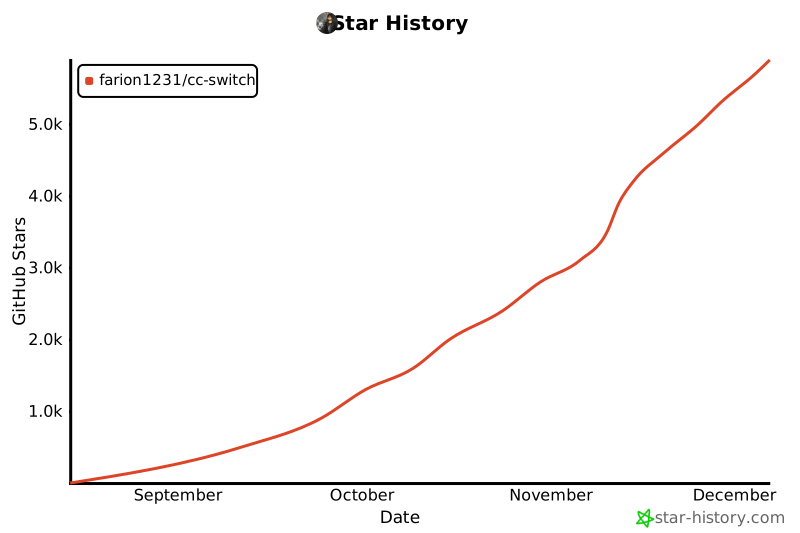](https://www.star-history.com/#farion1231/cc-switch&Date)
|
||||
|
||||
## Lizenz
|
||||
|
||||
MIT © Jason Young
|
||||
@@ -2,7 +2,7 @@
|
||||
|
||||
# CC Switch
|
||||
|
||||
### Claude Code、Codex、Gemini CLI、OpenCode、OpenClaw のオールインワン管理ツール
|
||||
### Claude Code、Claude Desktop、Codex、Gemini CLI、Grok Build、OpenCode、OpenClaw、Hermes Agent のオールインワン管理ツール
|
||||
|
||||
[](https://github.com/farion1231/cc-switch/releases)
|
||||
[](https://github.com/farion1231/cc-switch/releases)
|
||||
@@ -10,8 +10,11 @@
|
||||
[](https://github.com/farion1231/cc-switch/releases/latest)
|
||||
|
||||
<a href="https://trendshift.io/repositories/15372" target="_blank"><img src="https://trendshift.io/api/badge/repositories/15372" alt="farion1231%2Fcc-switch | Trendshift" style="width: 250px; height: 55px;" width="250" height="55"/></a>
|
||||
<a href="https://www.star-history.com/#farion1231/cc-switch&Date"><picture><source media="(prefers-color-scheme: dark)" srcset="https://api.star-history.com/badge?repo=farion1231/cc-switch&theme=dark" /><img alt="Star History Rank" src="https://api.star-history.com/badge?repo=farion1231/cc-switch" width="196" height="55" /></picture></a>
|
||||
|
||||
[English](README.md) | [中文](README_ZH.md) | 日本語 | [Changelog](CHANGELOG.md)
|
||||
### 🌐 唯一の公式サイト:**[ccswitch.io](https://ccswitch.io)**
|
||||
|
||||
[English](README.md) | [中文](README_ZH.md) | 日本語 | [Deutsch](README_DE.md) | [Changelog](CHANGELOG.md)
|
||||
|
||||
</div>
|
||||
|
||||
@@ -22,11 +25,11 @@
|
||||
<details open>
|
||||
<summary>クリックで折りたたむ</summary>
|
||||
|
||||
[](https://platform.minimax.io/subscribe/coding-plan?code=ClLhgxr2je&source=link)
|
||||
[](https://platform.kimi.ai?aff=cc-switch)
|
||||
|
||||
MiniMax-M2.7 は、自律的進化と実世界の生産性向上のために設計された次世代大規模言語モデルです。従来のモデルとは異なり、M2.7 はエージェントチーム、動的ツール使用、強化学習ループを通じて自身の改善に積極的に参加します。ソフトウェアエンジニアリングにおいて優れた性能を発揮し(SWE-Pro で 56.22%、VIBE-Pro で 55.6%、Terminal Bench 2 で 57.0%)、複雑なオフィスワークフローにも秀でており、GDPval-AA で 1495 ELO のリーディングスコアを達成しています。Word・Excel・PowerPoint の高忠実度編集と、40 以上の複雑なスキルにわたる 97% の遵守率により、M2.7 は AI ネイティブなワークフローと組織構築の新基準を打ち立てます。
|
||||
Kimi K3 は Moonshot AI がこれまでに開発した中で最も高性能なモデルであり、世界初のオープンソース 3T クラスモデルです。2.8 兆パラメータ、ネイティブな視覚能力、100 万トークンのコンテキストウィンドウを備え、長期にわたるコーディング、ナレッジワーク、推論タスクにおいてフロンティア級の性能を発揮します。CC Switch を使えば、さまざまなエージェントツールで Kimi を手軽に設定・切り替えできます。**[ここをクリックして Kimi を使い始める](https://platform.kimi.ai?aff=cc-switch)**
|
||||
|
||||
[こちら](https://platform.minimax.io/subscribe/coding-plan?code=ClLhgxr2je&source=link)から MiniMax Token Plan の限定 12% オフを入手!
|
||||
コーディング作業がメインですか?**[Kimi Code サブスクリプション](https://www.kimi.com/code/?aff=cc-switch)** をぜひお試しください!
|
||||
|
||||
---
|
||||
|
||||
@@ -37,13 +40,13 @@ MiniMax-M2.7 は、自律的進化と実世界の生産性向上のために設
|
||||
</tr>
|
||||
|
||||
<tr>
|
||||
<td width="180"><a href="https://cloud.siliconflow.cn/i/drGuwc9k"><img src="assets/partners/logos/silicon_en.jpg" alt="SiliconFlow" width="150"></a></td>
|
||||
<td>SiliconFlow のご支援に感謝します!SiliconFlow は高性能 AI インフラストラクチャおよびモデル API プラットフォームで、言語・音声・画像・動画モデルへの高速かつ信頼性の高いアクセスをワンストップで提供します。従量課金制、豊富なマルチモーダルモデル対応、高速推論、エンタープライズグレードの安定性を備え、開発者やチームがより効率的に AI アプリケーションを構築・拡張できるようサポートします。<a href="https://cloud.siliconflow.cn/i/drGuwc9k">このリンク</a>から登録し、本人確認を完了すると、プラットフォーム内の全モデルで利用可能な ¥20 のボーナスクレジットが付与されます。SiliconFlow は OpenClaw にも対応しており、SiliconFlow の API キーを接続することで主要な AI モデルを無料で呼び出すことができます。</td>
|
||||
<td width="180"><a href="https://zetaapi.ai/go/u117"><img src="assets/partners/logos/zetaapi-banner.png" alt="ZetaAPI" width="150"></a></td>
|
||||
<td>本プロジェクトをご支援いただいている ZetaAPI に感謝します!ZetaAPI は、モデル品質の忠実性、水増しなし、性能劣化なし、公式価格の 35% から利用できる低価格を主な特徴としています。プラットフォームはトラフィックの混在、低品質モデルへの密かな切り替え、虚偽のモデルルーティングを行わず、Claude Code、Codex、Gemini、ChatGPT などの主要 AI モデルに対応しており、モデル品質を維持しながら API 利用コストを大幅に削減できます。同時に、ZetaAPI はエンタープライズ級の SLA 安定性保証、標準 API 互換、1つの Key による複数モデル接続、迅速な導入、従量課金などの機能を提供し、AI プロダクト、コード生成、企業内ツール、カスタマーサポート、コンテンツ生成、自動化ワークフローなどの用途に適しています。万が一、モデル品質が表記内容と一致しないことが確認された場合、ZetaAPI は 10 倍補償保証を提供し、ユーザーがより安定して、透明性高く、安心して利用できる環境を実現します。<a href="https://zetaapi.ai/go/u117">こちらのリンク</a>から登録し、初回チャージ時にプロモコード CC-SWITCH を使用すると、CC Switch ユーザー限定の初回チャージ 10% オフ特典をご利用いただけます!</td>
|
||||
</tr>
|
||||
|
||||
<tr>
|
||||
<td width="180"><a href="https://aigocode.com/invite/CC-SWITCH"><img src="assets/partners/logos/aigocode.png" alt="AIGoCode" width="150"></a></td>
|
||||
<td>本プロジェクトは AIGoCode のスポンサー提供でお届けしています。AIGoCode は、Claude Code・Codex・最新の Gemini モデルを統合したオールインワンのAIコーディングプラットフォームで、安定性・高速性・コストパフォーマンスに優れた開発サービスを提供します。柔軟なサブスクリプションプランを備え、レスポンスも非常に高速です。さらに、CC Switch ユーザー向けの特典として、<a href="https://aigocode.com/invite/CC-SWITCH">このリンク</a>から登録すると、初回チャージ時に10%分のボーナスクレジットが付与されます!</td>
|
||||
<td width="180"><a href="https://apinebula.com/VjM74M"><img src="assets/partners/logos/apinebula_banner.png" alt="APINebula" width="150"></a></td>
|
||||
<td>本プロジェクトは「APINEBULA」のスポンサーシップにより運営されています!APINEBULA は、「銀河録像局」傘下のエンタープライズ向け AI 統合プラットフォームです。大手の豊富なリソースを背景に、開発者、チーム、そして企業ユーザーの皆様へ、安定性とコストパフォーマンスに優れた大規模言語モデル(LLM)の API 連携サービスを提供しています。Claude、GPT、Gemini をはじめとする世界中の主要なフルスペック(満血)モデルを 1 つの API に集約。世界トップクラスの AI モデルを、<strong>最大 90% OFF(元の価格の 1 割〜)</strong>という圧倒的な低価格でご利用いただけます。また、企業向けの高度な並行処理(高コンカレンシー)、正式な契約締結、法人口座振り込み、請求書・領収書発行など、ビジネス利用に必要なサポートも万全です。AI プログラミング、AI エージェント開発、業務システムへの統合など、様々なシーンに最適です。<a href="https://apinebula.com/VjM74M">こちらのリンク</a>から登録し、チャージ時にプロモコード <strong>「ccswitch」を入力すると、さらに 10% OFF</strong> の割引特典が適用されます!</td>
|
||||
</tr>
|
||||
|
||||
<tr>
|
||||
@@ -52,74 +55,153 @@ MiniMax-M2.7 は、自律的進化と実世界の生産性向上のために設
|
||||
Claude Code / Codex / Gemini 公式チャンネルが最安で元価格の 38% / 2% / 9%、チャージ時にはさらに割引!AICodeMirror は CC Switch ユーザー向けに特別特典を用意:<a href="https://www.aicodemirror.com/register?invitecode=9915W3">このリンク</a>から登録すると初回チャージ 20% オフ、法人のお客様は最大 25% オフ!</td>
|
||||
</tr>
|
||||
|
||||
<tr>
|
||||
<td width="180"><a href="https://pateway.ai/?ch=etzpm8&aff=WB6M6F67#/"><img src="assets/partners/logos/pateway.png" alt="PatewayAI" width="150"></a></td>
|
||||
<td>PatewayAI のご支援に感謝します!PatewayAI はヘビーな AI 開発者向けに、公式直結の高品質モデル API 中継サービスを専門に提供するプロバイダーです。Claude シリーズ全モデルおよび Codex シリーズに対応し、100% 公式ソースから直接提供。混ぜ物・水増しは一切なく、検証も歓迎します。課金は透明で、トークン単位の請求書を 1 件ずつ照合可能です。
|
||||
エンタープライズ級の高同時接続にも対応し、法人のお客様には専用の管理プラットフォームを提供。正式契約および請求書発行に対応しており、詳細は公式サイトの連絡先よりお問い合わせください。
|
||||
現在、<a href="https://pateway.ai/?ch=etzpm8&aff=WB6M6F67#/">このリンク</a>からご登録いただくと $3 のトライアルクレジットを進呈。チャージは最安で元価格の 60%、友達紹介は双方にボーナスが付与され、紹介報酬は最大 $150!</td>
|
||||
</tr>
|
||||
|
||||
<tr>
|
||||
<td width="180"><a href="https://api.fenno.ai/register?redirect=/purchase?tab=subscription%26group=16&aff=P9MR3D3PLCNL"><img src="assets/partners/logos/fenno-banner.png" alt="Fenno.ai" width="150"></a></td>
|
||||
<td>Fenno.ai のご支援に感謝します!Fenno.ai は安定かつ高効率な API 中継サービスプロバイダーで、現在は主に Codex の中継を提供しています。OpenAI および Anthropic プロトコルに対応し、Codex・Claude Code・OpenCode などの主要なコーディングツールから柔軟に利用できます。1 日あたり数千億トークンというエンタープライズ級の呼び出し需要を安定して支え、国内外の法人による B2B 決済・請求書発行に対応しています。Fenno.ai は CC Switch 利用者限定の特典を用意しています:<a href="https://api.fenno.ai/register?redirect=/purchase?tab=subscription%26group=16&aff=P9MR3D3PLCNL">こちらのリンク</a>から 9.9 元(150 ドル相当)のお得な Coding Plan を購入でき、友達紹介で最大 20% の特典がもらえます。紹介すればするほどお得です!</td>
|
||||
</tr>
|
||||
|
||||
<tr>
|
||||
<td width="180"><a href="https://runapi.co/register?aff=iOKB"><img src="assets/partners/logos/runapi.jpg" alt="RunAPI" width="150"></a></td>
|
||||
<td>本プロジェクトのスポンサーである RunAPI に感謝いたします!RunAPI は高効率で安定した AI モデル API ゲートウェイです。一つの API Key で、OpenAI、Claude、Gemini、DeepSeek、Grok など 150 種類以上の主要モデルにアクセス可能。料金は公式価格の最大 10%、安定性にも優れ、Claude Code や OpenClaw などのツールとシームレスに連携できます。CC Switch ユーザー限定特典:<a href="https://runapi.co/register?aff=iOKB">こちらのリンク</a>から登録し、初回チャージで 10% オフの割引をお楽しみいただけます!</td>
|
||||
</tr>
|
||||
|
||||
<tr>
|
||||
<td width="180"><a href="https://unity2.ai/register?source=ccs"><img src="assets/partners/logos/unity2.jpg" alt="Unity2.ai" width="150"></a></td>
|
||||
<td>Unity2.ai のご支援に感謝します!Unity2.ai は個人開発者・チーム・企業向けの高性能 AI モデル API リレープラットフォームです。中国の大手企業に長年利用されており、1 日 300 億トークン以上を処理し、5000 RPM クラスの高並列に対応しています。残高課金、初回チャージボーナス、組み合わせサブスクリプション、企業向け請求書発行、専任サポートを提供。<a href="https://unity2.ai/register?source=ccs">こちらのリンク</a>から登録すると $2 のクレジット、公式グループへの参加でさらに $10、最大 $12 の無料クレジットがもらえます!</td>
|
||||
</tr>
|
||||
|
||||
<tr>
|
||||
<td width="180"><a href="https://www.shengsuanyun.com/?from=CH_4HHXMRYF"><img src="assets/partners/logos/shengsuanyun.png" alt="Shengsuanyun" width="150"></a></td>
|
||||
<td>胜算雲(Shengsuanyun)のご支援に感謝します!胜算雲は AI ネイティブチーム向けのスーパーファクトリーであり、産業グレードの AI タスク並列実行プラットフォームです。モデルマーケットプレイスでは Claude、ChatGPT、Gemini をはじめとする国内外の LLM およびマルチメディアモデルの計算リソースを集約・直接提供。リバースエンジニアリングや品質低下は一切なく、プラットフォーム全体のモデル SLA 可用性は 99.7% に達し、<a href="https://watch.shengsuanyun.com/status/shengsuanyun">監視ダッシュボード</a>は常時グリーン表示です。さらにエンタープライズ向けカスタムゲートウェイを提供し、チームのきめ細かなコスト・権限管理、スマートルーティング、セキュリティ保護、BYOK(自社キー持ち込み)ホスティングを実現します。従量課金およびトークンプラン(近日公開)対応で、請求書発行にも対応。<a href="https://www.shengsuanyun.com/?from=CH_4HHXMRYF">このリンク</a>から新規登録すると 10 元分のクレジットと初回チャージ 10% ボーナスが付与されます。</td>
|
||||
</tr>
|
||||
|
||||
<tr>
|
||||
<td width="180"><a href="https://aigocode.com/invite/CC-SWITCH"><img src="assets/partners/logos/aigocode.png" alt="AIGoCode" width="150"></a></td>
|
||||
<td>本プロジェクトは AIGoCode のスポンサー提供でお届けしています。AIGoCode は、Claude Code・Codex・最新の Gemini モデルを統合したオールインワンのAIコーディングプラットフォームで、安定性・高速性・コストパフォーマンスに優れた開発サービスを提供します。柔軟なサブスクリプションプランを備え、レスポンスも非常に高速です。さらに、CC Switch ユーザー向けの特典として、<a href="https://aigocode.com/invite/CC-SWITCH">このリンク</a>から登録すると、初回チャージ時に10%分のボーナスクレジットが付与されます!</td>
|
||||
</tr>
|
||||
|
||||
<tr>
|
||||
<td width="180"><a href="https://subrouter.ai/register?aff=l3ri"><img src="assets/partners/logos/subrouter-banner.png" alt="SubRouter" width="150"></a></td>
|
||||
<td>本プロジェクトをご支援いただいている SubRouter に感謝します!SubRouter は、AI サービス事業者向けのマーケットプレイス兼スマートルーティングプラットフォームです。事業者は独立した運営サイトを立ち上げ、プランを公開し、ユーザー・モデル・価格を管理でき、ユーザーはマーケットでサービスを見つけ、統一された API を通じて安定かつ高効率なモデル呼び出しを利用できます。<a href="https://subrouter.ai/register?aff=l3ri">こちらのリンク</a>から登録してください!</td>
|
||||
</tr>
|
||||
|
||||
<tr>
|
||||
<td width="180"><a href="https://apikey.fun/register?aff=CCSwitch"><img src="assets/partners/logos/apikey_banner.png" alt="APIKEY.FUN" width="150"></a></td>
|
||||
<td>APIKEY.FUN のご支援に感謝します!APIKEY.FUN は、企業および個人開発者向けに安定・高効率・低コストな AI モデル API 接続サービスを提供する、プロフェッショナルなエンタープライズ級 AI リレープラットフォームです。Claude、OpenAI、Gemini などの主要人気モデルに対応し、料金は公式価格の 7% から利用できます。本プロジェクトの<a href="https://apikey.fun/register?aff=CCSwitch">専用リンク</a>から登録すると、最大で<strong>チャージ永久 5% オフ</strong>の特別優待も受けられます。</td>
|
||||
</tr>
|
||||
|
||||
<tr>
|
||||
<td width="180"><a href="https://console.claudeapi.com/register?aff=pCLD"><img src="assets/partners/logos/claudeapi.png" alt="ClaudeAPI" width="150"></a></td>
|
||||
<td>本プロジェクトは <a href="https://console.claudeapi.com/register?aff=pCLD">Claude API</a> がスポンサーです。Claude API 直結 — わずか 3 分で Claude Code や Agent アプリに接続可能。新規ユーザーにはテストクレジットを提供しています。Anthropic 公式キーおよび AWS Bedrock 公式チャネルに基づいており、リバースエンジニアリングや性能劣化はありません。Opus / Sonnet / Haiku の全モデルラインナップをサポートし、Tool Use や 1M コンテキストなどの公式機能をすべて保持しています。Claude Code ヘビーユーザー、Agent エンジニア、企業技術チームに最適です。請求書発行およびチーム対応が可能です。<a href="https://console.claudeapi.com/register?aff=pCLD">こちら</a>から登録してください!</td>
|
||||
</tr>
|
||||
|
||||
<tr>
|
||||
<td width="180"><a href="https://code0.ai/agent/register/B2XHxGjGmRvqgznY"><img src="assets/partners/logos/code0.png" alt="code0.ai" width="150"></a></td>
|
||||
<td>本プロジェクトをご支援いただいている <a href="https://code0.ai/agent/register/B2XHxGjGmRvqgznY">code0.ai</a> に感謝します!code0.ai は開発者向けの AI コーディングサービスプラットフォームで、Claude Code、Codex、Gemini などの主要な AI コーディング機能に対応しています。個人開発者やチームが、コーディング、デバッグ、リファクタリング、自動化ワークフローで AI Agent をより安定かつ効率的に活用できるよう支援します。ccswitch ユーザーは <a href="https://code0.ai/agent/register/B2XHxGjGmRvqgznY">code0.ai 公式サイト</a> からカスタマーサポートに連絡することで、テストクレジットを受け取り、信頼性の高い AI コーディングサービスを体験できます。</td>
|
||||
</tr>
|
||||
|
||||
<tr>
|
||||
<td width="180"><a href="https://teamorouter.com/?utm_source=cc_switch&utm_medium=referral&utm_campaign=ai_directory"><img src="assets/partners/logos/TeamoRouter-banner.png" alt="TeamoRouter" width="150"></a></td>
|
||||
<td>このプロジェクトをご支援いただいている TeamoRouter に感謝します!TeamoRouter は、開発者、AI チーム、企業向けに構築されたエンタープライズグレードの Agentic LLM ゲートウェイです。サブスクリプション不要で、単一の統合 API を通じて Claude Code、Codex、Gemini CLI、OpenAI Codex、その他の人気 AI エージェントにアクセスでき、API 料金は最大 90% オフで利用できます。
|
||||
一般的な API リレーサービスとは異なり、TeamoRouter は OpenAI、Anthropic、Vertex、Azure、AWS Bedrock など、数百の公式モデルプロバイダーと信頼できるインフラパートナーを集約しています。各プロバイダーは、Agent プロトコルとの 100% 互換性、キャッシュ性能、リクエストの追跡可能性について検証されており、リバースエンジニアリングされたものや品質が薄められたエンドポイントではなく、安定した品質を提供します。プラットフォームは公式に近い TTFT、99.6% の SLA、最大 5,000 QPM のエンタープライズ規模のスループット、そして業界トップクラスのキャッシュヒット率を提供し、長時間稼働するエージェントワークフローのトークンコストを大幅に削減します。
|
||||
TeamoRouter は、集中請求、チーム管理、BYOK、スマートルーティング、利用状況分析、動的なプロバイダー最適化、専任サポートなどのエンタープライズ機能も提供しています。さらにシンプルな体験を求める場合は、Teamo Desktop を使うことで、Claude Code、Codex、Gemini CLI、その他の人気 AI エージェントをワンクリックで利用できます。API キー管理や手動のゲートウェイ設定は不要です。新規ユーザーとして<a href="https://teamorouter.com/?utm_source=cc_switch&utm_medium=referral&utm_campaign=ai_directory">こちらのリンク</a>から登録すると、初回チャージが 10% オフになります。</td>
|
||||
</tr>
|
||||
|
||||
<tr>
|
||||
<td width="180"><a href="https://www.newapi.ai/"><img src="assets/partners/logos/newapi-banner.png" alt="new-api" width="150"></a></td>
|
||||
<td>オープンソースの AI インフラプロジェクト <a href="https://www.newapi.ai/">new-api</a> による本プロジェクトへの多大なご支援に感謝します!new-api は QuantumNous(锟腾科技)が開発したオープンソースの AI インフラプロジェクトであり、活発さと利用規模の面でリードする LLM 統合アクセス・配信プロジェクトの一つで、開発者・チーム・企業がより低コストで管理・拡張可能な AI サービスプラットフォームを構築できるよう支援することに注力しています。同じくオープンソースエコシステムに根ざすプロジェクトとして、new-api はスポンサーシップを通じて、より多くの優れたオープンソースプロジェクトの継続的な発展を支援したいと考えています。🌟 new-api への Star で応援をお願いします:<a href="https://github.com/QuantumNous/new-api">https://github.com/QuantumNous/new-api</a>。公式サイト:<a href="https://www.newapi.ai/">https://www.newapi.ai/</a>。</td>
|
||||
</tr>
|
||||
|
||||
<tr>
|
||||
<td width="180"><a href="https://claudecn.ai/register?aff=HEL9"><img src="assets/partners/logos/claudecn.jpg" alt="ClaudeCN" width="150"></a></td>
|
||||
<td>本プロジェクトのスポンサーである ClaudeCN に感謝いたします!ClaudeCN は、実体のある企業によって運営されるエンタープライズ向け AI ゲートウェイプラットフォームです。Claude、GPT、DeepSeek など主要モデルへの高可用な商用 API アクセスを提供し、企業の調達プロセスにも対応 — 法人振込や正式契約に対応し、コンプライアンス面でも安心してご利用いただけます。<a href="https://claudecn.ai/register?aff=HEL9">こちら</a>からご登録ください!</td>
|
||||
</tr>
|
||||
|
||||
<tr>
|
||||
<td width="180"><a href="https://www.byteplus.com/en/product/modelark?utm_campaign=hw&utm_content=ccswitch&utm_medium=devrel_tool_web&utm_source=OWO&utm_term=ccswitch"><img src="assets/partners/logos/byteplus.png" alt="BytePlus" width="150"></a></td>
|
||||
<td>Dola seed のご支援に感謝します!Dola Seed 2.0 は ByteDance がグローバル市場向けに独自開発したフルモーダル汎用大規模モデルです。統一されたマルチモーダルアーキテクチャを基盤に、テキスト・画像・音声・動画の統合的な理解と生成をサポートします。エージェント連携をネイティブに実現し、強力な推論、長時間タスクの実行、ツール統合、コーディング能力を備えています。スマートコックピット、パーソナルアシスタント、教育、カスタマーサポート、マーケティング、リテールなど幅広いシナリオに適用可能で、マルチモーダル認識、エンドツーエンドの複雑なタスク遂行、安定したインタラクション、データセキュリティに優れ、ModelArk プラットフォームを通じて手軽に利用・デプロイできます。<a href="https://www.byteplus.com/en/product/modelark?utm_campaign=hw&utm_content=ccswitch&utm_medium=devrel_tool_web&utm_source=OWO&utm_term=ccswitch">このリンク</a>からご登録いただくと、モデルごとに 500,000 トークンの無料推論クォータを進呈します。<a href="https://www.volcengine.com/activity/ai618?utm_campaign=hw&utm_content=hw&utm_medium=devrel_tool_web&utm_source=OWO&utm_term=ccswitch"> >>中国大陆地区的开发者请点击这里</a></td>
|
||||
</tr>
|
||||
|
||||
<tr>
|
||||
<td width="180"><a href="https://cloud.siliconflow.cn/i/YflgU2Ve"><img src="assets/partners/logos/silicon_en.jpg" alt="SiliconFlow" width="150"></a></td>
|
||||
<td>SiliconFlow のご支援に感謝します!SiliconFlow は高性能 AI インフラストラクチャおよびモデル API プラットフォームで、言語・音声・画像・動画モデルへの高速かつ信頼性の高いアクセスをワンストップで提供します。従量課金制、豊富なマルチモーダルモデル対応、高速推論、エンタープライズグレードの安定性を備え、開発者やチームがより効率的に AI アプリケーションを構築・拡張できるようサポートします。<a href="https://cloud.siliconflow.cn/i/YflgU2Ve">このリンク</a>から登録し、本人確認を完了すると、プラットフォーム内の全モデルで利用可能な ¥16 のボーナスクレジットが付与されます。SiliconFlow は OpenClaw にも対応しており、SiliconFlow の API キーを接続することで主要な AI モデルを無料で呼び出すことができます。</td>
|
||||
</tr>
|
||||
|
||||
<tr>
|
||||
<td width="180"><a href="https://nekocode.ai?aff=CCSWITCH"><img src="assets/partners/logos/nekocode-banner.png" alt="NekoCode" width="150"></a></td>
|
||||
<td>本プロジェクトをご支援いただいている <a href="https://nekocode.ai?aff=CCSWITCH">NekoCode</a> に感謝します!NekoCode は、Claude や Codex などの AI モデルに対応した、安定性・効率性・信頼性に優れた API 中継サービスを提供しています。料金体系は明瞭で、柔軟な従量課金にも対応しています。CC Switch ユーザー限定の 10%オフ特典:<a href="https://nekocode.ai?aff=CCSWITCH">こちらのリンク</a> から登録し、チャージ時にクーポンコード <code>cc-switch</code> を入力すると、チャージが 10%オフになります!</td>
|
||||
</tr>
|
||||
|
||||
<tr>
|
||||
<td width="180"><a href="https://www.atlascloud.ai/coding-plan?utm_source=github&utm_campaign=cc-switch"><img src="assets/partners/logos/atlascloud_banner.png" alt="Atlas Cloud" width="150"></a></td>
|
||||
<td>Atlas Cloud は、1 つの API で動画・画像生成や LLM(大規模言語モデル)を利用できる全モーダル対応の AI 推論プラットフォームです。複数のベンダーを個別に管理する手間を省き、一度の接続で 300 以上の厳選されたマルチモーダルモデルにアクセスできます。より低コストで API を利用できる、開発者向けの新しい<a href="https://www.atlascloud.ai/coding-plan?utm_source=github&utm_campaign=cc-switch">「コーディングプラン」</a>プロモーションをぜひチェックしてください!</td>
|
||||
</tr>
|
||||
|
||||
<tr>
|
||||
<td width="180"><a href="https://www.compshare.cn/coding-plan?ytag=GPU_YY_YX_git_cc-switch"><img src="assets/partners/logos/ucloud.png" alt="Compshare" width="150"></a></td>
|
||||
<td>Compshare のご支援に感謝します!Compshare は UCloud 傘下の AI クラウドプラットフォームで、国内外の安定した包括的なモデル API を 1 つのキーだけで利用可能。月額・都度課金のコストパフォーマンスに優れた国内モデル Coding Plan パッケージを提供し、公式リレーによる安定した海外モデルも利用できます。Claude Code、Codex および API アクセスに対応。エンタープライズ級の高同時接続、24 時間年中無休のテクニカルサポート、セルフサービス請求書発行に対応。<a href="https://www.compshare.cn/coding-plan?ytag=GPU_YY_YX_git_cc-switch">こちらのリンク</a>から登録すると、無料で 5 元分のプラットフォーム体験クレジットがもらえます!</td>
|
||||
</tr>
|
||||
|
||||
<tr>
|
||||
<td width="180"><a href="https://www.ccsub.net/register?ref=Y6Z8DXEA"><img src="assets/partners/logos/ccsub.svg" alt="CCSub" width="150"></a></td>
|
||||
<td>CCSub のご支援に感謝します!CCSub は安定した低価格の AI API リレープラットフォームで、Claude Code 公式サブスクリプションの強力な代替です。1 つの API キーで Claude Opus 4.8、Sonnet 4.6、Haiku 4.5、GPT-5、Gemini、DeepSeek の全モデルを公式直接利用の約 1/3 のコストでご利用いただけます。VPN 不要で世界中から直接接続可能。Claude Code、Codex、Cursor、Cline、Continue、Windsurf など主要な AI コーディングツールすべてに対応しています。<a href="https://www.ccsub.net/register?ref=Y6Z8DXEA">こちらのリンク</a>から登録すると $5 の無料クレジットがもらえます。</td>
|
||||
</tr>
|
||||
|
||||
<tr>
|
||||
<td width="180"><a href="https://www.sssaicode.com/register?ref=DCP0SM"><img src="assets/partners/logos/sssaicode.png" alt="SSSAiCode" width="150"></a></td>
|
||||
<td>SSSAiCode のご支援に感謝します!SSSAiCode は安定性と信頼性に優れた API 中継サービスで、安定的で信頼性が高く、手頃な価格の Claude・Codex モデルサービスを提供しています。当日の迅速な請求書発行をサポート。CC Switch ユーザー向けの特別特典:<a href="https://www.sssaicode.com/register?ref=DCP0SM">こちらのリンク</a>から登録すると、毎回のチャージで $10 の追加ボーナスを受けられます!</td>
|
||||
</tr>
|
||||
|
||||
<tr>
|
||||
<td width="180"><a href="https://www.micuapi.ai/register?aff=aOYQ"><img src="assets/partners/logos/mikubanner.svg" alt="Micu" width="150"></a></td>
|
||||
<td>Micu API のご支援に感謝します!Micu API は、最高のコストパフォーマンスと高い安定性を追求するグローバル大規模言語モデル中継サービスプロバイダーです。法人企業がバックアップしており、サービス停止のリスクを排除、迅速な正規請求書発行に対応!「試行コストゼロ」をモットーに、最低 1 元からチャージ可能で手数料無料、いつでも返金可能!CC Switch ユーザー向けの限定特典:<a href="https://www.micuapi.ai/register?aff=aOYQ">こちらのリンク</a>から登録し、チャージ時にプロモコード「ccswitch」を入力すると <strong>10% 割引</strong> が適用されます!</td>
|
||||
</tr>
|
||||
|
||||
<tr>
|
||||
<td width="180"><a href="https://www.right.codes/register?aff=CCSWITCH"><img src="assets/partners/logos/rightcode.jpg" alt="RightCode" width="150"></a></td>
|
||||
<td>本プロジェクトへのご支援として、Right Code にご協賛いただき誠にありがとうございます。Right Code は、Claude Code、Codex、Gemini などのモデル向け中継サービスを安定して提供しており、従量課金と月額プランの 2 つの料金体系から選択できます。チャージ後に請求書の発行が可能で、法人・チームのお客様には専任担当による個別対応も行っています。さらに、CC Switch ユーザー向けの特別優待として、<a href="https://www.right.codes/register?aff=CCSWITCH">こちらのリンク</a>から登録すると、チャージのたびに実際の支払額の 5% 相当の従量課金クレジットが付与されます。</td>
|
||||
</tr>
|
||||
|
||||
<tr>
|
||||
<td width="180"><a href="https://etok.ai"><img src="assets/partners/logos/etok.png" alt="ETok" width="150"></a></td>
|
||||
<td>ETok.ai のご支援に感謝します!ETok.ai はワンストップ AI プログラミングツールサービスプラットフォームの構築に取り組んでいます。Claude Code のプロフェッショナルプランと技術コミュニティサービスを提供し、Google Gemini や OpenAI Codex にも対応しています。丁寧に設計されたプランと専門的な技術コミュニティを通じて、開発者に安定したサービス保証と継続的な技術サポートを提供し、AI アシストプログラミングを真の生産性ツールにします。<a href="https://etok.ai">こちら</a>から登録してください!</td>
|
||||
</tr>
|
||||
|
||||
<tr>
|
||||
<td width="180"><a href="https://cubence.com/signup?code=CCSWITCH&source=ccs"><img src="assets/partners/logos/cubence.png" alt="Cubence" width="150"></a></td>
|
||||
<td>Cubence のご支援に感謝します!Cubence は Claude Code、Codex、Gemini などのリレーサービスを提供する信頼性の高い API 中継プラットフォームで、従量課金や月額プランなど柔軟な料金体系を提供しています。CC Switch ユーザー向けの特別割引:<a href="https://cubence.com/signup?code=CCSWITCH&source=ccs">このリンク</a>で登録し、チャージ時に「CCSWITCH」クーポンを入力すると、毎回 10% オフになります!</td>
|
||||
</tr>
|
||||
|
||||
<tr>
|
||||
<td width="180"><a href="https://crazyrouter.com/register?aff=OZcm&ref=cc-switch"><img src="assets/partners/logos/crazyrouter.png" alt="Crazyrouter" width="150"></a></td>
|
||||
<td>Crazyrouter のご支援に感謝します!Crazyrouter は高性能 AI API アグリゲーションプラットフォームです。1 つの API キーで Claude Code、Codex、Gemini CLI など 300 以上のモデルにアクセス可能。全モデルが公式価格の 55% で利用でき、自動フェイルオーバー、スマートルーティング、無制限同時接続に対応。CC Switch ユーザー向けの限定特典:<a href="https://crazyrouter.com/register?aff=OZcm&ref=cc-switch">こちらのリンク</a>から登録後、カスタマーサポートまでご連絡いただくと <strong>$2 の無料クレジット</strong> を受け取れます。さらに初回チャージ時にプロモコード `CCSWITCH` を入力すると <strong>30% のボーナスクレジット</strong> が追加されます!</td>
|
||||
</tr>
|
||||
|
||||
<tr>
|
||||
<td width="180"><a href="https://www.dmxapi.cn/register?aff=bUHu"><img src="assets/partners/logos/dmx-en.jpg" alt="DMXAPI" width="150"></a></td>
|
||||
<td>DMXAPI のご支援に感謝します!DMXAPI は 200 社以上の企業ユーザーにグローバル大規模モデル API サービスを提供しています。1 つの API キーで全世界のモデルにアクセス可能。即時請求書発行、同時接続数無制限、最低 $0.15 から、24 時間年中無休のテクニカルサポート。GPT/Claude/Gemini が全て 32% オフ、国内モデルは 20〜50% オフ、Claude Code 専用モデルは 66% オフ実施中!<a href="https://www.dmxapi.cn/register?aff=bUHu">登録はこちら</a></td>
|
||||
</tr>
|
||||
|
||||
<tr>
|
||||
<td width="180"><a href="https://www.compshare.cn/coding-plan?ytag=GPU_YY_YX_git_cc-switch"><img src="assets/partners/logos/ucloud.png" alt="Compshare" width="150"></a></td>
|
||||
<td>Compshare のご支援に感謝します!Compshare は UCloud 傘下の AI クラウドプラットフォームで、国内外の安定した包括的なモデル API を 1 つのキーだけで利用可能。月額・従量課金のコストパフォーマンスに優れた Coding Plan パッケージを提供し、公式価格の 60〜80% オフで利用できます。Claude Code、Codex および API アクセスに対応。エンタープライズ級の高同時接続、24 時間年中無休のテクニカルサポート、セルフサービス請求書発行に対応。<a href="https://www.compshare.cn/coding-plan?ytag=GPU_YY_YX_git_cc-switch">こちらのリンク</a>から登録すると、無料で 5 元分のプラットフォーム体験クレジットがもらえます!</td>
|
||||
</tr>
|
||||
|
||||
<tr>
|
||||
<td width="180"><a href="https://www.right.codes/register?aff=CCSWITCH"><img src="assets/partners/logos/rightcode.jpg" alt="RightCode" width="150"></a></td>
|
||||
<td>本プロジェクトへのご支援として、Right Code にご協賛いただき誠にありがとうございます。Right Code は、Claude Code、Codex、Gemini などのモデルに対応した中継(プロキシ)サービスを安定して提供しています。特に高いコストパフォーマンスを誇る Codex の月額プランを主力としており、<strong>未使用分の利用枠を翌日に繰り越して利用できる(繰越対応)</strong>点が特長です。チャージ(入金)後に請求書の発行が可能で、企業・チーム向けには専任担当による個別対応も行っています。さらに CC Switch ユーザー向けの特別優待として、<a href="https://www.right.codes/register?aff=CCSWITCH">こちらのリンク</a>からご登録いただくと、チャージのたびに実支払額の 25% 相当の従量課金クレジットが付与されます。</td>
|
||||
</tr>
|
||||
|
||||
<tr>
|
||||
<td width="180"><a href="https://aicoding.sh/i/CCSWITCH"><img src="assets/partners/logos/aicoding.jpg" alt="AICoding" width="150"></a></td>
|
||||
<td>AICoding.sh のご支援に感謝します!AICoding.sh —— グローバル AI モデル API 超お得な中継サービス!Claude Code 81% オフ、GPT 99% オフ!数百社の企業に高コストパフォーマンスの AI サービスを提供。Claude Code、GPT、Gemini および国内主要モデルに対応、エンタープライズ級の高同時接続、迅速な請求書発行、24 時間年中無休の専属テクニカルサポート。<a href="https://aicoding.sh/i/CCSWITCH">こちらのリンク</a>から登録した CC Switch ユーザーは、初回チャージ 10% オフ!</td>
|
||||
</tr>
|
||||
|
||||
<tr>
|
||||
<td width="180"><a href="https://crazyrouter.com/register?aff=OZcm&ref=cc-switch"><img src="assets/partners/logos/crazyrouter.jpg" alt="Crazyrouter" width="150"></a></td>
|
||||
<td>Crazyrouter のご支援に感謝します!Crazyrouter は高性能 AI API アグリゲーションプラットフォームです。1 つの API キーで Claude Code、Codex、Gemini CLI など 300 以上のモデルにアクセス可能。全モデルが公式価格の 55% で利用でき、自動フェイルオーバー、スマートルーティング、無制限同時接続に対応。CC Switch ユーザー向けの限定特典:<a href="https://crazyrouter.com/register?aff=OZcm&ref=cc-switch">こちらのリンク</a>から登録すると <strong>$2 の無料クレジット</strong> を即時進呈。さらに初回チャージ時にプロモコード `CCSWITCH` を入力すると <strong>30% のボーナスクレジット</strong> が追加されます!</td>
|
||||
</tr>
|
||||
|
||||
<tr>
|
||||
<td width="180"><a href="https://www.sssaicode.com/register?ref=DCP0SM"><img src="assets/partners/logos/sssaicode.png" alt="SSSAiCode" width="150"></a></td>
|
||||
<td>SSSAiCode のご支援に感謝します!SSSAiCode は安定性と信頼性に優れた API 中継サービスで、安定的で信頼性が高く、手頃な価格の Claude・Codex モデルサービスを提供しています。<strong>高コストパフォーマンスの公式 Claude サービスを 0.5¥/$ 換算で提供</strong>、月額制・Paygo など多様な課金方式に対応し、当日の迅速な請求書発行をサポート。CC Switch ユーザー向けの特別特典:<a href="https://www.sssaicode.com/register?ref=DCP0SM">こちらのリンク</a>から登録すると、毎回のチャージで $10 の追加ボーナスを受けられます!</td>
|
||||
</tr>
|
||||
|
||||
<tr>
|
||||
<td width="180"><a href="https://www.openclaudecode.cn/register?aff=aOYQ"><img src="assets/partners/logos/mikubanner.svg" alt="Micu" width="150"></a></td>
|
||||
<td>Micu API のご支援に感謝します!Micu API は、最高のコストパフォーマンスと高い安定性を追求するグローバル大規模言語モデル中継サービスプロバイダーです。法人企業がバックアップしており、サービス停止のリスクを排除、迅速な正規請求書発行に対応!「試行コストゼロ」をモットーに、最低 1 元からチャージ可能で手数料無料、いつでも返金可能!CC Switch ユーザー向けの限定特典:<a href="https://www.openclaudecode.cn/register?aff=aOYQ">こちらのリンク</a>から登録し、チャージ時にプロモコード「ccswitch」を入力すると <strong>10% 割引</strong> が適用されます!</td>
|
||||
</tr>
|
||||
|
||||
<tr>
|
||||
<td width="180"><a href="https://x-code.cc/register?aff=IbPp"><img src="assets/partners/logos/xcodeapi.png" alt="XCodeAPI" width="150"></a></td>
|
||||
<td>XCodeAPI のご支援に感謝します!CC Switch ユーザー向けの特別特典:<a href="https://x-code.cc/register?aff=IbPp">こちらのリンク</a>から登録すると、初回注文で 10% の追加クレジットボーナスがもらえます!(サイト管理者に連絡して受け取りください)</td>
|
||||
</tr>
|
||||
|
||||
<tr>
|
||||
<td width="180"><a href="https://ctok.ai"><img src="assets/partners/logos/ctok.png" alt="CTok" width="150"></a></td>
|
||||
<td>CTok.ai のご支援に感謝します!CTok.ai はワンストップ AI プログラミングツールサービスプラットフォームの構築に取り組んでいます。Claude Code のプロフェッショナルプランと技術コミュニティサービスを提供し、Google Gemini や OpenAI Codex にも対応しています。丁寧に設計されたプランと専門的な技術コミュニティを通じて、開発者に安定したサービス保証と継続的な技術サポートを提供し、AI アシストプログラミングを真の生産性ツールにします。<a href="https://ctok.ai">こちら</a>から登録してください!</td>
|
||||
</tr>
|
||||
|
||||
<tr>
|
||||
<td width="180"><a href="https://chefshop.ai"><img src="assets/partners/logos/chefshop.png" alt="ChefShop" width="150"></a></td>
|
||||
<td>ChefShop AI のご支援に感謝します!ChefShop AI は、AI ヘビーユーザー向けにカスタマイズされたプレミアムアカウントサービスプロバイダーです。ChatGPT Plus/Pro、Claude Max、Grok Super/Heavy、Gemini など主流の大規模モデルの公式チャージと安定したアカウントサービスを提供しています。<a href="https://chefshop.ai">こちら</a>から購入してください!</td>
|
||||
</tr>
|
||||
|
||||
</table>
|
||||
|
||||
</details>
|
||||
|
||||
## CC Switch を選ぶ理由
|
||||
|
||||
最新の AI コーディングは Claude Code、Codex、Gemini CLI、OpenCode、OpenClaw などの CLI ツールに依存していますが、各ツールの設定形式はバラバラです。API プロバイダを切り替えるたびに JSON、TOML、`.env` ファイルを手動で編集する必要があり、複数ツール間で MCP や Skills を統一的に管理する手段もありません。
|
||||
最新の AI コーディングは Claude Code、Claude Desktop、Codex、Gemini CLI、Grok Build、OpenCode、OpenClaw、Hermes などのツールに依存していますが、各ツールの設定形式はバラバラです。API プロバイダを切り替えるたびに JSON、TOML、`.env` ファイルを手動で編集する必要があり、複数ツール間で MCP や Skills を統一的に管理する手段もありません。
|
||||
|
||||
**CC Switch** は、5 つの CLI ツールを 1 つのデスクトップアプリで一元管理できます。設定ファイルを手作業で編集する代わりに、ワンクリックでプロバイダをインポートし、瞬時に切り替えられるビジュアルインターフェースを提供します。50 以上の組み込みプリセット、統一 MCP・Skills 管理、システムトレイからの即時切り替え機能を搭載。すべてはアトミック書き込みによる信頼性の高い SQLite データベースに支えられており、設定の破損を防ぎます。
|
||||
**CC Switch** は、対応する AI ツールを 1 つのデスクトップアプリで一元管理できます。設定ファイルを手作業で編集する代わりに、ワンクリックでプロバイダをインポートし、瞬時に切り替えられるビジュアルインターフェースを提供します。50 以上の組み込みプリセット、統一 MCP・Skills 管理、システムトレイからの即時切り替え機能を搭載。すべてはアトミック書き込みによる信頼性の高い SQLite データベースに支えられており、設定の破損を防ぎます。
|
||||
|
||||
- **1 つのアプリで 5 つの CLI ツール** -- Claude Code、Codex、Gemini CLI、OpenCode、OpenClaw を単一インターフェースで管理
|
||||
- **1 つのアプリで 8 つのツール** -- Claude Code、Claude Desktop、Codex、Gemini CLI、Grok Build、OpenCode、OpenClaw、Hermes を単一インターフェースで管理
|
||||
- **手動編集は不要** -- AWS Bedrock、NVIDIA NIM、コミュニティリレーなど 50 以上のプロバイダプリセットを内蔵。選んで切り替えるだけ
|
||||
- **統一 MCP・Skills 管理** -- 1 つのパネルで 4 つのアプリの MCP サーバーと Skills を双方向同期で管理
|
||||
- **統一 MCP・Skills 管理** -- 1 つのパネルで Claude、Codex、Gemini、Grok Build、OpenCode、Hermes の MCP サーバーと Skills を双方向同期で管理
|
||||
- **システムトレイでクイック切り替え** -- トレイメニューから即座にプロバイダを切り替え。アプリを開く必要なし
|
||||
- **クラウド同期** -- Dropbox、OneDrive、iCloud、または WebDAV サーバー経由でデバイス間のプロバイダデータを同期
|
||||
- **クロスプラットフォーム** -- Tauri 2 で構築された Windows、macOS、Linux 対応のネイティブデスクトップアプリ
|
||||
@@ -133,22 +215,22 @@ Claude Code / Codex / Gemini 公式チャンネルが最安で元価格の 38% /
|
||||
|
||||
## 特長
|
||||
|
||||
[完全な更新履歴](CHANGELOG.md) | [リリースノート](docs/release-notes/v3.12.3-ja.md)
|
||||
[完全な更新履歴](CHANGELOG.md) | [リリースノート](docs/release-notes/v3.16.1-ja.md)
|
||||
|
||||
### プロバイダ管理
|
||||
|
||||
- **5 つの CLI ツール、50 以上のプリセット** -- Claude Code、Codex、Gemini CLI、OpenCode、OpenClaw。キーをコピーしてワンクリックでインポート
|
||||
- **ユニバーサルプロバイダ** -- 1 つの設定を複数アプリに同期(OpenCode、OpenClaw)
|
||||
- **8 つの対応ツール、50 以上のプリセット** -- Claude Code、Claude Desktop、Codex、Gemini CLI、Grok Build、OpenCode、OpenClaw、Hermes。キーをコピーしてワンクリックでインポート
|
||||
- **ユニバーサルプロバイダ** -- 1 つの設定を Claude Code、Codex、Gemini CLI に同期
|
||||
- ワンクリック切り替え、システムトレイクイックアクセス、ドラッグ&ドロップ並び替え、インポート/エクスポート
|
||||
|
||||
### プロキシ & フェイルオーバー
|
||||
|
||||
- **ローカルプロキシのホットスイッチ** -- フォーマット変換、自動フェイルオーバー、サーキットブレーカー、プロバイダヘルスモニタリング、リクエストレクティファイア
|
||||
- **アプリレベルのテイクオーバー** -- Claude、Codex、Gemini を個別にプロキシ経由でルーティング、プロバイダ単位で設定可能
|
||||
- **アプリレベルのテイクオーバー** -- Claude、Codex、Gemini、Grok Build を個別にプロキシ経由でルーティング、プロバイダ単位で設定可能
|
||||
|
||||
### MCP、Prompts & Skills
|
||||
|
||||
- **統一 MCP パネル** -- 4 つのアプリの MCP サーバーを管理、双方向同期、Deep Link インポート対応
|
||||
- **統一 MCP パネル** -- Claude、Codex、Gemini、Grok Build、OpenCode、Hermes の MCP サーバーを管理、双方向同期、Deep Link インポート対応
|
||||
- **Prompts** -- Markdown エディタ、クロスアプリ同期(CLAUDE.md / AGENTS.md / GEMINI.md)、バックフィル保護
|
||||
- **Skills** -- GitHub リポジトリまたは ZIP ファイルからワンクリックインストール、カスタムリポジトリ管理、シンボリックリンクとファイルコピーに対応
|
||||
|
||||
@@ -158,21 +240,21 @@ Claude Code / Codex / Gemini 公式チャンネルが最安で元価格の 38% /
|
||||
|
||||
### Session Manager & ワークスペース
|
||||
|
||||
- すべてのアプリの会話履歴を閲覧・検索・復元
|
||||
- 対応するセッションソースの会話履歴を閲覧・検索・復元
|
||||
- **ワークスペースエディタ**(OpenClaw)-- エージェントファイル(AGENTS.md、SOUL.md など)を Markdown プレビュー付きで編集
|
||||
|
||||
### システム & プラットフォーム
|
||||
|
||||
- **クラウド同期** -- カスタム設定ディレクトリ(Dropbox、OneDrive、iCloud、NAS)および WebDAV サーバー同期
|
||||
- **Deep Link** (`ccswitch://`) -- URL 経由でプロバイダ、MCP サーバー、Prompts、Skills をワンクリックインポート
|
||||
- ダーク / ライト / システムテーマ、自動起動、自動アップデーター、アトミック書き込み、自動バックアップ、多言語対応(中/英/日)
|
||||
- ダーク / ライト / システムテーマ、自動起動、自動アップデーター、アトミック書き込み、自動バックアップ、多言語対応(簡体中文/繁體中文/英/日)
|
||||
|
||||
## よくある質問
|
||||
|
||||
<details>
|
||||
<summary><strong>CC Switch はどの AI CLI ツールに対応していますか?</strong></summary>
|
||||
<summary><strong>CC Switch はどの AI ツールに対応していますか?</strong></summary>
|
||||
|
||||
CC Switch は **Claude Code**、**Codex**、**Gemini CLI**、**OpenCode**、**OpenClaw** の 5 つのツールに対応しています。各ツールに専用のプロバイダプリセットと設定管理が用意されています。
|
||||
CC Switch は **Claude Code**、**Claude Desktop**、**Codex**、**Gemini CLI**、**Grok Build**、**OpenCode**、**OpenClaw**、**Hermes** の 8 つのツールに対応しています。各ツールに専用のプロバイダプリセットと設定管理が用意されています。
|
||||
|
||||
</details>
|
||||
|
||||
@@ -186,7 +268,7 @@ CC Switch は **Claude Code**、**Codex**、**Gemini CLI**、**OpenCode**、**Op
|
||||
<details>
|
||||
<summary><strong>プロバイダを切り替えた後、プラグイン設定が消えてしまいました。どうすればよいですか?</strong></summary>
|
||||
|
||||
CC Switch には「共有設定スニペット」機能があり、APIキーやエンドポイント以外の共通データをプロバイダ間で引き継ぐことができます。「プロバイダ編集」→「共有設定パネル」→「現在のプロバイダから抽出」をクリックして、すべての共通データを保存してください。新しいプロバイダを作成する際に「共有設定を書き込む」にチェック(デフォルトで有効)を入れれば、プラグインなどのデータが新しいプロバイダ設定に含まれます。すべての設定項目は、アプリ初回起動時にインポートされたデフォルトプロバイダに保存されており、失われることはありません。
|
||||
CC Switch には「共有設定スニペット」機能があり、APIキーやエンドポイント以外の共通データをプロバイダ間で引き継ぐことができます。「プロバイダ編集」→「共有設定パネル」→「現在のプロバイダから抽出」をクリックして、すべての共通データを保存してください。新しいプロバイダを作成する際に「共有設定を適用」にチェック(デフォルトで有効)を入れれば、プラグインなどのデータが新しいプロバイダ設定に含まれます。すべての設定項目は、アプリ初回起動時にインポートされたデフォルトプロバイダに保存されており、失われることはありません。
|
||||
|
||||
</details>
|
||||
|
||||
@@ -222,6 +304,19 @@ CC Switch は「最小限の介入」という設計原則に従っています
|
||||
|
||||
</details>
|
||||
|
||||
<details>
|
||||
<summary><strong>Linux(Wayland + NVIDIA):Web コンテンツがクリックできない・リサイズで黒画面になる</strong></summary>
|
||||
|
||||
AppImage は過去のネイティブ Wayland クラッシュを避けるため `GDK_BACKEND=x11`(XWayland)を強制します。新しい Wayland + NVIDIA 環境ではこれが原因で Web コンテンツ領域がクリックできなくなり(タイトルバーのボタンは動作します)、リサイズ時に黒画面になることがあります。内蔵のエスケープハッチでネイティブ Wayland に戻せます:
|
||||
|
||||
```bash
|
||||
CC_SWITCH_GDK_BACKEND=wayland ./CC-Switch-*.AppImage
|
||||
```
|
||||
|
||||
デスクトップアイコンから起動する場合は、`.desktop` の `Exec=` 行に追記するか(例:`env CC_SWITCH_GDK_BACKEND=wayland /path/to/AppImage`)、セッション環境で設定してください。この変数は汎用です:タイル型 Wayland コンポジタ(sway/Hyprland)でクリックが効かない場合は、逆に `CC_SWITCH_GDK_BACKEND=x11` を試してください。未設定の場合は既定の動作のままです。
|
||||
|
||||
</details>
|
||||
|
||||
## ドキュメント
|
||||
|
||||
各機能の詳しい使い方については、**[ユーザーマニュアル](docs/user-manual/ja/README.md)** をご覧ください。プロバイダ管理、MCP/Prompts/Skills、プロキシとフェイルオーバーなど、すべての機能を網羅しています。
|
||||
@@ -241,8 +336,8 @@ CC Switch は「最小限の介入」という設計原則に従っています
|
||||
|
||||
- **MCP**: 「MCP」ボタンをクリック → テンプレートまたはカスタム設定でサーバーを追加 → アプリごとの同期をトグルで切り替え
|
||||
- **Prompts**: 「Prompts」をクリック → Markdown エディタでプリセットを作成 → 有効化してライブファイルに同期
|
||||
- **Skills**: 「Skills」をクリック → GitHub リポジトリを閲覧 → ワンクリックですべてのアプリにインストール
|
||||
- **Sessions**: 「Sessions」をクリック → すべてのアプリの会話履歴を閲覧・検索・復元
|
||||
- **Skills**: 「Skills」をクリック → GitHub リポジトリを閲覧 → 対応アプリへワンクリックでインストール
|
||||
- **Sessions**: 「Sessions」をクリック → 対応するセッションソースの会話履歴を閲覧・検索・復元
|
||||
|
||||
> **補足**: 初回起動時に、既存の CLI ツール設定を手動でインポートしてデフォルトプロバイダとして使用できます。
|
||||
|
||||
@@ -263,7 +358,6 @@ CC Switch は「最小限の介入」という設計原則に従っています
|
||||
**方法 1: Homebrew でインストール(推奨)**
|
||||
|
||||
```bash
|
||||
brew tap farion1231/ccswitch
|
||||
brew install --cask cc-switch
|
||||
```
|
||||
|
||||
@@ -456,7 +550,7 @@ pnpm test:unit --coverage
|
||||
│ ├── lib/
|
||||
│ │ ├── api/ # Tauri API ラッパー(型安全)
|
||||
│ │ └── query/ # TanStack Query 設定
|
||||
│ ├── locales/ # 翻訳 (zh/en/ja)
|
||||
│ ├── locales/ # 翻訳 (zh/zh-TW/en/ja)
|
||||
│ ├── config/ # プリセット (providers/mcp)
|
||||
│ └── types/ # TypeScript 型定義
|
||||
├── src-tauri/ # バックエンド (Rust)
|
||||
|
||||
@@ -2,7 +2,7 @@
|
||||
|
||||
# CC Switch
|
||||
|
||||
### Claude Code、Codex、Gemini CLI、OpenCode 和 OpenClaw 的全方位管理工具
|
||||
### Claude Code、Claude Desktop、Codex、Gemini CLI、Grok Build、OpenCode、OpenClaw 和 Hermes Agent 的全方位管理工具
|
||||
|
||||
[](https://github.com/farion1231/cc-switch/releases)
|
||||
[](https://github.com/farion1231/cc-switch/releases)
|
||||
@@ -10,8 +10,11 @@
|
||||
[](https://github.com/farion1231/cc-switch/releases/latest)
|
||||
|
||||
<a href="https://trendshift.io/repositories/15372" target="_blank"><img src="https://trendshift.io/api/badge/repositories/15372" alt="farion1231%2Fcc-switch | Trendshift" style="width: 250px; height: 55px;" width="250" height="55"/></a>
|
||||
<a href="https://www.star-history.com/#farion1231/cc-switch&Date"><picture><source media="(prefers-color-scheme: dark)" srcset="https://api.star-history.com/badge?repo=farion1231/cc-switch&theme=dark" /><img alt="Star History Rank" src="https://api.star-history.com/badge?repo=farion1231/cc-switch" width="196" height="55" /></picture></a>
|
||||
|
||||
[English](README.md) | 中文 | [日本語](README_JA.md) | [更新日志](CHANGELOG.md)
|
||||
### 🌐 唯一官方网站:**[ccswitch.io](https://ccswitch.io)**
|
||||
|
||||
[English](README.md) | 中文 | [日本語](README_JA.md) | [Deutsch](README_DE.md) | [更新日志](CHANGELOG.md)
|
||||
|
||||
</div>
|
||||
|
||||
@@ -22,11 +25,11 @@
|
||||
<details open>
|
||||
<summary>点击折叠</summary>
|
||||
|
||||
[](https://platform.minimaxi.com/subscribe/coding-plan?code=7kYF2VoaCn&source=link)
|
||||
[](https://platform.kimi.com?aff=cc-switch)
|
||||
|
||||
MiniMax M2.7 是 MiniMax 首个深度参与自我迭代的模型,可自主构建复杂 Agent Harness,并基于 Agent Teams、复杂 Skills、Tool Search Tool 等能力完成高复杂度生产力任务;其在软件工程、端到端项目交付及办公场景中表现优异,多项评测接近行业领先水平,同时具备稳定的复杂任务执行、环境交互能力以及良好的情商与身份保持能力。
|
||||
Kimi K3 是 Moonshot AI 迄今能力最强的模型,也是全球首个开源 3T 级模型。K3 拥有 2.8T 参数、原生视觉能力与 100 万 Token 上下文,在长程编码、知识工作和推理任务中展现前沿性能。使用 CC Switch,可以在各类 Agent 工具中便捷配置和切换 Kimi。**[点击此处开始使用 Kimi](https://platform.kimi.com?aff=cc-switch)**
|
||||
|
||||
[点击此处](https://platform.minimaxi.com/subscribe/coding-plan?code=7kYF2VoaCn&source=link)享 MiniMax Token Plan 专属 88 折优惠!
|
||||
主要进行编程工作?可以试试 **[Kimi Code 订阅](https://www.kimi.com/code/?aff=cc-switch)**。
|
||||
|
||||
---
|
||||
|
||||
@@ -37,13 +40,13 @@ MiniMax M2.7 是 MiniMax 首个深度参与自我迭代的模型,可自主构
|
||||
</tr>
|
||||
|
||||
<tr>
|
||||
<td width="180"><a href="https://cloud.siliconflow.cn/i/drGuwc9k"><img src="assets/partners/logos/silicon_zh.jpg" alt="SiliconFlow" width="150"></a></td>
|
||||
<td>感谢硅基流动赞助了本项目!硅基流动是一个高性能 AI 基础设施与模型 API 平台,一站式提供语言、语音、图像、视频等多模态模型的快速、可靠访问。平台支持按量计费、丰富的多模态模型选择、高速推理和企业级稳定性,帮助开发者和团队更高效地构建和扩展 AI 应用。通过<a href="https://cloud.siliconflow.cn/i/drGuwc9k">此链接</a>注册并完成实名认证,即可获得 ¥20 奖励金,可在平台内跨模型使用。硅基流动现已兼容 OpenClaw,用户可接入硅基流动 API Key 免费调用主流 AI 模型。</td>
|
||||
<td width="180"><a href="https://zetaapi.ai/go/u117"><img src="assets/partners/logos/zetaapi-banner.png" alt="ZetaAPI" width="150"></a></td>
|
||||
<td>感谢 ZetaAPI 赞助本项目!ZetaAPI 主打模型不掺水、保真不降智、价格低至官方价 35 折,平台不混量、不暗中替换低质量模型、不做虚假路由,支持 Claude Code、Codex、Gemini、ChatGPT 等主流模型接入,帮助用户在保证模型质量的同时大幅降低 API 使用成本。同时,ZetaAPI 提供企业级 SLA 稳定性保障、标准接口兼容、一个 Key 接入多模型、快速集成、按量计费等能力,适用于 AI 产品、代码生成、企业内部工具、客服系统、内容生产和自动化流程等场景。若经验证发现模型质量与标称不符,ZetaAPI 承诺假一赔十,让用户用得更稳定、更透明、更放心。通过<a href="https://zetaapi.ai/go/u117">此链接</a>注册,并在首次充值时使用优惠码 CC-SWITCH,即可享受 CC Switch 用户专属的首次充值九折优惠!</td>
|
||||
</tr>
|
||||
|
||||
<tr>
|
||||
<td width="180"><a href="https://aigocode.com/invite/CC-SWITCH"><img src="assets/partners/logos/aigocode.png" alt="AIGoCode" width="150"></a></td>
|
||||
<td>感谢 AIGoCode 赞助了本项目!AIGoCode 是一个集成了 Claude Code、Codex 以及 Gemini 最新模型的一站式平台,为你提供稳定、高效且高性价比的AI编程服务。本站提供灵活的订阅计划,零封号风险,国内直连,无需魔法,极速响应。AIGoCode 为 CC Switch 的用户提供了特别福利,通过<a href="https://aigocode.com/invite/CC-SWITCH">此链接</a>注册的用户首次充值可以获得额外10%奖励额度!</td>
|
||||
<td width="180"><a href="https://apinebula.com/VjM74M"><img src="assets/partners/logos/apinebula_banner.png" alt="APINebula" width="150"></a></td>
|
||||
<td>感谢 APINEBULA 赞助本项目!APINEBULA 是银河录像局旗下的企业级 AI 聚合平台,背靠大平台资源,面向开发者、团队与企业用户提供稳定、高性价比的大模型 API 接入服务。平台聚合 Claude、GPT、Gemini 等主流满血模型,一个接口,接入全球顶尖 AI 大模型,各大模型价格低至 1 折起,支持企业级高并发、正式合同、对公打款与开票服务,适合 AI 编程、Agent 开发、业务系统集成等多种场景!使用<a href="https://apinebula.com/VjM74M">此链接</a>注册并在充值时填写 <strong>"ccswitch"</strong> 优惠码可享<strong>九折优惠</strong>!</td>
|
||||
</tr>
|
||||
|
||||
<tr>
|
||||
@@ -52,75 +55,154 @@ MiniMax M2.7 是 MiniMax 首个深度参与自我迭代的模型,可自主构
|
||||
Claude Code / Codex / Gemini 官方渠道低至 3.8 / 0.2 / 0.9 折,充值更有折上折!AICodeMirror 为 CCSwitch 的用户提供了特别福利,通过<a href="https://www.aicodemirror.com/register?invitecode=9915W3">此链接</a>注册的用户,可享受首充8折,企业客户最高可享 7.5 折!</td>
|
||||
</tr>
|
||||
|
||||
<tr>
|
||||
<td width="180"><a href="https://pateway.ai/?ch=etzpm8&aff=WB6M6F67#/"><img src="assets/partners/logos/pateway.png" alt="PatewayAI" width="150"></a></td>
|
||||
<td>感谢 PatewayAI 赞助了本项目!PatewayAI 是一家面向重度 AI 开发者、专注官方直连高品质模型 API 中转服务商。提供 Claude 全系列与 Codex 系列模型,100% 官方源直供,不掺假不注水,欢迎检验。计费透明,Token 级账单可逐笔核验。
|
||||
同时支持企业级高并发,并为企业客户提供了专业的管理平台,企业客户可签订正式合同并开具发票,更多详情进入官网获取联系方式。
|
||||
现在通过<a href="https://pateway.ai/?ch=etzpm8&aff=WB6M6F67#/">此链接</a>注册即送 $3 试用额度,用户充值低至 6 折,邀请好友双向赠送,邀请奖励可达 $150!</td>
|
||||
</tr>
|
||||
|
||||
<tr>
|
||||
<td width="180"><a href="https://api.fenno.ai/register?redirect=/purchase?tab=subscription%26group=16&aff=P9MR3D3PLCNL"><img src="assets/partners/logos/fenno-banner.png" alt="Fenno.ai" width="150"></a></td>
|
||||
<td>感谢 Fenno.ai 赞助了本项目!Fenno.ai 是一家稳定、高效的 API 中转服务商,目前主要提供 Codex 中转服务,兼容 OpenAI 及 Anthropic 协议,可灵活接入 Codex、Claude Code、OpenCode 等主流编程工具,可稳定支撑千亿 Token/日的企业级调用需求,支持国内及海外主体公对公结算、开票。Fenno.ai 为 CC Switch 的用户提供了专属福利:通过<a href="https://api.fenno.ai/register?redirect=/purchase?tab=subscription%26group=16&aff=P9MR3D3PLCNL">此链接</a>即可订阅 9.9 元/150 刀额度的超值 Coding Plan,邀请好友最高可享 20% 奖励,多邀多得!</td>
|
||||
</tr>
|
||||
|
||||
<tr>
|
||||
<td width="180"><a href="https://runapi.co/register?aff=iOKB"><img src="assets/partners/logos/runapi.jpg" alt="RunAPI" width="150"></a></td>
|
||||
<td>感谢 RunAPI 赞助本项目!RunAPI 是高效稳定的 AI 模型 API 中转平台,一个 API Key 即可访问 OpenAI、Claude、Gemini、DeepSeek、Grok 等 150+ 主流模型,低至 1 折,极其稳定,可以无缝兼容 Claude Code、OpenClaw 等工具。RunAPI为CC switch的用户提供了特别福利,使用<a href="https://runapi.co/register?aff=iOKB">此链接</a>注册并首次充值即可享受10%的优惠折扣!</td>
|
||||
</tr>
|
||||
|
||||
<tr>
|
||||
<td width="180"><a href="https://unity2.ai/register?source=ccs"><img src="assets/partners/logos/unity2.jpg" alt="Unity2.ai" width="150"></a></td>
|
||||
<td>感谢 Unity2.ai 赞助了本项目!Unity2.ai 是面向个人开发者、团队和企业的高性能 AI 模型 API 中转平台,长期服务国内头部企业,日均承载超 300 亿 token 调用,支持 5000 RPM 级高并发。支持余额计费、首充赠额、组合订阅、企业开票和专属对接。通过<a href="https://unity2.ai/register?source=ccs">此链接</a>注册可领取 $2 余额,加入官方群再送 $10 余额,最高可领 $12 免费额度!</td>
|
||||
</tr>
|
||||
|
||||
<tr>
|
||||
<td width="180"><a href="https://www.shengsuanyun.com/?from=CH_4HHXMRYF"><img src="assets/partners/logos/shengsuanyun.png" alt="Shengsuanyun" width="150"></a></td>
|
||||
<td>感谢胜算云赞助了本项目!胜算云是专为AI Native Teams服务的超级工厂,工业级AI任务并行执行平台,模型商城集采直供聚合接入了Claude、Chatgpt、Gemini等海内外LLM及图片视频多媒体模型算力,绝无逆向掺水、全站模型SLA可用性高达99.7%、<a href="https://watch.shengsuanyun.com/status/shengsuanyun">监测接口</a>日常全绿。更有企业级专属定制网关,实现团队精细化成本与权限管控,智能路由+安全防护+BYOK企业自带密钥托管。平台按量及tokens plan(即将上线)计费,可开票,使用<a href="https://www.shengsuanyun.com/?from=CH_4HHXMRYF">此链接</a>注册新用户可获10元模力及首充10%赠送。</td>
|
||||
</tr>
|
||||
|
||||
<tr>
|
||||
<td width="180"><a href="https://aigocode.com/invite/CC-SWITCH"><img src="assets/partners/logos/aigocode.png" alt="AIGoCode" width="150"></a></td>
|
||||
<td>感谢 AIGoCode 赞助了本项目!AIGoCode 是一个集成了 Claude Code、Codex 以及 Gemini 最新模型的一站式平台,为你提供稳定、高效且高性价比的AI编程服务。本站提供灵活的订阅计划,零封号风险,国内直连,无需魔法,极速响应。AIGoCode 为 CC Switch 的用户提供了特别福利,通过<a href="https://aigocode.com/invite/CC-SWITCH">此链接</a>注册的用户首次充值可以获得额外10%奖励额度!</td>
|
||||
</tr>
|
||||
|
||||
<tr>
|
||||
<td width="180"><a href="https://subrouter.ai/register?aff=l3ri"><img src="assets/partners/logos/subrouter-banner.png" alt="SubRouter" width="150"></a></td>
|
||||
<td>感谢 SubRouter 赞助本项目!SubRouter 是面向 AI 服务经营者的公开市场与智能路由平台。商家可快速开通独立经营站,发布套餐、管理用户与模型价格;用户可在市场发现服务,并通过统一 API 获得稳定高效的模型调用。通过<a href="https://subrouter.ai/register?aff=l3ri">此链接</a>注册!</td>
|
||||
</tr>
|
||||
|
||||
<tr>
|
||||
<td width="180"><a href="https://apikey.fun/register?aff=CCSwitch"><img src="assets/partners/logos/apikey_banner.png" alt="APIKEY.FUN" width="150"></a></td>
|
||||
<td>感谢 APIKEY.FUN 赞助本项目!APIKEY.FUN 是一家专业的企业级 AI 中转站,致力于为企业和个人开发者提供稳定、高效、低成本的 AI 模型 API 接入服务。平台支持 Claude、OpenAI、Gemini 等主流热门模型,价格低至官方原价的 7%。通过本项目<a href="https://apikey.fun/register?aff=CCSwitch">专属链接</a>注册,还可享受最高 <strong>充值永久 95 折</strong> 专属优惠。</td>
|
||||
</tr>
|
||||
|
||||
<tr>
|
||||
<td width="180"><a href="https://console.claudeapi.com/register?aff=pCLD"><img src="assets/partners/logos/claudeapi.png" alt="ClaudeAPI" width="150"></a></td>
|
||||
<td>本项目由 <a href="https://console.claudeapi.com/register?aff=pCLD">Claude API</a> 赞助。Claude API 直连,三分钟接入 Claude Code 与 Agent 应用 新用户可领取测试额度。基于 Anthropic 官方 Key + AWS Bedrock 官方渠道,非逆向、非降智,支持 Opus / Sonnet / Haiku 全系列模型,保留 Tool Use、1M 上下文等官方能力。适合 Claude Code 深度用户、Agent 工程师与企业技术团队,支持开票和团队对接。点击<a href="https://console.claudeapi.com/register?aff=pCLD">这里</a>注册!</td>
|
||||
</tr>
|
||||
|
||||
<tr>
|
||||
<td width="180"><a href="https://code0.ai/agent/register/B2XHxGjGmRvqgznY"><img src="assets/partners/logos/code0.png" alt="code0.ai" width="150"></a></td>
|
||||
<td>感谢 <a href="https://code0.ai/agent/register/B2XHxGjGmRvqgznY">code0.ai</a> 赞助本项目!code0.ai 是专为开发者打造的 AI 编程服务平台,支持 Claude Code、Codex、Gemini 等主流 AI 编程能力,帮助个人开发者和团队更稳定、更高效地使用 AI Agent 完成代码开发、调试与自动化任务。ccswitch 用户可通过 <a href="https://code0.ai/agent/register/B2XHxGjGmRvqgznY">code0.ai 官网</a> 联系客服领取测试额度,体验高效稳定的 AI 编程服务!</td>
|
||||
</tr>
|
||||
|
||||
<tr>
|
||||
<td width="180"><a href="https://teamorouter.com/zh?utm_source=cc_switch&utm_medium=referral&utm_campaign=ai_directory"><img src="assets/partners/logos/TeamoRouter-banner.png" alt="TeamoRouter" width="150"></a></td>
|
||||
<td>感谢 TeamoRouter 赞助本项目!TeamoRouter 是一款面向开发者、AI 团队和企业的企业级 Agentic LLM 网关。无需任何订阅,你就可以通过一个统一 API 访问 Claude Code、Codex、Gemini CLI、OpenAI Codex 以及其他热门 AI Agent,同时享受最高可达 90% 折扣的 API 价格。
|
||||
不同于常见的 API 中转服务,TeamoRouter 聚合了数百家官方模型提供商和可信基础设施合作伙伴,包括 OpenAI、Anthropic、Vertex、Azure 和 AWS Bedrock。每个提供商都经过验证,确保 100% 兼容 Agent 协议,并具备可靠的缓存性能和请求可追踪性,从而提供稳定质量,而不是反向工程或缩水后的接口。平台提供接近官方水平的 TTFT、99.6% SLA、最高 5,000 QPM 的企业级吞吐量,以及行业领先的缓存命中率,可大幅降低长时间运行的 Agent 工作流中的 token 成本。
|
||||
TeamoRouter 还提供企业级功能,包括集中账单、团队管理、BYOK、智能路由、用量分析、动态提供商优化和专属支持。为了获得更简单的使用体验,Teamo Desktop 支持你一键使用 Claude Code、Codex、Gemini CLI 和其他热门 AI Agent,无需管理 API Key,也无需手动配置网关。新用户通过<a href="https://teamorouter.com/zh?utm_source=cc_switch&utm_medium=referral&utm_campaign=ai_directory">此链接</a>注册,首次充值可享受 10% 折扣。</td>
|
||||
</tr>
|
||||
|
||||
<tr>
|
||||
<td width="180"><a href="https://www.newapi.ai/"><img src="assets/partners/logos/newapi-banner.png" alt="new-api" width="150"></a></td>
|
||||
<td>感谢开源 AI 基础设施项目 <a href="https://www.newapi.ai/">new-api</a> 对本项目的鼎力支持!new-api 是由 QuantumNous(锟腾科技)推出的开源 AI 基础设施项目,也是活跃度与使用规模领先的大模型统一接入与分发项目之一,专注于帮助开发者、团队和企业以更低成本构建可管理、可扩展的 AI 服务平台。作为同样扎根开源生态的项目,new-api 希望通过赞助支持更多优秀开源项目持续发展。🌟 欢迎 Star 支持 new-api:<a href="https://github.com/QuantumNous/new-api">https://github.com/QuantumNous/new-api</a>,官网:<a href="https://www.newapi.ai/">https://www.newapi.ai/</a>。</td>
|
||||
</tr>
|
||||
|
||||
<tr>
|
||||
<td width="180"><a href="https://claudecn.ai/register?aff=HEL9"><img src="assets/partners/logos/claudecn.jpg" alt="ClaudeCN" width="150"></a></td>
|
||||
<td>感谢 ClaudeCN 赞助本项目!ClaudeCN 由是一家实体企业运营的企业级AI中转平台。平台可提供高可用性的商用API服务,提供Claude、GPT、Deepseek等热门模型,支持企业采购流程,可对公打款、签约,服务合规有保障。点击<a href="https://claudecn.ai/register?aff=HEL9">此链接</a>注册!</td>
|
||||
</tr>
|
||||
|
||||
<tr>
|
||||
<td width="180"><a href="https://www.volcengine.com/activity/ai618?utm_campaign=hw&utm_content=hw&utm_medium=devrel_tool_web&utm_source=OWO&utm_term=ccswitch"><img src="assets/partners/logos/huoshan.png" alt="HuoShan" width="150"></a></td>
|
||||
<td>感谢火山方舟 Agent Plan 模型赞助了本项目!方舟 Agent Plan 模型订阅套餐集成了包含 Doubao-Seed、Doubao-Seedance、Doubao-Seedream 等在内的字节跳动自研 SOTA 级模型,覆盖文本、代码、图像、视频等多模态任务。最新支持 MiniMax-M3、DeepSeek-V4 系列、GLM-5.1、Doubao-Seed-2.0 系列、Kimi-K2.6 等模型,工具不限。超全模态模型与 Harness 升级一步到位,深度支持 Agent 框架与 AI 编程工具。一次订阅,可以为不同任务切换合适的 AI 引擎。方舟 Coding Plan 为 CC Switch 的用户提供了专属福利:通过<a href="https://www.volcengine.com/activity/ai618?utm_campaign=hw&utm_content=hw&utm_medium=devrel_tool_web&utm_source=OWO&utm_term=ccswitch">此链接</a>订阅方舟 Coding Plan,新客户首两个月享 2.5 折优惠,再用专属邀请码 6J6FV5N2 领取奖励叠加 9.5 折,低至 9.4 元/月!<a href="https://www.byteplus.com/en/product/modelark?utm_campaign=hw&utm_content=ccswitch&utm_medium=devrel_tool_web&utm_source=OWO&utm_term=ccswitch">>>For developers outside Mainland China, please click here</a></td>
|
||||
</tr>
|
||||
|
||||
<tr>
|
||||
<td width="180"><a href="https://cloud.siliconflow.cn/i/YflgU2Ve"><img src="assets/partners/logos/silicon_zh.jpg" alt="SiliconFlow" width="150"></a></td>
|
||||
<td>感谢硅基流动赞助了本项目!硅基流动是一个高性能 AI 基础设施与模型 API 平台,一站式提供语言、语音、图像、视频等多模态模型的快速、可靠访问。平台支持按量计费、丰富的多模态模型选择、高速推理和企业级稳定性,帮助开发者和团队更高效地构建和扩展 AI 应用。通过<a href="https://cloud.siliconflow.cn/i/YflgU2Ve">此链接</a>注册并完成实名认证,即可获得 ¥16 奖励金,可在平台内跨模型使用。硅基流动现已兼容 OpenClaw,用户可接入硅基流动 API Key 免费调用主流 AI 模型。</td>
|
||||
</tr>
|
||||
|
||||
<tr>
|
||||
<td width="180"><a href="https://nekocode.ai?aff=CCSWITCH"><img src="assets/partners/logos/nekocode-banner.png" alt="NekoCode" width="150"></a></td>
|
||||
<td>感谢 <a href="https://nekocode.ai?aff=CCSWITCH">NekoCode</a> 赞助本项目!NekoCode 为开发者提供稳定、高效、可靠的 Claude、Codex 等 AI 模型 API 中转服务,价格透明,接入便捷,支持灵活的按量计费。CC Switch 用户专享 9 折福利:通过 <a href="https://nekocode.ai?aff=CCSWITCH">此链接</a> 注册,并在充值时输入优惠码 <code>cc-switch</code>,即可享受充值 9 折优惠!</td>
|
||||
</tr>
|
||||
|
||||
<tr>
|
||||
<td width="180"><a href="https://www.atlascloud.ai/coding-plan?utm_source=github&utm_campaign=cc-switch"><img src="assets/partners/logos/atlascloud_banner.png" alt="Atlas Cloud" width="150"></a></td>
|
||||
<td>Atlas Cloud 是一个全模态 AI 推理平台,通过单一 API 为开发者提供视频生成、图像生成及 LLM 接入。免去繁琐的多供应商对接,一次连接即可调用 300+ 款全模态精选模型。立即查看 Atlas Cloud 全新<a href="https://www.atlascloud.ai/coding-plan?utm_source=github&utm_campaign=cc-switch">“编程计划”</a>优惠,获取更具性价比的 API 接入!</td>
|
||||
</tr>
|
||||
|
||||
<tr>
|
||||
<td width="180"><a href="https://www.compshare.cn/coding-plan?ytag=GPU_YY_YX_git_cc-switch"><img src="assets/partners/logos/ucloud.png" alt="优云智算" width="150"></a></td>
|
||||
<td>感谢优云智算赞助了本项目!优云智算是UCloud旗下AI云平台,提供稳定、全面的国内外模型API,仅一个key即可调用。主打包月、按次的高性价比 国模Coding Plan套餐,同时提供官转稳定海外模型。支持接入 Claude Code、Codex 及 API 调用。支持企业高并发、7*24技术支持、自助开票。通过<a href="https://www.compshare.cn/coding-plan?ytag=GPU_YY_YX_git_cc-switch">此链接</a>注册的用户,可得免费5元平台体验金!</td>
|
||||
</tr>
|
||||
|
||||
<tr>
|
||||
<td width="180"><a href="https://www.ccsub.net/register?ref=Y6Z8DXEA"><img src="assets/partners/logos/ccsub.svg" alt="CCSub" width="150"></a></td>
|
||||
<td>感谢 CCSub 赞助本项目!CCSub 是稳定、实惠的 AI API 中转平台,是 Claude Code 官方订阅的超强平替。一个 API Key 即可调用 Claude Opus 4.8、Sonnet 4.6、Haiku 4.5、GPT-5、Gemini、DeepSeek 全系列模型,价格约为官方直连的 1/3,全球直连无需梯子。兼容 Claude Code、Codex、Cursor、Cline、Continue、Windsurf 等所有主流 AI 编程工具。通过<a href="https://www.ccsub.net/register?ref=Y6Z8DXEA">此链接</a>注册即送 $5 体验额度!</td>
|
||||
</tr>
|
||||
|
||||
<tr>
|
||||
<td width="180"><a href="https://www.sssaicode.com/register?ref=DCP0SM"><img src="assets/partners/logos/sssaicode.png" alt="SSSAiCode" width="150"></a></td>
|
||||
<td>感谢 SSSAiCode 赞助了本项目!SSSAiCode 是一家稳定可靠的API中转站,致力于提供稳定、可靠、平价的Claude、CodeX模型服务,支持当日快速开票,SSSAiCode为本软件的用户提供特别优惠,使用<a href="https://www.sssaicode.com/register?ref=DCP0SM">此链接</a>注册每次充值均可享受10$的额外奖励!</td>
|
||||
</tr>
|
||||
|
||||
<tr>
|
||||
<td width="180"><a href="https://www.micuapi.ai/register?aff=aOYQ"><img src="assets/partners/logos/mikubanner.svg" alt="Micu" width="150"></a></td>
|
||||
<td>感谢 米醋API 赞助了本项目!米醋API 是一家致力于提供极致性价比与高稳定性的全球大模型中转服务商。米醋API 背后有实体企业做核心保障,杜绝跑路风险,支持极速正规开票!我们主打“试错零成本”:1 元起充低门槛,0 手续费随时退款!米醋API 为本软件的用户提供了特别优惠,使用<a href="https://www.micuapi.ai/register?aff=aOYQ">此链接</a>注册并在充值时填写"ccswitch"优惠码可享九折优惠!</td>
|
||||
</tr>
|
||||
|
||||
<tr>
|
||||
<td width="180"><a href="https://www.right.codes/register?aff=CCSWITCH"><img src="assets/partners/logos/rightcode.jpg" alt="RightCode" width="150"></a></td>
|
||||
<td>感谢 Right Code 赞助了本项目!Right Code 稳定提供 Claude Code、Codex、Gemini 等模型的中转服务,并可选按量、包月两种计费模式。充值即可开票,企业、团队用户一对一对接。同时为 CC Switch 的用户提供了特别优惠:通过<a href="https://www.right.codes/register?aff=CCSWITCH">此链接</a>注册,每次充值均可获得实付金额5%的按量额度!</td>
|
||||
</tr>
|
||||
|
||||
<tr>
|
||||
<td width="180"><a href="https://etok.ai"><img src="assets/partners/logos/etok.png" alt="ETok" width="150"></a></td>
|
||||
<td>感谢 ETok.ai 赞助了本项目!ETok.ai 致力于打造一站式 AI 编程工具服务平台。我们提供 Claude Code 专业套餐及技术社群服务,同时支持 Google Gemini 和 OpenAI Codex。通过精心设计的套餐方案和专业的技术社群,为开发者提供稳定的服务保障和持续的技术支持,让 AI 辅助编程真正成为开发者的生产力工具。点击<a href="https://etok.ai">这里</a>注册!</td>
|
||||
</tr>
|
||||
|
||||
<tr>
|
||||
<td width="180"><a href="https://cubence.com/signup?code=CCSWITCH&source=ccs"><img src="assets/partners/logos/cubence.png" alt="Cubence" width="150"></a></td>
|
||||
<td>感谢 Cubence 赞助本项目!Cubence 是一家可靠高效的 API 中继服务提供商,提供对 Claude Code、Codex、Gemini 等模型的中继服务,并提供按量、包月等灵活的计费方式。Cubence 为 CC Switch 的用户提供了特别优惠:使用 <a href="https://cubence.com/signup?code=CCSWITCH&source=ccs">此链接</a> 注册,并在充值时输入 "CCSWITCH" 优惠码,每次充值均可享受九折优惠!</td>
|
||||
</tr>
|
||||
|
||||
<tr>
|
||||
<td width="180"><a href="https://crazyrouter.com/register?aff=OZcm&ref=cc-switch"><img src="assets/partners/logos/crazyrouter.png" alt="Crazyrouter" width="150"></a></td>
|
||||
<td>感谢 Crazyrouter 赞助了本项目!Crazyrouter 是一个高性能 AI API 聚合平台——一个 API Key 即可访问 300+ 模型,包括 Claude Code、Codex、Gemini CLI 等。全部模型低至官方定价的 55%,支持自动故障转移、智能路由和无限并发。Crazyrouter 为 CC Switch 用户提供了专属优惠:通过<a href="https://crazyrouter.com/register?aff=OZcm&ref=cc-switch">此链接</a>注册后联系客服即可领取 <strong>$2 免费额度</strong>,首次充值时输入优惠码 `CCSWITCH` 还可获得额外 <strong>30% 奖励额度</strong>!</td>
|
||||
</tr>
|
||||
|
||||
<tr>
|
||||
<td width="180"><a href="https://www.dmxapi.cn/register?aff=bUHu"><img src="assets/partners/logos/dmx-zh.jpeg" alt="DMXAPI" width="150"></a></td>
|
||||
<td>感谢 DMXAPI(大模型API)赞助了本项目! DMXAPI,一个Key用全球大模型。
|
||||
为200多家企业用户提供全球大模型API服务。· 充值即开票 ·当天开票 ·并发不限制 ·1元起充 · 7x24 在线技术辅导,GPT/Claude/Gemini全部6.8折,国内模型5~8折,Claude Code 专属模型3.4折进行中!<a href="https://www.dmxapi.cn/register?aff=bUHu">点击这里注册</a></td>
|
||||
</tr>
|
||||
|
||||
<tr>
|
||||
<td width="180"><a href="https://www.compshare.cn/coding-plan?ytag=GPU_YY_YX_git_cc-switch"><img src="assets/partners/logos/ucloud.png" alt="优云智算" width="150"></a></td>
|
||||
<td>感谢优云智算赞助了本项目!优云智算是UCloud旗下AI云平台,提供稳定、全面的国内外模型API,仅一个key即可调用。主打包月、按量的高性价比 Coding Plan 套餐,基于官方2~5折优惠。支持接入 Claude Code、Codex 及 API 调用。支持企业高并发、7*24技术支持、自助开票。通过<a href="https://www.compshare.cn/coding-plan?ytag=GPU_YY_YX_git_cc-switch">此链接</a>注册的用户,可得免费5元平台体验金!</td>
|
||||
</tr>
|
||||
|
||||
<tr>
|
||||
<td width="180"><a href="https://www.right.codes/register?aff=CCSWITCH"><img src="assets/partners/logos/rightcode.jpg" alt="RightCode" width="150"></a></td>
|
||||
<td>感谢 Right Code 赞助了本项目!Right Code 稳定提供 Claude Code、Codex、Gemini 等模型的中转服务。主打<strong>极高性价比</strong>的Codex包月套餐,<strong>提供额度转结,套餐当天用不完的额度,第二天还能接着用!</strong>充值即可开票,企业、团队用户一对一对接。同时为 CC Switch 的用户提供了特别优惠:通过<a href="https://www.right.codes/register?aff=CCSWITCH">此链接</a>注册,每次充值均可获得实付金额25%的按量额度!</td>
|
||||
</tr>
|
||||
|
||||
<tr>
|
||||
<td width="180"><a href="https://aicoding.sh/i/CCSWITCH"><img src="assets/partners/logos/aicoding.jpg" alt="AICoding" width="150"></a></td>
|
||||
<td>感谢 AICoding.sh 赞助了本项目!AICoding.sh —— 全球大模型 API 超值中转服务!Claude Code 1.9 折,GPT 0.1 折,已为数百家企业提供高性价比 AI 服务。支持 Claude Code、GPT、Gemini 及国内主流模型,企业级高并发、极速开票、7×24 专属技术支持,通过<a href="https://aicoding.sh/i/CCSWITCH">此链接</a> 注册的 CC Switch 用户,首充可享受九折优惠!</td>
|
||||
</tr>
|
||||
|
||||
<tr>
|
||||
<td width="180"><a href="https://crazyrouter.com/register?aff=OZcm&ref=cc-switch"><img src="assets/partners/logos/crazyrouter.jpg" alt="Crazyrouter" width="150"></a></td>
|
||||
<td>感谢 Crazyrouter 赞助了本项目!Crazyrouter 是一个高性能 AI API 聚合平台——一个 API Key 即可访问 300+ 模型,包括 Claude Code、Codex、Gemini CLI 等。全部模型低至官方定价的 55%,支持自动故障转移、智能路由和无限并发。Crazyrouter 为 CC Switch 用户提供了专属优惠:通过<a href="https://crazyrouter.com/register?aff=OZcm&ref=cc-switch">此链接</a>注册即可获得 <strong>$2 免费额度</strong>,首次充值时输入优惠码 `CCSWITCH` 还可获得额外 <strong>30% 奖励额度</strong>!</td>
|
||||
</tr>
|
||||
|
||||
<tr>
|
||||
<td width="180"><a href="https://www.sssaicode.com/register?ref=DCP0SM"><img src="assets/partners/logos/sssaicode.png" alt="SSSAiCode" width="150"></a></td>
|
||||
<td>感谢 SSSAiCode 赞助了本项目!SSSAiCode 是一家稳定可靠的API中转站,致力于提供稳定、可靠、平价的Claude、CodeX模型服务,<strong>提供高性价比折合0.5¥/$的官方Claude服务</strong>,支持包月、Paygo多种计费方式、支持当日快速开票,SSSAiCode为本软件的用户提供特别优惠,使用<a href="https://www.sssaicode.com/register?ref=DCP0SM">此链接</a>注册每次充值均可享受10$的额外奖励!</td>
|
||||
</tr>
|
||||
|
||||
<tr>
|
||||
<td width="180"><a href="https://www.openclaudecode.cn/register?aff=aOYQ"><img src="assets/partners/logos/mikubanner.svg" alt="Micu" width="150"></a></td>
|
||||
<td>感谢 米醋API 赞助了本项目!米醋API 是一家致力于提供极致性价比与高稳定性的全球大模型中转服务商。米醋API 背后有实体企业做核心保障,杜绝跑路风险,支持极速正规开票!我们主打“试错零成本”:1 元起充低门槛,0 手续费随时退款!米醋API 为本软件的用户提供了特别优惠,使用<a href="https://www.openclaudecode.cn/register?aff=aOYQ">此链接</a>注册并在充值时填写"ccswitch"优惠码可享九折优惠!</td>
|
||||
</tr>
|
||||
|
||||
<tr>
|
||||
<td width="180"><a href="https://x-code.cc/register?aff=IbPp"><img src="assets/partners/logos/xcodeapi.png" alt="XCodeAPI" width="150"></a></td>
|
||||
<td>感谢 XCodeAPI 赞助了本项目!XCodeAPI 为本软件的用户提供特别福利,使用<a href="https://x-code.cc/register?aff=IbPp">此链接</a>注册后首单加赠10%的额度!(联系站长领取)</td>
|
||||
</tr>
|
||||
|
||||
<tr>
|
||||
<td width="180"><a href="https://ctok.ai"><img src="assets/partners/logos/ctok.png" alt="CTok" width="150"></a></td>
|
||||
<td>感谢 CTok.ai 赞助了本项目!CTok.ai 致力于打造一站式 AI 编程工具服务平台。我们提供 Claude Code 专业套餐及技术社群服务,同时支持 Google Gemini 和 OpenAI Codex。通过精心设计的套餐方案和专业的技术社群,为开发者提供稳定的服务保障和持续的技术支持,让 AI 辅助编程真正成为开发者的生产力工具。点击<a href="https://ctok.ai">这里</a>注册!</td>
|
||||
</tr>
|
||||
|
||||
<tr>
|
||||
<td width="180"><a href="https://chefshop.ai"><img src="assets/partners/logos/chefshop.png" alt="ChefShop" width="150"></a></td>
|
||||
<td>感谢 厨师长AI小铺 赞助了本项目!厨师长AI小铺 是一家专为 AI 重度订阅用户量身定制的优质账号服务商。平台提供涵盖 ChatGPT Plus/Pro、Claude Max、Grok Super/Heavy 以及 Gemini 等主流大模型的官方代充与稳定成品账号服务。点击<a href="https://chefshop.ai">这里</a>购买!</td>
|
||||
</tr>
|
||||
|
||||
</table>
|
||||
|
||||
</details>
|
||||
|
||||
## 为什么选择 CC Switch?
|
||||
|
||||
现代 AI 编程依赖于 Claude Code、Codex、Gemini CLI、OpenCode 和 OpenClaw 等 CLI 工具——但每个工具都有自己的配置格式。切换 API 供应商意味着手动编辑 JSON、TOML 或 `.env` 文件,而在多个工具之间缺乏一个统一管理 MCP, SKILLS 的方式。
|
||||
现代 AI 编程依赖于 Claude Code、Claude Desktop、Codex、Gemini CLI、Grok Build、OpenCode、OpenClaw 和 Hermes 等工具——但每个工具都有自己的配置格式。切换 API 供应商意味着手动编辑 JSON、TOML 或 `.env` 文件,而在多个工具之间缺乏一个统一管理 MCP, SKILLS 的方式。
|
||||
|
||||
**CC Switch** 为你提供一个桌面应用来管理所有五个 CLI 工具。无需手动编辑配置文件,你将获得一个可视化界面,一键将供应商导入应用,一键在不同的供应商之间进行切换,内置 50+ 供应商预设、统一的 MCP, SKILLS 管理以及系统托盘即时切换功能——所有操作都基于可靠的 SQLite 数据库和原子写入机制,保护你的配置不被损坏。
|
||||
**CC Switch** 为你提供一个桌面应用来管理所有支持的 AI 工具。无需手动编辑配置文件,你将获得一个可视化界面,一键将供应商导入应用,一键在不同的供应商之间进行切换,内置 50+ 供应商预设、统一的 MCP, SKILLS 管理以及系统托盘即时切换功能——所有操作都基于可靠的 SQLite 数据库和原子写入机制,保护你的配置不被损坏。
|
||||
|
||||
- **一个应用,五个 CLI 工具** — 在单一界面中管理 Claude Code、Codex、Gemini CLI、OpenCode 和 OpenClaw
|
||||
- **一个应用,八个工具** — 在单一界面中管理 Claude Code、Claude Desktop、Codex、Gemini CLI、Grok Build、OpenCode、OpenClaw 和 Hermes
|
||||
- **告别手动编辑** — 50+ 供应商预设,包括 AWS Bedrock、NVIDIA NIM 和社区中转服务;一键即可切换
|
||||
- **统一 MCP, SKILLS 管理** — 一个面板管理四个应用的 MCP, SKILLS, 支持双向同步
|
||||
- **统一 MCP, SKILLS 管理** — 一个面板管理 Claude、Codex、Gemini、Grok Build、OpenCode 和 Hermes 的 MCP, SKILLS, 支持双向同步
|
||||
- **系统托盘快速切换** — 从托盘菜单即时切换供应商,无需打开完整应用
|
||||
- **云同步** — 通过 Dropbox、OneDrive、iCloud 或 WebDAV 服务器在不同设备之间同步供应商数据
|
||||
- **跨平台** — 基于 Tauri 2 构建的原生桌面应用,支持 Windows、macOS 和 Linux
|
||||
@@ -134,22 +216,22 @@ Claude Code / Codex / Gemini 官方渠道低至 3.8 / 0.2 / 0.9 折,充值更
|
||||
|
||||
## 功能特性
|
||||
|
||||
[完整更新日志](CHANGELOG.md) | [发布说明](docs/release-notes/v3.12.3-zh.md)
|
||||
[完整更新日志](CHANGELOG.md) | [发布说明](docs/release-notes/v3.16.1-zh.md)
|
||||
|
||||
### 供应商管理
|
||||
|
||||
- **5 个 CLI 工具,50+ 预设** — Claude Code、Codex、Gemini CLI、OpenCode、OpenClaw;复制 key 即可一键导入
|
||||
- **通用供应商** — 一份配置同步到多个应用(OpenCode、OpenClaw)
|
||||
- **8 个支持工具,50+ 预设** — Claude Code、Claude Desktop、Codex、Gemini CLI、Grok Build、OpenCode、OpenClaw、Hermes;复制 key 即可一键导入
|
||||
- **通用供应商** — 一份配置同步到 Claude Code、Codex 和 Gemini CLI
|
||||
- 一键切换、系统托盘快速访问、拖拽排序、导入导出
|
||||
|
||||
### 代理与故障转移
|
||||
|
||||
- **本地代理热切换** — 格式转换、自动故障转移、熔断器、供应商健康监控和整流器
|
||||
- **应用级代理接管** — 独立为 Claude、Codex 或 Gemini 配置代理,具体到单个供应商
|
||||
- **应用级代理接管** — 独立为 Claude、Codex、Gemini 或 Grok Build 配置代理,具体到单个供应商
|
||||
|
||||
### MCP、Prompts 与 Skills
|
||||
|
||||
- **统一 MCP 面板** — 管理 4 个应用的 MCP 服务器,双向同步,支持 Deep Link 导入
|
||||
- **统一 MCP 面板** — 管理 Claude、Codex、Gemini、Grok Build、OpenCode 和 Hermes 的 MCP 服务器,双向同步,支持 Deep Link 导入
|
||||
- **Prompts** — Markdown 编辑器,跨应用同步(CLAUDE.md / AGENTS.md / GEMINI.md),回填保护
|
||||
- **Skills** — 从 GitHub 仓库或 ZIP 文件一键安装,自定义仓库管理,支持软连接和文件复制
|
||||
|
||||
@@ -159,21 +241,21 @@ Claude Code / Codex / Gemini 官方渠道低至 3.8 / 0.2 / 0.9 折,充值更
|
||||
|
||||
### 会话管理器与工作区
|
||||
|
||||
- 浏览、搜索和恢复全部应用对话历史
|
||||
- 浏览、搜索和恢复支持的会话来源
|
||||
- **工作区编辑器**(OpenClaw)— 编辑 Agent 文件(AGENTS.md、SOUL.md 等),支持 Markdown 预览
|
||||
|
||||
### 系统与平台
|
||||
|
||||
- **云同步** — 自定义配置目录(Dropbox、OneDrive、iCloud、坚果云、NAS)及 WebDAV 服务器同步
|
||||
- **Deep Link** (`ccswitch://`) — 通过 URL 一键导入供应商、MCP 服务器、提示词和技能
|
||||
- 深色 / 浅色 / 跟随系统主题、开机自启、自动更新、原子写入、自动备份、国际化(中/英/日)
|
||||
- 深色 / 浅色 / 跟随系统主题、开机自启、自动更新、原子写入、自动备份、国际化(简中/繁中/英/日)
|
||||
|
||||
## 常见问题
|
||||
|
||||
<details>
|
||||
<summary><strong>CC Switch 支持哪些 AI CLI 工具?</strong></summary>
|
||||
<summary><strong>CC Switch 支持哪些 AI 工具?</strong></summary>
|
||||
|
||||
CC Switch 支持五个工具:**Claude Code**、**Codex**、**Gemini CLI**、**OpenCode** 和 **OpenClaw**。每个工具都有专属的供应商预设和配置管理。
|
||||
CC Switch 支持八个工具:**Claude Code**、**Claude Desktop**、**Codex**、**Gemini CLI**、**Grok Build**、**OpenCode**、**OpenClaw** 和 **Hermes**。每个工具都有专属的供应商预设和配置管理。
|
||||
|
||||
</details>
|
||||
|
||||
@@ -187,7 +269,7 @@ CC Switch 支持五个工具:**Claude Code**、**Codex**、**Gemini CLI**、**
|
||||
<details>
|
||||
<summary><strong>切换供应商之后我的插件配置怎么不见了?</strong></summary>
|
||||
|
||||
CC Switch 使用“通用配置片段”功能,在不同的供应商之间传递 Key 和请求地址之外的通用数据,您可以在“编辑供应商”菜单的“通用配置面板”里,点击“从当前供应商提取”,把所有的通用数据提取到通用配置中,之后在新建“供应商”的时候,只要勾选“写入通用配置”(默认勾选),就会把插件等数据写入到新的供应商配置中。您的所有配置项都会保存在运行本软件的时候,第一次导入的默认供应商里面,不会丢失。
|
||||
CC Switch 使用“通用配置片段”功能,在不同的供应商之间传递 Key 和请求地址之外的通用数据,您可以在“编辑供应商”菜单的“通用配置面板”里,点击“从当前供应商提取”,把所有的通用数据提取到通用配置中,之后在新建“供应商”的时候,只要勾选“应用通用配置”(默认勾选),就会把插件等数据写入到新的供应商配置中。您的所有配置项都会保存在运行本软件的时候,第一次导入的默认供应商里面,不会丢失。
|
||||
|
||||
</details>
|
||||
|
||||
@@ -225,6 +307,19 @@ CC Switch macOS 版本已通过 Apple 代码签名和公证,可直接下载安
|
||||
|
||||
</details>
|
||||
|
||||
<details>
|
||||
<summary><strong>Linux(Wayland + NVIDIA):网页内容点不动、缩放后黑屏</strong></summary>
|
||||
|
||||
AppImage 会强制 `GDK_BACKEND=x11`(走 XWayland)以规避历史上的原生 Wayland 崩溃。但在较新的 Wayland + NVIDIA 环境下,这会导致网页内容区点不动(标题栏按钮仍可点)、窗口缩放后黑屏。可用内置的逃生开关切回原生 Wayland:
|
||||
|
||||
```bash
|
||||
CC_SWITCH_GDK_BACKEND=wayland ./CC-Switch-*.AppImage
|
||||
```
|
||||
|
||||
如果你是从桌面图标启动的,请把它写进 `.desktop` 的 `Exec=` 行(如 `env CC_SWITCH_GDK_BACKEND=wayland /path/to/AppImage`),或在会话环境中设置。该变量是通用的:在 tiling Wayland 合成器(sway/Hyprland)下若出现点击失效,可反过来设 `CC_SWITCH_GDK_BACKEND=x11`。不设置则保持默认行为。
|
||||
|
||||
</details>
|
||||
|
||||
## 文档
|
||||
|
||||
如需了解各项功能的详细使用方法,请查阅 **[用户手册](docs/user-manual/zh/README.md)** — 涵盖供应商管理、MCP/Prompts/Skills、代理与故障转移等全部功能。
|
||||
@@ -244,8 +339,8 @@ CC Switch macOS 版本已通过 Apple 代码签名和公证,可直接下载安
|
||||
|
||||
- **MCP**:点击"MCP"按钮 → 通过模板或自定义配置添加服务器 → 切换各应用同步开关
|
||||
- **Prompts**:点击"Prompts" → 使用 Markdown 编辑器创建预设 → 激活后同步到 live 文件
|
||||
- **Skills**:点击"Skills" → 浏览 GitHub 仓库 → 一键安装到全部应用
|
||||
- **会话**:点击"Sessions" → 浏览和搜索和恢复全部应用对话历史
|
||||
- **Skills**:点击"Skills" → 浏览 GitHub 仓库 → 一键安装到支持的应用
|
||||
- **会话**:点击"Sessions" → 浏览、搜索和恢复支持的会话来源
|
||||
|
||||
> **注意**:首次启动可以手动导入现有 CLI 工具配置作为默认供应商。
|
||||
|
||||
@@ -266,7 +361,6 @@ CC Switch macOS 版本已通过 Apple 代码签名和公证,可直接下载安
|
||||
**方式一:通过 Homebrew 安装(推荐)**
|
||||
|
||||
```bash
|
||||
brew tap farion1231/ccswitch
|
||||
brew install --cask cc-switch
|
||||
```
|
||||
|
||||
@@ -459,7 +553,7 @@ pnpm test:unit --coverage
|
||||
│ ├── lib/
|
||||
│ │ ├── api/ # Tauri API 封装(类型安全)
|
||||
│ │ └── query/ # TanStack Query 配置
|
||||
│ ├── locales/ # 翻译 (zh/en/ja)
|
||||
│ ├── locales/ # 翻译 (zh/zh-TW/en/ja)
|
||||
│ ├── config/ # 预设 (providers/mcp)
|
||||
│ └── types/ # TypeScript 类型定义
|
||||
├── src-tauri/ # 后端 (Rust)
|
||||
|
||||

|
After Width: | Height: | Size: 1.2 MiB |

|
After Width: | Height: | Size: 1.2 MiB |

|
After Width: | Height: | Size: 1.2 MiB |

|
After Width: | Height: | Size: 5.5 KiB |

|
Before Width: | Height: | Size: 68 KiB After Width: | Height: | Size: 62 KiB |

|
Before Width: | Height: | Size: 38 KiB After Width: | Height: | Size: 270 KiB |

|
After Width: | Height: | Size: 95 KiB |

|
After Width: | Height: | Size: 26 KiB |

|
After Width: | Height: | Size: 32 KiB |

|
After Width: | Height: | Size: 84 KiB |

|
After Width: | Height: | Size: 43 KiB |

|
Before Width: | Height: | Size: 280 KiB After Width: | Height: | Size: 415 KiB |

|
After Width: | Height: | Size: 101 KiB |

|
After Width: | Height: | Size: 54 KiB |

|
After Width: | Height: | Size: 37 KiB |

|
Before Width: | Height: | Size: 4.3 KiB After Width: | Height: | Size: 42 KiB |

|
After Width: | Height: | Size: 138 KiB |

|
Before Width: | Height: | Size: 246 KiB |

|
Before Width: | Height: | Size: 51 KiB After Width: | Height: | Size: 99 KiB |

|
After Width: | Height: | Size: 193 KiB |

|
Before Width: | Height: | Size: 41 KiB After Width: | Height: | Size: 60 KiB |

|
After Width: | Height: | Size: 1.2 MiB |

|
After Width: | Height: | Size: 137 KiB |

|
After Width: | Height: | Size: 105 KiB |

|
After Width: | Height: | Size: 129 KiB |

|
After Width: | Height: | Size: 424 KiB |

|
After Width: | Height: | Size: 61 KiB |

|
Before Width: | Height: | Size: 8.1 KiB After Width: | Height: | Size: 162 KiB |

|
After Width: | Height: | Size: 92 KiB |

|
After Width: | Height: | Size: 206 KiB |

|
After Width: | Height: | Size: 170 KiB |

|
After Width: | Height: | Size: 116 KiB |

|
Before Width: | Height: | Size: 76 KiB After Width: | Height: | Size: 43 KiB |

|
Before Width: | Height: | Size: 70 KiB After Width: | Height: | Size: 54 KiB |

|
Before Width: | Height: | Size: 447 KiB After Width: | Height: | Size: 400 KiB |

|
After Width: | Height: | Size: 861 KiB |

|
Before Width: | Height: | Size: 31 KiB After Width: | Height: | Size: 170 KiB |

|
After Width: | Height: | Size: 88 KiB |

|
Before Width: | Height: | Size: 7.4 KiB |

|
After Width: | Height: | Size: 42 KiB |
@@ -1,162 +0,0 @@
|
||||
/**
|
||||
* 统一供应商(Universal Provider)预设配置
|
||||
*
|
||||
* 统一供应商是跨应用共享的配置,修改后会自动同步到 Claude、Codex、Gemini 三个应用。
|
||||
* 适用于 NewAPI 等支持多种协议的 API 网关。
|
||||
*/
|
||||
|
||||
import type {
|
||||
UniversalProvider,
|
||||
UniversalProviderApps,
|
||||
UniversalProviderModels,
|
||||
} from "@/types";
|
||||
|
||||
/**
|
||||
* 统一供应商预设接口
|
||||
*/
|
||||
export interface UniversalProviderPreset {
|
||||
/** 预设名称 */
|
||||
name: string;
|
||||
/** 供应商类型标识 */
|
||||
providerType: string;
|
||||
/** 默认启用的应用 */
|
||||
defaultApps: UniversalProviderApps;
|
||||
/** 默认模型配置 */
|
||||
defaultModels: UniversalProviderModels;
|
||||
/** 网站链接 */
|
||||
websiteUrl?: string;
|
||||
/** 图标名称 */
|
||||
icon?: string;
|
||||
/** 图标颜色 */
|
||||
iconColor?: string;
|
||||
/** 描述 */
|
||||
description?: string;
|
||||
/** 是否为自定义模板(允许用户完全自定义) */
|
||||
isCustomTemplate?: boolean;
|
||||
}
|
||||
|
||||
/**
|
||||
* NewAPI 默认模型配置
|
||||
*/
|
||||
const NEWAPI_DEFAULT_MODELS: UniversalProviderModels = {
|
||||
claude: {
|
||||
model: "claude-sonnet-4-20250514",
|
||||
haikuModel: "claude-haiku-4-20250514",
|
||||
sonnetModel: "claude-sonnet-4-20250514",
|
||||
opusModel: "claude-sonnet-4-20250514",
|
||||
},
|
||||
codex: {
|
||||
model: "gpt-4o",
|
||||
reasoningEffort: "high",
|
||||
},
|
||||
gemini: {
|
||||
model: "gemini-2.5-pro",
|
||||
},
|
||||
};
|
||||
|
||||
const N1N_DEFAULT_MODELS: UniversalProviderModels = {
|
||||
claude: {
|
||||
model: "claude-3-5-sonnet-20240620",
|
||||
haikuModel: "claude-3-haiku-20240307",
|
||||
sonnetModel: "claude-3-5-sonnet-20240620",
|
||||
opusModel: "claude-3-opus-20240229",
|
||||
},
|
||||
codex: {
|
||||
model: "gpt-4o",
|
||||
reasoningEffort: "high",
|
||||
},
|
||||
gemini: {
|
||||
model: "gemini-1.5-pro-latest",
|
||||
},
|
||||
};
|
||||
|
||||
/**
|
||||
* 统一供应商预设列表
|
||||
*/
|
||||
export const universalProviderPresets: UniversalProviderPreset[] = [
|
||||
{
|
||||
name: "n1n.ai",
|
||||
providerType: "n1n",
|
||||
defaultApps: {
|
||||
claude: true,
|
||||
codex: true,
|
||||
gemini: true,
|
||||
},
|
||||
defaultModels: N1N_DEFAULT_MODELS,
|
||||
websiteUrl: "https://n1n.ai",
|
||||
icon: "openai",
|
||||
iconColor: "#000000",
|
||||
description:
|
||||
"n1n.ai - 聚合 OpenAI, Anthropic, Google 等主流大模型的一站式 AI 服务平台",
|
||||
},
|
||||
{
|
||||
name: "NewAPI",
|
||||
providerType: "newapi",
|
||||
defaultApps: {
|
||||
claude: true,
|
||||
codex: true,
|
||||
gemini: true,
|
||||
},
|
||||
defaultModels: NEWAPI_DEFAULT_MODELS,
|
||||
websiteUrl: "https://www.newapi.pro",
|
||||
icon: "newapi",
|
||||
iconColor: "#00A67E",
|
||||
description:
|
||||
"NewAPI 是一个可自部署的 API 网关,支持 Anthropic、OpenAI、Gemini 等多种协议",
|
||||
},
|
||||
{
|
||||
name: "自定义网关",
|
||||
providerType: "custom_gateway",
|
||||
defaultApps: {
|
||||
claude: true,
|
||||
codex: true,
|
||||
gemini: true,
|
||||
},
|
||||
defaultModels: NEWAPI_DEFAULT_MODELS,
|
||||
icon: "openai",
|
||||
iconColor: "#6366F1",
|
||||
description: "自定义配置的 API 网关",
|
||||
isCustomTemplate: true,
|
||||
},
|
||||
];
|
||||
|
||||
/**
|
||||
* 根据预设创建统一供应商
|
||||
*/
|
||||
export function createUniversalProviderFromPreset(
|
||||
preset: UniversalProviderPreset,
|
||||
id: string,
|
||||
baseUrl: string,
|
||||
apiKey: string,
|
||||
customName?: string,
|
||||
): UniversalProvider {
|
||||
return {
|
||||
id,
|
||||
name: customName || preset.name,
|
||||
providerType: preset.providerType,
|
||||
apps: { ...preset.defaultApps },
|
||||
baseUrl,
|
||||
apiKey,
|
||||
models: JSON.parse(JSON.stringify(preset.defaultModels)), // Deep copy
|
||||
websiteUrl: preset.websiteUrl,
|
||||
icon: preset.icon,
|
||||
iconColor: preset.iconColor,
|
||||
createdAt: Date.now(),
|
||||
};
|
||||
}
|
||||
|
||||
/**
|
||||
* 获取预设的显示名称(用于 UI)
|
||||
*/
|
||||
export function getPresetDisplayName(preset: UniversalProviderPreset): string {
|
||||
return preset.name;
|
||||
}
|
||||
|
||||
/**
|
||||
* 根据类型查找预设
|
||||
*/
|
||||
export function findPresetByType(
|
||||
providerType: string,
|
||||
): UniversalProviderPreset | undefined {
|
||||
return universalProviderPresets.find((p) => p.providerType === providerType);
|
||||
}
|
||||
@@ -0,0 +1,141 @@
|
||||
# Using GPT Models in Claude Code with CC Switch
|
||||
|
||||
> Applies to CC Switch 3.17.0 and later. (Both integration methods in this guide existed in earlier versions, but the gpt-5.6 preset and the client-identity fix landed in 3.17.0; on older versions, requesting new models like `gpt-5.6-luna` falsely returns 404.) This guide is compiled from the repository's documentation and code, and all sample data has been de-identified.
|
||||
|
||||
## Why local routing is needed
|
||||
|
||||
Claude Code targets the Anthropic Messages protocol — that is, `/v1/messages` — whereas the upstreams for Codex-family models, whether the OpenAI Responses API exposed by a third-party gateway or the Codex service behind a ChatGPT subscription, all speak the Responses protocol. The two protocols use completely different request bodies, streaming events, and response structures, so putting such an endpoint directly into Claude Code's config leaves the upstream receiving a `/v1/messages` request it doesn't recognize — which can only fail.
|
||||
|
||||
CC Switch's approach is to keep Claude Code always connected to the local route and still sending requests as Anthropic Messages; once the route detects that the active provider is Responses-format, it converts the request into Responses for the upstream, then converts the response back into the Messages shape it returns to Claude Code — tool calls, images, PDFs, and thinking configuration are all within the conversion scope.
|
||||
|
||||
This guide covers both integration methods:
|
||||
|
||||
- **Method 1 (API Key)**: you have a gateway endpoint and key compatible with the OpenAI Responses API, and you want to run the GPT-family models behind it inside Claude Code.
|
||||
- **Method 2 (ChatGPT subscription)**: you have a ChatGPT Plus/Pro subscription and use its quota directly by signing in through Codex OAuth — no API key needed at any point.
|
||||
|
||||
The chain has four main steps:
|
||||
|
||||
1. When Claude Code is taken over, `ANTHROPIC_BASE_URL` in `~/.claude/settings.json` is written as the local route address (default `http://127.0.0.1:15721`), the auth entry keeps only a placeholder, and real credentials never enter the live config.
|
||||
2. The provider's `API Format` is set to OpenAI Responses, telling the route that the real upstream speaks the Responses protocol.
|
||||
3. The route converts the `/v1/messages` request into a Responses request body for the upstream; Method 2 additionally carries the OAuth token and the official client identity to reach ChatGPT's Codex service.
|
||||
4. After the upstream responds, the route converts the Responses JSON/SSE back into the Messages shape Claude Code understands.
|
||||
|
||||

|
||||
|
||||
## Prerequisites
|
||||
|
||||
- CC Switch installed and able to start (3.17.0 or later; see the version note at the top for why).
|
||||
- Claude Code installed and run at least once.
|
||||
- For Method 1: a service endpoint compatible with the OpenAI Responses API and its API Key; follow the gateway's documentation for the endpoint and model names. Note it's the **Responses API**, not Chat Completions; a gateway that only offers the Chat format still works — see the `API Format` note in Step 1.
|
||||
- For Method 2: a ChatGPT Plus/Pro subscription account.
|
||||
|
||||
## Step 1: Add a provider
|
||||
|
||||
### Method 1: Third-party Responses gateway (API Key)
|
||||
|
||||
Open CC Switch, switch to the top-level `Claude Code` tab, click the plus button in the upper-right corner to add a provider, keep the default `Custom Configuration`, then fill in:
|
||||
|
||||
- **Provider Name**: anything you like, e.g. `GPT Gateway`.
|
||||
- **API Key**: your gateway key. The real key is stored only in CC Switch and injected by the local route when forwarding.
|
||||
- **API Endpoint**: just the gateway's service root, e.g. `https://gpt-gateway.example.com`, without a trailing slash — the route sends requests to the gateway's Responses endpoint (`/v1/responses`) automatically. When the gateway path is unusual, turn on the `Full URL` toggle next to it and paste the complete endpoint verbatim.
|
||||
|
||||
Then expand `Advanced Options`:
|
||||
|
||||
- **API Format**: change from the default `Anthropic Messages (Native)` to **`OpenAI Responses API (Requires routing)`**. If the gateway only offers the Chat Completions protocol, choose `OpenAI Chat Completions (Requires routing)` here instead; every other step is identical.
|
||||
- **Auth Field**: keep the default `ANTHROPIC_AUTH_TOKEN (Default)`; the route sends `Authorization: Bearer <key>` to the upstream — exactly the auth header an OpenAI-compatible gateway expects. Unless the gateway's documentation explicitly requires `x-api-key`, don't switch to `ANTHROPIC_API_KEY`; the wrong choice typically shows up as 401/403.
|
||||
- **Model Mapping**: map Claude Code's model roles to the real models the gateway recognizes. **At minimum, fill in the `Default fallback model`** (e.g. `gpt-5.6`, per the gateway's documentation) — if left empty, unmatched requests pass through to the upstream under the original Claude model name and error out, while roles you haven't configured individually fall back to it. For finer control, specify per row: put your main model in `Sonnet`/`Opus`, and a cheap, fast model in `Haiku` (Claude Code's background sub-tasks use this tier). The `Display name` only affects what shows in the `/model` menu; leave it empty to show the real model name directly.
|
||||
- **Declare 1M**: the `1M` checkbox on each model-mapping row declares to Claude Code that the tier supports a 1M context. Check it only when the gateway truly serves that model with a window of one million tokens or more (e.g. a gateway offering gpt-5.6 at its API spec); otherwise long conversations will error out at the upstream's real ceiling.
|
||||
|
||||

|
||||
|
||||
After saving, a `Needs Routing` marker appears on the card — providers like this only work while local routing is running.
|
||||
|
||||
### Method 2: ChatGPT subscription (Codex OAuth)
|
||||
|
||||
Again on the `Claude Code` tab, click the plus button and pick the **`Codex`** preset with the OpenAI icon from the preset list — it appearing under the Claude Code tab is not a mistake; this preset is built precisely for "using a ChatGPT subscription inside Claude Code":
|
||||
|
||||
- **No API Key and no address needed** — requests always go to ChatGPT's Codex service, so the address field in the form needs no changes.
|
||||
- Click **`Sign in with ChatGPT`**. This is a device-code flow: CC Switch opens the browser automatically and copies the verification code to the clipboard; paste the code on the browser page to complete authorization, while the app shows `Waiting for authorization...`.
|
||||
- After a successful sign-in, `Auth status` shows the signed-in account (email). Multiple accounts are supported: you can `Add another account`, `Set as default`, or pin a specific account to this provider; day-to-day management can also go through `Settings` → `OAuth Authentication Center`.
|
||||
- **FAST mode**: an optional toggle; when on, requests carry `service_tier="priority"` for lower latency but consume ChatGPT quota at a higher rate. Keep it off by default.
|
||||
- The model tiers are pre-filled: `Sonnet`/`Opus` map to `gpt-5.6`, and `Haiku` maps to `gpt-5.6-luna` (used for background sub-tasks — faster and lighter on quota).
|
||||
|
||||

|
||||
|
||||
The login credentials are stored in `~/.cc-switch/codex_oauth_auth.json` (not `~/.codex/`), independent of the Codex CLI's own login; the token refreshes automatically before it expires.
|
||||
|
||||
## Step 2: Enable local routing and take over Claude Code
|
||||
|
||||
Go to the `Routing` page in Settings, expand `Local Routing`, and complete two toggles:
|
||||
|
||||
1. Turn on the `Routing Master Switch` to start the local service (the first time you enable it, an explanatory confirmation dialog appears). The default address is `127.0.0.1:15721`.
|
||||
2. Turn on `Claude Code` under `Routing Enabled`. If you only want Claude Code to use routing, leave the other apps off.
|
||||
|
||||
After takeover, CC Switch points Claude Code's live config at the local route, with only a placeholder in the auth entry; both Method 1's gateway key and Method 2's OAuth token are injected by the local route on forward.
|
||||
|
||||
> **Note**: the live config is read when the Claude Code process starts. After you first enable takeover (or disable it to restore a direct connection), if Claude Code is already running, open a new terminal session. Afterward, switching providers in routing mode is a hot switch and needs no further restart.
|
||||
|
||||
## Step 3: Switch providers and verify
|
||||
|
||||
Return to the Claude Code provider list and click `Enable` on the target provider. If routing isn't running, CC Switch shows "This provider uses OpenAI Responses API format, requires the routing service to work properly. Start routing first." — this notice doesn't block the switch, but with routing off the request is bound to fail, so go back to Step 2 and turn it on.
|
||||
|
||||
Inside Claude Code you can verify step by step:
|
||||
|
||||
- Open a new session and use `/model` to view the model menu: each tier shows the display name from the model mapping (by default, Method 2 shows `gpt-5.6` and `gpt-5.6-luna`). A few spots in the UI may still show Claude-family model names — those are the internal role aliases the routing takeover uses; this is normal, and the `/model` menu and usage dashboard are authoritative.
|
||||
- Send a small question and watch the `Current Provider` on the Settings → Routing page change to your provider and `Total Requests` start to climb.
|
||||
- In the usage dashboard, these requests show under the upstream's real models: a tier mapped to `gpt-5.6` resolves to the Sol tier and displays as `GPT-5.6 Sol`, while `gpt-5.6-luna` displays as `GPT-5.6 Luna`; you can filter by provider to reconcile token usage.
|
||||
- The Method 2 provider card also shows subscription quota: utilization and reset countdowns for the 5-hour and 7-day windows, drawn from the ChatGPT account itself and shared with the official Codex client.
|
||||
|
||||
## Capabilities and known limitations
|
||||
|
||||
- **Prompt caching is automatic**: the route injects a stable `prompt_cache_key` per session, and together with OpenAI's automatic prefix caching, long conversations don't resend everything at full price each turn — no configuration needed.
|
||||
- **Thinking is mapped to reasoning effort**: Claude Code's thinking toggle and thinking level are mapped to GPT's `reasoning.effort` (low/medium/high); GPT's reasoning content round-trips across turns intact in encrypted form, so multi-turn reasoning coherence is unaffected by the conversion. Method 2 also accesses in stateless mode (`store:false`), leaving no conversation stored on OpenAI's servers.
|
||||
- **Tools and multimodal are fully converted**: multi-turn tool calls, image inputs, and PDF inputs are all fully converted.
|
||||
- **Context is managed against a 200K window**: Claude Code auto-compacts routed providers against a default 200K window. When the upstream's real window is larger (e.g. gpt-5.6 on ChatGPT's Codex service is 372K), anything beyond 200K currently goes unused — compaction triggers early, which is conservative but safe. The only switch to push past 200K today is the `1M` checkbox in the model mapping (a strict 1M declaration), for use only with Method 1 and only when the upstream truly serves the model at 1M or more; Method 2's upstream ceiling is 372K, short of 1M, so checking it would instead make long conversations error out at the upstream's real ceiling — keep it at the default.
|
||||
- **Output ceiling**: for Method 2, the output ceiling is controlled by the ChatGPT server (the `max_tokens` in Claude Code's request is not sent downstream); for Method 1, Claude Code's `max_tokens` is passed through as-is — no configuration needed.
|
||||
- **Web search is unavailable**: Claude Code's WebSearch relies on Anthropic's servers to run, which the GPT upstream can't take on, so for tasks involving web search, switch back to a Claude-family provider. Locally executed WebFetch is unaffected.
|
||||
- **Dashboard dollar amounts are for reference**: token counts are accurate, but the dollar figures are estimates converted at public API prices — Method 2's subscription traffic is estimated at GPT-5.6's public price, and Method 1's third-party gateways bill at their own rates, so both may differ from what you're actually charged and serve only for comparison. For Method 2, treat the window utilization on the provider card as authoritative for quota consumption.
|
||||
|
||||
## FAQ
|
||||
|
||||
**The upstream returns 401 or 403 (Method 1)**
|
||||
|
||||
First confirm the `Auth Field` in Advanced Options is the default `ANTHROPIC_AUTH_TOKEN (Default)` — switching to `ANTHROPIC_API_KEY` sends `x-api-key`, which the vast majority of OpenAI-compatible gateways don't accept. Then confirm the key itself is valid and has balance.
|
||||
|
||||
**Requesting new models like `gpt-5.6-luna` returns 404 Model not found (Method 2)**
|
||||
|
||||
Upgrade to CC Switch 3.17.0 or later. On older versions the client identity wasn't aligned with the official Codex client, so the ChatGPT server resolves new models to a nonexistent engine.
|
||||
|
||||
**The switch didn't take effect, or the `/model` menu still shows old names**
|
||||
|
||||
Both the model menu and the route address are read when Claude Code starts: after first enabling takeover you must open a new terminal session; switching between providers is a hot switch, but the display names in the menu only refresh in a new session.
|
||||
|
||||
**Claude Code reports "Codex OAuth authentication failed", or the card shows "Session expired" (Method 2)**
|
||||
|
||||
The login credentials have expired. Go back to the provider form or `Settings` → `OAuth Authentication Center` and run through `Sign in with ChatGPT` again; no command-line steps are needed.
|
||||
|
||||
**The conversation auto-compacts partway through**
|
||||
|
||||
See "Capabilities and known limitations": routed providers are managed against a 200K window, so the compaction threshold comes early — this is expected behavior.
|
||||
|
||||
**Restoring the official Claude setup**
|
||||
|
||||
Switch back to an official provider, or turn off the `Claude Code` routing toggle on the Routing page — CC Switch restores the pre-takeover live config, and the official login credentials are unaffected throughout. After restoring, you'll again need to open a new terminal session.
|
||||
|
||||
**Should you enable FAST mode? (Method 2)**
|
||||
|
||||
Leaving it off is fine. Turn it on only if you're especially latency-sensitive and willing to accept faster quota consumption; if the ChatGPT server rejects the parameter, turning the toggle off restores things.
|
||||
|
||||
## Compliance note
|
||||
|
||||
Method 2 uses ChatGPT subscription quota outside the official Codex client, and this isn't a gray-area hack: Thibault Sottiaux (@thsottiaux), the OpenAI Codex lead, has publicly demonstrated and encouraged pointing Claude Code (the "orange crab", as he jokingly calls it) at GPT-5.6 Sol — using exactly a "local proxy + model alias" approach, the same category as Method 2 here. As the lead of the Codex product line, his active encouragement to use their own model inside a competitor's client shows that running GPT-family models in Claude Code on a subscription is a use the vendor welcomes and encourages people to try.
|
||||
|
||||
Two practical reminders are still worth noting: first, this traffic is counted against the same subscription quota as the official Codex client, so heavy use hits the cap sooner; second, CC Switch's authentication center keeps a compliance notice out of caution ("Use your other subscriptions in Claude Code — please be mindful of compliance risks."), and whether this fits the terms that apply to your account is for you to check. When using a third-party gateway in Method 1, separately read the target gateway's terms on billing, compliance, and data retention.
|
||||
|
||||
## References
|
||||
|
||||
- [CC Switch User Manual: Add a Provider (incl. Codex OAuth reverse proxy and API formats)](../user-manual/en/2-providers/2.1-add.md)
|
||||
- [CC Switch User Manual: Proxy Service](../user-manual/en/4-proxy/4.1-service.md)
|
||||
- [CC Switch User Manual: App Routing](../user-manual/en/4-proxy/4.2-routing.md)
|
||||
- [CC Switch v3.17.0 Release Notes](../release-notes/v3.17.0-en.md)
|
||||
- Reverse guide: [Using Claude Models in Codex](./codex-claude-routing-guide-en.md)
|
||||
@@ -0,0 +1,141 @@
|
||||
# CC Switch を使って Claude Code で GPT モデルを利用する
|
||||
|
||||
> 対象バージョン: CC Switch 3.17.0 以降(本記事の 2 つの接続方法自体はより古いバージョンにもありますが、gpt-5.6 プリセットとクライアントアイデンティティの修正は 3.17.0 から導入されたため、古いバージョンで `gpt-5.6-luna` のような新しいモデルをリクエストすると 404 が誤って返ることがあります)。本記事はリポジトリ内のドキュメントとコードをもとに整理し、サンプルデータはすべて匿名化しています。
|
||||
|
||||
## ローカルルーティングが必要な理由
|
||||
|
||||
Claude Code が前提としているのは Anthropic Messages プロトコル、つまり `/v1/messages` です。一方で Codex 系モデルの上流——サードパーティゲートウェイが公開している OpenAI Responses API であれ、ChatGPT サブスクリプションの背後にある Codex サービスであれ——が話すのはすべて Responses プロトコルです。この 2 つのプロトコルは、リクエストボディ、ストリーミングイベント、レスポンス構造がまったく異なります。この種のアドレスをそのまま Claude Code の設定に入れても、上流が受け取るのは自分の知らない `/v1/messages` リクエストであり、結果は失敗にしかなりません。
|
||||
|
||||
CC Switch では、Claude Code が常にローカルルートへ接続し、Anthropic Messages のままリクエストを送るようにします。ルートは現在のプロバイダーが Responses 形式だと判定すると、リクエストを Responses に変換して上流へ送り、最後にレスポンスを Messages 形式へ戻して Claude Code に返します——ツール呼び出し、画像、PDF、思考設定もすべて変換の対象です。
|
||||
|
||||
対応する 2 つの接続方法を、本記事はどちらもカバーします:
|
||||
|
||||
- **方式 1(API Key)**: OpenAI Responses API 互換のゲートウェイエンドポイントと Key を持っていて、その背後の GPT 系モデルを Claude Code で動かしたい場合。
|
||||
- **方式 2(ChatGPT サブスクリプション)**: ChatGPT Plus/Pro のサブスクリプションを持っていて、Codex OAuth ログインでサブスクリプション枠を直接使いたい場合。全工程で API Key は不要です。
|
||||
|
||||
この経路は主に 4 つのステップに分かれます:
|
||||
|
||||
1. Claude Code を引き継ぐと、`~/.claude/settings.json` の `ANTHROPIC_BASE_URL` がローカルルートのアドレス(デフォルトは `http://127.0.0.1:15721`)に書き換えられ、認証項目にはプレースホルダーだけが残り、実際の認証情報は live 設定には入りません。
|
||||
2. プロバイダーの `API フォーマット` を OpenAI Responses に設定し、実際の上流は Responses プロトコルだとルートに伝えます。
|
||||
3. ルートは `/v1/messages` リクエストを Responses のリクエストボディへ変換して上流へ送ります。方式 2 ではさらに OAuth token と公式クライアントのアイデンティティを付けて ChatGPT の Codex サービスにアクセスします。
|
||||
4. 上流から返ってきた後、ルートは Responses の JSON/SSE を Claude Code が理解できる Messages 形式へ変換して返します。
|
||||
|
||||

|
||||
|
||||
## 事前準備
|
||||
|
||||
- インストール済みで起動できる CC Switch(3.17.0 以降、理由は冒頭のバージョン説明を参照)。
|
||||
- インストール済みで、少なくとも 1 回は実行したことのある Claude Code。
|
||||
- 方式 1 に必要なもの: OpenAI Responses API 互換のサービスエンドポイントと対応する API Key。エンドポイントアドレスとモデル名はゲートウェイのドキュメントに従ってください。注意すべきは **Responses API** であって Chat Completions ではないという点です。ゲートウェイが Chat 形式しか提供していない場合でも動作します。Step 1 の「API フォーマット」の説明を参照してください。
|
||||
- 方式 2 に必要なもの: ChatGPT Plus/Pro のサブスクリプションアカウント。
|
||||
|
||||
## Step 1: プロバイダーを追加する
|
||||
|
||||
### 方式 1: サードパーティ Responses ゲートウェイ(API Key)
|
||||
|
||||
CC Switch を開き、上部の `Claude Code` タブへ切り替え、右上のプラスボタンからプロバイダーを追加します。デフォルトの `カスタム設定` のまま、次の項目を入力します:
|
||||
|
||||
- **プロバイダー名**: 任意です。たとえば `GPT Gateway`。
|
||||
- **API Key**: あなたのゲートウェイの Key。実際の Key は CC Switch 内にのみ保存され、ローカルルートが転送時に注入します。
|
||||
- **API エンドポイント**: ゲートウェイのサービスルートアドレスを入力すれば十分です。たとえば `https://gpt-gateway.example.com`。末尾にスラッシュを付けないでください。ルートが自動的にそのゲートウェイの Responses エンドポイント(`/v1/responses`)へリクエストを送ります。ゲートウェイのパスが特殊な場合は、隣の `フル URL` スイッチをオンにして、完全なエンドポイントをそのまま貼り付けてください。
|
||||
|
||||
続いて `高級オプション` を展開します:
|
||||
|
||||
- **API フォーマット**: デフォルトの `Anthropic Messages(ネイティブ)` から **`OpenAI Responses API(ルーティングが必要)`** に変更します。ゲートウェイが Chat Completions プロトコルしか提供していない場合は、ここで `OpenAI Chat Completions(ルーティングが必要)` を選びます。その他のステップはまったく同じです。
|
||||
- **認証フィールド**: デフォルトの `ANTHROPIC_AUTH_TOKEN(デフォルト)` のままにします。ルートは `Authorization: Bearer <key>` を上流へ送ります——これはまさに OpenAI 互換ゲートウェイが期待する認証ヘッダーです。ゲートウェイのドキュメントが明確に `x-api-key` を要求している場合を除き、`ANTHROPIC_API_KEY` に変更しないでください。誤って変更した場合の典型的な症状は 401/403 です。
|
||||
- **モデルマッピング**: Claude Code のモデル役割を、ゲートウェイが認識する実際のモデルへマッピングします。**少なくとも `既定フォールバックモデル` は入力してください**(たとえば `gpt-5.6`。ゲートウェイのドキュメントに従ってください)——空欄のままだと、一致しなかったリクエストは元の Claude モデル名のまま上流へ転送されてエラーになります。個別に設定していない役割はこのフォールバックへ回帰します。より細かく設定するには、行ごとに指定します:`Sonnet`/`Opus` に主力モデル、`Haiku` に安価で高速なモデル(Claude Code のバックグラウンド小タスクがこの区分を使います)。`表示名` は `/model` メニューでの表示にのみ影響し、空欄なら実際のモデル名がそのまま表示されます。
|
||||
- **1M 対応を宣言**: モデルマッピングの各行にある `1M` チェックボックスは、その区分が 1M コンテキストに対応していることを Claude Code に宣言します。ゲートウェイが実際に 100 万トークン以上のウィンドウでそのモデルを提供している場合(たとえば API 仕様どおりに gpt-5.6 を提供するゲートウェイ)にのみチェックしてください。そうでないと、長い対話が上流の実際の上限で直接エラーになります。
|
||||
|
||||

|
||||
|
||||
保存すると、カードに `ルーティングが必要` のマークが表示されます——この種のプロバイダーは、ローカルルーティングが実行中でなければ正しく動作しません。
|
||||
|
||||
### 方式 2: ChatGPT サブスクリプション(Codex OAuth)
|
||||
|
||||
同じく `Claude Code` タブでプラスボタンを押し、プリセット一覧で OpenAI アイコンの付いた **`Codex`** プリセットを選びます——これが Claude Code タブの下に出ていても選択ミスではありません。このプリセットはまさに「Claude Code で ChatGPT サブスクリプションを使う」ために用意されたものです:
|
||||
|
||||
- **API Key もアドレスの入力も不要です**——リクエストは常に ChatGPT の Codex サービスへ送られるため、フォームのアドレス項目は変更する必要がありません。
|
||||
- **`ChatGPT でログイン`** をクリックします。これはデバイスコードフローです:CC Switch が自動的にブラウザを開き、認証コードをクリップボードにコピーします。ブラウザのページで認証コードを貼り付けて認可を完了させてください。その間、アプリ内には `認証を待機中...` と表示されます。
|
||||
- ログインに成功すると、`認証状態` にログイン済みアカウント(メールアドレス)が表示されます。複数アカウントに対応しています:`別のアカウントを追加`、`デフォルトに設定`、またはこのプロバイダーで特定のアカウントを指定できます。日常的な管理は `設定` → `OAuth 認証センター` からも行えます。
|
||||
- **FAST モード**: 任意のスイッチです。オンにするとリクエストが `service_tier="priority"` を伴い、より低い遅延と引き換えに、より高いレートで ChatGPT のクォータを消費します。デフォルトはオフのままにしてください。
|
||||
- モデル区分はあらかじめ入力済みです:`Sonnet`/`Opus` が `gpt-5.6` に、`Haiku` が `gpt-5.6-luna` に対応します(バックグラウンドの小タスクがこれを使い、より速く、より枠を節約します)。
|
||||
|
||||

|
||||
|
||||
ログイン認証情報は `~/.cc-switch/codex_oauth_auth.json`(`~/.codex/` ではありません)に保存され、Codex CLI 自身のログインとは互いに影響しません。token は有効期限前に自動的に更新されます。
|
||||
|
||||
## Step 2: ローカルルーティングを有効にして Claude Code をルーティングする
|
||||
|
||||
設定の `ルーティング` ページに入り、`ローカルルーティング` を展開して、2 つのスイッチを設定します:
|
||||
|
||||
1. `ルーティング総スイッチ` をオンにしてローカルサービスを起動します(初回起動時は説明の確認ダイアログが表示されます)。デフォルトアドレスは `127.0.0.1:15721` です。
|
||||
2. `ルーティング有効` で `Claude Code` をオンにします。Claude Code だけをルーティングしたい場合は、その他のアプリはオフのままで構いません。
|
||||
|
||||
引き継ぎ後、CC Switch は Claude Code の live 設定をローカルルートへ向け、認証項目にはプレースホルダーだけが入ります。方式 1 のゲートウェイ Key も方式 2 の OAuth token も、いずれもローカルルートが転送時に注入します。
|
||||
|
||||
> **注意**: live 設定は Claude Code プロセスの起動時に読み込まれます。初回の引き継ぎを有効にした後(または引き継ぎをオフにして直結に戻した後)、Claude Code が実行中の場合は、ターミナルセッションを開き直してください。その後、ルーティングモードでのプロバイダー切り替えはホットスワップになり、再起動は不要です。
|
||||
|
||||
## Step 3: プロバイダーを切り替えて確認する
|
||||
|
||||
Claude Code のプロバイダー一覧に戻り、目的のプロバイダーの `有効化` をクリックします。ルーティングが実行されていない場合、CC Switch は「このプロバイダーは OpenAI Responses API フォーマットを使用しており、ルーティングサービスが必要です。先にルーティングを起動してください」と表示します——この表示は切り替えを妨げませんが、ルーティングが未起動のままではリクエストは必ず失敗します。Step 2 に戻ってオンにすれば解決します。
|
||||
|
||||
Claude Code に入ったら、段階的に確認できます:
|
||||
|
||||
- 新しいセッションを開き、`/model` でモデルメニューを確認します:各区分にはモデルマッピングの表示名が表示されます(方式 2 のデフォルトは `gpt-5.6`、`gpt-5.6-luna`)。画面の一部の箇所には Claude 系のモデル名が現れることがあります——それはルーティング引き継ぎが使う内部の役割エイリアスであり、正常な現象です。`/model` メニューと使用量ダッシュボードを基準にしてください。
|
||||
- 小さな質問を 1 つ送り、設定 → ルーティングページの「現在のプロバイダー」があなたのプロバイダーに変わり、「総リクエスト数」が増え始めるのを確認します。
|
||||
- 使用量ダッシュボードでは、これらのリクエストが上流の実際のモデルで表示されます:`gpt-5.6` にマッピングされた区分は Sol 区分として解析され `GPT-5.6 Sol` と表示され、`gpt-5.6-luna` は `GPT-5.6 Luna` と表示されます。プロバイダーで絞り込んで token 使用量を照合できます。
|
||||
- 方式 2 のプロバイダーカードには、さらにサブスクリプション枠が表示されます:5 時間ウィンドウと 7 日ウィンドウの利用率とリセットまでのカウントダウンです。データは ChatGPT アカウント自体から取得され、公式 Codex クライアントと同じ枠を共有します。
|
||||
|
||||
## 機能の範囲と既知の制限
|
||||
|
||||
- **プロンプトキャッシュが自動で有効**: ルートは各セッションに安定した `prompt_cache_key` を注入し、OpenAI 側の自動プレフィックスキャッシュと組み合わせます。長い対話でも毎回全額で再送されることはなく、設定は不要です。
|
||||
- **思考を reasoning effort に換算**: Claude Code の思考スイッチと思考レベルは GPT の `reasoning.effort`(low/medium/high)へ換算されます。GPT の推論内容は暗号化された形態でターンをまたいで完全に再生され、複数ターンの推論の一貫性は変換の影響を受けません。方式 2 は同時にステルスモード(`store:false`)でアクセスし、OpenAI サーバー側にはセッションを残しません。
|
||||
- **ツールとマルチモーダルを完全変換**: 複数ターンのツール呼び出し、画像、PDF 入力はすべて完全に変換されます。
|
||||
- **コンテキストは 200K ウィンドウで管理**: Claude Code はルーティングプロバイダーに対して、デフォルトの 200K ウィンドウで自動圧縮を行います。上流の実際のウィンドウがより大きい場合(たとえば ChatGPT Codex サービスの gpt-5.6 は 372K)でも、200K を超える部分は現状では使われません——圧縮が早めにトリガーされ、保守的ですが安全です。200K を突破したい場合、現在唯一のスイッチはモデルマッピングの `1M` チェックボックス(厳密に 1M を宣言)で、方式 1 に限り、かつ上流が実際に 1M 以上でそのモデルを提供している場合にのみ使用します。方式 2 の上流上限は 372K で 1M には届かないため、チェックするとかえって長い対話が上流の実際の上限でエラーになります。デフォルトのままにしてください。
|
||||
- **出力上限**: 方式 2 の出力上限は ChatGPT サーバー側が制御します(Claude Code のリクエスト内の `max_tokens` は下流に送られません)。方式 1 は Claude Code の `max_tokens` をそのまま透過するため、設定は不要です。
|
||||
- **Web 検索は利用不可**: Claude Code の WebSearch は Anthropic サーバー側での実行に依存しており、GPT 上流では引き受けられません。Web 検索を伴うタスクは Claude 系プロバイダーへ切り替えることをおすすめします。ローカルで実行される WebFetch は影響を受けません。
|
||||
- **使用量ダッシュボードの金額は参考値**: token カウントは正確ですが、ドル金額は公開 API 価格に基づく概算です——方式 2 のサブスクリプショントラフィックは GPT-5.6 の公開価格で換算され、方式 1 のサードパーティゲートウェイはそれぞれのレートで課金されます。どちらも実際の請求額と一致しない可能性があり、比較用途に留めてください。方式 2 の枠の消費は、プロバイダーカード上のウィンドウ利用率を基準にしてください。
|
||||
|
||||
## よくある質問
|
||||
|
||||
**上流が 401 または 403 を返す(方式 1)**
|
||||
|
||||
まず高級オプションの `認証フィールド` がデフォルトの `ANTHROPIC_AUTH_TOKEN(デフォルト)` になっているか確認してください——`ANTHROPIC_API_KEY` に変更すると `x-api-key` で送信され、大多数の OpenAI 互換ゲートウェイはこれを受け付けません。あわせて、Key 自体が有効で残高があることも確認してください。
|
||||
|
||||
**`gpt-5.6-luna` などの新しいモデルをリクエストすると 404 Model not found が出る(方式 2)**
|
||||
|
||||
CC Switch 3.17.0 以降にアップグレードしてください。古いバージョンではクライアントアイデンティティが公式 Codex クライアントに揃っておらず、ChatGPT サーバー側が新しいモデルを存在しないエンジンへ解決してしまいます。
|
||||
|
||||
**切り替えても反映されない、または `/model` メニューが古い名前のまま**
|
||||
|
||||
モデルメニューもルーティングアドレスも、Claude Code の起動時に読み込まれます:初回の引き継ぎを有効にした後は必ずターミナルセッションを開き直してください。プロバイダー間の切り替えはホットスワップですが、メニューの表示名は新しいセッションでなければ更新されません。
|
||||
|
||||
**Claude Code に「Codex OAuth 認証に失敗しました」と出る、またはカードに「セッションが期限切れです」と表示される(方式 2)**
|
||||
|
||||
ログイン認証情報が失効しています。プロバイダーフォーム、または `設定` → `OAuth 認証センター` に戻り、`ChatGPT でログイン` をもう一度実行してください。コマンドライン操作は一切不要です。
|
||||
|
||||
**対話の途中で自動的に圧縮されてしまう**
|
||||
|
||||
「機能の範囲」を参照してください:ルーティングプロバイダーは 200K ウィンドウで管理され、圧縮のしきい値もそれに合わせて早まります。想定どおりの動作です。
|
||||
|
||||
**公式の Claude の使い方に戻したい**
|
||||
|
||||
公式プロバイダーに切り替えるか、ルーティングページで `Claude Code` のルーティングスイッチをオフにしてください——CC Switch は引き継ぎ前の live 設定に戻し、公式ログインの認証情報は全工程を通じて影響を受けません。戻した後も同様にターミナルセッションを開き直す必要があります。
|
||||
|
||||
**FAST モードをオンにすべきか(方式 2)**
|
||||
|
||||
デフォルトのオフのままで構いません。遅延に特に敏感で、かつクォータのより速い消費を受け入れられる場合にのみオンにしてください。ChatGPT サーバー側がこのパラメータを拒否する場合は、スイッチをオフにすれば復旧します。
|
||||
|
||||
## コンプライアンスに関する注意
|
||||
|
||||
方式 2 は ChatGPT サブスクリプション枠を公式 Codex クライアント以外で使うものですが、これはグレーな手法ではありません:OpenAI Codex の責任者である Thibault Sottiaux(@thsottiaux)自身が、Claude Code(彼が「orange crab」と呼ぶもの)を GPT-5.6 Sol に向けて使うことを公開でデモし、推奨しています——用いているのはまさに「ローカルプロキシ + モデルエイリアス」であり、本記事の方式 2 と同じ類の手法です。Codex という製品ラインの責任者が、競合クライアントで自社モデルを使うことを自ら奨励しているのですから、サブスクリプションで Claude Code に GPT 系モデルを動かすことは、公式が歓迎し、試すことを推奨している使い方だと分かります。
|
||||
|
||||
とはいえ、実務上の 2 点は依然として留意する価値があります:1 つは、この部分のトラフィックが公式 Codex クライアントと同じサブスクリプション枠に合算されるため、ヘビーユースではより速く上限に達すること。もう 1 つは、CC Switch の認証センターが念のためコンプライアンス上の注意(「Claude Code で他のサブスクリプションをご利用いただけます。コンプライアンスリスクにご注意ください。」)を残していることです。あなたのアカウントに適用される規約に沿うかどうかは、各自でご確認ください。方式 1 でサードパーティゲートウェイを使う場合は、対象ゲートウェイの課金・コンプライアンス・データ保持に関する規約を別途お読みください。
|
||||
|
||||
## 参考リンク
|
||||
|
||||
- [CC Switch ユーザーマニュアル: プロバイダーを追加(Codex OAuth リバースプロキシと API フォーマットを含む)](../user-manual/ja/2-providers/2.1-add.md)
|
||||
- [CC Switch ユーザーマニュアル: プロキシサービス](../user-manual/ja/4-proxy/4.1-service.md)
|
||||
- [CC Switch ユーザーマニュアル: アプリケーションルーティング](../user-manual/ja/4-proxy/4.2-routing.md)
|
||||
- [CC Switch v3.17.0 リリースノート](../release-notes/v3.17.0-ja.md)
|
||||
- 逆方向のガイド: [Codex で Claude モデルを使う](./codex-claude-routing-guide-ja.md)
|
||||
@@ -0,0 +1,141 @@
|
||||
# 通过 CC Switch 在 Claude Code 中使用 GPT 模型
|
||||
|
||||
> 适用版本:CC Switch 3.17.0 及以上(更早版本已具备本文两种接入方式,但 gpt-5.6 预设与客户端身份修复自 3.17.0 落地,低版本请求 `gpt-5.6-luna` 这类新模型会误报 404)。本文根据仓库内文档与代码整理,示例数据均已去敏。
|
||||
|
||||
## 为什么需要本地路由
|
||||
|
||||
Claude Code 面向的是 Anthropic Messages 协议,也就是 `/v1/messages`;而 Codex 系模型的上游——无论是第三方网关暴露的 OpenAI Responses API,还是 ChatGPT 订阅背后的 Codex 服务——说的都是 Responses 协议。两种协议的请求体、流式事件和返回结构完全不同,把这类地址直接填进 Claude Code 的配置里,上游收到的是它不认识的 `/v1/messages` 请求,结果只能是失败。
|
||||
|
||||
CC Switch 的做法是让 Claude Code 始终连本机路由,仍以 Anthropic Messages 发送请求;路由识别当前供应商是 Responses 格式后,把请求转换成 Responses 发给上游,再把响应转换回 Messages 形态返回给 Claude Code——工具调用、图片、PDF、思考配置都在转换范围内。
|
||||
|
||||
对应两种接入方式,本文都会覆盖:
|
||||
|
||||
- **方式一(API Key)**:你手里有某个兼容 OpenAI Responses API 的网关端点和 Key,想在 Claude Code 里跑它背后的 GPT 系模型。
|
||||
- **方式二(ChatGPT 订阅)**:你有 ChatGPT Plus/Pro 订阅,通过 Codex OAuth 登录直接使用订阅额度,全程不需要 API Key。
|
||||
|
||||
这条链路主要分成四步:
|
||||
|
||||
1. 接管 Claude Code 后,`~/.claude/settings.json` 里的 `ANTHROPIC_BASE_URL` 会被写成本机路由地址(默认 `http://127.0.0.1:15721`),认证项只留占位符,真实凭据不进 live 配置。
|
||||
2. 供应商的 `API 格式` 设为 OpenAI Responses,告诉路由:真实上游说的是 Responses 协议。
|
||||
3. 路由把 `/v1/messages` 请求转换成 Responses 请求体发给上游;方式二还会带上 OAuth token 与官方客户端身份访问 ChatGPT 的 Codex 服务。
|
||||
4. 上游返回后,路由再把 Responses 的 JSON/SSE 转回 Claude Code 能理解的 Messages 形态。
|
||||
|
||||

|
||||
|
||||
## 准备工作
|
||||
|
||||
- 已安装并能启动的 CC Switch(3.17.0 及以上,原因见开头的版本说明)。
|
||||
- 已安装 Claude Code,并至少运行过一次。
|
||||
- 方式一需要:一个兼容 OpenAI Responses API 的服务端点和对应的 API Key,端点地址与模型名以网关文档为准。注意是 **Responses API**,不是 Chat Completions;网关只提供 Chat 格式时也能走通,见第一步「API 格式」处的说明。
|
||||
- 方式二需要:一个 ChatGPT Plus/Pro 订阅账号。
|
||||
|
||||
## 第一步:添加供应商
|
||||
|
||||
### 方式一:第三方 Responses 网关(API Key)
|
||||
|
||||
打开 CC Switch,切到顶部的 `Claude Code` 标签,点击右上角加号添加供应商,保持默认的 `自定义配置`,然后填写:
|
||||
|
||||
- **供应商名称**:随意,例如 `GPT Gateway`。
|
||||
- **API Key**:你的网关 Key。真实 Key 只保存在 CC Switch 里,由本地路由转发时注入。
|
||||
- **请求地址**:填网关服务根地址即可,例如 `https://gpt-gateway.example.com`,不要以斜杠结尾,路由会自动把请求打到该网关的 Responses 端点(`/v1/responses`)。网关路径特殊时,打开旁边的 `完整 URL` 开关原样粘贴完整端点。
|
||||
|
||||
然后展开 `高级选项`:
|
||||
|
||||
- **API 格式**:从默认的 `Anthropic Messages (原生)` 改成 **`OpenAI Responses API (需开启路由)`**。如果网关只提供 Chat Completions 协议,这里改选 `OpenAI Chat Completions (需开启路由)`,其余步骤完全相同。
|
||||
- **认证字段**:保持默认的 `ANTHROPIC_AUTH_TOKEN(默认)`,路由会以 `Authorization: Bearer <key>` 发给上游——这正是 OpenAI 兼容网关期望的认证头。除非网关文档明确要求 `x-api-key`,否则不要改成 `ANTHROPIC_API_KEY`,改错的典型表现是 401/403。
|
||||
- **模型映射**:把 Claude Code 的模型角色映射到网关认识的真实模型。**至少要填 `默认兜底模型`**(例如 `gpt-5.6`,以网关文档为准)——留空时未匹配的请求会以原始 Claude 模型名透传给上游而报错,未单独配置的角色则会回落到它。更精细的做法是按行指定:`Sonnet`/`Opus` 填主力模型,`Haiku` 填一个便宜快速的模型(Claude Code 的后台小任务走这一档)。`显示名称` 只影响 `/model` 菜单里的展示,留空则直接显示真实模型名。
|
||||
- **声明支持 1M**:模型映射每行的 `1M` 复选框会向 Claude Code 声明该档支持 1M 上下文。仅当网关确实以 100 万 token 及以上的窗口服务该模型时才勾选(例如按 API 规格提供 gpt-5.6 的网关),否则长对话会在上游真实上限处直接报错。
|
||||
|
||||

|
||||
|
||||
保存后,卡片上会出现 `需要路由` 标记——这类供应商必须在本地路由运行时才能正常工作。
|
||||
|
||||
### 方式二:ChatGPT 订阅(Codex OAuth)
|
||||
|
||||
同样在 `Claude Code` 标签点加号,在预设列表里选择带 OpenAI 图标的 **`Codex`** 预设——它出现在 Claude Code 标签下没有选错,这个预设就是为「在 Claude Code 里用 ChatGPT 订阅」准备的:
|
||||
|
||||
- **不需要 API Key,也不需要填地址**——请求固定发往 ChatGPT 的 Codex 服务,表单里的地址项无需改动。
|
||||
- 点击 **`使用 ChatGPT 登录`**。这是设备码流程:CC Switch 会自动打开浏览器并把验证码复制到剪贴板,在浏览器页面粘贴验证码完成授权即可,期间应用内显示 `等待授权中...`。
|
||||
- 登录成功后,`认证状态` 显示已登录账号(邮箱)。支持多账号:可 `添加其他账号`、`设为默认`,或在这个供应商上指定使用某个账号;日常管理也可以走 `设置` → `OAuth 认证中心`。
|
||||
- **FAST 模式**:可选开关,开启后请求携带 `service_tier="priority"` 换取更低延迟,但会按更高速率消耗 ChatGPT 配额,默认保持关闭。
|
||||
- 模型档位已预填好:`Sonnet`/`Opus` 对应 `gpt-5.6`,`Haiku` 对应 `gpt-5.6-luna`(后台小任务走它,更快更省额度)。
|
||||
|
||||

|
||||
|
||||
登录凭据保存在 `~/.cc-switch/codex_oauth_auth.json`(不是 `~/.codex/`),与 Codex CLI 自己的登录互不影响;token 会在到期前自动刷新。
|
||||
|
||||
## 第二步:开启本地路由并接管 Claude Code
|
||||
|
||||
进入设置里的 `路由` 页面,展开 `本地路由`,完成两个开关:
|
||||
|
||||
1. 打开 `路由总开关`,启动本地服务(首次开启会弹出说明确认框)。默认地址是 `127.0.0.1:15721`。
|
||||
2. 在 `路由启用` 中打开 `Claude Code`。只想让 Claude Code 走路由的话,其余应用保持关闭。
|
||||
|
||||
接管后,CC Switch 会把 Claude Code 的 live 配置指向本机路由,认证项只有占位符;方式一的网关 Key 和方式二的 OAuth token 都由本地路由在转发时注入。
|
||||
|
||||
> **注意**:live 配置是 Claude Code 进程启动时读取的。首次开启接管(或关闭接管恢复直连)后,如果 Claude Code 正在运行,请重开一个终端会话。之后在路由模式下切换供应商就是热切换,无需再重启。
|
||||
|
||||
## 第三步:切换供应商并验证
|
||||
|
||||
回到 Claude Code 供应商列表,点击目标供应商的 `启用`。如果路由没有在运行,CC Switch 会提示「此供应商使用 OpenAI Responses 接口格式,需要路由服务才能正常使用,请先启动路由」——这个提示不会拦截切换,但路由未开时请求必然失败,回到第二步打开即可。
|
||||
|
||||
进入 Claude Code 后可以逐级验证:
|
||||
|
||||
- 新开会话,用 `/model` 查看模型菜单:各档显示的是模型映射里的显示名称(方式二默认即 `gpt-5.6`、`gpt-5.6-luna`)。界面个别位置仍可能出现 Claude 系的模型字样——那是路由接管使用的内部角色别名,属正常现象,以 `/model` 菜单和用量看板为准。
|
||||
- 发一个小问题,观察设置 → 路由页面的「当前 Provider」变成你的供应商、「总请求数」开始增长。
|
||||
- 用量看板里,这些请求会按上游真实模型显示:映射到 `gpt-5.6` 的档位解析为 Sol 档、显示为 `GPT-5.6 Sol`,`gpt-5.6-luna` 显示为 `GPT-5.6 Luna`,可按供应商筛选核对 token 用量。
|
||||
- 方式二的供应商卡片还会显示订阅额度:5 小时与 7 天窗口的利用率和重置倒计时,数据来自 ChatGPT 账号本身,与官方 Codex 客户端共用同一份额度。
|
||||
|
||||
## 能力边界与已知限制
|
||||
|
||||
- **提示缓存自动生效**:路由会为每个会话注入稳定的 `prompt_cache_key`,配合 OpenAI 侧的自动前缀缓存,长对话不会每轮全价重发,无需任何配置。
|
||||
- **思考折算为 reasoning effort**:Claude Code 的思考开关与思考等级会被折算成 GPT 的 `reasoning.effort`(low/medium/high);GPT 的推理内容以加密形态跨轮完整回放,多轮推理连贯性不受转换影响。方式二同时以无痕模式(`store:false`)访问,不在 OpenAI 服务端留存会话。
|
||||
- **工具与多模态完整转换**:多轮工具调用、图片与 PDF 输入都被完整转换。
|
||||
- **上下文按 200K 窗口管理**:Claude Code 对路由供应商按默认 200K 窗口做自动压缩。上游实际窗口更大时(如 ChatGPT Codex 服务的 gpt-5.6 为 372K),超出 200K 的部分当前不会被用到——压缩会提前触发,保守但安全。想突破 200K,目前唯一的开关是模型映射里的 `1M` 复选框(严格声明 1M),仅限方式一且上游真按 1M 及以上服务该模型时使用;方式二的上游上限是 372K、够不到 1M,勾选反而会让长对话在上游真实上限处报错,请维持默认。
|
||||
- **输出上限**:方式二的输出上限由 ChatGPT 服务端控制(Claude Code 请求里的 `max_tokens` 不会下发);方式一则原样透传 Claude Code 的 `max_tokens`,无需配置。
|
||||
- **联网搜索不可用**:Claude Code 的 WebSearch 依赖 Anthropic 服务端执行,GPT 上游无法承接,涉及联网搜索的任务建议切回 Claude 系供应商。本地执行的 WebFetch 不受影响。
|
||||
- **用量看板金额是参考值**:token 计数准确,但美元金额是按公开 API 价折算的估算——方式二订阅流量按 GPT-5.6 公开价折算,方式一的第三方网关按各自费率计费,两者都可能与真实扣费不符,仅供对比。方式二的额度消耗以供应商卡片上的窗口利用率为准。
|
||||
|
||||
## 常见问题
|
||||
|
||||
**上游返回 401 或 403(方式一)**
|
||||
|
||||
先确认高级选项里的 `认证字段` 是默认的 `ANTHROPIC_AUTH_TOKEN(默认)`——改成 `ANTHROPIC_API_KEY` 会以 `x-api-key` 发送,绝大多数 OpenAI 兼容网关不接受。再确认 Key 本身有效、有余额。
|
||||
|
||||
**请求 `gpt-5.6-luna` 等新模型报 404 Model not found(方式二)**
|
||||
|
||||
升级到 CC Switch 3.17.0 及以上。旧版本的客户端身份未对齐官方 Codex 客户端,ChatGPT 服务端会把新模型解析到不存在的引擎。
|
||||
|
||||
**切换后没生效,或 `/model` 菜单还是旧名字**
|
||||
|
||||
模型菜单和路由地址都是 Claude Code 启动时读取的:首次开启接管后必须重开终端会话;供应商之间切换虽然是热切换,但菜单里的显示名称要新会话才刷新。
|
||||
|
||||
**Claude Code 报「Codex OAuth 认证失败」或卡片显示「会话已过期」(方式二)**
|
||||
|
||||
登录凭据已失效。回到供应商表单或 `设置` → `OAuth 认证中心`,重新走一遍 `使用 ChatGPT 登录` 即可;无需运行任何命令行操作。
|
||||
|
||||
**对话进行到一半就自动压缩了**
|
||||
|
||||
见「能力边界」:路由供应商按 200K 窗口管理,压缩阈值随之提前,属预期行为。
|
||||
|
||||
**想恢复官方 Claude 用法**
|
||||
|
||||
切回官方供应商,或在路由页面关闭 `Claude Code` 的路由开关——CC Switch 会恢复接管前的 live 配置,官方登录凭据全程不受影响。恢复后同样需要重开终端会话。
|
||||
|
||||
**FAST 模式要不要开(方式二)**
|
||||
|
||||
默认关闭即可。只有当你对延迟特别敏感、且愿意接受配额更快消耗时再打开;如果 ChatGPT 服务端拒绝该参数,关掉开关即可恢复。
|
||||
|
||||
## 合规提示
|
||||
|
||||
方式二把 ChatGPT 订阅额度用在官方 Codex 客户端之外,这并不是灰色玩法:OpenAI Codex 负责人 Thibault Sottiaux(@thsottiaux)就公开演示并鼓励过把 Claude Code(他戏称的「orange crab」)指向 GPT-5.6 Sol 使用——用的正是「本地代理 + 模型别名」,和本文方式二属于同一类做法。作为 Codex 这条产品线的负责人,他主动鼓励大家在竞品客户端里用自家模型,可见用订阅在 Claude Code 里跑 GPT 系模型,是官方乐见并鼓励尝试的用法。
|
||||
|
||||
两点实务提醒仍值得留意:一是这部分流量与官方 Codex 客户端合并计入同一份订阅额度,重度使用会更快触顶;二是 CC Switch 认证中心出于稳妥保留了合规提示(「在 Claude Code 中使用您的其他订阅,请注意合规风险。」),是否符合你账号所适用的条款可自行留意。方式一使用第三方网关时,请另行阅读目标网关关于计费、合规与数据留存的条款。
|
||||
|
||||
## 参考链接
|
||||
|
||||
- [CC Switch 用户手册:添加供应商(含 Codex OAuth 反向代理与 API 格式)](../user-manual/zh/2-providers/2.1-add.md)
|
||||
- [CC Switch 用户手册:代理服务](../user-manual/zh/4-proxy/4.1-service.md)
|
||||
- [CC Switch 用户手册:应用路由](../user-manual/zh/4-proxy/4.2-routing.md)
|
||||
- [CC Switch v3.17.0 发布说明](../release-notes/v3.17.0-zh.md)
|
||||
- 反方向攻略:[在 Codex 中使用 Claude 模型](./codex-claude-routing-guide-zh.md)
|
||||
@@ -0,0 +1,129 @@
|
||||
# Using Claude Models in Codex with CC Switch
|
||||
|
||||
> Applies to CC Switch 3.17.0 and later (the Anthropic Messages upstream was introduced in 3.17.0). This guide is based on the repository documentation and code, and uses a Claude-family relay gateway as the example. Screenshots are generated from the current frontend UI with de-identified sample data to avoid exposing a real API key.
|
||||
|
||||
## Why local routing is needed
|
||||
|
||||
The newer Codex CLI targets the OpenAI Responses API, while the various Claude-family relay gateways and internal enterprise gateways expose the Anthropic Messages protocol — that is, `/v1/messages`. These two protocols use completely different request bodies, streaming events, and response structures, so putting such a gateway's endpoint directly into Codex configuration can only result in a request to `/responses` coming back 404.
|
||||
|
||||
This feature targets the scenario where all you have is a `/v1/messages` endpoint: you have a key for some Claude-family relay gateway and want to run Claude-family models with Codex's interaction style; or your company has banned the Claude Code client for compliance reasons and kept only an approved Claude-family gateway — the model itself is available, and all that's missing is a permitted client, which Codex can now fill.
|
||||
|
||||
CC Switch's approach is to keep Codex always talking to the local route and still sending Responses API requests; once the route detects that the active provider is Anthropic-format, it converts the request into Anthropic Messages for the upstream, then converts the response back into the Responses shape it returns to Codex.
|
||||
|
||||

|
||||
|
||||
The chain has four main steps:
|
||||
|
||||
1. When Codex is taken over, the local configuration is written as `http://127.0.0.1:15721/v1`, and `wire_api = "responses"` is forcibly kept in place.
|
||||
2. The provider's `anthropic` upstream format tells the route that the real upstream speaks the Anthropic Messages protocol.
|
||||
3. The route rewrites `/responses` to `/v1/messages` and converts the Responses request body into an Anthropic request body.
|
||||
4. After the upstream responds, the route converts the Anthropic JSON or SSE back into the Responses JSON/SSE that Codex understands — reasoning content, tool calls, and images are all within the conversion scope.
|
||||
|
||||
## Prerequisites
|
||||
|
||||
Prepare these three things first:
|
||||
|
||||
- CC Switch installed and able to start (3.17.0 or later).
|
||||
- Codex CLI installed and run at least once, so the `~/.codex/` directory structure exists.
|
||||
- An API key that can reach an Anthropic Messages protocol endpoint (`/v1/messages`) — from some Claude-family relay gateway, or an internal enterprise Claude gateway; follow the gateway's documentation for its endpoint and auth method. Note: some providers restrict their Claude API to Claude Code only, so such a key may error out when used through Codex — if you're unsure, check with your provider first.
|
||||
|
||||
The Codex tab currently has no built-in Anthropic preset, so the steps below use the `Custom Configuration` path — just four or five fields from start to finish.
|
||||
|
||||
## Step 1: Add a Codex provider
|
||||
|
||||
Open CC Switch, switch to the top-level `Codex` tab, click the plus button in the upper-right corner to add a provider, keep the default `Custom Configuration`, then fill in:
|
||||
|
||||
- **Provider Name**: anything you like, e.g. `Claude Gateway`.
|
||||
- **API Key**: your gateway key. The real key is stored only in CC Switch and injected by the local route when forwarding, so it never enters Codex's live config.
|
||||
- **API Request URL**: just the gateway's service root, e.g. `https://claude-gateway.example.com`. It works with or without a trailing `/v1` — the route sends requests to `/v1/messages` automatically; don't assemble `/v1/messages` yourself (if your gateway documentation gives you a complete messages URL, you can turn on the `Full URL` toggle next to it and paste it verbatim). The yellow hint below the address bar, "compatible with OpenAI Response format", is generic copy written for the direct Responses scenario; when you choose the Anthropic format, just fill it in as this guide describes.
|
||||
- **Default Model**: enter a Claude model id the gateway recognizes, e.g. `claude-sonnet-5`; follow the model names in the gateway's documentation.
|
||||
|
||||
Then expand `Advanced Options` and change `Upstream Format` from the default `Responses (native)` to **`Anthropic Messages (routing required)`**.
|
||||
|
||||

|
||||
|
||||
After selecting Anthropic Messages, three supporting fields appear below:
|
||||
|
||||

|
||||
|
||||
- **Auth field**: determines which header carries the API key to the upstream; only one of the two is sent — choose per your gateway's documentation.
|
||||
- `ANTHROPIC_AUTH_TOKEN (Authorization)`: sends `Authorization: Bearer <key>`. This is the default, and most Claude-family relay gateways use it.
|
||||
- `ANTHROPIC_API_KEY (x-api-key)`: sends `x-api-key: <key>`. Some gateways that follow Anthropic's native header convention require this. Picking the wrong one usually shows up as 401 / 403.
|
||||
- **Emulate Claude Code client**: off by default. Turn it on only when the gateway or its upstream restricts usage to "Claude Code only"; when enabled, it spoofs the User-Agent, `anthropic-beta`, and `x-app` headers and injects the Claude Code identity as the first line of the system prompt. Ordinary gateways don't need it; if you're still rejected after enabling it, see "FAQ".
|
||||
- **Max output tokens**: the Anthropic protocol's `max_tokens` is required, and when a Codex request carries no output ceiling the route falls back to a conservative 8192, which may truncate long answers or deep reasoning (showing up as an incomplete reply, `stop_reason=max_tokens`). If you hit truncation, raise this to the model's real ceiling here — but don't exceed it, or the upstream will 400 outright.
|
||||
|
||||
The `Model Mapping` in the same area is optional: add model ids like `claude-opus-4-8`, `claude-sonnet-5`, and `claude-haiku-4-5-20251001` (use the names your upstream recognizes) one per row, and CC Switch generates a model catalog so Codex's `/model` menu can list them; you can also leave it empty, in which case Codex just requests the default model.
|
||||
|
||||
After you save the provider, a `Needs Routing` marker appears on the card — providers like this only work while local routing is running.
|
||||
|
||||
## Step 2: Enable local routing and take over Codex
|
||||
|
||||
Go to the `Routing` page in Settings, expand `Local Routing`, and complete two toggles:
|
||||
|
||||
1. Turn on the `Routing Master Switch` to start the local service (the first time you enable it, an explanatory confirmation dialog appears). The default address is `127.0.0.1:15721`.
|
||||
2. Turn on `Codex` under `Routing Enabled`. If you only want Codex to use routing, you can leave Claude and Gemini off.
|
||||
|
||||

|
||||
|
||||
After takeover, CC Switch points Codex's live config at the local route (`base_url = http://127.0.0.1:15721/v1`), with only a placeholder in `auth.json`. The real Claude key stays in the CC Switch provider config and is injected by the local route on forward, using the auth field you selected.
|
||||
|
||||
## Step 3: Switch providers and restart Codex
|
||||
|
||||
Return to the Codex provider list and click `Enable` on the Claude provider. If routing isn't running, CC Switch shows "This provider uses Anthropic Messages API format, requires the routing service to work properly. Start routing first." — just go back to Step 2 and turn it on.
|
||||
|
||||
After switching, restart the current Codex terminal session: `config.toml` and the model catalog are read when the Codex process starts, and a running process isn't guaranteed to hot-load them.
|
||||
|
||||
Inside Codex you can verify step by step:
|
||||
|
||||
- If you configured model mapping, use `/model` to check whether the Claude models now appear in the menu; without a mapping, Codex just uses the default model.
|
||||
- Send a small question and watch the "Current Provider" on the Settings → Routing page change from "Waiting for first request..." to your Claude provider, with "Total Requests" starting to climb.
|
||||
- In the usage dashboard, these requests show their model names faithfully as `claude-*`, and you can filter by provider to reconcile token usage.
|
||||
|
||||
## Capabilities and known limitations
|
||||
|
||||
- **Prompt caching is automatic**: the conversion bridge injects standard 5-minute prompt-cache markers (system prompt, tool definitions, and conversation history) per Anthropic's convention, so long conversations don't resend everything at full price each turn — no configuration needed.
|
||||
- **Reasoning and tools are lossless**: extended thinking content round-trips across the bridge intact, and multi-turn tool calls, image inputs, and PDF inputs are all fully converted.
|
||||
- **Supports the `[1m]` long-context marker**: when the default model or a model id in the mapping ends with `[1m]` (e.g. `claude-sonnet-5[1m]`), the route strips the marker and automatically adds the corresponding 1M-context beta header, provided the gateway supports that capability.
|
||||
- **Web search is unavailable**: in Anthropic upstream mode, Codex's built-in `web_search` is deliberately disabled — the conversion layer can't translate it for the Anthropic endpoint, and disabling it avoids presenting the model with a tool that's guaranteed to fail.
|
||||
- **Truncation is reported faithfully**: when the upstream stops at the output ceiling or the stream is cut off, Codex sees "incomplete" rather than a disguised success, making it easy to notice and raise the max output tokens.
|
||||
|
||||
## FAQ
|
||||
|
||||
**The upstream returns 401 or 403**
|
||||
|
||||
Nine times out of ten the auth field doesn't match what the gateway wants: switch between `ANTHROPIC_AUTH_TOKEN (Authorization)` and `ANTHROPIC_API_KEY (x-api-key)` per your gateway's documentation and try again (most gateways use the default Bearer). Also confirm the key itself is valid and has balance.
|
||||
|
||||
**Codex reports 404 or cannot find `/responses`**
|
||||
|
||||
Usually Codex routing takeover isn't enabled, or you manually wrote the gateway's address directly into Codex — an Anthropic-protocol upstream has no `/responses` endpoint, so that always 404s. Check whether the current provider's `base_url` in `~/.codex/config.toml` points to `http://127.0.0.1:15721/v1`.
|
||||
|
||||
**The upstream returns 404 (routing already enabled)**
|
||||
|
||||
Check the API Request URL: it should be the gateway's service root, not an address carrying another protocol's path such as `/chat/completions`. When the gateway path is unusual, use the `Full URL` toggle to paste the complete messages endpoint directly.
|
||||
|
||||
**Replies often get cut off mid-way**
|
||||
|
||||
This is the default 8192 output ceiling showing up. Raise it in `Max output tokens` under the provider form's Advanced Options (don't exceed the model's/gateway's real ceiling), save, and retry.
|
||||
|
||||
**`/model` doesn't show the Claude models**
|
||||
|
||||
Confirm you've added entries to the model mapping, then restart Codex after saving the provider — the model catalog isn't hot-loaded by a running process. When the default model isn't in the mapping, the menu won't list it, but a direct request still works.
|
||||
|
||||
**Web search doesn't work**
|
||||
|
||||
By design; see "Capabilities and known limitations". For tasks that need web search, switch back to a Responses/Chat-format provider.
|
||||
|
||||
**An error says usage is restricted to Claude Code**
|
||||
|
||||
Some providers restrict their Claude API to the Claude Code client, so it gets rejected when going through this guide's chain via Codex. Try turning on the `Emulate Claude Code client` toggle in Advanced Options; if it still errors after that, the restriction is enforced on the provider's side — check with your provider whether your key can be used outside Claude Code. Keep this toggle off for ordinary gateways.
|
||||
|
||||
## Compliance note
|
||||
|
||||
Before using this in the "company bans the client but keeps only the gateway" scenario, it's worth confirming that doing so complies with your organization's specific policy — whether what's banned is a specific client or a manner of use differs from one place to the next. When using a third-party relay gateway, read the target gateway's terms on billing, compliance, and data retention.
|
||||
|
||||
## References
|
||||
|
||||
- [CC Switch User Manual: Proxy Service](../user-manual/en/4-proxy/4.1-service.md)
|
||||
- [CC Switch User Manual: App Routing](../user-manual/en/4-proxy/4.2-routing.md)
|
||||
- [CC Switch v3.17.0 Release Notes](../release-notes/v3.17.0-en.md)
|
||||
- This feature comes from community contribution [#5071](https://github.com/farion1231/cc-switch/pull/5071); thanks @yeeyzy.
|
||||
@@ -0,0 +1,129 @@
|
||||
# CC Switch を使って Codex で Claude モデルを利用する
|
||||
|
||||
> 対象バージョン: CC Switch 3.17.0 以降(「Anthropic Messages 上流」は 3.17.0 から導入)。本記事はリポジトリ内のドキュメントとコードをもとに整理し、Claude 系中継ゲートウェイを例に説明します。スクリーンショットは現在のフロントエンド UI から、実際の API Key が漏れないよう匿名化したサンプルデータで生成しています。
|
||||
|
||||
## ローカルルーティングが必要な理由
|
||||
|
||||
新しい Codex CLI は OpenAI Responses API を前提にしています。一方で各種 Claude 系中継ゲートウェイや企業内部ゲートウェイが公開しているのは Anthropic Messages プロトコル、つまり `/v1/messages` です。この 2 つのプロトコルは、リクエストボディ、ストリーミングイベント、レスポンス構造がまったく異なります。この種のゲートウェイのエンドポイントをそのまま Codex 設定に入れても、`/responses` へのリクエストが 404 になるだけです。
|
||||
|
||||
この機能は「手元にあるのが `/v1/messages` エンドポイントだけ」という場面のためのものです。ある Claude 系中継ゲートウェイの Key を持っていて、Codex の操作感で Claude 系モデルを使いたい。あるいは会社がコンプライアンス方針で Claude Code クライアントを禁止し、承認済みの Claude 系ゲートウェイだけを残している——モデル自体は利用できるのに、許可されたクライアントがないだけです。その空白を Codex で埋められます。
|
||||
|
||||
CC Switch では、Codex が常にローカルルートへ接続し、Responses API のままリクエストを送るようにします。ルートは現在のプロバイダーが Anthropic 形式だと判定すると、リクエストを Anthropic Messages に変換して上流へ送り、最後にレスポンスを Responses 形式へ戻して Codex に返します。
|
||||
|
||||

|
||||
|
||||
この経路は主に 4 つのステップに分かれます:
|
||||
|
||||
1. Codex を引き継ぐと、ローカル設定は `http://127.0.0.1:15721/v1` に書き換えられ、`wire_api = "responses"` が強制的に維持されます。
|
||||
2. プロバイダーの上流フォーマット `anthropic` が、実際の上流は Anthropic Messages プロトコルだとルートに伝えます。
|
||||
3. ルートは `/responses` を `/v1/messages` に書き換え、Responses のリクエストボディを Anthropic のリクエストボディへ変換します。
|
||||
4. 上流から返ってきた後、ルートは Anthropic の JSON または SSE を Codex が理解できる Responses JSON/SSE へ変換して返します——推論内容、ツール呼び出し、画像もすべて変換対象です。
|
||||
|
||||
## 事前準備
|
||||
|
||||
先に次の 3 つを用意してください:
|
||||
|
||||
- インストール済みで起動できる CC Switch(3.17.0 以降)。
|
||||
- インストール済みの Codex CLI。少なくとも 1 回は実行し、`~/.codex/` のディレクトリ構造が存在していること。
|
||||
- Anthropic Messages プロトコルのエンドポイント(`/v1/messages`)へアクセスできる API Key——ある Claude 系中継ゲートウェイ、または企業内部の Claude ゲートウェイのもの。エンドポイントと認証方式はゲートウェイのドキュメントに従ってください。注意:一部のプロバイダーは Claude API を Claude Code 内でのみ利用できるよう制限しており、この種の Key を Codex で使うとエラーになることがあります。判断がつかない場合は、先にプロバイダーへ問い合わせてください。
|
||||
|
||||
Codex タブには現時点で Anthropic の内蔵プリセットがないため、以下では「カスタム設定」の手順で進めます。入力する項目は全体でも 4〜5 個です。
|
||||
|
||||
## Step 1: Codex プロバイダーを追加する
|
||||
|
||||
CC Switch を開き、上部の `Codex` タブへ切り替え、右上のプラスボタンからプロバイダーを追加します。デフォルトの `カスタム設定` のまま、次の項目を入力します:
|
||||
|
||||
- **プロバイダー名**: 任意です。たとえば `Claude Gateway`。
|
||||
- **API Key**: あなたのゲートウェイの Key。実際の Key は CC Switch 内にのみ保存され、ローカルルートが転送時に注入するため、Codex の live 設定には入りません。
|
||||
- **API エンドポイント**: ゲートウェイのルートアドレスを入力すれば十分です。たとえば `https://claude-gateway.example.com`。`/v1` は付けても付けなくても正しく処理され、ルートが自動的に `/v1/messages` へリクエストを送ります。自分で `/v1/messages` を組み立てないでください(ゲートウェイのドキュメントが完全な messages URL を指定している場合は、隣の `フル URL` スイッチをオンにしてそのまま貼り付けても構いません)。アドレス欄の下に表示される「OpenAI Response 互換」という黄色のヒントは Responses 直結向けの汎用文言です。Anthropic フォーマットを選ぶ場合は本記事のとおりに入力してください。
|
||||
- **デフォルトモデル**: ゲートウェイが認識する Claude モデル ID を入力します。たとえば `claude-sonnet-5`。ゲートウェイのドキュメントにあるモデル名に従ってください。
|
||||
|
||||
続いて `高級オプション` を展開し、`上流フォーマット` をデフォルトの `Responses(ネイティブ)` から **`Anthropic Messages(ルーティング必須)`** に変更します。
|
||||
|
||||

|
||||
|
||||
Anthropic Messages を選ぶと、下に 3 つの関連フィールドが追加で表示されます:
|
||||
|
||||

|
||||
|
||||
- **認証フィールド**: API Key をどのヘッダーで上流へ送るかを決めます。送信されるのはどちらか一方のみで、ゲートウェイのドキュメントに従って選びます。
|
||||
- `ANTHROPIC_AUTH_TOKEN(Authorization)`: `Authorization: Bearer <key>` を送信します。デフォルト値で、多くの Claude 系中継ゲートウェイがこの方式を使います。
|
||||
- `ANTHROPIC_API_KEY(x-api-key)`: `x-api-key: <key>` を送信します。Anthropic ネイティブのヘッダー規約を踏襲する一部のゲートウェイはこちらを要求します。選択を誤ると、通常 401 / 403 という形で現れます。
|
||||
- **Claude Code クライアントを模倣**: デフォルトはオフです。ゲートウェイ(またはその上流)が「Claude Code からのみ利用可能」と制限している場合にのみオンにします。オンにすると User-Agent・`anthropic-beta`・`x-app` ヘッダーを偽装し、システムプロンプトの先頭行に Claude Code のアイデンティティを注入します。通常のゲートウェイでは不要です。オンにしても拒否される場合の対処は「よくある質問」を参照してください。
|
||||
- **最大出力トークン**: Anthropic プロトコルの `max_tokens` は必須項目です。Codex のリクエストが出力上限を含まない場合、ルートは保守的に 8192 で補います。長い回答や深い思考では切り詰められることがあります(回答が不完全になる、`stop_reason=max_tokens` になる、といった形で現れます)。切り詰められたら、ここでモデルの実際の上限に合わせて引き上げてください。ただし超えないように——超えると上流が直接 400 を返します。
|
||||
|
||||
同じエリアの `モデルマッピング` は任意です。`claude-opus-4-8`、`claude-sonnet-5`、`claude-haiku-4-5-20251001` のようなモデル ID(上流が認識する名前に従ってください)を 1 行ずつ追加すると、CC Switch がモデルカタログを生成し、Codex の `/model` メニューに一覧表示できるようになります。入力しなくても利用でき、その場合 Codex はデフォルトモデルを直接リクエストします。
|
||||
|
||||
プロバイダーを保存すると、カードに `ルーティングが必要` のマークが表示されます——この種のプロバイダーは、ローカルルーティングが実行中でなければ正しく動作しません。
|
||||
|
||||
## Step 2: ローカルルーティングを有効にして Codex をルーティングする
|
||||
|
||||
設定の `ルーティング` ページに入り、`ローカルルーティング` を展開して、2 つのスイッチを設定します:
|
||||
|
||||
1. `ルーティング総スイッチ` をオンにしてローカルサービスを起動します(初回起動時は説明の確認ダイアログが表示されます)。デフォルトアドレスは `127.0.0.1:15721` です。
|
||||
2. `ルーティング有効` で `Codex` をオンにします。Codex だけをルーティングしたい場合は、Claude と Gemini はオフのままで構いません。
|
||||
|
||||

|
||||
|
||||
引き継ぎ後、CC Switch は Codex の live 設定をローカルルートへ向け(`base_url = http://127.0.0.1:15721/v1`)、`auth.json` にはプレースホルダーだけが入ります。実際の Claude Key は CC Switch のプロバイダー設定内に残り、ローカルルートが転送時に、あなたが選んだ認証フィールドに従って注入します。
|
||||
|
||||
## Step 3: プロバイダーを切り替えて Codex を再起動する
|
||||
|
||||
Codex プロバイダー一覧に戻り、Claude プロバイダーの `有効化` をクリックします。ルーティングが実行されていない場合、CC Switch は「このプロバイダーは Anthropic Messages API フォーマットを使用しており、ルーティングサービスが必要です。先にルーティングを起動してください」と表示します——Step 2 に戻ってオンにすれば解決します。
|
||||
|
||||
切り替え後は、現在の Codex ターミナルセッションを再起動することをおすすめします。`config.toml` とモデルカタログは Codex プロセスの起動時に読み込まれるため、実行中のプロセスがホットロードするとは限りません。
|
||||
|
||||
Codex に入ったら、段階的に確認できます:
|
||||
|
||||
- モデルマッピングを設定している場合は、`/model` で Claude モデルがメニューに表示されているか確認します。マッピングを設定していない場合、Codex はデフォルトモデルを直接使います。
|
||||
- 小さな質問を 1 つ送り、設定 → ルーティングページの「現在のプロバイダー」が「最初のリクエスト待ち」からあなたの Claude プロバイダーに変わり、「総リクエスト数」が増え始めるのを確認します。
|
||||
- 使用量ダッシュボードでは、これらのリクエストのモデル名が `claude-*` としてそのまま表示され、プロバイダーで絞り込んで token 使用量を照合できます。
|
||||
|
||||
## 機能の範囲と既知の制限
|
||||
|
||||
- **プロンプトキャッシュが自動で有効**: 変換ブリッジは Anthropic 標準に従って 5 分のプロンプトキャッシュマーカー(システムプロンプト、ツール定義、対話履歴)を注入します。長い対話でも毎回全額で再送されることはなく、設定は不要です。
|
||||
- **推論とツールを無損失で往復**: extended thinking の内容はブリッジをまたいで往復しても保持され、複数ターンのツール呼び出し、画像、PDF 入力も完全に変換されます。
|
||||
- **`[1m]` 長コンテキストマーカーに対応**: デフォルトモデルやモデルマッピングのモデル ID が `[1m]` で終わる場合(例:`claude-sonnet-5[1m]`)、ルートはマーカーを取り除き、対応する 1M コンテキストの beta ヘッダーを自動で補います。ただし、ゲートウェイがその機能に対応していることが前提です。
|
||||
- **Web 検索は利用不可**: Anthropic 上流モードでは Codex の内蔵 `web_search` が意図的に無効化されます——変換層が Anthropic エンドポイントへ翻訳できないためで、必ず失敗するツールをモデルに提示しないための措置です。
|
||||
- **切り詰めをそのまま報告**: 上流が出力上限で止まったりストリームが切断されたりすると、Codex は偽装された成功ではなく「未完了」を受け取ります。これにより気づきやすくなり、最大出力トークンを引き上げる判断ができます。
|
||||
|
||||
## よくある質問
|
||||
|
||||
**上流が 401 または 403 を返す**
|
||||
|
||||
ほとんどの場合、認証フィールドがゲートウェイの要求と一致していません。`ANTHROPIC_AUTH_TOKEN(Authorization)` と `ANTHROPIC_API_KEY(x-api-key)` を、ゲートウェイのドキュメントに従って切り替えて再試行してください(多くのゲートウェイはデフォルトの Bearer です)。あわせて、Key 自体が有効で残高があることも確認してください。
|
||||
|
||||
**Codex が 404 を返す、または `/responses` が見つからない**
|
||||
|
||||
多くの場合、Codex のルーティング引き継ぎが有効になっていないか、ゲートウェイのエンドポイントを手動で Codex に直接書いています——Anthropic プロトコルの上流には `/responses` エンドポイントが存在しないため、必ず 404 になります。`~/.codex/config.toml` の現在の provider の `base_url` が `http://127.0.0.1:15721/v1` を指しているか確認してください。
|
||||
|
||||
**上流が 404 を返す(ルーティングは有効)**
|
||||
|
||||
API エンドポイントを確認してください。ゲートウェイのルートアドレスであるべきで、`/chat/completions` のような別プロトコルのパスが付いたアドレスではいけません。ゲートウェイのパスが特殊な場合は、`フル URL` スイッチを使って完全な messages エンドポイントをそのまま貼り付けてください。
|
||||
|
||||
**回答が途中で切り詰められることが多い**
|
||||
|
||||
これはデフォルトの 8192 出力上限の現れです。プロバイダーフォームの高級オプションにある `最大出力トークン` で引き上げ(モデル / ゲートウェイの実際の上限を超えないように)、保存してから再試行してください。
|
||||
|
||||
**`/model` に Claude モデルが表示されない**
|
||||
|
||||
モデルマッピングにエントリが追加されていることを確認し、プロバイダーを保存してから Codex を再起動してください——モデルカタログは実行中のプロセスにはホットロードされません。デフォルトモデルがマッピングに含まれていない場合、メニューには表示されませんが、直接リクエストは有効です。
|
||||
|
||||
**Web 検索が使えない**
|
||||
|
||||
仕様どおりです。「機能の範囲と既知の制限」を参照してください。Web 検索が必要なタスクは、Responses / Chat フォーマットのプロバイダーへ切り替えることをおすすめします。
|
||||
|
||||
**Claude Code でしか使えないというエラーが出る**
|
||||
|
||||
一部のプロバイダーは、その Claude API を Claude Code クライアント内でのみ利用できるよう制限しており、本ガイドの経路で Codex から使うと拒否されます。高級オプションの `Claude Code クライアントを模倣` スイッチをオンにして試すことはできますが、それでもエラーになる場合、制限はプロバイダーのサーバー側にあります。その Key を Claude Code 以外で使えるかどうか、プロバイダーへ問い合わせて確認してください。通常のゲートウェイでは、このスイッチはオフのままにしてください。
|
||||
|
||||
## コンプライアンスに関する注意
|
||||
|
||||
「会社がクライアントを禁止し、ゲートウェイだけを残している」という場面で使う前に、この使い方が所属組織の具体的な方針に沿っているかを確認することをおすすめします——禁止されているのが特定のクライアントなのか、それともある種の利用方法なのかは、組織によって解釈が異なります。サードパーティ中継ゲートウェイを使う場合は、対象ゲートウェイの課金・コンプライアンス・データ保持に関する規約を必ずお読みください。
|
||||
|
||||
## 参考リンク
|
||||
|
||||
- [CC Switch ユーザーマニュアル: プロキシサービス](../user-manual/ja/4-proxy/4.1-service.md)
|
||||
- [CC Switch ユーザーマニュアル: アプリケーションルーティング](../user-manual/ja/4-proxy/4.2-routing.md)
|
||||
- [CC Switch v3.17.0 リリースノート](../release-notes/v3.17.0-ja.md)
|
||||
- この機能はコミュニティからの貢献 [#5071](https://github.com/farion1231/cc-switch/pull/5071) によるものです。@yeeyzy に感謝します。
|
||||
@@ -0,0 +1,129 @@
|
||||
# 通过 CC Switch 在 Codex 中使用 Claude 模型
|
||||
|
||||
> 适用版本:CC Switch 3.17.0 及以上(「Anthropic Messages 上游」自 3.17.0 引入)。本文根据仓库内文档与代码整理,以 Claude 系中转网关为例演示。截图来自当前前端界面,使用去敏示例数据生成,避免泄露真实 API Key。
|
||||
|
||||
## 为什么需要本地路由
|
||||
|
||||
新版 Codex CLI 面向的是 OpenAI Responses API,而各类 Claude 系中转网关、企业内部网关暴露的是 Anthropic Messages 协议,也就是 `/v1/messages`。这两种协议的请求体、流式事件和返回结构完全不同,把这类网关的接口地址直接填进 Codex 配置里,结果只能是请求 `/responses` 返回 404。
|
||||
|
||||
这个功能面向的就是「手里只有 `/v1/messages` 端点」的场景:你有某个 Claude 系中转网关的 Key,想用 Codex 的交互习惯跑 Claude 系列模型;或者公司出于合规策略禁用了 Claude Code 客户端、只保留了经批准的 Claude 系网关——模型本身可用,缺的只是一个被允许的客户端,现在 Codex 可以补上这个位置。
|
||||
|
||||
CC Switch 的做法是让 Codex 始终连本机路由,仍以 Responses API 发送请求;路由识别当前供应商是 Anthropic 格式后,把请求转换成 Anthropic Messages 发给上游,再把响应转换回 Responses 形态返回给 Codex。
|
||||
|
||||

|
||||
|
||||
这条链路主要分成四步:
|
||||
|
||||
1. Codex 接管时,本地配置会被写成 `http://127.0.0.1:15721/v1`,并强制保持 `wire_api = "responses"`。
|
||||
2. 供应商的上游格式 `anthropic` 会告诉路由:真实上游说的是 Anthropic Messages 协议。
|
||||
3. 路由把 `/responses` 改写到 `/v1/messages`,并把 Responses 请求体转换成 Anthropic 请求体。
|
||||
4. 上游返回后,路由再把 Anthropic 的 JSON 或 SSE 转回 Codex 能理解的 Responses JSON/SSE——推理内容、工具调用、图片都在转换范围内。
|
||||
|
||||
## 准备工作
|
||||
|
||||
你需要先准备好三样东西:
|
||||
|
||||
- 已安装并能启动的 CC Switch(3.17.0 及以上)。
|
||||
- 已安装 Codex CLI,并至少运行过一次,让 `~/.codex/` 目录结构存在。
|
||||
- 一个能访问 Anthropic Messages 协议端点(`/v1/messages`)的 API Key——来自某个 Claude 系中转网关,或企业内部的 Claude 网关;端点地址和认证方式以网关文档为准。注意:部分供应商会限制其 Claude API 只能在 Claude Code 中使用,这类 Key 走 Codex 可能会报错,拿不准就先咨询供应商。
|
||||
|
||||
Codex 页签目前没有 Anthropic 内置预设,下面走「自定义配置」路径,全程也就四五个字段。
|
||||
|
||||
## 第一步:添加 Codex 供应商
|
||||
|
||||
打开 CC Switch,切到顶部的 `Codex` 标签,点击右上角的加号添加供应商,保持默认的 `自定义配置`,然后填写:
|
||||
|
||||
- **供应商名称**:随意,例如 `Claude Gateway`。
|
||||
- **API Key**:你的网关 Key。真实 Key 只保存在 CC Switch 里,由本地路由转发时注入,不会进入 Codex 的 live 配置。
|
||||
- **API 请求地址**:填网关服务根地址即可,例如 `https://claude-gateway.example.com`。带不带 `/v1` 都能被正确处理,路由会自动把请求打到 `/v1/messages`;不要自己拼 `/v1/messages`(如果网关文档给的就是完整 messages URL,打开旁边的 `完整 URL` 开关原样粘贴也可以)。地址栏下方那句「兼容 OpenAI Response 格式」的黄色提示是为 Responses 直连场景写的通用文案,选 Anthropic 格式时按本文填写即可。
|
||||
- **默认模型**:填网关认识的 Claude 模型 id,例如 `claude-sonnet-5`,以网关文档给出的模型名为准。
|
||||
|
||||
然后展开 `高级选项`,把 `上游格式` 从默认的 `Responses(原生)` 改成 **`Anthropic Messages(需开启路由)`**。
|
||||
|
||||

|
||||
|
||||
选中 Anthropic Messages 后,下方会多出三个配套字段:
|
||||
|
||||

|
||||
|
||||
- **认证字段**:决定 API Key 以哪个请求头发给上游,两者只发其一,按网关文档选择。
|
||||
- `ANTHROPIC_AUTH_TOKEN(Authorization)`:发 `Authorization: Bearer <key>`,是默认值,多数 Claude 系中转网关用这种。
|
||||
- `ANTHROPIC_API_KEY(x-api-key)`:发 `x-api-key: <key>`,部分沿用 Anthropic 原生请求头约定的网关要求这种。选错通常表现为 401 / 403。
|
||||
- **模拟 Claude Code 客户端**:默认关闭。仅当网关或其上游限制「只能通过 Claude Code 使用」时才打开,开启后会伪装 User-Agent、`anthropic-beta`、`x-app` 请求头,并在系统提示首行注入 Claude Code 身份。普通网关不需要开;开启后仍被拒的处理见「常见问题」。
|
||||
- **最大输出 tokens**:Anthropic 协议的 `max_tokens` 是必填项,而 Codex 请求未携带输出上限时,路由按保守的 8192 兜底,长回答或深度思考可能被截断(表现为回复不完整、`stop_reason=max_tokens`)。遇到截断就在这里按模型真实上限调高,但不要超过——超了上游会直接 400。
|
||||
|
||||
同区的 `模型映射` 是可选项:把 `claude-opus-4-8`、`claude-sonnet-5`、`claude-haiku-4-5-20251001` 这类模型 id(以你上游认识的名字为准)逐行加进去,CC Switch 会生成模型目录让 Codex 的 `/model` 菜单能列出它们;不填也能用,Codex 会直接请求默认模型。
|
||||
|
||||
保存供应商后,卡片上会出现 `需要路由` 标记——这类供应商必须在本地路由运行时才能正常工作。
|
||||
|
||||
## 第二步:开启本地路由并接管 Codex
|
||||
|
||||
进入设置里的 `路由` 页面,展开 `本地路由`,完成两个开关:
|
||||
|
||||
1. 打开 `路由总开关`,启动本地服务(首次开启会弹出一个说明确认框)。默认地址是 `127.0.0.1:15721`。
|
||||
2. 在 `路由启用` 中打开 `Codex`。如果只想让 Codex 走路由,可以保持 Claude、Gemini 关闭。
|
||||
|
||||

|
||||
|
||||
接管后,CC Switch 会把 Codex 的 live 配置指向本机路由(`base_url = http://127.0.0.1:15721/v1`),`auth.json` 里只有占位符。真实 Claude Key 仍保存在 CC Switch 的供应商配置里,由本地路由在转发时按你选的认证字段注入。
|
||||
|
||||
## 第三步:切换供应商并重启 Codex
|
||||
|
||||
回到 Codex 供应商列表,点击 Claude 供应商的 `启用`。如果路由没有在运行,CC Switch 会提示「此供应商使用 Anthropic Messages 接口格式,需要路由服务才能正常使用,请先启动路由」——回到第二步打开即可。
|
||||
|
||||
切换后建议重启当前 Codex 终端会话:`config.toml` 和模型目录是 Codex 进程启动时读取的,运行中的进程不保证热加载。
|
||||
|
||||
进入 Codex 后可以逐级验证:
|
||||
|
||||
- 配置了模型映射的话,用 `/model` 查看 Claude 模型是否已出现在菜单里;没配映射时 Codex 直接用默认模型。
|
||||
- 发一个小问题,观察设置 → 路由页面的「当前 Provider」从「等待首次请求」变成你的 Claude 供应商、「总请求数」开始增长。
|
||||
- 用量看板里,这些请求的模型名会如实显示为 `claude-*`,可按供应商筛选核对 token 用量。
|
||||
|
||||
## 能力边界与已知限制
|
||||
|
||||
- **提示缓存自动生效**:转换桥会按 Anthropic 标准注入 5 分钟提示缓存标记(系统提示、工具定义与对话历史),长对话不会每轮全价重发,无需任何配置。
|
||||
- **推理与工具无损**:extended thinking 内容跨桥往返保留,多轮工具调用、图片与 PDF 输入都被完整转换。
|
||||
- **支持 `[1m]` 长上下文标记**:默认模型或模型映射里的模型 id 以 `[1m]` 结尾(如 `claude-sonnet-5[1m]`)时,路由会剥掉标记并自动补发对应的 1M 上下文 beta 头,前提是网关支持该能力。
|
||||
- **联网搜索不可用**:Anthropic 上游模式下 Codex 的内置 `web_search` 会被主动禁用——转换层无法把它翻译给 Anthropic 端点,禁用是为了不给模型呈现一个必然失败的工具。
|
||||
- **截断如实上报**:上游停在输出上限或流被掐断时,Codex 会看到「未完成」而不是被伪装的成功,方便你察觉并调高最大输出 tokens。
|
||||
|
||||
## 常见问题
|
||||
|
||||
**上游返回 401 或 403**
|
||||
|
||||
十有八九是认证字段与网关要求不符:在 `ANTHROPIC_AUTH_TOKEN(Authorization)` 与 `ANTHROPIC_API_KEY(x-api-key)` 之间按网关文档换一个再试(多数网关用默认的 Bearer)。另外确认 Key 本身有效、有余额。
|
||||
|
||||
**Codex 报 404 或找不到 `/responses`**
|
||||
|
||||
通常是没有开启 Codex 路由接管,或者你手动把网关的地址直接写给了 Codex——Anthropic 协议的上游没有 `/responses` 端点,这样一定 404。检查 `~/.codex/config.toml` 里当前 provider 的 `base_url` 是否指向 `http://127.0.0.1:15721/v1`。
|
||||
|
||||
**上游返回 404(路由已开启)**
|
||||
|
||||
检查 API 请求地址:应该是网关的服务根地址,而不是带 `/chat/completions` 之类其它协议路径的地址。网关路径特殊时,用 `完整 URL` 开关直接粘贴完整的 messages 端点。
|
||||
|
||||
**回复经常中途截断**
|
||||
|
||||
这是默认 8192 输出上限的表现。在供应商表单高级选项的 `最大输出 tokens` 里调高(不要超过模型/网关真实上限),保存后重试。
|
||||
|
||||
**`/model` 看不到 Claude 模型**
|
||||
|
||||
确认模型映射里已添加条目,保存供应商后重启 Codex——模型目录不会被运行中的进程热加载。默认模型不在映射里时菜单不会列出它,但直接请求仍然有效。
|
||||
|
||||
**联网搜索用不了**
|
||||
|
||||
设计如此,见「能力边界」。需要联网搜索的任务建议切回 Responses/Chat 格式的供应商。
|
||||
|
||||
**报错提示只能在 Claude Code 中使用**
|
||||
|
||||
部分供应商会限制其 Claude API 只能在 Claude Code 客户端中使用,经 Codex 走本攻略的链路时会被拒绝。可以尝试打开高级选项里的 `模拟 Claude Code 客户端` 开关;若开启后仍然报错,说明限制在供应商服务端,请咨询供应商确认你的 Key 能否在 Claude Code 之外使用。普通网关请保持该开关关闭。
|
||||
|
||||
## 合规提示
|
||||
|
||||
在「公司禁客户端、只留网关」的场景下使用前,建议确认这样做符合你所在组织的具体政策——被禁的是特定客户端还是某种使用方式,各家口径不同。使用第三方中转网关时,请阅读目标网关关于计费、合规与数据留存的条款。
|
||||
|
||||
## 参考链接
|
||||
|
||||
- [CC Switch 用户手册:代理服务](../user-manual/zh/4-proxy/4.1-service.md)
|
||||
- [CC Switch 用户手册:应用路由](../user-manual/zh/4-proxy/4.2-routing.md)
|
||||
- [CC Switch v3.17.0 发布说明](../release-notes/v3.17.0-zh.md)
|
||||
- 功能来自社区贡献 [#5071](https://github.com/farion1231/cc-switch/pull/5071),感谢 @yeeyzy
|
||||
@@ -0,0 +1,101 @@
|
||||
# Using DeepSeek-Style Chat APIs in Codex: CC Switch Local Routing Guide
|
||||
|
||||
> Applies to CC Switch 3.16.0 and nearby versions. This guide is based on the repository documentation and code, and uses DeepSeek as an example of an OpenAI Chat Completions-compatible API. Screenshots are generated from the current frontend UI with de-identified sample data to avoid exposing a real API key or account balance.
|
||||
|
||||
## Why local routing is needed
|
||||
|
||||
The newer Codex CLI targets the OpenAI Responses API, while DeepSeek, Kimi, MiniMax, SiliconFlow, and many other providers expose the OpenAI Chat Completions shape, usually `/chat/completions`. These two protocols use different request bodies, streaming events, and response structures. If you put a Chat endpoint directly into Codex configuration, common results include an incorrect model list, 404/400 requests, or streaming responses that Codex cannot parse correctly.
|
||||
|
||||
CC Switch solves this by making Codex always talk to a local route and continue sending Responses API requests. The route detects whether the active provider is Chat-format, rewrites the request into Chat Completions for the upstream provider, and finally converts the Chat response back into the Responses shape that Codex understands.
|
||||
|
||||

|
||||
|
||||
The chain has four main steps:
|
||||
|
||||
1. When Codex routing is enabled, the local configuration is written as `http://127.0.0.1:15721/v1`, while `wire_api = "responses"` is kept in place.
|
||||
2. The provider's `meta.apiFormat = "openai_chat"` tells the route that the real upstream is Chat Completions.
|
||||
3. The route rewrites `/responses` or `/v1/responses` to `/chat/completions`, and converts the Responses request body into a Chat request body.
|
||||
4. After the upstream responds, the route converts the Chat JSON or SSE stream back into Responses JSON/SSE.
|
||||
|
||||
## Prerequisites
|
||||
|
||||
Prepare these three things first:
|
||||
|
||||
- CC Switch installed and able to start.
|
||||
- Codex CLI installed and run at least once, so the `~/.codex/config.toml` directory structure exists.
|
||||
- An API key from DeepSeek or another Chat Completions provider.
|
||||
|
||||
DeepSeek's official documentation currently lists the OpenAI-compatible base URL as `https://api.deepseek.com` (other providers often use a base URL with a `/v1` suffix), and the Chat API path as `/chat/completions`. CC Switch's DeepSeek preset already contains these details, so prefer the preset and do not manually assemble the endpoint path.
|
||||
|
||||
## Step 1: Add a Codex provider
|
||||
|
||||
Open CC Switch, switch to the top-level `Codex` tab, and click the plus button in the upper-right corner to add a provider.
|
||||
|
||||
Choose the built-in `DeepSeek` preset. You only need to do two things:
|
||||
|
||||
- Enter your DeepSeek API key.
|
||||
- Save the provider.
|
||||
|
||||

|
||||
|
||||
The preset already includes DeepSeek's request base URL, default model, model menu, thinking/reasoning parameters, and automatically enables `Needs Local Routing`. You can adjust the default model or model display names if needed; the protocol conversion is handled by the routing layer.
|
||||
|
||||
## Step 2: Enable local routing and route Codex
|
||||
|
||||
Go to the `Routing` page in Settings, expand `Local Routing`, and complete two toggles:
|
||||
|
||||
1. Turn on the main routing switch to start the local service. The default address is `127.0.0.1:15721`.
|
||||
2. Turn on `Codex` under `Routing Enabled`. If you only want Codex to use local routing, you can leave Claude and Gemini off.
|
||||
|
||||

|
||||
|
||||
After routing is enabled, CC Switch points Codex's live configuration to the local route and manages authentication with a placeholder. The real DeepSeek key stays in the CC Switch provider configuration and is injected by the local route while forwarding requests, so you do not need to expose the key in Codex's live configuration.
|
||||
|
||||
## Step 3: Switch providers and restart Codex
|
||||
|
||||
Return to the Codex provider list and click `Enable` on the DeepSeek provider. If you see the `Needs Routing` marker, that provider must be used while routing is running; when the route is not started, CC Switch shows a prompt saying the routing service is required.
|
||||
|
||||
After switching, restart the current Codex terminal session. This is recommended because:
|
||||
|
||||
- The Codex process may already have read the old `config.toml`.
|
||||
- After `model_catalog_json` is generated, the `/model` menu usually needs a fresh process before it refreshes.
|
||||
|
||||
Inside Codex, use `/model` to check whether the current model comes from the DeepSeek preset, such as `DeepSeek V4 Flash`. The Codex app currently does not support multi-model selection, so it defaults to the first configured model. Then send a small test prompt and confirm that the request count increases in the routing panel, or that a Codex request appears in usage/request logs.
|
||||
|
||||
## How to handle other Chat providers
|
||||
|
||||
DeepSeek, Kimi, MiniMax, SiliconFlow, and other common Chat-format providers already have presets in CC Switch, so use presets first. Only choose custom configuration for providers that are not covered by presets; in that case, fill in the API key, base URL, and models according to the provider's documentation, and set `API Format` to `OpenAI Chat Completions (requires routing)`.
|
||||
|
||||
If the upstream provider directly supports the OpenAI Responses API, you do not need to enable `Needs Local Routing`; CC Switch can connect through Responses directly without Chat conversion.
|
||||
|
||||
## FAQ
|
||||
|
||||
**Codex reports 404 or cannot find `/responses`**
|
||||
|
||||
Usually Codex routing is not enabled, or the upstream Chat base URL was written directly into Codex manually. Check whether `~/.codex/config.toml` points to `http://127.0.0.1:15721/v1`.
|
||||
|
||||
**DeepSeek upstream reports 404**
|
||||
|
||||
If you are using the built-in DeepSeek preset, first confirm that the active provider really comes from the preset and that Codex routing is enabled. Only custom providers require extra base URL checks: the base URL should be the service root, not the full endpoint path with `/chat/completions`.
|
||||
|
||||
**`/model` does not show DeepSeek models**
|
||||
|
||||
Restart Codex after saving the provider. CC Switch generates `cc-switch-model-catalog.json` and writes its path to `model_catalog_json`, but a running Codex process may not hot-load the model catalog.
|
||||
The Codex app currently does not support multi-model selection, so it uses the first configured model by default.
|
||||
|
||||
**Routing is enabled, but requests still go to the wrong provider**
|
||||
|
||||
Confirm that all three states match: the current provider under the Codex tab is DeepSeek; the local routing service is running; and the Codex toggle is enabled under `Routing Enabled`.
|
||||
|
||||
**Can I use an official OpenAI Codex account through local routing?**
|
||||
|
||||
Not recommended. CC Switch blocks switching to official providers while local routing takeover is enabled, because accessing official APIs through a proxy may create account risk. Routing is mainly intended for third-party, aggregator, or protocol-conversion scenarios.
|
||||
|
||||
## References
|
||||
|
||||
- [CC Switch User Manual: Add Provider](../user-manual/en/2-providers/2.1-add.md)
|
||||
- [CC Switch User Manual: Proxy Service](../user-manual/en/4-proxy/4.1-service.md)
|
||||
- [CC Switch User Manual: App Routing](../user-manual/en/4-proxy/4.2-routing.md)
|
||||
- [DeepSeek API Docs: Your First API Call](https://api-docs.deepseek.com/)
|
||||
- [DeepSeek API Docs: Create Chat Completion](https://api-docs.deepseek.com/api/create-chat-completion)
|
||||
- [DeepSeek API Docs: Multi-round Conversation](https://api-docs.deepseek.com/guides/multi_round_chat)
|
||||
@@ -0,0 +1,101 @@
|
||||
# Codex で DeepSeek などの Chat 形式 API を使う: CC Switch ローカルルーティングガイド
|
||||
|
||||
> 対象バージョン: CC Switch 3.16.0 およびその前後のバージョン。本記事はリポジトリ内のドキュメントとコードをもとに整理し、OpenAI Chat Completions 互換 API の例として DeepSeek を使用します。スクリーンショットは現在のフロントエンド UI から、実際の API Key やアカウント残高が漏れないよう匿名化したサンプルデータで生成しています。
|
||||
|
||||
## ローカルルーティングが必要な理由
|
||||
|
||||
新しい Codex CLI は OpenAI Responses API を前提にしています。一方で DeepSeek、Kimi、MiniMax、SiliconFlow など多くのプロバイダーが実際に公開しているのは OpenAI Chat Completions 形式、つまり `/chat/completions` です。この 2 つのプロトコルは、リクエストボディ、ストリーミングイベント、レスポンス構造が異なります。Chat エンドポイントをそのまま Codex 設定に入れると、モデル一覧が合わない、リクエストが 404/400 になる、ストリーミングレスポンスを Codex が正しく解析できない、といった問題が起きがちです。
|
||||
|
||||
CC Switch では、Codex が常にローカルルートへ接続し、Responses API のままリクエストを送るようにします。ルート内部で現在のプロバイダーが Chat 形式かどうかを判定し、必要ならリクエストを Chat Completions に書き換えて上流へ送り、最後に Chat レスポンスを Codex が理解できる Responses 形式へ戻します。
|
||||
|
||||

|
||||
|
||||
この経路は主に 4 つのステップに分かれます:
|
||||
|
||||
1. Codex ルーティングを有効にすると、ローカル設定は `http://127.0.0.1:15721/v1` に書き換えられ、`wire_api = "responses"` は維持されます。
|
||||
2. Provider の `meta.apiFormat = "openai_chat"` が、実際の上流は Chat Completions だとルートに伝えます。
|
||||
3. ルートは `/responses` または `/v1/responses` を `/chat/completions` に書き換え、Responses のリクエストボディを Chat のリクエストボディへ変換します。
|
||||
4. 上流から返ってきた後、ルートは Chat の JSON または SSE ストリームを Responses JSON/SSE へ変換して返します。
|
||||
|
||||
## 事前準備
|
||||
|
||||
先に次の 3 つを用意してください:
|
||||
|
||||
- インストール済みで起動できる CC Switch。
|
||||
- インストール済みの Codex CLI。少なくとも 1 回は実行し、`~/.codex/config.toml` のディレクトリ構造が存在していること。
|
||||
- DeepSeek または同種の Chat Completions プロバイダーの API Key。
|
||||
|
||||
DeepSeek 公式ドキュメントでは、OpenAI 互換 base URL は現在 `https://api.deepseek.com`(他のプロバイダーでは `/v1` 付きの base URL もよくあります)、Chat API のパスは `/chat/completions` と記載されています。CC Switch の DeepSeek プリセットにはこれらの情報がすでに入っているため、まずはプリセットを使い、エンドポイントパスを手で組み立てる必要はありません。
|
||||
|
||||
## Step 1: Codex プロバイダーを追加する
|
||||
|
||||
CC Switch を開き、上部の `Codex` タブへ切り替え、右上のプラスボタンからプロバイダーを追加します。
|
||||
|
||||
内蔵プリセットの `DeepSeek` を選びます。必要なのは次の 2 つだけです:
|
||||
|
||||
- DeepSeek API Key を入力する。
|
||||
- プロバイダーを保存する。
|
||||
|
||||

|
||||
|
||||
プリセットには DeepSeek のリクエスト先、デフォルトモデル、モデルメニュー、thinking/reasoning パラメータがすでに含まれており、`ローカルルーティングが必要` も自動的に有効になります。必要に応じてデフォルトモデルやモデル表示名を調整できますが、プロトコル変換はルーティング層に任せれば十分です。
|
||||
|
||||
## Step 2: ローカルルーティングを有効にして Codex をルーティングする
|
||||
|
||||
設定の `ルーティング` ページに入り、`ローカルルーティング` を展開して、次の 2 つのスイッチを設定します:
|
||||
|
||||
1. `ルーティング総スイッチ` をオンにしてローカルサービスを起動します。デフォルトアドレスは `127.0.0.1:15721` です。
|
||||
2. `ルーティング有効` で `Codex` をオンにします。Codex だけをルーティングしたい場合は、Claude と Gemini はオフのままで構いません。
|
||||
|
||||

|
||||
|
||||
ルーティングを有効にすると、CC Switch は Codex の live 設定をローカルルートへ向け、認証はプレースホルダーで管理します。実際の DeepSeek Key は CC Switch の Provider 設定内に残り、ローカルルートが転送時に注入します。そのため、Codex の live 設定に Key を露出させる必要はありません。
|
||||
|
||||
## Step 3: プロバイダーを切り替えて Codex を再起動する
|
||||
|
||||
Codex プロバイダー一覧に戻り、DeepSeek プロバイダーの `有効化` をクリックします。`ルーティングが必要` の表示が見える場合、そのプロバイダーはルーティング実行中に使う必要があります。ルーティングが起動していない場合、CC Switch は「ルーティングサービスが必要」という趣旨のメッセージを表示します。
|
||||
|
||||
切り替え後は、現在の Codex ターミナルセッションを再起動することをおすすめします。理由は次のとおりです:
|
||||
|
||||
- Codex プロセスがすでに古い `config.toml` を読み込んでいる可能性があります。
|
||||
- `model_catalog_json` の生成後、`/model` メニューの更新には通常、新しいプロセスが必要です。
|
||||
|
||||
Codex に入ったら、`/model` で現在のモデルが DeepSeek プリセット由来かどうかを確認します。たとえば `DeepSeek V4 Flash` などです。現在の Codex app は複数モデル選択に対応していないため、設定内の最初のモデルをデフォルトで使用します。その後、小さな質問を 1 つ送って、ルーティングパネルのリクエスト数が増えるか、usage / リクエストログに Codex リクエストが出るかを確認します。
|
||||
|
||||
## 他の Chat プロバイダーの場合
|
||||
|
||||
DeepSeek、Kimi、MiniMax、SiliconFlow など一般的な Chat 形式プロバイダーは CC Switch にプリセットがあるため、まずはプリセットを使ってください。プリセットにないプロバイダーだけ、カスタム設定を選びます。その場合は相手側のドキュメントに従って API Key、base URL、モデルを入力し、`API 形式` を `OpenAI Chat Completions (ルーティングが必要)` に設定します。
|
||||
|
||||
上流が OpenAI Responses API を直接サポートしている場合は、`ローカルルーティングが必要` を有効にする必要はありません。その場合、CC Switch は Responses のまま直結でき、Chat 変換は行いません。
|
||||
|
||||
## よくある質問
|
||||
|
||||
**Codex が 404 を返す、または `/responses` が見つからない**
|
||||
|
||||
多くの場合、Codex ルーティングが有効になっていないか、上流 Chat base URL を手動で Codex に直接書いています。`~/.codex/config.toml` が `http://127.0.0.1:15721/v1` を指しているか確認してください。
|
||||
|
||||
**DeepSeek 上流が 404 を返す**
|
||||
|
||||
内蔵 DeepSeek プリセットを使っている場合は、まず現在のプロバイダーが本当にプリセット由来であること、そして Codex ルーティングが有効であることを確認してください。カスタムプロバイダーを使っている場合だけ、base URL を追加で確認します。base URL はサービスのルートであり、`/chat/completions` 付きの完全なエンドポイントパスではありません。
|
||||
|
||||
**`/model` に DeepSeek モデルが表示されない**
|
||||
|
||||
プロバイダーを保存した後、Codex を再起動してください。CC Switch は `cc-switch-model-catalog.json` を生成し、そのパスを `model_catalog_json` に書き込みますが、実行中の Codex プロセスがモデルカタログをホットロードするとは限りません。
|
||||
現在の Codex app は複数モデル選択に対応していないため、設定内の最初のモデルをデフォルトで使用します。
|
||||
|
||||
**ルーティングを有効にしたのに、リクエストが別のプロバイダーへ行く**
|
||||
|
||||
次の 3 つの状態が一致しているか確認してください:Codex タブの現在のプロバイダーが DeepSeek であること、ローカルルーティングサービスが実行中であること、`ルーティング有効` で Codex スイッチがオンであること。
|
||||
|
||||
**公式 OpenAI Codex アカウントをローカルルーティング経由で使えますか**
|
||||
|
||||
おすすめしません。CC Switch はローカルルーティング有効中、公式プロバイダーへの切り替えをブロックします。プロキシ経由で公式 API にアクセスすると、アカウントリスクが発生する可能性があるためです。ルーティングは主にサードパーティ、集約サービス、またはプロトコル変換のための機能です。
|
||||
|
||||
## 参考リンク
|
||||
|
||||
- [CC Switch ユーザーマニュアル: プロバイダーの追加](../user-manual/ja/2-providers/2.1-add.md)
|
||||
- [CC Switch ユーザーマニュアル: プロキシサービス](../user-manual/ja/4-proxy/4.1-service.md)
|
||||
- [CC Switch ユーザーマニュアル: アプリケーションルーティング](../user-manual/ja/4-proxy/4.2-routing.md)
|
||||
- [DeepSeek API Docs: Your First API Call](https://api-docs.deepseek.com/)
|
||||
- [DeepSeek API Docs: Create Chat Completion](https://api-docs.deepseek.com/api/create-chat-completion)
|
||||
- [DeepSeek API Docs: Multi-round Conversation](https://api-docs.deepseek.com/guides/multi_round_chat)
|
||||
@@ -0,0 +1,101 @@
|
||||
# 在 Codex 中用 DeepSeek 这类 Chat 格式 API:CC Switch 本地路由攻略
|
||||
|
||||
> 适用版本:CC Switch 3.16.0 及附近版本。本文根据仓库内文档与代码整理,并用 DeepSeek 作为 OpenAI Chat Completions 兼容接口的示例。截图来自当前前端界面,使用去敏示例数据生成,避免泄露真实 API Key 或账户余额。
|
||||
|
||||
## 为什么需要本地路由
|
||||
|
||||
新版 Codex CLI 面向的是 OpenAI Responses API,而 DeepSeek、Kimi、MiniMax、SiliconFlow 等很多供应商实际暴露的是 OpenAI Chat Completions 形态,也就是 `/chat/completions`。这两种协议的请求体、流式事件和返回结构不同,直接把 Chat 接口填进 Codex 配置里,常见结果就是模型列表不对、请求 404/400,或者流式响应无法被 Codex 正确解析。
|
||||
|
||||
CC Switch 的做法是让 Codex 始终连本机路由,仍以 Responses API 发送请求;路由在内部识别当前供应商是否是 Chat 格式,再把请求改写成 Chat Completions 发给上游,最后把 Chat 响应转换回 Responses 形态返回给 Codex。
|
||||
|
||||

|
||||
|
||||
这条链路主要分成四步:
|
||||
|
||||
1. Codex 接管时,本地配置会被写成 `http://127.0.0.1:15721/v1`,并强制保持 `wire_api = "responses"`。
|
||||
2. Provider 的 `meta.apiFormat = "openai_chat"` 会告诉路由:真实上游是 Chat Completions。
|
||||
3. 路由把 `/responses` 或 `/v1/responses` 改写到 `/chat/completions`,并把 Responses 请求体转换成 Chat 请求体。
|
||||
4. 上游返回后,路由再把 Chat 的 JSON 或 SSE 转回 Codex 能理解的 Responses JSON/SSE。
|
||||
|
||||
## 准备工作
|
||||
|
||||
你需要先准备好三样东西:
|
||||
|
||||
- 已安装并能启动的 CC Switch。
|
||||
- 已安装 Codex CLI,并至少运行过一次,让 `~/.codex/config.toml` 目录结构存在。
|
||||
- DeepSeek 或同类 Chat Completions 供应商的 API Key。
|
||||
|
||||
DeepSeek 官方文档目前写明 OpenAI 兼容 base URL 是 `https://api.deepseek.com`(其他供应商常见的是带 `/v1` 后缀的 base URL),Chat API 路径是 `/chat/completions`;CC Switch 的 DeepSeek 预设已经按这些信息配好,请优先使用预设,不需要手动拼接口路径。
|
||||
|
||||
## 第一步:添加 Codex 供应商
|
||||
|
||||
打开 CC Switch,切到顶部的 `Codex` 标签,点击右上角的加号添加供应商。
|
||||
|
||||
选择内置预设里的 `DeepSeek`,只需要做两件事:
|
||||
|
||||
- 填入 DeepSeek API Key。
|
||||
- 保存供应商。
|
||||
|
||||

|
||||
|
||||
预设已经内置 DeepSeek 的请求地址、默认模型、模型菜单、thinking/reasoning 参数,并会自动打开 `需要本地路由映射`。你可以按需调整默认模型或模型显示名;协议转换交给路由层完成即可。
|
||||
|
||||
## 第二步:开启本地路由并接管 Codex
|
||||
|
||||
进入设置里的 `路由` 页面,展开 `本地路由`,完成两个开关:
|
||||
|
||||
1. 打开 `路由总开关`,启动本地服务。默认地址是 `127.0.0.1:15721`。
|
||||
2. 在 `路由启用` 中打开 `Codex`。如果只想让 Codex 走路由,可以保持 Claude、Gemini 关闭。
|
||||
|
||||

|
||||
|
||||
接管后,CC Switch 会把 Codex 的 live 配置指向本机路由,并用占位符管理认证。真实 DeepSeek Key 仍保存在 CC Switch 的 Provider 配置里,由本地路由在转发时注入,不需要你把 Key 暴露给 Codex live 配置。
|
||||
|
||||
## 第三步:切换供应商并重启 Codex
|
||||
|
||||
回到 Codex 供应商列表,点击 DeepSeek 供应商的 `启用`。如果看到 `需要路由` 标记,说明这个供应商必须在路由运行时使用;没有启动路由时,CC Switch 会弹出“需要路由服务才能正常使用”的提示。
|
||||
|
||||
切换后建议重启当前 Codex 终端会话。原因是:
|
||||
|
||||
- Codex 进程可能已经读取过旧的 `config.toml`。
|
||||
- `model_catalog_json` 生成后,`/model` 菜单通常需要新进程才能刷新。
|
||||
|
||||
进入 Codex 后,可以用 `/model` 查看当前模型是否来自 DeepSeek 预设,例如 `DeepSeek V4 Flash`。目前 Codex app 不支持多模型选择时,会默认使用配置里的第一个模型。随后发一个小问题,确认路由面板的请求数增长,或者在用量/请求日志里看到 Codex 请求即可。
|
||||
|
||||
## 其它 Chat 供应商怎么处理
|
||||
|
||||
DeepSeek、Kimi、MiniMax、SiliconFlow 等常见 Chat 格式供应商在 CC Switch 里已有预设,优先用预设即可。只有预设里没有的供应商,才需要选择自定义配置;这时按对方文档填 API Key、base URL 和模型,并把 `API 格式` 选为 `OpenAI Chat Completions (需开启路由)`。
|
||||
|
||||
如果上游直接支持 OpenAI Responses API,就不需要打开 `需要本地路由映射`;这时 CC Switch 可以按 Responses 直连,不做 Chat 转换。
|
||||
|
||||
## 常见问题
|
||||
|
||||
**Codex 报 404 或找不到 `/responses`**
|
||||
|
||||
通常是没有开启 Codex 接管,或者你手动把上游 Chat base URL 直接写给了 Codex。检查 `~/.codex/config.toml` 是否指向 `http://127.0.0.1:15721/v1`。
|
||||
|
||||
**DeepSeek 上游报 404**
|
||||
|
||||
如果用的是内置 DeepSeek 预设,先确认当前供应商确实来自预设,并且 Codex 路由已启用。只有在使用自定义供应商时,才需要额外检查 base URL:它应该是服务根地址,而不是带 `/chat/completions` 的完整接口路径。
|
||||
|
||||
**`/model` 看不到 DeepSeek 模型**
|
||||
|
||||
保存供应商后重启 Codex。CC Switch 会生成 `cc-switch-model-catalog.json` 并把路径写入 `model_catalog_json`,但正在运行的 Codex 进程不一定会热加载模型目录。
|
||||
目前 Codex app 不支持多模型选择,默认使用配置的第一个模型。
|
||||
|
||||
**开了路由但请求仍走错供应商**
|
||||
|
||||
确认三处状态一致:Codex 标签下当前供应商是 DeepSeek;本地路由服务正在运行;`路由启用` 里 Codex 开关已打开。
|
||||
|
||||
**可以用官方 OpenAI Codex 账号走本地路由吗**
|
||||
|
||||
不建议。CC Switch 会在本地路由接管模式下阻止切到官方供应商,因为用代理访问官方 API 可能带来账号风险。路由主要用于第三方、聚合或协议转换场景。
|
||||
|
||||
## 参考链接
|
||||
|
||||
- [CC Switch 用户手册:添加供应商](../user-manual/zh/2-providers/2.1-add.md)
|
||||
- [CC Switch 用户手册:代理服务](../user-manual/zh/4-proxy/4.1-service.md)
|
||||
- [CC Switch 用户手册:应用路由](../user-manual/zh/4-proxy/4.2-routing.md)
|
||||
- [DeepSeek API 文档:Your First API Call](https://api-docs.deepseek.com/)
|
||||
- [DeepSeek API 文档:Create Chat Completion](https://api-docs.deepseek.com/api/create-chat-completion)
|
||||
- [DeepSeek API 文档:Multi-round Conversation](https://api-docs.deepseek.com/guides/multi_round_chat)
|
||||
@@ -0,0 +1,46 @@
|
||||
# Can't See Custom Models in the Codex Desktop App? (FAQ)
|
||||
|
||||
> Applies to CC Switch v3.16.1 and later. This article explains "why the Codex desktop app can't see custom models" and the available mitigation; for the detailed step-by-step setup with screenshots, see [Keep Codex Remote Control and Official Plugins While Using Third-Party APIs](./codex-official-auth-preservation-guide-en.md).
|
||||
|
||||
## Symptom
|
||||
|
||||
After you switch Codex to a third-party / custom model in CC Switch (DeepSeek, Kimi, GLM, MiniMax, an aggregator, etc.):
|
||||
|
||||
- The model picker in the **Codex desktop app** doesn't show these custom models — often only the official default model remains, and the reasoning level falls back to the official default;
|
||||
- but everything works fine in the **command-line `codex`** `/model` menu.
|
||||
|
||||
Many users have run into this. Here's why, and what you can do about it.
|
||||
|
||||
## Why this happens
|
||||
|
||||
This is **not a CC Switch local-config problem and not a CC Switch bug** — it is the **Codex desktop app's (the upstream closed-source client's) own model-gating behavior**.
|
||||
|
||||
The Codex desktop app's model picker decides which models to allow based on your **current login identity**: when it can't detect an official ChatGPT / Codex login state, it forces the picker back to the official default model and hides the custom models you configured through `config.toml` (the reasoning level falls back to the official default too). The upstream has marked "exposing custom-provider models in the desktop GUI" as not planned, so CC Switch cannot fully fix this at the desktop-GUI level.
|
||||
|
||||
The command-line `codex` `/model` menu and request routing both recognize the custom providers in `config.toml` correctly — **only the desktop GUI picker is constrained by this gating layer**.
|
||||
|
||||
## Mitigation: keep the official login
|
||||
|
||||
The workaround is to **keep the official login state** so the desktop app's gating allows your custom models through. The key points are below (the full step-by-step setup with screenshots is in the linked guide):
|
||||
|
||||
1. Log in once with an official ChatGPT / Codex account in Codex (a Free subscription is enough) to keep the official login state.
|
||||
2. In CC Switch, enable `Settings -> General -> Codex App Enhancements -> Keep official login when switching third-party providers` (**off by default**).
|
||||
3. Enable local routing and route Codex through it for this third-party provider (required for Chat Completions providers such as DeepSeek / Kimi / MiniMax).
|
||||
4. Fully quit and restart Codex.
|
||||
|
||||
Once enabled, CC Switch preserves the official login state in `~/.codex/auth.json` when switching to a third-party provider and writes the third-party key into `config.toml`, so the desktop app still recognizes the official login identity, the gating lets your models through, and the custom models you configured reappear in the picker. **The preserved official token is never sent to the third party** — third-party model requests still use the key you configured, forwarded through the local route.
|
||||
|
||||
> 📖 Detailed step-by-step setup: [Keep Codex Remote Control and Official Plugins While Using Third-Party APIs](./codex-official-auth-preservation-guide-en.md)
|
||||
|
||||
## Still can't see them?
|
||||
|
||||
- **Confirm the toggle is on**: this toggle is off by default, and many people overwrite the official login state the first time they switch to a third-party provider, which is exactly why the models disappear — enable it as above.
|
||||
- **The official login state expires**: if you haven't used the official login for several days, the picker may go empty again once the token expires — log in to the official account once more to restore it.
|
||||
- **Command-line fallback diagnosis**: run `codex debug models` to list the models actually available on the CLI side and confirm the model itself is configured correctly (the CLI is unaffected by this gating).
|
||||
- Individual Codex desktop versions may behave slightly differently; this is in the upstream client's domain, and no CC Switch version can fully fix it at the desktop-GUI level.
|
||||
|
||||
## References
|
||||
|
||||
- [Keep Codex Remote Control and Official Plugins While Using Third-Party APIs](./codex-official-auth-preservation-guide-en.md)
|
||||
- [Codex DeepSeek local routing hands-on guide](./codex-deepseek-routing-guide-en.md)
|
||||
- [Local Routing](../user-manual/en/4-proxy/4.2-routing.md)
|
||||
@@ -0,0 +1,47 @@
|
||||
# Codex デスクトップアプリでカスタムモデルが見えない?(よくある質問)
|
||||
|
||||
> 対象バージョン: CC Switch v3.16.1 以降。本記事は「なぜ Codex デスクトップアプリでカスタムモデルが見えないのか」と、使える緩和策を解説します。図入りの詳細な設定手順は [サードパーティ API 利用時に Codex のリモート操作と公式プラグインを保持する](./codex-official-auth-preservation-guide-ja.md) を参照してください。
|
||||
|
||||
## 現象
|
||||
|
||||
CC Switch で Codex をサードパーティ / カスタムモデル(DeepSeek、Kimi、GLM、MiniMax、中継サービスなど)へ切り替えた後:
|
||||
|
||||
- **Codex デスクトップアプリ**のモデルセレクタにこれらのカスタムモデルが表示されず、多くの場合は公式の既定モデルだけが残り、思考レベルも公式の既定へ戻ってしまう。
|
||||
- 一方で**コマンドライン `codex`** の `/model` ではすべて正常に表示される。
|
||||
|
||||
多くのユーザーがこの現象に遭遇しています。以下で原因と対処を解説します。
|
||||
|
||||
## なぜこうなるのか
|
||||
|
||||
これは **CC Switch のローカル設定の問題でも、CC Switch のバグでもありません**。**Codex デスクトップアプリ(上流のクローズドソースクライアント)自身のモデルゲーティング挙動**です。
|
||||
|
||||
Codex デスクトップアプリのモデルセレクタは、あなたの**現在のログイン ID** に応じてどのモデルを通すかを決めます。公式 ChatGPT / Codex のログイン状態を検出できないとき、セレクタを公式の既定モデルへ強制的に戻し、`config.toml` で設定したカスタムモデルを隠します(思考レベルもあわせて公式の既定へ戻ります)。公式は「デスクトップ GUI でカスタムプロバイダーのモデルを公開する」ことを not planned としてマークしているため、CC Switch がデスクトップ GUI のレベルでこれを根本的に修正することはできません。
|
||||
|
||||
コマンドライン `codex` の `/model` とリクエストルーティングは `config.toml` 内のカスタムプロバイダーを正常に認識できます。**デスクトップ GUI のセレクタだけがこのゲーティングの制限を受けます**。
|
||||
|
||||
## 緩和策: 公式ログインを保持する
|
||||
|
||||
対処は**公式ログイン状態を保持する**ことで、デスクトップアプリのゲーティングにあなたのカスタムモデルを通させます。要点は次のとおりです(完全な図入り手順は下のリンク先のガイドを参照してください):
|
||||
|
||||
1. まず Codex で公式 ChatGPT / Codex に一度ログインし(Free サブスクリプションで構いません)、公式ログイン状態を保持する。
|
||||
2. CC Switch で `設定 → 一般 → Codex アプリ拡張 → サードパーティ切替時に公式ログインを保持` をオンにする(**デフォルトはオフ**)。
|
||||
3. そのサードパーティプロバイダーでローカルルーティングを有効化し、Codex のルーティングをオンにする(DeepSeek / Kimi / MiniMax など Chat Completions プロトコルのプロバイダーでは必須)。
|
||||
4. Codex を完全に終了して再起動する。
|
||||
|
||||
オンにすると、CC Switch はサードパーティプロバイダーへ切り替える際に `~/.codex/auth.json` 内の公式ログイン状態を保持し、サードパーティの Key を `config.toml` へ書き込みます。これにより、デスクトップアプリは引き続き公式ログイン ID を認識してゲーティングを通すため、設定したカスタムモデルがセレクタに再び表示されます。**保持された公式 Token がサードパーティへ送られることはありません**——サードパーティのモデルリクエストは引き続き、設定した Key でローカルルーティング経由で転送されます。
|
||||
|
||||
> 📖 詳細な図入り手順: [サードパーティ API 利用時に Codex のリモート操作と公式プラグインを保持する](./codex-official-auth-preservation-guide-ja.md)
|
||||
|
||||
## それでも見えない場合は
|
||||
|
||||
- **スイッチがオンか確認する**: このスイッチはデフォルトでオフです。多くの人は初めてサードパーティへ切り替えたときに公式ログイン状態を上書きしてしまい、その結果見えなくなっています——上記の手順でオンにしてください。
|
||||
- **公式ログイン状態は期限切れになる**: 数日間公式ログインを使わないと、Token が失効した後にセレクタが再び空になることがあります——公式に一度ログインし直せば回復します。
|
||||
- **コマンドラインでの確認**: `codex debug models` を使うと CLI 側で実際に利用可能なモデルを一覧でき、モデル自体が正しく設定されていることを確認できます(CLI はこのゲーティングの影響を受けません)。
|
||||
- 個々の Codex デスクトップ版で挙動が多少異なる場合があります。これは上流クライアントの範疇であり、CC Switch のどのバージョンでもデスクトップ GUI のレベルで根本解決することはできません。
|
||||
|
||||
## 参考リンク
|
||||
|
||||
- [サードパーティ API 利用時に Codex のリモート操作と公式プラグインを保持する](./codex-official-auth-preservation-guide-ja.md)
|
||||
- [Codex DeepSeek ローカルルーティング実践ガイド](./codex-deepseek-routing-guide-ja.md)
|
||||
- [ローカルルーティング](../user-manual/ja/4-proxy/4.2-routing.md)
|
||||
</content>
|
||||
@@ -0,0 +1,46 @@
|
||||
# Codex 桌面应用里看不到自定义模型?(常见问题)
|
||||
|
||||
> 适用版本:CC Switch v3.16.1 及以上。本文解释「为什么 Codex 桌面应用看不到自定义模型」以及可用的缓解办法;详细的图文配置步骤见 [使用第三方 API 时保留 Codex 远程操作和官方插件](./codex-official-auth-preservation-guide-zh.md)。
|
||||
|
||||
## 现象
|
||||
|
||||
在 CC Switch 里把 Codex 切换到第三方 / 自定义模型(DeepSeek、Kimi、GLM、MiniMax、中转站等)后:
|
||||
|
||||
- **Codex 桌面应用**的模型选择器里看不到这些自定义模型,往往只剩官方默认模型,思考等级也回落到官方默认;
|
||||
- 但**命令行 `codex`** 的 `/model` 里一切正常。
|
||||
|
||||
很多用户都遇到过这个现象,下面解释原因与办法。
|
||||
|
||||
## 为什么会这样
|
||||
|
||||
这**不是 CC Switch 的本地配置问题,也不是 CC Switch 的 bug**,而是 **Codex 桌面应用(上游闭源客户端)自身的模型门控行为**。
|
||||
|
||||
Codex 桌面应用的模型选择器会按你**当前的登录身份**来决定放行哪些模型:当它检测不到官方 ChatGPT / Codex 登录态时,会把选择器强制回落到官方默认模型,把你通过 `config.toml` 配置的自定义模型藏起来(思考等级也会一并回落到官方默认)。官方已把「在桌面 GUI 里暴露自定义供应商模型」标记为 not planned,因此 CC Switch 无法从桌面 GUI 层面彻底修复它。
|
||||
|
||||
命令行 `codex` 的 `/model` 与请求路由都能正常识别 `config.toml` 里的自定义供应商,**唯独桌面 GUI 的选择器受这层门控限制**。
|
||||
|
||||
## 怎么缓解:保留官方登录
|
||||
|
||||
办法是**保留官方登录态**,让桌面应用的门控放行你的自定义模型。要点如下(完整图文步骤见下方链接的攻略):
|
||||
|
||||
1. 先在 Codex 里登录一次官方 ChatGPT / Codex(Free 订阅即可),保留官方登录态。
|
||||
2. 在 CC Switch 开启 `设置 → 通用 → Codex 应用增强 → 切换第三方时保留官方登录`(**默认关闭**)。
|
||||
3. 为该第三方供应商开启本地路由并接管 Codex(Chat Completions 协议的供应商如 DeepSeek / Kimi / MiniMax 必须开启)。
|
||||
4. 完全退出并重启 Codex。
|
||||
|
||||
开启后,CC Switch 在切换第三方供应商时会保留 `~/.codex/auth.json` 里的官方登录态、把第三方 Key 写进 `config.toml`,于是桌面应用仍识别官方登录身份、门控放行,你配置的自定义模型就会重新出现在选择器里。**保留的官方 Token 不会被发往第三方**——第三方模型请求仍用你配置的 Key 经本地路由转发。
|
||||
|
||||
> 📖 详细图文步骤:[使用第三方 API 时保留 Codex 远程操作和官方插件](./codex-official-auth-preservation-guide-zh.md)
|
||||
|
||||
## 仍然看不到怎么办
|
||||
|
||||
- **确认开关已开**:该开关默认关闭,很多人第一次切到第三方就把官方登录态覆盖掉了,所以才看不到——按上面开启即可。
|
||||
- **官方登录态会过期**:如果连续几天没用过官方登录,Token 失效后选择器可能又变空——重新登录一次官方即可恢复。
|
||||
- **命令行兜底诊断**:用 `codex debug models` 可以列出 CLI 端实际可用的模型,确认模型本身已正确配置(CLI 不受此门控影响)。
|
||||
- 个别 Codex 桌面版本的行为可能略有差异;这属于上游客户端范畴,CC Switch 各版本都无法从桌面 GUI 层根治。
|
||||
|
||||
## 参考链接
|
||||
|
||||
- [使用第三方 API 时保留 Codex 远程操作和官方插件](./codex-official-auth-preservation-guide-zh.md)
|
||||
- [Codex DeepSeek 本地路由实战攻略](./codex-deepseek-routing-guide-zh.md)
|
||||
- [本地路由](../user-manual/zh/4-proxy/4.2-routing.md)
|
||||
@@ -0,0 +1,112 @@
|
||||
# Using Kimi in Codex: CC Switch Local Routing Guide
|
||||
|
||||
> Applies to CC Switch 3.16.5 and nearby versions. This guide is based on the repository documentation and code, and uses Kimi as an example of an OpenAI Chat Completions-compatible API. Screenshots are generated from the current frontend UI with de-identified sample data to avoid exposing a real API key or account balance.
|
||||
|
||||
## Why local routing is needed
|
||||
|
||||
The newer Codex CLI targets the OpenAI Responses API, while both the Kimi Open Platform and Kimi For Coding expose the OpenAI Chat Completions shape, `/chat/completions`. These two protocols use different request bodies, streaming events, and response structures. If you put a Kimi endpoint directly into Codex configuration, the usual result is a 404 on `/responses`, or streaming responses that Codex cannot parse correctly.
|
||||
|
||||
The third-party tools officially supported by Kimi For Coding are Anthropic-compatible coding agents such as Claude Code and Roo Code — Codex is not on the list. To use Kimi inside Codex, you need a protocol conversion layer, and that is exactly what CC Switch Local Routing does.
|
||||
|
||||
CC Switch solves this by making Codex always talk to a local route and continue sending Responses API requests. The route detects whether the active provider is Chat-format, rewrites the request into Chat Completions for the upstream provider, and finally converts the Chat response back into the Responses shape that Codex understands.
|
||||
|
||||

|
||||
|
||||
The chain has four main steps:
|
||||
|
||||
1. When Codex routing is enabled, the local configuration is written as `http://127.0.0.1:15721/v1`, while `wire_api = "responses"` is kept in place.
|
||||
2. The provider's `meta.apiFormat = "openai_chat"` tells the route that the real upstream is Chat Completions.
|
||||
3. The route rewrites `/responses` or `/v1/responses` to `/chat/completions`, and converts the Responses request body into a Chat request body.
|
||||
4. After the upstream responds, the route converts the Chat JSON or SSE stream back into Responses JSON/SSE.
|
||||
|
||||
## Prerequisites
|
||||
|
||||
Prepare these three things first:
|
||||
|
||||
- CC Switch installed and able to start.
|
||||
- Codex CLI installed and run at least once, so the `~/.codex/config.toml` directory structure exists.
|
||||
- A Kimi API key.
|
||||
|
||||
Kimi API keys come from two different places, matching two different built-in presets in CC Switch:
|
||||
|
||||
- **Kimi Open Platform** (platform.kimi.com): pay-as-you-go API keys billed by token usage, matching the `Kimi` preset. The OpenAI-compatible base URL is `https://api.moonshot.cn/v1` and the default model is `kimi-k2.7-code`.
|
||||
- **Kimi For Coding** (kimi.com/code): a dedicated key generated from the Kimi Code membership benefits, matching the `Kimi For Coding` preset. The base URL is `https://api.kimi.com/coding/v1` and the unified model is `kimi-for-coding`.
|
||||
|
||||
Both presets already contain the correct endpoint and model details, so prefer the presets and do not manually assemble the endpoint path.
|
||||
|
||||
## Step 1: Add a Codex provider
|
||||
|
||||
Open CC Switch, switch to the top-level `Codex` tab, and click the plus button in the upper-right corner to add a provider.
|
||||
|
||||
Depending on which kind of key you have, choose the built-in `Kimi` preset (Open Platform, pay-as-you-go) or `Kimi For Coding` preset (membership subscription). You only need to do two things:
|
||||
|
||||
- Enter the matching Kimi API key.
|
||||
- Save the provider.
|
||||
|
||||

|
||||
|
||||
The preset already includes Kimi's request base URL, default model, model menu, thinking/reasoning parameters, and presets `Upstream Format` under `Advanced Options` to `Chat Completions (routing required)`. You can adjust the default model or model display names if needed — for example, the Open Platform preset defaults to `kimi-k2.7-code`, and you can switch to `kimi-k2.7-code-highspeed` following the official documentation. The protocol conversion is handled by the routing layer.
|
||||
|
||||
## Step 2: Enable local routing and route Codex
|
||||
|
||||
Go to the `Routing` page in Settings, expand `Local Routing`, and complete two toggles:
|
||||
|
||||
1. Turn on the main routing switch to start the local service. The default address is `127.0.0.1:15721`.
|
||||
2. Turn on `Codex` under `Routing Enabled`. If you only want Codex to use local routing, you can leave Claude and Gemini off.
|
||||
|
||||

|
||||
|
||||
After routing is enabled, CC Switch points Codex's live configuration to the local route and manages authentication with a placeholder. The real Kimi key stays in the CC Switch provider configuration and is injected by the local route while forwarding requests, so you do not need to expose the key in Codex's live configuration.
|
||||
|
||||
## Step 3: Switch providers and restart Codex
|
||||
|
||||
Return to the Codex provider list and click `Enable` on the Kimi provider. If you see the `Needs Routing` marker, that provider must be used while routing is running; when the route is not started, CC Switch shows a prompt saying the routing service is required.
|
||||
|
||||
After switching, restart the current Codex terminal session. This is recommended because:
|
||||
|
||||
- The Codex process may already have read the old `config.toml`.
|
||||
- After `model_catalog_json` is generated, the `/model` menu usually needs a fresh process before it refreshes.
|
||||
|
||||
Inside Codex, use `/model` to check whether the current model comes from the Kimi preset, such as `Kimi K2.7 Code` or `Kimi For Coding`. The Codex app currently does not support multi-model selection, so it defaults to the first configured model. Then send a small test prompt and confirm that the request count increases in the routing panel, or that a Codex request appears in usage/request logs.
|
||||
|
||||
## How to handle other Chat providers
|
||||
|
||||
Kimi, DeepSeek, MiniMax, SiliconFlow, and other common Chat-format providers already have presets in CC Switch, so use presets first. Only choose custom configuration for providers that are not covered by presets; in that case, fill in the API key, base URL, and models according to the provider's documentation, and set `Upstream Format` under `Advanced Options` to `Chat Completions (routing required)`.
|
||||
|
||||
If the upstream provider directly supports the OpenAI Responses API, set `Upstream Format` to `Responses`; CC Switch then connects through Responses directly without Chat conversion.
|
||||
|
||||
## FAQ
|
||||
|
||||
**Codex reports 404 or cannot find `/responses`**
|
||||
|
||||
Usually Codex routing is not enabled, or the Kimi Chat base URL was written directly into Codex manually — the Kimi upstream has no `/responses` endpoint, so that always 404s. Check whether `~/.codex/config.toml` points to `http://127.0.0.1:15721/v1`.
|
||||
|
||||
**Kimi upstream reports 401 or 403**
|
||||
|
||||
First confirm the key matches the preset: Open Platform keys only work with the `Kimi` preset, and Kimi Code membership keys only work with the `Kimi For Coding` preset. The two key families are not interchangeable.
|
||||
|
||||
**Kimi upstream reports 404**
|
||||
|
||||
If you are using a built-in Kimi preset, first confirm that the active provider really comes from the preset and that Codex routing is enabled. Only custom providers require extra base URL checks: the base URL should be the service root, not the full endpoint path with `/chat/completions`.
|
||||
|
||||
**`/model` does not show Kimi models**
|
||||
|
||||
Restart Codex after saving the provider. CC Switch generates `cc-switch-model-catalog.json` and writes its path to `model_catalog_json`, but a running Codex process may not hot-load the model catalog.
|
||||
The Codex app currently does not support multi-model selection, so it uses the first configured model by default.
|
||||
|
||||
**Routing is enabled, but requests still go to the wrong provider**
|
||||
|
||||
Confirm that all three states match: the current provider under the Codex tab is Kimi; the local routing service is running; and the Codex toggle is enabled under `Routing Enabled`.
|
||||
|
||||
**Can I use an official OpenAI Codex account through local routing?**
|
||||
|
||||
Not recommended. CC Switch blocks switching to official providers while local routing takeover is enabled, because accessing official APIs through a proxy may create account risk. Routing is mainly intended for third-party, aggregator, or protocol-conversion scenarios.
|
||||
|
||||
## References
|
||||
|
||||
- [CC Switch User Manual: Add Provider](../user-manual/en/2-providers/2.1-add.md)
|
||||
- [CC Switch User Manual: Proxy Service](../user-manual/en/4-proxy/4.1-service.md)
|
||||
- [CC Switch User Manual: App Routing](../user-manual/en/4-proxy/4.2-routing.md)
|
||||
- [Kimi Open Platform: Using Kimi K2.7 Code in coding tools](https://platform.kimi.com/docs/guide/agent-support)
|
||||
- [Kimi Code Docs: Overview](https://www.kimi.com/code/docs/)
|
||||
- [Kimi Code Docs: Using with third-party coding agents](https://www.kimi.com/code/docs/third-party-tools/other-coding-agents.html)
|
||||
@@ -0,0 +1,112 @@
|
||||
# Codex で Kimi を使う: CC Switch ローカルルーティングガイド
|
||||
|
||||
> 対象バージョン: CC Switch 3.16.5 およびその前後のバージョン。本記事はリポジトリ内のドキュメントとコードをもとに整理し、OpenAI Chat Completions 互換 API の例として Kimi を使用します。スクリーンショットは現在のフロントエンド UI から、実際の API Key やアカウント残高が漏れないよう匿名化したサンプルデータで生成しています。
|
||||
|
||||
## ローカルルーティングが必要な理由
|
||||
|
||||
新しい Codex CLI は OpenAI Responses API を前提にしています。一方で Kimi オープンプラットフォームと Kimi For Coding が実際に公開しているのは、いずれも OpenAI Chat Completions 形式、つまり `/chat/completions` です。この 2 つのプロトコルは、リクエストボディ、ストリーミングイベント、レスポンス構造が異なります。Kimi のエンドポイントをそのまま Codex 設定に入れると、`/responses` へのリクエストが 404 になる、ストリーミングレスポンスを Codex が正しく解析できない、といった問題が起きがちです。
|
||||
|
||||
Kimi For Coding が公式にサポートするサードパーティツールは、Claude Code や Roo Code など Anthropic 互換のコーディング Agent であり、Codex はリストに含まれていません。Codex で Kimi を使うにはプロトコル変換レイヤーが必要で、それこそが CC Switch のローカルルーティングの役割です。
|
||||
|
||||
CC Switch では、Codex が常にローカルルートへ接続し、Responses API のままリクエストを送るようにします。ルート内部で現在のプロバイダーが Chat 形式かどうかを判定し、必要ならリクエストを Chat Completions に書き換えて上流へ送り、最後に Chat レスポンスを Codex が理解できる Responses 形式へ戻します。
|
||||
|
||||

|
||||
|
||||
この経路は主に 4 つのステップに分かれます:
|
||||
|
||||
1. Codex ルーティングを有効にすると、ローカル設定は `http://127.0.0.1:15721/v1` に書き換えられ、`wire_api = "responses"` は維持されます。
|
||||
2. Provider の `meta.apiFormat = "openai_chat"` が、実際の上流は Chat Completions だとルートに伝えます。
|
||||
3. ルートは `/responses` または `/v1/responses` を `/chat/completions` に書き換え、Responses のリクエストボディを Chat のリクエストボディへ変換します。
|
||||
4. 上流から返ってきた後、ルートは Chat の JSON または SSE ストリームを Responses JSON/SSE へ変換して返します。
|
||||
|
||||
## 事前準備
|
||||
|
||||
先に次の 3 つを用意してください:
|
||||
|
||||
- インストール済みで起動できる CC Switch。
|
||||
- インストール済みの Codex CLI。少なくとも 1 回は実行し、`~/.codex/config.toml` のディレクトリ構造が存在していること。
|
||||
- Kimi の API Key。
|
||||
|
||||
Kimi の API Key には 2 つの取得元があり、CC Switch の 2 つの内蔵プリセットに対応します:
|
||||
|
||||
- **Kimi オープンプラットフォーム**(platform.kimi.com): トークン使用量に応じた従量課金の API Key。プリセット `Kimi` に対応し、OpenAI 互換 base URL は `https://api.moonshot.cn/v1`、デフォルトモデルは `kimi-k2.7-code` です。
|
||||
- **Kimi For Coding**(kimi.com/code): Kimi メンバーシップの Kimi Code 特典から生成する専用 Key。プリセット `Kimi For Coding` に対応し、base URL は `https://api.kimi.com/coding/v1`、モデルは `kimi-for-coding` に統一されています。
|
||||
|
||||
どちらのプリセットにも公式情報に基づくエンドポイントとモデルがすでに設定されているため、まずはプリセットを使い、エンドポイントパスを手で組み立てる必要はありません。
|
||||
|
||||
## Step 1: Codex プロバイダーを追加する
|
||||
|
||||
CC Switch を開き、上部の `Codex` タブへ切り替え、右上のプラスボタンからプロバイダーを追加します。
|
||||
|
||||
手元の Key の種類に応じて、内蔵プリセットの `Kimi`(オープンプラットフォーム・従量課金)または `Kimi For Coding`(メンバーシップ)を選びます。必要なのは次の 2 つだけです:
|
||||
|
||||
- 対応する Kimi API Key を入力する。
|
||||
- プロバイダーを保存する。
|
||||
|
||||

|
||||
|
||||
プリセットには Kimi のリクエスト先、デフォルトモデル、モデルメニュー、thinking/reasoning パラメータがすでに含まれており、`高級オプション` の `上流フォーマット` も `Chat Completions(ルーティング必須)` にプリセットされています。必要に応じてデフォルトモデルやモデル表示名を調整できます。たとえばオープンプラットフォームのプリセットはデフォルトが `kimi-k2.7-code` で、公式ドキュメントに従って `kimi-k2.7-code-highspeed` に変更することもできます。プロトコル変換はルーティング層に任せれば十分です。
|
||||
|
||||
## Step 2: ローカルルーティングを有効にして Codex をルーティングする
|
||||
|
||||
設定の `ルーティング` ページに入り、`ローカルルーティング` を展開して、次の 2 つのスイッチを設定します:
|
||||
|
||||
1. `ルーティング総スイッチ` をオンにしてローカルサービスを起動します。デフォルトアドレスは `127.0.0.1:15721` です。
|
||||
2. `ルーティング有効` で `Codex` をオンにします。Codex だけをルーティングしたい場合は、Claude と Gemini はオフのままで構いません。
|
||||
|
||||

|
||||
|
||||
ルーティングを有効にすると、CC Switch は Codex の live 設定をローカルルートへ向け、認証はプレースホルダーで管理します。実際の Kimi Key は CC Switch の Provider 設定内に残り、ローカルルートが転送時に注入します。そのため、Codex の live 設定に Key を露出させる必要はありません。
|
||||
|
||||
## Step 3: プロバイダーを切り替えて Codex を再起動する
|
||||
|
||||
Codex プロバイダー一覧に戻り、Kimi プロバイダーの `有効化` をクリックします。`ルーティングが必要` の表示が見える場合、そのプロバイダーはルーティング実行中に使う必要があります。ルーティングが起動していない場合、CC Switch は「ルーティングサービスが必要」という趣旨のメッセージを表示します。
|
||||
|
||||
切り替え後は、現在の Codex ターミナルセッションを再起動することをおすすめします。理由は次のとおりです:
|
||||
|
||||
- Codex プロセスがすでに古い `config.toml` を読み込んでいる可能性があります。
|
||||
- `model_catalog_json` の生成後、`/model` メニューの更新には通常、新しいプロセスが必要です。
|
||||
|
||||
Codex に入ったら、`/model` で現在のモデルが Kimi プリセット由来かどうかを確認します。たとえば `Kimi K2.7 Code` や `Kimi For Coding` などです。現在の Codex app は複数モデル選択に対応していないため、設定内の最初のモデルをデフォルトで使用します。その後、小さな質問を 1 つ送って、ルーティングパネルのリクエスト数が増えるか、usage / リクエストログに Codex リクエストが出るかを確認します。
|
||||
|
||||
## 他の Chat プロバイダーの場合
|
||||
|
||||
Kimi、DeepSeek、MiniMax、SiliconFlow など一般的な Chat 形式プロバイダーは CC Switch にプリセットがあるため、まずはプリセットを使ってください。プリセットにないプロバイダーだけ、カスタム設定を選びます。その場合は相手側のドキュメントに従って API Key、base URL、モデルを入力し、`高級オプション` の `上流フォーマット` を `Chat Completions(ルーティング必須)` に設定します。
|
||||
|
||||
上流が OpenAI Responses API を直接サポートしている場合は、`上流フォーマット` を `Responses` にすれば、CC Switch は Responses のまま直結でき、Chat 変換は行いません。
|
||||
|
||||
## よくある質問
|
||||
|
||||
**Codex が 404 を返す、または `/responses` が見つからない**
|
||||
|
||||
多くの場合、Codex ルーティングが有効になっていないか、Kimi の Chat base URL を手動で Codex に直接書いています。Kimi の上流には `/responses` エンドポイントが存在しないため、必ず 404 になります。`~/.codex/config.toml` が `http://127.0.0.1:15721/v1` を指しているか確認してください。
|
||||
|
||||
**Kimi 上流が 401 または 403 を返す**
|
||||
|
||||
まず Key とプリセットの組み合わせを確認してください。オープンプラットフォームの Key はプリセット `Kimi` 専用、Kimi Code 特典の Key はプリセット `Kimi For Coding` 専用で、2 種類の Key は相互に使えません。
|
||||
|
||||
**Kimi 上流が 404 を返す**
|
||||
|
||||
内蔵 Kimi プリセットを使っている場合は、まず現在のプロバイダーが本当にプリセット由来であること、そして Codex ルーティングが有効であることを確認してください。カスタムプロバイダーを使っている場合だけ、base URL を追加で確認します。base URL はサービスのルートであり、`/chat/completions` 付きの完全なエンドポイントパスではありません。
|
||||
|
||||
**`/model` に Kimi モデルが表示されない**
|
||||
|
||||
プロバイダーを保存した後、Codex を再起動してください。CC Switch は `cc-switch-model-catalog.json` を生成し、そのパスを `model_catalog_json` に書き込みますが、実行中の Codex プロセスがモデルカタログをホットロードするとは限りません。
|
||||
現在の Codex app は複数モデル選択に対応していないため、設定内の最初のモデルをデフォルトで使用します。
|
||||
|
||||
**ルーティングを有効にしたのに、リクエストが別のプロバイダーへ行く**
|
||||
|
||||
次の 3 つの状態が一致しているか確認してください:Codex タブの現在のプロバイダーが Kimi であること、ローカルルーティングサービスが実行中であること、`ルーティング有効` で Codex スイッチがオンであること。
|
||||
|
||||
**公式 OpenAI Codex アカウントをローカルルーティング経由で使えますか**
|
||||
|
||||
おすすめしません。CC Switch はローカルルーティング有効中、公式プロバイダーへの切り替えをブロックします。プロキシ経由で公式 API にアクセスすると、アカウントリスクが発生する可能性があるためです。ルーティングは主にサードパーティ、集約サービス、またはプロトコル変換のための機能です。
|
||||
|
||||
## 参考リンク
|
||||
|
||||
- [CC Switch ユーザーマニュアル: プロバイダーの追加](../user-manual/ja/2-providers/2.1-add.md)
|
||||
- [CC Switch ユーザーマニュアル: プロキシサービス](../user-manual/ja/4-proxy/4.1-service.md)
|
||||
- [CC Switch ユーザーマニュアル: アプリケーションルーティング](../user-manual/ja/4-proxy/4.2-routing.md)
|
||||
- [Kimi オープンプラットフォーム: コーディングツールで Kimi K2.7 Code を使う](https://platform.kimi.com/docs/guide/agent-support)
|
||||
- [Kimi Code ドキュメント: 概要](https://www.kimi.com/code/docs/)
|
||||
- [Kimi Code ドキュメント: サードパーティ Coding Agent での利用](https://www.kimi.com/code/docs/third-party-tools/other-coding-agents.html)
|
||||
@@ -0,0 +1,112 @@
|
||||
# 在 Codex 中用 Kimi:CC Switch 本地路由攻略
|
||||
|
||||
> 适用版本:CC Switch 3.16.5 及附近版本。本文根据仓库内文档与代码整理,并用 Kimi 作为 OpenAI Chat Completions 兼容接口的示例。截图来自当前前端界面,使用去敏示例数据生成,避免泄露真实 API Key 或账户余额。
|
||||
|
||||
## 为什么需要本地路由
|
||||
|
||||
新版 Codex CLI 面向的是 OpenAI Responses API,而 Kimi 开放平台和 Kimi For Coding 实际暴露的都是 OpenAI Chat Completions 形态,也就是 `/chat/completions`。这两种协议的请求体、流式事件和返回结构不同,直接把 Kimi 的接口地址填进 Codex 配置里,常见结果就是请求 `/responses` 返回 404,或者流式响应无法被 Codex 正确解析。
|
||||
|
||||
Kimi For Coding 官方目前支持的第三方工具是 Claude Code、Roo Code 这类兼容 Anthropic 协议的编程 Agent,并没有覆盖 Codex。所以想在 Codex 里用 Kimi,需要一层协议转换——这正是 CC Switch 本地路由做的事。
|
||||
|
||||
CC Switch 的做法是让 Codex 始终连本机路由,仍以 Responses API 发送请求;路由在内部识别当前供应商是否是 Chat 格式,再把请求改写成 Chat Completions 发给上游,最后把 Chat 响应转换回 Responses 形态返回给 Codex。
|
||||
|
||||

|
||||
|
||||
这条链路主要分成四步:
|
||||
|
||||
1. Codex 接管时,本地配置会被写成 `http://127.0.0.1:15721/v1`,并强制保持 `wire_api = "responses"`。
|
||||
2. Provider 的 `meta.apiFormat = "openai_chat"` 会告诉路由:真实上游是 Chat Completions。
|
||||
3. 路由把 `/responses` 或 `/v1/responses` 改写到 `/chat/completions`,并把 Responses 请求体转换成 Chat 请求体。
|
||||
4. 上游返回后,路由再把 Chat 的 JSON 或 SSE 转回 Codex 能理解的 Responses JSON/SSE。
|
||||
|
||||
## 准备工作
|
||||
|
||||
你需要先准备好三样东西:
|
||||
|
||||
- 已安装并能启动的 CC Switch。
|
||||
- 已安装 Codex CLI,并至少运行过一次,让 `~/.codex/config.toml` 目录结构存在。
|
||||
- 一个 Kimi API Key。
|
||||
|
||||
Kimi 的 API Key 有两个来源,对应 CC Switch 里两个不同的内置预设:
|
||||
|
||||
- **Kimi 开放平台**(platform.kimi.com):按 token 用量计费的 API Key,对应预设 `Kimi`,OpenAI 兼容 base URL 是 `https://api.moonshot.cn/v1`,默认模型 `kimi-k2.7-code`。
|
||||
- **Kimi For Coding**(kimi.com/code):Kimi 会员 Kimi Code 权益生成的专用 Key,对应预设 `Kimi For Coding`,base URL 是 `https://api.kimi.com/coding/v1`,模型统一为 `kimi-for-coding`。
|
||||
|
||||
两个预设都已经按官方信息配好接口地址和模型,请优先使用预设,不需要手动拼接口路径。
|
||||
|
||||
## 第一步:添加 Codex 供应商
|
||||
|
||||
打开 CC Switch,切到顶部的 `Codex` 标签,点击右上角的加号添加供应商。
|
||||
|
||||
按你手里 Key 的类型,在内置预设里选择 `Kimi`(开放平台按量计费)或 `Kimi For Coding`(会员订阅),然后只需要做两件事:
|
||||
|
||||
- 填入对应的 Kimi API Key。
|
||||
- 保存供应商。
|
||||
|
||||

|
||||
|
||||
预设已经内置 Kimi 的请求地址、默认模型、模型菜单、thinking/reasoning 参数,并把 `高级选项` 里的 `上游格式` 预设为 `Chat Completions(需开启路由)`。你可以按需调整默认模型或模型显示名——例如开放平台预设默认是 `kimi-k2.7-code`,也可以按官方文档换成 `kimi-k2.7-code-highspeed`;协议转换交给路由层完成即可。
|
||||
|
||||
## 第二步:开启本地路由并接管 Codex
|
||||
|
||||
进入设置里的 `路由` 页面,展开 `本地路由`,完成两个开关:
|
||||
|
||||
1. 打开 `路由总开关`,启动本地服务。默认地址是 `127.0.0.1:15721`。
|
||||
2. 在 `路由启用` 中打开 `Codex`。如果只想让 Codex 走路由,可以保持 Claude、Gemini 关闭。
|
||||
|
||||

|
||||
|
||||
接管后,CC Switch 会把 Codex 的 live 配置指向本机路由,并用占位符管理认证。真实 Kimi Key 仍保存在 CC Switch 的 Provider 配置里,由本地路由在转发时注入,不需要你把 Key 暴露给 Codex live 配置。
|
||||
|
||||
## 第三步:切换供应商并重启 Codex
|
||||
|
||||
回到 Codex 供应商列表,点击 Kimi 供应商的 `启用`。如果看到 `需要路由` 标记,说明这个供应商必须在路由运行时使用;没有启动路由时,CC Switch 会弹出“需要路由服务才能正常使用”的提示。
|
||||
|
||||
切换后建议重启当前 Codex 终端会话。原因是:
|
||||
|
||||
- Codex 进程可能已经读取过旧的 `config.toml`。
|
||||
- `model_catalog_json` 生成后,`/model` 菜单通常需要新进程才能刷新。
|
||||
|
||||
进入 Codex 后,可以用 `/model` 查看当前模型是否来自 Kimi 预设,例如 `Kimi K2.7 Code` 或 `Kimi For Coding`。目前 Codex app 不支持多模型选择时,会默认使用配置里的第一个模型。随后发一个小问题,确认路由面板的请求数增长,或者在用量/请求日志里看到 Codex 请求即可。
|
||||
|
||||
## 其它 Chat 供应商怎么处理
|
||||
|
||||
Kimi、DeepSeek、MiniMax、SiliconFlow 等常见 Chat 格式供应商在 CC Switch 里已有预设,优先用预设即可。只有预设里没有的供应商,才需要选择自定义配置;这时按对方文档填 API Key、base URL 和模型,并把 `高级选项` 里的 `上游格式` 选为 `Chat Completions(需开启路由)`。
|
||||
|
||||
如果上游直接支持 OpenAI Responses API,把 `上游格式` 选为 `Responses` 即可;这时 CC Switch 按 Responses 直连,不做 Chat 转换。
|
||||
|
||||
## 常见问题
|
||||
|
||||
**Codex 报 404 或找不到 `/responses`**
|
||||
|
||||
通常是没有开启 Codex 接管,或者你手动把 Kimi 的 Chat base URL 直接写给了 Codex——Kimi 上游没有 `/responses` 端点,这样一定会 404。检查 `~/.codex/config.toml` 是否指向 `http://127.0.0.1:15721/v1`。
|
||||
|
||||
**Kimi 上游报 401 或 403**
|
||||
|
||||
先确认 Key 和预设是否匹配:开放平台的 Key 只能配 `Kimi` 预设,Kimi Code 会员权益的 Key 只能配 `Kimi For Coding` 预设,两套 Key 不能混用。
|
||||
|
||||
**Kimi 上游报 404**
|
||||
|
||||
如果用的是内置 Kimi 预设,先确认当前供应商确实来自预设,并且 Codex 路由已启用。只有在使用自定义供应商时,才需要额外检查 base URL:它应该是服务根地址,而不是带 `/chat/completions` 的完整接口路径。
|
||||
|
||||
**`/model` 看不到 Kimi 模型**
|
||||
|
||||
保存供应商后重启 Codex。CC Switch 会生成 `cc-switch-model-catalog.json` 并把路径写入 `model_catalog_json`,但正在运行的 Codex 进程不一定会热加载模型目录。
|
||||
目前 Codex app 不支持多模型选择,默认使用配置的第一个模型。
|
||||
|
||||
**开了路由但请求仍走错供应商**
|
||||
|
||||
确认三处状态一致:Codex 标签下当前供应商是 Kimi;本地路由服务正在运行;`路由启用` 里 Codex 开关已打开。
|
||||
|
||||
**可以用官方 OpenAI Codex 账号走本地路由吗**
|
||||
|
||||
不建议。CC Switch 会在本地路由接管模式下阻止切到官方供应商,因为用代理访问官方 API 可能带来账号风险。路由主要用于第三方、聚合或协议转换场景。
|
||||
|
||||
## 参考链接
|
||||
|
||||
- [CC Switch 用户手册:添加供应商](../user-manual/zh/2-providers/2.1-add.md)
|
||||
- [CC Switch 用户手册:代理服务](../user-manual/zh/4-proxy/4.1-service.md)
|
||||
- [CC Switch 用户手册:应用路由](../user-manual/zh/4-proxy/4.2-routing.md)
|
||||
- [Kimi 开放平台:在编程工具中使用 Kimi K2.7 Code 模型](https://platform.kimi.com/docs/guide/agent-support)
|
||||
- [Kimi Code 文档:概览](https://www.kimi.com/code/docs/)
|
||||
- [Kimi Code 文档:在第三方 Coding Agent 中使用](https://www.kimi.com/code/docs/third-party-tools/other-coding-agents.html)
|
||||
@@ -0,0 +1,210 @@
|
||||
# Keep Codex Remote Control and Official Plugins While Using Third-Party APIs: CC Switch Setup Guide
|
||||
|
||||
> Applies to CC Switch v3.16.1 and later. This guide is based on the current code, user manual, and v3.16.1 release notes. Screenshots use de-identified sample data and do not include real Access Tokens or API keys.
|
||||
|
||||
## What this guide solves
|
||||
|
||||
Many Codex users want both of these at the same time:
|
||||
|
||||
1. Use models from DeepSeek, Kimi, GLM, MiniMax, SiliconFlow, or other third-party APIs, or use GPT models through an aggregator.
|
||||
2. Keep Codex official-app capabilities such as mobile remote control and official plugins.
|
||||
|
||||
Previously, when switching to a third-party provider, the old behavior wrote the third-party API key into Codex `auth.json`, which could overwrite the original official ChatGPT / Codex login cache. The third-party model worked, but features that depend on the official login state disappeared.
|
||||
|
||||
The **Codex App Enhancements** switch added in v3.16.1 solves this conflict: the official Access Token stays in `auth.json`, while third-party provider information is written to `config.toml`. Codex App can still see an official account, but actual model requests follow the third-party provider currently selected in CC Switch.
|
||||
|
||||
This behavior already existed in v3.16.0 and was enabled by default. After some users reported that they did not want this behavior, v3.16.1 turned it into an explicit switch.
|
||||
|
||||
## Quick answer
|
||||
|
||||
Recommended order:
|
||||
|
||||
1. In the CC Switch Codex panel, switch to `OpenAI Official`.
|
||||
2. Start Codex and log in once with an official ChatGPT / Codex account. A Free subscription is enough.
|
||||
3. Return to CC Switch and enable `Settings -> General -> Codex App Enhancements -> Keep official login when switching third-party providers`.
|
||||
4. Add or switch to a third-party Codex provider.
|
||||
5. If the provider uses the Chat Completions protocol, such as DeepSeek / Kimi / MiniMax, also enable local routing and route Codex through it.
|
||||
6. Restart Codex so `config.toml` and the model catalog are reloaded.
|
||||
|
||||

|
||||
|
||||
## Prerequisites
|
||||
|
||||
Prepare the following:
|
||||
|
||||
- CC Switch v3.16.1 or later.
|
||||
- Codex installed and able to start. Installing both the app and CLI is recommended.
|
||||
- An official ChatGPT / Codex account that can log in to Codex. A Free subscription is enough.
|
||||
- A third-party API key, such as DeepSeek, Kimi, GLM, MiniMax, OpenRouter, SiliconFlow, or similar.
|
||||
|
||||
Do not manually copy or share the contents of `~/.codex/auth.json`. It stores official login cache and Access Tokens, so it is sensitive.
|
||||
|
||||
## Step 1: Switch back to OpenAI Official and complete official login
|
||||
|
||||
Open CC Switch and switch to the top-level `Codex` tab. First select the `OpenAI Official` provider, or add it from the preset providers if it is missing, and make it the current provider.
|
||||
|
||||

|
||||
|
||||
Then start Codex, preferably the CLI, and follow the official login flow to sign in with your ChatGPT / Codex account. This account can be on the Free plan. In this setup, it mainly preserves the official identity required by Codex App, and does not pay for third-party model usage.
|
||||
|
||||
After login, Codex stores the official login cache in `~/.codex/auth.json`. The key point for the following steps is: do not let third-party provider switching overwrite this file again.
|
||||
|
||||
## Step 2: Enable Codex App Enhancements
|
||||
|
||||
Return to CC Switch and open:
|
||||
|
||||
```text
|
||||
Settings -> General -> Codex App Enhancements
|
||||
```
|
||||
|
||||
Enable:
|
||||
|
||||
```text
|
||||
Keep official login when switching third-party providers
|
||||
```
|
||||
|
||||
This switch is off by default because some users do not want this behavior. Enable it only when you explicitly want "third-party API + official remote control / official plugins" at the same time.
|
||||
|
||||
After it is enabled, backend switching for third-party Codex providers uses a config-only write path:
|
||||
|
||||
- `auth.json`: keeps the official ChatGPT / Codex login cache.
|
||||
- `config.toml`: stores the active third-party provider's model, endpoint, `model_provider`, and provider-scoped `experimental_bearer_token`.
|
||||
|
||||
## Step 3: Add a third-party Codex provider
|
||||
|
||||
Return to the Codex panel and click the plus button in the upper-right corner to add a provider. Prefer built-in presets such as DeepSeek, Kimi, MiniMax, GLM, or SiliconFlow.
|
||||
|
||||
Using DeepSeek as an example, after selecting the preset, you only need to enter the API key. The preset automatically configures the base URL, default model, model mapping table, and "Needs Local Routing" flag.
|
||||
|
||||

|
||||
|
||||
If your third-party provider natively supports the OpenAI Responses API, such as an aggregator that offers GPT models, local routing may not be needed.
|
||||
If it only supports OpenAI Chat Completions, which is common for DeepSeek / Kimi / MiniMax paths, local routing must be enabled so CC Switch can convert Codex Responses requests into Chat Completions requests.
|
||||
|
||||
## Step 4: Enable local routing and route Codex when needed
|
||||
|
||||
Open:
|
||||
|
||||
```text
|
||||
Settings -> Routing -> Local Routing
|
||||
```
|
||||
|
||||
Complete two actions:
|
||||
|
||||
1. Turn on the main routing switch to start the local service. The default address is usually `127.0.0.1:15721`.
|
||||
2. Under `Routing Enabled`, turn on `Codex`.
|
||||
|
||||

|
||||
|
||||
After takeover, Codex's live `config.toml` temporarily points to the CC Switch local route. The real third-party API key remains in the CC Switch provider configuration, and is projected into the `experimental_bearer_token` in `config.toml` when providers are switched.
|
||||
|
||||
## Step 5: Switch to the third-party provider and restart Codex
|
||||
|
||||
Return to the Codex provider list and enable the third-party provider you just added. After switching, restarting Codex is recommended for two reasons:
|
||||
|
||||
- Codex reads `config.toml` at startup.
|
||||
- The Codex `/model` menu usually needs a restart before it reloads `model_catalog_json`.
|
||||
|
||||
After restart, you can run a quick verification:
|
||||
|
||||
- In Codex App, the account information still shows the official account. This is expected.
|
||||
- In CC Switch, the current Codex provider is the third-party provider.
|
||||
- If local routing is enabled, request logs or routing stats show Codex requests going through the local route.
|
||||
- The third-party provider dashboard or balance records show actual model requests.
|
||||
|
||||
## How it works
|
||||
|
||||
Codex mainly uses two configuration files:
|
||||
|
||||
```text
|
||||
~/.codex/auth.json
|
||||
~/.codex/config.toml
|
||||
```
|
||||
|
||||
They have different responsibilities:
|
||||
|
||||
- `auth.json` stores the official ChatGPT / Codex login cache, which Codex App needs to identify the official account and enable remote control and official plugins.
|
||||
- `config.toml` stores runtime configuration such as the current model provider, base URL, model, model catalog, and provider-scoped token.
|
||||
|
||||
After `Keep official login when switching third-party providers` is enabled, CC Switch takes the third-party provider API key from the provider configuration and writes it under the current provider in `config.toml`:
|
||||
|
||||
```toml
|
||||
model_provider = "custom"
|
||||
|
||||
[model_providers.custom]
|
||||
name = "DeepSeek"
|
||||
base_url = "https://api.deepseek.com"
|
||||
wire_api = "responses"
|
||||
experimental_bearer_token = "sk-..."
|
||||
```
|
||||
|
||||
At the same time, `auth.json` keeps the official login cache unchanged. Codex App can still identify the official account, while model requests follow the current provider and base URL in `config.toml`.
|
||||
|
||||
If the provider uses the Chat Completions protocol, CC Switch local routing adds another conversion layer:
|
||||
|
||||
```text
|
||||
Codex Responses request
|
||||
|
|
||||
CC Switch local route
|
||||
|
|
||||
Third-party Chat Completions API
|
||||
|
|
||||
Converted back to Codex Responses response
|
||||
```
|
||||
|
||||
This is why you can keep using official plugins / mobile remote control while moving model traffic to a third-party API.
|
||||
|
||||
## Side effects to understand
|
||||
|
||||
### Codex still shows the official account
|
||||
|
||||
This is the easiest part to misunderstand. After this capability is enabled, Codex App reads the official login state from `auth.json`, so it continues to display the official account.
|
||||
|
||||
That does not mean model requests are still going to official OpenAI. Actual traffic is determined by the current Codex provider in CC Switch, `config.toml`, and local routing logs.
|
||||
|
||||
### Do not use the Codex account display to judge billing
|
||||
|
||||
If you switch to DeepSeek, Codex can still display the official account, while model requests go to the DeepSeek API. Billing, quota, error codes, and data policy should all be understood according to the third-party provider. You can inspect specific request details in the usage panel.
|
||||
|
||||
### Restart Codex after changing model mappings
|
||||
|
||||
Codex reads the model catalog at startup. Even if CC Switch has generated a new model catalog, a running Codex process may not hot-load it, so restart Codex after editing model mappings.
|
||||
|
||||
### Turning the switch off returns to the old behavior
|
||||
|
||||
If `Keep official login when switching third-party providers` is turned off, third-party provider switching uses the compatibility behavior from older versions and may write `auth.json` again. If your goal is to keep official remote control and official plugins long term, keep this switch enabled.
|
||||
|
||||
## FAQ
|
||||
|
||||
**I switched to a third-party API. Why does Codex still show the official account?**
|
||||
|
||||
This is expected. Official account information comes from `auth.json`; the actual model provider comes from `config.toml` and the current provider in CC Switch.
|
||||
|
||||
**Is a Free subscription really enough?**
|
||||
|
||||
Yes. The official account is mainly used to obtain and preserve the official login state required by Codex App. Third-party model requests use the third-party API key configured in CC Switch.
|
||||
|
||||
**What should I do if official plugins or mobile remote control still do not work?**
|
||||
|
||||
Switch back to `OpenAI Official`, restart Codex, and complete official login once. Then confirm `Settings -> General -> Codex App Enhancements -> Keep official login when switching third-party providers` is enabled in CC Switch before switching back to the third-party provider.
|
||||
|
||||
**What if third-party requests return 404, the model list is wrong, or streaming responses are broken?**
|
||||
|
||||
If the provider uses Chat Completions, confirm that the provider form has `Needs Local Routing` enabled, and that `Settings -> Routing` has both the main routing switch and Codex takeover enabled.
|
||||
|
||||
**Can I switch back to OpenAI Official while local routing is enabled?**
|
||||
|
||||
Not recommended. CC Switch tries to prevent switching to official providers while local routing takeover is active, because accessing official APIs through a proxy may create account risk. Use official login only to preserve `auth.json`, and route model traffic to third-party providers.
|
||||
|
||||
**Why is this flow so complex? Can it be simplified?**
|
||||
|
||||
Because Codex App Enhancements and routing takeover can create unnecessary trouble for users who do not need them, these features are explicit switches instead of always-on behavior.
|
||||
|
||||
## References
|
||||
|
||||
- [Can't see custom models in the Codex desktop app? (FAQ)](./codex-desktop-custom-model-visibility-en.md)
|
||||
- [Codex DeepSeek local routing hands-on guide](./codex-deepseek-routing-guide-en.md)
|
||||
- [Add a Codex provider: Chat Completions routing and model mapping](../user-manual/en/2-providers/2.1-add.md)
|
||||
- [Local Proxy Service](../user-manual/en/4-proxy/4.1-service.md)
|
||||
- [Local Routing](../user-manual/en/4-proxy/4.2-routing.md)
|
||||
- [CC Switch v3.16.1 Release Note](../release-notes/v3.16.1-en.md)
|
||||
@@ -0,0 +1,210 @@
|
||||
# サードパーティ API 利用時に Codex のリモート操作と公式プラグインを保持する: CC Switch 設定ガイド
|
||||
|
||||
> 対象バージョン: CC Switch v3.16.1 以降。本記事は現在のコード、ユーザーマニュアル、v3.16.1 Release Note をもとに整理しています。スクリーンショットは匿名化したサンプルデータを使用しており、実際の Access Token や API Key は含まれていません。
|
||||
|
||||
## このガイドで解決すること
|
||||
|
||||
Codex を使うとき、多くのユーザーには次の 2 つの要望があります。
|
||||
|
||||
1. DeepSeek、Kimi、GLM、MiniMax、SiliconFlow などのサードパーティ API、または中継サービス上の GPT モデルを使いたい。
|
||||
2. Codex 公式アプリのモバイルリモート操作、公式プラグインなどの機能は残したい。
|
||||
|
||||
以前は、サードパーティプロバイダーへ切り替えると、旧動作ではサードパーティ API Key が Codex の `auth.json` に書き込まれ、元の公式 ChatGPT / Codex ログインキャッシュを上書きする可能性がありました。これによりサードパーティモデルは使えるものの、公式ログイン状態に依存する機能が消えてしまうことがありました。
|
||||
|
||||
v3.16.1 で追加された **Codex アプリ拡張** スイッチは、この矛盾を解決するためのものです。公式 Access Token は `auth.json` に残し、サードパーティプロバイダー情報は `config.toml` に書き込みます。これにより Codex App は引き続き公式アカウントでログインしていると認識しつつ、実際のモデルリクエストは CC Switch で現在選択されているサードパーティプロバイダーへ流れます。
|
||||
|
||||
この機能自体は v3.16.0 から存在し、当時はデフォルトで有効でした。ただし一部のユーザーから不要というフィードバックがあったため、v3.16.1 で明示的なスイッチになりました。
|
||||
|
||||
## まず結論
|
||||
|
||||
おすすめの手順は次のとおりです。
|
||||
|
||||
1. CC Switch の Codex パネルで `OpenAI Official` に切り替える。
|
||||
2. Codex を起動し、公式 ChatGPT / Codex アカウントで一度ログインする。Free サブスクリプションでも構いません。
|
||||
3. CC Switch に戻り、`設定 → 一般 → Codex アプリ拡張 → サードパーティ切替時に公式ログインを保持` をオンにする。
|
||||
4. サードパーティ Codex プロバイダーを追加、または切り替える。
|
||||
5. そのプロバイダーが DeepSeek / Kimi / MiniMax などの Chat Completions プロトコルの場合は、ローカルルーティングも有効化し、Codex のルーティングをオンにする。
|
||||
6. Codex を再起動し、`config.toml` とモデルカタログを再読み込みさせる。
|
||||
|
||||

|
||||
|
||||
## 事前準備
|
||||
|
||||
次のものを用意してください。
|
||||
|
||||
- CC Switch v3.16.1 以降。
|
||||
- インストール済みで起動できる Codex。app と CLI の両方を入れておくことをおすすめします。
|
||||
- Codex にログインできる公式 ChatGPT / Codex アカウント。Free サブスクリプションで構いません。
|
||||
- DeepSeek、Kimi、GLM、MiniMax、OpenRouter、SiliconFlow などのサードパーティ API Key。
|
||||
|
||||
`~/.codex/auth.json` の内容を手動でコピーしたり共有したりしないでください。このファイルには公式ログインキャッシュと Access Token が保存されており、機密情報です。
|
||||
|
||||
## Step 1: OpenAI Official に戻して公式ログインを完了する
|
||||
|
||||
CC Switch を開き、上部の `Codex` タブへ切り替えます。まず `OpenAI Official` プロバイダーを選択します。存在しない場合は、プリセットプロバイダーから追加して現在のプロバイダーにしてください。
|
||||
|
||||

|
||||
|
||||
次に Codex を起動します。CLI の起動がおすすめです。Codex の公式ログインフローに従い、ChatGPT / Codex アカウントでログインします。このアカウントは Free プランでも問題ありません。この構成では、主に Codex App が必要とする公式ログイン ID を保持する役割であり、サードパーティモデルの課金には使いません。
|
||||
|
||||
ログイン後、Codex は `~/.codex/auth.json` に公式ログインキャッシュを保存します。以降の重要なポイントは、サードパーティプロバイダー切り替えでこのファイルを上書きさせないことです。
|
||||
|
||||
## Step 2: Codex アプリ拡張を有効化する
|
||||
|
||||
CC Switch に戻り、次を開きます。
|
||||
|
||||
```text
|
||||
設定 → 一般 → Codex アプリ拡張
|
||||
```
|
||||
|
||||
次のスイッチをオンにします。
|
||||
|
||||
```text
|
||||
サードパーティ切替時に公式ログインを保持
|
||||
```
|
||||
|
||||
このスイッチはデフォルトでオフです。一部のユーザーはこの機能を必要としていないためです。「サードパーティ API + 公式リモート操作 / 公式プラグイン」を同時に使いたい場合だけ有効化してください。
|
||||
|
||||
有効化すると、バックエンドで Codex サードパーティプロバイダーを切り替えるときに config-only の書き込み経路が使われます。
|
||||
|
||||
- `auth.json`: 公式 ChatGPT / Codex ログインキャッシュを保持します。
|
||||
- `config.toml`: 現在のサードパーティプロバイダーのモデル、endpoint、`model_provider`、provider-scoped `experimental_bearer_token` を書き込みます。
|
||||
|
||||
## Step 3: サードパーティ Codex プロバイダーを追加する
|
||||
|
||||
Codex パネルに戻り、右上のプラスボタンからプロバイダーを追加します。DeepSeek、Kimi、MiniMax、GLM、SiliconFlow などの内蔵プリセットを優先して使うのがおすすめです。
|
||||
|
||||
DeepSeek を例にすると、プリセットを選んだ後は API Key を入力するだけです。プリセットは base URL、デフォルトモデル、モデルマッピングテーブル、「ローカルルーティングが必要」設定を自動で構成します。
|
||||
|
||||

|
||||
|
||||
サードパーティプロバイダーが OpenAI Responses API をネイティブにサポートしている場合、たとえば GPT モデルを提供する中継サービスであれば、ローカルルーティングは不要なことがあります。
|
||||
一方で DeepSeek / Kimi / MiniMax のように OpenAI Chat Completions だけをサポートする場合は、CC Switch が Codex の Responses リクエストを Chat Completions リクエストへ変換する必要があるため、ローカルルーティングを有効化してください。
|
||||
|
||||
## Step 4: 必要に応じてローカルルーティングと Codex ルーティングを有効化する
|
||||
|
||||
次を開きます。
|
||||
|
||||
```text
|
||||
設定 → ルーティング → ローカルルーティング
|
||||
```
|
||||
|
||||
次の 2 つを行います。
|
||||
|
||||
1. `ルーティング総スイッチ` をオンにし、ローカルサービスを起動する。デフォルトアドレスは通常 `127.0.0.1:15721` です。
|
||||
2. `ルーティング有効` で `Codex` をオンにする。
|
||||
|
||||

|
||||
|
||||
ルーティング有効化後、Codex の live `config.toml` は一時的に CC Switch のローカルルートを指します。実際のサードパーティ API Key は CC Switch のプロバイダー設定内に残り、プロバイダー切り替え時に `config.toml` の `experimental_bearer_token` へ投影されます。
|
||||
|
||||
## Step 5: サードパーティプロバイダーへ切り替えて Codex を再起動する
|
||||
|
||||
Codex プロバイダー一覧に戻り、先ほど追加したサードパーティプロバイダーを有効化します。切り替え後は Codex の再起動をおすすめします。理由は 2 つあります。
|
||||
|
||||
- Codex は起動時に `config.toml` を読み込みます。
|
||||
- Codex の `/model` メニューは通常、再起動後に `model_catalog_json` を再読み込みします。
|
||||
|
||||
再起動後、簡単に確認できます。
|
||||
|
||||
- Codex App ではアカウント情報が引き続き公式アカウントとして表示される。これは期待される動作です。
|
||||
- CC Switch では現在の Codex プロバイダーがサードパーティプロバイダーになっている。
|
||||
- ローカルルーティングを有効化している場合、リクエストログまたはルーティング統計で Codex リクエストがローカルルートを通っていることを確認できる。
|
||||
- サードパーティプロバイダー側のダッシュボードや残高記録に実際のモデルリクエストが表示される。
|
||||
|
||||
## 仕組み
|
||||
|
||||
Codex の設定は主に 2 つのファイルに分かれています。
|
||||
|
||||
```text
|
||||
~/.codex/auth.json
|
||||
~/.codex/config.toml
|
||||
```
|
||||
|
||||
この 2 つは役割が異なります。
|
||||
|
||||
- `auth.json` は公式 ChatGPT / Codex ログインキャッシュを保存します。Codex App が公式アカウント、リモート操作、公式プラグインを認識するために必要なログイン材料です。
|
||||
- `config.toml` は現在のモデルプロバイダー、base URL、モデル、モデルカタログ、provider-scoped token などの実行時設定を保存します。
|
||||
|
||||
`サードパーティ切替時に公式ログインを保持` を有効化すると、CC Switch はサードパーティプロバイダー API Key をプロバイダー設定から取り出し、`config.toml` の現在の provider 配下へ書き込みます。
|
||||
|
||||
```toml
|
||||
model_provider = "custom"
|
||||
|
||||
[model_providers.custom]
|
||||
name = "DeepSeek"
|
||||
base_url = "https://api.deepseek.com"
|
||||
wire_api = "responses"
|
||||
experimental_bearer_token = "sk-..."
|
||||
```
|
||||
|
||||
同時に、`auth.json` は公式ログインキャッシュを保持したままです。そのため Codex App 側では公式アカウントを認識でき、モデルリクエストは `config.toml` の現在の provider と base URL に従ってサードパーティ API へ向かいます。
|
||||
|
||||
プロバイダーが Chat Completions プロトコルの場合、CC Switch のローカルルーティングがさらに変換層になります。
|
||||
|
||||
```text
|
||||
Codex Responses リクエスト
|
||||
|
|
||||
CC Switch ローカルルート
|
||||
|
|
||||
サードパーティ Chat Completions API
|
||||
|
|
||||
Codex Responses レスポンスへ変換
|
||||
```
|
||||
|
||||
これにより、公式プラグイン / モバイルリモート操作を使い続けながら、モデル通信だけをサードパーティ API に切り替えられます。
|
||||
|
||||
## 理解しておくべき副作用
|
||||
|
||||
### Codex 内の表示アカウントは公式アカウントのまま
|
||||
|
||||
ここが最も誤解されやすい点です。この機能を有効化すると、Codex App は `auth.json` 内の公式ログイン状態を見るため、公式アカウント情報を表示し続けます。
|
||||
|
||||
ただし、これはモデルリクエストが公式 OpenAI に流れているという意味ではありません。実際の通信先は、CC Switch の現在の Codex プロバイダー、`config.toml`、ローカルルーティングログで判断してください。
|
||||
|
||||
### Codex のアカウント表示で課金先を判断しない
|
||||
|
||||
DeepSeek に切り替えた場合でも、Codex には公式アカウントが表示されます。しかしモデルリクエストは DeepSeek API へ送られます。課金、上限、エラーコード、データポリシーはサードパーティプロバイダー側の仕様として理解してください。具体的なリクエスト情報は使用量パネルで確認できます。
|
||||
|
||||
### モデルマッピングを変更したら Codex を再起動する
|
||||
|
||||
Codex のモデルカタログは起動時に読み込まれます。CC Switch が新しいモデルカタログを生成していても、実行中の Codex がホットロードするとは限りません。モデルマッピングを変更した後は Codex を再起動してください。
|
||||
|
||||
### スイッチをオフにすると旧動作に戻る
|
||||
|
||||
`サードパーティ切替時に公式ログインを保持` をオフにすると、サードパーティプロバイダー切り替えは旧バージョン互換の動作になり、`auth.json` が再度書き込まれる可能性があります。公式リモート操作と公式プラグインを長期的に保持したい場合は、このスイッチをオンのままにすることをおすすめします。
|
||||
|
||||
## よくある質問
|
||||
|
||||
**サードパーティ API に切り替えたのに、なぜ Codex はまだ公式アカウントを表示しますか?**
|
||||
|
||||
これは期待される動作です。公式アカウント情報は `auth.json` から取得され、実際のモデルプロバイダーは `config.toml` と CC Switch の現在のプロバイダーで決まります。
|
||||
|
||||
**Free サブスクリプションで本当に大丈夫ですか?**
|
||||
|
||||
大丈夫です。ここでの公式アカウントは、Codex App が必要とする公式ログイン状態を取得・保持するために使います。サードパーティモデルリクエストは、CC Switch に設定したサードパーティ API Key を使います。
|
||||
|
||||
**有効化しても公式プラグインやモバイルリモート操作が使えない場合は?**
|
||||
|
||||
まず `OpenAI Official` に戻し、Codex を再起動して一度公式ログインを完了してください。その後、CC Switch の `設定 → 一般 → Codex アプリ拡張 → サードパーティ切替時に公式ログインを保持` がオンになっていることを確認し、再度サードパーティプロバイダーへ切り替えてください。
|
||||
|
||||
**サードパーティリクエストが 404 になる、モデル一覧が違う、ストリーミング応答がおかしい場合は?**
|
||||
|
||||
そのプロバイダーが Chat Completions プロトコルの場合、プロバイダーフォームで `ローカルルーティングが必要` が有効になっていること、さらに `設定 → ルーティング` でルーティング総スイッチと Codex ルーティングがオンになっていることを確認してください。
|
||||
|
||||
**ローカルルーティング中に OpenAI Official へ戻せますか?**
|
||||
|
||||
おすすめしません。CC Switch は、ローカルルーティングで Codex を管理している間に公式プロバイダーへ切り替えることをできるだけ防ぎます。プロキシ経由で公式 API にアクセスすると、アカウントリスクが発生する可能性があるためです。公式ログインは `auth.json` を保持するために使い、モデル通信はサードパーティプロバイダーへ切り替えるのがおすすめです。
|
||||
|
||||
**なぜ手順がこんなに複雑なのですか?もっと簡単にできますか?**
|
||||
|
||||
Codex アプリ拡張やルーティング管理は、必要ないユーザーにとっては余計なトラブルになり得るため、常時有効ではなく明示的なスイッチになっています。
|
||||
|
||||
## 参考リンク
|
||||
|
||||
- [Codex デスクトップアプリでカスタムモデルが見えない?(よくある質問)](./codex-desktop-custom-model-visibility-ja.md)
|
||||
- [Codex DeepSeek ローカルルーティング実践ガイド](./codex-deepseek-routing-guide-ja.md)
|
||||
- [Codex プロバイダーの追加: Chat Completions ルーティングとモデルマッピング](../user-manual/ja/2-providers/2.1-add.md)
|
||||
- [ローカルプロキシサービス](../user-manual/ja/4-proxy/4.1-service.md)
|
||||
- [ローカルルーティング](../user-manual/ja/4-proxy/4.2-routing.md)
|
||||
- [CC Switch v3.16.1 Release Note](../release-notes/v3.16.1-ja.md)
|
||||
@@ -0,0 +1,210 @@
|
||||
# 使用第三方 API 时保留 Codex 远程操作和官方插件:CC Switch 配置攻略
|
||||
|
||||
> 适用版本:CC Switch v3.16.1 及以上。本文根据当前代码、用户手册和 v3.16.1 Release Note 整理,截图使用去敏示例数据,不包含真实 Access Token 或 API Key。
|
||||
|
||||
## 这篇攻略解决什么问题
|
||||
|
||||
很多人使用 Codex 时有两个需求:
|
||||
|
||||
1. 模型使用 DeepSeek、Kimi、GLM、MiniMax、硅基流动等第三方 API,或者在中转站使用 gpt 模型。
|
||||
2. 保留 Codex 官方 App 的手机远程操作、官方插件等能力。
|
||||
|
||||
之前切换第三方供应商时,旧行为会把第三方 API Key 写进 Codex 的 `auth.json`,从而覆盖原来的官方 ChatGPT / Codex 登录缓存。这样第三方模型能用了,但依赖官方登录态的功能会消失。
|
||||
|
||||
v3.16.1 新增的 **Codex 应用增强**开关就是为了解决这个矛盾:让官方 Access Token 继续留在 `auth.json`,而第三方供应商信息写入 `config.toml`。这样 Codex App 仍然认为你登录的是官方账号,但实际模型请求会走 CC Switch 当前选中的第三方供应商。
|
||||
|
||||
v3.16.0 就有这个功能,并且默认开启,但是部分用户反映并不想要这个功能,所以在 v3.16.1 中把这个功能做成了开关。
|
||||
|
||||
## 先看结论
|
||||
|
||||
推荐顺序是:
|
||||
|
||||
1. 在 CC Switch 的 Codex 面板切换到 `OpenAI Official`。
|
||||
2. 启动 Codex,并用官方 ChatGPT / Codex 账号登录一次,Free 订阅也可以。
|
||||
3. 回到 CC Switch,打开 `设置 → 通用 → Codex 应用增强 → 切换第三方时保留官方登录`。
|
||||
4. 添加或切换到第三方 Codex 供应商。
|
||||
5. 如果该供应商是 Chat Completions 协议,例如 DeepSeek / Kimi / MiniMax,需要同时开启本地路由并启用 Codex 接管。
|
||||
6. 重启 Codex,让 `config.toml` 和模型目录重新加载。
|
||||
|
||||

|
||||
|
||||
## 准备工作
|
||||
|
||||
你需要准备:
|
||||
|
||||
- CC Switch v3.16.1 或更新版本。
|
||||
- 已安装并能启动的 Codex(建议 app 和 cli 都安装)。
|
||||
- 一个可以登录 Codex 的官方 ChatGPT / Codex 账号,Free 订阅即可。
|
||||
- 一个第三方 API Key,例如 DeepSeek、Kimi、GLM、MiniMax、OpenRouter、硅基流动等。
|
||||
|
||||
请不要手动复制或分享 `~/.codex/auth.json` 的内容。里面保存的是官方登录缓存和 Access Token,属于敏感信息。
|
||||
|
||||
## 第一步:先切回 OpenAI Official 并完成官方登录
|
||||
|
||||
打开 CC Switch,切到顶部的 `Codex` 标签页。先选择 `OpenAI Official` 供应商(如果没有的话,就在预设供应商当中添加一个),并把它设为当前供应商。
|
||||
|
||||

|
||||
|
||||
接着启动 Codex(建议启动 cli),按 Codex 的官方登录流程登录你的 ChatGPT / Codex 账号。这个账号可以是 Free 订阅;在这个方案里,它主要负责保留 Codex 官方 App 需要识别的登录身份,不负责第三方模型的计费。
|
||||
|
||||
登录完成后,Codex 会在 `~/.codex/auth.json` 中保存官方登录缓存。后面的关键点就是:不要再让第三方供应商切换覆盖这个文件。
|
||||
|
||||
## 第二步:开启 Codex 应用增强
|
||||
|
||||
回到 CC Switch,进入:
|
||||
|
||||
```text
|
||||
设置 → 通用 → Codex 应用增强
|
||||
```
|
||||
|
||||
打开:
|
||||
|
||||
```text
|
||||
切换第三方时保留官方登录
|
||||
```
|
||||
|
||||
这个开关默认关闭,是因为部分用户并不想要这个功能。只有在你明确需要“第三方 API + 官方远程操作 / 官方插件”同时存在时,才需要开启它。
|
||||
|
||||
开启后,后端切换 Codex 第三方供应商时会走 config-only 写入路径:
|
||||
|
||||
- `auth.json`:继续保留官方 ChatGPT / Codex 登录缓存。
|
||||
- `config.toml`:写入当前第三方供应商的模型、endpoint、`model_provider` 和 provider-scoped `experimental_bearer_token`。
|
||||
|
||||
## 第三步:添加第三方 Codex 供应商
|
||||
|
||||
回到 Codex 面板,点击右上角的加号添加供应商。推荐优先使用内置预设,例如 DeepSeek、Kimi、MiniMax、GLM、SiliconFlow 等。
|
||||
|
||||
以 DeepSeek 为例,选择预设后只需要填 API Key。预设会自动配置 base URL、默认模型、模型映射表和“需要本地路由映射”。
|
||||
|
||||

|
||||
|
||||
如果你的第三方供应商原生支持 OpenAI Responses API(比如提供 gpt 模型的中转站),可以不启用本地路由。
|
||||
如果它只支持 OpenAI Chat Completions,例如常见的 DeepSeek / Kimi / MiniMax 路径,就必须启用本地路由,让 CC Switch 把 Codex 的 Responses 请求转换成 Chat Completions 请求。
|
||||
|
||||
## 第四步:需要时开启本地路由并接管 Codex
|
||||
|
||||
进入:
|
||||
|
||||
```text
|
||||
设置 → 路由 → 本地路由
|
||||
```
|
||||
|
||||
完成两件事:
|
||||
|
||||
1. 打开 `路由总开关`,启动本地服务。默认地址通常是 `127.0.0.1:15721`。
|
||||
2. 在 `路由启用` 中打开 `Codex`。
|
||||
|
||||

|
||||
|
||||
接管后,Codex 的 live `config.toml` 会临时指向 CC Switch 本地路由。真实第三方 API Key 仍然存储在 CC Switch 的供应商配置中,切换供应商时再投影到 `config.toml` 的 `experimental_bearer_token`。
|
||||
|
||||
## 第五步:切换第三方供应商并重启 Codex
|
||||
|
||||
回到 Codex 供应商列表,启用你刚添加的第三方供应商。切换完成后建议重启 Codex,原因有两个:
|
||||
|
||||
- Codex 在启动时读取 `config.toml`。
|
||||
- Codex 的 `/model` 菜单通常需要重启后才会重新加载 `model_catalog_json`。
|
||||
|
||||
重启后,你可以做一个简单验证:
|
||||
|
||||
- 在 Codex App 里,账号信息仍然显示官方账号,这是预期行为。
|
||||
- 在 CC Switch 里,当前 Codex 供应商显示为第三方供应商。
|
||||
- 如果开启了本地路由,请求日志或路由统计会看到 Codex 请求经过本地路由。
|
||||
- 第三方供应商后台或余额记录会出现实际模型请求。
|
||||
|
||||
## 背后的原理
|
||||
|
||||
Codex 的配置主要分成两个文件:
|
||||
|
||||
```text
|
||||
~/.codex/auth.json
|
||||
~/.codex/config.toml
|
||||
```
|
||||
|
||||
这两个文件承担的职责不同:
|
||||
|
||||
- `auth.json` 保存官方 ChatGPT / Codex 登录缓存,也就是 Codex App 识别官方账号、远程操作和官方插件所需的登录材料。
|
||||
- `config.toml` 保存当前模型供应商、base URL、模型、模型目录和 provider-scoped token 等运行配置。
|
||||
|
||||
开启 `切换第三方时保留官方登录` 后,CC Switch 的切换逻辑会把第三方供应商 API Key 从供应商配置中取出,写到 `config.toml` 的当前 provider 下:
|
||||
|
||||
```toml
|
||||
model_provider = "custom"
|
||||
|
||||
[model_providers.custom]
|
||||
name = "DeepSeek"
|
||||
base_url = "https://api.deepseek.com"
|
||||
wire_api = "responses"
|
||||
experimental_bearer_token = "sk-..."
|
||||
```
|
||||
|
||||
同时,`auth.json` 保持官方登录缓存不变。于是 Codex App 侧依然能识别官方账号;而模型请求会根据 `config.toml` 的当前 provider 和 base URL 走第三方 API。
|
||||
|
||||
如果供应商是 Chat Completions 协议,CC Switch 本地路由会再做一层转换:
|
||||
|
||||
```text
|
||||
Codex Responses 请求
|
||||
↓
|
||||
CC Switch 本地路由
|
||||
↓
|
||||
第三方 Chat Completions API
|
||||
↓
|
||||
转换回 Codex Responses 响应
|
||||
```
|
||||
|
||||
这就是为什么你既能继续使用官方插件 / 手机远程操作,又能把模型流量切到第三方 API。
|
||||
|
||||
## 需要理解的副作用
|
||||
|
||||
### Codex 里显示的账号始终是官方账号
|
||||
|
||||
这是最容易误解的一点。开启该能力后,Codex App 看到的是 `auth.json` 里的官方登录态,所以它会继续显示官方账号信息。
|
||||
|
||||
但这不代表模型请求还在走官方 OpenAI。实际流量以 CC Switch 当前 Codex 供应商、`config.toml` 和本地路由日志为准。
|
||||
|
||||
### 不要用 Codex 账号信息判断计费方
|
||||
|
||||
如果你切到 DeepSeek,Codex 里仍然显示官方账号,但模型请求会走 DeepSeek API。计费、限额、错误码和数据策略都应按第三方供应商理解。可以查看设置用量面板里的具体请求信息。
|
||||
|
||||
### 修改模型映射后要重启 Codex
|
||||
|
||||
Codex 的模型目录是启动时读取的。即使 CC Switch 已经生成了新的模型目录,正在运行的 Codex 也不一定会热加载,所以修改模型映射后请重启 Codex。
|
||||
|
||||
### 关闭开关会回到旧行为
|
||||
|
||||
如果关闭 `切换第三方时保留官方登录`,第三方供应商切换会沿用兼容旧版本的行为,可能重新写入 `auth.json`。如果你的目标是长期保留官方远程操作和官方插件,建议保持该开关开启。
|
||||
|
||||
## 常见问题
|
||||
|
||||
**我已经切到第三方 API,为什么 Codex 还显示官方账号?**
|
||||
|
||||
这是预期行为。官方账号信息来自 `auth.json`,模型请求的实际供应商来自 `config.toml` 和 CC Switch 当前供应商。
|
||||
|
||||
**Free 订阅真的可以吗?**
|
||||
|
||||
可以。这里的官方账号主要用于获取并保留 Codex App 需要的官方登录态。第三方模型请求使用的是你在 CC Switch 里配置的第三方 API Key。
|
||||
|
||||
**开启后官方插件或手机远程操作还是不可用怎么办?**
|
||||
|
||||
先切回 `OpenAI Official`,重新启动 Codex 并完成一次官方登录;然后确认 CC Switch 的 `设置 → 通用 → Codex 应用增强 → 切换第三方时保留官方登录` 已开启,再切回第三方供应商。
|
||||
|
||||
**第三方请求 404、模型列表不对或流式响应异常怎么办?**
|
||||
|
||||
如果该供应商是 Chat Completions 协议,请确认供应商表单里开启了 `需要本地路由映射`,并且 `设置 → 路由` 里已经启动路由总开关、启用 Codex 接管。
|
||||
|
||||
**可以在本地路由模式下切回 OpenAI Official 吗?**
|
||||
|
||||
不建议。CC Switch 会尽量阻止在本地路由接管模式下切到官方供应商,因为用代理访问官方 API 可能带来账号风险。建议官方登录只用于保留 `auth.json`,模型流量则切到第三方供应商。
|
||||
|
||||
**为什么流程做的这么复杂?可以简化吗?**
|
||||
|
||||
因为 Codex 增强开关和路由接管等一系列功能,如果用户并不需要的话,默认打开会带来不必要的麻烦,所以都做成了开关形式。
|
||||
|
||||
## 参考链接
|
||||
|
||||
- [Codex 桌面应用里看不到自定义模型?(常见问题)](./codex-desktop-custom-model-visibility-zh.md)
|
||||
- [Codex DeepSeek 本地路由实战攻略](./codex-deepseek-routing-guide-zh.md)
|
||||
- [添加 Codex 供应商:Chat Completions 路由与模型映射](../user-manual/zh/2-providers/2.1-add.md)
|
||||
- [本地代理服务](../user-manual/zh/4-proxy/4.1-service.md)
|
||||
- [本地路由](../user-manual/zh/4-proxy/4.2-routing.md)
|
||||
- [CC Switch v3.16.1 Release Note](../release-notes/v3.16.1-zh.md)
|
||||
@@ -0,0 +1,467 @@
|
||||
# Unified Codex Session History: Feature Overview and Usage Guide (CC Switch)
|
||||
|
||||
> Applies to CC Switch v3.16.x and later. This guide is based on the current code; every command and path can be verified by hand. Examples use de-identified data and contain no real session content or API keys.
|
||||
|
||||
## What this feature is
|
||||
|
||||
"Unified Codex session history" is a switch that CC Switch v3.16.x adds for Codex. You'll find it under **Settings -> General -> the "Codex App Enhancements" group** ("Codex App Enhancements" is the group title; the switch itself is called "Unified Codex session history"). Once enabled, **sessions from your official subscription (ChatGPT login / OpenAI API key) appear in the same history / resume list as sessions from every third-party provider CC Switch manages**—they are no longer split into two lists that can't see each other.
|
||||
|
||||
## What problem it solves
|
||||
|
||||
Codex classifies sessions by a "provider tag" (a field called `model_provider`), and **the resume / history list only shows sessions whose tag matches your currently active provider**. As a result, sessions are naturally sorted into two separate "drawers":
|
||||
|
||||
- Sessions from your official subscription go under Codex's built-in **`openai`** tag;
|
||||
- Every third-party provider CC Switch manages goes under the **`custom`** tag.
|
||||
|
||||
The two drawers can't see each other. If you **switch frequently between official and third-party**, you'll hit this kind of fragmentation: "the session I was just chatting in with the official account disappeared from the history list after I switched to a third-party provider"—it isn't actually gone, it's just been sorted into the other drawer. This split both makes it easy to believe a session was lost, and makes it inconvenient to review and resume all your sessions in one place.
|
||||
|
||||
**This switch exists to eliminate that fragmentation**: it makes the official subscription run under the `custom` tag too, so official and third-party sessions merge into one list and everything is easy to find and resume in a single place.
|
||||
|
||||
> ✅ **One important premise that runs through this whole guide, please remember it first**: this feature (unify / migrate / restore) **only ever rewrites that one classification tag `model_provider` in your session records, and it automatically makes a backup of the original file before every rewrite**. It never deletes, clears, or overwrites a single line of your conversations. So whenever this guide later mentions "some sessions are no longer visible," it almost always means "they've been sorted into the other drawer," not "the data is gone." If you're truly worried, jump straight to the [symptom reference table](#i-feel-like-my-sessions-are-gone-symptom-reference-table) and [verify the files are still there by hand](#verify-by-hand-your-session-files-are-still-on-disk-the-most-important-section).
|
||||
|
||||
## How it works (one-line version)
|
||||
|
||||
Think of it as **two drawers + automatic backup**:
|
||||
|
||||
- By default, official sessions live in the `openai` drawer and third-party sessions live in the `custom` drawer, invisible to each other;
|
||||
- The switch makes **the official side use the `custom` drawer too**, merging the two drawers into one shared list;
|
||||
- You can optionally choose to "move" your **existing official sessions** into the shared drawer as well (this step is called **migration**; it's optional and requires you to opt in by checking a box), and **before anything is moved a backup copy is made first**, so the whole process is **reversible**;
|
||||
- **Authentication is completely unaffected**—your official subscription still uses your ChatGPT login and still goes through the official backend; only the session's classification tag changes.
|
||||
|
||||
For the full mechanism (what gets injected, why it's reversible, how migration / restore guarantee no data loss) see [The core mental model](#the-core-mental-model-two-drawers--automatic-backup) and the [Advanced mechanism appendix](#advanced-mechanism-appendix-for-users-who-want-to-truly-understand-how-it-works) at the end.
|
||||
|
||||
## How to use it (at a glance)
|
||||
|
||||
1. **Enable**: Settings -> General -> Codex App Enhancements -> turn on "Unified Codex session history" -> in the dialog decide whether to check "Also migrate existing official session history" (check it if you want your **earlier** official sessions merged into the unified list too; leave it unchecked if you only want unification from now on) -> confirm. See [What happens when you enable it](#what-happens-when-you-enable-it-step-by-step).
|
||||
2. **Disable**: turn the same switch off -> in the dialog keep "restore exactly from backup" checked (it's checked by default) -> confirm, and the official sessions you migrated in will be precisely flipped back to the official list. See [What happens when you disable it](#what-happens-when-you-disable-it-step-by-step).
|
||||
3. **Feel like a session is gone?** Don't panic—jump to the [symptom reference table](#i-feel-like-my-sessions-are-gone-symptom-reference-table) to locate it by symptom, and use the commands in the [verify by hand](#verify-by-hand-your-session-files-are-still-on-disk-the-most-important-section) section to see for yourself that the files are all there.
|
||||
|
||||
---
|
||||
|
||||
## The core mental model: two drawers + automatic backup
|
||||
|
||||
To understand this feature, you only need to remember two things: **drawers** and **backups**.
|
||||
|
||||
### Drawers: how Codex classifies sessions
|
||||
|
||||
Every time you start a Codex session, Codex records a tag `model_provider` in the session file header, marking "which provider this session was chatted with." Codex's **resume / history list is filtered precisely by the currently active tag**—it only shows sessions whose tag matches "the provider you're on right now."
|
||||
|
||||
- Sessions from your official subscription (ChatGPT login / OpenAI API key) carry the built-in tag **`openai`**.
|
||||
- Every third-party provider CC Switch manages uses the tag **`custom`**.
|
||||
|
||||
So by default, official sessions and third-party sessions are inherently invisible to each other—they live in two different drawers. This is **Codex's own design**, not CC Switch losing anything.
|
||||
|
||||
```text
|
||||
Default state (unified switch off):
|
||||
┌───────────────────────┐ ┌──────────────────────────┐
|
||||
│ openai drawer │ │ custom drawer │
|
||||
│ (official sessions) │ │ (third-party sessions) │
|
||||
└───────────────────────┘ └──────────────────────────┘
|
||||
▲ ▲
|
||||
visible only while visible only while
|
||||
on the official provider on a third-party provider
|
||||
|
||||
The two drawers can't see each other.
|
||||
```
|
||||
|
||||
**What the "Unified Codex session history" switch does is make the official subscription run under the `custom` tag too, merging the two drawers into one**, so official and third-party sessions appear in the same resume list. Note: **authentication doesn't change**—your official subscription still uses your ChatGPT login and still goes through the official backend; only the session's "classification tag" changes from `openai` to `custom`.
|
||||
|
||||
```text
|
||||
After the unified switch is on:
|
||||
┌──────────────────────────────────────────────┐
|
||||
│ custom shared drawer │
|
||||
│ official sessions + third-party sessions │
|
||||
│ (appear in the same history / resume list) │
|
||||
└──────────────────────────────────────────────┘
|
||||
```
|
||||
|
||||
### Backups: a copy is made before every tag change
|
||||
|
||||
"Merging the drawers" requires changing the tag of some official sessions from `openai` to `custom` (this step is called **migration**, and it's **optional and requires you to opt in**). And **before any rewrite, CC Switch first copies the original file untouched** to here:
|
||||
|
||||
```text
|
||||
~/.cc-switch/backups/codex-official-history-unify-v1/<timestamp>/
|
||||
```
|
||||
|
||||
This backup is the sole basis for "restore exactly from backup" later. It makes the whole process **reversible**: at any time you can turn off the switch and precisely flip the official sessions you migrated in back to the `openai` drawer.
|
||||
|
||||
Remember these two words—**drawer** (a session just gets reclassified) and **backup** (a copy is always made before a change)—and everything that follows will be easy to understand.
|
||||
|
||||
---
|
||||
|
||||
## What happens when you enable it: step by step
|
||||
|
||||
### Step 1: Find the switch
|
||||
|
||||
```text
|
||||
Settings -> General -> Codex App Enhancements
|
||||
```
|
||||
|
||||
In the "Codex App Enhancements" block there are two rows of switches; the **second row** (the blue history icon) is the subject of this guide:
|
||||
|
||||
> **Unified Codex session history**
|
||||
|
||||
Below it is a line of description text (verbatim):
|
||||
|
||||
> When enabled, the official subscription runs under the shared "custom" provider id so official and third-party sessions appear in one history list, optionally migrating existing official sessions in (backed up first). When turning it off, the migrated sessions can be restored from backup. Note: resuming an old session across providers may fail because its encrypted_content reasoning can only be decrypted by the backend that created it.
|
||||
|
||||
> **Note**: this single line of description already previews three things—sessions will appear in one list, you can optionally migrate them in with an automatic backup, and resuming across providers "may fail." Here, "fail" means **you can't resume / can't generate a new turn**, not "the record is lost." This is exactly the core misunderstanding we'll dig into below.
|
||||
|
||||
### Step 2: Flip the switch from off to on -> a confirmation dialog pops up
|
||||
|
||||
The moment you flip the switch on, CC Switch **does not save immediately**; instead it first pops up a confirmation dialog. The dialog text reads as follows (verbatim):
|
||||
|
||||
- **Title**: Unified Codex session history
|
||||
- **Body**:
|
||||
|
||||
> When enabled, the official subscription and third-party providers share one session history list. Note: resuming an old session across providers may fail because its encrypted_content reasoning cannot be decrypted by another backend.
|
||||
>
|
||||
> You can also migrate your existing official session history into the shared list (originals are backed up to ~/.cc-switch/backups first and can be restored when you turn this off).
|
||||
|
||||
- **Checkbox**: Also migrate existing official session history
|
||||
- **Confirm button**: I understand, enable
|
||||
- **Cancel button**: Cancel
|
||||
|
||||
**This checkbox is unchecked by default.** This is an important fork in the road:
|
||||
|
||||
| Your choice | Effect | Where your data is right now |
|
||||
|---|---|---|
|
||||
| **Unchecked** (default) | Only switches the tag. **Only official sessions created after enabling** land in the `custom` shared drawer | Your official sessions from **before** enabling keep the `openai` tag, stay exactly where they were, still in `~/.codex/sessions/` |
|
||||
| **Checked** | In addition to switching the tag, also migrates your **existing official sessions** from the `openai` drawer into the `custom` drawer | After being **copied to backup**, the old sessions' tag is rewritten to `custom`; the original data is covered by the backup |
|
||||
|
||||
> **If you want "my earlier official sessions to appear in the unified list too," you must opt in by checking this box.** Otherwise you'll run into "scenario A" in the reference table below—the old sessions look "gone," when in fact they're just sitting in the original drawer.
|
||||
|
||||
Click "Cancel" or click outside the dialog: the switch flips straight back to off and nothing happens.
|
||||
Click "I understand, enable": the switch is saved as on, and CC Switch persists the configuration in the background (and runs the migration if you checked it).
|
||||
|
||||
### Step 3 (only if you checked migration): how migration runs + data safety
|
||||
|
||||
If you check "Also migrate existing official session history," CC Switch runs this procedure on your existing official sessions:
|
||||
|
||||
```text
|
||||
For each official (openai tag) session file:
|
||||
① First copy the original file untouched into the backup directory <- data now has its first safety net
|
||||
② Using "write a temp file -> replace the whole thing" atomic style,
|
||||
change only the model_provider in the session_meta line at the header
|
||||
from "openai" to "custom" <- not a single byte of the conversation body is touched
|
||||
③ Update the index database state_5.sqlite to switch the tag in the same transaction
|
||||
```
|
||||
|
||||
- **Backup location**: `~/.cc-switch/backups/codex-official-history-unify-v1/<timestamp>/`. Each migration produces one timestamped "generation directory," containing `jsonl/` (session copies), `state/` (index DB copy), and `meta.json` (recording which Codex directory this migration belongs to).
|
||||
- **What's changed**: only the value of the single field `model_provider`. Your conversation content, reasoning content, and all body text are **kept exactly as is**.
|
||||
- **What's deleted**: **nothing**. The backup is a "copy," the rewrite is an "atomic replacement of the same file," and at no point is any session or index deleted. The file is complete at every moment (either the old content or the new content, never empty or half-written).
|
||||
|
||||
After a successful migration, these existing official sessions show up in the unified list. **At this moment your data is**: ① the original copy in the backup directory; ② in the active file, only the classification tag changed, the content intact.
|
||||
|
||||
> **Note**: enabling and migration themselves **do not pop a success toast**. Migration runs as a side task on the backend during save; in the UI you'll only see the switch turn on. So "I didn't see a migration-success popup" is normal and does not mean failure.
|
||||
|
||||
---
|
||||
|
||||
## What happens when you disable it: step by step
|
||||
|
||||
### Step 1: Flip the switch from on to off -> probe for backups -> a confirmation dialog pops up
|
||||
|
||||
When disabling, CC Switch **first spends a moment probing whether there's a migration backup**, then pops up a confirmation dialog (so the disable dialog has a slight delay, which is normal). The text reads as follows (verbatim):
|
||||
|
||||
- **Title**: Turn off unified session history
|
||||
- **Body**:
|
||||
|
||||
> After turning this off, the official subscription and third-party providers return to separate history lists. Sessions created while it was on cannot be attributed to a provider, so they stay in the third-party history and the official subscription will not see them.
|
||||
|
||||
- **Checkbox** (shown conditionally): Restore the official sessions migrated at enable time back to the official history (exact restore from backup)
|
||||
- **Confirm button**: Turn off
|
||||
- **Cancel button**: Cancel
|
||||
|
||||
> **Key point**: the body says the official subscription **will not see them**—**won't see**, not **delete**. The new sessions you chatted during the unified period are still fully present in the `custom` drawer; after disabling, the official side simply won't see them.
|
||||
|
||||
**This restore checkbox is checked by default.** In other words, the default behavior is "restore the official sessions you migrated in back to the official history at the same time you disable." You only need to keep it checked and click "Turn off."
|
||||
|
||||
If the checkbox **doesn't appear**, the system has determined there's no backup that needs restoring (either you never checked migration, or no backup was found)—in that case your existing official sessions were never touched, and turning off the switch returns them to the `openai` drawer on their own.
|
||||
|
||||
### Step 2: How restore runs (precise flip-back per the backup ledger)
|
||||
|
||||
If you keep the box checked and click "Turn off," CC Switch's restore flow goes like this:
|
||||
|
||||
```text
|
||||
① First copy the current state once more into a separate restore-backup directory
|
||||
~/.cc-switch/backups/codex-official-history-unify-restore-v1/<timestamp>/
|
||||
(restore itself backs up first, so restore won't lose data either)
|
||||
② Comb through all migration backup generations, find the session ids "whose tag was originally openai," and assemble a "ledger"
|
||||
③ Only for sessions that are [both in the ledger AND currently still custom], change the tag back to "openai"
|
||||
```
|
||||
|
||||
Note the **dual condition** in step ③—it must be in the ledger (proving it really was migrated from the official side) AND currently still `custom` (showing you haven't manually changed it). Only when both conditions hold does it get flipped back. This guarantees the restore is both precise and free of collateral damage.
|
||||
|
||||
**At this moment your data is**: the migrated-back official sessions have their tag changed back to `openai` and reappear in the official list; meanwhile both the migration backup and the restore backup copies are still on disk.
|
||||
|
||||
### Step 3: Read the toast, confirm the result
|
||||
|
||||
Only the "disable + check restore" path pops a result toast. The toasts you may see (verbatim):
|
||||
|
||||
| Toast you see | Meaning |
|
||||
|---|---|
|
||||
| **Official session history restored from backup ({{files}} session files, {{rows}} index rows)** | Restore succeeded. `{{files}}` / `{{rows}}` show the actual numbers |
|
||||
| **No restorable migration backup for the current Codex directory** | Nothing to restore (**does not mean data is lost**, see scenario E in the reference table) |
|
||||
| **Unified session history was re-enabled; restore skipped** | You turned the switch back on while restore was queued, so the system deliberately abandoned the restore (see scenario F) |
|
||||
| **Failed to restore official session history, please try again** | The restore process errored; just retry, the data is not corrupted |
|
||||
| **Save failed, please try again** | The disable save itself failed; in this case **restore is never triggered** and the switch flips back to its original position |
|
||||
|
||||
> **A thoughtful safety design**: if the "disable the switch" save fails, CC Switch **never runs the restore**. Otherwise you'd end up in a torn state of "switch still on, but sessions flipped back to the openai bucket." When the save fails, the switch **automatically flips back to its original position**, so you won't be stuck in a fake state of "looks off but didn't actually save."
|
||||
|
||||
---
|
||||
|
||||
## "I feel like my sessions are gone?" symptom reference table
|
||||
|
||||
The six scenarios below are the situations where users most easily believe "sessions are gone." **The truth in every one is: the data is intact, it just moved drawers or is temporarily out of sight.** Use this table to locate your symptom first, then read the detailed explanation below.
|
||||
|
||||
| Scenario | What you see | The data truth | One-line fix |
|
||||
|---|---|---|---|
|
||||
| **A** Didn't check migration | Old official sessions not in the unified list | All present, still carry the `openai` tag | Re-enable and check migration, or turn off the switch |
|
||||
| **B** Cross-provider resume fails | Can't resume / errors out | Files intact, the ciphertext just can't be decrypted across backends | Resume on the original provider; to only read content, read the jsonl directly |
|
||||
| **C** Proxy takeover / injection refused | No migration and no restore | Migration was safely skipped, files untouched | Exit takeover -> restart and retry; or just turn off the switch |
|
||||
| **D** New sessions didn't return to official after restore | New sessions from the unified period aren't on the official side | They're in the `custom` drawer, untouched by design | Switch to a third-party provider to see them |
|
||||
| **E** Toast "no restorable backup" | Restore "failed" | Usually nothing was ever migrated, sessions are in the original drawer | Turn off the switch and the official sessions reappear automatically |
|
||||
| **F** Toast "switch was re-enabled, restore skipped" | Restore refused | Prevents a torn data state, nothing was changed | Fully turn off the switch first, then restore |
|
||||
|
||||
### Scenario A: You enabled the switch but didn't check migration -> old official sessions "disappear"
|
||||
|
||||
**Symptom**: you turned on the unified switch, but didn't check "Also migrate existing official session history" in the enable dialog (it's unchecked by default). After enabling, your earlier official sessions seem to be gone from the list.
|
||||
|
||||
**The truth**: 100% of your data is present, not a single line moved. The switch only takes effect on official sessions "created after enabling"; your official sessions from **before** enabling still carry the `openai` tag and sit untouched in `~/.codex/sessions/`. You're now on the `custom` drawer, so naturally you can't see the old sessions left in the `openai` drawer—that's the entire reason for the "apparent disappearance."
|
||||
|
||||
**What to do** (pick either):
|
||||
1. **Re-enable the switch and check "Also migrate existing official session history,"** which moves the old sessions to the `custom` drawer and they immediately appear in the unified list (automatic backup before the rewrite).
|
||||
2. **Or simply turn off the unified switch**, the official side runs on the `openai` drawer again, and the old sessions reappear right where they were.
|
||||
|
||||
### Scenario B: Cross-provider resume of an old session fails -> you think "this session is broken / gone"
|
||||
|
||||
**Symptom**: after unification, the list shows an old session chatted with "another provider." You switch to your current provider and click "Resume," but it errors out or can't connect.
|
||||
|
||||
**The truth**: the session file is intact; what's lost is not data, it's "cross-backend decryption ability." A Codex session stores an encrypted block of reasoning content `encrypted_content`, and **this ciphertext can only be decrypted by the backend that originally generated it**. Using provider B to resume a session generated by provider A means B can't decrypt A's ciphertext -> resume fails. This is **a design limitation of upstream Codex (by design)** and has nothing to do with whether CC Switch touched the file. The text content of the session is readable at any time.
|
||||
|
||||
> This is the **only "looks like a real problem" genuine exception** in this whole guide—but note: it just means **you can't resume (can't generate a new turn)**, and **the original file is still fully present**, the conversation text readable at any time.
|
||||
|
||||
**What to do**:
|
||||
- **Resume with "the provider that originally created this session,"** so it can decrypt normally and connect.
|
||||
- Just want to read the history without continuing? Read that session's `.jsonl` file directly (commands at the end).
|
||||
- Rule of thumb: **cross-provider is better suited to "starting a new session"; resume old sessions on their original provider whenever possible.**
|
||||
|
||||
### Scenario C: You enabled the switch and checked migration, but migration was silently skipped -> you think "migration lost the sessions"
|
||||
|
||||
**Symptom**: you enabled the switch and checked migration, but the old official sessions neither entered the unified list nor could be restored when you turned the switch off (or the restore checkbox didn't even appear in the disable dialog, see scenario E). You suspect migration lost the sessions during the process.
|
||||
|
||||
**The truth**: migration **never ran**, so it couldn't have lost anything—not a single character of your sessions was changed. CC Switch has a safety gate before migration: it checks whether Codex's live config (`~/.codex/config.toml`) is **actually** routed to the shared `custom` drawer right now, and only migrates if the routing truly went there. The following two situations are judged "not yet unified" (internal reason code `live_not_unified`), so CC Switch **deliberately skips the migration, preserves your switch and migration intent, and migrates later once the conditions are met**:
|
||||
|
||||
- **During proxy takeover**: CC Switch's proxy has taken over the live config, and the live config during takeover doesn't carry the unified routing marker.
|
||||
- **Injection refused**: your `config.toml` already has a manually specified `model_provider`, or there's already a differently-shaped `[model_providers.custom]` table (possibly with a third-party address). To avoid incorrectly routing official traffic to a third-party backend, CC Switch would rather not inject and not migrate.
|
||||
|
||||
Skipping migration = touching no session files. **No migration means nothing moved, so there's nothing to lose.** This is "safe deferral," not "failure with data loss."
|
||||
|
||||
**What to do**:
|
||||
- Exit proxy takeover -> **restart CC Switch**: on startup it automatically retries migration (your migration intent is preserved the whole time).
|
||||
- Check `~/.codex/config.toml`: if there's a conflicting route you wrote by hand, clean up the conflict before enabling the switch.
|
||||
- If you'd rather not bother: just turn off the switch, the official sessions still display normally on the `openai` drawer, completely intact.
|
||||
|
||||
### Scenario D: You turned off the switch and restored, but "the new sessions chatted during the unified period" didn't return to official -> you think "the new sessions are gone"
|
||||
|
||||
**Symptom**: during the unified period, you chatted a few more new sessions with the official account. Later you turned off the switch, checked restore, and after restoring you find those new sessions didn't return to the official drawer.
|
||||
|
||||
**The truth**: this is **intentional** design; the new sessions are perfectly fine in the `custom` drawer, visible and resumable. Restore is based on "the backup ledger from migration time"—**only sessions that were originally migrated in from the `openai` drawer** are recorded in the backup and get precisely flipped back to `openai`. The sessions you **created during the unified period** are in no backup ledger; and after unification both official and third-party use the `custom` tag, so **CC Switch can't tell whether a new session was chatted with the official account or a third-party**. To avoid wrongly stuffing third-party sessions into the official history, the product decision is: these new sessions all stay in the `custom` (third-party) history and are never moved automatically. The disable dialog's text says this explicitly too—"Sessions created while it was on cannot be attributed to a provider, so they stay in the third-party history."
|
||||
|
||||
**What to do**:
|
||||
- Switch to any third-party provider (the `custom` drawer) to see these sessions in the history list.
|
||||
- To read content, read the `.jsonl` directly; to resume, follow scenario B's rule (go back to the backend that originally generated it).
|
||||
- If you really want to manually return **one specific** session to official: there's currently no automatic button (deliberately omitted, to avoid misjudging the direction). Advanced users can, **after backing up** that file first, manually change `model_provider` in the `session_meta` of the first line of its `.jsonl` from `custom` back to `openai` (an advanced operation; always make a copy before editing).
|
||||
|
||||
### Scenario E: Restore toast "No restorable migration backup for the current Codex directory" -> you think "restore failed = data is gone"
|
||||
|
||||
**Symptom**: you checked restore when turning off the switch, and got the toast "No restorable migration backup for the current Codex directory." You panic: restore failed, is the data completely gone?
|
||||
|
||||
**The truth**: "nothing to restore" ≠ "data is lost." On the contrary, it's usually because **there was no migration that needed restoring**. Common reasons:
|
||||
|
||||
- **You never checked "migrate existing official sessions" in the first place**: with no migration, there's naturally no migration backup and no sessions to flip back. Your old official sessions have been in the `openai` drawer all along and reappear after you turn off the switch (same as scenario A). (In this case, the disable dialog may **not even show the restore checkbox**—because the system can't find any backup.)
|
||||
- **You've already restored once**: the session tags have all been flipped back to `openai`, so clicking again naturally finds "no targets still in custom to restore"—this is **idempotent protection, not failure**.
|
||||
- **You switched Codex directories**: restore only recognizes the backup ledger belonging to the **current** directory; switch directories and it can't find the old directory's ledger. Just switch the directory back.
|
||||
|
||||
In all three cases, no session was deleted.
|
||||
|
||||
**What to do**: use the end-of-guide commands to count the total session files in `~/.codex/sessions/` and confirm the files are all there; then check whether `~/.cc-switch/backups/` contains a `codex-official-history-unify-v1` directory—if even this directory is absent, you never triggered a migration and the sessions have been in their original drawer all along.
|
||||
|
||||
### Scenario F: Restore refused, toast "Unified session history was re-enabled; restore skipped"
|
||||
|
||||
**Symptom**: you turned off the switch -> checked restore -> but you were quick and immediately turned the switch back on, then saw the toast "Unified session history was re-enabled; restore skipped."
|
||||
|
||||
**The truth**: this is a safeguard against putting your data into a "torn" state, and again no sessions are lost. The restore action is "flip session tags from `custom` back to `openai`," but if the switch is on again at this moment, the live config is routing to `custom`—flipping history back to `openai` on one side while new sessions land in `custom` on the other would artificially tear sessions in two. So when CC Switch detects "the switch is on again," it **deliberately abandons this restore and changes nothing**. Sessions stay as they are, with no deletion or corruption.
|
||||
|
||||
**What to do**: to truly restore, **turn the switch off and keep it off** (don't immediately turn it back on), then do disable + check restore; to keep things unified, don't restore, and let the sessions stay in the `custom` shared drawer for normal use.
|
||||
|
||||
**The overriding principle: CC Switch's unify / migrate / restore only ever changes a single tag field in a session, and automatically backs up before every rewrite. It never deletes your conversations. Out of sight ≠ gone—look in the other drawer, or use the commands below to confirm with your own eyes.**
|
||||
|
||||
---
|
||||
|
||||
## Verify by hand: your session files are still on disk (the most important section)
|
||||
|
||||
No amount of text beats seeing it for yourself. Below are the **real paths** (taken from the CC Switch source) and how to view session files and backup directories on different systems. **The whole process is read-only and changes nothing; you're strongly encouraged to try it by hand.**
|
||||
|
||||
### The simplest way: open it directly in a file manager (no command line at all)
|
||||
|
||||
- **macOS (Finder)**: press `Cmd + Shift + G`, paste `~/.codex/sessions` and hit Enter to see a pile of `.jsonl` session files and their modification times; for the backup directory paste `~/.cc-switch/backups`.
|
||||
- **Windows (File Explorer)**: paste `%USERPROFILE%\.codex\sessions` into the address bar and hit Enter to see the session folders and the `.jsonl` files inside; for the backup directory paste `%USERPROFILE%\.cc-switch\backups`.
|
||||
|
||||
**As long as you can see a batch of `.jsonl` files here, that proves your session data is intact on disk.** The file count and modification times are more intuitive than any amount of text.
|
||||
|
||||
### Where exactly your session / history files live
|
||||
|
||||
| Content | Real path | Notes |
|
||||
|---|---|---|
|
||||
| **Session body (the core)** | `~/.codex/sessions/` (includes date-based subdirectories, recursive) | One `.jsonl` text file per session—**this is your conversation content** |
|
||||
| **Archived sessions** | `~/.codex/archived_sessions/` | Also `.jsonl` |
|
||||
| **Session index database** | `~/.codex/state_5.sqlite` | The `model_provider` column of the `threads` table is the "drawer tag"—**this is the actual classification source the resume list reads** |
|
||||
| **Migration backup** (auto-created when migration is enabled) | `~/.cc-switch/backups/codex-official-history-unify-v1/<timestamp>/` | Contains `jsonl/`, `state/`, `meta.json` |
|
||||
| **Restore backup** (auto-created when you restore) | `~/.cc-switch/backups/codex-official-history-unify-restore-v1/<timestamp>/` | A safety copy taken before restore |
|
||||
|
||||
> **Note**: if you've changed the Codex directory in CC Switch, or set `sqlite_home` in `config.toml`, replace `~/.codex` above with your actual directory. Below, `~` = your user home directory.
|
||||
|
||||
### macOS / Linux commands
|
||||
|
||||
**1. Count the total number of session files (this is the hard evidence of "nothing lost")**
|
||||
|
||||
```bash
|
||||
# Count the total number of session files -- as long as this number matches your expectation, the data is all there
|
||||
find ~/.codex/sessions ~/.codex/archived_sessions -name '*.jsonl' 2>/dev/null | wc -l
|
||||
|
||||
# Show the 10 most recently modified session files
|
||||
find ~/.codex/sessions -name '*.jsonl' 2>/dev/null -print0 \
|
||||
| xargs -0 ls -lt 2>/dev/null | head -10
|
||||
```
|
||||
|
||||
**2. (Auxiliary) See how many sessions are in each "drawer"**
|
||||
|
||||
```bash
|
||||
# Number of session files in the official drawer (openai)
|
||||
grep -rlE '"model_provider"[[:space:]]*:[[:space:]]*"openai"' ~/.codex/sessions 2>/dev/null | wc -l
|
||||
|
||||
# Number of session files in the unified drawer (custom)
|
||||
grep -rlE '"model_provider"[[:space:]]*:[[:space:]]*"custom"' ~/.codex/sessions 2>/dev/null | wc -l
|
||||
|
||||
# See the tag distribution at a glance
|
||||
grep -rhoE '"model_provider"[[:space:]]*:[[:space:]]*"[^"]*"' ~/.codex/sessions 2>/dev/null | sort | uniq -c
|
||||
```
|
||||
|
||||
> **Important note, don't let this step scare you**: **early versions of Codex did not write the `model_provider` field into the `.jsonl`**, so these old official sessions **can't be counted** by the grep above—but they're still classified as `openai` in the index database `state_5.sqlite` and still show up in the resume list. So **judge "nothing lost" by the total file count from step 1**—the per-drawer grep is only there to help you understand the classification, and counting fewer than the total file count is **completely normal** and never means "a batch was lost."
|
||||
|
||||
**3. (Advanced) Query the index database `state_5.sqlite`—the classification the resume list actually reads**
|
||||
|
||||
```bash
|
||||
# Requires sqlite3 to be installed; skip if you don't have it
|
||||
sqlite3 ~/.codex/state_5.sqlite \
|
||||
"SELECT COALESCE(model_provider,'<empty>'), COUNT(*) FROM threads GROUP BY 1;"
|
||||
```
|
||||
|
||||
> This `threads` table is the actual classification source Codex's resume list reads; the `openai` row count ≈ the number of sessions you can see in your official drawer. It may not match step 2's jsonl grep—the reason is exactly what's described above: "old sessions don't write the jsonl field, but they're still openai in the index database." A mismatch between the two is not an anomaly.
|
||||
|
||||
**4. Read the content of a specific session directly (confirm the conversation text is still there)**
|
||||
|
||||
```bash
|
||||
# Replace <filename> with one of the .jsonl paths listed by ls above
|
||||
python3 -m json.tool < "<filename>.jsonl" 2>/dev/null | head -50
|
||||
|
||||
# Or just open it in an editor (plain text)
|
||||
open -e "<filename>.jsonl" # macOS
|
||||
```
|
||||
|
||||
**5. Look at CC Switch's backup directory (proof that a copy was kept before migration / restore)**
|
||||
|
||||
```bash
|
||||
ls -la ~/.cc-switch/backups/codex-official-history-unify-v1/ 2>/dev/null
|
||||
ls -la ~/.cc-switch/backups/codex-official-history-unify-restore-v1/ 2>/dev/null
|
||||
```
|
||||
|
||||
### Windows commands (PowerShell)
|
||||
|
||||
The session directory is usually at `C:\Users\<your username>\.codex\`, and backups at `C:\Users\<your username>\.cc-switch\backups\`.
|
||||
|
||||
```powershell
|
||||
# 1. Total number of session files (hard evidence of "nothing lost")
|
||||
(Get-ChildItem "$env:USERPROFILE\.codex\sessions","$env:USERPROFILE\.codex\archived_sessions" -Recurse -Filter *.jsonl -ErrorAction SilentlyContinue).Count
|
||||
|
||||
# 2. The 10 most recently modified sessions
|
||||
Get-ChildItem "$env:USERPROFILE\.codex\sessions" -Recurse -Filter *.jsonl |
|
||||
Sort-Object LastWriteTime -Descending | Select-Object -First 10 FullName,LastWriteTime
|
||||
|
||||
# 3. (Auxiliary) How many session files in the official (openai) / unified (custom) drawers
|
||||
(Get-ChildItem "$env:USERPROFILE\.codex\sessions" -Recurse -Filter *.jsonl |
|
||||
Select-String -Pattern 'model_provider"\s*:\s*"openai"' -List).Count
|
||||
(Get-ChildItem "$env:USERPROFILE\.codex\sessions" -Recurse -Filter *.jsonl |
|
||||
Select-String -Pattern 'model_provider"\s*:\s*"custom"' -List).Count
|
||||
|
||||
# 4. Look at the backup directories
|
||||
Get-ChildItem "$env:USERPROFILE\.cc-switch\backups\codex-official-history-unify-v1" -ErrorAction SilentlyContinue
|
||||
Get-ChildItem "$env:USERPROFILE\.cc-switch\backups\codex-official-history-unify-restore-v1" -ErrorAction SilentlyContinue
|
||||
```
|
||||
|
||||
> Same reminder: the step-3 grep counting **fewer** than the total file count is normal (old sessions don't write that field); judge "nothing lost" by the **total file count** from step 1.
|
||||
|
||||
---
|
||||
|
||||
## Advanced mechanism appendix (for users who want to truly understand how it works)
|
||||
|
||||
### 1. The bucketing mechanism (the essence of the drawers)
|
||||
|
||||
Codex's resume / history list filters by the currently active `model_provider` id with **exact string matching**. The **first line** of a session's `.jsonl` file is a `type:"session_meta"` record whose `payload.model_provider` is the drawer that session belongs to (`grep -rl` counts a file as long as the tag appears once anywhere in it, so no line-by-line parsing is needed; sessions from old versions that didn't write the field can't be counted). What actually drives the resume list is the `threads.model_provider` column of the index database `state_5.sqlite`. When `config.toml` has no explicit `model_provider`, the official subscription falls into the built-in default id `openai`; all of CC Switch's third-party providers uniformly use `custom`.
|
||||
|
||||
### 2. What the switch does (injection, lives only in live)
|
||||
|
||||
When enabled, CC Switch injects the following into the official live `config.toml`:
|
||||
|
||||
```toml
|
||||
model_provider = "custom"
|
||||
|
||||
[model_providers.custom]
|
||||
name = "OpenAI"
|
||||
requires_openai_auth = true
|
||||
supports_websockets = true
|
||||
wire_api = "responses"
|
||||
```
|
||||
|
||||
Every field has a purpose: `requires_openai_auth = true` keeps authentication going through the ChatGPT login in `auth.json`, with the base_url defaulting back to the official Codex backend; `name = "OpenAI"` lets Codex's official feature gates (web search, remote compaction, etc.) keep matching; `supports_websockets = true` restores the capability that custom entries lose by default; `wire_api = "responses"` uses the official responses protocol. **The net effect is: authentication is unchanged, only the bucket name changed.**
|
||||
|
||||
**Key invariant: this injection can only exist in the live `config.toml`, and is never written into the database's stored configuration.** When you switch away from the official provider and write live back to the database, CC Switch strips this injection precisely (it strips only when the shape exactly matches the injected artifact; a third-party-customized `custom` table is kept as is). Precisely because of this, "turning off the switch + switching once" fully restores live, and the database always holds your original clean official configuration—this is the cornerstone of the whole switch's reversibility.
|
||||
|
||||
### 3. The two refusal gates for injection (corresponding to scenario C)
|
||||
|
||||
- `config.toml` already has an explicit `model_provider` -> don't override the user's route;
|
||||
- A differently-shaped `[model_providers.custom]` table already exists (possibly with a third-party `base_url`) -> refuse injection, otherwise ChatGPT OAuth traffic would be routed to the wrong backend.
|
||||
|
||||
When injection is refused, live is not unified, and the migration gate (checking whether live's `model_provider` equals `custom` after trim) judges `live_not_unified` -> skip migration, preserve intent, and do it later on the next startup retry. This is "safe deferral," not "failure with data loss."
|
||||
|
||||
### 4. The three session classes (which determine the migration / restore boundary)
|
||||
|
||||
- **Class A**: existing official sessions migrated in at enable time—the backup is the ledger, and they can be precisely restored back to `openai`;
|
||||
- **Class B**: created during the unified period—in no backup, and official / third-party can't be distinguished, so they're **never moved automatically** (stay `custom`);
|
||||
- **Class C**: pure third-party history from before enabling—never touched.
|
||||
|
||||
### 5. The safety of migration / restore (data is never truly deleted; where the guarantee comes from)
|
||||
|
||||
Four layers of design jointly guarantee that under **all paths, normal and abnormal**, the original session data is never truly deleted.
|
||||
|
||||
- **Only change the field, never the body**: migration / restore only switch the `model_provider` value in session metadata between `openai` and `custom`; conversation content, `response_item`, and `encrypted_content` are all kept exactly as is.
|
||||
- **Always copy a backup before a rewrite**: jsonl uses file copy, the state DB uses a full SQLite copy, both stored in a timestamped generation directory. Migration backups live in `codex-official-history-unify-v1/`, restore backups in the separate `codex-official-history-unify-restore-v1/`—the two are kept apart to keep the ledger clean.
|
||||
- **Only move, never delete + atomic writes**: all jsonl rewrites go through "temp file + whole-file replacement," and the state DB goes through a transactional `UPDATE`, with no deletion of any session or index at any point. The file is complete at every moment.
|
||||
- **Pessimistic skip + idempotent and retryable**: when buckets are inconsistent (`live_not_unified`), it would rather not migrate; a single process lock serializes migration and restore to avoid "startup retry / post-save background task / disable-time restore" concurrently rewriting the same batch of files in both directions; the completion marker is bound to the Codex directory and written conditionally to prevent missed migrations; restore uses the "in the ledger + currently still custom" dual condition to prevent wrong changes. Restore scans the union of all backup generations, so even after many switch cycles it can still restore early-migrated sessions; a repeated restore returns `nothing_to_restore`, which is idempotent protection rather than failure.
|
||||
|
||||
### 6. Cross-backend encrypted_content (corresponding to scenario B)
|
||||
|
||||
The reasoning ciphertext inside a session can only be decrypted by the backend that generated it; upstream Codex by design does not support cross-backend decryption. This is the root cause of "resume failure" and has nothing to do with file integrity—the session `.jsonl` sits fully on disk and `encrypted_content` is intact too. Switching back to the original provider to resume, or starting a new session, both work fine.
|
||||
|
||||
---
|
||||
|
||||
## References
|
||||
|
||||
- [Keep Codex Remote Control and Official Plugins While Using Third-Party APIs: CC Switch Setup Guide](./codex-official-auth-preservation-guide-en.md)
|
||||
- [Using DeepSeek-Style Chat APIs in Codex: CC Switch Local Routing Guide](./codex-deepseek-routing-guide-en.md)
|
||||
- The "Codex App Enhancements" section in the CC Switch user manual
|
||||
|
||||
---
|
||||
|
||||
**One last word for you**: what you see as "sessions disappeared / resume failed" is essentially **the session being moved to another history list (drawer), or the other backend being unable to decrypt the old reasoning content**; the files always sit untouched in `~/.codex/sessions/` (and `state_5.sqlite`). Checking "restore from backup" when you turn off the switch precisely flips the official sessions you migrated in back to the official list; and even if you don't restore, both the original `.jsonl` files and the backup copies under `~/.cc-switch/backups/codex-official-history-unify-*/` are all still there—**the data is never truly lost.**
|
||||
@@ -0,0 +1,467 @@
|
||||
# Codex セッション履歴の統一: 機能紹介と利用ガイド(CC Switch)
|
||||
|
||||
> 対象バージョン: CC Switch v3.16.x 以降。本記事は現在のコードをもとに整理しており、コマンドとパスはご自身で検証できます。例示には匿名化したデータを使用しており、実際のセッション内容や API Key は含まれていません。
|
||||
|
||||
## この機能とは何か
|
||||
|
||||
「Codex セッション履歴を統一」は、CC Switch v3.16.x が Codex 向けに新しく追加したスイッチです。その場所は **設定 → 一般 → 「Codex アプリ拡張」グループ** の中にあります(「Codex アプリ拡張」はこのグループの見出しで、スイッチ自体は「Codex セッション履歴を統一」という名前です)。オンにすると、**公式サブスクリプション(ChatGPT ログイン / OpenAI API Key)のセッションが、CC Switch で管理するすべてのサードパーティプロバイダーのセッションと同じ履歴 / セッション再開リストに表示されます**——もう、互いに見えない 2 つのリストに分断されることはありません。
|
||||
|
||||
## どんな問題を解決するのか
|
||||
|
||||
Codex は「プロバイダーのラベル」(`model_provider` というフィールド)でセッションを分類しており、しかも **セッション再開 / 履歴リストには、現在アクティブなプロバイダーと同じラベルのセッションしか表示しません**。そのため、セッションは自然と 2 つの「引き出し」に分けられてしまいます。
|
||||
|
||||
- 公式サブスクリプションのセッションは、Codex 内蔵の **`openai`** ラベルに分類されます。
|
||||
- CC Switch が管理するすべてのサードパーティプロバイダーは、**`custom`** ラベルに分類されます。
|
||||
|
||||
2 つの引き出しは互いに見えません。**公式とサードパーティを頻繁に切り替えている** 場合、この分断に遭遇します——「さっき公式で話したセッションが、サードパーティに切り替えたら履歴リストから消えた」というように。実際にはなくなっておらず、別の引き出しに分けられただけです。この分断は、セッションが失われたと誤解させやすいうえに、すべてのセッションを 1 か所でまとめて振り返ったり再開したりするのにも不便です。
|
||||
|
||||
**このスイッチは、まさにこの分断を解消するためのものです**。公式サブスクリプションも `custom` ラベルで動作させることで、公式とサードパーティのセッションが同じリストに統合され、探すのも再開するのも 1 か所で済みます。
|
||||
|
||||
> ✅ **本記事全体を貫く重要な前提を、まず覚えておいてください**: この機能(統一 / 移行 / 復元)は **常にセッション記録内のあの分類ラベル `model_provider` 1 つだけを書き換え、しかも毎回書き換える前に自動で元ファイルをバックアップします**。あなたの会話を 1 文たりとも削除・消去・上書きすることはありません。ですので、本記事の後半で「あるセッションが見えなくなった」とあっても、そのほとんどは「別の引き出しに分けられた」だけであり、「データが消えた」わけではありません——本当に心配なときは、[症状対照表](#会話が消えた症状対照表) と [自分の目でファイルが残っていることを確認する](#自分の目で確認-セッションファイルはディスク上に残っている最重要セクション) を直接ご覧ください。
|
||||
|
||||
## 動作原理(一言版)
|
||||
|
||||
これを **2 つの引き出し + 自動バックアップ** と考えてください。
|
||||
|
||||
- デフォルトでは、公式セッションは `openai` の引き出しに、サードパーティのセッションは `custom` の引き出しにあり、互いに見えません。
|
||||
- スイッチは **公式も `custom` の引き出しを使うように** させ、2 つの引き出しを 1 つの共有リストに統合します。
|
||||
- **既存の公式の古いセッション** も一緒に共有の引き出しへ「移す」ことを選べます(この操作を **移行** と呼びます。任意で、能動的にチェックを入れる必要があります)。そして **いかなる移動の前にも、まずコピーをバックアップ** するので、プロセス全体が **可逆** です。
|
||||
- **認証はまったく影響を受けません**——公式サブスクリプションは引き続きあなたの ChatGPT ログインを使い、引き続き公式バックエンドを経由します。変わるのはセッションの分類ラベルだけです。
|
||||
|
||||
完全な仕組み(何が注入されるのか、なぜ可逆なのか、移行 / 復元がどうやってデータ消失を防ぐのか)は、後述の [コア・メンタルモデル](#コアメンタルモデル-2-つの引き出し--自動バックアップ) と巻末の [応用原理付録](#応用原理付録仕組みを本当に理解したい人向け) をご覧ください。
|
||||
|
||||
## 使い方(クイック)
|
||||
|
||||
1. **有効化**: 設定 → 一般 → Codex アプリ拡張 → 「Codex セッション履歴を統一」をオン → ダイアログで「既存の公式セッション履歴も移行する」にチェックを入れるか決める(**以前** の公式セッションも統一リストに合流させたいならチェックを入れる。今後だけ統一したいならチェックを入れない)→ 確定。詳しくは [有効化したとき何が起きるか](#有効化したとき何が起きるか-ステップ別解説) を参照。
|
||||
2. **無効化**: 同じスイッチをオフにする → ダイアログで「バックアップから正確に復元する」のチェックを保持(デフォルトでチェック済み)→ 確定すれば、移行した公式セッションを正確に公式リストへ戻せます。詳しくは [無効化したとき何が起きるか](#無効化したとき何が起きるか-ステップ別解説) を参照。
|
||||
3. **セッションが消えた気がする?** 慌てずに [症状対照表](#会話が消えた症状対照表) へ進んで症状から原因を特定し、[自分の目で確認](#自分の目で確認-セッションファイルはディスク上に残っている最重要セクション) セクションのコマンドで、ファイルがすべて残っていることを自分の目で確かめてください。
|
||||
|
||||
---
|
||||
|
||||
## コア・メンタルモデル: 2 つの引き出し + 自動バックアップ
|
||||
|
||||
この機能を理解するには、**引き出し** と **バックアップ** の 2 つだけ覚えれば十分です。
|
||||
|
||||
### 引き出し: Codex はどうやってセッションを分類するか
|
||||
|
||||
Codex セッションを 1 つ開くたびに、Codex はセッションファイルの先頭に `model_provider` というラベルを記録し、「このセッションはどのプロバイダーで話したか」を示します。Codex の **セッション再開 / 履歴リストは、現在アクティブなこのラベルで正確にフィルタリングされます**——「今あなたが使っているプロバイダー」と同じラベルのセッションだけが表示されます。
|
||||
|
||||
- 公式サブスクリプション(ChatGPT ログイン / OpenAI API Key)のセッションのラベルは、内蔵の **`openai`** です。
|
||||
- CC Switch が管理するすべてのサードパーティプロバイダーは、一律にラベル **`custom`** を使います。
|
||||
|
||||
そのためデフォルトでは、公式セッションとサードパーティセッションは生まれつき互いに見えません——2 つの異なる引き出しにあるからです。これは **Codex 自身の設計** であり、CC Switch が何かをなくしたわけではありません。
|
||||
|
||||
```text
|
||||
デフォルト状態(統一スイッチをオンにしていない):
|
||||
┌──────────────────────┐ ┌──────────────────────────────────┐
|
||||
│ openai の引き出し │ │ custom の引き出し │
|
||||
│ (公式セッション) │ │ (サードパーティのセッション) │
|
||||
└──────────────────────┘ └──────────────────────────────────┘
|
||||
▲ ▲
|
||||
公式のときは サードパーティのときは
|
||||
こちらだけ表示 こちらだけ表示
|
||||
|
||||
(2 つの引き出しは互いに見えない)
|
||||
```
|
||||
|
||||
**「Codex セッション履歴を統一」スイッチがすることは、公式サブスクリプションも `custom` ラベルで動作させ、2 つの引き出しを 1 つに統合することです**。その結果、公式セッションとサードパーティセッションが同じセッション再開リストに表示されます。注意してほしいのは、**認証は変わらない** ということです——あなたの公式サブスクリプションは引き続き ChatGPT ログインを使い、引き続き公式バックエンドを経由します。変わるのはセッションの「分類ラベル」が `openai` から `custom` になることだけです。
|
||||
|
||||
```text
|
||||
統一スイッチをオンにした後:
|
||||
┌────────────────────────────────────────────────┐
|
||||
│ custom 共有引き出し │
|
||||
│ 公式セッション + サードパーティのセッション │
|
||||
│ (同じ履歴 / 再開リストに表示される) │
|
||||
└────────────────────────────────────────────────┘
|
||||
```
|
||||
|
||||
### バックアップ: ラベルを変更する前に必ずコピーを取る
|
||||
|
||||
「引き出しの統合」では、一部の公式セッションのラベルを `openai` から `custom` に変更する必要があります(この操作を **移行** と呼び、これは **任意で、あなたが能動的にチェックを入れる必要があります**)。そして **どの書き換えの前にも、CC Switch はまず元ファイルをそのままコピー** して、ここに保存します。
|
||||
|
||||
```text
|
||||
~/.cc-switch/backups/codex-official-history-unify-v1/<時間スタンプ>/
|
||||
```
|
||||
|
||||
このバックアップが、後の「バックアップから正確に復元する」ための唯一の拠り所です。これによってプロセス全体が **可逆** になります——いつでもスイッチをオフにして、移行した公式セッションを正確に `openai` の引き出しへ戻せます。
|
||||
|
||||
この 2 つの言葉——**引き出し**(セッションは分類が変わるだけ)、**バックアップ**(変更前に必ずコピー)——を覚えておけば、以降の内容はすべて簡単に理解できます。
|
||||
|
||||
---
|
||||
|
||||
## 有効化したとき何が起きるか: ステップ別解説
|
||||
|
||||
### Step 1: スイッチを見つける
|
||||
|
||||
```text
|
||||
設定 → 一般 → Codex アプリ拡張
|
||||
```
|
||||
|
||||
「Codex アプリ拡張」のセクションには 2 行のスイッチがあり、**2 行目**(青い履歴アイコン)が本ガイドの主役です。
|
||||
|
||||
> **Codex セッション履歴を統一**
|
||||
|
||||
その下には説明文があります(逐語)。
|
||||
|
||||
> オンにすると、公式サブスクリプションも共有の custom プロバイダー ID で動作し、公式とサードパーティのセッションが同じ履歴リストに表示されます。既存の公式セッションの移行も選択できます(移行前に自動バックアップ)。オフにする際はバックアップから復元できます。注意:プロバイダーをまたいで古いセッションを再開すると、encrypted_content の推論内容を相手のバックエンドが復号できず、再開に失敗する場合があります。
|
||||
|
||||
> **注意**: この説明文には、すでに 3 つのことが予告されています——同じリストに表示される、移行を選べて自動バックアップされる、プロバイダーをまたいだ再開は「失敗する場合がある」。ここでの「再開に失敗する」は **続けられない、新しいターンを生成できない** という意味であり、「記録が消える」ではありません。これこそ、この後で重点的に解きほぐす核心的な誤解です。
|
||||
|
||||
### Step 2: スイッチをオフからオンに切り替える → 確認ダイアログが表示される
|
||||
|
||||
スイッチをオンに切り替えると、CC Switch は **すぐには保存せず**、まず確認ダイアログを表示します。ダイアログの文言は次のとおりです(逐語)。
|
||||
|
||||
- **タイトル**: Codex セッション履歴を統一
|
||||
- **本文**:
|
||||
|
||||
> オンにすると、公式サブスクリプションとサードパーティが同じセッション履歴リストを共有します。注意:プロバイダーをまたいで古いセッションを再開すると、encrypted_content を相手のバックエンドが復号できず失敗する場合があります。
|
||||
>
|
||||
> 既存の公式セッション履歴を共有リストへ移行することもできます(移行前に ~/.cc-switch/backups へ自動バックアップされ、オフにする際に復元を選択できます)。
|
||||
|
||||
- **チェックボックス**: 既存の公式セッション履歴も移行する
|
||||
- **確認ボタン**: 理解しました、オンにする
|
||||
- **キャンセルボタン**: キャンセル
|
||||
|
||||
**このチェックボックスはデフォルトでオフです。** これは重要な分岐点です。
|
||||
|
||||
| あなたの選択 | 効果 | この時点でデータはどこにあるか |
|
||||
|---|---|---|
|
||||
| **チェックしない**(デフォルト) | ラベルを切り替えるだけ。**オンにした後に新規作成された公式セッションだけ** が `custom` の共有引き出しに入る | あなたが **オンにする前** の公式の古いセッションは、ラベルが `openai` のまま、その場で動かず、引き続き `~/.codex/sessions/` にある |
|
||||
| **チェックする** | ラベルの切り替えに加えて、**既存の公式の古いセッション** も `openai` の引き出しから `custom` の引き出しへ移行する | 古いセッションは **コピーしてバックアップ** された後、ラベルが `custom` に書き換えられる。元データはバックアップで保護される |
|
||||
|
||||
> **「以前の公式セッションも統一リストに表示したい」なら、必ずこのチェックボックスを能動的にオンにしてください。** さもないと、下の対照表の「シナリオ A」に遭遇します——古いセッションが「消えた」ように見えますが、実際は元の引き出しに残っているだけです。
|
||||
|
||||
「キャンセル」を押すか、ダイアログの外側をクリックすると、スイッチはそのままオフ状態に戻り、何も起きません。
|
||||
「理解しました、オンにする」を押すと、スイッチはオンとして保存され、CC Switch はバックグラウンドで設定をディスクに書き込みます(移行にチェックを入れていれば、移行を実行します)。
|
||||
|
||||
### Step 3(移行にチェックを入れた場合のみ): 移行はどう実行されるか + データの安全性
|
||||
|
||||
「既存の公式セッション履歴も移行する」にチェックを入れた場合、CC Switch はあなたの公式の古いセッションに対して、次の一連の流れを実行します。
|
||||
|
||||
```text
|
||||
公式(openai ラベル)の各セッションファイルについて:
|
||||
① まず元ファイルをそのままバックアップディレクトリへコピー ← データの一次保険ができる
|
||||
② 「一時ファイルに書く → まるごと置換」という原子的な方法で、
|
||||
先頭行 session_meta 内の model_provider を
|
||||
"openai" から "custom" へ変更するだけ ← 会話本文は 1 バイトも触らない
|
||||
③ インデックス DB state_5.sqlite も同じトランザクション内でラベルを変更
|
||||
```
|
||||
|
||||
- **バックアップの場所**: `~/.cc-switch/backups/codex-official-history-unify-v1/<時間スタンプ>/`。移行のたびに、タイムスタンプ付きの「世代ディレクトリ」を生成し、その中に `jsonl/`(セッションのコピー)、`state/`(インデックス DB のコピー)、`meta.json`(この移行がどの Codex ディレクトリに属するかの記録)が含まれます。
|
||||
- **変更するもの**: `model_provider` というフィールドの値だけ。あなたの会話内容、推論内容、すべての本文は **そのまま保持** されます。
|
||||
- **削除するもの**: **何も削除しません**。バックアップは「コピー」、書き換えは「同一ファイルの原子的な置換」であり、全工程でセッションやインデックスを削除する操作は一切ありません。ファイルはいかなる時点でも完全です(古い内容か新しい内容かのどちらかであり、空や中途半端になることは決してありません)。
|
||||
|
||||
移行が成功すると、これらの公式の古いセッションが統一リストに表示されます。**この時点でのあなたのデータ**: ① 元のコピーがバックアップディレクトリにある。② アクティブファイルは分類ラベルが変わっただけで、内容は無傷。
|
||||
|
||||
> **注意**: 有効化と移行そのものは **成功通知を表示しません**。移行は保存時にバックエンドが付随的に実行するもので、UI 上ではスイッチがオン状態になったのが見えるだけです。ですので「移行成功のダイアログが見えなかった」のは正常であり、失敗を意味しません。
|
||||
|
||||
---
|
||||
|
||||
## 無効化したとき何が起きるか: ステップ別解説
|
||||
|
||||
### Step 1: スイッチをオンからオフに切り替える → バックアップを探索 → 確認ダイアログが表示される
|
||||
|
||||
無効化のとき、CC Switch はまず **一瞬かけて移行バックアップの有無を探索** し、それから確認ダイアログを表示します(そのため無効化のダイアログは少しだけ遅延しますが、これは正常です)。文言は次のとおりです(逐語)。
|
||||
|
||||
- **タイトル**: セッション履歴の統一をオフにする
|
||||
- **本文**:
|
||||
|
||||
> オフにすると、公式サブスクリプションとサードパーティはそれぞれ独立した履歴リストに戻ります。オン期間中に作成されたセッションは提供元を判別できないため、サードパーティの履歴に残り、公式サブスクリプションからは見えなくなります。
|
||||
|
||||
- **チェックボックス**(条件付き表示): オンにした際に移行した公式セッションを公式履歴へ復元する(バックアップから正確に復元)
|
||||
- **確認ボタン**: オフにする
|
||||
- **キャンセルボタン**: キャンセル
|
||||
|
||||
> **ポイント**: 本文が言っているのは「公式サブスクリプションからは **見えなくなる**」——**見えなくなる** であり、**削除される** ではありません。オン期間中に新たに話したセッションは、引き続き `custom` の引き出しに完全な形で残っており、オフにした後で公式側から見えなくなるだけです。
|
||||
|
||||
**この復元チェックボックスはデフォルトでオンです。** つまりデフォルトの動作は「オフにすると同時に、移行した公式セッションを公式履歴へ正確に復元する」です。チェックを保持したまま「オフにする」を押すだけで構いません。
|
||||
|
||||
チェックボックスが **表示されない** 場合は、復元が必要なバックアップがないとシステムが判断したことを意味します(移行に一度もチェックを入れていない、またはバックアップを探索できない)——この場合、あなたの公式の古いセッションは一度も変更されていないので、スイッチをオフにすれば自然と `openai` の引き出しに戻ります。
|
||||
|
||||
### Step 2: 復元はどう実行されるか(バックアップ台帳に従って正確に戻す)
|
||||
|
||||
チェックを保持して「オフにする」を押すと、CC Switch の復元フローは次のようになります。
|
||||
|
||||
```text
|
||||
① まず現在の状態を独立した復元バックアップディレクトリへもう一度コピー
|
||||
~/.cc-switch/backups/codex-official-history-unify-restore-v1/<時間スタンプ>/
|
||||
(復元自体もまずバックアップするので、復元でもデータは失われない)
|
||||
② すべての移行バックアップ世代を走査し、「当初のラベルが openai」のセッション id を集めて「台帳」を作る
|
||||
③ 【台帳に含まれ、かつ現在もまだ custom】のセッションだけ、ラベルを "openai" に戻す
|
||||
```
|
||||
|
||||
③ のステップの **二重条件** に注意してください——台帳に含まれていること(当初確かに公式から移行されたものだと証明できる)に加えて、現在もまだ `custom` であること(あなたが手動で変更していないことを示す)。両方の条件を満たして初めて戻します。これにより、復元は正確であり、かつ誤って手を加えることもありません。
|
||||
|
||||
**この時点でのあなたのデータ**: 戻された公式セッションはラベルが `openai` に変わり、再び公式リストに表示されます。同時に、移行バックアップと復元バックアップの 2 つのコピーがどちらもディスク上に残っています。
|
||||
|
||||
### Step 3: 通知を見て、結果を確認する
|
||||
|
||||
「オフにする + 復元にチェック」というパスだけが結果通知を表示します。表示され得る通知(逐語)。
|
||||
|
||||
| 表示される通知 | 意味 |
|
||||
|---|---|
|
||||
| **バックアップから公式セッション履歴を復元しました(セッションファイル {{files}} 件、インデックス {{rows}} 行)** | 復元成功。`{{files}}` / `{{rows}}` の部分には実際の数字が表示される |
|
||||
| **現在の Codex ディレクトリに復元可能な移行バックアップはありません** | 復元できる内容がない(**データが消えたわけではない**。対照表シナリオ E を参照) |
|
||||
| **統一セッション履歴が再度有効化されたため、復元をスキップしました** | 復元のキュー待ち中にスイッチを再びオンにしたため、システムが復元を自発的に取りやめた(対照表シナリオ F を参照) |
|
||||
| **公式セッション履歴の復元に失敗しました。もう一度お試しください** | 復元の途中でエラー。もう一度試せばよく、データは破壊されていない |
|
||||
| **保存に失敗しました。もう一度お試しください** | オフにするステップの保存そのものが失敗。この場合 **復元は決して起動されず**、スイッチは元の位置に戻る |
|
||||
|
||||
> **気の利いた安全設計**: 「スイッチをオフにする」ステップの保存が失敗した場合、CC Switch は **復元を決して実行しません**。さもないと「スイッチはまだオン、しかしセッションは `openai` バケットに戻された」という矛盾状態が生じてしまいます。保存失敗時、スイッチは **自動で元の位置に戻る** ので、「オフに見えるのに実は保存されていない」という偽の状態に取り残されることはありません。
|
||||
|
||||
---
|
||||
|
||||
## 「会話が消えた?」症状対照表
|
||||
|
||||
以下の 6 つのシナリオは、ユーザーが最も「セッションが消えた」と誤解しやすいケースです。**どれも真相は: データは無傷で、引き出しが変わったか一時的に見えないだけ。** まずこの表で症状から原因を特定し、その後で下の詳細説明を読んでください。
|
||||
|
||||
| シナリオ | あなたが見るもの | データの真相 | 一言での解決法 |
|
||||
|---|---|---|---|
|
||||
| **A** 移行にチェックなし | 公式の古いセッションが統一リストにない | すべて存在、`openai` ラベルのまま | 移行にチェックを入れて再度オンにする、またはスイッチをオフにする |
|
||||
| **B** プロバイダーをまたいだ再開が失敗 | 続けられない / エラー | ファイルは無傷、暗号文がバックエンドをまたいで復号できないだけ | 元のプロバイダーで再開する。内容だけ見るなら jsonl を直接読む |
|
||||
| **C** プロキシ接管 / 注入が拒否 | 移行も復元もされない | 移行が安全にスキップされ、ファイルは未変更 | 接管を終了 → 再起動して再試行。またはスイッチを直接オフにする |
|
||||
| **D** 復元後、新セッションが公式に戻らない | オン期間中の新セッションが公式にない | `custom` の引き出しにある、設計上動かさない | サードパーティプロバイダーに切り替えれば見える |
|
||||
| **E** 「復元可能なバックアップなし」と通知 | 復元が「失敗」 | 通常はそもそも移行していない、セッションは元の引き出しにある | スイッチをオフにすれば公式セッションが自動で再表示 |
|
||||
| **F** 「スイッチが再度有効化、復元スキップ」と通知 | 復元が拒否 | データの矛盾を防止、何も変更していない | まずスイッチを完全にオフにしてから復元する |
|
||||
|
||||
### シナリオ A: スイッチをオンにしたが移行にチェックを入れなかった → 公式の古いセッションが「消えた」
|
||||
|
||||
**現象**: 統一スイッチをオンにしたが、有効化ダイアログの「既存の公式セッション履歴も移行する」にチェックを入れなかった(デフォルトでチェックなし)。オンにした後で見ると、以前の公式の古いセッションがすべてリストにないように見える。
|
||||
|
||||
**真相**: データは 100% すべて存在し、1 行も動いていません。スイッチは「オンにした後に新規作成された」公式セッションにのみ効きます。あなたが **オンにする前** の公式の古いセッションはラベルが `openai` のままで、そっくりそのまま `~/.codex/sessions/` に横たわっています。今あなたがアクティブにしているのは `custom` の引き出しなので、`openai` の引き出しに残った古いセッションが見えないのは当然です——これが「消えたように見える」理由のすべてです。
|
||||
|
||||
**どうするか**(いずれか):
|
||||
1. **スイッチを再度オンにするときに「既存の公式セッション履歴も移行する」にチェックを入れ**、古いセッションを `custom` の引き出しへ移せば、すぐに統一リストに表示されます(書き換え前に自動バックアップ)。
|
||||
2. **または単に統一スイッチをオフにする** と、公式は再び `openai` の引き出しで動作し、古いセッションがその場で再表示されます。
|
||||
|
||||
### シナリオ B: プロバイダーをまたいで古いセッションを再開して失敗 → 「このセッションが壊れた / 消えた」と思う
|
||||
|
||||
**現象**: 統一した後、リストに「別のプロバイダー」で話した古いセッションが見える。今のプロバイダーに切り替えて「再開」を押すと、エラーになったり繋がらなかったりする。
|
||||
|
||||
**真相**: セッションファイルは完全に無傷で、失われたのはデータではなく「バックエンドをまたいだ復号能力」です。Codex セッションには暗号化された推論内容 `encrypted_content` が保存されており、**この暗号文は、それを生成したバックエンドだけが復号できます**。B プロバイダーで A プロバイダーが生成したセッションを再開しようとすると、B は A の暗号文を解けない → 再開失敗。これは **上流の Codex の設計上の制約(by design)** であり、CC Switch がファイルに手を加えたかどうかとは無関係です。セッション内の文字内容はいつでも読めます。
|
||||
|
||||
> これは本記事全体で **唯一「本当に問題が起きたように見える」実在の例外** です——ただし注意してください: これは **再開できない(新しいターンを生成できない)** だけであり、**元ファイルは依然として完全に存在し**、会話の文字はいつでも読めます。
|
||||
|
||||
**どうするか**:
|
||||
- **「このセッションを最初に作成したプロバイダー」で再開すれば**、正常に復号でき、繋がります。
|
||||
- 履歴の内容だけ見たくて、続ける必要がない場合は、そのセッションの `.jsonl` ファイルを直接読んでください(巻末にコマンドあり)。
|
||||
- 経験則: **プロバイダーをまたぐ場合は「新規セッションを始める」のが向いており、古いセッションはできるだけ元のプロバイダーで再開してください。**
|
||||
|
||||
### シナリオ C: スイッチをオンにし移行にもチェックを入れたが、移行が静かにスキップされた → 「移行がセッションをなくした」と思う
|
||||
|
||||
**現象**: オンにして移行にチェックを入れたのに、公式の古いセッションは統一リストに入らず、スイッチをオフにして復元しようとしても「復元できるものがない」と通知される(または無効化ダイアログに復元チェックボックスがそもそも現れない。シナリオ E を参照)。あなたは、移行の過程でセッションをなくしたのではと疑います。
|
||||
|
||||
**真相**: 移行はそもそも **実行されていない** ので、なくすことも不可能です——あなたのセッションは 1 文字も変更されていません。CC Switch には移行前に安全ゲートがあります: Codex の live 設定(`~/.codex/config.toml`)が、この時点で **本当に** 共有の `custom` 引き出しへルーティングされているかを確認し、本当にルーティングされている場合だけ移行します。以下の 2 つのケースでは「まだ統一されていない」と判定され(内部の理由コード `live_not_unified`)、**移行を自発的にスキップし、あなたのスイッチと移行の意思は保持し、条件が満たされてから移行します**。
|
||||
|
||||
- **プロキシ接管中**: CC Switch のプロキシが live 設定を接管しており、接管中の live には統一ルーティングのマークが付いていません。
|
||||
- **注入が拒否された**: あなたの `config.toml` にすでに手動指定の `model_provider` があるか、形態の異なる `[model_providers.custom]` テーブルが既に存在する(サードパーティのアドレスが付いている可能性がある)。公式トラフィックを誤ってサードパーティバックエンドへルーティングするのを避けるため、CC Switch は注入も移行もしないことを選びます。
|
||||
|
||||
移行のスキップ = どのセッションファイルにも触れない。**移行していない=動かしていない、消えようがない。** これは「安全な先送り」であり、「失敗してデータが消えた」ではありません。
|
||||
|
||||
**どうするか**:
|
||||
- プロキシ接管を終了 → **CC Switch を再起動**: 起動時に自動で移行を再試行します(あなたの移行の意思はずっと保持されています)。
|
||||
- `~/.codex/config.toml` を確認: 手動で書いた競合するルーティングがあれば、競合を整理してからスイッチをオンにします。
|
||||
- どうしても手間をかけたくない場合は、スイッチをオフにすれば、公式セッションは引き続き `openai` の引き出しで正常に表示され、まったく無傷です。
|
||||
|
||||
### シナリオ D: スイッチをオフにして復元したが、「オン期間中に新たに話したセッション」が公式に戻らない → 「新セッションが消えた」と思う
|
||||
|
||||
**現象**: 統一をオンにしている間、公式でさらにいくつかの新セッションを話した。後でスイッチをオフにし、復元にチェックを入れた。復元が終わると、その数本の新セッションが公式の引き出しに戻っていない。
|
||||
|
||||
**真相**: これは **意図的な** 設計で、新セッションはちゃんと `custom` の引き出しにあり、見えるし続けられます。復元の拠り所は「移行時のバックアップ台帳」です——**当初 `openai` の引き出しから移行されてきたセッションだけ** がバックアップに記録されており、正確に `openai` へ戻されます。あなたが **オン期間中に新規作成した** セッションはどのバックアップ台帳にもありません。しかも統一後は公式もサードパーティも `custom` ラベルを使うので、**CC Switch はこの新セッションが公式で話したものかサードパーティで話したものか判別できません**。サードパーティのセッションを公式履歴に誤って押し込まないため、プロダクトの決定として、これらの新セッションは一律に `custom`(サードパーティ)の履歴に残し、決して自動で動かしません。無効化ダイアログの文言もこれを明示しています——「オン期間中に作成されたセッションは提供元を判別できないため、サードパーティの履歴に残ります」。
|
||||
|
||||
**どうするか**:
|
||||
- 任意のサードパーティプロバイダー(`custom` の引き出し)に切り替えれば、履歴リストでこれらのセッションが見えます。
|
||||
- 内容を見たいなら `.jsonl` を直接読み、再開したいならシナリオ B のルール(それを生成した元のバックエンドに戻る)に従ってください。
|
||||
- もし **ある 1 本** を手動で公式に戻したい場合: 現在は自動ボタンはありません(方向を誤判定するのを避けるため、あえて作っていません)。上級ユーザーは、そのファイルを **先にバックアップ** したうえで、`.jsonl` の 1 行目 `session_meta` 内の `model_provider` を `custom` から `openai` に手動で戻せます(上級操作です。変更前に必ずコピーを取ってください)。
|
||||
|
||||
### シナリオ E: 復元時に「現在の Codex ディレクトリに復元可能な移行バックアップはありません」と通知 → 「復元失敗 = データが消えた」と思う
|
||||
|
||||
**現象**: スイッチをオフにするときに復元にチェックを入れたら、「現在の Codex ディレクトリに復元可能な移行バックアップはありません」と通知が出た。あなたは慌てます: 復元すら失敗した、データは完全に消えたのでは?
|
||||
|
||||
**真相**: 「復元できるものがない」≠「データが消えた」。むしろ逆で、通常は **そもそも復元すべき移行が存在しない** からです。よくある原因:
|
||||
|
||||
- **当初「既存の公式セッションを移行する」にチェックを入れていない**: 移行していない以上、移行バックアップもなく、戻すべきセッションもありません。あなたの公式の古いセッションはずっと `openai` の引き出しにあり、スイッチをオフにすれば直接再表示されます(シナリオ A と同じ)。(この場合、無効化ダイアログは復元チェックボックスを **そもそも表示しない** こともあります——システムがバックアップを一切探索できないためです。)
|
||||
- **すでに一度復元済み**: セッションラベルはすべて `openai` に戻っており、もう一度押しても「まだ `custom` の対象がない」のは当然です——これは **冪等保護であり、失敗ではありません**。
|
||||
- **Codex ディレクトリを切り替えた**: 復元は **現在の** ディレクトリに属するバックアップ台帳しか認識しないので、ディレクトリを変えると旧ディレクトリの台帳が見つかりません。ディレクトリを戻せば解決します。
|
||||
|
||||
この 3 つのケースでは、どのセッションも削除されていません。
|
||||
|
||||
**どうするか**: 巻末のコマンドで `~/.codex/sessions/` 内のセッションファイル総数を数え、ファイルがすべて残っていることを確認してください。次に `~/.cc-switch/backups/` に `codex-official-history-unify-v1` ディレクトリがあるかを見てください——もしこのディレクトリすらなければ、あなたは一度も移行を起動しておらず、セッションはずっと元の引き出しにある、ということです。
|
||||
|
||||
### シナリオ F: 復元が拒否され、「統一セッション履歴が再度有効化されたため、復元をスキップしました」と通知
|
||||
|
||||
**現象**: スイッチをオフにする → 復元にチェック → 手が速くて、すぐにスイッチを再びオンにした。すると「統一セッション履歴が再度有効化されたため、復元をスキップしました」と通知が出た。
|
||||
|
||||
**真相**: これはデータを「矛盾」状態にしてしまうのを防ぐ防護であり、セッションは同じく消えていません。復元の動作は「セッションラベルを `custom` から `openai` へ戻す」ことですが、この時点でスイッチが再びオンになっていると、live 設定は `custom` へルーティングしています——一方で履歴を `openai` へ戻し、一方で新セッションを `custom` に落とせば、セッションが人為的に 2 つに引き裂かれてしまいます。そのため CC Switch は「スイッチが再びオンになった」のを検知すると、**この復元を自発的に取りやめ、何も変更しません**。セッションは現状を維持し、削除も破壊もありません。
|
||||
|
||||
**どうするか**: 本当に復元したいなら、**まずスイッチを安定してオフにし**(すぐにオンにし直さない)、それから「オフにする + 復元にチェック」を実行してください。統一を保ちたいなら、復元せず、セッションを `custom` の共有引き出しに残して通常どおり使ってください。
|
||||
|
||||
**大原則: CC Switch の統一 / 移行 / 復元は、全工程でセッションの 1 つのラベルフィールドだけを変更し、しかも毎回書き換える前に自動でバックアップします。あなたの会話を削除することはありません。見えない ≠ 消えた——別の引き出しを見るか、下のコマンドで自分の目で確かめてください。**
|
||||
|
||||
---
|
||||
|
||||
## 自分の目で確認: セッションファイルはディスク上に残っている(最重要セクション)
|
||||
|
||||
文字をいくら重ねるより、自分の目で見るのが一番です。以下に **実際のパス**(CC Switch のソースコードから取得)と、異なる OS でセッションファイル・バックアップディレクトリを見る方法を示します。**全工程は読み取りのみで変更なし。ぜひ一度ご自身で試してみてください。**
|
||||
|
||||
### 最も簡単な方法: ファイルマネージャーで直接開く(コマンドライン完全不要)
|
||||
|
||||
- **macOS(Finder)**: `Cmd + Shift + G` を押して `~/.codex/sessions` を貼り付けて Enter すれば、たくさんの `.jsonl` セッションファイルとその更新時刻が見えます。バックアップディレクトリは `~/.cc-switch/backups` を貼り付けます。
|
||||
- **Windows(エクスプローラー)**: アドレスバーに `%USERPROFILE%\.codex\sessions` を貼り付けて Enter すれば、セッションフォルダとその中の `.jsonl` が見えます。バックアップディレクトリは `%USERPROFILE%\.cc-switch\backups` を貼り付けます。
|
||||
|
||||
**ここで一連の `.jsonl` ファイルが見えれば、それがセッションデータが無傷でディスク上にある証拠です。** ファイル数や更新時刻は、どんな文章よりも直感的です。
|
||||
|
||||
### あなたのセッション / 履歴ファイルはどこにあるのか
|
||||
|
||||
| 内容 | 実際のパス | 説明 |
|
||||
|---|---|---|
|
||||
| **セッション本文(コア)** | `~/.codex/sessions/`(日付別サブディレクトリを含む、再帰的) | セッション 1 つにつき 1 つの `.jsonl` テキストファイル。**これがあなたの会話内容** |
|
||||
| **アーカイブ済みセッション** | `~/.codex/archived_sessions/` | 同じく `.jsonl` |
|
||||
| **セッションインデックス DB** | `~/.codex/state_5.sqlite` | `threads` テーブルの `model_provider` 列が「引き出しラベル」。**これこそ、セッション再開リストが実際に読み取る分類のソース** |
|
||||
| **移行バックアップ**(移行をオンにすると自動生成) | `~/.cc-switch/backups/codex-official-history-unify-v1/<時間スタンプ>/` | `jsonl/`、`state/`、`meta.json` を含む |
|
||||
| **復元バックアップ**(復元を押すと自動生成) | `~/.cc-switch/backups/codex-official-history-unify-restore-v1/<時間スタンプ>/` | 復元前の安全なコピー |
|
||||
|
||||
> **注意**: CC Switch で Codex ディレクトリを変更した場合や、`config.toml` で `sqlite_home` を設定している場合は、上記の `~/.codex` をあなたの実際のディレクトリに置き換えてください。以下の `~` = あなたのユーザーホームディレクトリ。
|
||||
|
||||
### macOS / Linux コマンド
|
||||
|
||||
**1. セッションファイル総数を数える(これこそ「消えていない」確固たる証拠)**
|
||||
|
||||
```bash
|
||||
# セッションファイルの総数を数える —— この数が想定どおりなら、データはすべて残っている
|
||||
find ~/.codex/sessions ~/.codex/archived_sessions -name '*.jsonl' 2>/dev/null | wc -l
|
||||
|
||||
# 最近更新されたセッションファイル上位 10 件を見る
|
||||
find ~/.codex/sessions -name '*.jsonl' 2>/dev/null -print0 \
|
||||
| xargs -0 ls -lt 2>/dev/null | head -10
|
||||
```
|
||||
|
||||
**2. (補助)各「引き出し」にそれぞれ何個のセッションがあるか見る**
|
||||
|
||||
```bash
|
||||
# 公式の引き出し(openai)のセッションファイル数
|
||||
grep -rlE '"model_provider"[[:space:]]*:[[:space:]]*"openai"' ~/.codex/sessions 2>/dev/null | wc -l
|
||||
|
||||
# 統一の引き出し(custom)のセッションファイル数
|
||||
grep -rlE '"model_provider"[[:space:]]*:[[:space:]]*"custom"' ~/.codex/sessions 2>/dev/null | wc -l
|
||||
|
||||
# 各ラベルの分布をひと目で確認
|
||||
grep -rhoE '"model_provider"[[:space:]]*:[[:space:]]*"[^"]*"' ~/.codex/sessions 2>/dev/null | sort | uniq -c
|
||||
```
|
||||
|
||||
> **重要なヒント、このステップに驚かないでください**: **初期バージョンの Codex は `.jsonl` に `model_provider` フィールドを書き込みません**。これらの古い公式セッションは上記の grep では **数えられません** が、インデックス DB `state_5.sqlite` では依然として `openai` に分類されており、セッション再開リストではちゃんと見えます。ですので **「セッションが消えていない」かの判断はステップ 1 のファイル総数を基準にしてください**——バケット別 grep は分類を理解する補助に過ぎず、数えた結果がファイル総数より少ないのは **まったく正常** であり、決して「ひとまとまり消えた」ことを意味しません。
|
||||
|
||||
**3. (応用)インデックス DB `state_5.sqlite` を見る——セッション再開リストが実際に読む分類**
|
||||
|
||||
```bash
|
||||
# sqlite3 がインストール済みであること;未インストールならスキップ可
|
||||
sqlite3 ~/.codex/state_5.sqlite \
|
||||
"SELECT COALESCE(model_provider,'<空>'), COUNT(*) FROM threads GROUP BY 1;"
|
||||
```
|
||||
|
||||
> この `threads` テーブルこそ、Codex のセッション再開リストが実際に読み取る分類のソースであり、`openai` の行数 ≈ あなたの公式の引き出しで見えるセッション数です。ステップ 2 の jsonl grep とは数が合わないことがあります——その理由は、上述の「古いセッションは jsonl フィールドを書き込まないが、インデックス DB では依然として openai」だからです。両者が合わないのは異常ではありません。
|
||||
|
||||
**4. あるセッションの内容を直接読む(会話の文字が残っていることを確認)**
|
||||
|
||||
```bash
|
||||
# <ファイル名> を、上の ls で表示された .jsonl のパスに置き換える
|
||||
python3 -m json.tool < "<ファイル名>.jsonl" 2>/dev/null | head -50
|
||||
|
||||
# またはエディタで直接開いて見る(プレーンテキスト)
|
||||
open -e "<ファイル名>.jsonl" # macOS
|
||||
```
|
||||
|
||||
**5. CC Switch のバックアップディレクトリを見る(移行 / 復元の前に必ずコピーを残した証拠)**
|
||||
|
||||
```bash
|
||||
ls -la ~/.cc-switch/backups/codex-official-history-unify-v1/ 2>/dev/null
|
||||
ls -la ~/.cc-switch/backups/codex-official-history-unify-restore-v1/ 2>/dev/null
|
||||
```
|
||||
|
||||
### Windows コマンド(PowerShell)
|
||||
|
||||
セッションディレクトリは通常 `C:\Users\<あなたのユーザー名>\.codex\` にあり、バックアップは `C:\Users\<あなたのユーザー名>\.cc-switch\backups\` にあります。
|
||||
|
||||
```powershell
|
||||
# 1. セッションファイルの総数(「消えていない」ことの動かぬ証拠)
|
||||
(Get-ChildItem "$env:USERPROFILE\.codex\sessions","$env:USERPROFILE\.codex\archived_sessions" -Recurse -Filter *.jsonl -ErrorAction SilentlyContinue).Count
|
||||
|
||||
# 2. 最近更新されたセッション上位 10 件
|
||||
Get-ChildItem "$env:USERPROFILE\.codex\sessions" -Recurse -Filter *.jsonl |
|
||||
Sort-Object LastWriteTime -Descending | Select-Object -First 10 FullName,LastWriteTime
|
||||
|
||||
# 3. (補助)公式(openai) / 統一(custom) の引き出しにそれぞれ何件のセッションファイルがあるか
|
||||
(Get-ChildItem "$env:USERPROFILE\.codex\sessions" -Recurse -Filter *.jsonl |
|
||||
Select-String -Pattern 'model_provider"\s*:\s*"openai"' -List).Count
|
||||
(Get-ChildItem "$env:USERPROFILE\.codex\sessions" -Recurse -Filter *.jsonl |
|
||||
Select-String -Pattern 'model_provider"\s*:\s*"custom"' -List).Count
|
||||
|
||||
# 4. バックアップディレクトリを見る
|
||||
Get-ChildItem "$env:USERPROFILE\.cc-switch\backups\codex-official-history-unify-v1" -ErrorAction SilentlyContinue
|
||||
Get-ChildItem "$env:USERPROFILE\.cc-switch\backups\codex-official-history-unify-restore-v1" -ErrorAction SilentlyContinue
|
||||
```
|
||||
|
||||
> 同じく注意: ステップ 3 の grep の数がファイル総数より **少なくなる** のは正常です(古いセッションはこのフィールドを書き込まないため)。「セッションが消えていない」の判断は、ステップ 1 の **ファイル総数** を基準にしてください。
|
||||
|
||||
---
|
||||
|
||||
## 応用原理付録(仕組みを本当に理解したい人向け)
|
||||
|
||||
### 1. バケット分け機構(引き出しの本質)
|
||||
|
||||
Codex のセッション再開 / 履歴リストは、現在アクティブな `model_provider` id で **厳密な文字列フィルタリング** を行います。セッションファイル `.jsonl` の **1 行目** は `type:"session_meta"` のレコードで、その `payload.model_provider` がそのセッションの属する引き出しです(`grep -rl` はファイル内にそのラベルが 1 回でも出現すればそのファイルをカウントするので、行ごとに解析する必要はありません。旧バージョンでこのフィールドを書き込んでいないセッションは数えられません)。セッション再開リストを実際に駆動するのはインデックス DB `state_5.sqlite` の `threads.model_provider` 列です。公式サブスクリプションは `config.toml` に明示的な `model_provider` がないとき、内蔵のデフォルト id `openai` に入ります。CC Switch のすべてのサードパーティプロバイダーは一律に `custom` を使います。
|
||||
|
||||
### 2. スイッチがすること(注入、live にのみ存在)
|
||||
|
||||
オンにすると、CC Switch は公式 live `config.toml` に次の内容を注入します。
|
||||
|
||||
```toml
|
||||
model_provider = "custom"
|
||||
|
||||
[model_providers.custom]
|
||||
name = "OpenAI"
|
||||
requires_openai_auth = true
|
||||
supports_websockets = true
|
||||
wire_api = "responses"
|
||||
```
|
||||
|
||||
各フィールドには役割があります。`requires_openai_auth = true` は認証を引き続き `auth.json` 内の ChatGPT ログインで行わせ、base_url 未指定時は公式 Codex バックエンドへフォールバックさせます。`name = "OpenAI"` は Codex の公式機能ゲート(web search、リモート圧縮など)を引き続きヒットさせます。`supports_websockets = true` は custom エントリでデフォルトに失われる能力を補います。`wire_api = "responses"` は公式の responses プロトコルを使います。**正味の効果は: 認証は変わらず、バケット名が変わるだけ。**
|
||||
|
||||
**重要な不変条件: この注入は live `config.toml` にのみ存在でき、決してデータベースの保存設定には書き込まれません。** 公式プロバイダーから切り替えて離れ、live をデータベースへ書き戻すとき、CC Switch はこの注入を正確に剥離します(形態が注入物と完全に一致するときだけ剥離し、サードパーティがカスタムした `custom` テーブルはそのまま保持します)。だからこそ「スイッチをオフにする + 一度切り替える」だけで live を完全に復元でき、データベースには常にあなた本来のクリーンな公式設定が保たれます——これがスイッチ全体の可逆性の礎です。
|
||||
|
||||
### 3. 注入の 2 つの拒否ゲート(シナリオ C に対応)
|
||||
|
||||
- `config.toml` に明示的な `model_provider` がすでにある → ユーザーのルーティングを上書きしない。
|
||||
- 形態の異なる `[model_providers.custom]` テーブルがすでに存在する(サードパーティの `base_url` が付いている可能性がある)→ 注入を拒否、さもないと ChatGPT OAuth トラフィックを誤ったバックエンドへルーティングしてしまう。
|
||||
|
||||
注入を拒否したとき live は統一されず、移行ゲート(live の `model_provider` が trim 後に `custom` と等しいかを確認)が `live_not_unified` と判定 → 移行をスキップし、意思を保持し、次回起動の再試行時に行います。これは「安全な先送り」であり、「失敗してデータが消えた」ではありません。
|
||||
|
||||
### 4. セッションの三分類(移行 / 復元の境界を決める)
|
||||
|
||||
- **A 類**: オン時に移行した既存の公式セッション——バックアップが台帳であり、正確に `openai` へ復元可能。
|
||||
- **B 類**: オン期間中に新規作成——どのバックアップにもなく、公式 / サードパーティを判別不能、**決して自動で動かさない**(`custom` に残す)。
|
||||
- **C 類**: オン前の純粋なサードパーティ履歴——絶対に触れない。
|
||||
|
||||
### 5. 移行 / 復元の安全性(データが本当に削除されることはない、その保証はどこから来るか)
|
||||
|
||||
4 層の設計が共同で保証します: **正常・異常のあらゆるパス** において、元のセッションデータが本当に削除されることはありません。
|
||||
|
||||
- **フィールドだけ変更、本文には触れない**: 移行 / 復元はセッションメタデータ内の `model_provider` の値を `openai` と `custom` の間で切り替えるだけで、会話内容、`response_item`、`encrypted_content` はすべてそのまま保持します。
|
||||
- **書き換え前に必ずコピーをバックアップ**: jsonl はファイルコピー、state DB は SQLite の完全なコピーで、タイムスタンプ付きの世代ディレクトリに保存します。移行バックアップは `codex-official-history-unify-v1/` に、復元バックアップは独立した `codex-official-history-unify-restore-v1/` にあり、台帳を純粋に保つため両者は分けられています。
|
||||
- **移すだけ削除しない + 原子書き込み**: すべての jsonl 書き換えは「一時ファイル + 全体置換」を経由し、state DB はトランザクション化された `UPDATE` を経由し、全工程でセッションやインデックスを削除する操作は一切ありません。ファイルはいかなる時点でも完全です。
|
||||
- **悲観的スキップ + 冪等で再試行可能**: バケットが不一致のとき(`live_not_unified`)は移行しないことを選びます。一つのプロセスロックが移行と復元を直列化し、「起動時の再試行 / 保存後のバックグラウンドタスク / 無効化時の復元」が同じ一群のファイルを並行して双方向に書き換えるのを防ぎます。完了マークは Codex ディレクトリに紐づけて条件付きで書き込み、移行漏れを防ぎます。復元は「台帳にある + 現在もまだ custom」の二重条件を使い、誤変更を防ぎます。復元スキャンはすべてのバックアップ世代の和集合を取り、何度もスイッチを切り替えた後でも初期に移行したセッションを復元できます。重複した復元は `nothing_to_restore` を返しますが、これは冪等保護であり失敗ではありません。
|
||||
|
||||
### 6. バックエンドをまたいだ encrypted_content(シナリオ B に対応)
|
||||
|
||||
セッション内の推論暗号文は、それを生成したバックエンドだけが復号でき、上流の Codex は by design でバックエンドをまたいだ復号をサポートしません。これが「再開失敗」の根本原因であり、ファイルの完全性とは無関係です——セッション `.jsonl` は完全にディスク上に横たわり、`encrypted_content` も無傷です。元のプロバイダーに戻して再開するか、新規セッションを始めれば、どちらも正常です。
|
||||
|
||||
---
|
||||
|
||||
## 参考リンク
|
||||
|
||||
- [サードパーティ API 利用時に Codex のリモート操作と公式プラグインを保持する: CC Switch 設定ガイド](./codex-official-auth-preservation-guide-ja.md)
|
||||
- [Codex で DeepSeek などの Chat 形式 API を使う: CC Switch ローカルルーティングガイド](./codex-deepseek-routing-guide-ja.md)
|
||||
- CC Switch ユーザーマニュアル内の「Codex アプリ拡張」関連の章
|
||||
|
||||
---
|
||||
|
||||
**最後に一言**: あなたが見た「セッションが消えた / 再開失敗」は、本質的には **セッションが別の履歴リスト(引き出し)に移されたか、相手のバックエンドが古い推論内容を復号できない** ことであり、ファイルは常にそっくりそのまま `~/.codex/sessions/`(および `state_5.sqlite`)に横たわっています。スイッチをオフにするとき「バックアップから復元する」にチェックを入れれば、移行した公式セッションを正確に公式リストへ戻せます。たとえ復元しなくても、元の `.jsonl` ファイルと `~/.cc-switch/backups/codex-official-history-unify-*/` 配下のバックアップコピーはどちらも残っています——**データが本当に失われることは決してありません。**
|
||||
@@ -0,0 +1,467 @@
|
||||
# 统一 Codex 会话历史:功能介绍与使用攻略(CC Switch)
|
||||
|
||||
> 适用版本:CC Switch v3.16.x 及以上。本文根据当前代码整理,命令与路径均可亲手验证;示例使用去敏数据,不包含真实会话内容或 API Key。
|
||||
|
||||
## 这个功能是什么
|
||||
|
||||
「统一 Codex 会话历史」是 CC Switch v3.16.x 为 Codex 新增的一个开关。它的位置在 **设置 → 通用 → 「Codex 应用增强」分组**里("Codex 应用增强"是这个分组的标题,开关本身叫"统一 Codex 会话历史")。开启后,**官方订阅(ChatGPT 登录 / OpenAI API Key)的会话,会和 CC Switch 管理的所有第三方供应商会话,出现在同一个历史 / 续聊列表里**——不再被分隔在两个互相看不见的列表中。
|
||||
|
||||
## 它解决什么问题
|
||||
|
||||
Codex 自己按"供应商标签"(一个叫 `model_provider` 的字段)给会话分类,而且**续聊 / 历史列表只显示和你当前激活的供应商同标签的会话**。于是会话天然被分进两个"抽屉":
|
||||
|
||||
- 官方订阅的会话,归在 Codex 内建的 **`openai`** 标签下;
|
||||
- CC Switch 管理的所有第三方供应商,归在 **`custom`** 标签下。
|
||||
|
||||
两个抽屉互相看不见。如果你**经常在官方与第三方之间切换**,就会遇到这种割裂:"刚才用官方聊的会话,切到第三方后在历史列表里找不到了"——它其实没丢,只是被分到了另一个抽屉。这种割裂既容易让人误以为会话丢失,也不方便把所有会话放在一处统一回顾、续聊。
|
||||
|
||||
**这个开关就是为了消除这种割裂**:让官方订阅也以 `custom` 标签运行,于是官方与第三方会话合并进同一个列表,找起来、续起来都在一处。
|
||||
|
||||
> ✅ **一个贯穿全文的重要前提,请先记住**:这个功能(统一 / 迁移 / 还原)**全程只改写会话记录里那一个归类标签 `model_provider`,而且每次改写前都会自动把原文件备份一份**。它不会删除、清空或覆盖你的任何一句对话。所以本文后面若提到"某些会话看不到了",几乎都是"被分到了另一个抽屉",而不是"数据没了"——真担心时,直接看 [症状对照表](#我感觉会话丢了症状对照表) 与 [亲手验证文件还在](#亲手验证你的会话文件还在硬盘上最重要的一节)。
|
||||
|
||||
## 工作原理(一句话版)
|
||||
|
||||
把它想成 **两个抽屉 + 自动备份**:
|
||||
|
||||
- 默认时,官方会话在 `openai` 抽屉、第三方会话在 `custom` 抽屉,互不可见;
|
||||
- 开关让**官方也改用 `custom` 抽屉**,于是两个抽屉合并成一个共享列表;
|
||||
- 你可以选择把**现有的官方老会话**也一并"搬"进共享抽屉(这一步叫**迁移**,可选、需主动勾选),而**任何搬动前都会先复制一份备份**,所以整个过程**可逆**;
|
||||
- **认证完全不受影响**——官方订阅照常用你的 ChatGPT 登录、照常走官方后端,变的只是会话的归类标签。
|
||||
|
||||
完整机制(注入了什么、为什么可逆、迁移/还原如何保证不丢数据)见下文 [核心心智模型](#核心心智模型两个抽屉--自动备份) 与文末 [进阶原理附录](#进阶原理附录给想真正搞懂机制的用户)。
|
||||
|
||||
## 如何使用(速览)
|
||||
|
||||
1. **开启**:设置 → 通用 → Codex 应用增强 → 打开「统一 Codex 会话历史」→ 在弹窗里决定是否勾选"同时迁入现有官方会话历史"(想让**以前**的官方会话也并进统一列表,就勾上;只想从现在起统一,就不勾)→ 确认。详见 [开启时会发生什么](#开启时会发生什么分步说明)。
|
||||
2. **关闭**:关掉同一开关 → 弹窗里保持勾选"按备份精确还原"(默认就勾着)→ 确认,即可把当初迁入的官方会话精确翻回官方列表。详见 [关闭时会发生什么](#关闭时会发生什么分步说明)。
|
||||
3. **感觉会话丢了?** 别慌,跳到 [症状对照表](#我感觉会话丢了症状对照表) 按症状定位,并用 [亲手验证](#亲手验证你的会话文件还在硬盘上最重要的一节) 一节的命令亲眼确认文件都在。
|
||||
|
||||
---
|
||||
|
||||
## 核心心智模型:两个抽屉 + 自动备份
|
||||
|
||||
要理解这个功能,你只需要记住两件事:**抽屉**和**备份**。
|
||||
|
||||
### 抽屉:Codex 怎么给会话分类
|
||||
|
||||
你每开一个 Codex 会话,Codex 会在会话文件头部记一个标签 `model_provider`,标记"这条会话是用哪个供应商聊的"。Codex 的**续聊 / 历史列表是按当前激活的这个标签精确过滤的**——只显示和"你现在这个供应商"同标签的会话。
|
||||
|
||||
- 官方订阅(ChatGPT 登录 / OpenAI API Key)的会话,标签是内建的 **`openai`**。
|
||||
- CC Switch 管理的所有第三方供应商,统一用标签 **`custom`**。
|
||||
|
||||
所以默认情况下,官方会话和第三方会话天生互相看不见——它们在两个不同的抽屉里。这是 **Codex 自身的设计**,不是 CC Switch 弄丢了什么。
|
||||
|
||||
```text
|
||||
默认状态(没开统一开关):
|
||||
|
||||
┌─────────────────┐ ┌─────────────────┐
|
||||
│ openai 抽屉 │ │ custom 抽屉 │
|
||||
│ (官方订阅会话) │ │ (第三方供应商会话)│
|
||||
└─────────────────┘ └─────────────────┘
|
||||
▲ ▲
|
||||
用官方时只看到这边 用第三方时只看到这边
|
||||
(两个抽屉互相看不见)
|
||||
```
|
||||
|
||||
**「统一 Codex 会话历史」开关做的事,就是让官方订阅也以 `custom` 标签运行,把两个抽屉合并成一个**,于是官方会话和第三方会话出现在同一个续聊列表里。注意:**认证没变**——你的官方订阅照常用你的 ChatGPT 登录、照常走官方后端,只是会话的"归类标签"从 `openai` 变成了 `custom`。
|
||||
|
||||
```text
|
||||
开启统一开关后:
|
||||
|
||||
┌─────────────────────────────────────────┐
|
||||
│ custom 共享抽屉 │
|
||||
│ 官方订阅会话 + 第三方供应商会话 │
|
||||
│ (出现在同一个历史 / 续聊列表里) │
|
||||
└─────────────────────────────────────────┘
|
||||
```
|
||||
|
||||
### 备份:每次改标签前都先复制一份
|
||||
|
||||
"合并抽屉"需要把一部分官方会话的标签从 `openai` 改成 `custom`(这一步叫**迁移**,且是**可选的、需要你主动勾选**)。而**任何一次改写之前,CC Switch 都会先把原文件原封不动地复制一份**到这里:
|
||||
|
||||
```text
|
||||
~/.cc-switch/backups/codex-official-history-unify-v1/<时间戳>/
|
||||
```
|
||||
|
||||
这份备份,就是日后"按备份精确还原"的唯一依据。它让整个过程变得**可逆**:你随时可以关掉开关,把当初迁进来的官方会话精确地翻回 `openai` 抽屉。
|
||||
|
||||
记住这两个词——**抽屉**(会话只是换了归类)、**备份**(改前必先复制)——后面所有内容你都能轻松理解。
|
||||
|
||||
---
|
||||
|
||||
## 开启时会发生什么:分步说明
|
||||
|
||||
### 第 1 步:找到开关
|
||||
|
||||
```text
|
||||
设置 → 通用 → Codex 应用增强
|
||||
```
|
||||
|
||||
在"Codex 应用增强"这个区块里有两行开关,**第二行**(蓝色历史图标)就是本攻略的主角:
|
||||
|
||||
> **统一 Codex 会话历史**
|
||||
|
||||
它下方有一段说明文字(逐字):
|
||||
|
||||
> 开启后,官方订阅将以共享的 custom 供应商标识运行,官方与第三方会话出现在同一历史列表中,并可选择把现有官方会话一并迁入(迁移前自动备份)。关闭开关时可按备份恢复迁入的会话。注意:跨供应商继续旧会话时,对方后端可能无法解密会话中的 encrypted_content 推理内容,导致继续失败
|
||||
|
||||
> **注意**:这一句说明里已经预告了三件事——会出现在同一列表、可选迁入并自动备份、跨供应商续聊"可能继续失败"。这里的"继续失败"指的是**续不上、生成不了新回合**,不是"记录丢失"。这正是后面要重点拆解的核心误解。
|
||||
|
||||
### 第 2 步:把开关从关拨到开 → 弹出确认窗
|
||||
|
||||
一旦你把开关拨到开,CC Switch **不会立刻保存**,而是先弹出一个确认窗口。窗口文案如下(逐字):
|
||||
|
||||
- **标题**:统一 Codex 会话历史
|
||||
- **正文**:
|
||||
|
||||
> 开启后,官方订阅与第三方将共用同一个会话历史列表。注意:跨供应商继续旧会话时,可能因对方后端无法解密 encrypted_content 推理内容而失败。
|
||||
>
|
||||
> 可选择同时把现有官方会话历史迁入共享列表(迁移前自动备份到 ~/.cc-switch/backups,关闭开关时可选择恢复)。
|
||||
|
||||
- **复选框**:同时迁入现有官方会话历史
|
||||
- **确认按钮**:我已了解,继续开启
|
||||
- **取消按钮**:取消
|
||||
|
||||
**这个复选框默认是不勾选的。** 这是一个重要的分岔点:
|
||||
|
||||
| 你的选择 | 效果 | 此刻你的数据在哪 |
|
||||
|---|---|---|
|
||||
| **不勾**(默认) | 只切换标识。**只有开启之后新建的官方会话**才会落进 `custom` 共享抽屉 | 你**开启前**的官方老会话,标签仍是 `openai`,原地未动,仍在 `~/.codex/sessions/` |
|
||||
| **勾上** | 除了切换标识,还会把**现有的官方老会话**也从 `openai` 抽屉迁进 `custom` 抽屉 | 老会话被**复制备份**后,标签改写为 `custom`;原始数据有备份兜底 |
|
||||
|
||||
> **如果你希望"以前的官方会话也出现在统一列表里",必须主动勾选这个复选框。** 否则你会遇到下面对照表里的"场景 A"——老会话看起来"不见了",其实只是留在原抽屉里。
|
||||
|
||||
点"取消"或点窗口外面:开关直接弹回关闭状态,什么都没发生。
|
||||
点"我已了解,继续开启":开关保存为开启,CC Switch 在后台落盘配置(如果勾了迁移,就执行迁移)。
|
||||
|
||||
### 第 3 步(仅当勾了迁移):迁移如何执行 + 数据安全
|
||||
|
||||
如果你勾了"同时迁入现有官方会话历史",CC Switch 会对你的官方老会话做这套流程:
|
||||
|
||||
```text
|
||||
对每个官方(openai 标签)会话文件:
|
||||
① 先把原文件原样复制一份到备份目录 ← 数据有了第一道保险
|
||||
② 用「写临时文件 → 整体替换」的原子方式,
|
||||
只把头部那行 session_meta 里的 model_provider
|
||||
从 "openai" 改成 "custom" ← 对话正文一个字节都不动
|
||||
③ 索引数据库 state_5.sqlite 同步在一个事务里把标签改过来
|
||||
```
|
||||
|
||||
- **备份位置**:`~/.cc-switch/backups/codex-official-history-unify-v1/<时间戳>/`,每次迁移生成一个带时间戳的"代际目录",内含 `jsonl/`(会话副本)、`state/`(索引库副本)、`meta.json`(记录这次迁移属于哪个 Codex 目录)。
|
||||
- **改的是什么**:只有 `model_provider` 这一个字段值。你的对话内容、推理内容、所有正文**原样保留**。
|
||||
- **删的是什么**:**什么都没删**。备份是"复制",改写是"原子替换同一个文件",全程没有任何删除会话或索引的动作。文件在任何时刻都是完整的(要么是旧内容、要么是新内容,绝不会是空或半截)。
|
||||
|
||||
迁移成功后,这些官方老会话就出现在统一列表里了。**此刻你的数据**:① 原始副本在备份目录;② 活动文件里只有归类标签变了,内容完好。
|
||||
|
||||
> **注意**:开启与迁移本身**不会弹成功提示**。迁移是后端在保存时顺带跑的,UI 上你只会看到开关变成了打开状态。所以"没看到迁移成功的弹窗"是正常的,不代表失败。
|
||||
|
||||
---
|
||||
|
||||
## 关闭时会发生什么:分步说明
|
||||
|
||||
### 第 1 步:把开关从开拨到关 → 探测备份 → 弹出确认窗
|
||||
|
||||
关闭时,CC Switch 会**先花一瞬间探测有没有迁移备份**,然后弹出确认窗口(所以关闭弹窗会有一点点延迟,属正常)。文案如下(逐字):
|
||||
|
||||
- **标题**:关闭统一会话历史
|
||||
- **正文**:
|
||||
|
||||
> 关闭后,官方订阅与第三方将恢复各自独立的会话历史列表。开启期间产生的会话因无法区分来源,将留在第三方历史中,官方订阅将看不到它们。
|
||||
|
||||
- **复选框**(条件显示):把开启时迁入的官方会话还原回官方历史(按备份精确还原)
|
||||
- **确认按钮**:关闭
|
||||
- **取消按钮**:取消
|
||||
|
||||
> **划重点**:正文说的是"官方订阅**将看不到它们**"——是**看不到**,不是**删除**。开启期间你新聊的会话仍然完整地在 `custom` 抽屉里,只是关闭后官方那一侧看不到而已。
|
||||
|
||||
**这个还原复选框默认是勾选的。** 也就是说,默认行为就是"关闭的同时,把当初迁入的官方会话精确还原回官方历史"。你只要保持勾选、点"关闭"即可。
|
||||
|
||||
如果复选框**没有出现**,说明系统判断当前没有需要还原的备份(要么你从没勾过迁移、要么探测不到备份)——这种情况下你的官方老会话从没被改动过,关掉开关它们自己就回到 `openai` 抽屉了。
|
||||
|
||||
### 第 2 步:还原如何执行(按备份账本精确翻回)
|
||||
|
||||
如果你保持勾选并点"关闭",CC Switch 的还原流程是这样的:
|
||||
|
||||
```text
|
||||
① 先把当前现场再复制一份到独立的还原备份目录
|
||||
~/.cc-switch/backups/codex-official-history-unify-restore-v1/<时间戳>/
|
||||
(还原本身也先备份,所以还原也不会丢数据)
|
||||
② 翻遍所有迁移备份代际,找出"当初标签是 openai"的会话 id,组成一份"账本"
|
||||
③ 只对【既在账本里、当前又仍是 custom】的会话,把标签改回 "openai"
|
||||
```
|
||||
|
||||
注意第 ③ 步的**双重条件**——既要在账本里(证明它当初确实是官方迁来的),又要当前仍是 `custom`(说明你没手动改过它)。两个条件都满足才翻回。这保证了还原既精确又不会误伤。
|
||||
|
||||
**此刻你的数据**:被迁回的官方会话标签改回 `openai`,重新出现在官方列表;同时迁移备份和还原备份两份副本都还在硬盘上。
|
||||
|
||||
### 第 3 步:看提示,确认结果
|
||||
|
||||
只有"关闭 + 勾选还原"这条路径会弹结果提示。可能看到的提示(逐字):
|
||||
|
||||
| 你看到的提示 | 含义 |
|
||||
|---|---|
|
||||
| **已按备份还原官方会话历史({{files}} 个会话文件、{{rows}} 条索引记录)** | 还原成功。`{{files}}` / `{{rows}}` 处会显示实际数字 |
|
||||
| **当前 Codex 目录没有可恢复的迁移备份** | 没有可还原的内容(**不等于数据丢了**,详见对照表场景 E) |
|
||||
| **统一会话历史开关已重新开启,已跳过还原** | 还原排队期间你又把开关打开了,系统主动放弃还原(详见对照表场景 F) |
|
||||
| **还原官方会话历史失败,请重试** | 还原过程报错,重试即可,数据未被破坏 |
|
||||
| **保存失败,请重试** | 关闭这一步保存本身就失败了;此时**绝不会触发还原**,开关弹回原位 |
|
||||
|
||||
> **一个贴心的安全设计**:如果"关闭开关"这一步保存失败,CC Switch **绝不会去执行还原**。否则就会出现"开关还开着、会话却被翻回 openai 桶"的撕裂状态。保存失败时开关会**自动弹回原来的位置**,你不会停留在一个"看起来已关、实则没保存"的假状态里。
|
||||
|
||||
---
|
||||
|
||||
## "我感觉会话丢了?"症状对照表
|
||||
|
||||
下面六个场景,是用户最容易误以为"会话丢了"的情形。**每一个的真相都是:数据完好,只是换了抽屉或暂时看不到。** 先用这张表按症状定位,再看下面的详细说明。
|
||||
|
||||
| 场景 | 你看到的 | 数据真相 | 一句话解法 |
|
||||
|---|---|---|---|
|
||||
| **A** 没勾迁移 | 官方老会话不在统一列表 | 全在,仍带 `openai` 标签 | 重开并勾迁移,或关开关 |
|
||||
| **B** 跨供应商续聊失败 | 续不上 / 报错 | 文件完好,只是密文跨后端解不开 | 回原供应商续;只看内容直接读 jsonl |
|
||||
| **C** 代理接管 / 注入被拒 | 没迁也没还原 | 迁移被安全跳过,文件没动 | 退出接管 → 重启重试;或直接关开关 |
|
||||
| **D** 还原后新会话没回官方 | 开启期间新会话不在官方 | 在 `custom` 抽屉,设计上不动 | 切第三方供应商即可见 |
|
||||
| **E** 提示"没有可恢复备份" | 还原"失败" | 通常压根没迁移过,会话在原抽屉 | 关开关官方会话自动复现 |
|
||||
| **F** 提示"开关已重新开启,跳过还原" | 还原被拒 | 防数据撕裂,啥也没改 | 先彻底关开关再还原 |
|
||||
|
||||
### 场景 A:开了开关但没勾迁移 → 官方老会话"不见了"
|
||||
|
||||
**现象**:你开了统一开关,但开启弹窗里那个"同时迁入现有官方会话历史"没勾(它默认就不勾)。开启后一看,以前的官方老会话好像都不在列表里了。
|
||||
|
||||
**真相**:数据 100% 都在,一行都没动。开关只对"开启之后新建"的官方会话生效,你**开启前**的官方老会话标签仍是 `openai`,原封不动地躺在 `~/.codex/sessions/` 里。你现在激活的是 `custom` 抽屉,自然看不到留在 `openai` 抽屉里的老会话——这就是"看起来消失"的全部原因。
|
||||
|
||||
**怎么办**(任选其一):
|
||||
1. **重新开启开关时勾上"同时迁入现有官方会话历史"**,把老会话换到 `custom` 抽屉,它们立刻出现在统一列表(改写前自动备份)。
|
||||
2. **或者干脆关掉统一开关**,官方重新以 `openai` 抽屉运行,老会话原地复现。
|
||||
|
||||
### 场景 B:跨供应商续聊旧会话失败 → 以为"这条会话坏了 / 没了"
|
||||
|
||||
**现象**:统一之后列表里能看到一条用"另一家供应商"聊出来的旧会话,你切到现在的供应商点"继续",结果报错或接不上。
|
||||
|
||||
**真相**:会话文件完好无损,丢的不是数据,是"跨后端解密能力"。Codex 会话里保存了一段加密的推理内容 `encrypted_content`,**这段密文只有当初生成它的那个后端能解密**。你用 B 供应商去续 A 供应商生成的会话,B 解不开 A 的密文 → 续聊失败。这是**上游 Codex 的设计限制(by design)**,与 CC Switch 是否动过文件无关。会话里的文字内容你随时能读到。
|
||||
|
||||
> 这是整篇攻略里**唯一一个"看起来真出了问题"的真实例外**——但请注意:它只是**无法续聊(生成不了新回合)**,**原始文件依然完整存在**,对话文字随时可读。
|
||||
|
||||
**怎么办**:
|
||||
- **用"当初创建这条会话的那个供应商"去续聊**,就能正常解密、接上。
|
||||
- 只想看历史内容、不必继续?直接读那条会话的 `.jsonl` 文件(文末有命令)。
|
||||
- 经验法则:**跨供应商更适合"开新会话",老会话尽量回原供应商续。**
|
||||
|
||||
### 场景 C:开了开关也勾了迁移,但迁移被静默跳过 → 以为"迁移把会话弄丢了"
|
||||
|
||||
**现象**:你开启并勾了迁移,但官方老会话既没进统一列表、关开关想还原也提示没东西可还原(或者关闭弹窗里压根没出现还原复选框,参见场景 E)。你怀疑迁移过程中把会话搞丢了。
|
||||
|
||||
**真相**:迁移根本**没执行**,所以也不可能弄丢——你的会话一个字都没被改。CC Switch 在迁移前有一道安全闸门:它会检查 Codex 的 live 配置(`~/.codex/config.toml`)此刻是否**真的**路由到了共享 `custom` 抽屉,只有真路由过去了才迁移。以下两种情况会判定"还没统一"(内部原因码 `live_not_unified`),于是**主动跳过迁移、保留你的开关和迁移意愿、等条件满足后再迁**:
|
||||
|
||||
- **代理接管期间**:CC Switch 的代理接管了 live 配置,接管期的 live 不带统一路由标记。
|
||||
- **注入被拒**:你的 `config.toml` 已有手工指定的 `model_provider`,或已存在一张形态不同的 `[model_providers.custom]` 表(可能带第三方地址)。为避免把官方流量错误路由到第三方后端,CC Switch 宁可不注入、不迁移。
|
||||
|
||||
跳过迁移 = 不碰任何会话文件。**没迁,等于没动,谈不上丢。** 这是"安全延后",不是"失败丢数据"。
|
||||
|
||||
**怎么办**:
|
||||
- 退出代理接管 → **重启 CC Switch**:启动时会自动重试迁移(你的迁移意愿一直保留着)。
|
||||
- 检查 `~/.codex/config.toml`:若有你手工写的冲突路由,整理掉冲突后再开开关。
|
||||
- 实在不想折腾:直接关开关,官方会话仍以 `openai` 抽屉正常显示,毫发无损。
|
||||
|
||||
### 场景 D:关了开关并还原,但"开启期间新聊的会话"没回官方 → 以为"新会话丢了"
|
||||
|
||||
**现象**:你开启统一期间,用官方又聊了几条新会话。后来关开关、勾了还原,还原完发现那几条新会话没回到官方抽屉。
|
||||
|
||||
**真相**:这是**有意为之**的设计,新会话好端端在 `custom` 抽屉里,能看见、能续。还原的依据是"迁移时的备份账本"——**只有当初从 `openai` 抽屉迁进来的会话**,备份里有据可查,才会被精确翻回 `openai`。你**开启期间新建**的会话不在任何备份账本里;而且统一之后官方和第三方都用 `custom` 标签,**CC Switch 无法分辨这条新会话到底是官方聊的还是第三方聊的**。为了不把第三方会话误塞进官方历史,产品决策是:这些新会话一律留在 `custom`(第三方)历史里,绝不自动搬动。关闭弹窗的文案也明示了这一点——"开启期间产生的会话因无法区分来源,将留在第三方历史中"。
|
||||
|
||||
**怎么办**:
|
||||
- 切到任意一个第三方供应商(`custom` 抽屉),就能在历史列表里看到这些会话。
|
||||
- 想看内容直接读 `.jsonl`;想续聊遵循场景 B 的规则(回到当初生成它的后端)。
|
||||
- 如果你确实想把**某一条**手动归回官方:目前没有自动按钮(刻意不做,避免误判方向)。进阶用户可在**先备份**该文件后,手动把它 `.jsonl` 第一行 `session_meta` 里的 `model_provider` 从 `custom` 改回 `openai`(属高阶操作,改前务必复制一份)。
|
||||
|
||||
### 场景 E:还原提示"当前 Codex 目录没有可恢复的迁移备份" → 以为"还原失败 = 数据没了"
|
||||
|
||||
**现象**:关开关时勾了还原,结果弹出提示"当前 Codex 目录没有可恢复的迁移备份"。你慌了:还原都失败了,是不是数据彻底没了?
|
||||
|
||||
**真相**:"没有可还原的东西"≠"数据丢了"。恰恰相反,通常是因为**根本没有需要还原的迁移**。常见原因:
|
||||
|
||||
- **你当初没勾过"迁入现有官方会话"**:既然没迁移,自然没有迁移备份、也没有需要翻回去的会话。你的官方老会话一直在 `openai` 抽屉,关开关后直接复现(同场景 A)。(这种情况下,关闭弹窗甚至可能**根本不显示还原复选框**——因为系统探测不到任何备份。)
|
||||
- **已经还原过一遍了**:会话标签已全部翻回 `openai`,再点一次自然"没有仍是 custom 的目标可还原"——这是**幂等保护,不是失败**。
|
||||
- **切换过 Codex 目录**:还原只认属于**当前**目录的备份账本,换了目录就找不到旧目录的账本,把目录切回去即可。
|
||||
|
||||
这三种情况下,没有任何会话被删除。
|
||||
|
||||
**怎么办**:用文末命令统计 `~/.codex/sessions/` 里的会话文件总数,确认文件都在;再看 `~/.cc-switch/backups/` 里有没有 `codex-official-history-unify-v1` 目录——如果连这个目录都没有,说明你从没触发过迁移,会话一直在原抽屉。
|
||||
|
||||
### 场景 F:还原被拒,提示"统一会话历史开关已重新开启,已跳过还原"
|
||||
|
||||
**现象**:关开关 → 勾还原 → 你手很快,紧接着又把开关重新打开了,然后看到提示"统一会话历史开关已重新开启,已跳过还原"。
|
||||
|
||||
**真相**:这是一道防护,防止把数据弄成"撕裂"状态,会话同样没丢。还原的动作是"把会话标签从 `custom` 翻回 `openai`",但如果此刻开关又开着,live 配置正路由到 `custom`——一边把历史翻回 `openai`、一边新会话往 `custom` 落,会话会被人为撕成两半。所以 CC Switch 检测到"开关又开了",**主动放弃这次还原、什么都不改**。会话维持现状,没有任何删除或破坏。
|
||||
|
||||
**怎么办**:想真正还原,就**先把开关稳定地关掉**(别再立刻打开),再执行关闭 + 勾还原;想保持统一,就别还原,让会话留在 `custom` 共享抽屉正常使用。
|
||||
|
||||
**总原则:CC Switch 的统一 / 迁移 / 还原全程只改会话的一个标签字段,并且每次改写前都自动备份。它不会删你的对话。看不见 ≠ 丢了——换个抽屉看,或用下面的命令亲眼确认。**
|
||||
|
||||
---
|
||||
|
||||
## 亲手验证:你的会话文件还在硬盘上(最重要的一节)
|
||||
|
||||
文字再多,不如亲眼看见。下面给出**真实路径**(取自 CC Switch 源码)和在不同系统下查看会话文件、备份目录的方法。**全程只读不改,强烈建议你亲手试一遍。**
|
||||
|
||||
### 最简单的方式:用文件管理器直接打开(完全不用命令行)
|
||||
|
||||
- **macOS(Finder)**:按 `Cmd + Shift + G`,粘贴 `~/.codex/sessions` 回车,就能看到一堆 `.jsonl` 会话文件和它们的修改时间;备份目录粘贴 `~/.cc-switch/backups`。
|
||||
- **Windows(文件资源管理器)**:在地址栏粘贴 `%USERPROFILE%\.codex\sessions` 回车,就能看到会话文件夹和里面的 `.jsonl`;备份目录粘贴 `%USERPROFILE%\.cc-switch\backups`。
|
||||
|
||||
**只要你能在这里看到一批 `.jsonl` 文件,就证明会话数据完好无损地在硬盘上。** 文件数量、修改时间,比任何文字都直观。
|
||||
|
||||
### 你的会话 / 历史文件到底在哪
|
||||
|
||||
| 内容 | 真实路径 | 说明 |
|
||||
|---|---|---|
|
||||
| **会话正文(核心)** | `~/.codex/sessions/`(含按日期分的子目录,递归) | 每个会话一个 `.jsonl` 文本文件,**这就是你的对话内容** |
|
||||
| **归档会话** | `~/.codex/archived_sessions/` | 同为 `.jsonl` |
|
||||
| **会话索引数据库** | `~/.codex/state_5.sqlite` | `threads` 表的 `model_provider` 列就是"抽屉标签",**它才是续聊列表真正读取的归类来源** |
|
||||
| **迁移备份**(开启迁移时自动产生) | `~/.cc-switch/backups/codex-official-history-unify-v1/<时间戳>/` | 内含 `jsonl/`、`state/`、`meta.json` |
|
||||
| **还原备份**(点还原时自动产生) | `~/.cc-switch/backups/codex-official-history-unify-restore-v1/<时间戳>/` | 还原前的安全副本 |
|
||||
|
||||
> **注意**:如果你在 CC Switch 里改过 Codex 目录,或在 `config.toml` 里设了 `sqlite_home`,请把上面的 `~/.codex` 换成你的实际目录。下文 `~` = 你的用户主目录。
|
||||
|
||||
### macOS / Linux 命令
|
||||
|
||||
**1. 数会话文件总数(这才是"没丢"的硬证据)**
|
||||
|
||||
```bash
|
||||
# 统计会话文件总数 —— 只要这个数字符合你的预期,数据就都在
|
||||
find ~/.codex/sessions ~/.codex/archived_sessions -name '*.jsonl' 2>/dev/null | wc -l
|
||||
|
||||
# 看最近修改的 10 个会话文件
|
||||
find ~/.codex/sessions -name '*.jsonl' 2>/dev/null -print0 \
|
||||
| xargs -0 ls -lt 2>/dev/null | head -10
|
||||
```
|
||||
|
||||
**2. (辅助)看每个"抽屉"各有多少会话**
|
||||
|
||||
```bash
|
||||
# 官方抽屉(openai)会话文件数
|
||||
grep -rlE '"model_provider"[[:space:]]*:[[:space:]]*"openai"' ~/.codex/sessions 2>/dev/null | wc -l
|
||||
|
||||
# 统一抽屉(custom)会话文件数
|
||||
grep -rlE '"model_provider"[[:space:]]*:[[:space:]]*"custom"' ~/.codex/sessions 2>/dev/null | wc -l
|
||||
|
||||
# 看各标签分布一目了然
|
||||
grep -rhoE '"model_provider"[[:space:]]*:[[:space:]]*"[^"]*"' ~/.codex/sessions 2>/dev/null | sort | uniq -c
|
||||
```
|
||||
|
||||
> **重要提示,别被这一步吓到**:**早期版本的 Codex 不在 `.jsonl` 里写 `model_provider` 字段**,这些旧官方会话用上面的 grep 是**数不到**的,但它们在索引库 `state_5.sqlite` 里仍然归类为 `openai`、续聊列表照样能看到。所以**判断"会话没丢"请以第 1 步的文件总数为准**——分桶 grep 只是帮你理解归类,数出来比文件总数少**完全正常**,绝不代表"丢了一批"。
|
||||
|
||||
**3. (进阶)查索引库 `state_5.sqlite`——续聊列表真正读的归类**
|
||||
|
||||
```bash
|
||||
# 需要已安装 sqlite3;没装可跳过
|
||||
sqlite3 ~/.codex/state_5.sqlite \
|
||||
"SELECT COALESCE(model_provider,'<空>'), COUNT(*) FROM threads GROUP BY 1;"
|
||||
```
|
||||
|
||||
> 这张 `threads` 表才是 Codex 续聊列表真正读取的归类来源,`openai` 行数 ≈ 你官方抽屉里能看到的会话数。它和第 2 步的 jsonl grep 可能对不上数——原因就是上面说的"旧会话不写 jsonl 字段,但索引库里仍是 openai"。两边对不上不是异常。
|
||||
|
||||
**4. 直接读某条会话的内容(确认对话文字还在)**
|
||||
|
||||
```bash
|
||||
# 把 <文件名> 换成上面 ls 列出的某个 .jsonl 路径
|
||||
python3 -m json.tool < "<文件名>.jsonl" 2>/dev/null | head -50
|
||||
|
||||
# 或者直接用编辑器打开看(纯文本)
|
||||
open -e "<文件名>.jsonl" # macOS
|
||||
```
|
||||
|
||||
**5. 看 CC Switch 的备份目录(证明迁移 / 还原前都留了副本)**
|
||||
|
||||
```bash
|
||||
ls -la ~/.cc-switch/backups/codex-official-history-unify-v1/ 2>/dev/null
|
||||
ls -la ~/.cc-switch/backups/codex-official-history-unify-restore-v1/ 2>/dev/null
|
||||
```
|
||||
|
||||
### Windows 命令(PowerShell)
|
||||
|
||||
会话目录通常在 `C:\Users\<你的用户名>\.codex\`,备份在 `C:\Users\<你的用户名>\.cc-switch\backups\`。
|
||||
|
||||
```powershell
|
||||
# 1. 会话文件总数("没丢"的硬证据)
|
||||
(Get-ChildItem "$env:USERPROFILE\.codex\sessions","$env:USERPROFILE\.codex\archived_sessions" -Recurse -Filter *.jsonl -ErrorAction SilentlyContinue).Count
|
||||
|
||||
# 2. 最近修改的 10 个会话
|
||||
Get-ChildItem "$env:USERPROFILE\.codex\sessions" -Recurse -Filter *.jsonl |
|
||||
Sort-Object LastWriteTime -Descending | Select-Object -First 10 FullName,LastWriteTime
|
||||
|
||||
# 3. (辅助)官方(openai) / 统一(custom) 抽屉各多少会话文件
|
||||
(Get-ChildItem "$env:USERPROFILE\.codex\sessions" -Recurse -Filter *.jsonl |
|
||||
Select-String -Pattern 'model_provider"\s*:\s*"openai"' -List).Count
|
||||
(Get-ChildItem "$env:USERPROFILE\.codex\sessions" -Recurse -Filter *.jsonl |
|
||||
Select-String -Pattern 'model_provider"\s*:\s*"custom"' -List).Count
|
||||
|
||||
# 4. 看备份目录
|
||||
Get-ChildItem "$env:USERPROFILE\.cc-switch\backups\codex-official-history-unify-v1" -ErrorAction SilentlyContinue
|
||||
Get-ChildItem "$env:USERPROFILE\.cc-switch\backups\codex-official-history-unify-restore-v1" -ErrorAction SilentlyContinue
|
||||
```
|
||||
|
||||
> 同样提醒:第 3 步的 grep 数会**少于**文件总数属正常(旧会话不写该字段),请以第 1 步的**文件总数**作为"会话没丢"的判断依据。
|
||||
|
||||
---
|
||||
|
||||
## 进阶原理附录(给想真正搞懂机制的用户)
|
||||
|
||||
### 1. 分桶机制(抽屉的本质)
|
||||
|
||||
Codex 的续聊 / 历史列表按当前激活的 `model_provider` id **精确字符串过滤**。会话文件 `.jsonl` 的**第一行**是一条 `type:"session_meta"` 记录,其 `payload.model_provider` 即该会话所属抽屉(`grep -rl` 只要文件里出现一次该标签就计入该文件,因此无需逐行解析;旧版本未写该字段的会话则数不到)。真正驱动续聊列表的是索引库 `state_5.sqlite` 的 `threads.model_provider` 列。官方订阅在 `config.toml` 没有显式 `model_provider` 时落进内建默认 id `openai`;CC Switch 的所有第三方供应商统一用 `custom`。
|
||||
|
||||
### 2. 开关做的事(注入,只活在 live)
|
||||
|
||||
开启后,CC Switch 对官方 live `config.toml` 注入如下内容:
|
||||
|
||||
```toml
|
||||
model_provider = "custom"
|
||||
|
||||
[model_providers.custom]
|
||||
name = "OpenAI"
|
||||
requires_openai_auth = true
|
||||
supports_websockets = true
|
||||
wire_api = "responses"
|
||||
```
|
||||
|
||||
每个字段都有作用:`requires_openai_auth = true` 让认证继续走 `auth.json` 里的 ChatGPT 登录、base_url 缺省回落官方 Codex 后端;`name = "OpenAI"` 让 Codex 的官方特性门控(web search、远程压缩等)继续命中;`supports_websockets = true` 补回 custom 条目默认丢失的能力;`wire_api = "responses"` 用官方 responses 协议。**净效果是:认证没变,只是桶名变了。**
|
||||
|
||||
**关键不变量:这段注入只能存在于 live `config.toml`,绝不写进数据库的存储配置。** 切换离开官方供应商、把 live 回写数据库时,CC Switch 会把这段注入精确剥离(只在形态与注入产物完全一致时才剥,第三方自定义的 `custom` 表原样保留)。正因如此,"关掉开关 + 切换一次"就能彻底还原 live,数据库里始终是你原本干净的官方配置——这是整个开关可逆性的基石。
|
||||
|
||||
### 3. 注入的两道拒绝闸(对应场景 C)
|
||||
|
||||
- `config.toml` 已有显式 `model_provider` → 不覆盖用户路由;
|
||||
- 已存在形态不同的 `[model_providers.custom]` 表(可能带第三方 `base_url`)→ 拒绝注入,否则会把 ChatGPT OAuth 流量路由到错误后端。
|
||||
|
||||
拒绝注入时 live 不统一,迁移闸门(检查 live 的 `model_provider` 是否 trim 后等于 `custom`)判定 `live_not_unified` → 跳过迁移、保留意愿、等下次启动重试时再做。这是"安全延后",不是"失败丢数据"。
|
||||
|
||||
### 4. 会话三分类(决定迁移 / 还原边界)
|
||||
|
||||
- **A 类**:开启时迁入的存量官方会话——备份即账本,可精确还原回 `openai`;
|
||||
- **B 类**:开启期间新建——不在任何备份、官方 / 第三方不可分,**永不自动搬动**(留 `custom`);
|
||||
- **C 类**:开启前的纯第三方历史——绝不触碰。
|
||||
|
||||
### 5. 迁移 / 还原的安全性(数据不会被真正删除,保障来自哪里)
|
||||
|
||||
四层设计共同保证:在**正常与异常的所有路径**下,原始会话数据都不会被真正删除。
|
||||
|
||||
- **只改字段,不动正文**:迁移 / 还原只把会话元数据里的 `model_provider` 值在 `openai` 与 `custom` 之间切换,对话内容、`response_item`、`encrypted_content` 一律原样保留。
|
||||
- **改写前必先复制备份**:jsonl 用文件复制、state DB 用 SQLite 完整副本,存进时间戳代际目录。迁移备份在 `codex-official-history-unify-v1/`,还原备份在独立的 `codex-official-history-unify-restore-v1/`,两者分开以保持账本纯净。
|
||||
- **只移不删 + 原子写**:所有 jsonl 改写走"临时文件 + 整体替换",state DB 走事务化 `UPDATE`,全程没有任何删除会话或索引的动作。文件在任一时刻都是完整的。
|
||||
- **悲观跳过 + 幂等可重试**:桶不一致时(`live_not_unified`)宁可不迁;一把进程锁串行化迁移与还原,避免"启动重试 / 保存后台任务 / 关闭还原"并发对同批文件双向改写;完成标记按 Codex 目录绑定、条件写入,防漏迁;还原用"在账本 + 当前仍 custom"双重条件,防误改。还原扫描全部备份代际取并集,多次开关循环后仍能还原早期迁入的会话;重复还原返回 `nothing_to_restore`,是幂等保护而非失败。
|
||||
|
||||
### 6. 跨后端 encrypted_content(对应场景 B)
|
||||
|
||||
会话内的推理密文只能被生成它的后端解密,上游 Codex by design 不支持跨后端解密。这是"续聊失败"的根因,与文件完整性无关——会话 `.jsonl` 完整躺在磁盘上、`encrypted_content` 也完好无损。换回原供应商续聊,或开新会话,都正常。
|
||||
|
||||
---
|
||||
|
||||
## 参考链接
|
||||
|
||||
- [使用第三方 API 时保留 Codex 远程操作和官方插件:CC Switch 配置攻略](./codex-official-auth-preservation-guide-zh.md)
|
||||
- [在 Codex 中使用 DeepSeek 这类 Chat 格式 API:CC Switch 路由攻略](./codex-deepseek-routing-guide-zh.md)
|
||||
- CC Switch 用户手册中「Codex 应用增强」相关章节
|
||||
|
||||
---
|
||||
|
||||
**给你的最后一句话**:你看到的"会话不见了 / 续聊失败",本质是**会话被换到了另一个历史列表(抽屉)里、或对方后端无法解密旧推理内容**,文件始终原封不动地躺在 `~/.codex/sessions/`(及 `state_5.sqlite`)里。关闭开关时勾选"按备份还原"即可把当初迁入的官方会话精确翻回官方列表;即便不还原,原始 `.jsonl` 文件和 `~/.cc-switch/backups/codex-official-history-unify-*/` 下的备份副本也都在——**数据绝不会真正丢失。**
|
||||

|
After Width: | Height: | Size: 293 KiB |

|
After Width: | Height: | Size: 324 KiB |

|
After Width: | Height: | Size: 217 KiB |

|
After Width: | Height: | Size: 294 KiB |

|
After Width: | Height: | Size: 324 KiB |

|
After Width: | Height: | Size: 378 KiB |

|
After Width: | Height: | Size: 275 KiB |

|
After Width: | Height: | Size: 87 KiB |

|
After Width: | Height: | Size: 159 KiB |

|
After Width: | Height: | Size: 116 KiB |

|
After Width: | Height: | Size: 373 KiB |

|
After Width: | Height: | Size: 268 KiB |

|
After Width: | Height: | Size: 295 KiB |

|
After Width: | Height: | Size: 185 KiB |
@@ -0,0 +1,433 @@
|
||||
# CC Switch v3.13.0
|
||||
|
||||
> Lightweight Mode, Quota & Balance Visibility, Provider Model Auto-Fetch, Codex OAuth Reverse Proxy, and Tray Per-App Submenus
|
||||
|
||||
**[中文版 →](v3.13.0-zh.md) | [日本語版 →](v3.13.0-ja.md)**
|
||||
|
||||
---
|
||||
|
||||
## Overview
|
||||
|
||||
CC Switch v3.13.0 is a major feature release centered on observability, provider workflow ergonomics, and proxy compatibility. It adds inline **quota and balance displays** across official Claude / Codex / Gemini providers plus Token Plan, Copilot, and third-party balance APIs; introduces a **Lightweight Mode** that keeps CC Switch running from the system tray without a main window; delivers **automatic model discovery** via OpenAI-compatible `/v1/models` across all five supported applications; ships a **Codex OAuth reverse proxy** for ChatGPT subscribers; reorganizes the tray menu into **per-app submenus**; rebuilds the proxy forwarding stack on a **Hyper-based client**; and overhauls the **Skills workflow** with discovery, batch updates, storage-location toggling, and built-in skills.sh search and install. Additional improvements include full URL endpoint mode, enhanced token usage tracking, the Copilot interaction optimizer, a UTF-8 streaming chunk boundary fix for multi-byte output, a Linux startup UI responsiveness fix, and a friendlier new-user onboarding experience.
|
||||
|
||||
**Release Date**: 2026-04-10
|
||||
|
||||
**Update Scale**: 139 commits | 280 files changed | +31,627 / -3,042 lines
|
||||
|
||||
---
|
||||
|
||||
## Highlights
|
||||
|
||||
- **Lightweight Mode**: Tray-only operating mode that destroys the main window on exit to tray and recreates it on demand, reducing CC Switch's desktop footprint to near zero when idle
|
||||
- **Quota & Balance Visibility**: Inline quota or balance readout across provider cards — official Claude / Codex / Gemini subscriptions, GitHub Copilot premium interactions, Codex OAuth, Token Plan providers (Kimi / Zhipu GLM / MiniMax), plus official balance queries for DeepSeek, StepFun, SiliconFlow, OpenRouter, and Novita AI
|
||||
- **Provider Model Auto-Fetch**: OpenAI-compatible `/v1/models` discovery across Claude, Codex, Gemini, OpenCode, and OpenClaw provider forms, with grouped dropdown selection and failure-specific error messages
|
||||
- **Codex OAuth Reverse Proxy**: ChatGPT Codex reverse proxy exposed as a new Claude provider card type, allowing users to use their ChatGPT subscription in Claude Code. Includes managed OAuth login and inline subscription quota display ([⚠️ Risk Notice](#️-risk-notice))
|
||||
- **Tray Per-App Submenus**: Reworked the tray menu into per-application submenus so it never overflows the screen and background provider switching scales to dozens of providers per app
|
||||
- **Skills Discovery & Batch Updates**: SHA-256-based skill update detection, per-skill and "Update All" batch actions, `skills.sh` search integration, and a storage-location toggle between CC Switch storage and `~/.agents/skills`
|
||||
- **Session Workflow Upgrades**: Batch session deletion, a directory picker before launching Claude terminal restore, usage import from Claude / Codex / Gemini session logs without proxy interception, precise Codex JSONL parsing, and per-app usage filtering
|
||||
- **OpenCode / OpenClaw Stream Check Coverage**: OpenCode detection via npm package mapping, OpenClaw `openai-completions` support, and the remaining OpenClaw protocol variants — with custom-header passthrough and auth-header detection fixes
|
||||
- **Full URL Endpoint Mode**: Provider option that treats `base_url` as a complete upstream endpoint, unblocking vendors that require nonstandard URL layouts
|
||||
- **Hyper-based Proxy Forwarding Stack**: Refactored proxy forwarding onto a Hyper-based client with transparent header forwarding, improved endpoint rewriting, and better support for dynamic upstream endpoints
|
||||
- **Copilot Interaction Optimizer**: Request classification and routing logic that reduces unnecessary GitHub Copilot premium interaction consumption
|
||||
- **UTF-8 Stream Chunk Boundary Fix**: All four SSE streaming paths now preserve incomplete multi-byte UTF-8 sequences across TCP chunks, eliminating intermittent U+FFFD garbled output via the Copilot reverse proxy
|
||||
- **Linux Startup UI Fix**: Fixed the long-standing issue where the window UI couldn't receive clicks on Linux until the user manually maximized and restored the window
|
||||
- **First-Run Onboarding**: One-time welcome dialog on fresh installs, automatic seeding of Claude / OpenAI / Google official presets, and auto-import of OpenCode / OpenClaw live configurations on startup
|
||||
- **Claude Session Titles & Search Highlighting**: Meaningful title extraction for Claude sessions using a priority chain (custom-title metadata → first user message → directory basename), plus keyword highlighting in Session Manager search results
|
||||
- **URL-Based Provider Icons**: Dual rendering mode supporting Vite URL imports for large SVGs and raster images (PNG, JPG, WebP), keeping small SVGs inlined
|
||||
- **New Provider Presets**: TheRouter, DDSHub, LionCCAPI, Shengsuanyun (胜算云), PIPELLM, and E-FlowCode across supported applications
|
||||
|
||||
---
|
||||
|
||||
## New Features
|
||||
|
||||
### Lightweight Mode
|
||||
|
||||
A tray-only operating mode that dramatically reduces CC Switch's desktop footprint when idle.
|
||||
|
||||
- Destroys the main window on exit-to-tray instead of hiding it, freeing UI resources and memory
|
||||
- Recreates the window on demand when the user reopens CC Switch from the tray, a deeplink, or single-instance activation
|
||||
- Integrated into every window-re-show path: normal startup, deeplink, single_instance, tray `show_main`, and the lightweight-exit round-trip
|
||||
|
||||
### Quota & Balance Visibility
|
||||
|
||||
Added inline quota and balance readouts to provider cards so users can see remaining capacity without leaving the card.
|
||||
|
||||
- **Official subscriptions**: Inline quota display for Claude, Codex, and Gemini official providers
|
||||
- **GitHub Copilot**: Premium interactions quota display on the Copilot provider card
|
||||
- **Codex OAuth**: ChatGPT subscription quota inline with the Codex OAuth provider card
|
||||
- **Token Plan providers**: Kimi, Zhipu GLM, and MiniMax usage progression display (requires manual activation to avoid confusion)
|
||||
- **Third-party balances**: Official balance queries for DeepSeek, StepFun, SiliconFlow, OpenRouter, and Novita AI (requires manual activation to avoid confusion)
|
||||
- Health-check and usage-config buttons are hidden for official providers to keep the card clean
|
||||
|
||||
### Provider Model Auto-Fetch
|
||||
|
||||
Added OpenAI-compatible model discovery to every provider form, removing the manual copy-paste loop for model IDs.
|
||||
|
||||
- Queries the configured provider endpoint's `/v1/models`
|
||||
- Groups models in the dropdown by category for easier selection
|
||||
- Failure-specific error messages distinguish network / authentication / endpoint issues
|
||||
- Supported across all five applications: Claude, Codex, Gemini, OpenCode, and OpenClaw
|
||||
|
||||
### Codex OAuth Reverse Proxy
|
||||
|
||||
Added a reverse proxy path for ChatGPT subscribers who want to use their ChatGPT subscription in Claude Code.
|
||||
|
||||
- Managed OAuth login flow with ChatGPT authentication
|
||||
- Surfaces as a new Claude provider card type alongside API-key providers
|
||||
- Inline subscription quota display
|
||||
- Integrated into the Auth Center for unified token management
|
||||
- See the [⚠️ Risk Notice](#️-risk-notice) below before enabling
|
||||
|
||||
### Tray Per-App Submenus
|
||||
|
||||
Reorganized the tray menu so providers are grouped under each application instead of living in a flat list.
|
||||
|
||||
- Per-application submenus for Claude, Codex, Gemini, OpenCode, and OpenClaw
|
||||
- Prevents the tray menu from overflowing the screen when users have many providers
|
||||
- Background provider switching scales cleanly to long provider lists
|
||||
|
||||
### Skills Discovery & Batch Updates
|
||||
|
||||
Upgraded the Skills management panel into a complete discovery plus maintenance workflow.
|
||||
|
||||
- **SHA-256 update detection**: Skills are content-hashed so the UI knows exactly which ones have upstream changes
|
||||
- **Per-skill and batch updates**: Individual "Update" buttons plus an animated "Update All" batch action
|
||||
- **Storage-location toggle**: Switch between CC Switch storage and `~/.agents/skills` without losing skill state
|
||||
- **Public registry search**: `skills.sh` search integrated directly into the dialog for discovering community skills
|
||||
|
||||
### Session Workflow Upgrades
|
||||
|
||||
Multiple session management improvements that reduce friction when working with Claude / Codex / Gemini sessions.
|
||||
|
||||
- **Batch session deletion**: Select and delete multiple sessions at once from Session Manager (#1693, thanks @Alexlangl)
|
||||
- **Directory picker before restore**: Claude terminal restore now prompts for the working directory up front (#1752, thanks @yovinchen)
|
||||
- **Usage from session logs without proxy**: Usage data imported directly from Claude / Codex / Gemini session logs — no proxy interception required
|
||||
- **Precise Codex JSONL parsing**: Replaced estimated Codex usage with precise JSONL session-log parsing plus Codex model name normalization for consistent pricing lookup
|
||||
- **Gemini CLI session log integration**: Gemini usage now syncs accurately from Gemini CLI session logs
|
||||
- **Per-app usage filtering**: Filter the usage dashboard by Claude, Codex, or Gemini independently
|
||||
|
||||
### OpenCode / OpenClaw Stream Check Coverage
|
||||
|
||||
Extended the Stream Check panel to cover the full OpenCode and OpenClaw surface area.
|
||||
|
||||
- OpenCode detection via npm package mapping
|
||||
- Support for the OpenClaw `openai-completions` protocol
|
||||
- Support for the remaining three OpenClaw protocol variants
|
||||
- Edge-case handling for custom-header passthrough, OpenClaw custom auth-header detection, Bedrock error messaging, and OpenCode default `baseURL` fallback
|
||||
|
||||
### Full URL Endpoint Mode
|
||||
|
||||
Added a provider option that treats `base_url` as a complete upstream endpoint instead of a base URL with path appending (#1561, thanks @yovinchen).
|
||||
|
||||
- Proxy forwarding and Stream Check both honor the full-URL mode
|
||||
- Unblocks vendors that require nonstandard URL layouts
|
||||
- Configurable per-provider on the provider form
|
||||
|
||||
### OpenCode StepFun Step Plan Preset
|
||||
|
||||
- Added a StepFun Step Plan provider preset for OpenCode with sensible defaults (#1668, thanks @sky-wang-salvation)
|
||||
|
||||
### Copilot Interaction Optimizer
|
||||
|
||||
Added request classification and routing logic that reduces unnecessary GitHub Copilot premium interaction consumption.
|
||||
|
||||
- Classifies incoming requests by intent and weight
|
||||
- Routes low-value requests away from premium interaction consumption paths
|
||||
- Designed to extend the usable lifetime of a Copilot subscription
|
||||
- Note: Even with optimized consumption, using the Copilot API outside of Copilot still consumes more than using it within Copilot.
|
||||
|
||||
### First-Run Welcome Dialog
|
||||
|
||||
Added a one-time welcome dialog on fresh installs to guide new users through the CC Switch workflow.
|
||||
|
||||
- Explains how existing live configuration is preserved as a default provider
|
||||
- Introduces the bundled official preset that enables one-click revert to official endpoints
|
||||
- Upgrade users are automatically excluded via empty provider check
|
||||
|
||||
### Official Provider Seeding
|
||||
|
||||
- Added automatic seeding of Claude Official, OpenAI Official, and Google Official provider entries on startup, giving every user a one-click path back to the official endpoint
|
||||
|
||||
### OpenCode / OpenClaw Auto-Import
|
||||
|
||||
- Added automatic startup import of live OpenCode and OpenClaw provider configurations, matching the auto-import behavior already present for Claude, Codex, and Gemini
|
||||
|
||||
### Common Config Editor Guidance
|
||||
|
||||
- Added an informational guide and empty-state prompt to the Common Config snippet editor modal for Claude, Codex, and Gemini
|
||||
- Added a one-time informational dialog explaining Common Config Snippets when users first open the provider add/edit form
|
||||
|
||||
### Claude Session Titles & Search Highlighting
|
||||
|
||||
- Added meaningful title extraction for Claude sessions using a priority chain: custom-title metadata, first real user message, then directory basename fallback
|
||||
- Added keyword highlighting in session titles and messages during Session Manager search
|
||||
|
||||
### URL-Based Provider Icons
|
||||
|
||||
- Added a dual rendering mode to the icon system: small SVGs are inlined as React components, while large SVGs and raster images (PNG, JPG, WebP) are loaded via Vite URL imports as `<img>` tags
|
||||
|
||||
### Kaku Terminal Support
|
||||
|
||||
- Added Kaku as a selectable terminal for session launch on macOS, reusing the WezTerm-compatible launch path (#1983, thanks @yovinchen)
|
||||
|
||||
### OMO Slim Council Support
|
||||
|
||||
- Restored first-class council support as a built-in oh-my-opencode-slim agent with updated metadata and UI copy (#1982, thanks @yovinchen)
|
||||
|
||||
### New Provider Presets
|
||||
|
||||
- **TheRouter**: Added across Claude, Codex, Gemini, OpenCode, and OpenClaw (#1891, #1892, thanks @cmzz)
|
||||
- **DDSHub**: Added as a third-party partner provider for Claude with icon and partner promotion text
|
||||
- **LionCCAPI**: Added across all five apps with anthropic-messages protocol for OpenCode and OpenClaw
|
||||
- **Shengsuanyun (胜算云)**: Added as an aggregator partner provider across all five apps with URL-based icon and localized display name
|
||||
- **PIPELLM**: Added across Claude, Codex, OpenCode, and OpenClaw with full model definitions and icon
|
||||
- **E-FlowCode**: Added across all five apps with per-app protocol configuration
|
||||
|
||||
---
|
||||
|
||||
## Changes
|
||||
|
||||
### Tray Menu Organization
|
||||
|
||||
- Reworked the tray menu into per-application submenus (Claude / Codex / Gemini / OpenCode / OpenClaw)
|
||||
- Prevents overflow and scales to long provider lists
|
||||
|
||||
### Proxy Forwarding Stack
|
||||
|
||||
Rebuilt the proxy forwarding layer on a Hyper-based HTTP client (#1714, thanks @yovinchen).
|
||||
|
||||
- Transparent header forwarding: headers are forwarded without aggressive filtering
|
||||
- Improved endpoint rewriting logic
|
||||
- Better support for dynamic upstream endpoints
|
||||
- Paired with the new Full URL Endpoint Mode to unblock vendors with nonstandard URL layouts
|
||||
|
||||
### OAuth Auth Center UI Polish
|
||||
|
||||
- Tightened the Auth Center copy, layout, and icon presentation so the Codex OAuth login flow feels cleaner and less cluttered
|
||||
|
||||
### Provider Key Lifecycle & Live Sync
|
||||
|
||||
Reworked the additive provider create / rename / duplicate flows so live config writes, cleanup, and rollback stay consistent across OpenCode / OpenClaw and takeover scenarios (#1724, thanks @yovinchen).
|
||||
|
||||
- Additive-mode highlight behavior made persistent across refreshes (#1747, thanks @yovinchen)
|
||||
- Consistent live config writes across OpenCode / OpenClaw
|
||||
- Rollback behavior preserved when operations fail
|
||||
|
||||
### Codex OAuth Defaults
|
||||
|
||||
- Updated the Codex OAuth preset to the GPT-5.4 model family
|
||||
|
||||
---
|
||||
|
||||
## Bug Fixes
|
||||
|
||||
### Copilot Authentication & Proxy Compatibility
|
||||
|
||||
- Fixed GitHub Copilot authentication regressions (#1854, thanks @Mason-mengze)
|
||||
- Corrected enterprise and dynamic endpoint handling
|
||||
- Repaired clipboard verification-code copying on macOS and Linux
|
||||
- Fixed Responses routing when Copilot-backed Claude providers target OpenAI models (#1735, thanks @Mason-mengze)
|
||||
|
||||
### UTF-8 Stream Chunk Boundaries
|
||||
|
||||
Fixed intermittent garbled output (U+FFFD replacement characters) in Claude Code when multi-byte UTF-8 sequences such as Chinese characters and emoji were split across TCP stream chunks via the Copilot reverse proxy (#1923, thanks @Cod1ng).
|
||||
|
||||
- Replaced `String::from_utf8_lossy` with a new `append_utf8_safe` helper across all four SSE streaming paths
|
||||
- Preserves incomplete trailing bytes in a remainder buffer and merges them with the next chunk before decoding
|
||||
- Not reproducible with direct Copilot connections that pass through raw bytes without format conversion
|
||||
|
||||
### Fragmented System Prompt Normalization
|
||||
|
||||
Fixed strict OpenAI-compatible chat backends (Nvidia, Qwen-style) rejecting requests when converted Claude payloads contained multiple system messages (#1942, thanks @yovinchen).
|
||||
|
||||
- Normalized system content into a single leading system message during the Anthropic → OpenAI chat transformation
|
||||
- Leaves the rest of the message stream unchanged
|
||||
|
||||
### Streaming Parser Compatibility
|
||||
|
||||
- Fixed SSE parsing to accept fields with optional spaces, improving compatibility with non-strict streaming implementations (#1664, thanks @Alexlangl)
|
||||
|
||||
### Provider Switch State Corruption
|
||||
|
||||
- Serialized per-app provider switches to prevent concurrent failover or hot-switch operations from leaving `is_current`, settings state, and live backup state out of sync
|
||||
|
||||
### Claude Takeover Live Config Drift
|
||||
|
||||
- Fixed provider edits while Claude takeover is active so live settings remain aligned with the latest provider state without breaking takeover restore behavior (#1828, thanks @geekdada)
|
||||
|
||||
### WebDAV Password Retention & Validation
|
||||
|
||||
- Fixed the WebDAV password field so saved credentials remain visible after refresh
|
||||
- Treated `MKCOL 405` responses correctly during connection validation (#1685, thanks @Alexlangl)
|
||||
|
||||
### Provider Card Action States
|
||||
|
||||
- Fixed additive-mode highlight behavior (#1747, thanks @yovinchen)
|
||||
- Aligned usage display layout across provider cards by always rendering action buttons
|
||||
- Replaced hard proxy-switch blocking with a warning path
|
||||
- Disabled unsupported test and usage actions for Copilot and Codex OAuth cards
|
||||
- Hid usage-config and health-check buttons for official providers
|
||||
- Removed the hover-push animation from provider cards
|
||||
|
||||
### Usage Accuracy & Pricing
|
||||
|
||||
- Fixed MiniMax quota math and 0% → 100% progression
|
||||
- Corrected CNY → USD pricing plus missing model definitions
|
||||
- Improved Gemini session-log syncing accuracy
|
||||
- Resolved session-based usage entries being shown as unknown providers
|
||||
|
||||
### Usage Editor & Skills UI Regressions
|
||||
|
||||
- Fixed usage query fields being reset while editing extractor code (#1771, thanks @if-nil)
|
||||
- Corrected broken `skills.sh` links and empty descriptions
|
||||
- Fixed auto-query default interval (5 min) and number-input clearing in usage configuration
|
||||
|
||||
### Chinese Skills Terminology
|
||||
|
||||
- Unified Skills-related labels across settings panels in the `zh` locale so storage and sync options use consistent wording
|
||||
|
||||
### Environment & Preset Compatibility
|
||||
|
||||
- Added Bun global bin detection in CLI scan (#1742, thanks @makoMakoGo)
|
||||
- Adapted to the oh-my-openagent rename with backward compatibility (#1746, thanks @yovinchen)
|
||||
- Corrected the OpenCode `kimi-for-coding` preset (#1738, thanks @makoMakoGo)
|
||||
- Gated Gemini keychain parsing to macOS only
|
||||
- Fixed an OpenClaw serializer panic on empty collections (#1724, thanks @yovinchen)
|
||||
|
||||
### Linux UI Unresponsive on Startup
|
||||
|
||||
Fixed a long-standing Linux bug where the window UI (including native title bar buttons) couldn't receive clicks until the user manually maximized and restored the window.
|
||||
|
||||
- **Root causes**: (1) Tauri webview did not acquire keyboard focus after `show()` on Linux, so the first click was consumed by X11/Wayland click-to-activate (Tauri #10746, wry #637); (2) GTK surface's input region failed to renegotiate on the `visible:false → show()` path under some WebKitGTK/compositor combinations, leaving the entire window unresponsive
|
||||
- **Mitigations**: Set `WEBKIT_DISABLE_COMPOSITING_MODE=1` at startup, and added a new `linux_fix::nudge_main_window` helper that performs `set_focus` + a ±1px no-op resize ~200ms after show, equivalent to a visually invisible "maximize-and-restore"
|
||||
- **Coverage**: Wired into all window-re-show paths — normal startup, deeplink, single_instance, tray `show_main`, and lightweight-mode exit
|
||||
|
||||
### Linux Drag Region on Header
|
||||
|
||||
- Removed `data-tauri-drag-region` from the top header bar on Linux to avoid triggering `gtk_window_begin_move_drag` paths affected by Tauri #13440 under Wayland
|
||||
- macOS drag behavior is preserved
|
||||
|
||||
### OpenCode / OpenClaw Stream Check Edge Cases
|
||||
|
||||
- Fixed custom-header passthrough
|
||||
- OpenClaw custom auth-header detection
|
||||
- Bedrock error messaging
|
||||
- OpenCode default `baseURL` fallback handling
|
||||
|
||||
### Duplicate Toast on Provider Switch
|
||||
|
||||
- Fixed double toast notifications (proxy-required warning followed by switch-success) when switching to Copilot, ChatGPT, or OpenAI-format providers with the proxy not running
|
||||
|
||||
### Session Search Accuracy & Chinese Support
|
||||
|
||||
- Fixed session search result truncation across providers
|
||||
- Switched FlexSearch tokenizer to full mode for proper Chinese substring matching
|
||||
|
||||
### Adaptive Thinking Reasoning Effort
|
||||
|
||||
- Fixed `resolve_reasoning_effort()` mapping adaptive thinking to `xhigh` instead of incorrectly using `high` in OpenAI format conversions
|
||||
|
||||
### Thinking Model Fallback Display
|
||||
|
||||
- Fixed the Claude provider form showing an empty Thinking model field after saving only a main model by applying read-only fallback to ANTHROPIC_MODEL (#1984, thanks @yovinchen)
|
||||
|
||||
### Auth Tab Localization
|
||||
|
||||
- Fixed missing i18n translation keys for the settings auth tab label across all locale bundles (#1985, thanks @yovinchen)
|
||||
|
||||
### Schema Migration Guard
|
||||
|
||||
- Fixed database migrations failing when skills or model_pricing tables did not exist by adding table-existence checks before ALTER and UPDATE operations
|
||||
|
||||
---
|
||||
|
||||
## Documentation
|
||||
|
||||
### User Manual Refresh
|
||||
|
||||
- Updated the EN / ZH / JA user manuals to cover tray submenus, lightweight mode, provider model fetching, session management, workspace files, WebDAV v2 behavior, OpenCode / OpenClaw activation, and other provider workflow improvements
|
||||
|
||||
### Community & Contribution Docs
|
||||
|
||||
- Added `CONTRIBUTING.md`, `SECURITY.md`, and `CODE_OF_CONDUCT.md`
|
||||
- Added bilingual GitHub issue and PR templates
|
||||
- Added Dependabot configuration (#1829, thanks @bengbengbalabalabeng) and a stale-bot workflow for inactive issues
|
||||
- Added a PR / push quality-checks CI workflow
|
||||
|
||||
### Release Notes Risk Notice Backport
|
||||
|
||||
- Added a Copilot reverse proxy risk notice and anchored highlight links in the v3.12.3 release notes across all three languages
|
||||
|
||||
### Sponsor Partners
|
||||
|
||||
- Added Shengsuanyun, LionCC, and DDS as sponsor partners in README across all languages
|
||||
|
||||
---
|
||||
|
||||
## ⚠️ Risk Notice
|
||||
|
||||
**Codex OAuth Reverse Proxy Disclaimer**
|
||||
|
||||
The Codex OAuth reverse proxy introduced in this release accesses ChatGPT Codex services through reverse-engineered OAuth flows. Please be aware of the following risks before enabling this feature:
|
||||
|
||||
1. **Terms of Service**: Using reverse-engineered OAuth flows to access OpenAI services may violate OpenAI's terms of service, which prohibit unauthorized automated access, service reproduction, and circumventing intended access paths.
|
||||
2. **Account Risk**: OpenAI may flag unusual usage patterns as suspicious automated activity, potentially resulting in temporary or permanent restrictions on ChatGPT access.
|
||||
3. **No Guarantee**: OpenAI may update its authentication and detection mechanisms at any time, and usage patterns that work today may be flagged in the future.
|
||||
|
||||
The **GitHub Copilot reverse proxy** introduced in v3.12.3 also remains subject to its existing risk notice — see the [v3.12.3 release notes](v3.12.3-en.md#️-risk-notice) for the full disclosure.
|
||||
|
||||
Users enable these features **at their own risk**. CC Switch is not responsible for any account restrictions, warnings, or service suspensions resulting from the use of these features.
|
||||
|
||||
---
|
||||
|
||||
## Download & Installation
|
||||
|
||||
Visit [Releases](https://github.com/farion1231/cc-switch/releases/latest) to download the appropriate version.
|
||||
|
||||
### System Requirements
|
||||
|
||||
| System | Minimum Version | Architecture |
|
||||
| ------- | ------------------------------- | ----------------------------------- |
|
||||
| Windows | Windows 10 or later | x64 |
|
||||
| macOS | macOS 12 (Monterey) or later | Intel (x64) / Apple Silicon (arm64) |
|
||||
| Linux | See table below | x64 |
|
||||
|
||||
### Windows
|
||||
|
||||
| File | Description |
|
||||
| ------------------------------------------ | ---------------------------------------------------- |
|
||||
| `CC-Switch-v3.13.0-Windows.msi` | **Recommended** - MSI installer with auto-update |
|
||||
| `CC-Switch-v3.13.0-Windows-Portable.zip` | Portable version, extract and run, no registry write |
|
||||
|
||||
### macOS
|
||||
|
||||
| File | Description |
|
||||
| ---------------------------------- | -------------------------------------------------------------------- |
|
||||
| `CC-Switch-v3.13.0-macOS.dmg` | **Recommended** - DMG installer, drag to Applications, Universal Binary |
|
||||
| `CC-Switch-v3.13.0-macOS.zip` | ZIP archive, extract and drag to Applications, Universal Binary |
|
||||
| `CC-Switch-v3.13.0-macOS.tar.gz` | For Homebrew installation and auto-update |
|
||||
|
||||
> macOS builds are code-signed and notarized by Apple for a seamless install experience.
|
||||
|
||||
### Homebrew (macOS)
|
||||
|
||||
```bash
|
||||
brew tap farion1231/ccswitch
|
||||
brew install --cask cc-switch
|
||||
```
|
||||
|
||||
Update:
|
||||
|
||||
```bash
|
||||
brew upgrade --cask cc-switch
|
||||
```
|
||||
|
||||
### Linux
|
||||
|
||||
| Distribution | Recommended Format | Installation Method |
|
||||
| --------------------------------------- | ------------------ | ---------------------------------------------------------------------- |
|
||||
| Ubuntu / Debian / Linux Mint / Pop!\_OS | `.deb` | `sudo dpkg -i CC-Switch-*.deb` or `sudo apt install ./CC-Switch-*.deb` |
|
||||
| Fedora / RHEL / CentOS / Rocky Linux | `.rpm` | `sudo rpm -i CC-Switch-*.rpm` or `sudo dnf install ./CC-Switch-*.rpm` |
|
||||
| openSUSE | `.rpm` | `sudo zypper install ./CC-Switch-*.rpm` |
|
||||
| Arch Linux / Manjaro | `.AppImage` | Add execute permission and run directly, or use AUR |
|
||||
| Other distributions / Unsure | `.AppImage` | `chmod +x CC-Switch-*.AppImage && ./CC-Switch-*.AppImage` |
|
||||
@@ -0,0 +1,433 @@
|
||||
# CC Switch v3.13.0
|
||||
|
||||
> 軽量モード、クォータ・残高の可視化、プロバイダーモデル自動取得、Codex OAuth リバースプロキシ、トレイのアプリ別サブメニュー
|
||||
|
||||
**[中文版 →](v3.13.0-zh.md) | [English →](v3.13.0-en.md)**
|
||||
|
||||
---
|
||||
|
||||
## 概要
|
||||
|
||||
CC Switch v3.13.0 は、可観測性、プロバイダーワークフローの使いやすさ、プロキシ互換性を中心とした大型機能リリースです。Claude / Codex / Gemini の公式プロバイダー、Token Plan、Copilot、サードパーティ残高 API にわたる**クォータと残高のインライン表示**を追加し、メインウィンドウなしでシステムトレイから CC Switch を動作させる**軽量モード**を導入しました。OpenAI 互換の `/v1/models` による**自動モデル発見**を 5 つのサポート対象アプリケーションすべてに提供し、ChatGPT サブスクライバー向けの **Codex OAuth リバースプロキシ**を同梱しています。トレイメニューを**アプリ別サブメニュー**に再編成し、プロキシ転送スタックを **Hyper ベースのクライアント**に再構築し、**Skills ワークフロー**を発見、バッチ更新、ストレージ位置切り替え、および組み込みの skills.sh 検索・インストールで刷新しました。さらに、フル URL エンドポイントモード、強化されたトークン用量追跡、Copilot インタラクション最適化、マルチバイト UTF-8 ストリームチャンク境界修正、Linux 起動時の UI 応答性修正、およびよりフレンドリーな新規ユーザーオンボーディングなども含まれます。
|
||||
|
||||
**リリース日**: 2026-04-10
|
||||
|
||||
**更新規模**: 139 commits | 280 files changed | +31,627 / -3,042 lines
|
||||
|
||||
---
|
||||
|
||||
## ハイライト
|
||||
|
||||
- **軽量モード**: トレイ専用の動作モード。トレイへの終了時にメインウィンドウを破棄し、必要時に再作成することで、アイドル時の CC Switch のデスクトップフットプリントを最小化
|
||||
- **クォータと残高の可視化**: プロバイダーカードでのインラインクォータ/残高表示 — Claude / Codex / Gemini 公式サブスクリプション、GitHub Copilot premium interactions、Codex OAuth、Token Plan プロバイダー(Kimi / Zhipu GLM / MiniMax)、および DeepSeek / StepFun / SiliconFlow / OpenRouter / Novita AI の公式残高クエリをカバー
|
||||
- **プロバイダーモデル自動取得**: Claude / Codex / Gemini / OpenCode / OpenClaw のプロバイダーフォームに OpenAI 互換の `/v1/models` 発見機能を追加。グループ化ドロップダウンと失敗時の具体的なエラーメッセージ付き
|
||||
- **Codex OAuth リバースプロキシ**: ChatGPT の Codex リバースプロキシを新しい Claude プロバイダーカードタイプとして追加。ユーザーは ChatGPT サブスクリプションを Claude Code で利用可能に。マネージド OAuth ログインとサブスクリプションクォータのインライン表示を提供([⚠️ リスクに関する注意事項](#️-リスクに関する注意事項))
|
||||
- **トレイのアプリ別サブメニュー**: トレイメニューをアプリ別サブメニューに再編成し、プロバイダー数が多くてもメニューがオーバーフローせず、バックグラウンドのプロバイダー切り替えが長いリストでもスケール
|
||||
- **Skills 発見とバッチ更新**: SHA-256 ベースの skill 更新検出、各 skill および「すべて更新」のバッチ更新、`skills.sh` 検索統合、CC Switch ストレージと `~/.agents/skills` の間のストレージ位置切り替え
|
||||
- **セッションワークフローの改善**: Session Manager でのバッチ削除、Claude ターミナル復元前のディレクトリピッカー、プロキシ傍受なしでの Claude / Codex / Gemini セッションログからの用量インポート、正確な Codex JSONL 解析、アプリ別の用量フィルタリング
|
||||
- **OpenCode / OpenClaw Stream Check カバレッジ**: OpenCode の npm パッケージマッピング検出、OpenClaw `openai-completions` サポート、および残りの OpenClaw プロトコルバリアント
|
||||
- **フル URL エンドポイントモード**: `base_url` を完全な上流エンドポイントとして扱うプロバイダーオプションを追加し、非標準 URL レイアウトを要求するベンダーに対応
|
||||
- **Hyper ベースのプロキシ転送スタック**: プロキシ転送層を Hyper ベースのクライアントに再構築し、透過的なヘッダー転送、改善されたエンドポイントリライト、および動的上流エンドポイントのサポートを強化
|
||||
- **Copilot インタラクション最適化**: GitHub Copilot premium interaction の不要な消費を削減するリクエスト分類とルーティングロジックを追加
|
||||
- **UTF-8 ストリームチャンク境界修正**: マルチバイト UTF-8 シーケンスが TCP チャンクを跨いで分割された際の Copilot リバースプロキシ経由での文字化け(U+FFFD 置換文字)を解消するため、すべての 4 つの SSE ストリーミングパスを修正
|
||||
- **Linux 起動時 UI 修正**: ユーザーが手動でウィンドウを最大化・復元するまでウィンドウ UI がクリックを受け付けない長年の問題を修正
|
||||
- **初回起動オンボーディング**: 新規インストール時のワンタイムウェルカムダイアログ、Claude / OpenAI / Google 公式プリセットの自動シード、起動時の OpenCode / OpenClaw ライブ設定の自動インポート
|
||||
- **Claude セッションタイトルと検索ハイライト**: カスタムタイトルメタデータ → 最初のユーザーメッセージ → ディレクトリベースネームの優先チェーンによる Claude セッションの意味のあるタイトル抽出、Session Manager 検索でのキーワードハイライト
|
||||
- **URL ベースのプロバイダーアイコン**: 大きな SVG とラスター画像(PNG / JPG / WebP)を Vite URL import でロードし、小さな SVG はインライン保持するデュアルレンダリングモード
|
||||
- **新プロバイダープリセット**: TheRouter、DDSHub、LionCCAPI、Shengsuanyun(胜算云)、PIPELLM、E-FlowCode を対応アプリケーションに追加
|
||||
|
||||
---
|
||||
|
||||
## 新機能
|
||||
|
||||
### 軽量モード
|
||||
|
||||
CC Switch のアイドル時のデスクトップフットプリントを大幅に削減するトレイ専用動作モード。
|
||||
|
||||
- トレイへの終了時にメインウィンドウを隠すのではなく破棄し、UI リソースとメモリを解放
|
||||
- トレイ、ディープリンク、またはシングルインスタンスアクティベーションからユーザーが CC Switch を再オープンしたときにウィンドウを再作成
|
||||
- 通常起動、ディープリンク、シングルインスタンス、トレイ `show_main`、軽量モード終了など、すべてのウィンドウ再表示パスに統合
|
||||
|
||||
### クォータと残高の可視化
|
||||
|
||||
プロバイダーカードにクォータと残高の表示を追加し、カードから離れずに残容量を確認できるようにしました。
|
||||
|
||||
- **公式サブスクリプション**: Claude / Codex / Gemini 公式プロバイダーのサブスクリプションクォータ表示
|
||||
- **GitHub Copilot**: Copilot プロバイダーカードに premium interactions 残量を表示
|
||||
- **Codex OAuth**: Codex OAuth カードに ChatGPT サブスクリプションクォータをインライン表示
|
||||
- **Token Plan プロバイダー**: Kimi、Zhipu GLM、MiniMax の使用量進行表示(混乱を避けるため手動で有効化が必要)
|
||||
- **サードパーティ残高**: DeepSeek、StepFun、SiliconFlow、OpenRouter、Novita AI に公式残高クエリを追加(混乱を避けるため手動で有効化が必要)
|
||||
- 公式プロバイダーではヘルスチェックと用量設定ボタンを非表示にし、カードをクリーンに保つ
|
||||
|
||||
### プロバイダーモデル自動取得
|
||||
|
||||
すべてのプロバイダーフォームに OpenAI 互換のモデル発見機能を追加し、モデル ID の手動コピー&ペーストを不要に。
|
||||
|
||||
- 設定された API キーを使ってプロバイダーの `/v1/models` エンドポイントをクエリ
|
||||
- ドロップダウンでモデルをカテゴリ別にグループ化
|
||||
- ネットワーク / 認証 / エンドポイント未検出 / パース失敗を区別する具体的なエラーメッセージを提供
|
||||
- 5 つのアプリケーション(Claude / Codex / Gemini / OpenCode / OpenClaw)すべてをサポート
|
||||
|
||||
### Codex OAuth リバースプロキシ
|
||||
|
||||
ChatGPT サブスクライバーが ChatGPT サブスクリプションを Claude Code で利用できるリバースプロキシパスを追加。
|
||||
|
||||
- ChatGPT 認証を使ったマネージド OAuth ログインフロー
|
||||
- API キー型プロバイダーと並ぶ新しい Claude プロバイダーカードタイプとして表示
|
||||
- サブスクリプションクォータのインライン表示
|
||||
- Auth Center との統合によるトークンの一元管理
|
||||
- 有効化前に下記の [⚠️ リスクに関する注意事項](#️-リスクに関する注意事項) をご確認ください
|
||||
|
||||
### トレイのアプリ別サブメニュー
|
||||
|
||||
トレイメニューを、フラットリストの代わりにアプリケーション別にプロバイダーをグループ化する構造に再編成しました。
|
||||
|
||||
- Claude / Codex / Gemini / OpenCode / OpenClaw のアプリ別サブメニュー
|
||||
- プロバイダーが多い場合にトレイメニューが画面からはみ出すことを防止
|
||||
- バックグラウンドのプロバイダー切り替えが長いリストでもクリーンにスケール
|
||||
|
||||
### Skills 発見とバッチ更新
|
||||
|
||||
Skills 管理パネルを、発見と保守を備えた完全なワークフローにアップグレード。
|
||||
|
||||
- **SHA-256 更新検出**: Skill をコンテンツハッシュ化することで、どれが上流で変更されたかを UI が正確に把握
|
||||
- **各 skill およびバッチ更新**: 個別の「更新」ボタンと、スライドインアニメーション付きの「すべて更新」バッチアクション
|
||||
- **ストレージ位置切り替え**: CC Switch ストレージと `~/.agents/skills` の間を skill 状態を失わずに切り替え
|
||||
- **公開レジストリ検索**: `skills.sh` 検索をダイアログに直接統合し、コミュニティ skill を発見しやすく
|
||||
|
||||
### セッションワークフローの改善
|
||||
|
||||
Claude / Codex / Gemini セッションでの作業を効率化する複数のセッション管理改善。
|
||||
|
||||
- **セッションのバッチ削除**: Session Manager で複数のセッションを選択し、1 つのアクションで削除 (#1693, @Alexlangl に感謝)
|
||||
- **復元前のディレクトリピッカー**: Claude ターミナルの復元時、事前に作業ディレクトリを選択 (#1752, @yovinchen に感謝)
|
||||
- **プロキシなしのセッションログ用量**: Claude / Codex / Gemini セッションログから直接用量データをインポート — プロキシ傍受は不要
|
||||
- **正確な Codex JSONL 解析**: Codex の推定用量を、JSONL セッションログの正確な解析に置き換え。Codex モデル名の正規化により料金ルックアップが一貫
|
||||
- **Gemini CLI セッションログ統合**: Gemini 用量が Gemini CLI セッションログから正確に同期
|
||||
- **アプリ別の用量フィルタリング**: 用量ダッシュボードを Claude / Codex / Gemini ごとに独立してフィルタリング可能
|
||||
|
||||
### OpenCode / OpenClaw Stream Check カバレッジ
|
||||
|
||||
Stream Check パネルのカバレッジを OpenCode と OpenClaw のサーフェス全体に拡張。
|
||||
|
||||
- npm パッケージマッピングによる OpenCode 検出
|
||||
- OpenClaw `openai-completions` プロトコルのサポート
|
||||
- 残りの 3 つの OpenClaw プロトコルバリアントのサポート
|
||||
- カスタムヘッダー透過、OpenClaw カスタム auth-header 検出、Bedrock エラーメッセージ、OpenCode デフォルト `baseURL` フォールバックのエッジケース処理
|
||||
|
||||
### フル URL エンドポイントモード
|
||||
|
||||
`base_url` をパス付加を伴わない完全な上流エンドポイントとして扱うプロバイダーオプションを追加 (#1561, @yovinchen に感謝)。
|
||||
|
||||
- プロキシ転送と Stream Check の両方がフル URL モードに対応
|
||||
- 非標準 URL レイアウトを要求するベンダーをアンブロック
|
||||
- プロバイダーフォームでプロバイダー単位で設定可能
|
||||
|
||||
### OpenCode StepFun Step Plan プリセット
|
||||
|
||||
- OpenCode 向けに StepFun Step Plan プロバイダープリセットと適切なデフォルト値を追加 (#1668, @sky-wang-salvation に感謝)
|
||||
|
||||
### Copilot インタラクション最適化
|
||||
|
||||
GitHub Copilot premium interaction の不要な消費を削減するリクエスト分類とルーティングロジックを追加。
|
||||
|
||||
- 受信リクエストを意図と重要度で分類
|
||||
- 価値の低いリクエストを premium interaction 消費パスから迂回
|
||||
- Copilot サブスクリプションの使用可能期間を延長することを目的
|
||||
- 注意: 消費を最適化しても、Copilot 外で Copilot API を使用する場合、Copilot 内で使用するよりも消費量は多くなります。
|
||||
|
||||
### 初回起動ウェルカムダイアログ
|
||||
|
||||
新規インストールのユーザーに CC Switch のワークフローを案内するワンタイムウェルカムダイアログを追加。
|
||||
|
||||
- 既存のライブ設定がデフォルトプロバイダーとして保持される仕組みを説明
|
||||
- 内蔵の公式プリセットによるワンクリックでの公式エンドポイント復帰を紹介
|
||||
- アップグレードユーザーは空プロバイダーチェックにより自動的にスキップ
|
||||
|
||||
### 公式プロバイダーの自動シード
|
||||
|
||||
- 起動時に Claude Official / OpenAI Official / Google Official プロバイダーエントリを自動シードし、すべてのユーザーにワンクリックで公式エンドポイントに戻るパスを提供
|
||||
|
||||
### OpenCode / OpenClaw 自動インポート
|
||||
|
||||
- 起動時に OpenCode と OpenClaw のライブプロバイダー設定を自動インポート。Claude / Codex / Gemini で既にある自動インポート動作と同等に
|
||||
|
||||
### Common Config エディタガイダンス
|
||||
|
||||
- Claude / Codex / Gemini の Common Config スニペットエディタモーダルに情報ガイドと空状態プロンプトを追加
|
||||
- ユーザーがプロバイダー追加/編集フォームを初めて開く際、Common Config Snippets を説明するワンタイムダイアログを追加
|
||||
|
||||
### Claude セッションタイトルと検索ハイライト
|
||||
|
||||
- Claude セッションの意味のあるタイトル抽出を追加。優先チェーン: カスタムタイトルメタデータ → 最初の実ユーザーメッセージ → ディレクトリベースネームフォールバック
|
||||
- Session Manager 検索時にセッションタイトルとメッセージ内のキーワードをハイライト
|
||||
|
||||
### URL ベースのプロバイダーアイコン
|
||||
|
||||
- アイコンシステムにデュアルレンダリングモードを追加: 小さな SVG は React コンポーネントとしてインライン、大きな SVG とラスター画像(PNG / JPG / WebP)は Vite URL import で `<img>` タグとしてロード
|
||||
|
||||
### Kaku ターミナルサポート
|
||||
|
||||
- macOS でセッション起動用の選択可能なターミナルとして Kaku を追加。WezTerm 互換の起動パスを再利用 (#1983, @yovinchen に感謝)
|
||||
|
||||
### OMO Slim Council サポート
|
||||
|
||||
- 内蔵 oh-my-opencode-slim エージェントとしての council のファーストクラスサポートを復元。メタデータと UI コピーを更新 (#1982, @yovinchen に感謝)
|
||||
|
||||
### 新プロバイダープリセット
|
||||
|
||||
- **TheRouter**: Claude / Codex / Gemini / OpenCode / OpenClaw の 5 アプリに追加 (#1891, #1892, @cmzz に感謝)
|
||||
- **DDSHub**: Claude のサードパーティパートナープロバイダーとして追加。アイコンとパートナープロモーションテキスト付き
|
||||
- **LionCCAPI**: 5 アプリすべてに追加。OpenCode / OpenClaw は anthropic-messages プロトコルを使用
|
||||
- **Shengsuanyun(胜算云)**: アグリゲーターパートナープロバイダーとして 5 アプリすべてに追加。URL ベースのアイコンとローカライズ名をサポート
|
||||
- **PIPELLM**: Claude / Codex / OpenCode / OpenClaw に追加。完全なモデル定義とアイコン付き
|
||||
- **E-FlowCode**: 5 アプリすべてに追加。アプリごとに異なるプロトコル設定
|
||||
|
||||
---
|
||||
|
||||
## 変更
|
||||
|
||||
### トレイメニュー構成
|
||||
|
||||
- トレイメニューをアプリ別サブメニュー(Claude / Codex / Gemini / OpenCode / OpenClaw)に再編成
|
||||
- オーバーフローを防ぎ、長いプロバイダーリストでもスケール
|
||||
|
||||
### プロキシ転送スタック
|
||||
|
||||
プロキシ転送層を Hyper ベースの HTTP クライアント上に再構築 (#1714, @yovinchen に感謝)。
|
||||
|
||||
- 透過的なヘッダー転送: ヘッダーをアグレッシブにフィルタせずに転送
|
||||
- 改善されたエンドポイントリライトロジック
|
||||
- 動的上流エンドポイントへのより良いサポート
|
||||
- 新しいフル URL エンドポイントモードと組み合わせ、非標準 URL レイアウトのベンダーをアンブロック
|
||||
|
||||
### OAuth Auth Center UI 調整
|
||||
|
||||
- Auth Center のコピー、レイアウト、アイコンの表現を調整し、Codex OAuth ログインフローをよりクリーンに
|
||||
|
||||
### プロバイダーキーライフサイクルと Live 同期
|
||||
|
||||
アディティブプロバイダーの作成/名前変更/複製フローを再構築し、OpenCode / OpenClaw およびテイクオーバーシナリオで Live 設定の書き込み、クリーンアップ、ロールバックが一貫するように (#1724, @yovinchen に感謝)。
|
||||
|
||||
- アディティブモードのハイライト動作がリフレッシュ後も保持 (#1747, @yovinchen に感謝)
|
||||
- OpenCode / OpenClaw 全体で Live 設定の書き込みが一貫
|
||||
- 操作失敗時のロールバック動作を保持
|
||||
|
||||
### Codex OAuth デフォルト
|
||||
|
||||
- Codex OAuth プリセットを GPT-5.4 モデルファミリーに更新
|
||||
|
||||
---
|
||||
|
||||
## バグ修正
|
||||
|
||||
### Copilot 認証とプロキシ互換性
|
||||
|
||||
- GitHub Copilot 認証の回帰を修正 (#1854, @Mason-mengze に感謝)
|
||||
- エンタープライズおよび動的エンドポイントの処理を修正
|
||||
- macOS と Linux でのクリップボード検証コードコピーを修復
|
||||
- Copilot バックの Claude プロバイダーが OpenAI モデルをターゲットとする場合の Responses ルーティングを修正 (#1735, @Mason-mengze に感謝)
|
||||
|
||||
### UTF-8 ストリームチャンク境界
|
||||
|
||||
Claude Code で Copilot リバースプロキシ経由時、中国語文字や絵文字などのマルチバイト UTF-8 シーケンスが TCP ストリームチャンクを跨いで分割される際の文字化け(U+FFFD 置換文字)を修正 (#1923, @Cod1ng に感謝)。
|
||||
|
||||
- すべての 4 つの SSE ストリーミングパスで `String::from_utf8_lossy` を新しい `append_utf8_safe` ヘルパーに置き換え
|
||||
- 不完全な末尾バイトを残余バッファで保持し、次のチャンクとマージしてからデコード
|
||||
- 直接の Copilot 接続では再現しない(フォーマット変換なしで生バイトを通すため)
|
||||
|
||||
### フラグメント System Prompt の正規化
|
||||
|
||||
厳格な OpenAI 互換 chat バックエンド(Nvidia、Qwen 系)が変換後の Claude ペイロードに複数の system メッセージを含む場合にリクエストを拒否する問題を修正 (#1942, @yovinchen に感謝)。
|
||||
|
||||
- Anthropic → OpenAI chat 変換時に、system コンテンツを単一の先頭 system メッセージに正規化
|
||||
- メッセージストリームの残りは変更なし
|
||||
|
||||
### ストリーミングパーサー互換性
|
||||
|
||||
- オプションのスペースを含むフィールドを受け入れるよう SSE パースを修正し、非厳格なストリーミング実装との互換性を向上 (#1664, @Alexlangl に感謝)
|
||||
|
||||
### プロバイダー切り替え状態の破損
|
||||
|
||||
- アプリごとのプロバイダー切り替えを直列化し、並行フェイルオーバーやホットスイッチ操作が `is_current`、設定状態、Live バックアップ状態を不整合状態のままにすることを防止
|
||||
|
||||
### Claude テイクオーバー Live 設定のドリフト
|
||||
|
||||
- Claude テイクオーバーが有効な間のプロバイダー編集で、Live 設定が最新のプロバイダー状態と整合を保つようにし、テイクオーバー復元動作を壊さない (#1828, @geekdada に感謝)
|
||||
|
||||
### WebDAV パスワード保持と検証
|
||||
|
||||
- 保存済みの WebDAV パスワードがリフレッシュ後も表示されるように修正
|
||||
- 接続検証時に `MKCOL 405` レスポンスを正しく処理 (#1685, @Alexlangl に感謝)
|
||||
|
||||
### プロバイダーカードのアクション状態
|
||||
|
||||
- アディティブモードのハイライト動作を修正 (#1747, @yovinchen に感謝)
|
||||
- アクションボタンを常にレンダリングすることでプロバイダーカード全体の用量表示レイアウトを整列
|
||||
- ハードなプロキシ切り替えブロッキングを警告パスに置き換え
|
||||
- Copilot および Codex OAuth カードでサポートされていないテスト/用量アクションを無効化
|
||||
- 公式プロバイダーでは用量設定とヘルスチェックのボタンを非表示
|
||||
- プロバイダーカードのホバープッシュアニメーションを削除
|
||||
|
||||
### 用量精度と料金
|
||||
|
||||
- MiniMax クォータの計算と 0% → 100% 進行を修正
|
||||
- CNY → USD の料金を修正し、不足モデルを追加
|
||||
- Gemini セッションログ同期の精度を改善
|
||||
- セッションベースの用量エントリが「不明なプロバイダー」として表示される問題を解決
|
||||
|
||||
### 用量エディタと Skills UI の回帰
|
||||
|
||||
- エクストラクタコード編集時に用量クエリフィールドがリセットされる問題を修正 (#1771, @if-nil に感謝)
|
||||
- 壊れた `skills.sh` リンクと空の説明を修正
|
||||
- 用量設定の auto-query デフォルト間隔(5 分)と数値入力のクリア問題を修正
|
||||
|
||||
### 中国語 Skills 用語
|
||||
|
||||
- zh ロケールの設定パネルで Skills 関連ラベルを統一し、ストレージと同期オプションで一貫した表現を使用
|
||||
|
||||
### 環境とプリセット互換性
|
||||
|
||||
- CLI スキャンで Bun グローバル bin 検出を追加 (#1742, @makoMakoGo に感謝)
|
||||
- oh-my-openagent のリネームに後方互換性を持って対応 (#1746, @yovinchen に感謝)
|
||||
- OpenCode `kimi-for-coding` プリセットを修正 (#1738, @makoMakoGo に感謝)
|
||||
- Gemini キーチェーン解析を macOS のみに制限
|
||||
- 空コレクションで発生する OpenClaw シリアライザのパニックを修正 (#1724, @yovinchen に感謝)
|
||||
|
||||
### Linux 起動時の UI 応答性
|
||||
|
||||
ユーザーが手動でウィンドウを最大化・復元するまで、ウィンドウ UI(ネイティブタイトルバーボタンを含む)がクリックを受け付けないという長年の Linux 固有のバグを修正。
|
||||
|
||||
- **根本原因**: (1) Tauri webview が Linux の `show()` 後にキーボードフォーカスを取得せず、最初のクリックが X11/Wayland の click-to-activate によって消費される(Tauri #10746、wry #637); (2) GTK surface の入力領域が、一部の WebKitGTK/コンポジター組み合わせで `visible:false → show()` パスの再交渉に失敗し、ウィンドウ全体が応答しなくなる
|
||||
- **緩和策**: 起動時に `WEBKIT_DISABLE_COMPOSITING_MODE=1` を設定し、新しい `linux_fix::nudge_main_window` ヘルパーを追加。show から ~200ms 後に `set_focus` + ±1px のノーオペレーションリサイズを実行し、視覚的に見えない「最大化と復元」と同等の動作を実現
|
||||
- **カバレッジ**: すべてのウィンドウ再表示パス(通常起動、ディープリンク、シングルインスタンス、トレイ `show_main`、軽量モード終了)に統合
|
||||
|
||||
### Linux ヘッダーのドラッグ領域
|
||||
|
||||
- Wayland 下で Tauri #13440 の影響を受ける `gtk_window_begin_move_drag` パスのトリガーを回避するため、Linux ではトップヘッダーバーから `data-tauri-drag-region` を削除
|
||||
- macOS のドラッグ動作は保持
|
||||
|
||||
### OpenCode / OpenClaw Stream Check のエッジケース
|
||||
|
||||
- カスタムヘッダー透過を修正
|
||||
- OpenClaw カスタム auth-header 検出を修正
|
||||
- Bedrock エラーメッセージを修正
|
||||
- OpenCode デフォルト `baseURL` のフォールバック処理を修正
|
||||
|
||||
### プロバイダー切り替え時の重複 Toast
|
||||
|
||||
- プロキシ未実行時に Copilot / ChatGPT / OpenAI フォーマットプロバイダーに切り替えた際の二重 toast 通知(プロキシ必要警告 + 切り替え成功)を修正
|
||||
|
||||
### セッション検索精度と中国語サポート
|
||||
|
||||
- プロバイダーをまたぐセッション検索結果の切り詰めを修正
|
||||
- FlexSearch トークナイザーを full モードに切り替え、中国語サブストリングマッチングを正しく動作させる
|
||||
|
||||
### 適応的思考の推論エフォート
|
||||
|
||||
- `resolve_reasoning_effort()` が適応的思考を `high` ではなく正しく `xhigh` にマッピングするよう修正(OpenAI フォーマット変換時)
|
||||
|
||||
### Thinking モデルフォールバック表示
|
||||
|
||||
- Claude プロバイダーフォームでメインモデルのみ保存後に Thinking モデルフィールドが空で表示される問題を修正。ANTHROPIC_MODEL への読み取り専用フォールバックを適用 (#1984, @yovinchen に感謝)
|
||||
|
||||
### Auth タブのローカライゼーション
|
||||
|
||||
- 設定の auth タブラベルに不足していた i18n 翻訳キーをすべてのロケールバンドルで修正 (#1985, @yovinchen に感謝)
|
||||
|
||||
### スキーマ移行ガード
|
||||
|
||||
- skills または model_pricing テーブルが存在しない場合にデータベース移行が失敗する問題を修正。ALTER および UPDATE 操作の前にテーブル存在チェックを追加
|
||||
|
||||
---
|
||||
|
||||
## ドキュメント
|
||||
|
||||
### ユーザーマニュアルの刷新
|
||||
|
||||
- EN / ZH / JA ユーザーマニュアルで、トレイサブメニュー、軽量モード、プロバイダーモデル取得、セッション管理、ワークスペースファイル、WebDAV v2 の動作、OpenCode / OpenClaw の有効化、その他のプロバイダーワークフロー改善を更新
|
||||
|
||||
### コミュニティと貢献ドキュメント
|
||||
|
||||
- `CONTRIBUTING.md`、`SECURITY.md`、`CODE_OF_CONDUCT.md` を追加
|
||||
- バイリンガル GitHub issue および PR テンプレートを追加
|
||||
- Dependabot 設定 (#1829, @bengbengbalabalabeng に感謝) と、非アクティブな issue を自動クローズする stale-bot ワークフローを追加
|
||||
- PR / push 品質チェック CI ワークフローを追加
|
||||
|
||||
### Release Notes のリスク通知バックポート
|
||||
|
||||
- v3.12.3 の release notes に Copilot リバースプロキシのリスク通知とハイライトリンクのアンカーを 3 言語すべてに追加
|
||||
|
||||
### スポンサーパートナー
|
||||
|
||||
- README の 3 言語すべてに Shengsuanyun、LionCC、DDS をスポンサーパートナーとして追加
|
||||
|
||||
---
|
||||
|
||||
## ⚠️ リスクに関する注意事項
|
||||
|
||||
**Codex OAuth リバースプロキシに関する免責事項**
|
||||
|
||||
本リリースで追加された Codex OAuth リバースプロキシ機能は、リバースエンジニアリングによる OAuth フローを通じて ChatGPT の Codex サービスにアクセスします。この機能を有効にする前に、以下のリスクをご確認ください:
|
||||
|
||||
1. **利用規約違反の可能性**: リバースエンジニアリングされた OAuth フローを使用して OpenAI サービスにアクセスすることは、OpenAI の利用規約に違反する可能性があります。これらの規約では、未承認の自動アクセス、サービス複製、および意図されたアクセスパスの回避が禁止されています。
|
||||
2. **アカウントリスク**: OpenAI は異常な使用パターンを疑わしい自動化活動としてフラグ付けし、ChatGPT へのアクセスに一時的または永久的な制限を科す可能性があります。
|
||||
3. **将来の利用保証なし**: OpenAI は認証および検出メカニズムをいつでも更新する可能性があり、現在動作する使用パターンが将来的にフラグ付けされる可能性があります。
|
||||
|
||||
v3.12.3 で導入された **GitHub Copilot リバースプロキシ**も、既存のリスク通知の対象となります — 詳細は [v3.12.3 リリースノート](v3.12.3-ja.md#️-リスクに関する注意事項) を参照してください。
|
||||
|
||||
これらの機能を有効にすることで、ユーザーは**すべてのリスクを自己責任で負う**ものとします。CC Switch は、これらの機能の使用に起因するアカウント制限、警告、またはサービス停止について一切の責任を負いません。
|
||||
|
||||
---
|
||||
|
||||
## ダウンロードとインストール
|
||||
|
||||
[Releases](https://github.com/farion1231/cc-switch/releases/latest) から適切なバージョンをダウンロードしてください。
|
||||
|
||||
### システム要件
|
||||
|
||||
| システム | 最小バージョン | アーキテクチャ |
|
||||
| -------- | -------------------------------- | ----------------------------------- |
|
||||
| Windows | Windows 10 以降 | x64 |
|
||||
| macOS | macOS 12 (Monterey) 以降 | Intel (x64) / Apple Silicon (arm64) |
|
||||
| Linux | 下表参照 | x64 |
|
||||
|
||||
### Windows
|
||||
|
||||
| ファイル | 説明 |
|
||||
| ------------------------------------------ | ---------------------------------------------------- |
|
||||
| `CC-Switch-v3.13.0-Windows.msi` | **推奨** - MSI インストーラー、自動更新対応 |
|
||||
| `CC-Switch-v3.13.0-Windows-Portable.zip` | ポータブル版、解凍して実行、レジストリ書き込みなし |
|
||||
|
||||
### macOS
|
||||
|
||||
| ファイル | 説明 |
|
||||
| ---------------------------------- | ----------------------------------------------------------------- |
|
||||
| `CC-Switch-v3.13.0-macOS.dmg` | **推奨** - DMG インストーラー、ドラッグ&ドロップでインストール |
|
||||
| `CC-Switch-v3.13.0-macOS.zip` | 解凍して Applications にドラッグ、Universal Binary |
|
||||
| `CC-Switch-v3.13.0-macOS.tar.gz` | Homebrew インストールと自動更新用 |
|
||||
|
||||
> macOS 版は Apple のコード署名と公証済みで、そのままインストールしてご利用いただけます。
|
||||
|
||||
### Homebrew (macOS)
|
||||
|
||||
```bash
|
||||
brew tap farion1231/ccswitch
|
||||
brew install --cask cc-switch
|
||||
```
|
||||
|
||||
更新:
|
||||
|
||||
```bash
|
||||
brew upgrade --cask cc-switch
|
||||
```
|
||||
|
||||
### Linux
|
||||
|
||||
| ディストリビューション | 推奨形式 | インストール方法 |
|
||||
| --------------------------------------- | ----------- | ---------------------------------------------------------------------- |
|
||||
| Ubuntu / Debian / Linux Mint / Pop!\_OS | `.deb` | `sudo dpkg -i CC-Switch-*.deb` または `sudo apt install ./CC-Switch-*.deb` |
|
||||
| Fedora / RHEL / CentOS / Rocky Linux | `.rpm` | `sudo rpm -i CC-Switch-*.rpm` または `sudo dnf install ./CC-Switch-*.rpm` |
|
||||
| openSUSE | `.rpm` | `sudo zypper install ./CC-Switch-*.rpm` |
|
||||
| Arch Linux / Manjaro | `.AppImage` | 実行権限を追加して直接実行、または AUR を使用 |
|
||||
| その他のディストリビューション / 不明 | `.AppImage` | `chmod +x CC-Switch-*.AppImage && ./CC-Switch-*.AppImage` |
|
||||
@@ -0,0 +1,434 @@
|
||||
# CC Switch v3.13.0
|
||||
|
||||
> 轻量模式、配额与余额展示、供应商模型自动获取、Codex OAuth 反向代理、托盘按应用分级菜单
|
||||
|
||||
**[English →](v3.13.0-en.md) | [日本語版 →](v3.13.0-ja.md)**
|
||||
|
||||
---
|
||||
|
||||
## 概览
|
||||
|
||||
CC Switch v3.13.0 是一次重要的功能版本,聚焦于可观测性、供应商工作流与代理兼容性。本版本在各主要供应商卡片上新增了**配额与余额展示**,覆盖 Claude / Codex / Gemini 官方订阅、Token Plan(Kimi / Zhipu GLM / MiniMax)、Copilot premium interactions 以及 DeepSeek / StepFun / SiliconFlow / OpenRouter / Novita AI 等第三方余额查询;引入了**轻量模式**,让 CC Switch 可以仅驻留在系统托盘中运行;通过 OpenAI 兼容的 `/v1/models` 端点在 Claude / Codex / Gemini / OpenCode / OpenClaw 五个应用的供应商表单中实现了**模型自动发现**;为 ChatGPT 订阅者提供了 **Codex OAuth 反向代理**;将托盘菜单重构为**按应用分级的子菜单**;将代理转发层重建在 **Hyper 客户端**之上;并完成了 **Skills 工作流**的发现、批量更新和存储位置切换改造,内置了 skills.sh 搜索安装。其他改进还包括完整 URL 端点模式、更完善的 token 用量追踪、Copilot 调用优化器、多字节 UTF-8 流式分片边界修复以及 Linux 启动时 UI 无响应修复,以及更友善的新用户引导等。
|
||||
|
||||
**发布日期**:2026-04-10
|
||||
|
||||
**更新规模**:139 commits | 280 files changed | +31,627 / -3,042 lines
|
||||
|
||||
---
|
||||
|
||||
## 重点内容
|
||||
|
||||
- **轻量模式**:新增仅托盘运行模式,退出到托盘时销毁主窗口、按需重建,空闲时资源占用接近零
|
||||
- **配额与余额展示**:供应商卡片上直接展示配额或余额 —— 覆盖 Claude / Codex / Gemini 官方订阅、GitHub Copilot premium interactions、Codex OAuth、Token Plan(Kimi / Zhipu GLM / MiniMax),以及 DeepSeek / StepFun / SiliconFlow / OpenRouter / Novita AI 的官方余额查询
|
||||
- **供应商模型自动获取**:为 Claude / Codex / Gemini / OpenCode / OpenClaw 的供应商表单新增 OpenAI 兼容的 `/v1/models` 发现能力,按分组下拉展示并提供针对性错误提示
|
||||
- **Codex OAuth 反向代理**:新增 ChatGPT 的 Codex 反向代理,作为新的 Claude 供应商卡片类型,让用户在可以在 Claude Code 里面使用 ChatGPT 订阅。包含受管 OAuth 登录流程和订阅配额展示([⚠️ 风险提示](#️-风险提示))
|
||||
- **托盘按应用分级菜单**:将托盘菜单重构为按应用分组的子菜单,防止供应商多时菜单溢出,让后台切换供应商在大量供应商场景下仍可用
|
||||
- **Skills 发现与批量更新**:基于 SHA-256 内容哈希的更新检测、单项和"全部更新"批量操作、`skills.sh` 表搜索集成,以及 CC Switch 与 `~/.agents/skills` 的存储位置切换
|
||||
- **会话工作流升级**:会话管理器批量删除、Claude 终端恢复前的目录选择器、无需代理拦截即可导入 Claude / Codex / Gemini 会话日志用量、精确的 Codex JSONL 解析、按应用筛选用量面板
|
||||
- **OpenCode / OpenClaw 流式检测覆盖**:新增 OpenCode 的 npm 包映射检测、OpenClaw `openai-completions` 支持,以及其余所有 OpenClaw 协议变体
|
||||
- **完整 URL 端点模式**:新增将 `base_url` 视作完整上游端点的供应商选项,支持非标准 URL 布局的厂商
|
||||
- **Hyper 代理转发栈**:将代理转发层重构到 Hyper 客户端之上,实现透明头部转发、改进的端点重写以及对动态上游端点的更好支持
|
||||
- **Copilot 调用优化器**:新增请求分类和路由逻辑,降低 GitHub Copilot premium interaction 的不必要消耗
|
||||
- **UTF-8 流式分片边界修复**:所有 4 条 SSE 流式路径改为跨分片保留残留多字节序列,消除 Copilot 反代下中文/emoji 乱码
|
||||
- **Linux 启动 UI 修复**:修复长期存在的 Linux 窗口初次无法响应点击、需用户手动最大化再还原才能操作的问题
|
||||
- **首次运行引导**:新安装时弹出一次性欢迎对话框、自动种入 Claude / OpenAI / Google 官方预设、启动时自动导入 OpenCode / OpenClaw 的 live 配置
|
||||
- **Claude 会话标题与搜索高亮**:从 Claude 会话中提取有意义的标题(自定义标题 → 首条用户消息 → 目录名),在会话管理器搜索时高亮匹配关键词
|
||||
- **URL 图标支持**:图标系统新增双渲染模式,大 SVG 和光栅图片(PNG / JPG / WebP)通过 Vite URL import 加载,小 SVG 保持内联
|
||||
- **新供应商预设**:新增 TheRouter、DDSHub、LionCCAPI、胜算云、PIPELLM、E-FlowCode 预设
|
||||
|
||||
---
|
||||
|
||||
## 新功能
|
||||
|
||||
### 轻量模式
|
||||
|
||||
新增仅托盘运行模式,显著降低 CC Switch 空闲时的桌面占用。
|
||||
|
||||
- 退出到托盘时销毁主窗口而非隐藏,释放 UI 资源和内存
|
||||
- 用户从托盘、深链接或单例激活时按需重建窗口
|
||||
- 覆盖所有窗口重新显示路径:正常启动、深链接、单例、托盘 `show_main` 以及轻量模式退出返程
|
||||
|
||||
### 配额与余额展示
|
||||
|
||||
在供应商卡片上新增配额和余额读数,用户无需离开卡片即可查看剩余容量。
|
||||
|
||||
- **官方订阅**:Claude / Codex / Gemini 官方供应商的订阅配额展示
|
||||
- **GitHub Copilot**:在 Copilot 供应商卡片上显示 premium interactions 剩余量
|
||||
- **Codex OAuth**:在 Codex OAuth 卡片上内联展示 ChatGPT 订阅配额
|
||||
- **Token Plan 供应商**:Kimi、Zhipu GLM、MiniMax 用量进度显示(为避免混淆,需要手动开启)
|
||||
- **第三方余额**:为 DeepSeek、StepFun、SiliconFlow、OpenRouter、Novita AI 提供官方余额查询(为避免混淆,需要手动开启)
|
||||
- 官方供应商的健康检查和用量配置按钮自动隐藏,保持卡片简洁
|
||||
|
||||
### 供应商模型自动获取
|
||||
|
||||
为所有供应商表单新增 OpenAI 兼容的模型发现能力,消除手动复制粘贴模型 ID 的繁琐流程。
|
||||
|
||||
- 使用配置的 API key 向供应商的 `/v1/models` 端点发起请求
|
||||
- 在下拉菜单中按类别分组展示模型
|
||||
- 对网络 / 认证 / 端点不存在 / 解析失败等场景提供具体错误消息
|
||||
- 支持全部五个应用(Claude / Codex / Gemini / OpenCode / OpenClaw)
|
||||
|
||||
### Codex OAuth 反向代理
|
||||
|
||||
新增 ChatGPT 订阅者的 Codex OAuth 反向代理路径,让 ChatGPT 订阅者可以在 Claude Code 中使用自己的订阅。
|
||||
|
||||
- 受管 OAuth 登录流程,通过 ChatGPT 认证
|
||||
- 作为新的 Claude 供应商卡片类型出现在列表中,与 API-key 型供应商并列
|
||||
- 订阅配额内联展示
|
||||
- 与 Auth Center UI 紧密集成,统一管理 Token
|
||||
- 启用前请参见下文的 [⚠️ 风险提示](#️-风险提示)
|
||||
|
||||
### 托盘按应用分级菜单
|
||||
|
||||
将托盘菜单重构为按应用分组的子菜单,取代原来的扁平列表。
|
||||
|
||||
- 为 Claude / Codex / Gemini / OpenCode / OpenClaw 分别建立独立的子菜单
|
||||
- 防止用户有大量供应商时托盘菜单溢出屏幕
|
||||
- 后台切换供应商的可扩展性更好
|
||||
|
||||
### Skills 发现与批量更新
|
||||
|
||||
将 Skills 管理面板升级为完整的发现 + 维护工作流。
|
||||
|
||||
- **SHA-256 更新检测**:通过内容哈希判断哪些 skill 在远端有更新
|
||||
- **单项与批量更新**:单项"更新"按钮 + 带滑入动画的"全部更新"批量操作
|
||||
- **存储位置切换**:在 CC Switch 存储和 `~/.agents/skills` 之间切换而不丢失 skill 状态
|
||||
- **公共注册表搜索**:将 `skills.sh` 搜索直接集成到对话框中,方便发现社区 skill
|
||||
|
||||
### 会话工作流升级
|
||||
|
||||
多项会话管理改进,降低使用 Claude / Codex / Gemini 会话时的摩擦。
|
||||
|
||||
- **批量删除会话**:在会话管理器中选择并一次删除多个会话 (#1693, 感谢 @Alexlangl)
|
||||
- **恢复前目录选择器**:Claude 终端恢复前先选择工作目录 (#1752, 感谢 @yovinchen)
|
||||
- **无需代理的会话日志用量**:直接从 Claude / Codex / Gemini 会话日志导入用量数据,无需代理拦截
|
||||
- **精确的 Codex JSONL 解析**:替换 Codex 的估算用量为基于 JSONL 会话日志的精确解析,同时对模型名称做归一化以保证定价查询一致性
|
||||
- **Gemini CLI 会话日志集成**:Gemini 用量现在从 Gemini CLI 会话日志精确同步
|
||||
- **按应用筛选用量**:用量面板可按 Claude / Codex / Gemini 独立筛选
|
||||
|
||||
### OpenCode / OpenClaw 流式检测覆盖
|
||||
|
||||
将 Stream Check 面板的覆盖范围扩展到 OpenCode 和所有 OpenClaw 协议变体。
|
||||
|
||||
- 通过 npm 包映射检测 OpenCode 供应商
|
||||
- 支持 OpenClaw `openai-completions` 协议
|
||||
- 支持剩余的三个 OpenClaw 协议变体
|
||||
- 针对自定义头透传、OpenClaw 自定义 auth-header 检测、Bedrock 错误消息、OpenCode 默认 `baseURL` 回退等边界情况进行了处理
|
||||
|
||||
### 完整 URL 端点模式
|
||||
|
||||
新增将 `base_url` 视作完整上游端点的供应商选项,取代原有的 base-URL 加路径拼接模式 (#1561, 感谢 @yovinchen)。
|
||||
|
||||
- 代理转发和 Stream Check 都会遵循完整 URL 模式
|
||||
- 解锁需要非标准 URL 布局的厂商
|
||||
- 可在供应商表单中按供应商配置
|
||||
|
||||
### OpenCode StepFun Step Plan 预设
|
||||
|
||||
- 为 OpenCode 新增 StepFun Step Plan 供应商预设及合理默认值 (#1668, 感谢 @sky-wang-salvation)
|
||||
|
||||
### Copilot 调用优化器
|
||||
|
||||
新增请求分类和路由逻辑,降低 GitHub Copilot premium interaction 的不必要消耗。
|
||||
|
||||
- 根据请求意图和权重进行分类
|
||||
- 将低价值请求路由到非 premium 通道
|
||||
- 旨在延长 Copilot 订阅的可用时长
|
||||
- 注意,即使优化过消耗以后,在 Copilot 外使用 Copilot 的 API 消耗仍然会高于在 Copilot 内使用。
|
||||
|
||||
### 首次运行欢迎对话框
|
||||
|
||||
新安装用户首次打开时显示一次性欢迎对话框,引导了解 CC Switch 工作流程。
|
||||
|
||||
- 说明已有 live 配置如何被保留为默认供应商
|
||||
- 介绍内置官方预设如何实现一键回滚到官方端点
|
||||
- 升级用户通过空供应商检查自动跳过
|
||||
|
||||
### 官方供应商自动种入
|
||||
|
||||
- 启动时自动种入 Claude Official / OpenAI Official / Google Official 供应商条目,为每位用户提供一键回滚到官方端点的路径
|
||||
|
||||
### OpenCode / OpenClaw 自动导入
|
||||
|
||||
- 启动时自动导入 OpenCode 和 OpenClaw 的 live 供应商配置,与 Claude / Codex / Gemini 已有的自动导入行为对齐
|
||||
|
||||
### Common Config 编辑器引导
|
||||
|
||||
- 在 Claude / Codex / Gemini 的 Common Config 代码片段编辑器弹窗中添加引导信息和空状态提示
|
||||
- 用户首次打开供应商添加/编辑表单时弹出一次性对话框说明 Common Config Snippets
|
||||
|
||||
### Claude 会话标题与搜索高亮
|
||||
|
||||
- 为 Claude 会话新增有意义的标题提取,优先链:自定义标题元数据 → 首条真实用户消息 → 目录名回退
|
||||
- 在会话管理器搜索时高亮匹配关键词
|
||||
|
||||
### URL 图标支持
|
||||
|
||||
- 图标系统新增双渲染模式:小 SVG 以 React 组件内联,大 SVG 和光栅图片(PNG / JPG / WebP)通过 Vite URL import 以 `<img>` 标签加载
|
||||
|
||||
### Kaku 终端支持
|
||||
|
||||
- macOS 上新增 Kaku 作为可选终端用于启动会话,复用 WezTerm 兼容的启动路径 (#1983, 感谢 @yovinchen)
|
||||
|
||||
### OMO Slim Council 支持
|
||||
|
||||
- 恢复 council 作为内置 oh-my-opencode-slim agent 的一等支持,更新元数据和 UI 文案 (#1982, 感谢 @yovinchen)
|
||||
|
||||
### 新供应商预设
|
||||
|
||||
- **TheRouter**:覆盖 Claude / Codex / Gemini / OpenCode / OpenClaw 五个应用 (#1891, #1892, 感谢 @cmzz)
|
||||
- **DDSHub**:作为 Claude 的第三方合作伙伴供应商,含图标和推广文案
|
||||
- **LionCCAPI**:覆盖全部五个应用,OpenCode / OpenClaw 使用 anthropic-messages 协议
|
||||
- **胜算云 (Shengsuanyun)**:作为聚合类合作伙伴供应商覆盖全部五个应用,支持 URL 图标和本地化名称
|
||||
- **PIPELLM**:覆盖 Claude / Codex / OpenCode / OpenClaw,含完整模型定义和图标
|
||||
- **E-FlowCode**:覆盖全部五个应用,按应用配置不同协议
|
||||
|
||||
---
|
||||
|
||||
## 变更
|
||||
|
||||
### 托盘菜单组织
|
||||
|
||||
- 将托盘菜单重构为按应用分级的子菜单(Claude / Codex / Gemini / OpenCode / OpenClaw)
|
||||
- 防止菜单溢出,支持大量供应商的场景
|
||||
|
||||
### 代理转发栈
|
||||
|
||||
将代理转发层重建在 Hyper HTTP 客户端之上 (#1714, 感谢 @yovinchen)。
|
||||
|
||||
- 透明头部转发:头部透传,不做激进过滤
|
||||
- 改进的端点重写逻辑
|
||||
- 更好地支持动态上游端点
|
||||
- 与新的"完整 URL 端点模式"配合,解锁非标准 URL 布局的厂商
|
||||
|
||||
### OAuth Auth Center UI 精修
|
||||
|
||||
- 精修 Auth Center 的文案、布局和图标呈现,让 Codex OAuth 登录流程更清爽
|
||||
|
||||
### 供应商键生命周期与 Live 同步
|
||||
|
||||
重做了新增模式供应商的创建/重命名/复制流程,让 Live 配置写入、清理和回滚在 OpenCode / OpenClaw 与接管场景下保持一致 (#1724, 感谢 @yovinchen)。
|
||||
|
||||
- 新增模式高亮行为在刷新后依旧保持 (#1747, 感谢 @yovinchen)
|
||||
- OpenCode / OpenClaw 的 Live 配置写入保持一致
|
||||
- 失败时正确回滚,避免半提交状态
|
||||
|
||||
### Codex OAuth 默认值
|
||||
|
||||
- Codex OAuth 预设升级到 GPT-5.4 系列
|
||||
|
||||
---
|
||||
|
||||
## Bug 修复
|
||||
|
||||
### Copilot 认证与代理兼容性
|
||||
|
||||
- 修复 GitHub Copilot 认证回归问题 (#1854, 感谢 @Mason-mengze)
|
||||
- 修正企业版和动态端点处理
|
||||
- 修复 macOS 和 Linux 上的剪贴板验证码复制问题
|
||||
- 修复 Copilot 作为 Claude 供应商时 OpenAI 模型的 Responses 分流 (#1735, 感谢 @Mason-mengze)
|
||||
|
||||
### UTF-8 流式分片边界
|
||||
|
||||
修复 Claude Code 在 Copilot 反代下,当中文字符或 emoji 等多字节 UTF-8 序列跨 TCP 分片传输时出现的间歇性乱码(U+FFFD 替换字符)问题 (#1923, 感谢 @Cod1ng)。
|
||||
|
||||
- 将所有 4 条 SSE 流式路径中的 `String::from_utf8_lossy` 替换为新的 `append_utf8_safe` 辅助函数
|
||||
- 通过残留缓冲区保留不完整的尾部字节,并在下一个分片合并后再解码
|
||||
- 直连 Copilot 的场景不可复现,因为直连模式透传原始字节而不做格式转换
|
||||
|
||||
### 碎片 System Prompt 规范化
|
||||
|
||||
修复严格的 OpenAI 兼容 chat 后端(Nvidia、Qwen 风格)在转换后 Claude 负载包含多条 system 消息时拒绝请求的问题 (#1942, 感谢 @yovinchen)。
|
||||
|
||||
- 在 Anthropic → OpenAI chat 转换时将 system 内容合并为单条前置 system 消息
|
||||
- 其余消息流保持不变
|
||||
|
||||
### 流式解析兼容性
|
||||
|
||||
- 修复 SSE 解析以接受包含可选空格的字段,提升对非严格流式实现的兼容性 (#1664, 感谢 @Alexlangl)
|
||||
|
||||
### 供应商切换状态损坏
|
||||
|
||||
- 将按应用的供应商切换串行化,防止并发故障转移或热切换操作导致 `is_current`、设置状态和 Live 备份状态不一致
|
||||
|
||||
### Claude 接管 Live 配置漂移
|
||||
|
||||
- 修复 Claude 接管启用时供应商编辑导致 Live 设置与供应商状态失步,同时保持接管恢复行为不被破坏 (#1828, 感谢 @geekdada)
|
||||
|
||||
### WebDAV 密码保留与校验
|
||||
|
||||
- 修复 WebDAV 密码字段在刷新后不可见的问题
|
||||
- 连接校验时正确处理 `MKCOL 405` 响应 (#1685, 感谢 @Alexlangl)
|
||||
|
||||
### 供应商卡片动作状态
|
||||
|
||||
- 修复新增模式高亮行为 (#1747, 感谢 @yovinchen)
|
||||
- 始终渲染动作按钮,对齐各卡片的用量显示布局
|
||||
- 用警告路径替换硬阻塞的代理切换
|
||||
- 禁用 Copilot 和 Codex OAuth 卡片上不受支持的测试/用量动作
|
||||
- 隐藏官方供应商的用量配置和健康检查按钮
|
||||
- 移除供应商卡片上的 hover 推送动画
|
||||
|
||||
### 用量精确性与定价
|
||||
|
||||
- 修复 MiniMax 配额数学和 0% → 100% 进度
|
||||
- 修正 CNY → USD 定价并补齐缺失模型
|
||||
- 改进 Gemini 会话日志同步的精度
|
||||
- 修复基于会话的用量条目显示为"未知供应商"的问题
|
||||
|
||||
### 用量编辑器与 Skills UI 回归
|
||||
|
||||
- 修复编辑提取器代码时用量查询字段被重置的问题 (#1771, 感谢 @if-nil)
|
||||
- 修正 `skills.sh` 链接失效和空描述问题
|
||||
- 修复用量配置中的 auto-query 默认间隔(5 分钟)和 number-input 清空问题
|
||||
|
||||
### 中文 Skills 术语
|
||||
|
||||
- 统一 zh locale 下设置面板中的 Skills 相关标签,保持存储与同步选项用词一致
|
||||
|
||||
### 环境与预设兼容性
|
||||
|
||||
- 在 CLI 扫描中新增 Bun 全局 bin 检测 (#1742, 感谢 @makoMakoGo)
|
||||
- 适配 oh-my-openagent 重命名并保持向后兼容 (#1746, 感谢 @yovinchen)
|
||||
- 修正 OpenCode `kimi-for-coding` 预设 (#1738, 感谢 @makoMakoGo)
|
||||
- 将 Gemini keychain 解析限制为仅 macOS
|
||||
- 修复空集合时 OpenClaw 序列化器 panic (#1724, 感谢 @yovinchen)
|
||||
|
||||
### Linux 启动时 UI 无响应
|
||||
|
||||
修复长期存在的 Linux 专属 bug:窗口 UI(包括原生标题栏按钮)在用户手动最大化再还原之前无法接收点击。
|
||||
|
||||
- **根因 1**:Tauri webview 在 Linux 上 `show()` 之后未获得键盘焦点,首次点击被 X11 / Wayland 的 click-to-activate 消费掉(Tauri #10746、wry #637)
|
||||
- **根因 2**:在某些 WebKitGTK / 合成器组合下,GTK surface 的输入区域在 `visible:false → show()` 路径上未能重协商,导致整个窗口无响应
|
||||
- **缓解措施**:启动时设置 `WEBKIT_DISABLE_COMPOSITING_MODE=1`,并新增 `linux_fix::nudge_main_window` 辅助函数,在 show 之后 ~200ms 执行 `set_focus` + ±1px 无操作尺寸调整,等效于一次视觉上不可见的"最大化再还原"
|
||||
- **覆盖范围**:接入所有窗口重新显示路径 —— 正常启动、深链接、单例、托盘 `show_main` 以及轻量模式退出返程
|
||||
|
||||
### Linux 标题栏拖动区域
|
||||
|
||||
- 在 Linux 上从顶部标题栏移除 `data-tauri-drag-region`,避免触发 Wayland 下受 Tauri #13440 影响的 `gtk_window_begin_move_drag` 路径
|
||||
- macOS 拖动行为保持不变
|
||||
|
||||
### OpenCode / OpenClaw 流式检测边界情况
|
||||
|
||||
- 修复自定义头透传
|
||||
- 修复 OpenClaw 自定义 auth-header 检测
|
||||
- 修复 Bedrock 错误消息
|
||||
- 修复 OpenCode 默认 `baseURL` 回退处理
|
||||
|
||||
### 供应商切换时重复 Toast
|
||||
|
||||
- 修复代理未运行时切换到 Copilot / ChatGPT / OpenAI 格式供应商时出现双重 toast 通知(代理必需警告 + 切换成功)
|
||||
|
||||
### 会话搜索精度与中文支持
|
||||
|
||||
- 修复会话搜索结果在跨供应商时被截断的问题
|
||||
- 将 FlexSearch 分词器切换为 full 模式以支持中文子串匹配
|
||||
|
||||
### 自适应思维推理力度
|
||||
|
||||
- 修复 `resolve_reasoning_effort()` 将自适应思维错误映射为 `high`,应为 `xhigh`(OpenAI 格式转换场景)
|
||||
|
||||
### Thinking 模型回退显示
|
||||
|
||||
- 修复 Claude 供应商表单仅填写主模型后 Thinking 模型字段显示为空,改为只读回退到 ANTHROPIC_MODEL (#1984, 感谢 @yovinchen)
|
||||
|
||||
### Auth Tab 本地化
|
||||
|
||||
- 修复设置面板 auth tab 标签在所有语言包中缺失 i18n 翻译 key (#1985, 感谢 @yovinchen)
|
||||
|
||||
### 数据库迁移守卫
|
||||
|
||||
- 修复 skills 或 model_pricing 表不存在时数据库迁移失败,在 ALTER 和 UPDATE 操作前添加表存在性检查
|
||||
|
||||
---
|
||||
|
||||
## 文档
|
||||
|
||||
### 用户手册刷新
|
||||
|
||||
- 在 EN / ZH / JA 用户手册中覆盖托盘子菜单、轻量模式、供应商模型获取、会话管理、工作区文件、WebDAV v2 行为、OpenCode / OpenClaw 启用等供应商工作流改进
|
||||
|
||||
### 社区与贡献文档
|
||||
|
||||
- 新增 `CONTRIBUTING.md`、`SECURITY.md`、`CODE_OF_CONDUCT.md`
|
||||
- 新增双语 GitHub issue 和 PR 模板
|
||||
- 新增 Dependabot 配置 (#1829, 感谢 @bengbengbalabalabeng) 和 stale-bot 工作流以自动关闭不活跃的 issue
|
||||
- 新增 PR / push 质量检查 CI 工作流
|
||||
|
||||
### Release Notes 风险提示回填
|
||||
|
||||
- 在三语 v3.12.3 release notes 中新增 Copilot 反代风险提示,并为重点内容添加锚点链接
|
||||
|
||||
### 赞助商合作伙伴
|
||||
|
||||
- 在三语 README 中新增胜算云、LionCC、DDS 作为赞助商合作伙伴
|
||||
|
||||
---
|
||||
|
||||
## ⚠️ 风险提示
|
||||
|
||||
**Codex OAuth 反向代理免责声明**
|
||||
|
||||
本版本新增的 Codex OAuth 反向代理功能通过逆向工程的 OAuth 流程访问 ChatGPT 的 Codex 服务。启用此功能前,请注意以下风险:
|
||||
|
||||
1. **违反服务条款**:使用逆向 OAuth 流程访问 OpenAI 服务可能违反 OpenAI 的服务条款,其中禁止未经授权的自动化访问、服务复制以及绕过既定的访问路径。
|
||||
2. **账号风险**:OpenAI 可能将异常使用模式标记为可疑的自动化行为,从而对 ChatGPT 访问施加临时或永久限制。
|
||||
3. **无法保证长期可用**:OpenAI 可能随时更新其认证和检测机制,当前可用的使用方式未来可能被标记。
|
||||
|
||||
v3.12.3 引入的 **GitHub Copilot 反向代理**同样适用原有风险提示 —— 详见 [v3.12.3 release notes](v3.12.3-zh.md#️-风险提示)。
|
||||
|
||||
用户启用上述功能即表示**自行承担所有风险**。CC Switch 不对因使用这些功能而导致的任何账号限制、警告或服务暂停承担责任。
|
||||
|
||||
---
|
||||
|
||||
## 下载与安装
|
||||
|
||||
访问 [Releases](https://github.com/farion1231/cc-switch/releases/latest) 下载对应版本。
|
||||
|
||||
### 系统要求
|
||||
|
||||
| 系统 | 最低版本 | 架构 |
|
||||
| ------- | -------------------------- | ----------------------------------- |
|
||||
| Windows | Windows 10 及以上 | x64 |
|
||||
| macOS | macOS 12 (Monterey) 及以上 | Intel (x64) / Apple Silicon (arm64) |
|
||||
| Linux | 见下表 | x64 |
|
||||
|
||||
### Windows
|
||||
|
||||
| 文件 | 说明 |
|
||||
| ---------------------------------------- | ----------------------------------- |
|
||||
| `CC-Switch-v3.13.0-Windows.msi` | **推荐** - MSI 安装包,支持自动更新 |
|
||||
| `CC-Switch-v3.13.0-Windows-Portable.zip` | 便携版,解压即用,不写入注册表 |
|
||||
|
||||
### macOS
|
||||
|
||||
| 文件 | 说明 |
|
||||
| -------------------------------- | --------------------------------------------- |
|
||||
| `CC-Switch-v3.13.0-macOS.dmg` | **推荐** - DMG 安装包,拖入 Applications 即可 |
|
||||
| `CC-Switch-v3.13.0-macOS.zip` | 解压后拖入 Applications,Universal Binary |
|
||||
| `CC-Switch-v3.13.0-macOS.tar.gz` | 用于 Homebrew 安装和自动更新 |
|
||||
|
||||
> macOS 版本已通过 Apple 代码签名和公证,可直接安装使用。
|
||||
|
||||
### Homebrew(macOS)
|
||||
|
||||
```bash
|
||||
brew tap farion1231/ccswitch
|
||||
brew install --cask cc-switch
|
||||
```
|
||||
|
||||
更新:
|
||||
|
||||
```bash
|
||||
brew upgrade --cask cc-switch
|
||||
```
|
||||
|
||||
### Linux
|
||||
|
||||
| 发行版 | 推荐格式 | 安装方式 |
|
||||
| --------------------------------------- | ----------- | ---------------------------------------------------------------------- |
|
||||
| Ubuntu / Debian / Linux Mint / Pop!\_OS | `.deb` | `sudo dpkg -i CC-Switch-*.deb` 或 `sudo apt install ./CC-Switch-*.deb` |
|
||||
| Fedora / RHEL / CentOS / Rocky Linux | `.rpm` | `sudo rpm -i CC-Switch-*.rpm` 或 `sudo dnf install ./CC-Switch-*.rpm` |
|
||||
| openSUSE | `.rpm` | `sudo zypper install ./CC-Switch-*.rpm` |
|
||||
| Arch Linux / Manjaro | `.AppImage` | 添加执行权限后直接运行,或使用 AUR |
|
||||
| 其他发行版 / 不确定 | `.AppImage` | `chmod +x CC-Switch-*.AppImage && ./CC-Switch-*.AppImage` |
|
||||
@@ -0,0 +1,469 @@
|
||||
# CC Switch v3.14.0
|
||||
|
||||
> Hermes Agent becomes the 6th managed app, Claude Opus 4.7 rolls out across the preset matrix, Gemini Native API proxy, "Local Routing" rename, and application-level window controls
|
||||
|
||||
**[中文版 →](v3.14.0-zh.md) | [日本語版 →](v3.14.0-ja.md)**
|
||||
|
||||
---
|
||||
|
||||
## Overview
|
||||
|
||||
CC Switch v3.14.0 is a major release centered on onboarding **Hermes Agent as the 6th first-class managed app** and rolling out **Claude Opus 4.7** across the full aggregator and Bedrock preset matrix. Hermes support covers a database v9 → v10 migration, a complete Rust command surface, YAML-backed `~/.hermes/config.yaml` read/write with atomic backups, MCP sync, Skills sync, SQLite + JSONL session management, and dedicated frontend panels including a Memory editor. All four API protocols aligned with Hermes Agent 0.10.0 (`chat_completions`, `anthropic_messages`, `codex_responses`, `bedrock_converse`) are selectable. Providers owned by the user-authored `providers:` dict are rendered as read-only cards, and deep YAML configuration is delegated directly to the Hermes Web UI.
|
||||
|
||||
Beyond Hermes, this release adds a **Gemini Native API proxy** (`api_format = "gemini_native"`) so the proxy can forward directly to Google's `generateContent` endpoint with full streaming, schema conversion, and shadow request support; renames the legacy "Local Proxy Takeover" to **Local Routing** across UI copy, README, and docs in all three locales; introduces **application-level window controls**, an opt-in setting that materially improves the experience on Linux Wayland where compositor-drawn buttons can become inert; and bundles late additions for launching `hermes dashboard` from the toolbar, a LemonData preset across all six apps, a DDSHub Codex endpoint, plus several Hermes health-check and Usage modal fixes.
|
||||
|
||||
On the session side, the message list is **virtualized** via `@tanstack/react-virtual` so conversations with thousands of records scroll smoothly and long messages collapse by default; the Usage dashboard adds a **date range picker** (Today / 1d / 7d / 14d / 30d + custom date-time calendar) and a page-jump input; **Stream Check error classification** now surfaces color-coded toasts with refreshed default probe models and an explicit "model not found" branch; and switching to official providers is **blocked while Local Routing is active** to avoid account-suspension risk. The pricing database is reseeded from v8 → v9 with ~50 new model entries (Claude 4.7, Opus 4.7 Adaptive Thinking, Grok 4, Qwen 3.5/3.6, MiniMax M2.5/M2.7, Doubao Seed 2.0 series, GLM-5/5.1 and others) and corrected stale prices.
|
||||
|
||||
**Release Date**: 2026-04-21
|
||||
|
||||
**Update Scale**: 100 commits | 219 files changed | +20,548 / -3,569 lines
|
||||
|
||||
---
|
||||
|
||||
## Highlights
|
||||
|
||||
- **Hermes Agent Support (6th Managed App)**: Database v9 → v10 migration, full Rust command surface, YAML read/write with atomic backups, MCP sync, Skills sync, SQLite + JSONL session management, dedicated frontend panels, and four API protocols (`chat_completions` / `anthropic_messages` / `codex_responses` / `bedrock_converse`)
|
||||
- **Claude Opus 4.7 Rollout**: Adaptive thinking whitelisting, per-million pricing seed, Bedrock SKU (`anthropic.claude-opus-4-7` / `global.anthropic.claude-opus-4-7`, dropping the legacy `-v1` suffix); all aggregator and Bedrock presets migrated to Opus 4.7 as the default Opus model
|
||||
- **Claude `max` Effort Tier**: Effort dropdown upgraded from `high` to `max`
|
||||
- **Gemini Native API Proxy**: New `api_format = "gemini_native"` forwards directly to Google's `generateContent` with full streaming / schema conversion / shadow request support
|
||||
- **GitHub Copilot Enterprise Server**: GHES authentication and endpoint configuration for Copilot-backed Claude providers
|
||||
- **Copilot Premium Consumption Deep Optimization**: Proactive thinking-block stripping before forwarding, `tool_result` classification fix, subagent detection, `x-interaction-id` billing merge, orphan `tool_result` sanitization, and default warmup downgrade — a systematic reduction in premium interaction consumption
|
||||
- **Session List Virtualization**: Long conversations scroll smoothly and long messages collapse by default to reduce text layout cost
|
||||
- **Codex / OpenClaw Session Title Extraction**: Meaningful title extraction with 2-line display; strips OpenClaw `message_id` suffix noise
|
||||
- **Usage Date Range Picker**: Today / 1d / 7d / 14d / 30d preset tabs + custom date-time calendar; page-jump input on paginated lists
|
||||
- **Stream Check Error Classification**: Color-coded error toasts; refreshed default probe models; explicit "model not found" detection
|
||||
- **Block Official Provider Switching During Local Routing**: Routing official API traffic through the local proxy carries account-suspension risk — switches are blocked with a warning toast
|
||||
- **Pricing Database Refresh (v8 → v9)**: ~50 new model entries and corrected stale prices
|
||||
- **Application-Level Window Controls**: Opt-in setting to render CC Switch's own min/max/close buttons, materially improving Linux Wayland experience
|
||||
- **Hermes in Unified Skills Management**: Skill install, enable, and filter now cover Hermes
|
||||
- **Hermes / OpenClaw Config Directory Override**: Point CC Switch at a custom `~/.hermes/config.yaml` or `openclaw.json` location
|
||||
- **Launch Hermes Dashboard from Toolbar**: When the Hermes Web UI probe fails, the toolbar entry offers to run `hermes dashboard` in the user's preferred terminal
|
||||
- **New Partner Presets**: LemonData across all six apps; DDSHub Codex endpoint; StepFun Step Plan
|
||||
|
||||
---
|
||||
|
||||
## Added
|
||||
|
||||
### Hermes Agent Support (6th Managed App)
|
||||
|
||||
CC Switch now treats Hermes Agent as a first-class managed app alongside Claude / Codex / Gemini / OpenCode / OpenClaw.
|
||||
|
||||
- **Database Migration v9 → v10**: Adds `enabled_hermes` columns to `mcp_servers` and `skills` tables (`DEFAULT 0`, auto-migrated, no data loss)
|
||||
- **YAML Configuration Read/Write**: `~/.hermes/config.yaml` read/write with atomic backups; `tests/hermes_roundtrip.rs` guards against dropped OAuth MCP `auth` blocks or pollution of unrelated YAML keys
|
||||
- **Four API Protocols**: Aligned with Hermes Agent 0.10.0 — `chat_completions` / `anthropic_messages` / `codex_responses` / `bedrock_converse`; new deeplinks default to `chat_completions`
|
||||
- **User `providers:` Dict Read-Only Rendering**: User-authored providers in the YAML appear as read-only cards in CC Switch; deep configuration delegates to the Hermes Web UI
|
||||
- **Additive Switching**: Unlike Claude / Codex's "override" style, all Hermes providers coexist in the same YAML
|
||||
|
||||
### Hermes Memory Panel
|
||||
|
||||
- New Memory panel for editing `MEMORY.md` / `USER.md` directly, with an enable switch, character-count limits, and a live save flow
|
||||
- Replaces the Prompts entry for Hermes
|
||||
|
||||
### Hermes Provider Presets (~50)
|
||||
|
||||
- Covers Nous Research, Shengsuanyun, OpenRouter, DeepSeek, Together AI, StepFun, Zhipu GLM, Bailian, Kimi, MiniMax, DouBao, BaiLing, ModelScope, KAT-Coder, PackyCode, Cubence, AIGoCode, RightCode, AICodeMirror, AICoding, CrazyRouter, SSSAiCode, Micu, CTok.ai, DDSHub, E-FlowCode, LionCCAPI, PIPELLM, Compshare, SiliconFlow, AiHubMix, DMXAPI, TheRouter, Novita, Nvidia, and Xiaomi MiMo
|
||||
|
||||
### Launch Hermes Dashboard from Toolbar
|
||||
|
||||
- When the Hermes Web UI probe fails, the toolbar entry opens a confirm dialog offering to run `hermes dashboard` in the user's preferred terminal
|
||||
- Spawned via a temp bash / batch script; `hermes dashboard` opens the browser itself once ready, so no polling is required
|
||||
- The Memory panel and Health banner keep the existing toast behavior
|
||||
- Also corrects the stale `hermes web` hint in the offline toast (the real command is `hermes dashboard`)
|
||||
- Linux terminal detection reordered to try `which` before stat'ing `/usr/bin`, `/bin`, `/usr/local/bin`
|
||||
|
||||
### Claude Opus 4.7 Support
|
||||
|
||||
- New Claude Opus 4.7 with adaptive thinking whitelisting, per-million pricing seed, and Bedrock SKU (`anthropic.claude-opus-4-7` / `global.anthropic.claude-opus-4-7`, dropping the legacy `-v1` suffix)
|
||||
- All aggregator and Bedrock presets migrated to Opus 4.7 as the default Opus model
|
||||
|
||||
### Claude `max` Effort Tier
|
||||
|
||||
- Claude effort dropdown upgraded from `high` to `max` for extended reasoning capacity
|
||||
|
||||
### Gemini Native API Proxy
|
||||
|
||||
- New `api_format = "gemini_native"` so the proxy can forward directly to Google's `generateContent` API (#1918, thanks @yovinchen)
|
||||
- Full streaming, schema conversion, and shadow request support
|
||||
- Adds `gemini_url.rs`, `gemini_schema.rs`, `gemini_shadow.rs`, `streaming_gemini.rs`, and `transform_gemini.rs` under the proxy providers module
|
||||
|
||||
### GitHub Copilot Enterprise Server (GHES)
|
||||
|
||||
- GHES authentication and endpoint configuration for Copilot-backed Claude providers (#2175, thanks @hotelbe)
|
||||
|
||||
### Session List Virtualization
|
||||
|
||||
- Virtualized the session list via `@tanstack/react-virtual` so long conversations (thousands of records) scroll smoothly
|
||||
- Long session messages are collapsed by default to reduce text layout cost
|
||||
|
||||
### Codex / OpenClaw Session Title Extraction
|
||||
|
||||
- Meaningful title auto-extraction for Codex and OpenClaw sessions with 2-line display
|
||||
- Strips OpenClaw `message_id` suffix noise
|
||||
|
||||
### Usage Date Range Picker
|
||||
|
||||
- New date range selector on the usage dashboard with preset tabs (Today / 1d / 7d / 14d / 30d) + custom date + time calendar (#2002, thanks @yovinchen)
|
||||
- Page-jump input added on paginated lists
|
||||
|
||||
### Model Mapping Quick-Set
|
||||
|
||||
- New quick-set button next to model mapping fields in provider forms for faster edits (#2179, thanks @lispking)
|
||||
|
||||
### Stream Check Error Classification
|
||||
|
||||
- Stream Check errors are classified and surfaced as color-coded toasts
|
||||
- Refreshed default probe models to match each vendor's current lineup
|
||||
- Explicit detection for "model not found" responses
|
||||
|
||||
### Block Official Provider Switching During Local Routing
|
||||
|
||||
- Switching to official providers is blocked while Local Routing is active, with a warning toast
|
||||
- Reason: routing official API traffic through the local proxy carries account-suspension risk
|
||||
|
||||
### Pricing Database Refresh (v8 → v9)
|
||||
|
||||
- Reseed-on-migration pricing table
|
||||
- ~50 new model pricing entries including Claude 4.7, Opus 4.7 Adaptive Thinking, Grok 4, Qwen 3.5/3.6, MiniMax M2.5/M2.7, Doubao Seed 2.0 series, GLM-5/5.1
|
||||
- Corrected stale prices for DeepSeek, Kimi K2.5, and others
|
||||
|
||||
### Application-Level Window Controls
|
||||
|
||||
- Opt-in setting to render CC Switch's own minimize / toggle-maximize / close buttons instead of system decorations (#1119, thanks @git1677967754)
|
||||
- Materially improves the experience on Linux Wayland where compositor-drawn buttons can become inert
|
||||
|
||||
### Hermes in Unified Skills Management
|
||||
|
||||
- Hermes is added to the unified Skills surface
|
||||
- Skill install, enable, and filter now cover the Hermes app alongside Claude / Codex / Gemini / OpenCode / OpenClaw
|
||||
|
||||
### OpenClaw Config Directory Override
|
||||
|
||||
- New settings option to point CC Switch at a custom `openclaw.json` location (#1518, thanks @mrFranklin)
|
||||
|
||||
### Hermes Config Directory Override
|
||||
|
||||
- New settings option to point CC Switch at a custom `~/.hermes/config.yaml` location, backed by data-driven dispatch
|
||||
|
||||
### StepFun Step Plan Preset
|
||||
|
||||
- StepFun Step Plan (EN / ZH) provider presets (#2155, thanks @hengm3467)
|
||||
|
||||
### New API Usage Script Template
|
||||
|
||||
- Added a User-Agent header to the New API usage script template for better upstream compatibility
|
||||
|
||||
### LemonData Provider Preset (All Six Apps)
|
||||
|
||||
- LemonData registered as a third-party partner preset across Claude, Codex, Gemini, OpenCode, OpenClaw, and Hermes
|
||||
- Icon assets and zh / en / ja partner-promotion copy
|
||||
- Claude preset uses `ANTHROPIC_API_KEY` auth; OpenAI-compatible apps target `gpt-5.4`
|
||||
|
||||
### DDSHub Codex Preset
|
||||
|
||||
- Added a Codex-compatible endpoint for DDSHub at the same host as its Claude service
|
||||
- Base URL omits the `/v1` suffix because the gateway auto-routes OpenAI SDK paths
|
||||
|
||||
---
|
||||
|
||||
## Changed
|
||||
|
||||
### "Local Proxy Takeover" → "Local Routing"
|
||||
|
||||
- Unified the terminology across UI copy, README, and docs in all three locales
|
||||
- Functional behavior is unchanged
|
||||
|
||||
### Hermes `Auto` api_mode Removed
|
||||
|
||||
- Users must pick an explicit protocol; new deeplinks default to `chat_completions`
|
||||
- Eliminates URL-based heuristic surprises
|
||||
|
||||
### Hermes Provider Form
|
||||
|
||||
- Added an API mode dropdown and per-provider model editor
|
||||
- Binds per-provider models to the top-level `model:` when switching active providers
|
||||
|
||||
### Hermes Deep Config Delegation
|
||||
|
||||
- Deep YAML knobs are no longer duplicated in the CC Switch form — they are delegated to the Hermes Web UI via a direct launch action
|
||||
|
||||
### Hermes Toolbar Layout
|
||||
|
||||
- Swapped the Hermes Web UI button from `ExternalLink` to `LayoutDashboard` (clicking may spawn `hermes dashboard` rather than just opening a URL)
|
||||
- Moved MCP to the final toolbar slot so Hermes matches the Claude / Codex / Gemini / OpenCode layout
|
||||
|
||||
### `ANTHROPIC_REASONING_MODEL` Removed from Claude Quick-Set
|
||||
|
||||
- Decoupled the reasoning capability from model selection; the legacy field is no longer surfaced in the quick-set form
|
||||
|
||||
### Per-Provider Proxy Config Removed
|
||||
|
||||
- Consolidated into global Local Routing
|
||||
- Provider-level proxy toggle and associated storage are gone
|
||||
|
||||
### Unified Toolbar Icon Button Width
|
||||
|
||||
- Normalized icon-button widths across Claude / Codex / Gemini / OpenCode / OpenClaw / Hermes panels for a consistent header look
|
||||
|
||||
### Rust Toolchain Pinned to 1.95
|
||||
|
||||
- Adopted clippy 1.95 suggestions across the workspace and pinned the toolchain to prevent nightly drift
|
||||
|
||||
### Tray Menu ID Constant
|
||||
|
||||
- The tray identifier moved from the hardcoded string `"main"` to a `TRAY_ID` constant (`"cc-switch"`) across all call sites (#1978, thanks @lidaxian121)
|
||||
|
||||
### Copilot Premium Consumption Deep Optimization
|
||||
|
||||
A systematic overhaul to reduce Copilot reverse-proxy premium interaction consumption across multiple dimensions:
|
||||
|
||||
- **Proactive Thinking Block Stripping Before Forwarding**: Anthropic's `thinking` / `redacted_thinking` blocks are rejected by OpenAI-compatible endpoints. Previously, the request failed upstream, burning one premium interaction before the `thinking_rectifier` could retry. A new proactive strip step (Copilot optimization pipeline step 3.5, after `tool_result` merging) eliminates that wasted interaction
|
||||
- **Request Classification Fix**: Messages containing `tool_result` are now classified as agent continuation instead of user-initiated, preventing every tool call from being falsely counted as a premium interaction
|
||||
- **Subagent Detection**: Identifies subagents via `__SUBAGENT_MARKER__` with `metadata._agent_` fallback, setting `x-interaction-type=conversation-subagent`
|
||||
- **Deterministic `x-interaction-id` Billing Merge**: Derives `x-interaction-id` from the session ID so multiple requests within the same session collapse into a single billing interaction
|
||||
- **Orphan `tool_result` Sanitization**: Cleans up orphan `tool_result` entries to prevent upstream errors that would trigger retries and duplicate billing
|
||||
- **Warmup Downgrade Enabled by Default**: Uses `gpt-5-mini` as the default downgrade model
|
||||
- **Optimization Pipeline Reorder**: classify → sanitize → merge → warmup, so classification sees raw `tool_result` semantics
|
||||
- Fixed a `CopilotOptimizerConfig` default-value inconsistency (unified to `gpt-5-mini`)
|
||||
|
||||
### Usage Script Intranet Support
|
||||
|
||||
- Removed private-IP / suspicious-hostname blocking from usage scripts, unblocking enterprise intranet, Docker, and self-hosted API endpoints
|
||||
- Built-in templates still enforce HTTPS (except localhost) and same-origin checks; custom templates remain user-controlled with those request-URL checks skipped
|
||||
|
||||
### Failover Queue Notes
|
||||
|
||||
- Provider notes now appear in failover queue selectors and queue rows for easier identification across multi-provider queues (#2138, thanks @Coconut-Fish)
|
||||
|
||||
---
|
||||
|
||||
## Fixed
|
||||
|
||||
### Header Auto-Compact Latching After Maximize
|
||||
|
||||
- The toolbar no longer stays compacted after maximize/restore; compaction now reevaluates on size changes
|
||||
|
||||
### Hermes YAML Pollution & OAuth MCP `auth` Drop
|
||||
|
||||
- Round-tripping through CC Switch no longer drops OAuth MCP `auth` blocks or pollutes unrelated YAML keys
|
||||
- Guard tests added via `tests/hermes_roundtrip.rs`
|
||||
|
||||
### Hermes Active Provider Display
|
||||
|
||||
- Hermes UI now correctly surfaces the active provider and wires add / enable / remove actions
|
||||
|
||||
### Hermes Provider Persistence
|
||||
|
||||
- Providers persist under `custom_providers:` so `api_mode` and `model` survive restarts and config reloads
|
||||
|
||||
### Hermes Health Check Borrowing OpenClaw Schema
|
||||
|
||||
- Hermes providers were routed through `check_additive_app_stream` (the OpenClaw dispatcher), which reads camelCase `baseUrl` / `apiKey` / `api` and surfaced "OpenClaw provider is missing baseUrl" even when every Hermes field was filled
|
||||
- Introduced `check_hermes_stream` with Hermes-specific extractors that map `api_mode` (`chat_completions` / `anthropic_messages` / `codex_responses`) to the matching `check_claude_stream` `api_format`; `bedrock_converse` returns as unsupported
|
||||
- `api_mode` is now resolved before URL / API key extraction, so `bedrock_converse` users see the real cause rather than a misleading "missing base_url"
|
||||
|
||||
### Usage Query Modal for Hermes & OpenClaw
|
||||
|
||||
- `getProviderCredentials` now reads flat `settingsConfig` fields for Hermes (snake_case `base_url` / `api_key`) and OpenClaw (camelCase `baseUrl` / `apiKey`), so the "official balance" template auto-selects for matching providers like SiliconFlow
|
||||
- Refactored the BALANCE and TOKEN_PLAN test paths to reuse the precomputed `providerCredentials` instead of re-reading `env.ANTHROPIC_*` directly, fixing the "empty key" error for non-Claude apps even when the key was configured
|
||||
|
||||
### Codex `cache_control` Preservation
|
||||
|
||||
- Preserve `cache_control` when merging system prompts during Codex format conversion (#1946, thanks @yovinchen)
|
||||
|
||||
### Claude Prompt Cache Key Leak
|
||||
|
||||
- Stopped sending prompt cache keys during Claude chat conversions (#2003, thanks @yovinchen)
|
||||
|
||||
### Proxy Hop-by-Hop Header Stripping
|
||||
|
||||
- Strip hop-by-hop response headers (Connection, Keep-Alive, Transfer-Encoding, etc.) per RFC 7230 (#2060, thanks @yovinchen)
|
||||
|
||||
### Permissive Proxy CORS Removed
|
||||
|
||||
- Removed the permissive CORS layer from the proxy (#1915, thanks @zerone0x)
|
||||
|
||||
### Backend Error Details in Proxy Toast
|
||||
|
||||
- Surface backend error payload details in proxy-related toast messages instead of a generic failure string
|
||||
|
||||
### Usage Log Deduplication
|
||||
|
||||
- Deduplicated proxy and session-log usage records so the same request is no longer double-counted
|
||||
- Synced the request log time range with the dashboard's 1d / 7d / 30d selector
|
||||
|
||||
### Common Config Checkbox Persistence
|
||||
|
||||
- Checkbox state for Claude / Codex / Gemini common-config toggles now persists correctly across reopens (#2191, thanks @zxZeng)
|
||||
|
||||
### Claude Plugin `settings.json` Sync
|
||||
|
||||
- Editing the current provider now syncs back to `settings.json` for the Claude plugin path (#1905, thanks @chengww5217)
|
||||
|
||||
### Google Official Gemini Env Preservation
|
||||
|
||||
- Saving the Google Official Gemini provider no longer clobbers the `env` block
|
||||
|
||||
### OpenCode JSON5 Parser for Trailing Commas
|
||||
|
||||
- OpenCode config reads now tolerate trailing commas via a JSON5 parser (#2023, thanks @wwminger)
|
||||
|
||||
### Preset Refreshes
|
||||
|
||||
- Refreshed stale context windows for DeepSeek and Claude 1M
|
||||
- Refreshed stale model IDs; backfilled Hermes model lists
|
||||
- Fixed the Nous endpoint and replaced the Hermes placeholder icon with Nous brand artwork
|
||||
- Pruned unused official Hermes presets
|
||||
|
||||
### Auto-Expand Collapsed Messages on Search Hit
|
||||
|
||||
- Collapsed messages now auto-expand when a search match lands inside hidden content
|
||||
|
||||
### Unknown Subscription Quota Tiers Hidden
|
||||
|
||||
- Provider cards no longer render unknown subscription quota tiers
|
||||
|
||||
### Weekly Limit Label Unified
|
||||
|
||||
- Aligned the `weekly_limit` tier label with the official 7-day naming across locales
|
||||
|
||||
### Root-Level Skill Repo Install
|
||||
|
||||
- Fixed skill installation when the repository root itself is a skill
|
||||
|
||||
### Session ID Parsing Clippy
|
||||
|
||||
- Removed a redundant closure in session ID parsing (clippy warning)
|
||||
|
||||
### Stream Check Default Models Refresh
|
||||
|
||||
- Updated stream-check default probe models to match each vendor's current lineup
|
||||
|
||||
### Skills Import Sync
|
||||
|
||||
- Imported Skills are now immediately synced into enabled app directories instead of only being recorded in the database (#2101, thanks @yaoguohh)
|
||||
- The UI no longer shows "installed" while the target app directory is missing the skill
|
||||
|
||||
### Ghostty Session Restore
|
||||
|
||||
- Fixed Ghostty session restore launch by using shell execution with `--working-directory` (#1976, thanks @Suda202)
|
||||
- Avoids `cwd` escaping issues when the path contains spaces or special characters
|
||||
|
||||
---
|
||||
|
||||
## Docs
|
||||
|
||||
### README Sponsor Updates
|
||||
|
||||
- Updated SiliconFlow signup bonus to ¥16
|
||||
- Trimmed the SSSAiCode sponsor blurb
|
||||
- Updated partner logos
|
||||
- Added LemonData as a new sponsor
|
||||
|
||||
### Global Proxy Hint Clarified
|
||||
|
||||
- Clarified the global proxy hint about local routing across all three locales
|
||||
|
||||
### Takeover → Routing Rename
|
||||
|
||||
- Renamed takeover docs to routing and updated anchors across all languages
|
||||
|
||||
### PIPELLM Website URL
|
||||
|
||||
- Updated the PIPELLM sponsor website URL to `code.pipellm.ai`
|
||||
|
||||
---
|
||||
|
||||
## ⚠️ Breaking Changes
|
||||
|
||||
### Hermes requires explicit `api_mode`
|
||||
|
||||
- The `Auto` mode is gone; imported or deeplinked providers default to `chat_completions`
|
||||
- Users with prior `Auto` configs will be prompted to pick a protocol
|
||||
|
||||
### `ANTHROPIC_REASONING_MODEL` removed from Claude quick-set
|
||||
|
||||
- The legacy field is no longer exposed; existing settings are cleaned up automatically
|
||||
|
||||
### Per-provider proxy configuration removed
|
||||
|
||||
- Migrate to the global Local Routing setting
|
||||
- Existing per-provider proxy values are ignored
|
||||
|
||||
### Database schema v9 → v10
|
||||
|
||||
- Adds `enabled_hermes` columns to `mcp_servers` and `skills`
|
||||
- Auto-migrated with `DEFAULT 0`; no data loss
|
||||
|
||||
### Pricing table reseeded (v8 → v9)
|
||||
|
||||
- The `model_pricing` table is cleared and reseeded on first launch to pick up new models and corrected prices
|
||||
|
||||
### XCodeAPI preset removed
|
||||
|
||||
- Users of the XCodeAPI preset should switch to another provider
|
||||
|
||||
---
|
||||
|
||||
## ⚠️ Risk Notice
|
||||
|
||||
This release inherits the risk notices originally introduced in v3.12.3 / v3.13.0 for reverse-proxy-style features.
|
||||
|
||||
**GitHub Copilot Reverse Proxy**: Using Copilot's reverse-proxy path may violate GitHub / Microsoft's terms of service. See [v3.12.3 release notes](v3.12.3-en.md#️-risk-notice).
|
||||
|
||||
**Codex OAuth Reverse Proxy**: Using the Codex OAuth reverse proxy with a ChatGPT subscription may violate OpenAI's terms of service. See [v3.13.0 release notes](v3.13.0-en.md#️-risk-notice).
|
||||
|
||||
By enabling these features, users **accept all associated risks**. CC Switch is not responsible for any account restrictions, warnings, or service suspensions that result from using these features.
|
||||
|
||||
---
|
||||
|
||||
## Download & Installation
|
||||
|
||||
Visit [Releases](https://github.com/farion1231/cc-switch/releases/latest) to download the appropriate version.
|
||||
|
||||
### System Requirements
|
||||
|
||||
| OS | Minimum Version | Architecture |
|
||||
| ------- | ----------------------- | ----------------------------------- |
|
||||
| Windows | Windows 10 or later | x64 |
|
||||
| macOS | macOS 12 (Monterey) or later | Intel (x64) / Apple Silicon (arm64) |
|
||||
| Linux | See table below | x64 |
|
||||
|
||||
### Windows
|
||||
|
||||
| File | Description |
|
||||
| ---------------------------------------- | ----------------------------------------------- |
|
||||
| `CC-Switch-v3.14.0-Windows.msi` | **Recommended** - MSI installer, supports auto-update |
|
||||
| `CC-Switch-v3.14.0-Windows-Portable.zip` | Portable, extract and run, no registry writes |
|
||||
|
||||
### macOS
|
||||
|
||||
| File | Description |
|
||||
| -------------------------------- | -------------------------------------------------------- |
|
||||
| `CC-Switch-v3.14.0-macOS.dmg` | **Recommended** - DMG installer, drag into Applications |
|
||||
| `CC-Switch-v3.14.0-macOS.zip` | Extract and drag into Applications, Universal Binary |
|
||||
| `CC-Switch-v3.14.0-macOS.tar.gz` | For Homebrew installation and auto-update |
|
||||
|
||||
> macOS builds are Apple code-signed and notarized — install directly.
|
||||
|
||||
### Homebrew (macOS)
|
||||
|
||||
```bash
|
||||
brew tap farion1231/ccswitch
|
||||
brew install --cask cc-switch
|
||||
```
|
||||
|
||||
Update:
|
||||
|
||||
```bash
|
||||
brew upgrade --cask cc-switch
|
||||
```
|
||||
|
||||
### Linux
|
||||
|
||||
| Distribution | Recommended | Installation |
|
||||
| --------------------------------------- | ----------- | ---------------------------------------------------------------------- |
|
||||
| Ubuntu / Debian / Linux Mint / Pop!\_OS | `.deb` | `sudo dpkg -i CC-Switch-*.deb` or `sudo apt install ./CC-Switch-*.deb` |
|
||||
| Fedora / RHEL / CentOS / Rocky Linux | `.rpm` | `sudo rpm -i CC-Switch-*.rpm` or `sudo dnf install ./CC-Switch-*.rpm` |
|
||||
| openSUSE | `.rpm` | `sudo zypper install ./CC-Switch-*.rpm` |
|
||||
| Arch Linux / Manjaro | `.AppImage` | Add execute permission and run, or use AUR |
|
||||
| Other distros / not sure | `.AppImage` | `chmod +x CC-Switch-*.AppImage && ./CC-Switch-*.AppImage` |
|
||||
@@ -0,0 +1,469 @@
|
||||
# CC Switch v3.14.0
|
||||
|
||||
> Hermes Agent が 6 番目の管理対象アプリに、Claude Opus 4.7 をプリセットマトリクス全体へ展開、Gemini Native API プロキシ、「Local Routing」への名称統一、アプリケーションレベルのウィンドウコントロール
|
||||
|
||||
**[中文版 →](v3.14.0-zh.md) | [English →](v3.14.0-en.md)**
|
||||
|
||||
---
|
||||
|
||||
## 概要
|
||||
|
||||
CC Switch v3.14.0 は、**Hermes Agent を 6 番目の一等管理対象アプリケーション**として CC Switch に取り込み、**Claude Opus 4.7** をアグリゲーターおよび Bedrock プリセットのマトリクス全体に展開することを中心に据えた大型リリースです。Hermes サポートは、データベース v9 → v10 マイグレーション、完全な Rust コマンド面、アトミックバックアップ付きの YAML ベースな `~/.hermes/config.yaml` 読み書き、MCP 同期、Skills 同期、SQLite + JSONL セッション管理、および Memory エディターを含む専用のフロントエンドパネルをカバーします。Hermes Agent 0.10.0 スキーマに整合する 4 つの API プロトコル(`chat_completions`、`anthropic_messages`、`codex_responses`、`bedrock_converse`)すべてを選択可能です。ユーザーが直接記述した `providers:` dict のエントリは読み取り専用カードとして表示され、深い YAML 設定は Hermes Web UI に委譲されます。
|
||||
|
||||
Hermes に加えて、本リリースでは **Gemini Native API プロキシ**(`api_format = "gemini_native"`)を追加し、プロキシがリクエストを Google の `generateContent` エンドポイントに直接転送できるようにしました(完全なストリーミング、スキーマ変換、シャドウリクエストをサポート)。また、旧「Local Proxy Takeover」を三言語の UI / README / ドキュメント全体で **Local Routing** に統一リネームし、コンポジターが描画するボタンが無反応になり得る Linux Wayland などのシーンで、CC Switch が自前で最小化 / 最大化 / 閉じるボタンを描画できるオプション「**アプリケーションレベルのウィンドウコントロール**」を導入しました。さらにリリース直前に、ツールバーからの `hermes dashboard` 直接起動、LemonData の全アプリプリセット、DDSHub の Codex エンドポイント、および複数の Hermes ヘルスチェックと Usage モーダルの修正が追加されました。
|
||||
|
||||
セッション側では、`@tanstack/react-virtual` によるセッションリストの**仮想化**で数千件のレコードを持つ長い会話も滑らかにスクロールでき、長いメッセージはデフォルトで折り畳まれます。Usage ダッシュボードには**日付範囲ピッカー**(今日 / 1d / 7d / 14d / 30d + カスタム日時カレンダー)とページジャンプ入力が追加され、**Stream Check エラー分類**は色分けされたトーストで提示され、デフォルトの探索モデルが更新され、「モデルが見つからない」レスポンスを個別に識別するようになりました。また、Local Routing が有効な間に公式プロバイダーへの切り替えを**強制的にブロック**する保護を追加し、公式 API トラフィックがローカルプロキシを経由することによるアカウント停止リスクを防ぎます。Pricing データベースは v8 → v9 で再シードされ、約 50 件の新しいモデルエントリ(Claude 4.7、Opus 4.7 Adaptive Thinking、Grok 4、Qwen 3.5/3.6、MiniMax M2.5/M2.7、Doubao Seed 2.0 系列、GLM-5/5.1 など)を追加し、いくつかの古い価格を修正しました。
|
||||
|
||||
**リリース日**: 2026-04-21
|
||||
|
||||
**更新規模**: 100 commits | 219 files changed | +20,548 / -3,569 lines
|
||||
|
||||
---
|
||||
|
||||
## ハイライト
|
||||
|
||||
- **Hermes Agent サポート(6 番目の管理対象アプリ)**: データベース v9 → v10 マイグレーション、完全な Rust コマンド面、アトミックバックアップ付き YAML 読み書き、MCP 同期、Skills 同期、SQLite + JSONL セッション管理、専用フロントエンドパネル、4 つの API プロトコル(`chat_completions` / `anthropic_messages` / `codex_responses` / `bedrock_converse`)
|
||||
- **Claude Opus 4.7 の全面展開**: 適応的思考のホワイトリスト、百万トークン単位の価格シード、Bedrock SKU(`anthropic.claude-opus-4-7` / `global.anthropic.claude-opus-4-7`、旧 `-v1` サフィックスを廃止)、全アグリゲーター / Bedrock プリセットを Opus 4.7 をデフォルト Opus モデルに移行
|
||||
- **Claude `max` エフォートティア**: エフォートのドロップダウンを `high` から `max` に引き上げ
|
||||
- **Gemini Native API プロキシ**: 新しい `api_format = "gemini_native"` により、プロキシが Google の `generateContent` に直接転送可能に(完全なストリーミング / スキーマ変換 / シャドウリクエスト対応)
|
||||
- **GitHub Copilot Enterprise Server**: Copilot ベースの Claude プロバイダーに GHES 認証とエンドポイント設定を追加
|
||||
- **Copilot 交互消費の大幅最適化**: 転送前の thinking ブロック主動削除、`tool_result` メッセージ分類修正、subagent 検出、`x-interaction-id` 課金マージ、孤立 `tool_result` のサニタイズ、Warmup ダウングレードのデフォルト有効化など、premium 交互消費を系統的に削減
|
||||
- **セッションリスト仮想化**: 長い会話が滑らかにスクロール。長いメッセージはデフォルトで折り畳まれ、テキストレイアウトコストを削減
|
||||
- **Codex / OpenClaw セッションタイトル抽出**: 意味のあるタイトルを自動抽出(2 行表示)、OpenClaw の `message_id` 末尾ノイズを除去
|
||||
- **Usage 日付範囲ピッカー**: Today / 1d / 7d / 14d / 30d プリセットタブ + カスタム日時カレンダー。ページネーションリストにページジャンプ入力
|
||||
- **Stream Check エラー分類**: エラーを分類し色分けトーストで提示。デフォルト探索モデル更新。「モデルが見つからない」レスポンスを明示的に検出
|
||||
- **Local Routing 有効時の公式プロバイダー切り替えブロック**: 公式 API トラフィックをローカルプロキシ経由で流すとアカウント停止のリスクがあるため、切り替えを強制ブロックして警告トーストを表示
|
||||
- **Pricing データベース刷新(v8 → v9)**: 約 50 件の新しいモデルエントリを追加し、古い価格を修正
|
||||
- **アプリケーションレベルのウィンドウコントロール**: CC Switch が自前で最小化 / 最大化トグル / 閉じるボタンを描画するオプション設定。Linux Wayland での体験を大きく改善
|
||||
- **統一 Skills 管理への Hermes 追加**: Skill のインストール / 有効化 / フィルターが Hermes をカバー
|
||||
- **Hermes / OpenClaw 設定ディレクトリのカスタマイズ**: 設定で `~/.hermes/config.yaml` や `openclaw.json` のカスタム位置を指定可能
|
||||
- **ツールバーからの Hermes Dashboard 起動**: Hermes Web UI のプローブに失敗した際、ツールバーエントリからユーザーの優先ターミナルで `hermes dashboard` を実行可能
|
||||
- **新パートナープリセット**: LemonData を全 6 アプリにわたって追加、DDSHub の Codex エンドポイント、StepFun Step Plan
|
||||
|
||||
---
|
||||
|
||||
## 新機能
|
||||
|
||||
### Hermes Agent サポート(6 番目の管理対象アプリ)
|
||||
|
||||
CC Switch は Hermes Agent を Claude / Codex / Gemini / OpenCode / OpenClaw と並ぶ一等の管理対象アプリとして初めてサポートします。
|
||||
|
||||
- **データベースマイグレーション v9 → v10**: `mcp_servers` と `skills` テーブルに `enabled_hermes` カラムを追加(`DEFAULT 0`、自動マイグレーション、データ損失なし)
|
||||
- **YAML 設定の読み書き**: `~/.hermes/config.yaml` をアトミックバックアップ付きで読み書き。`tests/hermes_roundtrip.rs` が OAuth MCP `auth` ブロックの消失や無関係なキーの汚染を防止
|
||||
- **4 つの API プロトコル**: Hermes Agent 0.10.0 と整合する `chat_completions` / `anthropic_messages` / `codex_responses` / `bedrock_converse`。新しいディープリンクはデフォルトで `chat_completions`
|
||||
- **ユーザー `providers:` dict の読み取り専用表示**: YAML に手書きされたプロバイダーエントリは CC Switch で読み取り専用カードとして表示され、深い設定は Hermes Web UI に委譲
|
||||
- **加算的な切り替え**: Claude / Codex の「上書き」型切り替えと異なり、Hermes ではすべてのプロバイダーが同じ YAML に共存
|
||||
|
||||
### Hermes Memory パネル
|
||||
|
||||
- `MEMORY.md` / `USER.md` を直接編集できる Memory パネルを追加(有効化スイッチ、文字数制限、ライブ保存フロー付き)
|
||||
- Hermes の Prompts エントリを置き換え
|
||||
|
||||
### Hermes プロバイダープリセット(約 50 個)
|
||||
|
||||
- Nous Research、Shengsuanyun(胜算云)、OpenRouter、DeepSeek、Together AI、StepFun、Zhipu GLM、Bailian(百炼)、Kimi、MiniMax、DouBao(豆包)、BaiLing(百灵)、ModelScope(魔搭)、KAT-Coder、PackyCode、Cubence、AIGoCode、RightCode、AICodeMirror、AICoding、CrazyRouter、SSSAiCode、Micu、CTok.ai、DDSHub、E-FlowCode、LionCCAPI、PIPELLM、Compshare、SiliconFlow、AiHubMix、DMXAPI、TheRouter、Novita、Nvidia、Xiaomi MiMo をカバー
|
||||
|
||||
### ツールバーからの Hermes Dashboard 起動
|
||||
|
||||
- Hermes Web UI のプローブに失敗した際、ツールバーエントリがユーザーの優先ターミナルで `hermes dashboard` を実行する確認ダイアログを表示
|
||||
- 一時 bash / batch スクリプト経由で起動。`hermes dashboard` 自身が準備完了後にブラウザを開くため、ポーリングは不要
|
||||
- Memory パネルと Health バナーは既存のトースト動作を維持
|
||||
- オフラインのトーストにあった古い `hermes web` のヒントも修正(正しいコマンドは `hermes dashboard`)
|
||||
- Linux ターミナル検出の順序を変更し、`/usr/bin`、`/bin`、`/usr/local/bin` を stat する前に `which` を試すように
|
||||
|
||||
### Claude Opus 4.7 サポート
|
||||
|
||||
- Claude Opus 4.7 を追加。適応的思考のホワイトリスト、百万トークン単位の価格シード、Bedrock SKU(`anthropic.claude-opus-4-7` / `global.anthropic.claude-opus-4-7`、旧 `-v1` サフィックスを廃止)
|
||||
- 全アグリゲーター / Bedrock プリセットをデフォルト Opus モデルとして Opus 4.7 に移行
|
||||
|
||||
### Claude `max` エフォートティア
|
||||
|
||||
- Claude エフォートドロップダウンを `high` から `max` に引き上げ、より強力な推論容量を解放
|
||||
|
||||
### Gemini Native API プロキシ
|
||||
|
||||
- 新しい `api_format = "gemini_native"` により、プロキシが Google の `generateContent` API に直接転送可能 (#1918, 感謝 @yovinchen)
|
||||
- 完全なストリーミング、スキーマ変換、シャドウリクエストに対応
|
||||
- proxy providers モジュール下に `gemini_url.rs`、`gemini_schema.rs`、`gemini_shadow.rs`、`streaming_gemini.rs`、`transform_gemini.rs` を追加
|
||||
|
||||
### GitHub Copilot Enterprise Server(GHES)
|
||||
|
||||
- Copilot ベースの Claude プロバイダーに GHES 認証とエンドポイント設定を追加 (#2175, 感謝 @hotelbe)
|
||||
|
||||
### セッションリスト仮想化
|
||||
|
||||
- `@tanstack/react-virtual` によりセッションリストを仮想化。数千件のレコードを持つ長い会話も滑らかにスクロール
|
||||
- 長いセッションメッセージはデフォルトで折り畳まれ、テキストレイアウトコストを削減
|
||||
|
||||
### Codex / OpenClaw セッションタイトル抽出
|
||||
|
||||
- Codex と OpenClaw セッションから意味のあるタイトルを自動抽出し、2 行表示
|
||||
- OpenClaw の `message_id` 末尾ノイズを除去
|
||||
|
||||
### Usage 日付範囲ピッカー
|
||||
|
||||
- Usage ダッシュボードに日付範囲セレクターを追加。プリセットタブ(Today / 1d / 7d / 14d / 30d)+ カスタム日時カレンダー (#2002, 感謝 @yovinchen)
|
||||
- ページネーションリストにページジャンプ入力を追加
|
||||
|
||||
### モデルマッピングのクイック入力
|
||||
|
||||
- プロバイダーフォームのモデルマッピングフィールドの横にクイック入力ボタンを追加し、編集を高速化 (#2179, 感謝 @lispking)
|
||||
|
||||
### Stream Check エラー分類
|
||||
|
||||
- Stream Check エラーを分類し、色分けトーストとして提示
|
||||
- デフォルトの探索モデルを各ベンダーの現行ラインナップに合わせて更新
|
||||
- 「モデルが見つからない」レスポンスを明示的に検出
|
||||
|
||||
### Local Routing 有効時の公式プロバイダー切り替えブロック
|
||||
|
||||
- Local Routing が有効な状態で公式プロバイダーに切り替えようとすると、強制的にブロックされ警告トーストが表示される
|
||||
- 理由: 公式 API トラフィックをローカルプロキシ経由で流すとアカウント停止のリスクがあるため
|
||||
|
||||
### Pricing データベース刷新(v8 → v9)
|
||||
|
||||
- マイグレーション時に定価テーブルを再シード
|
||||
- Claude 4.7、Opus 4.7 Adaptive Thinking、Grok 4、Qwen 3.5/3.6、MiniMax M2.5/M2.7、Doubao Seed 2.0 系列、GLM-5/5.1 などを含む約 50 件の新しいモデルエントリを追加
|
||||
- DeepSeek、Kimi K2.5 などの古い価格を修正
|
||||
|
||||
### アプリケーションレベルのウィンドウコントロール
|
||||
|
||||
- CC Switch が自前で最小化 / 最大化トグル / 閉じるボタンを描画するオプション設定を追加。システム装飾の代わりに使用 (#1119, 感謝 @git1677967754)
|
||||
- コンポジター描画ボタンが無反応になり得る Linux Wayland での体験を大きく改善
|
||||
|
||||
### 統一 Skills 管理への Hermes 追加
|
||||
|
||||
- 統一 Skills サーフェスに Hermes を追加
|
||||
- Skill のインストール / 有効化 / フィルターが、Claude / Codex / Gemini / OpenCode / OpenClaw と並んで Hermes アプリをカバー
|
||||
|
||||
### OpenClaw 設定ディレクトリのカスタマイズ
|
||||
|
||||
- CC Switch が参照する `openclaw.json` のカスタム位置を設定できるオプションを追加 (#1518, 感謝 @mrFranklin)
|
||||
|
||||
### Hermes 設定ディレクトリのカスタマイズ
|
||||
|
||||
- CC Switch が参照する `~/.hermes/config.yaml` のカスタム位置を設定できるオプションを追加。データ駆動 dispatch でサポート
|
||||
|
||||
### StepFun Step Plan プリセット
|
||||
|
||||
- StepFun Step Plan(EN / ZH)プロバイダープリセットを追加 (#2155, 感謝 @hengm3467)
|
||||
|
||||
### New API 用量スクリプトテンプレート
|
||||
|
||||
- New API の用量スクリプトテンプレートに User-Agent ヘッダーを追加し、上流互換性を向上
|
||||
|
||||
### LemonData プロバイダープリセット(全 6 アプリ)
|
||||
|
||||
- LemonData をサードパーティパートナープリセットとして Claude、Codex、Gemini、OpenCode、OpenClaw、Hermes の全 6 アプリに登録
|
||||
- アイコンアセットと zh / en / ja 三言語のパートナー推奨文面を追加
|
||||
- Claude プリセットは `ANTHROPIC_API_KEY` 認証を使用。OpenAI 互換アプリは `gpt-5.4` をターゲット
|
||||
|
||||
### DDSHub Codex プリセット
|
||||
|
||||
- DDSHub の Codex 互換エンドポイントを追加(Claude サービスと同じホスト)
|
||||
- ベース URL は `/v1` サフィックスを省略(ゲートウェイが OpenAI SDK パスを自動ルーティング)
|
||||
|
||||
---
|
||||
|
||||
## 変更
|
||||
|
||||
### 「Local Proxy Takeover」→「Local Routing」
|
||||
|
||||
- 三言語の UI 文言、README、ドキュメント全体で用語を統一リネーム
|
||||
- 機能的な動作は変更なし
|
||||
|
||||
### Hermes `Auto` api_mode の削除
|
||||
|
||||
- ユーザーは明示的にプロトコルを選択する必要あり。新しいディープリンクはデフォルトで `chat_completions`
|
||||
- URL ベースのヒューリスティックによる意外な挙動を排除
|
||||
|
||||
### Hermes プロバイダーフォーム
|
||||
|
||||
- API モードドロップダウンとプロバイダー単位のモデルエディターを追加
|
||||
- アクティブなプロバイダーを切り替える際、プロバイダー単位のモデルをトップレベルの `model:` にバインド
|
||||
|
||||
### Hermes 深い設定の委譲
|
||||
|
||||
- 深い YAML 設定は CC Switch フォームで重複させず、「Hermes Web UI を起動」ボタン経由で Web UI に直接委譲
|
||||
|
||||
### Hermes ツールバーレイアウト
|
||||
|
||||
- Hermes Web UI ボタンのアイコンを `ExternalLink` から `LayoutDashboard` に変更(クリック時に単に URL を開くのではなく `hermes dashboard` を起動する場合があるため、パネル型アイコンのほうが意味的に正確)
|
||||
- MCP をツールバーの末尾に移動し、Hermes のレイアウトを Claude / Codex / Gemini / OpenCode と揃える
|
||||
|
||||
### Claude Quick-Set から `ANTHROPIC_REASONING_MODEL` を削除
|
||||
|
||||
- 推論能力とモデル選択を分離。レガシーフィールドは Quick-Set フォームから除外
|
||||
|
||||
### プロバイダー単位のプロキシ設定を削除
|
||||
|
||||
- グローバルな Local Routing に統合
|
||||
- プロバイダー単位のプロキシトグルと関連ストレージは削除済み
|
||||
|
||||
### ツールバーアイコンボタン幅の統一
|
||||
|
||||
- Claude / Codex / Gemini / OpenCode / OpenClaw / Hermes パネルの間でアイコンボタン幅を正規化し、ヘッダーの見た目を統一
|
||||
|
||||
### Rust Toolchain を 1.95 にピン留め
|
||||
|
||||
- ワークスペース全体で clippy 1.95 の提案を採用し、nightly ドリフトを防ぐためツールチェーンをピン留め
|
||||
|
||||
### トレイメニュー ID 定数
|
||||
|
||||
- トレイ識別子をハードコーディング文字列 `"main"` から `TRAY_ID` 定数(`"cc-switch"`)に移行。すべての呼び出し箇所で同期 (#1978, 感謝 @lidaxian121)
|
||||
|
||||
### Copilot 交互消費の大幅最適化
|
||||
|
||||
Copilot リバースプロキシの premium 交互消費を削減するための系統的な最適化。以下の複数の改善をカバー:
|
||||
|
||||
- **転送前に thinking ブロックを主動削除**: Anthropic の `thinking` / `redacted_thinking` ブロックは OpenAI 互換エンドポイントに拒否される。従来は上流でリクエストが失敗して premium 交互を 1 回消費した後、`thinking_rectifier` によってリトライされていた。新しい主動削除ステップ(Copilot 最適化パイプラインの 3.5 ステップ目、`tool_result` マージ後)により、この無駄な premium 消費を直接解消
|
||||
- **リクエスト分類の修正**: `tool_result` を含むメッセージをユーザー発起の新規リクエストではなく、エージェント継続として分類。ツール呼び出しが毎回 premium 交互としてカウントされる問題を防止
|
||||
- **subagent 検出**: `__SUBAGENT_MARKER__` と `metadata._agent_` フォールバックで subagent を識別し、`x-interaction-type=conversation-subagent` を設定
|
||||
- **決定論的 `x-interaction-id` による課金マージ**: セッション ID から `x-interaction-id` を導出し、同一セッション内の複数リクエストを 1 回の課金交互に統合
|
||||
- **孤立 `tool_result` のサニタイズ**: 孤立した `tool_result` を整理し、上流エラーによるリトライおよび重複課金を防止
|
||||
- **Warmup ダウングレードをデフォルトで有効化**: `gpt-5-mini` をデフォルトのダウングレードモデルとして使用
|
||||
- **最適化パイプラインの並び替え**: classify → sanitize → merge → warmup の順序で、分類が生の `tool_result` セマンティクスを参照可能に
|
||||
- `CopilotOptimizerConfig` のデフォルト値の不一致を修正(`gpt-5-mini` に統一)
|
||||
|
||||
### 用量スクリプトのイントラネットサポート
|
||||
|
||||
- 用量スクリプトからプライベート IP / 不審なホスト名のブロッキングを削除し、エンタープライズイントラネット、Docker、自己ホスト API エンドポイントを解放
|
||||
- ビルトインテンプレートは引き続き HTTPS(localhost を除く)と同一オリジンチェックを強制。カスタムテンプレートはユーザー制御のまま、リクエスト URL のチェックをスキップ
|
||||
|
||||
### Failover キューの備考表示
|
||||
|
||||
- プロバイダーの備考が failover キューセレクターとキュー行に表示され、マルチプロバイダーキューでの識別が容易に (#2138, 感謝 @Coconut-Fish)
|
||||
|
||||
---
|
||||
|
||||
## バグ修正
|
||||
|
||||
### 最大化後のツールバー自動折り畳みラッチ
|
||||
|
||||
- ウィンドウの最大化 / 復元後、ツールバーが折り畳まれたままになる問題を修正。折り畳み判定はサイズ変更時に再評価される
|
||||
|
||||
### Hermes YAML 汚染と OAuth MCP `auth` 消失
|
||||
|
||||
- CC Switch 経由でラウンドトリップしても OAuth MCP `auth` ブロックが消失したり、無関係な YAML キーが汚染されたりしなくなった
|
||||
- `tests/hermes_roundtrip.rs` をガードテストとして追加
|
||||
|
||||
### Hermes アクティブプロバイダー表示
|
||||
|
||||
- Hermes UI がアクティブプロバイダーを正しく表示するようになり、追加 / 有効化 / 削除アクションが正しく動作
|
||||
|
||||
### Hermes プロバイダーの永続化
|
||||
|
||||
- プロバイダーは `custom_providers:` の下に永続化され、`api_mode` と `model` が再起動 / 設定再読み込みを生き延びる
|
||||
|
||||
### Hermes ヘルスチェックが OpenClaw のスキーマを流用していた問題
|
||||
|
||||
- 以前 Hermes プロバイダーは `check_additive_app_stream`(OpenClaw のディスパッチャー)にルーティングされており、これは camelCase の `baseUrl` / `apiKey` / `api` を読むため、Hermes フィールドをすべて記入しても "OpenClaw provider is missing baseUrl" と表示されていた
|
||||
- `check_hermes_stream` を導入し、Hermes 専用のエクストラクターで `api_mode`(`chat_completions` / `anthropic_messages` / `codex_responses`)を対応する `check_claude_stream` の `api_format` にマッピング。`bedrock_converse` は非対応として返す
|
||||
- URL / API キーの抽出前に `api_mode` を解決することで、`bedrock_converse` を選んだユーザーには「missing base_url」という誤解を招くメッセージではなく実際の原因が表示される
|
||||
|
||||
### Hermes / OpenClaw 向け Usage クエリモーダル
|
||||
|
||||
- `getProviderCredentials` が Hermes(snake_case の `base_url` / `api_key`)と OpenClaw(camelCase の `baseUrl` / `apiKey`)のフラットな `settingsConfig` フィールドを読むようになり、SiliconFlow などマッチするプロバイダーで「official balance」テンプレートが自動選択される
|
||||
- BALANCE と TOKEN_PLAN テストパスをリファクタリングし、`env.ANTHROPIC_*` を直接再読するのではなく、事前計算された `providerCredentials` を再利用するように変更。これにより非 Claude アプリでキーが設定されていても「empty key」エラーが出ていた問題を修正
|
||||
|
||||
### Codex `cache_control` 保持
|
||||
|
||||
- Codex フォーマット変換中に system prompt をマージする際の `cache_control` を保持 (#1946, 感謝 @yovinchen)
|
||||
|
||||
### Claude プロンプトキャッシュキーのリーク
|
||||
|
||||
- Claude chat 変換時にプロンプトキャッシュキーを送信しないように修正 (#2003, 感謝 @yovinchen)
|
||||
|
||||
### プロキシ Hop-by-Hop レスポンスヘッダーの削除
|
||||
|
||||
- RFC 7230 に従ってプロキシレスポンスの hop-by-hop ヘッダー(Connection、Keep-Alive、Transfer-Encoding など)を削除 (#2060, 感謝 @yovinchen)
|
||||
|
||||
### プロキシの寛容な CORS レイヤー削除
|
||||
|
||||
- プロキシの寛容な CORS レイヤーを削除 (#1915, 感謝 @zerone0x)
|
||||
|
||||
### プロキシトーストでのバックエンドエラー詳細表示
|
||||
|
||||
- プロキシ関連のトーストメッセージで、汎用的な失敗文字列ではなくバックエンドのエラーペイロードの詳細を表示
|
||||
|
||||
### Usage ログの重複排除
|
||||
|
||||
- プロキシとセッションログの用量レコードを重複排除し、同じリクエストが二重にカウントされないように修正
|
||||
- リクエストログの時間範囲をダッシュボードの 1d / 7d / 30d セレクターと同期
|
||||
|
||||
### Common Config チェックボックスの永続化
|
||||
|
||||
- Claude / Codex / Gemini の common-config トグルのチェック状態が再オープンをまたいで正しく保持されるように修正 (#2191, 感謝 @zxZeng)
|
||||
|
||||
### Claude プラグイン `settings.json` 同期
|
||||
|
||||
- 現在のプロバイダーを編集すると、Claude プラグインパスの `settings.json` に同期されるように修正 (#1905, 感謝 @chengww5217)
|
||||
|
||||
### Google Official Gemini の env 保持
|
||||
|
||||
- Google Official Gemini プロバイダーを保存しても `env` ブロックが消えないように修正
|
||||
|
||||
### OpenCode の JSON5 による末尾カンマ解析
|
||||
|
||||
- OpenCode 設定読み取りが JSON5 パーサーにより末尾カンマを許容するように修正 (#2023, 感謝 @wwminger)
|
||||
|
||||
### プリセットの刷新
|
||||
|
||||
- DeepSeek と Claude 1M の古いコンテキストウィンドウを刷新
|
||||
- 古いモデル ID を刷新。Hermes のモデルリストをバックフィル
|
||||
- Nous エンドポイントを修正し、Hermes のプレースホルダーアイコンを Nous ブランドのアートワークに置き換え
|
||||
- 未使用の公式 Hermes プリセットを整理
|
||||
|
||||
### 検索ヒット時の折り畳みメッセージの自動展開
|
||||
|
||||
- 隠されたコンテンツ内部で検索マッチが発生した場合、折り畳みメッセージを自動展開してマッチを示す
|
||||
|
||||
### 不明なサブスクリプション配額ティアの非表示
|
||||
|
||||
- プロバイダーカードは不明なサブスクリプション配額ティアを表示しないように変更
|
||||
|
||||
### weekly_limit ラベルの統一
|
||||
|
||||
- `weekly_limit` ティアラベルを公式の「7 日」命名にロケール間で揃えた
|
||||
|
||||
### ルートレベルの Skill リポジトリインストール
|
||||
|
||||
- リポジトリのルート自体が skill の場合のインストール失敗を修正
|
||||
|
||||
### Session ID 解析の clippy 警告
|
||||
|
||||
- session ID 解析内の冗長なクロージャを削除(clippy 警告)
|
||||
|
||||
### Stream Check デフォルトモデルの刷新
|
||||
|
||||
- Stream Check のデフォルト探索モデルを各ベンダーの現行ラインナップに合わせて更新
|
||||
|
||||
### Skills インポートの同期
|
||||
|
||||
- インポートされた Skills はデータベースに記録されるだけでなく、有効化されたアプリディレクトリにも即座に同期されるように変更 (#2101, 感謝 @yaoguohh)
|
||||
- UI が「インストール済み」と表示しているのに対象アプリディレクトリに skill が存在しない状態を解消
|
||||
|
||||
### Ghostty セッション復元
|
||||
|
||||
- Ghostty セッション復元の起動を `--working-directory` 付きのシェル実行に変更 (#1976, 感謝 @Suda202)
|
||||
- パスにスペースや特殊文字が含まれる場合の `cwd` エスケープ問題を回避
|
||||
|
||||
---
|
||||
|
||||
## ドキュメント
|
||||
|
||||
### README スポンサー更新
|
||||
|
||||
- SiliconFlow のサインアップボーナスを ¥16 に更新
|
||||
- SSSAiCode のスポンサー文面を簡潔化
|
||||
- パートナーロゴを更新
|
||||
- 新しいスポンサーとして LemonData を追加
|
||||
|
||||
### グローバルプロキシヒントの明確化
|
||||
|
||||
- 三言語でグローバルプロキシと Local Routing の関係を明確化
|
||||
|
||||
### Takeover → Routing ドキュメントのリネーム
|
||||
|
||||
- テイクオーバー関連ドキュメントを三言語で routing にリネームし、アンカーを同期更新
|
||||
|
||||
### PIPELLM ウェブサイト URL
|
||||
|
||||
- PIPELLM スポンサーのウェブサイト URL を `code.pipellm.ai` に更新
|
||||
|
||||
---
|
||||
|
||||
## ⚠️ 重要な変更(Breaking)
|
||||
|
||||
### Hermes は明示的な `api_mode` が必須
|
||||
|
||||
- `Auto` モードは廃止。インポートまたはディープリンクで取得したプロバイダーはデフォルトで `chat_completions`
|
||||
- 既存の `Auto` 設定のユーザーはプロトコルを選択するよう促される
|
||||
|
||||
### Claude Quick-Set から `ANTHROPIC_REASONING_MODEL` を削除
|
||||
|
||||
- レガシーフィールドは公開されなくなった。既存の設定は自動的にクリーンアップされる
|
||||
|
||||
### プロバイダー単位のプロキシ設定を削除
|
||||
|
||||
- グローバル Local Routing 設定に移行
|
||||
- 既存のプロバイダー単位のプロキシ値は無視される
|
||||
|
||||
### データベーススキーマ v9 → v10
|
||||
|
||||
- `mcp_servers` と `skills` に `enabled_hermes` カラムを追加
|
||||
- `DEFAULT 0` で自動マイグレーション、データ損失なし
|
||||
|
||||
### Pricing テーブルの再シード(v8 → v9)
|
||||
|
||||
- 新しいモデルと修正済み価格を取り込むため、初回起動時に `model_pricing` テーブルがクリアされ再シードされる
|
||||
|
||||
### XCodeAPI プリセットの削除
|
||||
|
||||
- XCodeAPI プリセットを使用していたユーザーは別のプロバイダーに切り替える必要がある
|
||||
|
||||
---
|
||||
|
||||
## ⚠️ リスクに関する注意事項
|
||||
|
||||
本リリースは、リバースプロキシ型機能について v3.12.3 / v3.13.0 で提起された既存のリスク注意事項を継承します。
|
||||
|
||||
**GitHub Copilot リバースプロキシ**: Copilot のリバースプロキシパスを使用すると、GitHub / Microsoft の利用規約に違反する可能性があります。詳細は [v3.12.3 リリースノート](v3.12.3-ja.md#️-リスクに関する注意事項) を参照してください。
|
||||
|
||||
**Codex OAuth リバースプロキシ**: ChatGPT サブスクリプションで Codex OAuth リバースプロキシを使用すると、OpenAI の利用規約に違反する可能性があります。詳細は [v3.13.0 リリースノート](v3.13.0-ja.md#️-リスクに関する注意事項) を参照してください。
|
||||
|
||||
これらの機能を有効にすることで、ユーザーは**すべての関連リスクを自己責任で受諾**したものとみなされます。CC Switch はこれらの機能の使用に起因するアカウントの制限、警告、サービス停止について一切の責任を負いません。
|
||||
|
||||
---
|
||||
|
||||
## ダウンロード・インストール
|
||||
|
||||
[Releases](https://github.com/farion1231/cc-switch/releases/latest) から対応バージョンをダウンロードしてください。
|
||||
|
||||
### システム要件
|
||||
|
||||
| OS | 最小バージョン | アーキテクチャ |
|
||||
| ------- | ---------------------------- | ----------------------------------- |
|
||||
| Windows | Windows 10 以降 | x64 |
|
||||
| macOS | macOS 12 (Monterey) 以降 | Intel (x64) / Apple Silicon (arm64) |
|
||||
| Linux | 下表参照 | x64 |
|
||||
|
||||
### Windows
|
||||
|
||||
| ファイル | 説明 |
|
||||
| ---------------------------------------- | ------------------------------------------- |
|
||||
| `CC-Switch-v3.14.0-Windows.msi` | **推奨** - MSI インストーラー、自動更新対応 |
|
||||
| `CC-Switch-v3.14.0-Windows-Portable.zip` | ポータブル版、解凍して実行、レジストリ不要 |
|
||||
|
||||
### macOS
|
||||
|
||||
| ファイル | 説明 |
|
||||
| -------------------------------- | -------------------------------------------------------- |
|
||||
| `CC-Switch-v3.14.0-macOS.dmg` | **推奨** - DMG インストーラー、Applications にドラッグ |
|
||||
| `CC-Switch-v3.14.0-macOS.zip` | 解凍して Applications にドラッグ、Universal Binary |
|
||||
| `CC-Switch-v3.14.0-macOS.tar.gz` | Homebrew インストールと自動更新用 |
|
||||
|
||||
> macOS 版は Apple のコード署名および公証済みで、直接インストールして使用できます。
|
||||
|
||||
### Homebrew(macOS)
|
||||
|
||||
```bash
|
||||
brew tap farion1231/ccswitch
|
||||
brew install --cask cc-switch
|
||||
```
|
||||
|
||||
更新:
|
||||
|
||||
```bash
|
||||
brew upgrade --cask cc-switch
|
||||
```
|
||||
|
||||
### Linux
|
||||
|
||||
| ディストリビューション | 推奨形式 | インストール方法 |
|
||||
| --------------------------------------- | ----------- | ---------------------------------------------------------------------- |
|
||||
| Ubuntu / Debian / Linux Mint / Pop!\_OS | `.deb` | `sudo dpkg -i CC-Switch-*.deb` または `sudo apt install ./CC-Switch-*.deb` |
|
||||
| Fedora / RHEL / CentOS / Rocky Linux | `.rpm` | `sudo rpm -i CC-Switch-*.rpm` または `sudo dnf install ./CC-Switch-*.rpm` |
|
||||
| openSUSE | `.rpm` | `sudo zypper install ./CC-Switch-*.rpm` |
|
||||
| Arch Linux / Manjaro | `.AppImage` | 実行権限を付与して実行、または AUR を使用 |
|
||||
| その他のディストリビューション / 不明 | `.AppImage` | `chmod +x CC-Switch-*.AppImage && ./CC-Switch-*.AppImage` |
|
||||
@@ -0,0 +1,468 @@
|
||||
# CC Switch v3.14.0
|
||||
|
||||
> Hermes Agent 成为第 6 个受管应用、Claude Opus 4.7 全面接入、Gemini Native API 代理、Local Routing 统一重命名、应用级窗口控件
|
||||
|
||||
**[English →](v3.14.0-en.md) | [日本語版 →](v3.14.0-ja.md)**
|
||||
|
||||
---
|
||||
|
||||
## 概览
|
||||
|
||||
CC Switch v3.14.0 是一次大版本更新,核心焦点是把 **Hermes Agent 作为第 6 个一等受管应用**接入 CC Switch,并把 **Claude Opus 4.7** 铺设到全部聚合器与 Bedrock 预设矩阵。Hermes 支持覆盖数据库 v9 → v10 迁移、完整的 Rust 命令面、基于 YAML 的 `~/.hermes/config.yaml` 读写(含原子备份)、MCP 同步、Skills 同步、SQLite + JSONL 会话管理,以及专属的前端面板和 Memory 编辑面板;与 Hermes Agent 0.10.0 schema 对齐的四种协议(`chat_completions`、`anthropic_messages`、`codex_responses`、`bedrock_converse`)全部可选。用户自行维护的 `providers:` dict 条目以只读卡片形式呈现,深度 YAML 配置则直接委托给 Hermes Web UI。
|
||||
|
||||
除了 Hermes,本次还新增了 **Gemini Native API 代理**(`api_format = "gemini_native"`),让代理可以把请求直接转发到 Google 的 `generateContent` 端点,完整支持流式、schema 转换和 shadow 请求;把老的 "Local Proxy Takeover" 在三语 UI / README / 文档中统一重命名为 **Local Routing**;新增 **应用级窗口控件**,在 Linux Wayland 等合成器绘制按钮失灵的场景下可选让 CC Switch 自绘最小化 / 最大化 / 关闭按钮;并在本版本发布前额外合入了从工具栏直接启动 `hermes dashboard`、LemonData 全应用预设、DDSHub Codex 端点以及若干 Hermes 健康检查与 Usage 模态框的修复。
|
||||
|
||||
会话侧通过 `@tanstack/react-virtual` **虚拟化会话列表**,让上千条记录的长会话也能流畅滚动,长消息默认折叠;Usage 面板新增**日期范围选择器**(今日 / 1d / 7d / 14d / 30d + 自定义日期时间)和翻页输入;**Stream Check 错误分类**以彩色 toast 呈现,默认探测模型重新梳理,"模型不存在"响应被单独识别;并新增在 Local Routing 激活时**阻止切换到官方供应商**的保护,以免官方流量被引入本地代理造成账号风险。Pricing 数据库 v8 → v9 重新种入约 50 个新模型条目(包括 Claude 4.7、Opus 4.7 Adaptive Thinking、Grok 4、Qwen 3.5/3.6、MiniMax M2.5/M2.7、Doubao Seed 2.0 系列、GLM-5/5.1 等),并修正了多项陈旧价格。
|
||||
|
||||
**发布日期**:2026-04-21
|
||||
|
||||
**更新规模**:100 commits | 219 files changed | +20,548 / -3,569 lines
|
||||
|
||||
---
|
||||
|
||||
## 重点内容
|
||||
|
||||
- **Hermes Agent 支持(第 6 个受管应用)**:数据库 v9 → v10 迁移、完整 Rust 命令面、YAML 读写带原子备份、MCP 同步、Skills 同步、SQLite + JSONL 会话管理、专属前端面板、四种 API 协议(`chat_completions` / `anthropic_messages` / `codex_responses` / `bedrock_converse`)
|
||||
- **Claude Opus 4.7 全面接入**:自适应思维白名单、按百万 token 定价种子、Bedrock SKU(`anthropic.claude-opus-4-7` / `global.anthropic.claude-opus-4-7`,丢弃老 `-v1` 后缀),全部聚合器 / Bedrock 预设升级为默认 Opus 模型
|
||||
- **Claude `max` 推理力度**:推理下拉从 `high` 升级到 `max`
|
||||
- **Gemini Native API 代理**:新增 `api_format = "gemini_native"`,代理可直达 Google `generateContent`,完整流式 / schema 转换 / shadow 请求
|
||||
- **GitHub Copilot 企业版**:为 Copilot 型 Claude 供应商新增 GHES 认证与端点配置
|
||||
- **Copilot 次数消耗深度优化**:转发前主动剥离 thinking 块、`tool_result` 消息归类修正、subagent 检测、`x-interaction-id` 合并计费、orphan `tool_result` 清理、默认启用 warmup 降级 —— 系统性降低 premium 交互消耗
|
||||
- **会话列表虚拟化**:长会话流畅滚动,长消息默认折叠降低文字布局成本
|
||||
- **Codex / OpenClaw 会话标题提取**:自动抽取有意义标题,两行显示,剥离 OpenClaw `message_id` 尾噪声
|
||||
- **Usage 日期范围选择器**:Today / 1d / 7d / 14d / 30d 预设 + 自定义日期时间日历;分页列表支持页码跳转输入
|
||||
- **Stream Check 错误分类**:错误按类别分色 toast;默认探测模型刷新;单独识别 "model not found"
|
||||
- **Local Routing 激活时阻止官方供应商切换**:官方流量走本地代理有账号暂停风险,强制拦截并 toast 警告
|
||||
- **Pricing 数据库刷新(v8 → v9)**:新增 ~50 条模型条目并修正陈旧价格
|
||||
- **应用级窗口控件**:可选让 CC Switch 自绘 min/max/close,显著改善 Linux Wayland 体验
|
||||
- **Hermes 接入统一 Skills 管理**:Skills 安装 / 启用 / 过滤现覆盖 Hermes
|
||||
- **Hermes / OpenClaw 配置目录自定义**:在设置里指定 `~/.hermes/config.yaml` 或 `openclaw.json` 的自定义位置
|
||||
- **从工具栏启动 Hermes Dashboard**:Web UI 探测失败时,点击可在用户首选终端中启动 `hermes dashboard`
|
||||
- **新合作伙伴预设**:LemonData 覆盖全部 6 个应用;DDSHub 新增 Codex 端点;StepFun Step Plan
|
||||
|
||||
---
|
||||
|
||||
## 新功能
|
||||
|
||||
### Hermes Agent 支持(第 6 个受管应用)
|
||||
|
||||
CC Switch 首次支持 Hermes Agent 作为一等受管应用,与 Claude / Codex / Gemini / OpenCode / OpenClaw 并列。
|
||||
|
||||
- **数据库迁移 v9 → v10**:为 `mcp_servers` 和 `skills` 表新增 `enabled_hermes` 列(`DEFAULT 0` 自动迁移,无数据丢失)
|
||||
- **YAML 配置读写**:`~/.hermes/config.yaml` 读写带原子备份;`tests/hermes_roundtrip.rs` 守护不损坏不相关键和 OAuth MCP `auth` 块
|
||||
- **四种 API 协议**:与 Hermes Agent 0.10.0 对齐的 `chat_completions` / `anthropic_messages` / `codex_responses` / `bedrock_converse`;新 deeplink 默认为 `chat_completions`
|
||||
- **用户 `providers:` dict 只读呈现**:用户在 YAML 里手写的 providers 条目在 CC Switch 中以只读卡片展示,深度配置跳转到 Hermes Web UI
|
||||
- **累加式切换**:与 Claude / Codex 的"覆盖式"切换不同,Hermes 所有供应商共存于同一 YAML
|
||||
|
||||
### Hermes Memory 面板
|
||||
|
||||
- 新增 Memory 面板直接编辑 `MEMORY.md` / `USER.md`,带启用开关、字符数限制和保存流
|
||||
- 替换 Hermes 的 Prompts 入口
|
||||
|
||||
### Hermes 供应商预设(约 50 个)
|
||||
|
||||
- 覆盖 Nous Research、胜算云、OpenRouter、DeepSeek、Together AI、StepFun、智谱 GLM、百炼、Kimi、MiniMax、豆包、百灵、魔搭、KAT-Coder、PackyCode、Cubence、AIGoCode、RightCode、AICodeMirror、AICoding、CrazyRouter、SSSAiCode、Micu、CTok.ai、DDSHub、E-FlowCode、LionCCAPI、PIPELLM、Compshare、SiliconFlow、AiHubMix、DMXAPI、TheRouter、Novita、Nvidia、小米 MiMo
|
||||
|
||||
### 从工具栏启动 Hermes Dashboard
|
||||
|
||||
- Hermes Web UI 探测失败时,工具栏按钮改为弹出确认框,提供在用户首选终端里运行 `hermes dashboard`
|
||||
- 通过临时 bash / batch 脚本启动,`hermes dashboard` 就绪后自动打开浏览器,无需轮询
|
||||
- Memory 面板和 Health banner 保留原有 toast 行为
|
||||
- 顺便修正了离线 toast 里过时的 `hermes web` 提示(正确命令是 `hermes dashboard`)
|
||||
- Linux 终端探测改为先 `which` 后 stat,提升兼容性
|
||||
|
||||
### Claude Opus 4.7 支持
|
||||
|
||||
- 新增 Claude Opus 4.7 及其自适应思维白名单、按百万 token 定价种子、Bedrock SKU(`anthropic.claude-opus-4-7` / `global.anthropic.claude-opus-4-7`,丢弃老 `-v1` 后缀)
|
||||
- 全部聚合器 / Bedrock 预设升级为默认 Opus 模型
|
||||
|
||||
### Claude `max` 推理力度
|
||||
|
||||
- Claude 推理下拉从 `high` 升级到 `max`,解锁更强的思考容量
|
||||
|
||||
### Gemini Native API 代理
|
||||
|
||||
- 新增 `api_format = "gemini_native"`,代理可直接转发到 Google `generateContent` API (#1918, 感谢 @yovinchen)
|
||||
- 完整支持流式、schema 转换、shadow 请求
|
||||
- 在 proxy providers 模块下新增 `gemini_url.rs`、`gemini_schema.rs`、`gemini_shadow.rs`、`streaming_gemini.rs`、`transform_gemini.rs`
|
||||
|
||||
### GitHub Copilot 企业版(GHES)
|
||||
|
||||
- 为 Copilot 型 Claude 供应商新增 GHES 认证与端点配置 (#2175, 感谢 @hotelbe)
|
||||
|
||||
### 会话列表虚拟化
|
||||
|
||||
- 通过 `@tanstack/react-virtual` 虚拟化会话列表,上千条记录流畅滚动
|
||||
- 长会话消息默认折叠,减少文字布局开销
|
||||
|
||||
### Codex / OpenClaw 会话标题提取
|
||||
|
||||
- Codex 和 OpenClaw 会话自动抽取有意义的标题,两行显示
|
||||
- 剥离 OpenClaw `message_id` 后缀噪声
|
||||
|
||||
### Usage 日期范围选择器
|
||||
|
||||
- Usage 面板新增日期范围选择器,预设 Tab(Today / 1d / 7d / 14d / 30d)+ 自定义日期 + 时间日历 (#2002, 感谢 @yovinchen)
|
||||
- 分页列表新增页码跳转输入
|
||||
|
||||
### 模型映射快速填入
|
||||
|
||||
- 供应商表单的模型映射字段旁新增快速填入按钮,加快编辑 (#2179, 感谢 @lispking)
|
||||
|
||||
### Stream Check 错误分类
|
||||
|
||||
- 按类别为 Stream Check 错误上色并以 toast 呈现
|
||||
- 刷新所有厂商默认探测模型到当前主力机型
|
||||
- 对 "model not found" 响应做单独识别
|
||||
|
||||
### Local Routing 激活时阻止官方供应商切换
|
||||
|
||||
- 在 Local Routing 激活状态下,切换到官方供应商会被强制拦截并弹出警告 toast
|
||||
- 原因:官方 API 流量经由本地代理存在账号暂停风险
|
||||
|
||||
### Pricing 数据库刷新(v8 → v9)
|
||||
|
||||
- 迁移时重新种入定价表
|
||||
- 新增约 50 条模型条目,覆盖 Claude 4.7、Opus 4.7 Adaptive Thinking、Grok 4、Qwen 3.5/3.6、MiniMax M2.5/M2.7、Doubao Seed 2.0 系列、GLM-5/5.1
|
||||
- 修正 DeepSeek、Kimi K2.5 等陈旧价格
|
||||
|
||||
### 应用级窗口控件
|
||||
|
||||
- 新增可选设置,让 CC Switch 自绘最小化 / 切换最大化 / 关闭按钮,代替系统装饰 (#1119, 感谢 @git1677967754)
|
||||
- 在合成器按钮可能失灵的 Linux Wayland 上显著改善体验
|
||||
|
||||
### Hermes 接入统一 Skills 管理
|
||||
|
||||
- 统一的 Skills 界面新增 Hermes
|
||||
- Skills 安装 / 启用 / 过滤现覆盖 Hermes,与 Claude / Codex / Gemini / OpenCode / OpenClaw 并列
|
||||
|
||||
### OpenClaw 配置目录自定义
|
||||
|
||||
- 新增设置项,允许把 CC Switch 指向自定义的 `openclaw.json` 位置 (#1518, 感谢 @mrFranklin)
|
||||
|
||||
### Hermes 配置目录自定义
|
||||
|
||||
- 新增设置项,允许把 CC Switch 指向自定义的 `~/.hermes/config.yaml` 位置,底层通过数据驱动 dispatch
|
||||
|
||||
### StepFun Step Plan 预设
|
||||
|
||||
- 新增 StepFun Step Plan(EN / ZH)供应商预设 (#2155, 感谢 @hengm3467)
|
||||
|
||||
### New API 用量脚本模板
|
||||
|
||||
- 为 New API 用量脚本模板新增 User-Agent 头,提升上游兼容性
|
||||
|
||||
### LemonData 全应用预设
|
||||
|
||||
- LemonData 作为第三方合作伙伴预设覆盖 Claude / Codex / Gemini / OpenCode / OpenClaw / Hermes 全部 6 个应用
|
||||
- 含图标资源和 zh / en / ja 三语合作伙伴推广文案
|
||||
- Claude 预设使用 `ANTHROPIC_API_KEY` 认证,OpenAI 兼容应用目标为 `gpt-5.4`
|
||||
|
||||
### DDSHub Codex 预设
|
||||
|
||||
- 新增 DDSHub 的 Codex 兼容端点(与 Claude 服务同 host)
|
||||
- base URL 省略 `/v1` 后缀,由网关自动路由 OpenAI SDK 路径
|
||||
|
||||
---
|
||||
|
||||
## 变更
|
||||
|
||||
### "Local Proxy Takeover" → "Local Routing"
|
||||
|
||||
- 三语 UI 文案、README、文档中全部统一重命名
|
||||
- 功能行为保持不变
|
||||
|
||||
### Hermes `Auto` api_mode 移除
|
||||
|
||||
- 用户必须显式选择协议;新 deeplink 默认为 `chat_completions`
|
||||
- 消除了基于 URL 的启发式识别带来的意外
|
||||
|
||||
### Hermes 供应商表单
|
||||
|
||||
- 新增 API mode 下拉和按供应商的模型编辑器
|
||||
- 切换激活供应商时,把按供应商的模型绑定到顶层 `model:`
|
||||
|
||||
### Hermes 深度配置委托
|
||||
|
||||
- 深度 YAML 配置不再在 CC Switch 表单里重复,直接通过"启动 Hermes Web UI"按钮交给 Web UI
|
||||
|
||||
### Hermes 工具栏布局
|
||||
|
||||
- Web UI 按钮图标从 `ExternalLink` 换成 `LayoutDashboard` —— 点击可能启动 `hermes dashboard` 而非仅仅打开 URL,面板式图标语义更准
|
||||
- MCP 移到工具栏末尾,与 Claude / Codex / Gemini / OpenCode 的布局对齐
|
||||
|
||||
### Claude Quick-Set 移除 `ANTHROPIC_REASONING_MODEL`
|
||||
|
||||
- 把推理能力和模型选择解耦,quick-set 表单不再暴露该遗留字段
|
||||
|
||||
### 按供应商代理配置移除
|
||||
|
||||
- 统一到全局的 Local Routing
|
||||
- 按供应商的代理开关和存储都已移除
|
||||
|
||||
### 统一工具栏图标按钮宽度
|
||||
|
||||
- 在 Claude / Codex / Gemini / OpenCode / OpenClaw / Hermes 面板之间规格化图标按钮宽度,表头视觉一致
|
||||
|
||||
### Rust Toolchain 锁定 1.95
|
||||
|
||||
- 全仓库采纳 clippy 1.95 建议并锁定 toolchain,防止 nightly 漂移
|
||||
|
||||
### 托盘菜单 ID 常量
|
||||
|
||||
- 托盘标识符从硬编码字符串 `"main"` 改为 `TRAY_ID` 常量(`"cc-switch"`),所有调用点同步 (#1978, 感谢 @lidaxian121)
|
||||
|
||||
### Copilot 次数消耗深度优化
|
||||
|
||||
一次系统性优化专门降低 Copilot 反向代理的 premium 交互消耗,涵盖以下多项改进:
|
||||
|
||||
- **转发前主动剥离 thinking 块**:Anthropic 的 `thinking` / `redacted_thinking` 块会被 OpenAI 兼容端点拒绝,过去一次请求先失败消耗一次 premium 交互、再由 `thinking_rectifier` 触发重试。新增主动剥离步骤(Copilot 优化管线第 3.5 步,位于 `tool_result` 合并之后),直接省掉那一次无谓的 premium 消耗
|
||||
- **请求分类修正**:含 `tool_result` 的消息归类为代理继续,而不是用户发起的新请求 —— 避免每次工具调用都被错误计入 premium 次数
|
||||
- **subagent 检测**:通过 `__SUBAGENT_MARKER__` 和 `metadata._agent_` 回退识别 subagent,设置 `x-interaction-type=conversation-subagent`
|
||||
- **确定性 `x-interaction-id` 合并计费**:从 session ID 推导 `x-interaction-id`,把同一会话内的多次请求合并为一次计费交互
|
||||
- **Orphan `tool_result` 清理**:清理孤立的 `tool_result`,避免触发上游错误导致重试和重复计费
|
||||
- **Warmup 降级默认开启**:使用 `gpt-5-mini` 作为默认降级模型
|
||||
- **优化管线重排**:classify → sanitize → merge → warmup,让分类看到原始 `tool_result` 语义
|
||||
- 修复 `CopilotOptimizerConfig` 默认值不一致(统一到 `gpt-5-mini`)
|
||||
|
||||
### 用量脚本内网支持
|
||||
|
||||
- 移除 usage script 的私网 IP / 可疑主机名屏蔽,解锁企业内网、Docker、自建 API 端点
|
||||
- 内置模板仍强制 HTTPS(localhost 除外)和同源检查;自定义模板仍由用户控制,这类请求 URL 检查跳过
|
||||
|
||||
### Failover 队列备注
|
||||
|
||||
- 供应商备注现在在 failover 队列选择器和队列行中显示,方便在多供应商队列里识别 (#2138, 感谢 @Coconut-Fish)
|
||||
|
||||
---
|
||||
|
||||
## Bug 修复
|
||||
|
||||
### 工具栏最大化后持续折叠
|
||||
|
||||
- 窗口最大化 / 还原后,工具栏不再卡在折叠状态;折叠判定会随尺寸变化重新计算
|
||||
|
||||
### Hermes YAML 污染与 OAuth MCP `auth` 丢失
|
||||
|
||||
- 经 CC Switch 往返写入不再丢失 OAuth MCP `auth` 块、也不污染不相关的 YAML 键
|
||||
- 新增 `tests/hermes_roundtrip.rs` 作为守护测试
|
||||
|
||||
### Hermes 激活供应商展示
|
||||
|
||||
- Hermes UI 现在正确展示激活供应商,并连通添加 / 启用 / 移除动作
|
||||
|
||||
### Hermes 供应商持久化
|
||||
|
||||
- 供应商持久化到 `custom_providers:` 下,`api_mode` 和 `model` 可跨重启 / 配置重载存活
|
||||
|
||||
### Hermes 健康检查错借 OpenClaw schema
|
||||
|
||||
- 以前 Hermes 供应商被路由到 `check_additive_app_stream`(OpenClaw 的调度器),后者读 camelCase 的 `baseUrl` / `apiKey` / `api`,导致即便 Hermes 字段全填还是报 "OpenClaw provider is missing baseUrl"
|
||||
- 新增 `check_hermes_stream`,用 Hermes 专用提取器把 `api_mode`(`chat_completions` / `anthropic_messages` / `codex_responses`)映射到对应的 `check_claude_stream` `api_format`,`bedrock_converse` 明确标记为不支持
|
||||
- 先解析 `api_mode` 再抽 URL / API key,让 `bedrock_converse` 用户看到真实原因,而不是误导性的 "missing base_url"
|
||||
|
||||
### Usage 查询模态框支持 Hermes / OpenClaw
|
||||
|
||||
- `getProviderCredentials` 新增对 Hermes(snake_case `base_url` / `api_key`)和 OpenClaw(camelCase `baseUrl` / `apiKey`)的扁平 `settingsConfig` 字段读取,让 SiliconFlow 等匹配供应商自动选中 "official balance" 模板
|
||||
- 重构 BALANCE 和 TOKEN_PLAN 测试路径复用 `providerCredentials`,不再直接读 `env.ANTHROPIC_*`,修正了非 Claude 应用即使配置了 key 也报 "empty key" 的问题
|
||||
|
||||
### Codex `cache_control` 保留
|
||||
|
||||
- 在 Codex 格式转换合并 system prompt 时保留 `cache_control` (#1946, 感谢 @yovinchen)
|
||||
|
||||
### Claude prompt cache key 泄漏
|
||||
|
||||
- Claude chat 转换时不再发送 prompt cache key (#2003, 感谢 @yovinchen)
|
||||
|
||||
### 代理逐跳响应头剥离
|
||||
|
||||
- 按 RFC 7230 剥离代理响应的 hop-by-hop 头(Connection、Keep-Alive、Transfer-Encoding 等) (#2060, 感谢 @yovinchen)
|
||||
|
||||
### 代理 CORS 层移除
|
||||
|
||||
- 移除代理中过于宽松的 CORS 层 (#1915, 感谢 @zerone0x)
|
||||
|
||||
### 代理 toast 显示后端错误详情
|
||||
|
||||
- 代理相关 toast 现在展示后端错误 payload 的详情,而不是一句笼统的失败
|
||||
|
||||
### Usage 日志去重
|
||||
|
||||
- 代理和会话日志的用量记录去重,相同请求不再被重复计数
|
||||
- 请求日志时间范围与面板的 1d / 7d / 30d 选择器同步
|
||||
|
||||
### Common Config 勾选持久化
|
||||
|
||||
- Claude / Codex / Gemini common-config 勾选状态重开后正确保留 (#2191, 感谢 @zxZeng)
|
||||
|
||||
### Claude 插件 `settings.json` 同步
|
||||
|
||||
- 编辑当前供应商时,会同步回 Claude 插件路径下的 `settings.json` (#1905, 感谢 @chengww5217)
|
||||
|
||||
### Google Official Gemini env 保留
|
||||
|
||||
- 保存 Google Official Gemini 供应商时不再清空 `env` 块
|
||||
|
||||
### OpenCode JSON5 尾逗号解析
|
||||
|
||||
- OpenCode 配置读取容忍尾逗号(JSON5) (#2023, 感谢 @wwminger)
|
||||
|
||||
### 预设刷新
|
||||
|
||||
- 刷新 DeepSeek 和 Claude 1M 的陈旧 context 窗口
|
||||
- 刷新陈旧模型 ID,回填 Hermes 模型列表
|
||||
- 修正 Nous 端点,Hermes 占位图替换为 Nous 品牌图
|
||||
- 移除未使用的官方 Hermes 预设
|
||||
|
||||
### 搜索命中时折叠消息自动展开
|
||||
|
||||
- 搜索匹配落在折叠内容内部时,消息自动展开以定位匹配
|
||||
|
||||
### 未知订阅配额等级隐藏
|
||||
|
||||
- 供应商卡片不再渲染未知订阅配额等级
|
||||
|
||||
### weekly_limit 标签统一
|
||||
|
||||
- 跨语言把 `weekly_limit` 等级标签对齐到官方的"7 天"命名
|
||||
|
||||
### 根级 Skill 仓库安装
|
||||
|
||||
- 修复当仓库根本身就是一个 skill 时的安装失败
|
||||
|
||||
### Session ID 解析 clippy
|
||||
|
||||
- 移除 session ID 解析里的冗余闭包(clippy 警告)
|
||||
|
||||
### Stream Check 默认探测模型刷新
|
||||
|
||||
- 默认探测模型更新到每家厂商当前主力
|
||||
|
||||
### Skills 导入同步
|
||||
|
||||
- 导入的 Skills 即时同步到启用应用目录,不再仅记录在数据库里导致 UI 显示"已安装"但目标目录空缺 (#2101, 感谢 @yaoguohh)
|
||||
|
||||
### Ghostty 会话恢复
|
||||
|
||||
- 改为通过 shell 执行 + `--working-directory` 启动 Ghostty 会话恢复 (#1976, 感谢 @Suda202)
|
||||
- 避免路径含空格 / 特殊字符时 `cwd` 转义问题
|
||||
|
||||
---
|
||||
|
||||
## 文档
|
||||
|
||||
### README 赞助商更新
|
||||
|
||||
- SiliconFlow 注册赠送更新为 ¥16
|
||||
- 精简 SSSAiCode 赞助文案
|
||||
- 更新合作伙伴 logo
|
||||
- 新增 LemonData 赞助商
|
||||
|
||||
### 全局代理提示澄清
|
||||
|
||||
- 三语澄清全局代理与 Local Routing 的关系
|
||||
|
||||
### Takeover → Routing 文档重命名
|
||||
|
||||
- 接管相关文档在三语下重命名为 routing,同步更新锚点
|
||||
|
||||
### PIPELLM 网站 URL
|
||||
|
||||
- PIPELLM 赞助商网站 URL 更新为 `code.pipellm.ai`
|
||||
|
||||
---
|
||||
|
||||
## ⚠️ 重要变更(Breaking)
|
||||
|
||||
### Hermes 必须显式 `api_mode`
|
||||
|
||||
- `Auto` 模式移除;导入或 deeplink 得到的供应商默认落到 `chat_completions`
|
||||
- 既有 `Auto` 配置的用户会被提示选择协议
|
||||
|
||||
### Claude Quick-Set 移除 `ANTHROPIC_REASONING_MODEL`
|
||||
|
||||
- 该遗留字段不再暴露;既有设置自动清理
|
||||
|
||||
### 按供应商代理配置移除
|
||||
|
||||
- 迁移到全局 Local Routing 设置
|
||||
- 既有按供应商代理值被忽略
|
||||
|
||||
### 数据库 schema v9 → v10
|
||||
|
||||
- 为 `mcp_servers` 和 `skills` 表新增 `enabled_hermes` 列
|
||||
- 自动迁移,`DEFAULT 0`,无数据丢失
|
||||
|
||||
### Pricing 表 v8 → v9 重置
|
||||
|
||||
- 首次启动时 `model_pricing` 表被清空并重新种入,以应用新模型和修正后的价格
|
||||
|
||||
### XCodeAPI 预设移除
|
||||
|
||||
- 使用 XCodeAPI 预设的用户请迁移到其它供应商
|
||||
|
||||
---
|
||||
|
||||
## ⚠️ 风险提示
|
||||
|
||||
本版本在涉及反向代理类功能上沿用 v3.12.3 / v3.13.0 提出的风险提示。
|
||||
|
||||
**GitHub Copilot 反向代理**:使用 Copilot 的反代路径可能违反 GitHub / Microsoft 服务条款。详情见 [v3.12.3 release notes](v3.12.3-zh.md#️-风险提示)。
|
||||
|
||||
**Codex OAuth 反向代理**:使用 ChatGPT 订阅的 Codex OAuth 反代可能违反 OpenAI 服务条款,详情见 [v3.13.0 release notes](v3.13.0-zh.md#️-风险提示)。
|
||||
|
||||
用户启用上述功能即表示**自行承担所有风险**。CC Switch 不对因使用这些功能而导致的任何账号限制、警告或服务暂停承担责任。
|
||||
|
||||
---
|
||||
|
||||
## 下载与安装
|
||||
|
||||
访问 [Releases](https://github.com/farion1231/cc-switch/releases/latest) 下载对应版本。
|
||||
|
||||
### 系统要求
|
||||
|
||||
| 系统 | 最低版本 | 架构 |
|
||||
| ------- | -------------------------- | ----------------------------------- |
|
||||
| Windows | Windows 10 及以上 | x64 |
|
||||
| macOS | macOS 12 (Monterey) 及以上 | Intel (x64) / Apple Silicon (arm64) |
|
||||
| Linux | 见下表 | x64 |
|
||||
|
||||
### Windows
|
||||
|
||||
| 文件 | 说明 |
|
||||
| ---------------------------------------- | ----------------------------------- |
|
||||
| `CC-Switch-v3.14.0-Windows.msi` | **推荐** - MSI 安装包,支持自动更新 |
|
||||
| `CC-Switch-v3.14.0-Windows-Portable.zip` | 便携版,解压即用,不写入注册表 |
|
||||
|
||||
### macOS
|
||||
|
||||
| 文件 | 说明 |
|
||||
| -------------------------------- | --------------------------------------------- |
|
||||
| `CC-Switch-v3.14.0-macOS.dmg` | **推荐** - DMG 安装包,拖入 Applications 即可 |
|
||||
| `CC-Switch-v3.14.0-macOS.zip` | 解压后拖入 Applications,Universal Binary |
|
||||
| `CC-Switch-v3.14.0-macOS.tar.gz` | 用于 Homebrew 安装和自动更新 |
|
||||
|
||||
> macOS 版本已通过 Apple 代码签名和公证,可直接安装使用。
|
||||
|
||||
### Homebrew(macOS)
|
||||
|
||||
```bash
|
||||
brew tap farion1231/ccswitch
|
||||
brew install --cask cc-switch
|
||||
```
|
||||
|
||||
更新:
|
||||
|
||||
```bash
|
||||
brew upgrade --cask cc-switch
|
||||
```
|
||||
|
||||
### Linux
|
||||
|
||||
| 发行版 | 推荐格式 | 安装方式 |
|
||||
| --------------------------------------- | ----------- | ---------------------------------------------------------------------- |
|
||||
| Ubuntu / Debian / Linux Mint / Pop!\_OS | `.deb` | `sudo dpkg -i CC-Switch-*.deb` 或 `sudo apt install ./CC-Switch-*.deb` |
|
||||
| Fedora / RHEL / CentOS / Rocky Linux | `.rpm` | `sudo rpm -i CC-Switch-*.rpm` 或 `sudo dnf install ./CC-Switch-*.rpm` |
|
||||
| openSUSE | `.rpm` | `sudo zypper install ./CC-Switch-*.rpm` |
|
||||
| Arch Linux / Manjaro | `.AppImage` | 添加执行权限后直接运行,或使用 AUR |
|
||||
| 其他发行版 / 不确定 | `.AppImage` | `chmod +x CC-Switch-*.AppImage && ./CC-Switch-*.AppImage` |
|
||||
@@ -0,0 +1,185 @@
|
||||
# CC Switch v3.14.1
|
||||
|
||||
> Tray usage visibility, Codex OAuth stability fixes, Skills import/install reliability, and removal of the Hermes config health scanner
|
||||
|
||||
**[中文版 →](v3.14.1-zh.md) | [日本語版 →](v3.14.1-ja.md)**
|
||||
|
||||
---
|
||||
|
||||
## Overview
|
||||
|
||||
CC Switch v3.14.1 is a patch release following v3.14.0, focused on **Codex OAuth reverse-proxy stability**, **tray usage visibility**, **Skills import / install reliability**, **Gemini session restore paths**, and **simplifying Hermes configuration health handling**.
|
||||
|
||||
For the first time, the system tray surfaces **cached usage** for the current Claude / Codex / Gemini provider directly in its submenus — including subscription summaries and usage-script summaries with color-coded utilization markers. For Chinese coding-plan providers like Kimi / Zhipu / MiniMax, the tray additionally renders a **5-hour + weekly window** layout in the `🟢 h12% w80%` style (worst utilization drives the emoji), semantically identical to the official subscription badges. Creating a Claude provider whose `ANTHROPIC_BASE_URL` matches a known coding-plan host now auto-injects `meta.usage_script` so the tray lights up without opening the Usage Script modal.
|
||||
|
||||
Several Codex OAuth reverse-proxy stability issues are addressed this release: client-provided session IDs are now used as both `prompt_cache_key` and the Codex session header to avoid UUID-driven cache churn; non-streaming Anthropic clients receive proper JSON responses even when the ChatGPT Codex upstream forces OpenAI Responses SSE; and Stream Check now builds probes with the same `store: false`, encrypted reasoning include, and provider FAST mode setting as production requests, eliminating the "check fails but it actually works" mismatch. Paired with a new explicit **FAST mode toggle**, users can now opt into `service_tier="priority"` on Codex OAuth-backed Claude providers, trading latency against ChatGPT quota consumption on their own terms.
|
||||
|
||||
Additionally, the in-app **Hermes config health scanner** and its warning banner are removed (along with the `scan_hermes_config_health` command, `HermesHealthWarning` type, and `HermesWriteOutcome.warnings` payload), refocusing the Hermes surface on active provider display, switching defaults, memory editing, and launching the Hermes Web UI — deep configuration health is now Hermes's own responsibility.
|
||||
|
||||
**Release Date**: 2026-04-23
|
||||
|
||||
**Update Scale**: 13 commits | 48 files changed | +1,883 / -808 lines
|
||||
|
||||
---
|
||||
|
||||
## Highlights
|
||||
|
||||
- **Tray Usage Visibility**: Claude / Codex / Gemini tray submenus show cached usage for the current provider, including subscription and script-based summaries with color markers; refreshes are throttled, limited to visible apps, and synchronized back into React Query (#2184, thanks @TuYv)
|
||||
- **Tray Coding-Plan Usage (Kimi / Zhipu / MiniMax)**: The tray renders 5-hour + weekly window usage using the `🟢 h12% w80%` layout; Claude providers whose base URL matches a known host auto-inject `meta.usage_script`
|
||||
- **Codex OAuth FAST Mode**: New explicit FAST mode toggle for Codex OAuth-backed Claude providers; when enabled, converted Responses requests send `service_tier="priority"`. Off by default (#2210, thanks @JesusDR01)
|
||||
- **Codex OAuth Stability**: Fixed reverse-proxy cache routing (#2218, thanks @majiayu000), Responses SSE aggregation (#2235, thanks @xpfo-go), and Stream Check parity with production (#2210, thanks @JesusDR01)
|
||||
- **Hermes Config Health Scanner Removed**: Refocuses the Hermes surface on provider management, memory editing, and launching the Web UI — no longer duplicates deep configuration health judgments
|
||||
- **Skills Import / Install Reliability**: Import dialog disables actions while pending and deduplicates results by ID (#2211, thanks @TuYv); model quick-set / one-click config applies against the latest form state (#2249, thanks @Coconut-Fish); root-level `SKILL.md` repo installs are stable (#2231, thanks @santugege)
|
||||
- **Gemini Session Restore Paths**: Session scanning reads `.project_root` metadata and passes the original project directory back into restore flows (#2240, thanks @tisonkun)
|
||||
- **Session / Settings Layout Polish**: Hardened the scroll-area viewport with width containment to fix horizontal overflow; tightened app bottom and settings footer spacing (#2201, thanks @Coconut-Fish)
|
||||
|
||||
---
|
||||
|
||||
## Added
|
||||
|
||||
### Tray Usage Visibility
|
||||
|
||||
- System tray submenus now show **cached usage** for the current Claude / Codex / Gemini provider (#2184, thanks @TuYv)
|
||||
- Includes subscription quota summaries and usage-script summaries with color-coded utilization markers
|
||||
- Tray-triggered refreshes are **throttled**, **limited to visible apps**, and synchronized back into React Query so the main window and tray share the same usage data
|
||||
|
||||
### Tray Coding-Plan Usage (Kimi / Zhipu / MiniMax)
|
||||
|
||||
- The tray renders **5-hour + weekly window** usage for Chinese coding-plan providers
|
||||
- Uses the same `🟢 h12% w80%` two-window layout as official subscription badges (worst utilization drives the emoji color)
|
||||
- Creating a Claude provider whose `ANTHROPIC_BASE_URL` matches a known coding-plan host **auto-injects** `meta.usage_script`, so the tray lights up without opening the Usage Script modal
|
||||
- Existing `usage_script` values are **preserved on update**, never clobbering user customizations
|
||||
|
||||
### Codex OAuth FAST Mode
|
||||
|
||||
- New explicit FAST mode toggle for Codex OAuth-backed Claude providers (#2210, thanks @JesusDR01)
|
||||
- When enabled, converted Responses requests send `service_tier="priority"` for lower latency
|
||||
- Off by default to avoid unexpectedly increasing ChatGPT quota consumption
|
||||
|
||||
---
|
||||
|
||||
## Changed
|
||||
|
||||
### Session and Settings Layout Polish
|
||||
|
||||
- Hardened the scroll-area viewport with width containment to fix horizontal overflow (#2201, thanks @Coconut-Fish)
|
||||
- Tightened app bottom and settings footer spacing so long session / settings views fit more cleanly
|
||||
|
||||
---
|
||||
|
||||
## Removed
|
||||
|
||||
### Hermes Config Health Scanner
|
||||
|
||||
- Removed the in-app Hermes config health scanner and its warning banner
|
||||
- Removed the `scan_hermes_config_health` command, `HermesHealthWarning` type, and `HermesWriteOutcome.warnings` payload
|
||||
- The CC Switch Hermes surface now focuses on its core job: active provider display, default provider switching, memory editing, and launching the Hermes Web UI for deep configuration
|
||||
|
||||
---
|
||||
|
||||
## Fixed
|
||||
|
||||
### Codex OAuth Cache Routing
|
||||
|
||||
- Use the client-provided session ID as both `prompt_cache_key` and the Codex session header, preserving explicit cache keys (#2218, thanks @majiayu000)
|
||||
- Stop generating UUIDs that caused cache-identity churn, stabilizing the ChatGPT Codex reverse-proxy cache identity
|
||||
|
||||
### Codex OAuth Responses SSE Aggregation
|
||||
|
||||
- Non-streaming Anthropic clients now receive proper JSON even when the ChatGPT Codex upstream forces OpenAI Responses SSE (#2235, thanks @xpfo-go)
|
||||
- CC Switch aggregates the upstream SSE events before running the non-streaming transform
|
||||
|
||||
### Codex OAuth Stream Check Parity
|
||||
|
||||
- Stream Check now builds Codex OAuth probe requests with the same `store: false`, encrypted reasoning include, and provider FAST mode setting as production proxy traffic (#2210, thanks @JesusDR01)
|
||||
- Eliminates the "check fails but it actually works" mismatch
|
||||
|
||||
### Codex Model Extraction
|
||||
|
||||
- Reading the `model` field from Codex config now uses TOML parsing instead of first-line regex matching (#2227, thanks @nmsn)
|
||||
- Multiline TOML is handled correctly
|
||||
|
||||
### Model Quick-Set / One-Click Config
|
||||
|
||||
- Model quick-set now applies against the **latest** provider form config (#2249, thanks @Coconut-Fish)
|
||||
- Fixes stale form state preventing one-click configuration from succeeding
|
||||
|
||||
### Skills Import Duplicates
|
||||
|
||||
- The Skills import dialog disables actions while import is pending (#2211, thanks @TuYv)
|
||||
- The installed-skills cache deduplicates imported results by ID, preventing double-clicks from adding duplicate installed entries (#2139)
|
||||
|
||||
### Root-Level Skill Repos
|
||||
|
||||
- Skill install and update flows now consistently resolve three source patterns: direct nested paths, install-name recursive search, and repository-root `SKILL.md` sources (#2231, thanks @santugege)
|
||||
|
||||
### Gemini Session Restore Paths
|
||||
|
||||
- Gemini session scanning now reads `.project_root` metadata (#2240, thanks @tisonkun)
|
||||
- Restore flows can pass the original project directory when available
|
||||
|
||||
### Provider Hover Names
|
||||
|
||||
- Provider icons now expose the provider name on hover for inline SVG, image URL, and fallback initials render paths (#2237, thanks @tisonkun)
|
||||
|
||||
---
|
||||
|
||||
## Notes & Caveats
|
||||
|
||||
- **Hermes Health Scanner Removed**: If you were relying on CC Switch to surface deep Hermes YAML configuration issues, switch to the "Launch Hermes Web UI" toolbar button and inspect them in Hermes's own panel. Day-to-day provider management, switching, memory editing, and MCP / Skills sync continue to be handled by CC Switch.
|
||||
- **Codex OAuth FAST Mode Off by Default**: Only turn it on if you accept potentially increased ChatGPT quota consumption in exchange for lower latency.
|
||||
- **Tray Cached Usage**: Refreshes are throttled and limited to the currently visible app to avoid unnecessary upstream API calls; values are synchronized into React Query so the main window and tray stay in sync.
|
||||
|
||||
---
|
||||
|
||||
## Download & Installation
|
||||
|
||||
Visit [Releases](https://github.com/farion1231/cc-switch/releases/latest) to download the appropriate version.
|
||||
|
||||
### System Requirements
|
||||
|
||||
| OS | Minimum Version | Architecture |
|
||||
| ------- | ---------------------------- | ----------------------------------- |
|
||||
| Windows | Windows 10 or later | x64 |
|
||||
| macOS | macOS 12 (Monterey) or later | Intel (x64) / Apple Silicon (arm64) |
|
||||
| Linux | See table below | x64 |
|
||||
|
||||
### Windows
|
||||
|
||||
| File | Description |
|
||||
| ---------------------------------------- | ----------------------------------------------------- |
|
||||
| `CC-Switch-v3.14.1-Windows.msi` | **Recommended** - MSI installer, supports auto-update |
|
||||
| `CC-Switch-v3.14.1-Windows-Portable.zip` | Portable, extract and run, no registry writes |
|
||||
|
||||
### macOS
|
||||
|
||||
| File | Description |
|
||||
| -------------------------------- | ------------------------------------------------------- |
|
||||
| `CC-Switch-v3.14.1-macOS.dmg` | **Recommended** - DMG installer, drag into Applications |
|
||||
| `CC-Switch-v3.14.1-macOS.zip` | Extract and drag into Applications, Universal Binary |
|
||||
| `CC-Switch-v3.14.1-macOS.tar.gz` | For Homebrew installation and auto-update |
|
||||
|
||||
> macOS builds are Apple code-signed and notarized — install directly.
|
||||
|
||||
### Homebrew (macOS)
|
||||
|
||||
```bash
|
||||
brew tap farion1231/ccswitch
|
||||
brew install --cask cc-switch
|
||||
```
|
||||
|
||||
Update:
|
||||
|
||||
```bash
|
||||
brew upgrade --cask cc-switch
|
||||
```
|
||||
|
||||
### Linux
|
||||
|
||||
| Distribution | Recommended | Installation |
|
||||
| --------------------------------------- | ----------- | ---------------------------------------------------------------------- |
|
||||
| Ubuntu / Debian / Linux Mint / Pop!\_OS | `.deb` | `sudo dpkg -i CC-Switch-*.deb` or `sudo apt install ./CC-Switch-*.deb` |
|
||||
| Fedora / RHEL / CentOS / Rocky Linux | `.rpm` | `sudo rpm -i CC-Switch-*.rpm` or `sudo dnf install ./CC-Switch-*.rpm` |
|
||||
| openSUSE | `.rpm` | `sudo zypper install ./CC-Switch-*.rpm` |
|
||||
| Arch Linux / Manjaro | `.AppImage` | Add execute permission and run, or use AUR |
|
||||
| Other distros / not sure | `.AppImage` | `chmod +x CC-Switch-*.AppImage && ./CC-Switch-*.AppImage` |
|
||||
@@ -0,0 +1,185 @@
|
||||
# CC Switch v3.14.1
|
||||
|
||||
> トレイでの用量可視化、Codex OAuth の複数の安定性修正、Skills インポート/インストールの信頼性向上、Hermes 設定ヘルススキャナーの削除
|
||||
|
||||
**[中文版 →](v3.14.1-zh.md) | [English →](v3.14.1-en.md)**
|
||||
|
||||
---
|
||||
|
||||
## 概要
|
||||
|
||||
CC Switch v3.14.1 は v3.14.0 に続くパッチリリースで、**Codex OAuth リバースプロキシの安定性**、**トレイでの用量可視化**、**Skills インポート / インストールの信頼性**、**Gemini セッション復元パス**、および **Hermes 設定ヘルス処理の簡素化**を中心に据えています。
|
||||
|
||||
システムトレイは初めて、現在の Claude / Codex / Gemini プロバイダーの**キャッシュ済み用量**をサブメニューに直接表示するようになりました — サブスクリプション要約と用量スクリプト要約を、使用率に応じた色分けマーカーとともに表示します。Kimi / Zhipu / MiniMax のような中国系コーディングプランプロバイダーには、公式サブスクリプションバッジと同じ `🟢 h12% w80%` スタイルで **5 時間 + 週次ウィンドウ**の 2 ウィンドウレイアウトを追加描画します(より厳しい方の使用率が絵文字色を決定)。`ANTHROPIC_BASE_URL` が既知のコーディングプランホストに一致する Claude プロバイダーを作成すると、`meta.usage_script` が自動注入されるため、Usage Script モーダルを開かなくてもトレイが点灯します。
|
||||
|
||||
Codex OAuth 側では、複数のリバースプロキシ安定性の問題を修正しました: クライアント提供の session ID を `prompt_cache_key` と Codex session ヘッダーの両方に使用し、UUID 生成によるキャッシュ揺らぎを回避。ChatGPT Codex 上流が OpenAI Responses SSE を強制する場合でも、非ストリーミングの Anthropic クライアントが適切な JSON レスポンスを受け取れるようになりました。Stream Check は、本番環境と同じ `store: false`、暗号化 reasoning include、およびプロバイダーの FAST モード設定でプローブを構築するようになり、「検出は失敗するのに実際は動く」というズレが解消されました。新しい明示的な **FAST モードトグル**と組み合わせることで、ユーザーは Codex OAuth バックの Claude プロバイダーで `service_tier="priority"` を選択的に送信でき、レイテンシと ChatGPT 配額消費の間で自分で選べるようになりました。
|
||||
|
||||
さらに、CC Switch 内蔵の **Hermes 設定ヘルススキャナー**と警告バナー(および対応する `scan_hermes_config_health` コマンド、`HermesHealthWarning` 型、`HermesWriteOutcome.warnings` ペイロード)を削除し、Hermes サーフェスをアクティブプロバイダー表示、デフォルト切り替え、Memory 編集、および Hermes Web UI の起動に再フォーカスしました — 深い設定ヘルスは Hermes 自身の責任になります。
|
||||
|
||||
**リリース日**: 2026-04-23
|
||||
|
||||
**更新規模**: 13 commits | 48 files changed | +1,883 / -808 lines
|
||||
|
||||
---
|
||||
|
||||
## ハイライト
|
||||
|
||||
- **トレイでの用量可視化**: Claude / Codex / Gemini のトレイサブメニューに、現在のプロバイダーのキャッシュ済み用量(サブスクリプション要約とスクリプト要約、色分けマーカー付き)を表示。リフレッシュはスロットル、可視アプリに限定、React Query に同期 (#2184, 感謝 @TuYv)
|
||||
- **トレイのコーディングプラン用量(Kimi / Zhipu / MiniMax)**: トレイが 5 時間 + 週次ウィンドウの用量を `🟢 h12% w80%` レイアウトで描画。既知のホストにマッチする Claude プロバイダーは `meta.usage_script` を自動注入
|
||||
- **Codex OAuth FAST モード**: Codex OAuth バックの Claude プロバイダーに明示的な FAST モードトグルを追加。有効時は変換された Responses リクエストに `service_tier="priority"` を送信、デフォルトは OFF (#2210, 感謝 @JesusDR01)
|
||||
- **Codex OAuth 安定性**: リバースプロキシのキャッシュルーティング (#2218, 感謝 @majiayu000)、Responses SSE 集約 (#2235, 感謝 @xpfo-go)、Stream Check と本番の一致性 (#2210, 感謝 @JesusDR01) を修正
|
||||
- **Hermes 設定ヘルススキャナー削除**: Hermes サーフェスをプロバイダー管理、Memory 編集、Web UI 起動に再フォーカス。深い設定ヘルス判定を重複して担わなくなる
|
||||
- **Skills インポート / インストールの信頼性**: インポート中はダイアログのアクションを無効化し、結果を ID で重複排除 (#2211, 感謝 @TuYv); ワンクリック設定は最新のフォーム状態に基づいて適用 (#2249, 感謝 @Coconut-Fish); ルートレベルの `SKILL.md` リポジトリインストールが安定 (#2231, 感謝 @santugege)
|
||||
- **Gemini セッション復元パス**: セッションスキャン時に `.project_root` メタデータを読み、元のプロジェクトディレクトリを復元フローに渡す (#2240, 感謝 @tisonkun)
|
||||
- **セッション / 設定レイアウトの磨き込み**: スクロールエリアビューポートに幅制約を追加して横方向のはみ出しを修正。アプリ下部と設定フッター間隔をよりタイトに (#2201, 感謝 @Coconut-Fish)
|
||||
|
||||
---
|
||||
|
||||
## 新機能
|
||||
|
||||
### トレイでの用量可視化
|
||||
|
||||
- システムトレイサブメニューに、現在の Claude / Codex / Gemini プロバイダーの**キャッシュ済み用量**を表示 (#2184, 感謝 @TuYv)
|
||||
- サブスクリプション配額要約と用量スクリプト要約を含み、使用率に応じた色分けマーカー付き
|
||||
- トレイ起因のリフレッシュは**スロットル**、**可視アプリに限定**、React Query に同期されるため、メインウィンドウとトレイが同じ用量データを共有
|
||||
|
||||
### トレイのコーディングプラン用量(Kimi / Zhipu / MiniMax)
|
||||
|
||||
- 中国系コーディングプランプロバイダー向けに、トレイが **5 時間 + 週次ウィンドウ**の用量を描画
|
||||
- 公式サブスクリプションバッジと同じ `🟢 h12% w80%` の 2 ウィンドウレイアウトを使用(より厳しい使用率が絵文字色を決定)
|
||||
- `ANTHROPIC_BASE_URL` が既知のコーディングプランホストにマッチする Claude プロバイダーを作成すると、`meta.usage_script` が**自動注入**され、Usage Script モーダルを開かなくてもトレイが点灯
|
||||
- 更新時は既存の `usage_script` 値を**保持**し、ユーザーカスタマイズを上書きしない
|
||||
|
||||
### Codex OAuth FAST モード
|
||||
|
||||
- Codex OAuth バックの Claude プロバイダーに明示的な FAST モードトグルを追加 (#2210, 感謝 @JesusDR01)
|
||||
- 有効時は変換された Responses リクエストに `service_tier="priority"` を送信してレイテンシを低減
|
||||
- 予期せぬ ChatGPT 配額消費の増加を避けるため、デフォルトは OFF
|
||||
|
||||
---
|
||||
|
||||
## 変更
|
||||
|
||||
### セッション・設定レイアウトの磨き込み
|
||||
|
||||
- スクロールエリアビューポートに幅制約を追加して横方向のはみ出しを修正 (#2201, 感謝 @Coconut-Fish)
|
||||
- アプリ下部と設定フッター間隔をよりタイトにし、長いセッション / 設定ビューをすっきり表示
|
||||
|
||||
---
|
||||
|
||||
## 削除
|
||||
|
||||
### Hermes 設定ヘルススキャナー
|
||||
|
||||
- アプリ内の Hermes 設定ヘルススキャナーと警告バナーを削除
|
||||
- `scan_hermes_config_health` コマンド、`HermesHealthWarning` 型、`HermesWriteOutcome.warnings` ペイロードを削除
|
||||
- CC Switch の Hermes サーフェスは本来の役割に回帰: アクティブプロバイダー表示、デフォルトプロバイダー切り替え、Memory 編集、および深い設定用の Hermes Web UI 起動
|
||||
|
||||
---
|
||||
|
||||
## バグ修正
|
||||
|
||||
### Codex OAuth キャッシュルーティング
|
||||
|
||||
- クライアント提供の session ID を `prompt_cache_key` と Codex session ヘッダーの両方に使用し、明示的なキャッシュキーを保持 (#2218, 感謝 @majiayu000)
|
||||
- キャッシュアイデンティティの揺らぎを引き起こしていた UUID 生成を停止し、ChatGPT Codex リバースプロキシのキャッシュアイデンティティを安定化
|
||||
|
||||
### Codex OAuth Responses SSE 集約
|
||||
|
||||
- ChatGPT Codex 上流が OpenAI Responses SSE を強制する場合でも、非ストリーミングの Anthropic クライアントが適切な JSON を受け取れるように修正 (#2235, 感謝 @xpfo-go)
|
||||
- CC Switch が非ストリーミング変換を実行する前に上流 SSE イベントを集約
|
||||
|
||||
### Codex OAuth Stream Check の一致性
|
||||
|
||||
- Stream Check が構築する Codex OAuth プローブリクエストは、本番プロキシと同じ `store: false`、暗号化 reasoning include、プロバイダー FAST モード設定を使用するように修正 (#2210, 感謝 @JesusDR01)
|
||||
- 「検出は失敗するのに実際は動く」ズレを解消
|
||||
|
||||
### Codex モデル抽出
|
||||
|
||||
- Codex 設定の `model` フィールドを読む際、先頭行の正規表現マッチではなく TOML パーサーを使用するように変更 (#2227, 感謝 @nmsn)
|
||||
- 複数行 TOML も正しく処理
|
||||
|
||||
### モデルのクイック入力 / ワンクリック設定
|
||||
|
||||
- モデルクイック入力は**最新の**プロバイダーフォーム設定に対して適用されるように修正 (#2249, 感謝 @Coconut-Fish)
|
||||
- 古いフォーム状態によってワンクリック設定が失敗する問題を修正
|
||||
|
||||
### Skills インポートの重複排除
|
||||
|
||||
- Skills インポートダイアログは、インポート中にすべてのアクションボタンを無効化 (#2211, 感謝 @TuYv)
|
||||
- インストール済み Skills のキャッシュを ID で重複排除し、ダブルクリックによる重複したインストール済みエントリを防止 (#2139)
|
||||
|
||||
### ルートレベルの Skill リポジトリ
|
||||
|
||||
- Skill のインストールと更新フローが 3 つのソースパターンを一貫して解決: 直接ネストパス、install-name の再帰検索、およびリポジトリルートの `SKILL.md` ソース (#2231, 感謝 @santugege)
|
||||
|
||||
### Gemini セッション復元パス
|
||||
|
||||
- Gemini セッションスキャンが `.project_root` メタデータを読み取るように修正 (#2240, 感謝 @tisonkun)
|
||||
- 復元フローは利用可能な場合に元のプロジェクトディレクトリを渡せる
|
||||
|
||||
### プロバイダー名のホバー表示
|
||||
|
||||
- プロバイダーアイコンは、inline SVG、画像 URL、およびフォールバックの頭文字レンダリングパスで、ホバー時にプロバイダー名を表示 (#2237, 感謝 @tisonkun)
|
||||
|
||||
---
|
||||
|
||||
## 備考・注意事項
|
||||
|
||||
- **Hermes ヘルススキャナー削除済み**: Hermes YAML の深い設定の問題提示を CC Switch に頼っていた場合は、ツールバーの「Hermes Web UI を起動」ボタンから Hermes 自身のパネルで確認してください。日常のプロバイダー管理、切り替え、Memory 編集、MCP / Skills 同期は引き続き CC Switch が担います。
|
||||
- **Codex OAuth FAST モードはデフォルト OFF**: レイテンシ低減と引き換えに ChatGPT 配額消費が増える可能性を許容する場合にのみ有効化してください。
|
||||
- **トレイのキャッシュ用量**: リフレッシュはスロットル済み、かつ現在可視のアプリに限定されており、不要な上流 API 呼び出しを回避します。値は React Query に同期されるため、メインウィンドウとトレイで同じ値が見えます。
|
||||
|
||||
---
|
||||
|
||||
## ダウンロード・インストール
|
||||
|
||||
[Releases](https://github.com/farion1231/cc-switch/releases/latest) から対応バージョンをダウンロードしてください。
|
||||
|
||||
### システム要件
|
||||
|
||||
| OS | 最小バージョン | アーキテクチャ |
|
||||
| ------- | ------------------------ | ----------------------------------- |
|
||||
| Windows | Windows 10 以降 | x64 |
|
||||
| macOS | macOS 12 (Monterey) 以降 | Intel (x64) / Apple Silicon (arm64) |
|
||||
| Linux | 下表参照 | x64 |
|
||||
|
||||
### Windows
|
||||
|
||||
| ファイル | 説明 |
|
||||
| ---------------------------------------- | ------------------------------------------- |
|
||||
| `CC-Switch-v3.14.1-Windows.msi` | **推奨** - MSI インストーラー、自動更新対応 |
|
||||
| `CC-Switch-v3.14.1-Windows-Portable.zip` | ポータブル版、解凍して実行、レジストリ不要 |
|
||||
|
||||
### macOS
|
||||
|
||||
| ファイル | 説明 |
|
||||
| -------------------------------- | ------------------------------------------------------ |
|
||||
| `CC-Switch-v3.14.1-macOS.dmg` | **推奨** - DMG インストーラー、Applications にドラッグ |
|
||||
| `CC-Switch-v3.14.1-macOS.zip` | 解凍して Applications にドラッグ、Universal Binary |
|
||||
| `CC-Switch-v3.14.1-macOS.tar.gz` | Homebrew インストールと自動更新用 |
|
||||
|
||||
> macOS 版は Apple のコード署名および公証済みで、直接インストールして使用できます。
|
||||
|
||||
### Homebrew(macOS)
|
||||
|
||||
```bash
|
||||
brew tap farion1231/ccswitch
|
||||
brew install --cask cc-switch
|
||||
```
|
||||
|
||||
更新:
|
||||
|
||||
```bash
|
||||
brew upgrade --cask cc-switch
|
||||
```
|
||||
|
||||
### Linux
|
||||
|
||||
| ディストリビューション | 推奨形式 | インストール方法 |
|
||||
| --------------------------------------- | ----------- | -------------------------------------------------------------------------- |
|
||||
| Ubuntu / Debian / Linux Mint / Pop!\_OS | `.deb` | `sudo dpkg -i CC-Switch-*.deb` または `sudo apt install ./CC-Switch-*.deb` |
|
||||
| Fedora / RHEL / CentOS / Rocky Linux | `.rpm` | `sudo rpm -i CC-Switch-*.rpm` または `sudo dnf install ./CC-Switch-*.rpm` |
|
||||
| openSUSE | `.rpm` | `sudo zypper install ./CC-Switch-*.rpm` |
|
||||
| Arch Linux / Manjaro | `.AppImage` | 実行権限を付与して実行、または AUR を使用 |
|
||||
| その他のディストリビューション / 不明 | `.AppImage` | `chmod +x CC-Switch-*.AppImage && ./CC-Switch-*.AppImage` |
|
||||
@@ -0,0 +1,185 @@
|
||||
# CC Switch v3.14.1
|
||||
|
||||
> 托盘用量可见化、Codex OAuth 多项稳定性修复、Skills 导入/安装可靠性提升、Hermes 配置健康扫描器移除
|
||||
|
||||
**[English →](v3.14.1-en.md) | [日本語版 →](v3.14.1-ja.md)**
|
||||
|
||||
---
|
||||
|
||||
## 概览
|
||||
|
||||
CC Switch v3.14.1 是 v3.14.0 之后的一次补丁版本,围绕 **Codex OAuth 反代稳定性**、**托盘用量可见化**、**Skills 导入 / 安装可靠性**、**Gemini 会话恢复路径**,以及**简化 Hermes 配置健康处理**展开。
|
||||
|
||||
系统托盘第一次把当前 Claude / Codex / Gemini 供应商的**缓存用量**直接呈现在子菜单里——包含订阅额度摘要和用量脚本摘要,并用颜色标记利用率;针对 Kimi / 智谱 / MiniMax 这类中国编码套餐供应商,托盘还会额外渲染 `🟢 h12% w80%` 风格的 **5 小时 + 周窗口**双窗口排版,语义与官方订阅徽章完全一致(取更紧的那个驱动 emoji)。创建 Claude 供应商时,如果 `ANTHROPIC_BASE_URL` 命中已知的编码套餐 host,会自动注入 `meta.usage_script`,托盘可以不打开 Usage Script 模态框就直接点亮。
|
||||
|
||||
Codex OAuth 侧修复了多项反代稳定性问题:使用客户端自带的 session ID 作为 `prompt_cache_key` 和 Codex session 头,避免生成 UUID 造成缓存抖动,显著提高缓存命中率;非流式 Anthropic 客户端在 ChatGPT Codex 上游强制 OpenAI Responses SSE 时也能正确拿到 JSON 响应;Stream Check 现在会以和生产一致的 `store: false`、encrypted reasoning include 以及供应商 FAST 模式构造探测请求,避免出现"检测失败但实际能用"的错位。配合新增的 **FAST 模式显式开关**,让用户可以在 Codex OAuth 型 Claude 供应商上按需发 `service_tier="priority"`,在延迟和 ChatGPT 配额消耗之间自己选。
|
||||
|
||||
另外,移除了 CC Switch 内置的 **Hermes 配置健康扫描器**及其警告横幅(以及对应的 `scan_hermes_config_health` 命令、`HermesHealthWarning` 类型和 `HermesWriteOutcome.warnings` 载荷),把 Hermes 面板聚焦回当前供应商展示、默认切换、Memory 编辑和启动 Hermes Web UI,深度配置健康度由 Hermes 自己负责。
|
||||
|
||||
**发布日期**:2026-04-23
|
||||
|
||||
**更新规模**:13 commits | 48 files changed | +1,883 / -808 lines
|
||||
|
||||
---
|
||||
|
||||
## 重点内容
|
||||
|
||||
- **托盘用量可见化**:Claude / Codex / Gemini 托盘子菜单展示当前供应商缓存用量,含订阅与脚本摘要及颜色标记;刷新带节流、仅针对可见应用、并回写到 React Query (#2184, 感谢 @TuYv)
|
||||
- **托盘编码套餐用量(Kimi / 智谱 / MiniMax)**:托盘渲染 5 小时 + 周窗口双窗口用量,沿用 `🟢 h12% w80%` 排版;命中已知 host 的 Claude 供应商自动注入 `meta.usage_script`
|
||||
- **Codex OAuth FAST 模式**:为 Codex OAuth 型 Claude 供应商新增显式 FAST 开关,开启后转换后的 Responses 请求发 `service_tier="priority"`,默认关闭 (#2210, 感谢 @JesusDR01)
|
||||
- **Codex OAuth 稳定性**:修复反代缓存路由 (#2218, 感谢 @majiayu000)、Responses SSE 聚合 (#2235, 感谢 @xpfo-go)、Stream Check 与生产一致性 (#2210, 感谢 @JesusDR01)
|
||||
- **Hermes 配置健康扫描器移除**:把 Hermes 面板聚焦回供应商管理、Memory 编辑和 Web UI 启动,不再重复承担深度配置健康判断
|
||||
- **Skills 导入 / 安装可靠性**:导入过程中禁用操作按钮、结果按 ID 去重 (#2211, 感谢 @TuYv);一键配置基于最新表单状态 (#2249, 感谢 @Coconut-Fish);根级 `SKILL.md` 仓库安装稳定 (#2231, 感谢 @santugege)
|
||||
- **Gemini 会话恢复路径**:扫描会话时读取 `.project_root` 元数据,把原始项目目录带回恢复流程 (#2240, 感谢 @tisonkun)
|
||||
- **Session / 设置布局打磨**:滚动区域视口加宽度约束修复横向溢出,应用底部和设置页底部间距更紧凑 (#2201, 感谢 @Coconut-Fish)
|
||||
|
||||
---
|
||||
|
||||
## 新功能
|
||||
|
||||
### 托盘用量可见化
|
||||
|
||||
- 系统托盘子菜单新增当前 Claude / Codex / Gemini 供应商的**缓存用量**展示 (#2184, 感谢 @TuYv)
|
||||
- 包含订阅额度摘要和用量脚本摘要,并用颜色标记利用率
|
||||
- 托盘触发的刷新**带节流**、**只覆盖可见应用**,并同步回 React Query,主窗口和托盘共享同一份用量数据
|
||||
|
||||
### 托盘编码套餐用量(Kimi / 智谱 / MiniMax)
|
||||
|
||||
- 托盘为中国编码套餐供应商渲染 **5 小时 + 周窗口**双窗口用量
|
||||
- 使用与官方订阅徽章一致的 `🟢 h12% w80%` 两窗口排版,取更紧的那个利用率驱动 emoji 颜色
|
||||
- 创建 Claude 供应商时,如果 `ANTHROPIC_BASE_URL` 匹配已知编码套餐 host,会**自动注入** `meta.usage_script`,托盘不打开 Usage Script 模态框也能直接点亮
|
||||
- 更新时会**保留已有** `usage_script` 值,不覆盖用户自定义
|
||||
|
||||
### Codex OAuth FAST 模式
|
||||
|
||||
- 为 Codex OAuth 型 Claude 供应商新增显式 FAST 模式开关 (#2210, 感谢 @JesusDR01)
|
||||
- 开启时,转换后的 Responses 请求会发 `service_tier="priority"` 以降低延迟
|
||||
- 默认关闭,避免意外增加 ChatGPT 配额消耗
|
||||
|
||||
---
|
||||
|
||||
## 变更
|
||||
|
||||
### Session 与设置布局打磨
|
||||
|
||||
- 滚动区域视口加上宽度约束,修复横向溢出 (#2201, 感谢 @Coconut-Fish)
|
||||
- 应用底部和设置页底部间距更紧凑,让长 Session / 设置视图看起来更干净
|
||||
|
||||
---
|
||||
|
||||
## 移除
|
||||
|
||||
### Hermes 配置健康扫描器
|
||||
|
||||
- 移除应用内的 Hermes 配置健康扫描器和警告横幅
|
||||
- 移除 `scan_hermes_config_health` 命令、`HermesHealthWarning` 类型以及 `HermesWriteOutcome.warnings` 载荷
|
||||
- CC Switch 的 Hermes 面板回归核心职责:当前供应商展示、切换默认供应商、Memory 编辑、以及启动 Hermes Web UI 处理深度配置
|
||||
|
||||
---
|
||||
|
||||
## 修复
|
||||
|
||||
### Codex OAuth 缓存路由
|
||||
|
||||
- 使用客户端自带的 session ID 作为 `prompt_cache_key` 和 Codex session 头,保留显式缓存 key (#2218, 感谢 @majiayu000)
|
||||
- 停止生成 UUID 导致的缓存抖动,让 ChatGPT Codex 反代的缓存身份更稳定
|
||||
|
||||
### Codex OAuth Responses SSE 聚合
|
||||
|
||||
- ChatGPT Codex 上游强制 OpenAI Responses SSE 时,非流式 Anthropic 客户端也能正确拿到 JSON (#2235, 感谢 @xpfo-go)
|
||||
- CC Switch 会在非流式转换之前先聚合上游 SSE 事件
|
||||
|
||||
### Codex OAuth Stream Check 对齐
|
||||
|
||||
- Stream Check 构造的 Codex OAuth 测试请求现在与生产代理一致,使用相同的 `store: false`、加密 reasoning include 和供应商 FAST 模式设置 (#2210, 感谢 @JesusDR01)
|
||||
- 避免"检测失败但实际能用"的错位
|
||||
|
||||
### Codex 模型提取
|
||||
|
||||
- 读取 Codex 配置的 `model` 字段时,改用 TOML 解析替代首行正则匹配 (#2227, 感谢 @nmsn)
|
||||
- 多行 TOML 也能正确处理
|
||||
|
||||
### 模型快速填入 / 一键配置
|
||||
|
||||
- 模型快速填入现在基于**最新的**供应商表单配置应用 (#2249, 感谢 @Coconut-Fish)
|
||||
- 修复陈旧表单状态导致一键配置失败的问题
|
||||
|
||||
### Skills 导入去重
|
||||
|
||||
- Skills 导入对话框在导入进行时禁用所有操作按钮 (#2211, 感谢 @TuYv)
|
||||
- 已安装 Skills 的缓存按 ID 去重,避免双击造成重复的已安装条目 (#2139)
|
||||
|
||||
### 根级 Skill 仓库
|
||||
|
||||
- Skill 的安装与更新流程现在能一致地识别三种源路径:直接嵌套路径、按 install-name 递归搜索、以及仓库根的 `SKILL.md` 源 (#2231, 感谢 @santugege)
|
||||
|
||||
### Gemini 会话恢复路径
|
||||
|
||||
- Gemini 会话扫描时读取 `.project_root` 元数据 (#2240, 感谢 @tisonkun)
|
||||
- 恢复流程可以在可用时把原始项目目录传回
|
||||
|
||||
### 供应商名悬浮提示
|
||||
|
||||
- 供应商图标在 inline SVG、图像 URL、以及首字母回退渲染路径下都会在 hover 时展示供应商名称 (#2237, 感谢 @tisonkun)
|
||||
|
||||
---
|
||||
|
||||
## 说明与注意事项
|
||||
|
||||
- **Hermes 健康扫描器已移除**:如果你依赖 CC Switch 提示 Hermes YAML 的深度配置问题,请改为通过工具栏的"启动 Hermes Web UI"按钮在 Hermes 原生面板里查看。日常供应商管理、切换、Memory 编辑、MCP 与 Skills 同步仍然由 CC Switch 负责。
|
||||
- **Codex OAuth FAST 模式默认关闭**:只有在你接受可能增加 ChatGPT 配额消耗换取更低延迟时,才需要打开。
|
||||
- **托盘缓存用量**:刷新带节流,只覆盖当前显示的应用,避免无必要的上游 API 调用;数据会回写到 React Query,因此主窗口和托盘看到的值一致。
|
||||
|
||||
---
|
||||
|
||||
## 下载与安装
|
||||
|
||||
访问 [Releases](https://github.com/farion1231/cc-switch/releases/latest) 下载对应版本。
|
||||
|
||||
### 系统要求
|
||||
|
||||
| 系统 | 最低版本 | 架构 |
|
||||
| ------- | -------------------------- | ----------------------------------- |
|
||||
| Windows | Windows 10 及以上 | x64 |
|
||||
| macOS | macOS 12 (Monterey) 及以上 | Intel (x64) / Apple Silicon (arm64) |
|
||||
| Linux | 见下表 | x64 |
|
||||
|
||||
### Windows
|
||||
|
||||
| 文件 | 说明 |
|
||||
| ---------------------------------------- | ----------------------------------- |
|
||||
| `CC-Switch-v3.14.1-Windows.msi` | **推荐** - MSI 安装包,支持自动更新 |
|
||||
| `CC-Switch-v3.14.1-Windows-Portable.zip` | 便携版,解压即用,不写入注册表 |
|
||||
|
||||
### macOS
|
||||
|
||||
| 文件 | 说明 |
|
||||
| -------------------------------- | --------------------------------------------- |
|
||||
| `CC-Switch-v3.14.1-macOS.dmg` | **推荐** - DMG 安装包,拖入 Applications 即可 |
|
||||
| `CC-Switch-v3.14.1-macOS.zip` | 解压后拖入 Applications,Universal Binary |
|
||||
| `CC-Switch-v3.14.1-macOS.tar.gz` | 用于 Homebrew 安装和自动更新 |
|
||||
|
||||
> macOS 版本已通过 Apple 代码签名和公证,可直接安装使用。
|
||||
|
||||
### Homebrew(macOS)
|
||||
|
||||
```bash
|
||||
brew tap farion1231/ccswitch
|
||||
brew install --cask cc-switch
|
||||
```
|
||||
|
||||
更新:
|
||||
|
||||
```bash
|
||||
brew upgrade --cask cc-switch
|
||||
```
|
||||
|
||||
### Linux
|
||||
|
||||
| 发行版 | 推荐格式 | 安装方式 |
|
||||
| --------------------------------------- | ----------- | ---------------------------------------------------------------------- |
|
||||
| Ubuntu / Debian / Linux Mint / Pop!\_OS | `.deb` | `sudo dpkg -i CC-Switch-*.deb` 或 `sudo apt install ./CC-Switch-*.deb` |
|
||||
| Fedora / RHEL / CentOS / Rocky Linux | `.rpm` | `sudo rpm -i CC-Switch-*.rpm` 或 `sudo dnf install ./CC-Switch-*.rpm` |
|
||||
| openSUSE | `.rpm` | `sudo zypper install ./CC-Switch-*.rpm` |
|
||||
| Arch Linux / Manjaro | `.AppImage` | 添加执行权限后直接运行,或使用 AUR |
|
||||
| 其他发行版 / 不确定 | `.AppImage` | `chmod +x CC-Switch-*.AppImage && ./CC-Switch-*.AppImage` |
|
||||
@@ -0,0 +1,527 @@
|
||||
# CC Switch v3.15.0
|
||||
|
||||
> Claude Desktop becomes a first-class managed surface with third-party provider switching via proxy gateway, role-based model mapping, major reverse-proxy hardening, Codex OAuth live model discovery, and a filter-driven usage dashboard Hero card
|
||||
|
||||
**[中文版 →](v3.15.0-zh.md) | [日本語版 →](v3.15.0-ja.md)**
|
||||
|
||||
---
|
||||
|
||||
> [!WARNING]
|
||||
>
|
||||
> ## Only Official Channels (Please Read)
|
||||
>
|
||||
> CC Switch is a **fully free and open-source** desktop app, and we **do not charge users any fees**. Multiple imposter websites have recently been spotted impersonating CC Switch to solicit payments and harvest account credentials, with some users already reporting financial losses. Please only obtain the software through the official channels listed below:
|
||||
>
|
||||
> | Channel | Only Official |
|
||||
> | ------------------ | ------------------------------------------------------------------------------ |
|
||||
> | Website | **[ccswitch.io](https://ccswitch.io)** |
|
||||
> | Source | **[github.com/farion1231/cc-switch](https://github.com/farion1231/cc-switch)** |
|
||||
> | Downloads | **[GitHub Releases](https://github.com/farion1231/cc-switch/releases)** |
|
||||
> | Author | **[@farion1231](https://github.com/farion1231)** |
|
||||
> | Report an Imposter | **[GitHub Issues](https://github.com/farion1231/cc-switch/issues)** |
|
||||
>
|
||||
> **Any "CC Switch" website or client that asks you for payment, top-ups, or login credentials is fake.** If you have been tricked into paying, stop the transaction immediately and file a report through GitHub Issues so we can take down the imposter site as quickly as possible.
|
||||
|
||||
---
|
||||
|
||||
## Claude Desktop Guide
|
||||
|
||||
The headline feature in this release is the **first-class Claude Desktop management panel**. If you already have many providers configured for Claude Code, start here:
|
||||
|
||||
**[Use CC Switch to configure, manage, and switch Claude Desktop providers in one place](../user-manual/en/2-providers/2.6-claude-desktop.md)**
|
||||
|
||||
The guide walks through one-click import from Claude Code, adding Claude Desktop-specific providers, direct mode vs. model-mapping mode, showing the hidden local-routing toggle, and returning to Claude Desktop's official sign-in mode.
|
||||
|
||||
---
|
||||
|
||||
## Overview
|
||||
|
||||
CC Switch v3.15.0 is a major release following the v3.14.x line, centered on **promoting Claude Desktop to a first-class managed surface**. It ships third-party provider switching through the in-app proxy gateway, role-based model mapping (`sonnet` / `opus` / `haiku`) with a `supports1m` long-context flag, Copilot/Codex OAuth provider reuse, a redesigned Claude Code import flow, app-switcher differentiation between "Claude Code" and "Claude Desktop", and 44 provider presets translated from the Claude Code catalog into the new Claude Desktop surface.
|
||||
|
||||
Around proxy reliability, this release performs a systematic hardening pass: P0–P3 patches across routing / lifecycle / retry / failover / rectifier paths; pooled HTTPS connection reuse for non-Anthropic backends to cut per-request latency; cache hit-rate improvements for Codex and OpenAI Responses (emit `prompt_cache_key` only when a real client-provided session identity exists, canonicalize JSON keys in outgoing request bodies plus `tool_call` arguments and `tool_result` content, and thread `session_id` into the usage logger); correct Anthropic ↔ OpenAI `tool_choice` mapping; Vertex AI full URLs are no longer truncated; Gemini request models are now extracted from the URI path; takeover detection is tightened; and IPv6 listen addresses are supported. ChatGPT Codex OAuth providers no longer depend on hardcoded model lists — CC Switch now fetches a live model list from the ChatGPT backend on demand.
|
||||
|
||||
Claude Code's model mapping is now role-based (`sonnet` / `opus` / `haiku`) with display names and a new `supports1m` boolean flag, replacing the legacy `[1M]` suffix and decoupling routing decisions from raw model IDs. The usage dashboard adds a **filter-driven Hero card** that exposes cache-normalized real total tokens and cache hit rate, updated live as the active date range / provider / model filters change; paired with a fix for cache-cost semantics and the noisy pricing warning storm that fired on every request. Robustness improvements in the OpenAI Responses API usage parsing path mean missing or malformed upstream `usage` no longer crashes the VSCode Claude Code extension with a `null` output.
|
||||
|
||||
The provider ecosystem expands further: new BytePlus, Volcengine Agentplan, ClaudeAPI, ClaudeCN, RunAPI, RelaxyCode, PatewayAI, and Baidu Qianfan Coding Plan partner presets; DouBao Seed is promoted to partner status; and provider cards now surface a "routing support" badge so users can tell at a glance which providers can be served through Local Routing. This release also fixes a long tail of issues across Codex sessions, OAuth, Claude Desktop forms, Linux segfaults, terminal fallbacks, and ships several GitHub Actions dependency bumps.
|
||||
|
||||
**Release date**: 2026-05-16
|
||||
|
||||
**Stats**: 127 commits | 211 files changed | +17,980 insertions | -2,748 deletions
|
||||
|
||||
---
|
||||
|
||||
## Highlights
|
||||
|
||||
- **Claude Desktop Becomes a First-Class Managed Surface**: Third-party provider switching through the in-app proxy gateway, role-based model mapping (`sonnet` / `opus` / `haiku`) with a `supports1m` long-context flag, Copilot/Codex OAuth provider reuse, and 44 provider presets translated from the Claude Code catalog. Note: 20 Claude Desktop presets now default to direct mode instead of proxy mode — verify connectivity after upgrade if you previously relied on proxy routing.
|
||||
- **Major Reverse-Proxy Hardening**: P0–P3 lifecycle / retry / failover / rectifier patches; pooled HTTPS reuse for non-Anthropic backends; Codex / Responses cache hit-rate improvements; correct Anthropic ↔ OpenAI `tool_choice` mapping; Vertex AI URL preservation; Gemini path-based model extraction; refined takeover detection; IPv6 listen address support.
|
||||
- **Provider Ecosystem Expansion**: New BytePlus, Volcengine Agentplan, ClaudeAPI, ClaudeCN, RunAPI, RelaxyCode, PatewayAI, and Baidu Qianfan Coding Plan partner presets; DouBao Seed promoted to partner status; routing-support badges on provider cards.
|
||||
- **Role-Based Model Mapping with 1M Flag**: Role-based `sonnet` / `opus` / `haiku` routing with display names and a `supports1m` flag replaces the legacy `[1M]` suffix.
|
||||
- **Codex OAuth Live Model Discovery**: ChatGPT Codex providers fetch the live model list from the ChatGPT backend on demand.
|
||||
- **Usage Dashboard Filter-Driven Hero**: Surfaces cache-normalized real total tokens and cache hit rate, updated live as date / provider / model filters change.
|
||||
- **DeepSeek Tool Calls + Zero-Usage Final Delta**: DeepSeek tool calls now return `reasoning_content` alongside `tool_calls` (#2543, thanks @bling-yshs); the final `message_delta` always includes a usage block (even when zero) so strict Anthropic clients no longer crash on `null` (#2485, thanks @Myoontyee).
|
||||
- **OpenAI Responses API Usage Parsing Robustness**: Missing or malformed upstream `usage` no longer crashes the VSCode Claude Code extension (#2422, thanks @magucas).
|
||||
|
||||
---
|
||||
|
||||
## Added
|
||||
|
||||
### Claude Desktop Third-Party Provider Switching via Proxy Gateway
|
||||
|
||||
CC Switch now treats **Claude Desktop** as a first-class managed surface alongside Claude Code / Codex / Gemini / OpenCode / OpenClaw / Hermes.
|
||||
|
||||
- New dedicated Claude Desktop panel that brokers third-party providers to Claude Desktop through CC Switch's in-app proxy gateway
|
||||
- Routing-support badge on cards for providers that need Local Routing
|
||||
- Role-based model route mapping locked to `sonnet` / `opus` / `haiku`
|
||||
- Copilot / Codex OAuth providers can be reused in the Claude Desktop panel
|
||||
- Redesigned Claude Code settings import flow
|
||||
- App switcher visually distinguishes "Claude Code" from "Claude Desktop", and the app visibility settings use the "Claude Code" label
|
||||
- 44 Claude Desktop provider presets translated from the Claude Code preset catalog
|
||||
|
||||
### Routing Support Badges on Provider Cards
|
||||
|
||||
Provider cards in both the Claude Code and Codex panels now show a routing-support badge so users can tell at a glance which providers can be served through Local Routing.
|
||||
|
||||
### Codex OAuth Live Model List
|
||||
|
||||
ChatGPT Codex providers no longer rely on a hardcoded model selection — CC Switch fetches a **live model list** from the ChatGPT backend on demand.
|
||||
|
||||
### Role-Based Model Mapping with 1M Flag
|
||||
|
||||
Claude Code model mapping is now role-based (`sonnet` / `opus` / `haiku`) with display names and a `supports1m` boolean flag, replacing the legacy `[1M]` suffix and decoupling routing from raw model IDs.
|
||||
|
||||
### Filter-Driven Usage Hero
|
||||
|
||||
The usage dashboard's Hero summary is now filter-driven, updating live as the active date range / provider / model filters change; it surfaces **cache-normalized real total tokens** and cache hit rate so the Hero figures line up with the detail list below.
|
||||
|
||||
### Provider Form "Save Anyway" Prompt
|
||||
|
||||
Softened provider form input validation by turning non-blocking input issues into a "save anyway" prompt, so a harmless field issue no longer blocks saving (#2307, thanks @allenxln).
|
||||
|
||||
### Universal Provider Duplicate Action
|
||||
|
||||
Added a "duplicate" button for universal providers from the provider list (#2416, thanks @hubutui).
|
||||
|
||||
### Persisted Tauri Window State
|
||||
|
||||
Window position and size now persist across launches (#2377, thanks @BillSaul).
|
||||
|
||||
### Tray Icon Tooltip
|
||||
|
||||
The system tray icon now surfaces a status tooltip on hover (#2417, thanks @Coconut-Fish).
|
||||
|
||||
### Warp Terminal Session Launch
|
||||
|
||||
Added support for launching Warp and executing a saved session inside it (#2466, thanks @tisonkun).
|
||||
|
||||
### DeepSeek `reasoning_content` for Tool Calls
|
||||
|
||||
DeepSeek tool-call responses now return `reasoning_content` and `tool_calls` together, so callers can render both (#2543, thanks @bling-yshs).
|
||||
|
||||
### Baidu Qianfan Coding Plan (Claude Code)
|
||||
|
||||
Added a Baidu Qianfan Coding Plan preset (#2322, thanks @jimmyzhuu).
|
||||
|
||||
### Compshare Coding Plan Preset (Cross-App)
|
||||
|
||||
The Compshare Coding Plan preset now lands across claude / codex / hermes / openclaw.
|
||||
|
||||
### Partner Provider Presets
|
||||
|
||||
Added **BytePlus**, **Volcengine Agentplan**, **ClaudeAPI**, **ClaudeCN**, **RunAPI**, **RelaxyCode**, and **PatewayAI** partner presets; promoted **DouBao Seed** to partner status (refreshed endpoint and links).
|
||||
|
||||
### 44 Claude Desktop Provider Presets
|
||||
|
||||
Translated 44 provider presets from the Claude Code preset catalog into the new Claude Desktop panel.
|
||||
|
||||
---
|
||||
|
||||
## Changed
|
||||
|
||||
### 20 Claude Desktop Presets Default to Direct Mode
|
||||
|
||||
20 Claude Desktop presets now ship in direct mode instead of routing through the proxy by default, reducing setup friction for users who don't need proxy-specific compatibility shims. If you previously relied on proxy routing for these presets, verify connectivity after upgrading.
|
||||
|
||||
### Claude Desktop Operational Notes
|
||||
|
||||
Switching a Claude Desktop provider writes CC Switch's managed 3P profile and **requires restarting Claude Desktop** to take effect; proxy-mode providers require CC Switch's Local Routing to stay running while in use.
|
||||
|
||||
### Failover / Local Routing Guardrails
|
||||
|
||||
Failover controls now require the target app's Local Routing takeover to be enabled before they can be turned on; stopping only the proxy service is blocked while any app still depends on takeover state, preventing the "proxy stopped but the app still thinks takeover is running" inconsistency.
|
||||
|
||||
### Usage Accounting Semantics Changed
|
||||
|
||||
Usage summaries now report **cache-normalized real total tokens** and **cache hit rate**. Historical token and cost figures may **shift** after deduplication and pricing recalculation — the new numbers are more accurate but will not equal the values reported in earlier versions.
|
||||
|
||||
### Provider Preset Rendering Order
|
||||
|
||||
Preset lists now render in the author-defined array order, with partners prioritized first, replacing the previous implicit sort.
|
||||
|
||||
### Model Mapping Hint Copy Simplified
|
||||
|
||||
`modelMappingOffHint` was rewritten as action-oriented copy across zh / en / ja.
|
||||
|
||||
### CC Switch Brand Surface Unified to ccswitch.io
|
||||
|
||||
All in-app and README "official website" references now point at ccswitch.io as the sole official site; the release notes template also surfaces ccswitch.io.
|
||||
|
||||
### Theme Switch Simplified
|
||||
|
||||
Removed the circular reveal animation during theme switches; theme changes are now an instant cross-fade.
|
||||
|
||||
### Claude Code App Switcher Differentiation
|
||||
|
||||
The app switcher visually distinguishes "Claude Code" from "Claude Desktop", and the app visibility settings use the "Claude Code" label.
|
||||
|
||||
### CI: Claude Review Upgraded to Opus 4.7
|
||||
|
||||
The Claude review GitHub Action is upgraded to Opus 4.7; the prompt is tuned to reduce nitpick noise; a new `@claude` review-only Code Action is added; PR head SHA is pinned for checkout; the `--max-turns 5` limit is removed.
|
||||
|
||||
### GitHub Actions Dependency Bumps
|
||||
|
||||
- `actions/checkout` 4 → 6 (#2517)
|
||||
- `pnpm/action-setup` 5 → 6 (#2518)
|
||||
- `softprops/action-gh-release` 2 → 3 (#2519)
|
||||
- `actions/stale` 9 → 10 (#2520)
|
||||
|
||||
### DeepSeek Presets Switched to V4
|
||||
|
||||
DeepSeek presets now ship V4 (flash / pro) with refreshed pricing seeds.
|
||||
|
||||
### Codex 1M Context Toggle Hidden in Edit Form
|
||||
|
||||
The 1M context-window toggle is no longer surfaced in the Codex provider edit form, reducing the density of knobs that have no effect in current Codex deployments.
|
||||
|
||||
### OpenClaudeCode Migrated to MicuAPI Domain
|
||||
|
||||
The OpenClaudeCode preset is migrated to the MicuAPI domain; Micu API links are refreshed to `micuapi.ai`.
|
||||
|
||||
### CrazyRouter Endpoints Switched to `cn` Subdomain
|
||||
|
||||
CrazyRouter preset endpoints now use the `cn` subdomain.
|
||||
|
||||
### RelaxyCode Custom Icon
|
||||
|
||||
The RelaxyCode preset icon is switched to a custom `relaxcode.png` asset.
|
||||
|
||||
### Kimi For Coding Doc URL
|
||||
|
||||
The Kimi For Coding website URL is updated to the `/code/docs/` path.
|
||||
|
||||
### SiliconFlow International Site Shows USD
|
||||
|
||||
The SiliconFlow international site now correctly shows USD for balance display (it previously displayed CNY incorrectly).
|
||||
|
||||
---
|
||||
|
||||
## Fixed
|
||||
|
||||
### OpenAI Responses API Usage Parsing Robustness
|
||||
|
||||
Hardened `build_anthropic_usage_from_responses()` and the Responses → Anthropic SSE translator so a missing or malformed upstream `usage` no longer produces `"usage": null` in `message_delta`. This unblocks strict Anthropic clients (notably the VSCode Claude Code extension) that crashed with `Cannot read properties of null (reading 'output_tokens')` against providers such as Codex OAuth and DashScope's `compatible-mode/v1/responses` endpoint. Added OpenAI field-name fallbacks (`prompt_tokens` / `completion_tokens`), null / empty / partial object handling, and preserved cache token fields even when input/output tokens are missing (#2422, thanks @magucas).
|
||||
|
||||
### Proxy Reliability Patches (P0–P3)
|
||||
|
||||
Multiple rounds of routing / lifecycle / retry / rectifier patches across the request-forwarder paths; extracted a shared `handle_rectifier_retry_failure` helper and a shared `auth_header_value` helper.
|
||||
|
||||
### Proxy: Pooled HTTPS Connection Reuse for Non-Anthropic Backends
|
||||
|
||||
Non-Anthropic backends now reuse pooled HTTPS connections instead of opening a fresh TLS session per request, materially reducing per-request latency.
|
||||
|
||||
### Proxy: Forward Client's Actual HTTP Method
|
||||
|
||||
The proxy no longer hard-codes `POST` — it forwards the client's actual HTTP method, so non-POST upstream endpoints (e.g. GET `/v1/models`) now work correctly.
|
||||
|
||||
### Proxy: Per-Attempt Counters and `max_retries` Wiring
|
||||
|
||||
Client-request counters are moved out of the per-attempt loop; `AppProxyConfig.max_retries` is now correctly wired into the request forwarder.
|
||||
|
||||
### Proxy: Failover Decision Refinements
|
||||
|
||||
Refined retryable vs. unretryable error classification in the request forwarder.
|
||||
|
||||
### Proxy: Takeover Detection Tightening
|
||||
|
||||
Takeover detection is tightened; disabling takeover uses fallback restore, so leftover state no longer strands a provider.
|
||||
|
||||
### Proxy: Anthropic ↔ OpenAI `tool_choice` Mapping
|
||||
|
||||
During format conversion, Anthropic's `tool_choice` is now correctly mapped to the OpenAI Chat nested form.
|
||||
|
||||
### Proxy: Gemini Request Model Extracted from URI Path
|
||||
|
||||
Gemini request models are now extracted from the URI path (instead of the body), so transformed traffic reports the right model name.
|
||||
|
||||
### Proxy: Auth Header Error Handling
|
||||
|
||||
`get_auth_headers` now returns `Result` instead of panicking on bad credentials.
|
||||
|
||||
### Proxy: IPv6 Listen Address Validation
|
||||
|
||||
The Proxy panel now accepts IPv6 listen addresses.
|
||||
|
||||
### Proxy: Codex / Responses Cache Hit Rate
|
||||
|
||||
Improved cache hit rate for Codex and OpenAI Responses requests by stabilizing cache key derivation: emit `prompt_cache_key` only when the client actually carries a session identity, so unrelated conversations no longer collapse onto a single key; canonicalize (sort) JSON keys in outgoing request bodies and in `tool_call` arguments / `tool_result` content for byte-identical prefix-cache reuse; thread `session_id` into the usage logger for request correlation.
|
||||
|
||||
### Proxy: JSON Schema Underscore Fields Preserved
|
||||
|
||||
Private-parameter filtering now preserves underscore-prefixed field names inside JSON Schema name maps (`properties`, `patternProperties`, `definitions`, `$defs`), so user-defined schema keys like `_id` and `_meta` pass through the filter intact.
|
||||
|
||||
### Proxy: Read Tool Empty Pages
|
||||
|
||||
Drop empty pages from `Read` tool inputs so providers no longer reject the request (#2472, thanks @Kwensiu).
|
||||
|
||||
### Proxy: Per-Request Hot-Path Trim
|
||||
|
||||
Trimmed per-request hot-path work and database wait time.
|
||||
|
||||
### Proxy: Real Provider Model Names Under Takeover
|
||||
|
||||
Under takeover, the Claude Code menu now exposes the real provider model names instead of a stale alias.
|
||||
|
||||
### Proxy: Zero Usage in Final `message_delta`
|
||||
|
||||
The final `message_delta` event now always includes a usage block (even when zero) so strict Anthropic clients no longer crash on `null` (#2485, thanks @Myoontyee).
|
||||
|
||||
### Proxy: Streaming `message_delta` Deduplication
|
||||
|
||||
Deduplicated `message_delta` events that some upstreams emit twice (#2366, thanks @codeasier).
|
||||
|
||||
### Proxy: Scoped `reasoning_content` Preserved for Tool Calls
|
||||
|
||||
Tool-call paths now correctly preserve the scoped `reasoning_content` field during transformation; Kimi / Moonshot's OpenAI Chat compatibility path keeps the field while generic OpenAI-compatible requests stay free of it (#2367, thanks @codeasier).
|
||||
|
||||
### Proxy: Vertex AI Full URL Preserved
|
||||
|
||||
Full Vertex AI URLs are no longer truncated during proxy forwarding (#2415, thanks @xpfo-go).
|
||||
|
||||
### Proxy: Leading Billing Header Stripped from System Content
|
||||
|
||||
Some upstreams prepend a billing-header chunk to the system message; this content is now stripped (#2350).
|
||||
|
||||
### Proxy: Claude Auth Strategy Derived from `ANTHROPIC_*` Env Var
|
||||
|
||||
The Claude auth strategy is now derived from the actual `ANTHROPIC_*` env variable name rather than an opaque heuristic.
|
||||
|
||||
### Third-Party Claude Providers: Disable Model Test
|
||||
|
||||
Model probing is disabled for third-party Claude gateways that don't implement `/v1/models` consistently.
|
||||
|
||||
### Model-Fetch: `/models` for Anthropic-Compatible Subpath Providers
|
||||
|
||||
`/models` discovery now works for Anthropic-compatible subpath providers.
|
||||
|
||||
### Copilot: Claude Model IDs Resolved Against Live `/models`
|
||||
|
||||
Copilot-backed providers now resolve Claude model IDs against the live `/models` list to avoid stale ID mismatches.
|
||||
|
||||
### Codex: Session Title No Longer Pulls in `environment_context`
|
||||
|
||||
Codex session title extraction no longer pulls in the `environment_context` noise (#2439, thanks @eclipsehx).
|
||||
|
||||
### Codex: Subagent Sessions Hidden
|
||||
|
||||
Codex subagent sessions are now hidden from the main session list (#2445, thanks @LanternCX).
|
||||
|
||||
### Codex Startup Live Import Duplication
|
||||
|
||||
Fixed a duplicate-import bug in the Codex startup live-import path (#2590, thanks @DhruvShankpal).
|
||||
|
||||
### Codex Provider Switch No Longer Disturbs History
|
||||
|
||||
Switching the active Codex provider no longer changes existing session history (#2349, thanks @SaladDay).
|
||||
|
||||
### Codex Usage Log Wording
|
||||
|
||||
Corrected a misleading log message for Codex session usage (#2473, thanks @tisonkun).
|
||||
|
||||
### Claude: Persist `max` Effort via Env
|
||||
|
||||
`max` effort now correctly persists across restart via the env variable (#2493, thanks @makoMakoGo).
|
||||
|
||||
### Claude Desktop: Model Route Matching Without `[1M]` Suffix
|
||||
|
||||
Route matching no longer requires the legacy `[1M]` suffix.
|
||||
|
||||
### Claude Desktop: Provider Form Input Focus Loss
|
||||
|
||||
Fixed an input in the Claude Desktop provider form that lost focus while being edited.
|
||||
|
||||
### Claude Desktop: Spurious Proxy-Stopped Status Alert
|
||||
|
||||
Removed an alert that fired spuriously when the proxy was intentionally stopped.
|
||||
|
||||
### Claude Desktop: Empty Toolbar Capsule Hidden
|
||||
|
||||
The empty toolbar capsule is now hidden when Claude Desktop is the active app.
|
||||
|
||||
### UI: Monitor Badge Icon Centering
|
||||
|
||||
Centered the Monitor badge icon in the app switcher.
|
||||
|
||||
### Linux: Theme Selection Segfault
|
||||
|
||||
Prevented a segfault triggered by selecting a theme on Linux (#2502, thanks @definfo).
|
||||
|
||||
### Terminal: iTerm Fallback on Cold Launch
|
||||
|
||||
Prevented iTerm from being selected as a fallback on cold launch when it isn't actually installed (#2448, thanks @hulkbig).
|
||||
|
||||
### Config: JSON Keys Sorted Alphabetically
|
||||
|
||||
Config writes now sort JSON keys alphabetically for deterministic output (#2469, thanks @fuleinist).
|
||||
|
||||
### "Import Existing" Made Side-Effect Free
|
||||
|
||||
The "import existing" action is now side-effect free (#2429, thanks @xwil1).
|
||||
|
||||
### Coding Plan: Zhipu Weekly Tier Named by Reset Time
|
||||
|
||||
Corrected the Zhipu weekly tier name to match the actual reset time (#2420, thanks @TuYv).
|
||||
|
||||
### DashScope: Usage Parsing Robustness
|
||||
|
||||
Hardened DashScope usage parsing so a malformed payload no longer crashes the VSCode Claude Code extension (#2425, thanks @magucas).
|
||||
|
||||
### Usage: Deduplicate Proxy and Session-Log Sources
|
||||
|
||||
Deduplicated usage records sourced from both the proxy and session logs.
|
||||
|
||||
### Usage: Cache Cost Semantics + Pricing Warn Storm
|
||||
|
||||
Corrected cache-cost semantics and silenced the noisy pricing warning that fired on every request.
|
||||
|
||||
### CI: Frontend Formatting + Linux Clippy Restored
|
||||
|
||||
Restored frontend formatting and Linux clippy checks in CI.
|
||||
|
||||
### Proxy Test Helper Clippy Warning
|
||||
|
||||
Fixed a clippy warning in the proxy test helper.
|
||||
|
||||
---
|
||||
|
||||
## Removed
|
||||
|
||||
### Hermes Agent Usage Tracking Integration
|
||||
|
||||
Removed the Hermes Agent usage tracking integration originally planned for this cycle — upstream behavior changes made the integration impractical to maintain. The integration was **never enabled in any released version**; the "zero-cost rendering" bug discovered during its development was fixed before the integration was rolled back.
|
||||
|
||||
### Theme Switch Circular Reveal Animation
|
||||
|
||||
Removed the circular reveal animation used during theme switches — it stuttered on slower compositors and added little visible value.
|
||||
|
||||
### DDSHub Partner Integration
|
||||
|
||||
Removed DDSHub as a partner preset and dropped the cross-link blurbs from the READMEs.
|
||||
|
||||
---
|
||||
|
||||
## Docs
|
||||
|
||||
### README Sponsor Refresh (zh / en / ja)
|
||||
|
||||
Added BytePlus, ClaudeCN, RunAPI, and PatewayAI sponsor entries; cross-linked BytePlus and Volcengine entries; refreshed the CrazyRouter $2 credit claim flow, the Compshare blurb, the Right Code blurb, and other sponsor logos and listings; flattened the LionCC logo onto a white background; switched the Chinese README's sponsor logo to the Volcengine artwork; added Hermes Agent to the README subtitles.
|
||||
|
||||
### Release Notes Template
|
||||
|
||||
The release notes template now surfaces `ccswitch.io`.
|
||||
|
||||
### Brand Surface
|
||||
|
||||
Documented `ccswitch.io` as the sole official website across READMEs and in-app references.
|
||||
|
||||
---
|
||||
|
||||
## ⚠️ Upgrade Notes
|
||||
|
||||
### 20 Claude Desktop Presets Default to Direct Mode
|
||||
|
||||
These 20 presets previously routed through the proxy by default and now default to direct mode. If you were using one of these presets pre-upgrade and depended on the proxy path for connectivity (for example because the proxy applies a special rectifier or transformation layer), verify connectivity after upgrading; you can manually switch them back to proxy mode from the CC Switch panel if needed.
|
||||
|
||||
### Claude Desktop Operational Constraints
|
||||
|
||||
Switching a Claude Desktop provider **requires restarting Claude Desktop** to take effect; proxy-mode providers require CC Switch's Local Routing to stay running while in use — quitting CC Switch or stopping Local Routing will cut off any proxy-mode Claude Desktop providers.
|
||||
|
||||
### Failover Requires Takeover Enabled
|
||||
|
||||
Before enabling Failover, make sure the target app's Local Routing takeover is enabled, otherwise the Failover control will refuse to start; stopping the proxy service while any app still depends on takeover state is blocked, so you need to disable takeover at the app layer first before stopping the proxy.
|
||||
|
||||
### Usage Figures May Diverge from History
|
||||
|
||||
Usage summaries now use cache-normalized real total tokens + cache hit rate. Historical token and cost figures may **shift** after deduplication and pricing recalculation — the new numbers are more accurate but will not equal what earlier versions reported.
|
||||
|
||||
---
|
||||
|
||||
## ⚠️ Risk Notice
|
||||
|
||||
This release inherits the risk notices originally introduced in v3.12.3 / v3.13.0 for reverse-proxy-style features.
|
||||
|
||||
**GitHub Copilot Reverse Proxy**: Using Copilot's reverse-proxy path may violate GitHub / Microsoft's terms of service. See the [v3.12.3 release notes](v3.12.3-en.md#️-risk-notice) for details.
|
||||
|
||||
**Codex OAuth Reverse Proxy**: Using the Codex OAuth reverse proxy with a ChatGPT subscription may violate OpenAI's terms of service. See the [v3.13.0 release notes](v3.13.0-en.md#️-risk-notice) for details.
|
||||
|
||||
**Claude Desktop Third-Party Provider Switching via Proxy Gateway**: Routing Claude Desktop traffic through CC Switch's in-app proxy gateway to a third-party provider exposes those requests to that provider's billing, compliance, and data-retention policies — read the target provider's terms of service before using.
|
||||
|
||||
By enabling these features, users **accept all associated risks**. CC Switch is not responsible for any account restrictions, warnings, or service suspensions that result from using these features.
|
||||
|
||||
---
|
||||
|
||||
## Download & Installation
|
||||
|
||||
Visit [Releases](https://github.com/farion1231/cc-switch/releases/latest) to download the appropriate version.
|
||||
|
||||
### System Requirements
|
||||
|
||||
| OS | Minimum Version | Architecture |
|
||||
| ------- | ---------------------------- | ----------------------------------- |
|
||||
| Windows | Windows 10 or later | x64 |
|
||||
| macOS | macOS 12 (Monterey) or later | Intel (x64) / Apple Silicon (arm64) |
|
||||
| Linux | See table below | x64 / ARM64 |
|
||||
|
||||
### Windows
|
||||
|
||||
| File | Description |
|
||||
| ---------------------------------------- | ----------------------------------------------------- |
|
||||
| `CC-Switch-v3.15.0-Windows.msi` | **Recommended** - MSI installer, supports auto-update |
|
||||
| `CC-Switch-v3.15.0-Windows-Portable.zip` | Portable, extract and run, no registry writes |
|
||||
|
||||
### macOS
|
||||
|
||||
| File | Description |
|
||||
| -------------------------------- | ------------------------------------------------------- |
|
||||
| `CC-Switch-v3.15.0-macOS.dmg` | **Recommended** - DMG installer, drag into Applications |
|
||||
| `CC-Switch-v3.15.0-macOS.zip` | Extract and drag into Applications, Universal Binary |
|
||||
| `CC-Switch-v3.15.0-macOS.tar.gz` | For Homebrew installation and auto-update |
|
||||
|
||||
> macOS builds are Apple code-signed and notarized — install directly.
|
||||
|
||||
### Homebrew (macOS)
|
||||
|
||||
> 🎉 CC Switch is now available in the official Homebrew cask repository — no need to add a custom tap!
|
||||
|
||||
```bash
|
||||
brew install --cask cc-switch
|
||||
```
|
||||
|
||||
Update:
|
||||
|
||||
```bash
|
||||
brew upgrade --cask cc-switch
|
||||
```
|
||||
|
||||
### Linux
|
||||
|
||||
> Linux artifacts are published for both **x86_64** and **ARM64** (`aarch64`). The architecture is included in the asset filename — pick the one matching your machine's `uname -m` output:
|
||||
>
|
||||
> - `CC-Switch-v3.15.0-Linux-x86_64.AppImage` / `.deb` / `.rpm`
|
||||
> - `CC-Switch-v3.15.0-Linux-arm64.AppImage` / `.deb` / `.rpm`
|
||||
|
||||
| Distribution | Recommended | Installation |
|
||||
| --------------------------------------- | ----------- | ---------------------------------------------------------------------- |
|
||||
| Ubuntu / Debian / Linux Mint / Pop!\_OS | `.deb` | `sudo dpkg -i CC-Switch-*.deb` or `sudo apt install ./CC-Switch-*.deb` |
|
||||
| Fedora / RHEL / CentOS / Rocky Linux | `.rpm` | `sudo rpm -i CC-Switch-*.rpm` or `sudo dnf install ./CC-Switch-*.rpm` |
|
||||
| openSUSE | `.rpm` | `sudo zypper install ./CC-Switch-*.rpm` |
|
||||
| Arch Linux / Manjaro | `.AppImage` | Add execute permission and run, or use AUR |
|
||||
| Other distros / not sure | `.AppImage` | `chmod +x CC-Switch-*.AppImage && ./CC-Switch-*.AppImage` |
|
||||